Inspiration
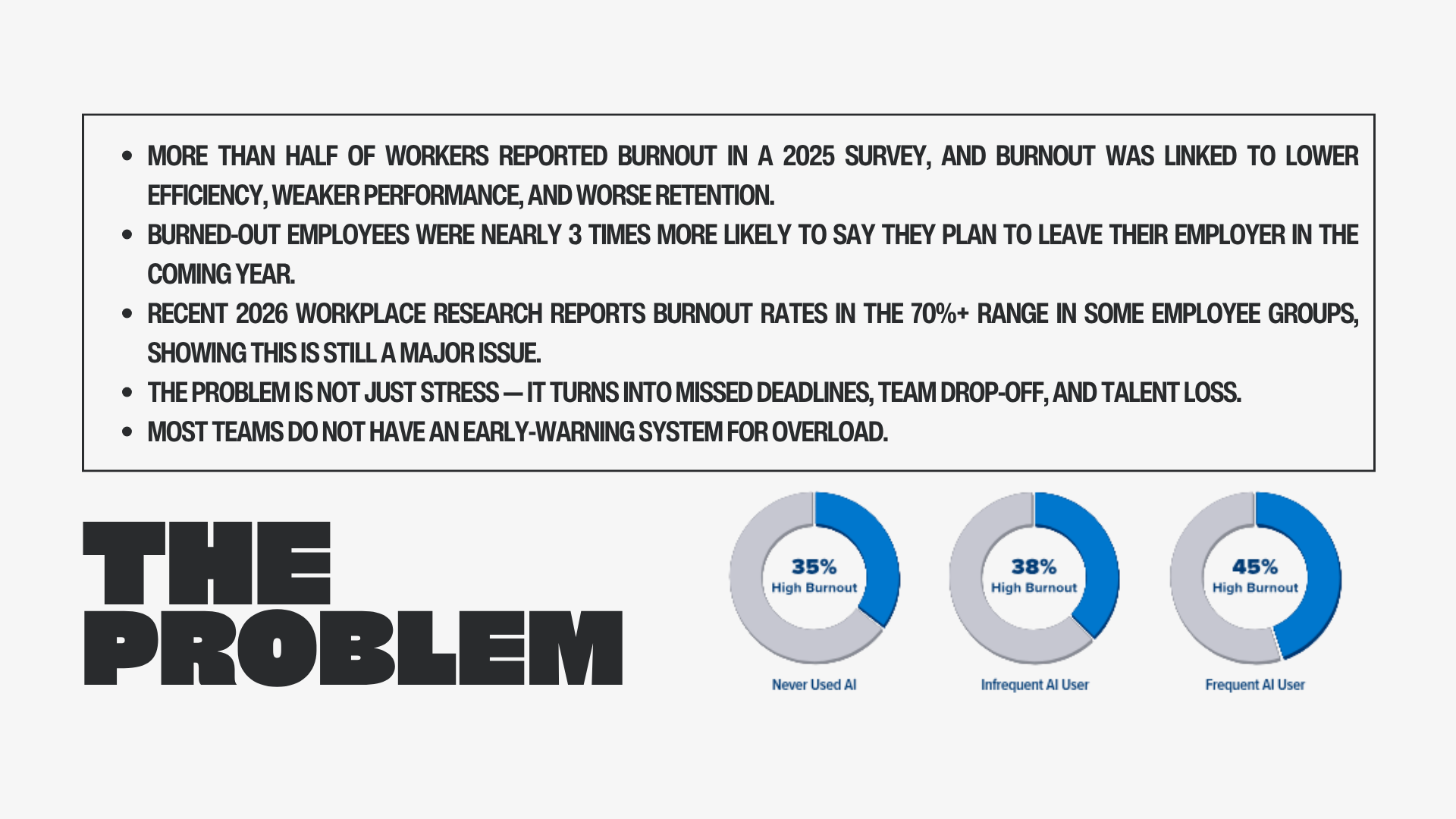
As an AI engineering intern at a startup and a full time college student, I built Sable with my friend from a personal experience. By the end of the day, I often feel the weight of constant switcing between work and studies, meeting deadlines by doing overtime, and going through PRs that take an awful lot of time to go through btw and all combined makes the whole thing a cocktail of disaster as i lose all motivation to work and start to think when's the next break coming and that made the problem feel very real to me. Sable was inspired by the idea that workload strain should be noticed early with care and enough evidence to back it up before it becomes invisible burnout.
What it does
Sable helps to make your team stable :P
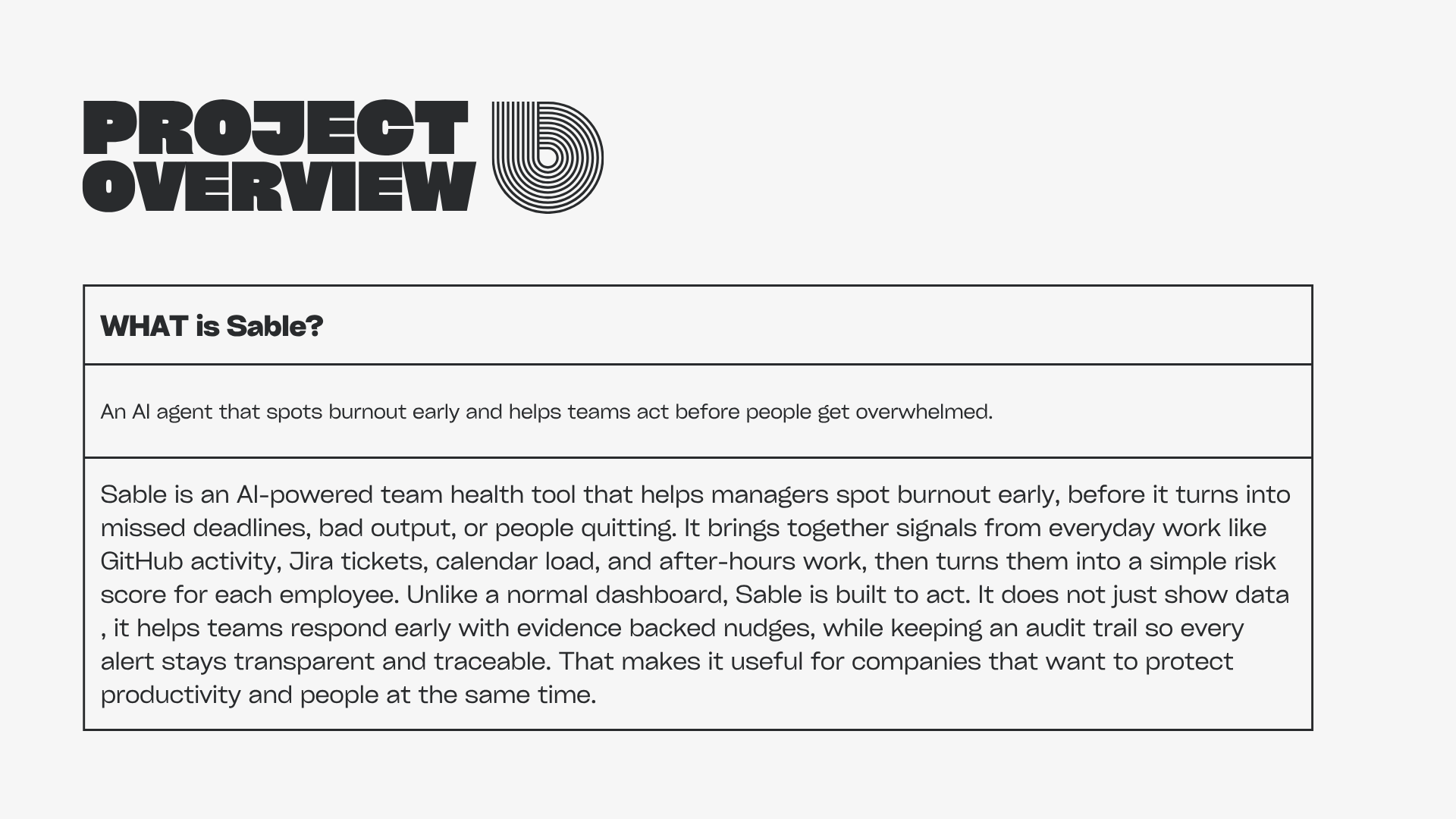
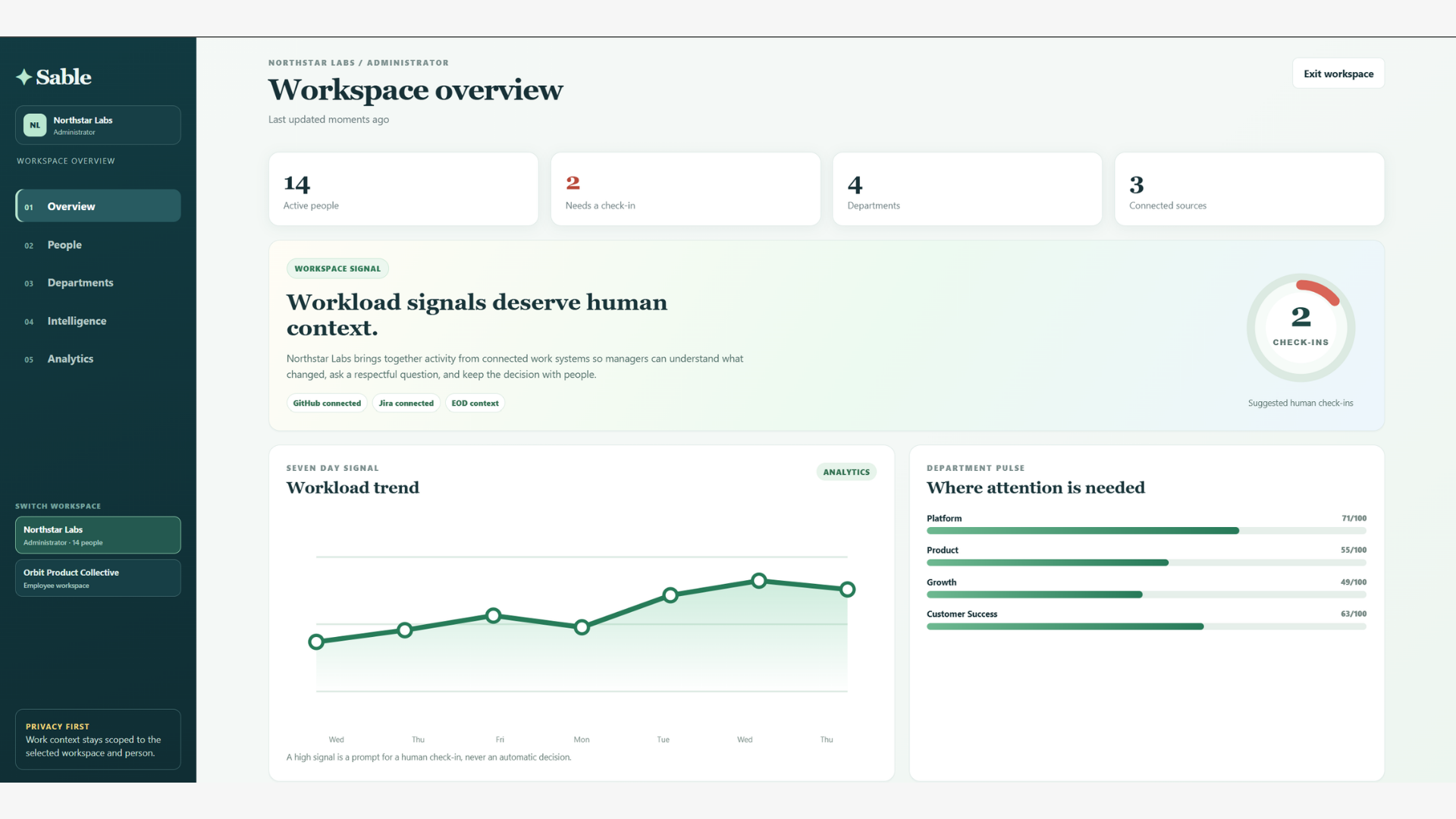
Sable is a multi-workspace employee intelligence system that flags and helps managers notice sustainable workload signals early and start better, evidence based conversations, basically check in on them because that is what matters the most. It brings together engineering activity, employee owned identity connections, end of day updates, PTO imports, and optional AI assisted (optional because AI should not be the focus everywhere) summaries so that people can be supported before work pressure becomes unbeable.
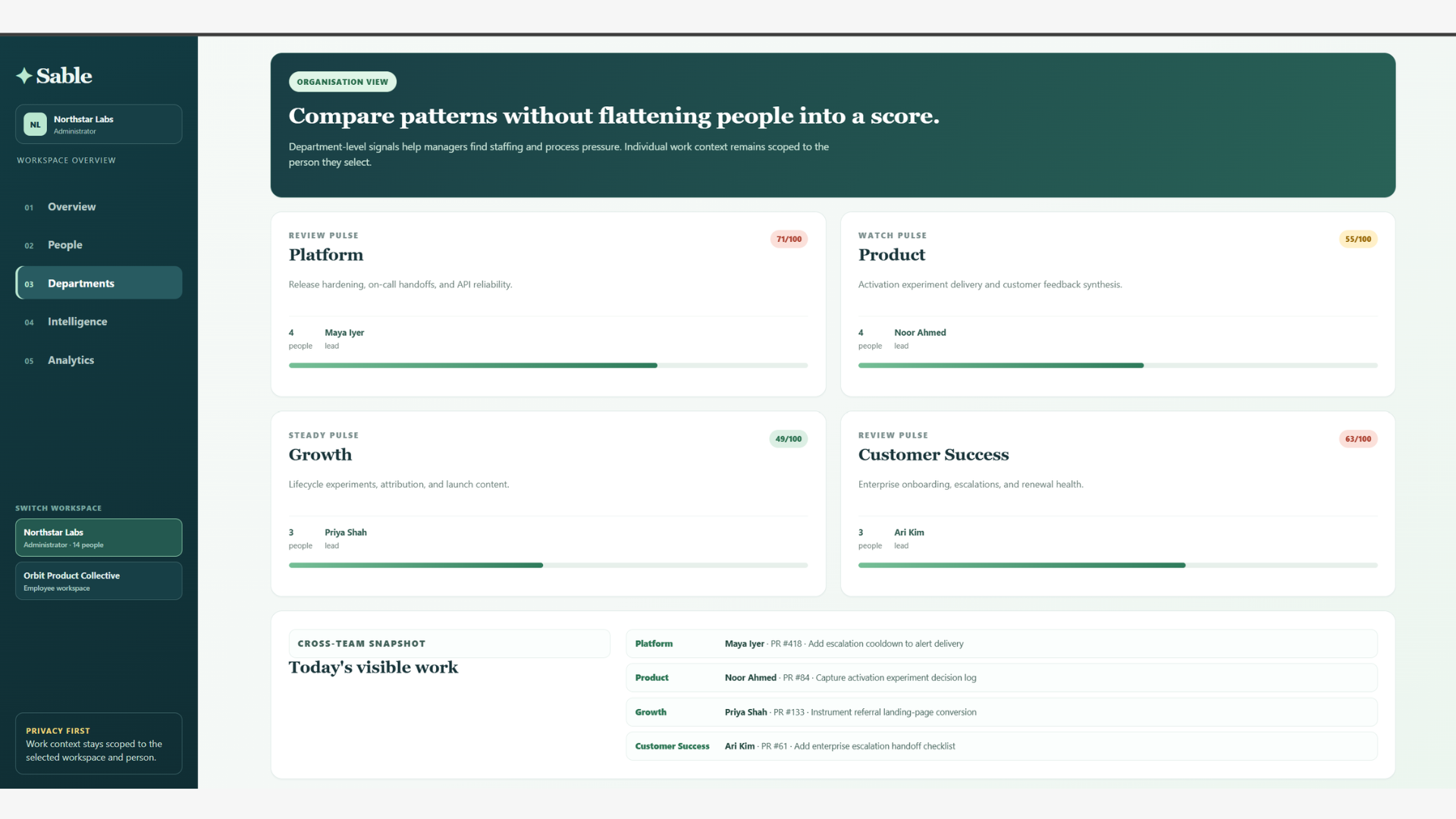
It is designed to help managers understand what someone has been working on, spot possible overload signals, and remove blockers or rebalance priorities. Sable is not a surveillance tool, not a medical product, not a performance ranking system (i do not want to be the reason for layoffs), or an automated employment decision system.
How we built it
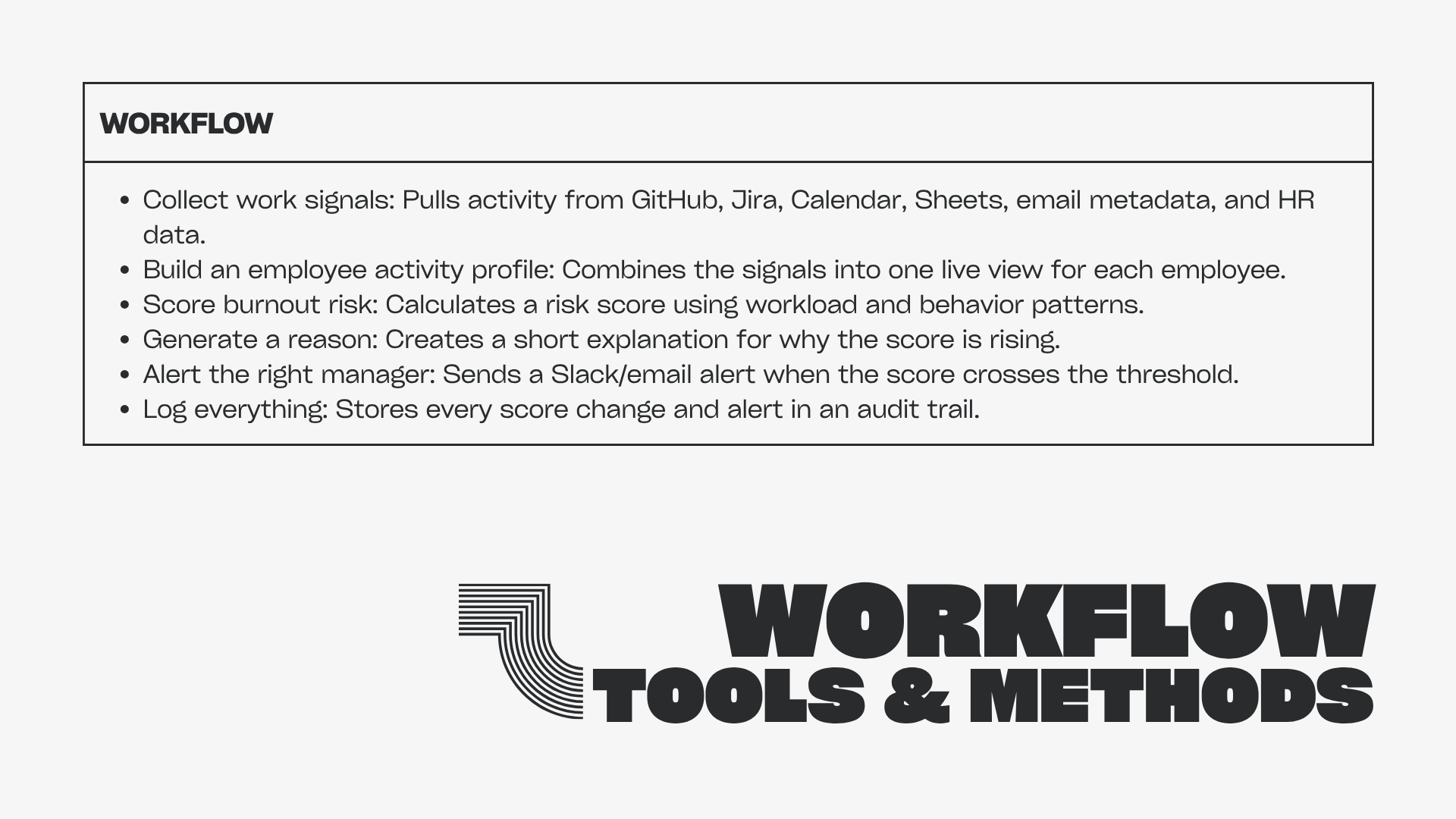
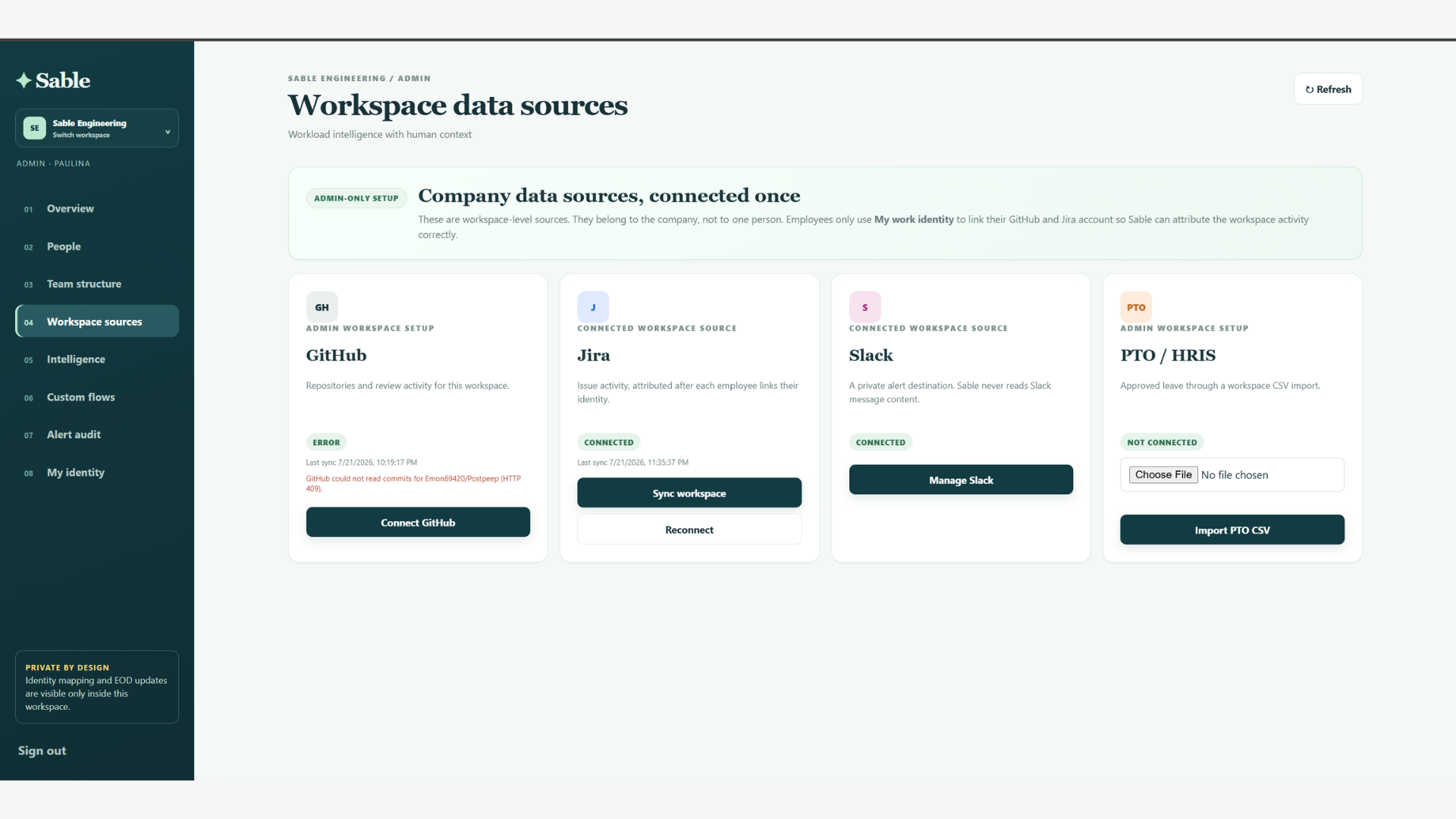
We built Sable with a Next.js frontend, a Flask backend, Supabase for authentication and data storage, and integrations for GitHub, Jira, Slack, PTO CSV import, and custom connectors. The system includes encrypted credentials, role based access, audit records, and optional AI powered structured summaries for review only use.
We used Codex as an implementation collaborator throughout the project to move quickly across backend work, frontend flows, integration debugging, migrations, and UI refinement. That helped us turn the idea into a working product within hackathon constraints.
We were able to build entire sable in 2 days due to GPT 5.6 terra with Codex and it about and about costed only 50 dollars worth of tokens which is impressive because
1) We only worked on a spec file rest everything from architecture and design was made by codex with 5.6 terra
2)We worked as team of 2 hence we had to manage between pull requests, codex made this dead simple and already figured out what conflicts we could get and patched it up saving a lot of time
3)We used multi agents on Ultra mode by splitting the work into parallel specialist agents instead of one long monolithic run. this allowed one to scrape web for data, one to understand the correct api structure for jira and one to actually continue building rest of the connectors
4)It also helped with deployments on vercel this is crazy because all this was done so fast and required minimal changes
Challenges we ran into
One of the biggest challenges was balancing useful employee intelligence with strong privacy guardrails. We had to make sure Sable only uses permissioned data, avoids Slack message content, and keeps AI outputs review-oriented rather than decisive plus we needed to keep it so minimal that it should not be used to fire someone only help them, fingers crossed
Another challenge was designing a multi workspace flow that stays clean for admins while still keeping employee identity connections secure and properly scoped. We wanted the product to feel practical for managers, but also respectful of employee privacy and trust and making it easy to use for employees as at end of the day we do not want them to go to a work space click different buttons to actually log their work, just go to workspace and log it and done!
Custom connectors are a headache, we made a whole sandbox because we know that development is not limited to jira or github, its vast and people can create their own connectors to log their work throughout like whatsapp bots, mail bots, google docs etc
Accomplishments that we're proud of
We’re proud that Sable works as a complete workflow, not just a dashboard. It can onboard workspaces, connect employee identities, ingest activity signals, generate workload indicators, and surface manager-facing evidence in one place.
We’re also proud that the safety model is built into the design instead of being an afterthought. The product is intentionally shaped around support, transparency, and human judgment rather than ranking people or automating decisions about them.
What we learned
We learned that employee intelligence is only useful if it leads to trust. The product has to explain itself clearly, stay scoped to approved signals, and avoid turning helpful context into surveillance.
We also learned that hackathon speed is much easier when the architecture is modular, so integrations, scoring, and UI can move independently. Building with a clear workflow made it much easier to iterate quickly and keep the product coherent.
What’s next for Sable
Next, we’d like to improve signal quality, add more connectors, make the employee self-view richer, and strengthen privacy and access controls further. We also want to test whether the system actually helps managers have better conversations and spot overload earlier.
Add more integrations !!!
In the long term, Sable could become a layer for team health and workload visibility across not only modern engineering organizations but many departments such as sales, media, marketing etc. We are engineers and built it from engineering point of view but we would love to expand it over all departments. The goal is to make care more practical by helping managers notice strain before it becomes burnout.
And Finally
How to use Sable
Run the backend, primary frontend, and Supabase migrations first using the local setup guide. The normal product journey is intentionally split between an administrator or department head and an employee: managers create and manage workspaces; employees join through an invite and connect their own identities.
Administrator or department-head guide
- Create an account and select the admin role. Sign up on the primary frontend.
- Create a workspace. From the workspace home, create the organisation/workspace you manage. Add departments so that later views and conversations can be scoped appropriately.
- Connect organisation-level integrations. Open the workspace integration area and connect the providers your organisation has approved. GitHub and Jira require the provider configuration described in Optional integration configuration in readme. Slack is for alert delivery, not reading channel messages.
- Invite employees. Generate an invite link and send it to the employee's intended email address. Do not create an employee record from a manual form; the employee should accept the invite and establish their own membership.
- Wait for identity connection. The employee signs in through the invite and connects or claims their GitHub and Jira identities. An administrator does not need to connect their personal GitHub or Jira account merely to manage a workspace.
- Sync deliberately. Use an individual employee sync when verifying a new connection, or a workspace/bulk sync when it is appropriate to refresh all approved sources. Check the connector status and event count after each sync.
- Review the dashboard with context. Open an employee profile to review approved activity evidence, EOD status, previous analyses, and connector state. Treat a workload indicator as a prompt for a conversation, not as a performance rating.
- Use AI as a review aid. If Groq is enabled, ask focused questions about the selected employee's approved context, such as recent commits, Jira activity, or EOD status. Check the evidence and human-review flag in every response. Do not use it to infer health, personality, protected traits, or employment outcomes.
- Follow up humanely. Discuss workload, priorities, blockers, support, or time away directly with the employee. Record only the work information your organisation is authorised to retain.
Employee guide
- Open the invite link. Use the email address to which the invite was sent. Create an account or sign in with that same address.
- Join the workspace. Review the workspace membership details and accept the invitation.
- Connect your own identities. In the profile or identity area, connect GitHub and Jira only after you understand the requested permissions. These connections identify your approved work activity in the workspace; they do not give a manager access to your private messages or personal tokens.
- Submit an EOD update. Add your end-of-day achievements, blockers, next focus, and energy/status when requested. Keep the update useful and work-focused.
- Keep information current. Reconnect an identity if its authorisation expires or changes, and contact the workspace administrator if you receive an unexpected invite or see incorrect data.
Built With
- codex
- javascript
- nextjs
- postgresql
- python
- supabase\
- typescript


Log in or sign up for Devpost to join the conversation.