-
-
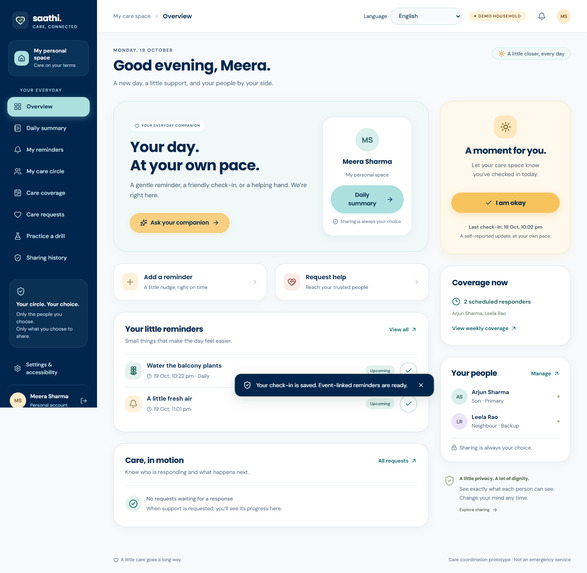
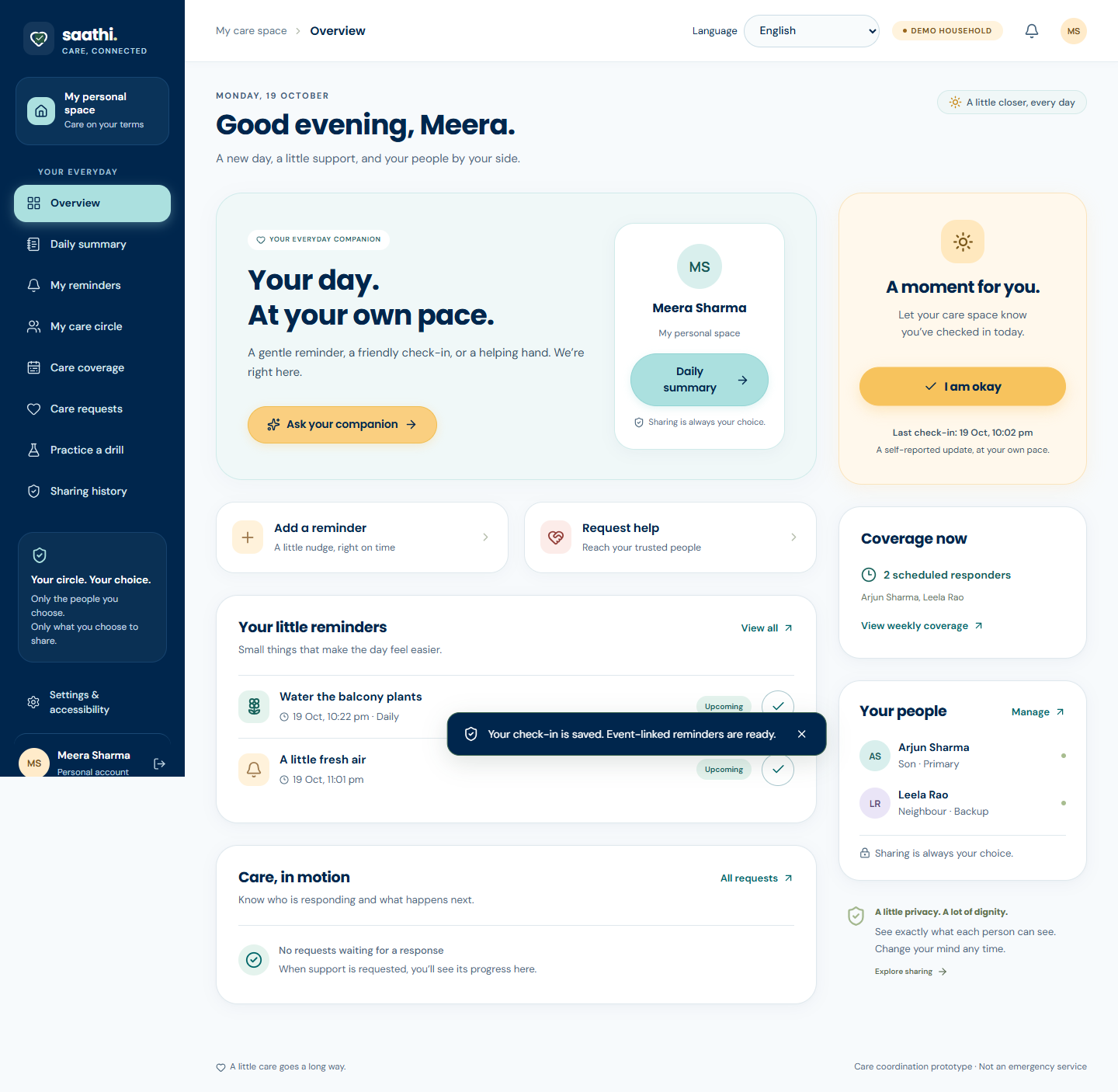
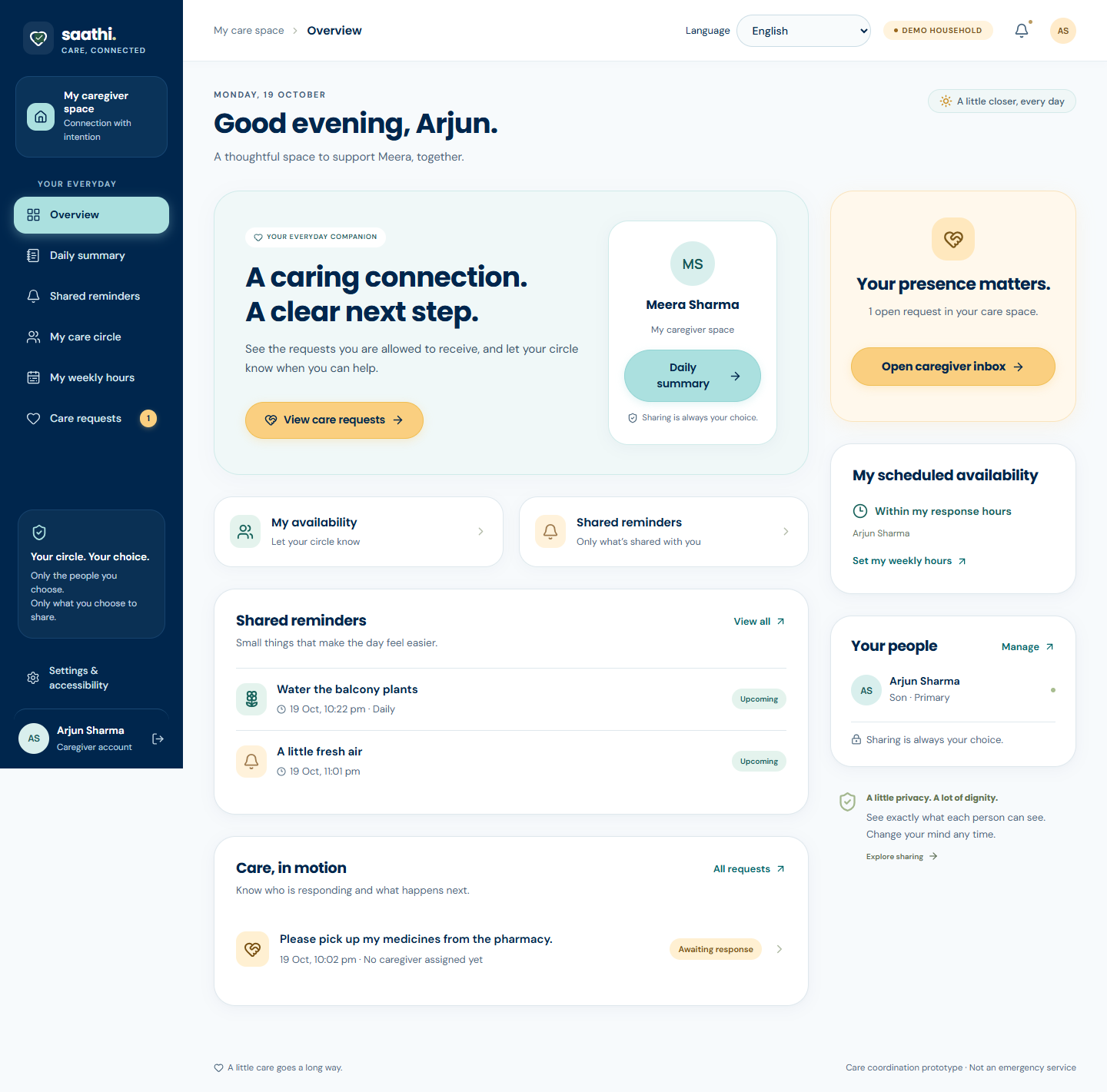
Daily check-in and care dashboard
-
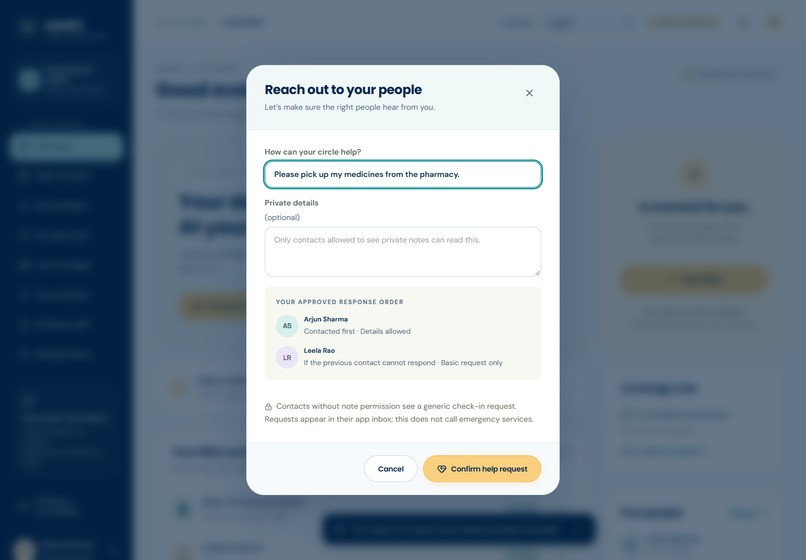
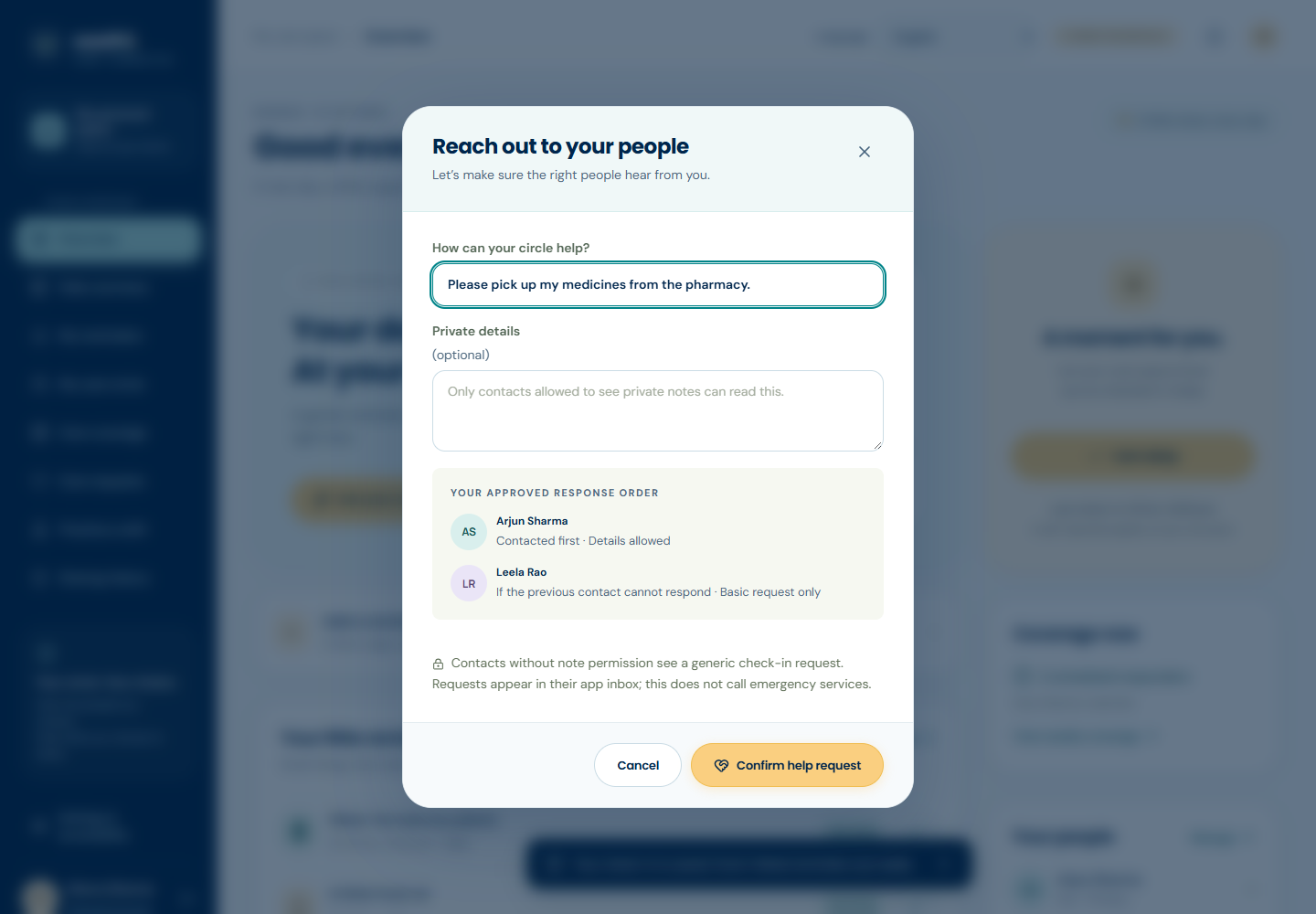
Review a request before sending
-
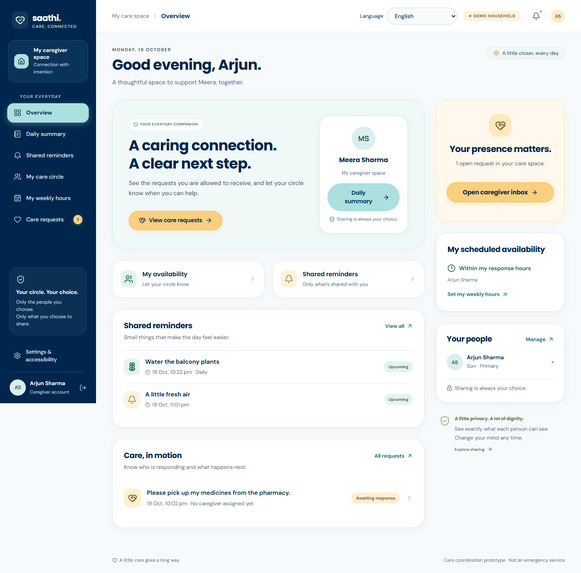
Caregiver view of incoming requests
-
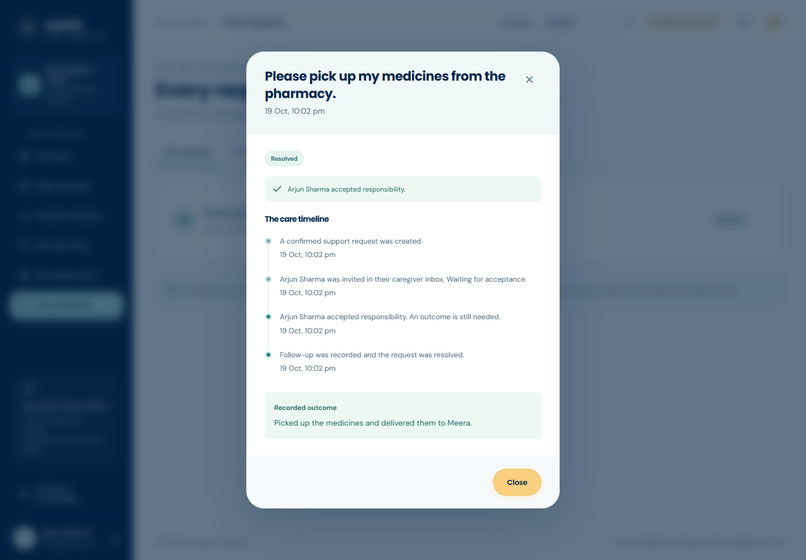
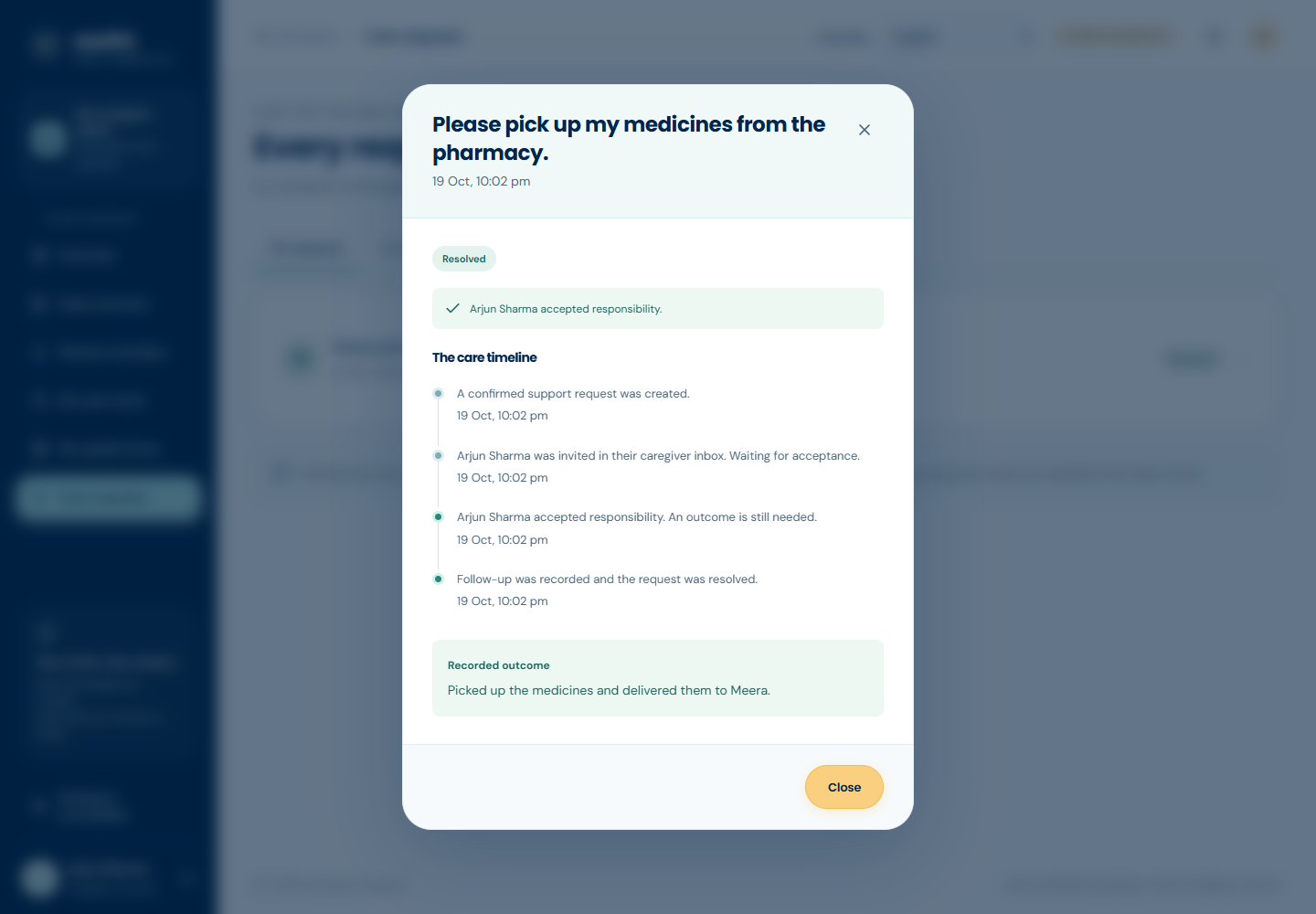
Recorded outcome of a completed request
-
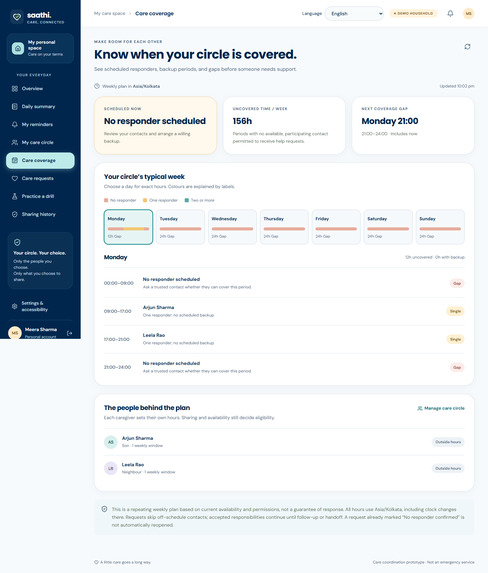
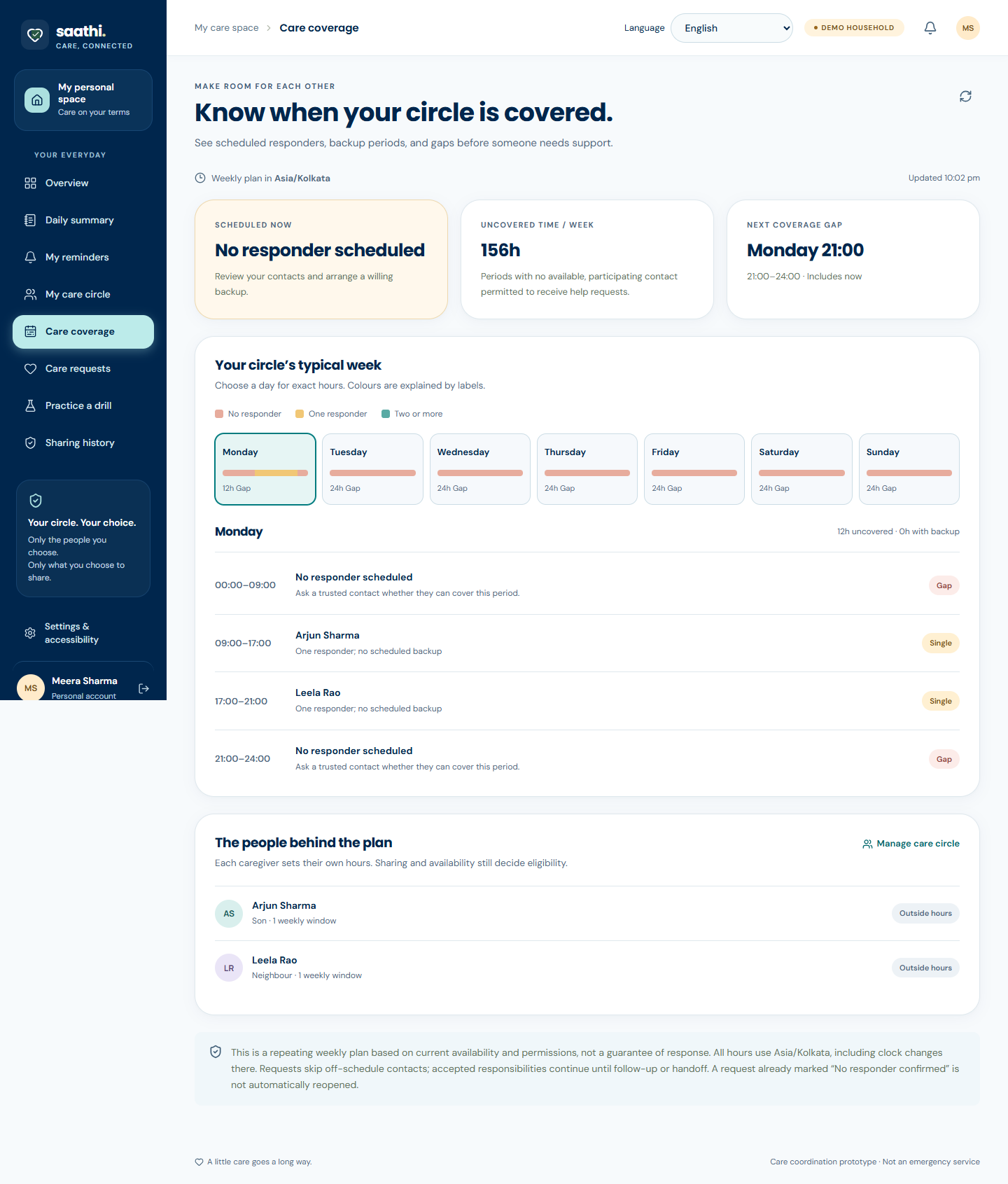
Weekly caregiver coverage
-
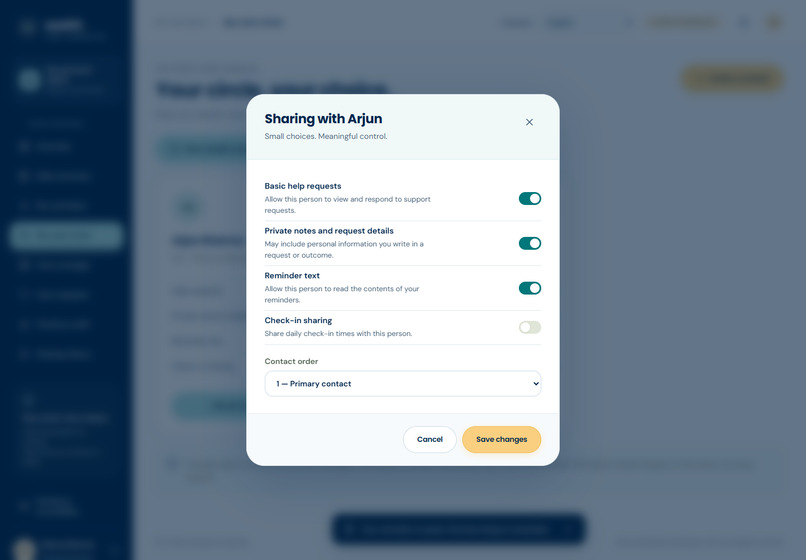
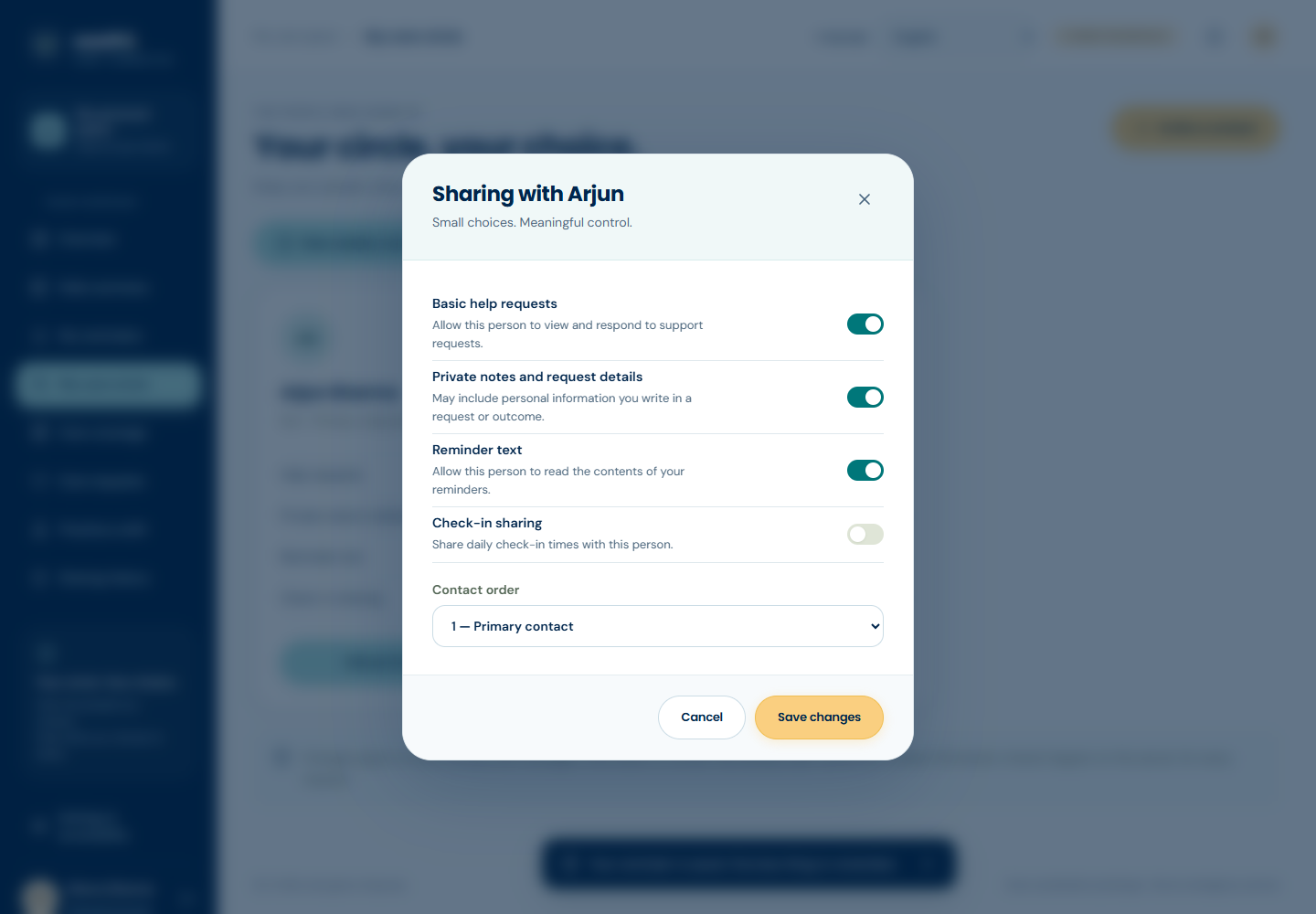
Individual sharing controls
-
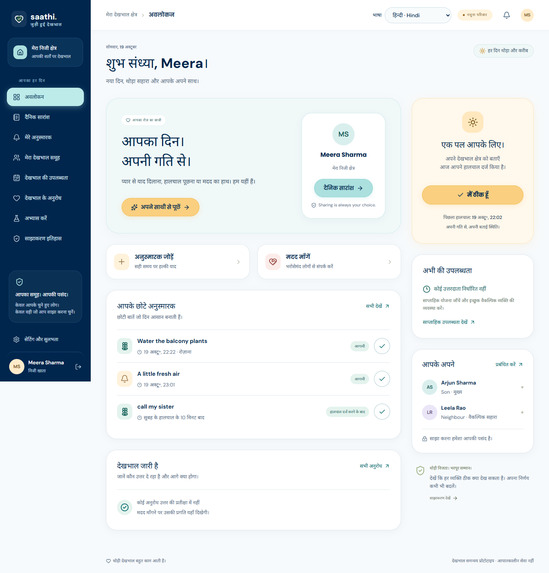
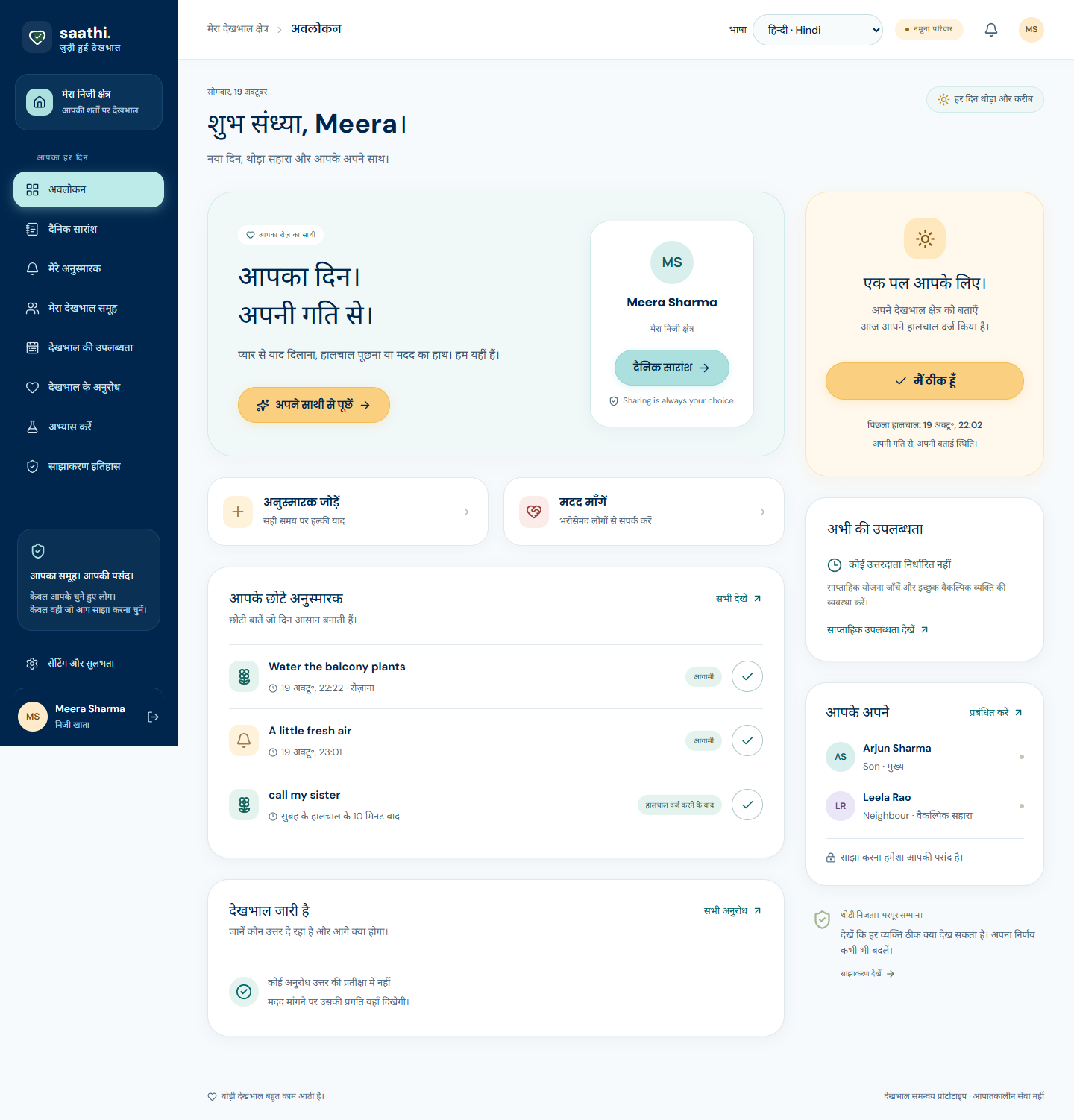
Hindi interface
-

Mobile experience

Inspiration
We started with a simple question: when an older adult asks their family for help, how do they know someone is actually handling it?
In a group chat, a request to pick up medicine or help with an appointment can get buried. Even when someone replies, it may still be unclear whether the task was completed. We wanted to build a place where asking for help, taking responsibility, and following up all fit together.
What it does
Saathi Care AI helps older adults and their trusted contacts manage everyday care together. It brings daily check-ins, reminders, support requests, and caregiver availability into one dashboard.
When someone asks for help, they can review the request and contact order before sending it. A caregiver can accept the request and record what happened when it is finished. If a contact declines or does not respond, Saathi tries the next eligible person. If nobody is available, the request stays visibly unresolved.
Older adults can also choose what each contact can see, including check-ins, reminders, and private details. The interface supports English and 14 regional languages, with accessibility options such as larger text and reduced motion.
How we built it
We built the frontend with React, TypeScript, and Vite. The backend uses Node.js and Express, with SQLite to store accounts, reminders, permissions, and request history. The app is deployed on Render.
A background worker checks request deadlines and handles backup handoffs. Those deadlines are saved in the database so the workflow can resume after a server restart.
For language interpretation, Saathi supports an optional OpenAI-compatible provider. It suggests a reminder or sharing change for the user to review and confirm. The core demo also works without an API key.
Challenges we ran into
One tricky part was deciding what “accepted” really means. Someone agreeing to help does not mean the task is finished, so we made acceptance and resolution separate steps.
Sharing permissions were another challenge. A contact might be allowed to respond to requests without seeing private notes. We had to apply those choices consistently across the different views.
Caregiver schedules added another layer. The app needs to find someone who is available, but a person's shift ending should not interrupt a task they have already accepted.
Accomplishments that we're proud of
We're proud of getting the full request journey working, from asking for help to recording an outcome, including backup handoffs when the first contact cannot respond.
We're also happy with the way the demo lets people explore both sides of the experience. Meera's profile shows the older adult's view, while Arjun and Leela show how caregivers receive and handle requests.
Regional languages, mobile layouts, and sharing controls were meaningful parts of the build because they affect whether people can comfortably use the app.
What we learned
We learned that small differences in wording can change how people understand a care request. “Sent,” “accepted,” and “completed” need to mean something clear and consistent.
We also learned to treat privacy as part of each feature. Deciding what appears in a summary or request history matters just as much as having a permissions screen.
The project pushed us to think beyond the happy path: what happens when nobody responds, availability changes, or a server restarts?
What's next for Saathi Care AI
Our next step is to test the app with older adults and family caregivers. We want to see whether they can create a request, understand who is handling it, and manage sharing without needing help.
We also want to improve language interpretation, evaluate notification delivery, and test installation on physical phones. What we learn from those sessions will guide the next version.


Log in or sign up for Devpost to join the conversation.