-
-
couverture
-
accueil
-
preuves
-
contradictions
-
assistant
-
mobile
Inspiration
Taking over a project is brutal. It's Wednesday, 9 a.m. The launch is in 22 days. You've just inherited 64 files: emails, meeting transcripts, invoices, spreadsheets, screenshots. And they contradict each other:
- A status report says everything is "green" when it isn't.
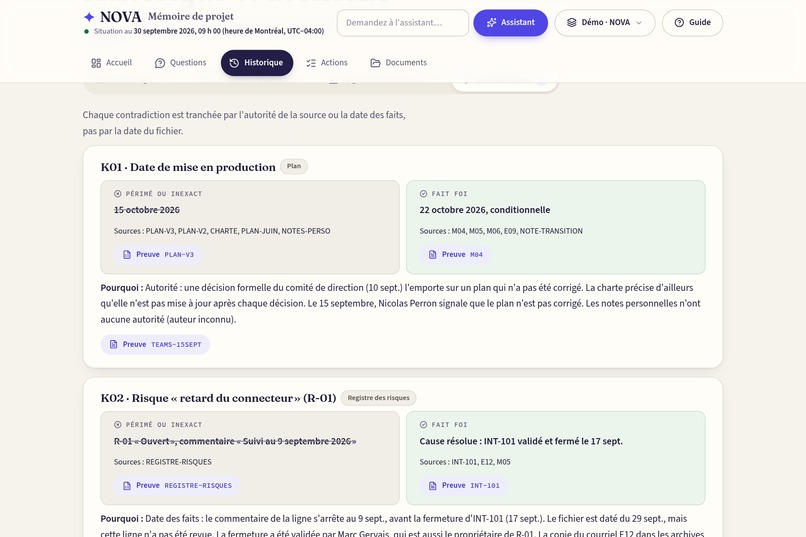
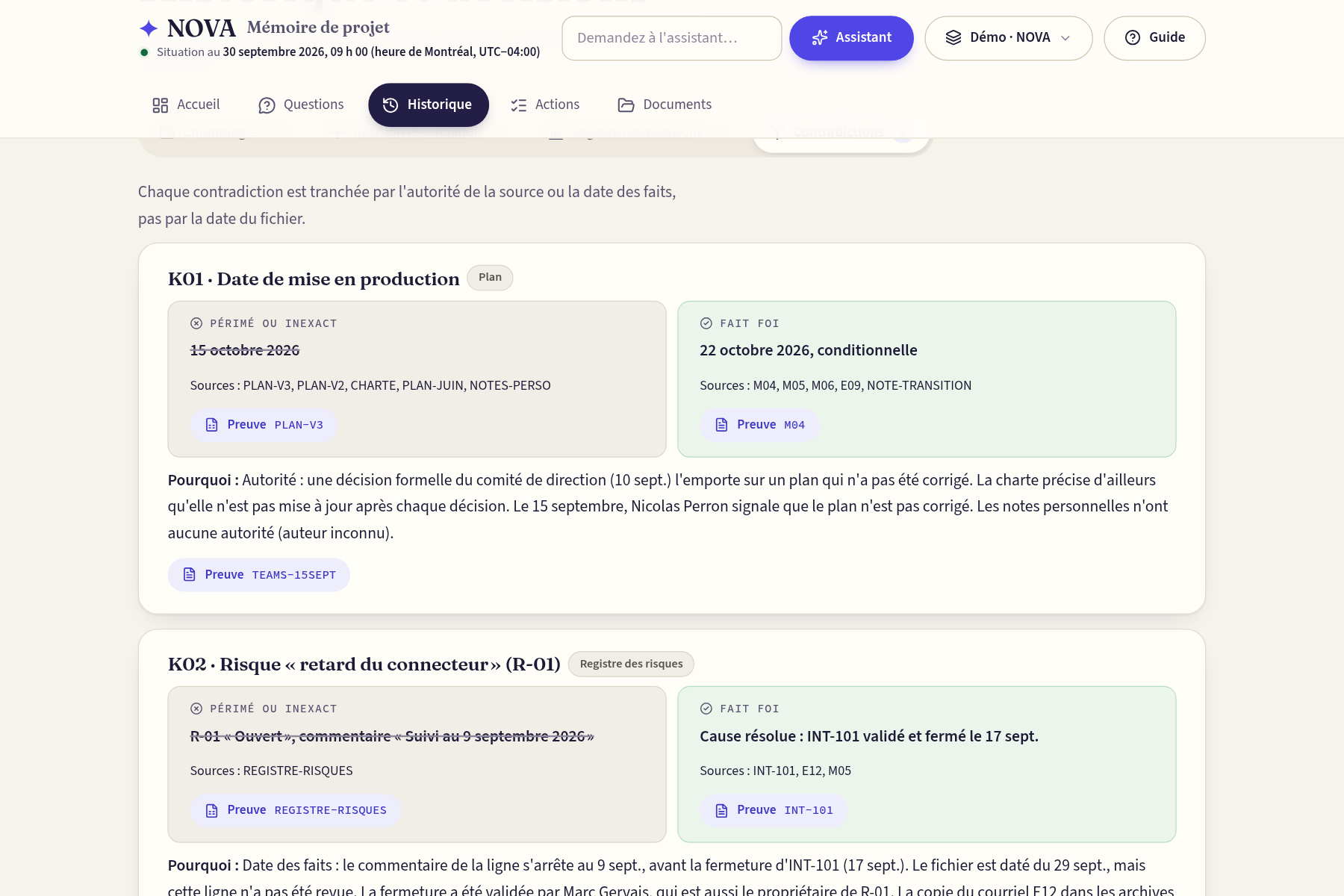
- The plan says October 15, but the steering committee decided October 22.
- An invoice includes $18,000 of work nobody approved.
Projet 360 asked us how a leader can understand a project in five minutes without being fooled by stale or wrong documents. We wanted a tool that doesn't just summarize, but proves every sentence.
What it does
NOVA turns a messy project folder into a reliable, one-screen picture of the project.
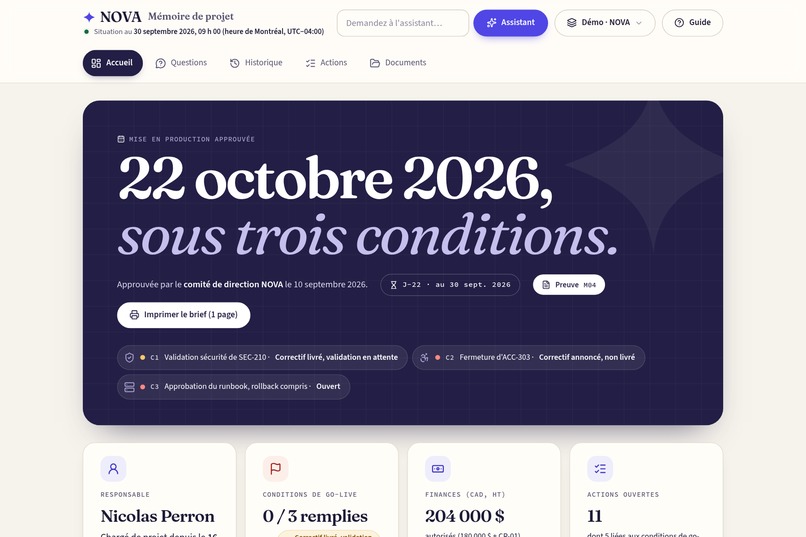
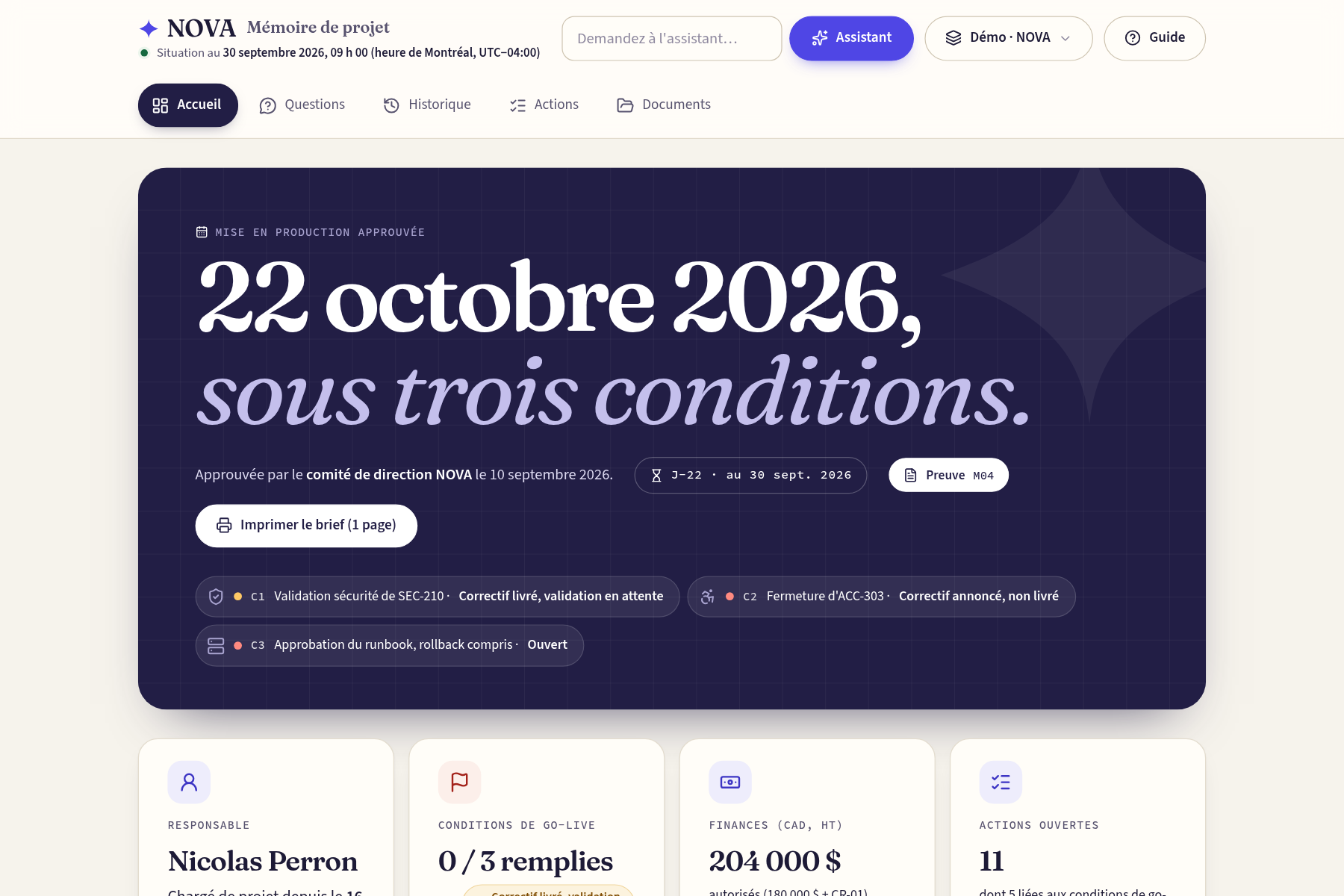
- 🎯 One answer, one screen: the launch date, the three conditions to meet (0 of 3 met today), money authorized vs. invoiced vs. paid, and who owns what.
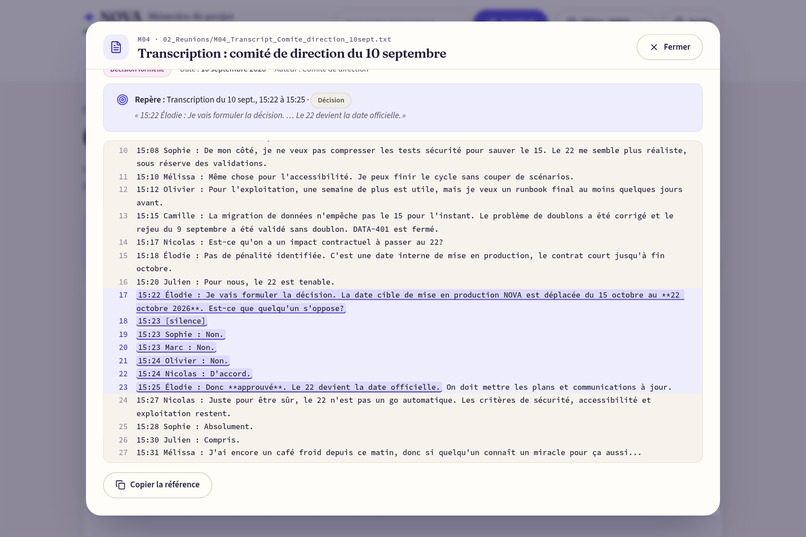
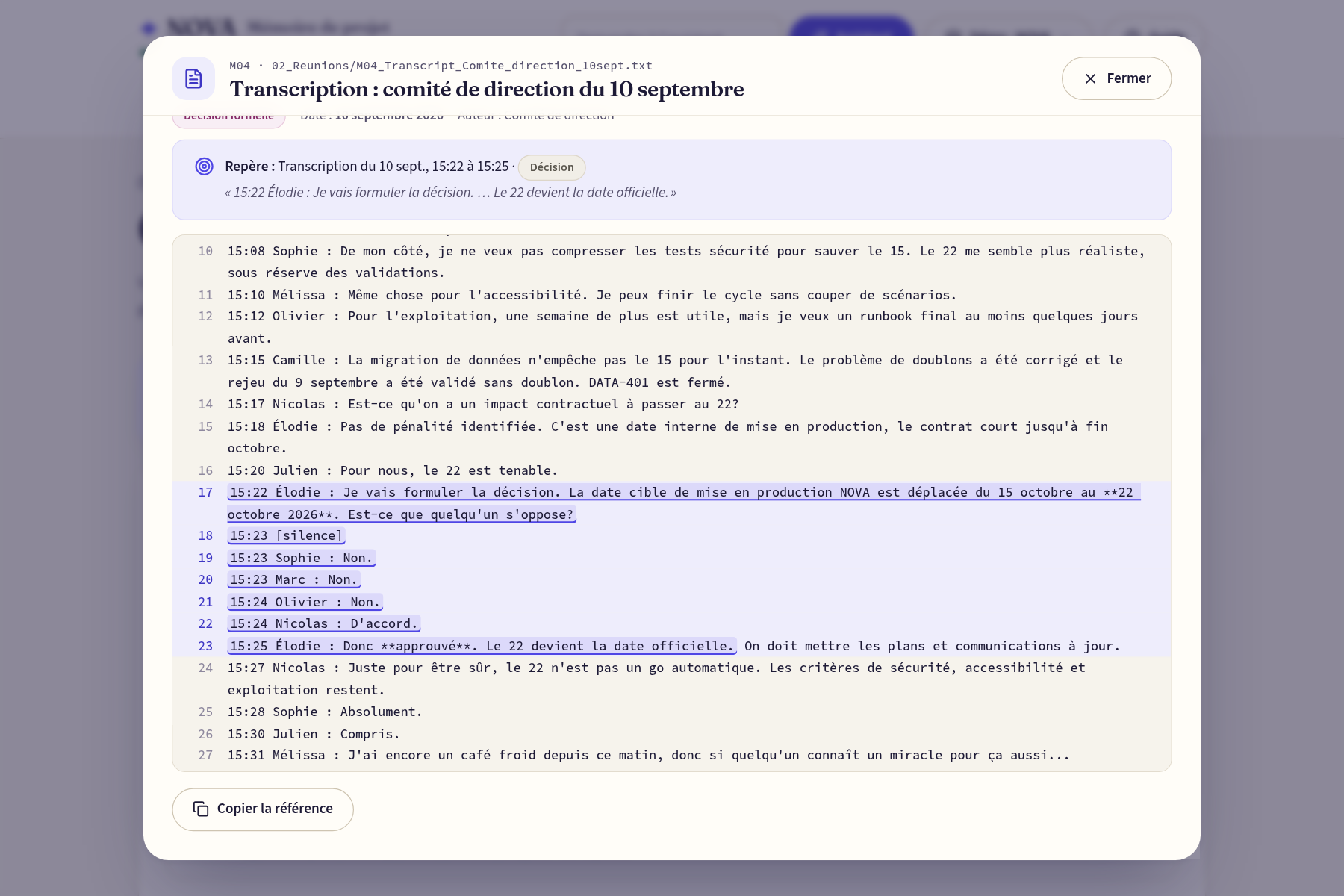
- 🔎 A proof for every sentence: one click opens the original document at the exact passage, PDF page, spreadsheet cells or image area, highlighted.
- ⚖️ Contradictions resolved: the outdated version and the one that counts, side by side, with who decided and when.
- ✅ Clear actions: each one has an owner and a deadline, or "To be confirmed" when nothing is written. We never invent a date.
- 🖨️ A one-page brief to print before a meeting.
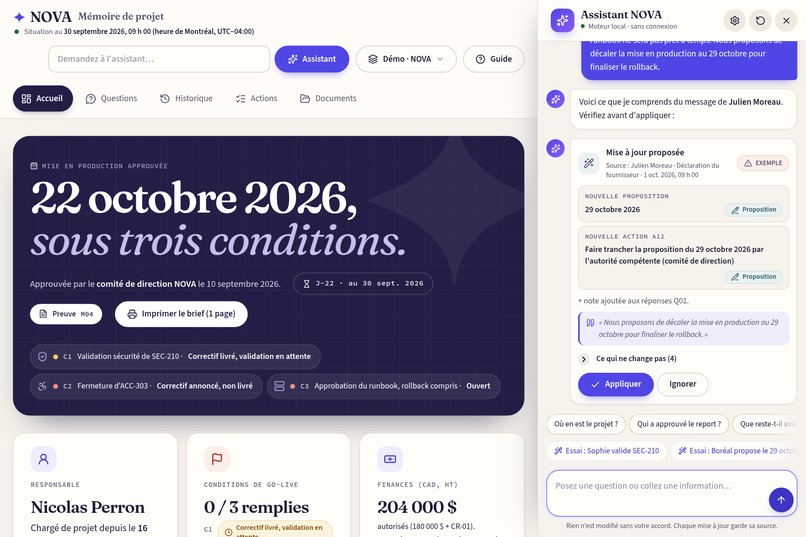
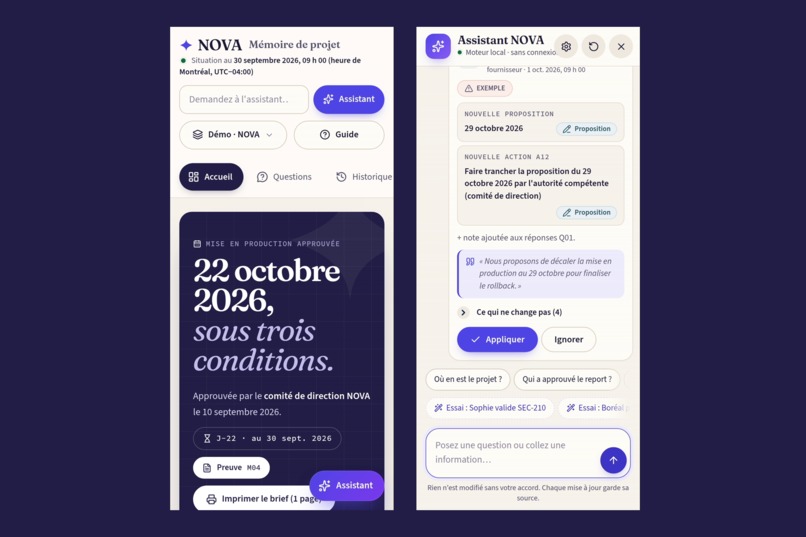
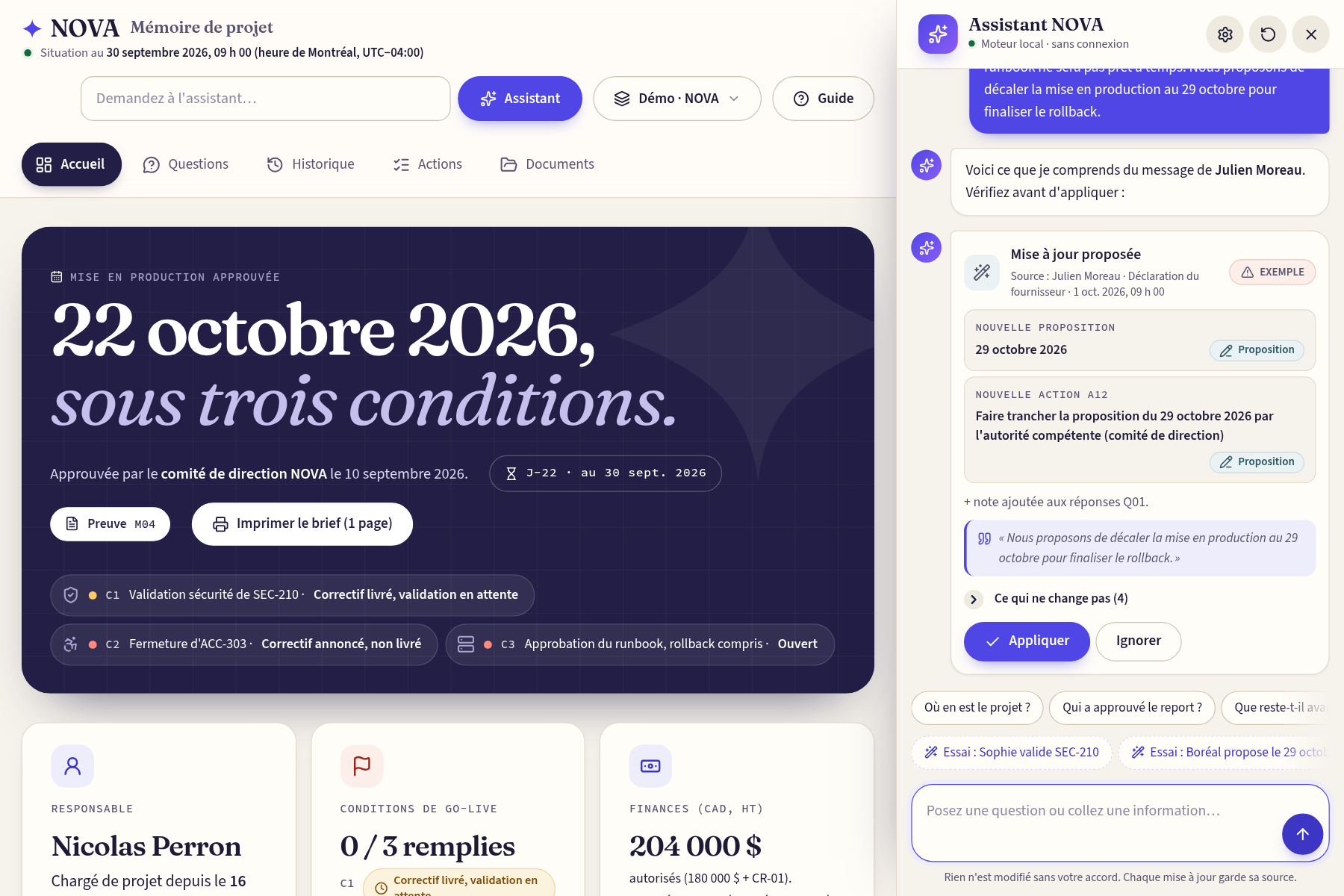
- 🤖 An AI assistant in a split view (one third of the screen). You paste an email or type a sentence, like telling ChatGPT to update your CRM:
- it shows what changes and what doesn't, and nothing is applied until you click;
- it enforces the rules: a vendor can't close a condition, and a date without an approver stays a proposal.
- 🗂️ Two versions: a demo, where you step into the shoes of the leader who has to decide, and a blank project you fill just by talking to the assistant.
- 📴 It works offline: a single HTML file, with no account, no subscription and no API key. The date is fixed at September 30, 2026, 9:00 a.m. Montréal time, never the computer's clock.
How we built it
- App: vanilla JavaScript, HTML and CSS, built by a Node script into one self-contained file. It bundles the data, the 64 documents, the fonts and the icons. The data lives in JSON files, separate from the code.
- Proofs: every claim points to a source location. A verifier checks all 229 proofs at build time and reports any proof that doesn't land on a real passage.
- Assistant: a local rule-based engine by default, plus an optional Claude connector using the user's own key (structured tool, fallback to local mode).
- Quality: 128 automated browser tests with Playwright, offline and on the live site. Hosted on Vercel.
- Design: a "Paper & indigo" visual identity, built so that even a grandmother can find her way around.
- Pitch video: made with Remotion (React), using real captures of the app and real figures from the documents. The voice is ElevenLabs, timed word by word with Whisper. Music and sound effects are generated by code and mastered at −14 LUFS.
Challenges we ran into
- Finding where the truth was: the documents are full of traps, like the false "green" report, a risk register that was never updated, an unapproved change request on an invoice, and a new project manager since September 16.
- Never inventing anything: no approval, no deadline and no source that isn't in the documents. We had to hold an AI assistant to that same rule.
- Opening a proof at the exact spot in transcripts, PDFs, Excel files and images, all inside a single offline file.
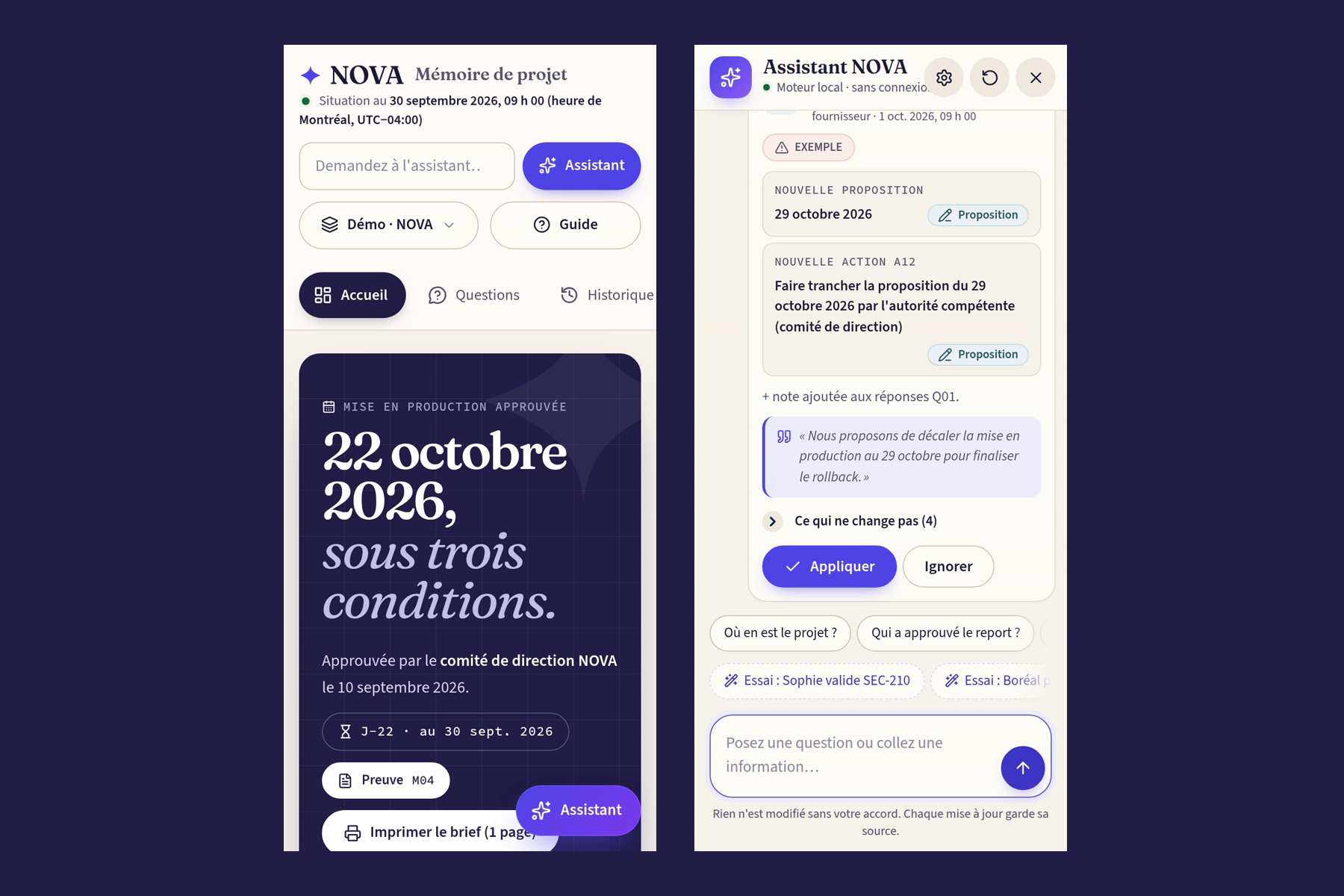
- Making it simple without removing features: for example, no scrolling in any pop-up, from a phone to a large screen.
Accomplishments that we're proud of
- Every sentence of every answer can be checked in one click.
- It works with Wi-Fi turned off, from a single file.
- The assistant updates the whole project from a single email, and it never turns a proposal into a decision.
- 128/128 tests pass, offline and online, and all 229 proofs are verified.
- A 64-second motion-design video that opens the app.
What we learned
- Trust comes from proof, not from fluent summaries.
- The hardest problem isn't missing information, it's contradictory information. Knowing which document counts matters more than reading everything.
- Good guardrails make AI more useful, not less.
What's next for NOVA
- 🔌 Connectors for Outlook, Teams, SharePoint and Jira, so the folder updates itself.
- 🚨 Alerts when a new document contradicts what was decided.
- 👥 Shared projects for teams, with a history of who approved what.
- 📂 Running the assistant on documents nobody has prepared in advance.

Log in or sign up for Devpost to join the conversation.