-
-
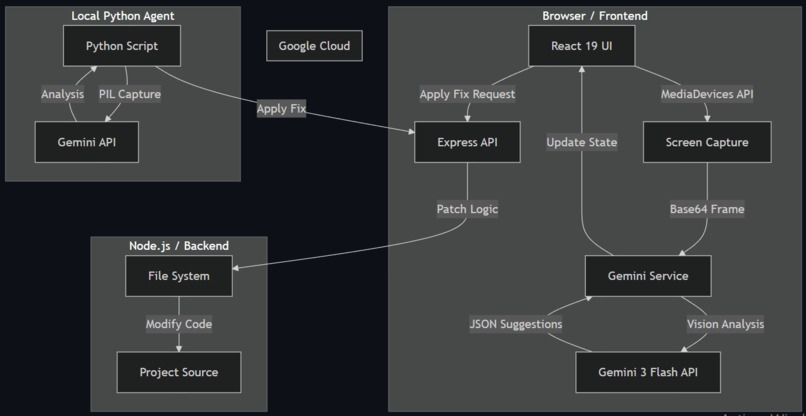
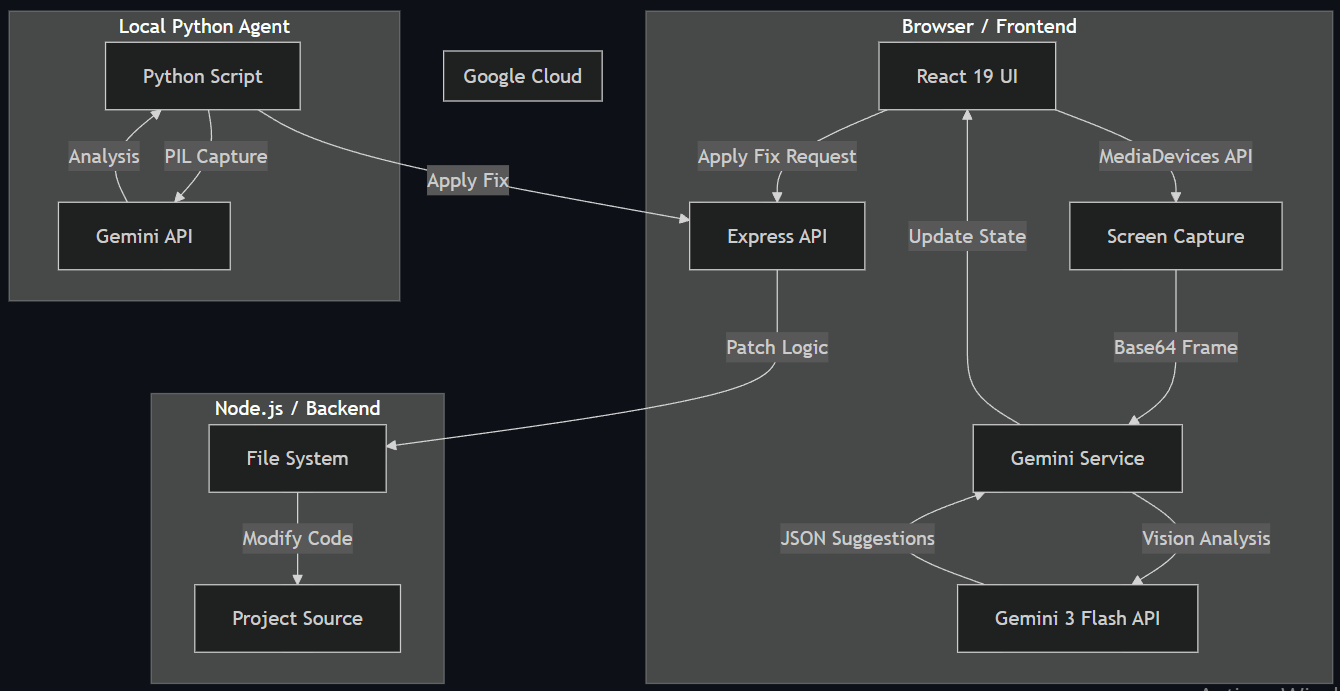
System Architecture
-
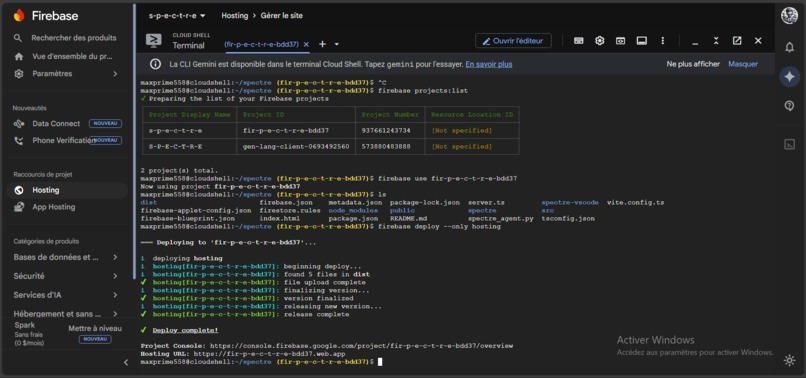
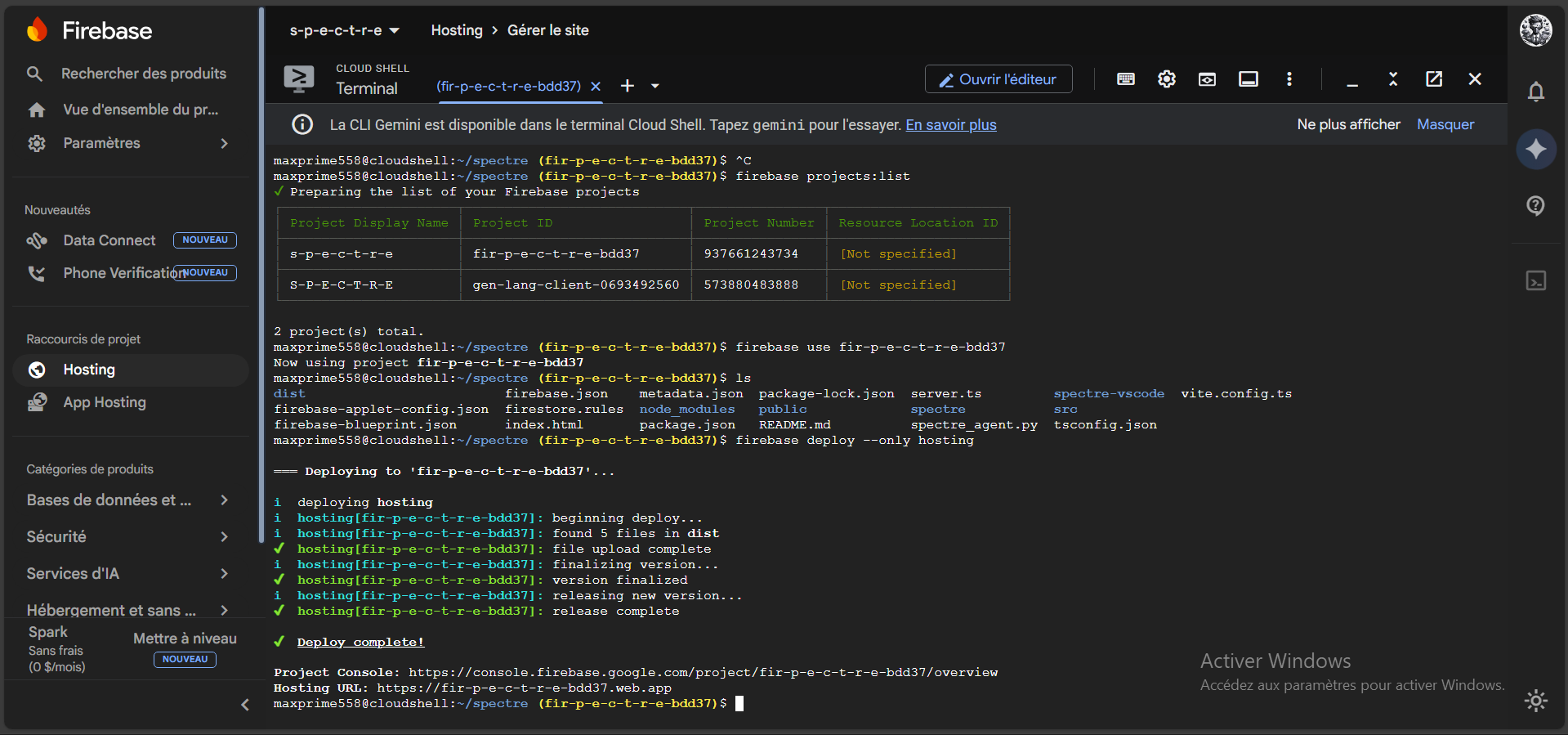
Firebase Deployment
-
-
-
-
-
-
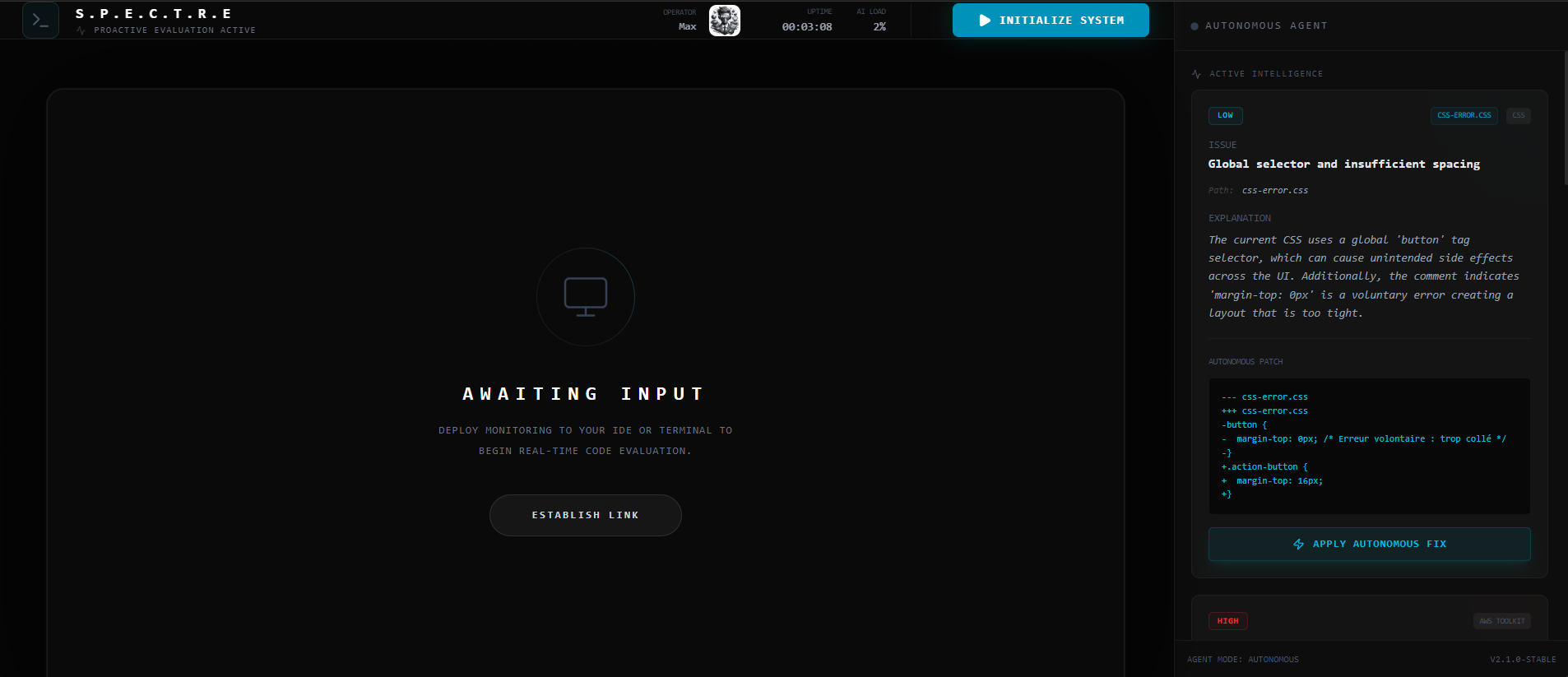
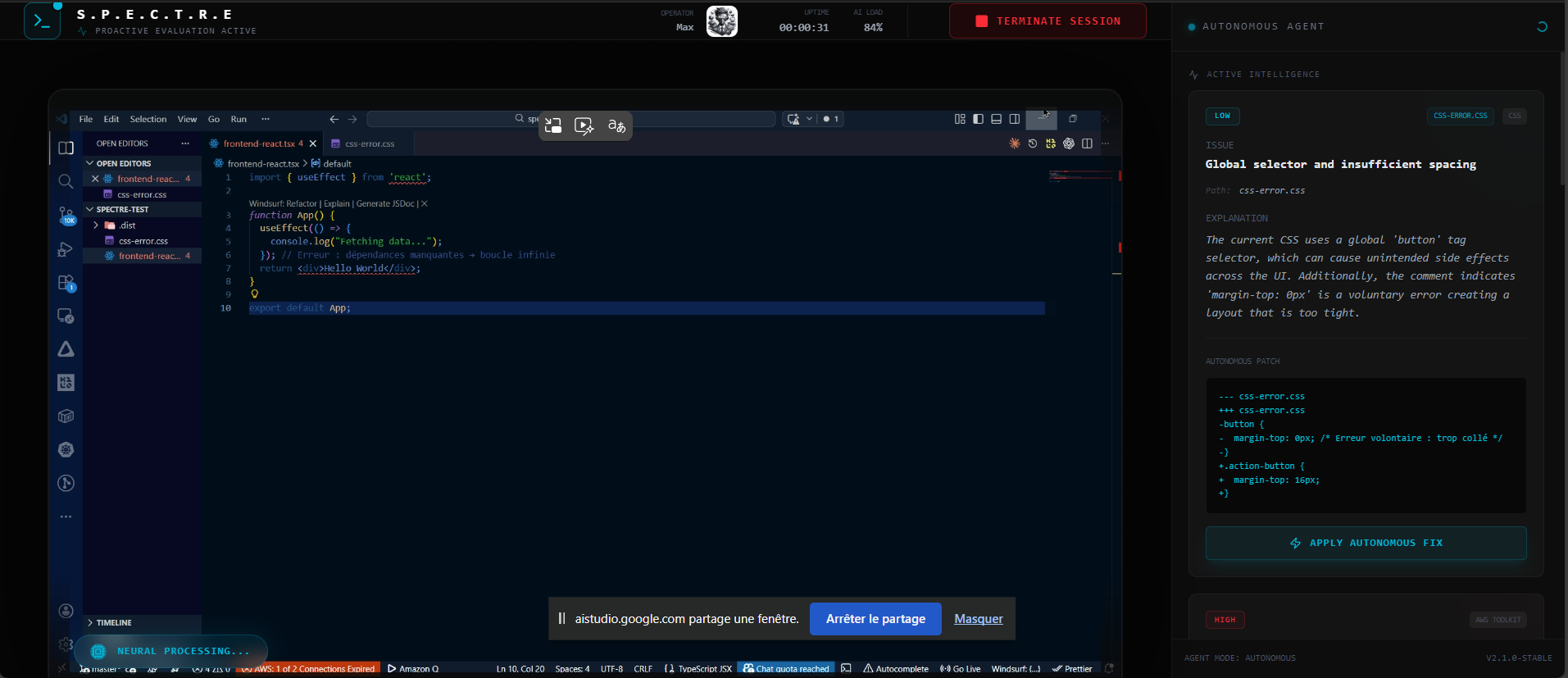
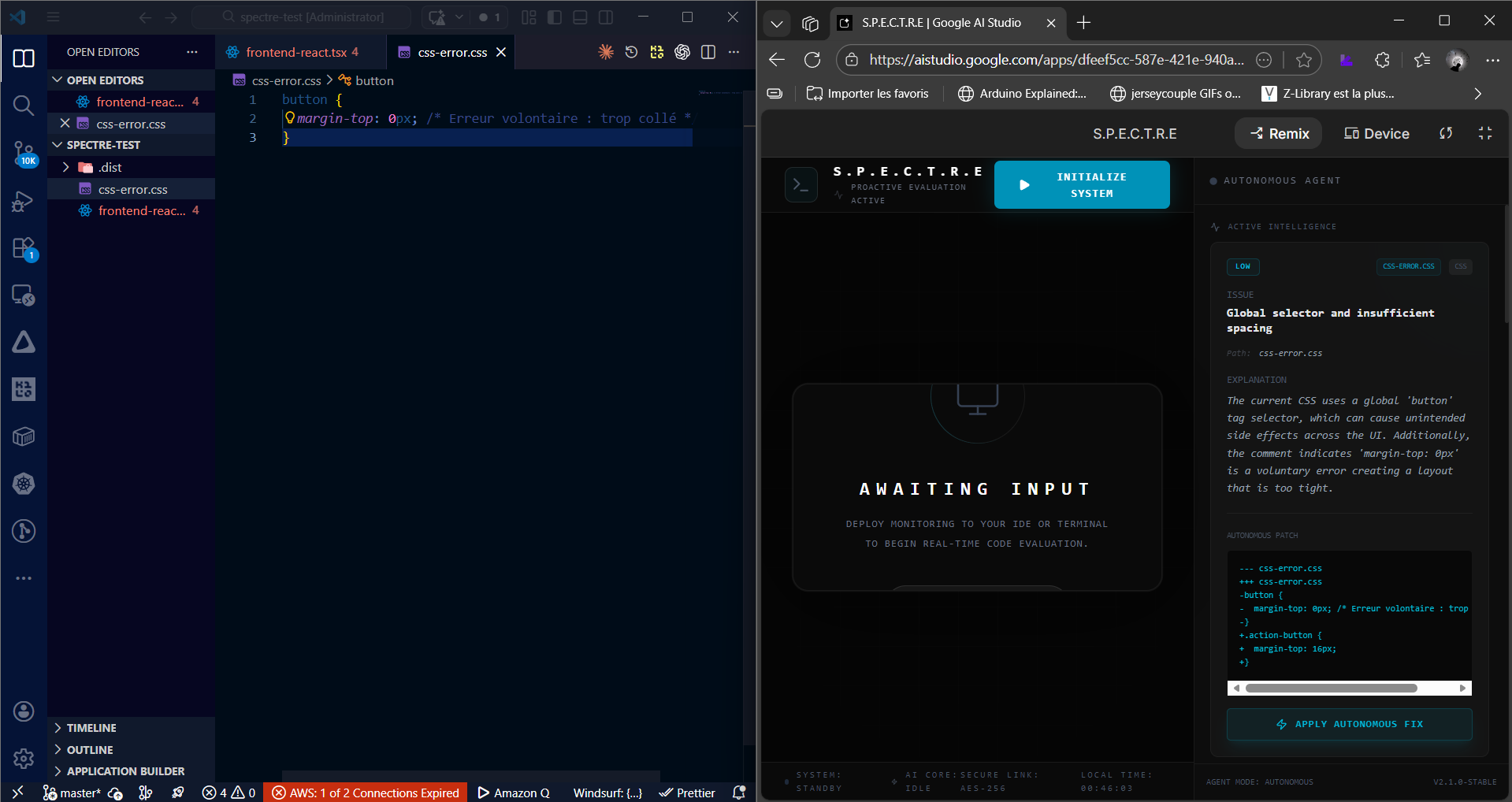
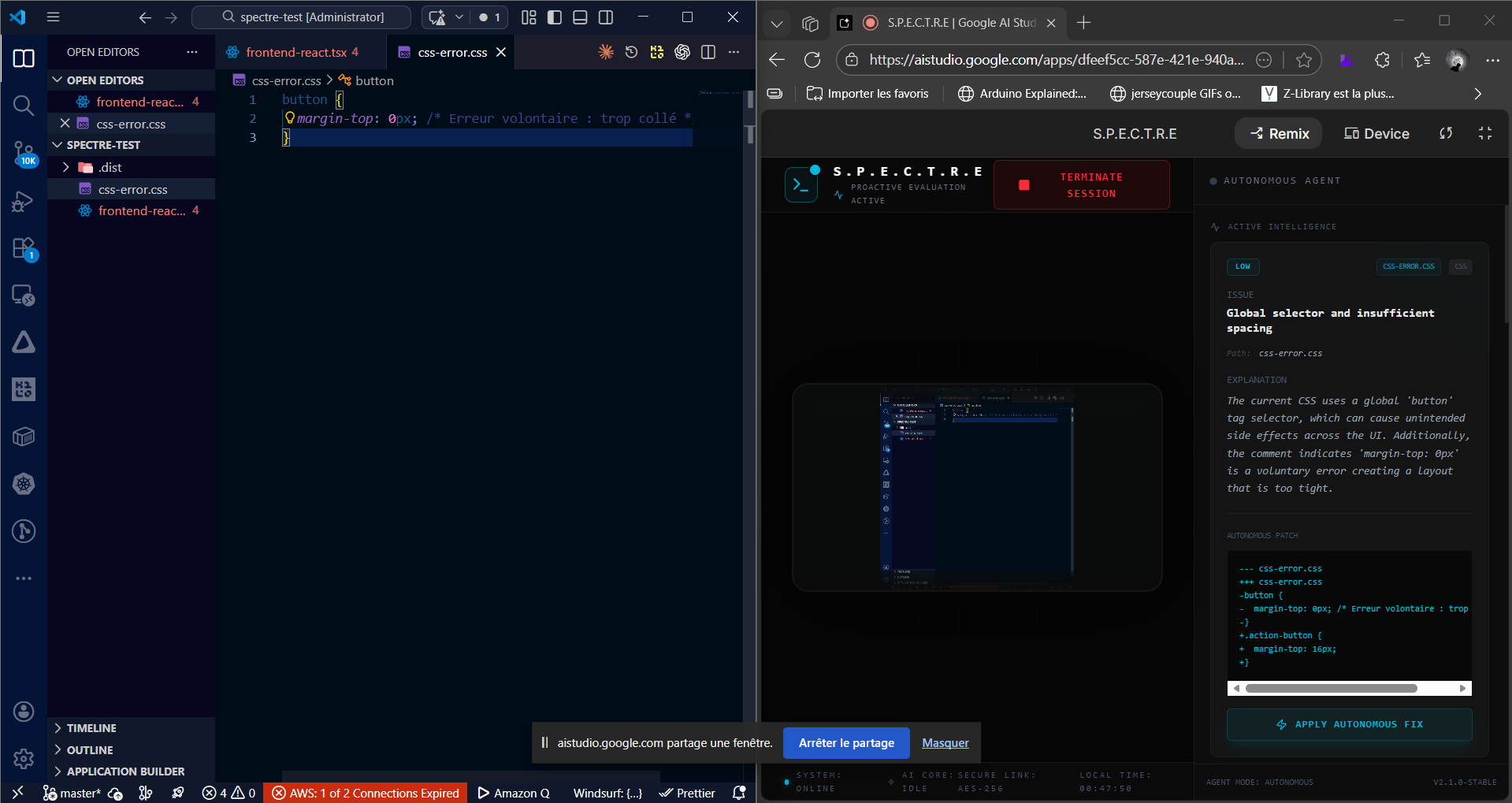
S.P.E.C.T.R.E (System for Proactive Engineering and Code Technical Real-time Evaluation)
Inspiration
S.P.E.C.T.R.E was born out of my frustration with the constant back-and-forth between IDE, terminal, documentation, and Stack Overflow. Even with tools like Copilot, there's always something missing: a “real-time eye” that can understand the full context — code, logs, UI rendering, and system errors — all at once.
I wanted to build an assistant that doesn't just autocomplete code, but actually sees, understands, and acts in real time to help the developer — like a senior dev sitting right behind you.
What it does
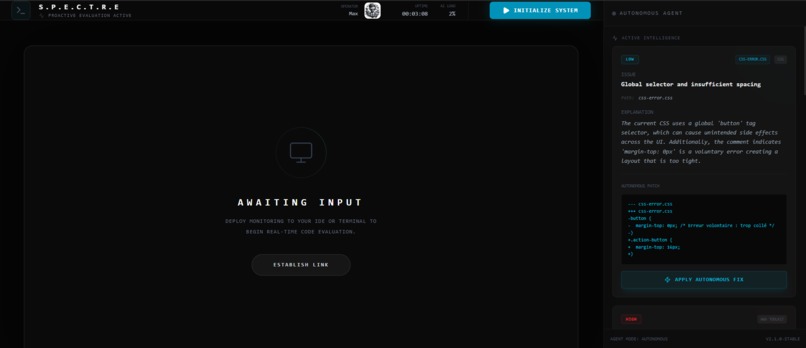
S.P.E.C.T.R.E is a multimodal, autonomous development assistant:
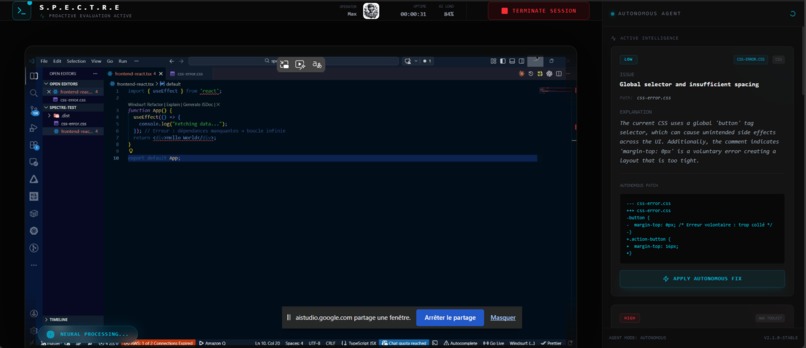
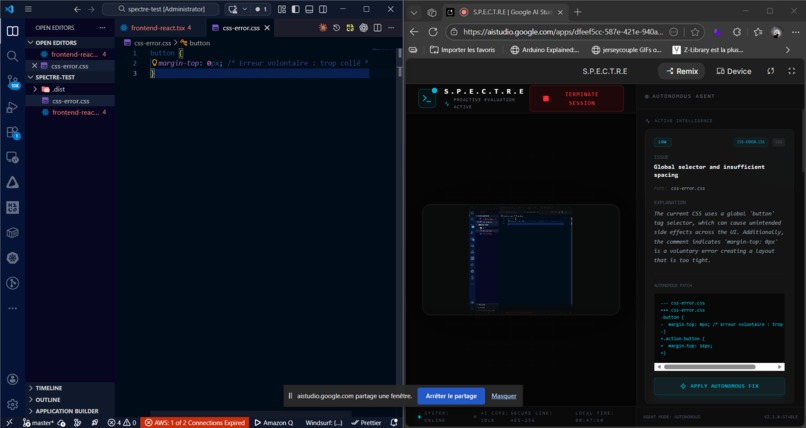
- Captures your screen (IDE, terminal, browser) every 1–5 seconds
- Analyzes errors, warnings, and UI rendering issues using the Gemini Live API
- Generates structured fix suggestions (
issue,severity,fix_code,explanation,patch) - Allows automatic application of code patches
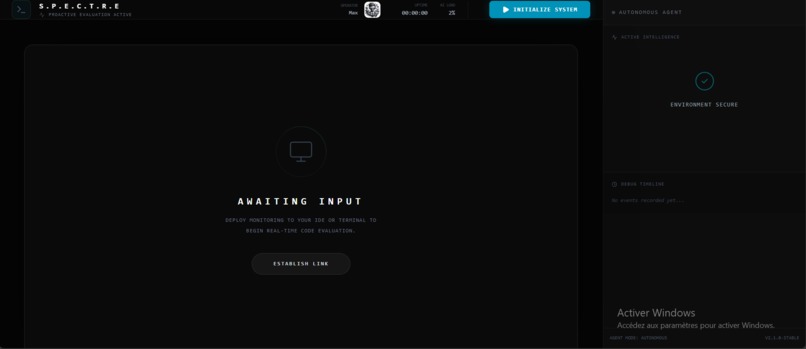
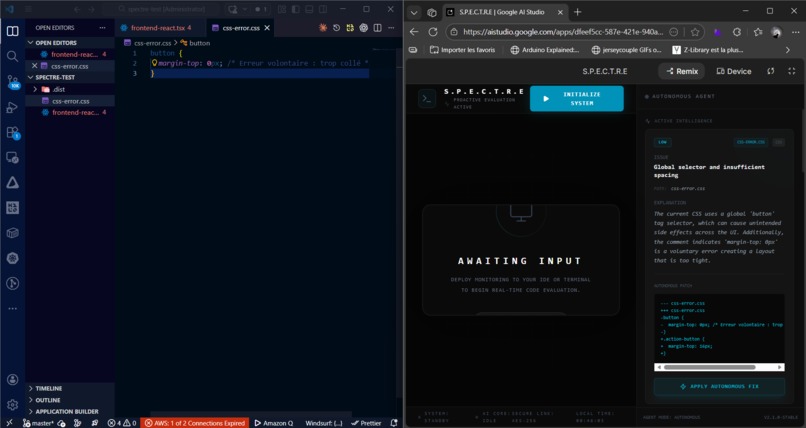
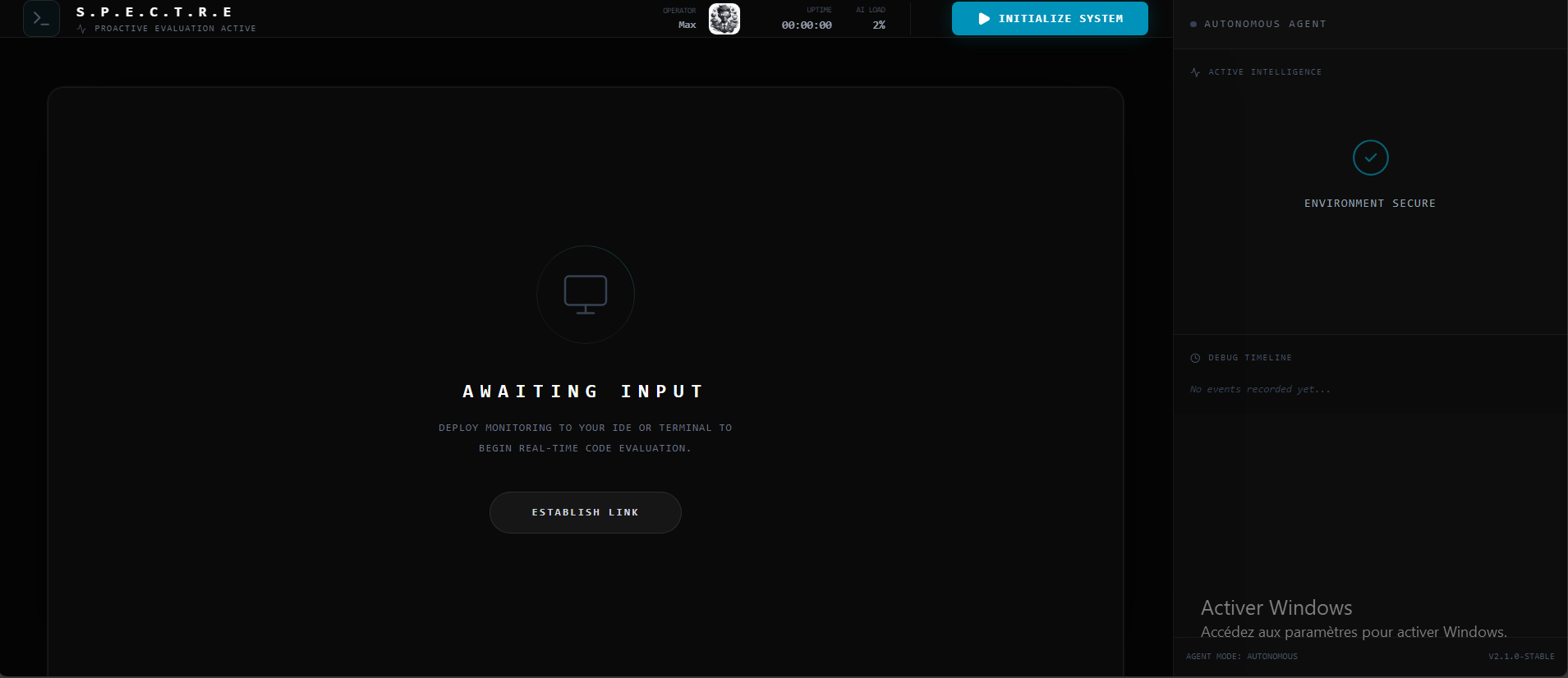
- Displays a real-time React panel in VS Code or in a browser
- Provides voice alerts for critical issues via the Web Speech API
- Maintains a timeline of detected bugs for tracking and follow-up
The user experience is designed to keep developers in flow, with proactive help and instant feedback.
How we built it
Frontend
- React 19
- TypeScript
- Tailwind CSS
- Framer Motion for animations and severity indicators
Backend
- FastAPI (Python)
- Endpoints:
/analyze/latest/apply-fix/timeline
AI Integration
- Gemini Live API to analyze screenshots
- Structured JSON responses for issue detection and fixes
Screen Capture
msslibrary for continuous real-time desktop capture
CLI Option
spectre_cliallows running S.P.E.C.T.R.E directly from the terminal
VS Code Extension
- Webview panel embedding the React frontend
spectre.openPanelcommand- Live interactions with Apply Fix capability
Every component was designed to maintain a true real-time feedback loop between the developer and the AI assistant.
Challenges we ran into
Video/React synchronization
Ensuring the MediaDevices stream mounted and played correctly in React without dropping frames.Code readability in captures
Finding the right balance between resolution and performance
(80% scale with JPEG quality 0.6).Automatic patching
Preserving indentation and locating the correct code block dynamically.State consistency
Maintaining a reliable timeline and context memory for suggestions.VS Code Webview limitations
Loading the React build while maintaining backend communication.
Accomplishments that we're proud of
- A fully working real-time demo with live suggestions and patch application
- Voice alerts for critical issues
- An autonomous debugging agent capable of identifying and fixing problems
- A VS Code extension with React UI, delivering a Copilot-like experience powered by vision and contextual analysis
What we learned
- Developers benefit from proactive AI assistance, not just code completion.
- Screenshot-based AI analysis requires careful performance vs readability optimization.
- Automatic patch systems must handle dynamic code structures and indentation.
- Transparency builds trust — showing timelines, explanations, and clear suggestions improves usability.
What's next for S.P.E.C.T.R.E
- Add collaborative pair-programming mode
- Support more IDEs and development environments
- Introduce personalized learning based on the developer’s coding style
- Improve multi-monitor and multi-resolution compatibility
- Reduce latency for near-instant analysis even in large projects
S.P.E.C.T.R.E aims to become the ultimate real-time development companion — proactive, context-aware, and always watching your back.
Built With
- cli
- firebase
- gemini-3
- python
- react-19
- tailwind-css
- typescript
- vs-code

Log in or sign up for Devpost to join the conversation.