Inspiration
While being stuck in our homes due to COVID-19 we quickly started to realize that, like us, many of our peers were using this time to try and better themselves. One of the prominent aspects of self-betterment we saw many individuals partake in was exercise, running in particular. That’s when we decided that we’d develop an app that would be quite useful for ourselves and our peers. We found that although there were other apps available many of them lacked a user-friendly interface. Furthermore, it was quite difficult to track progress over time which we believe is a key feature to our app. All in all, we saw the need for an app like ours and knew we had to build it.
What it does
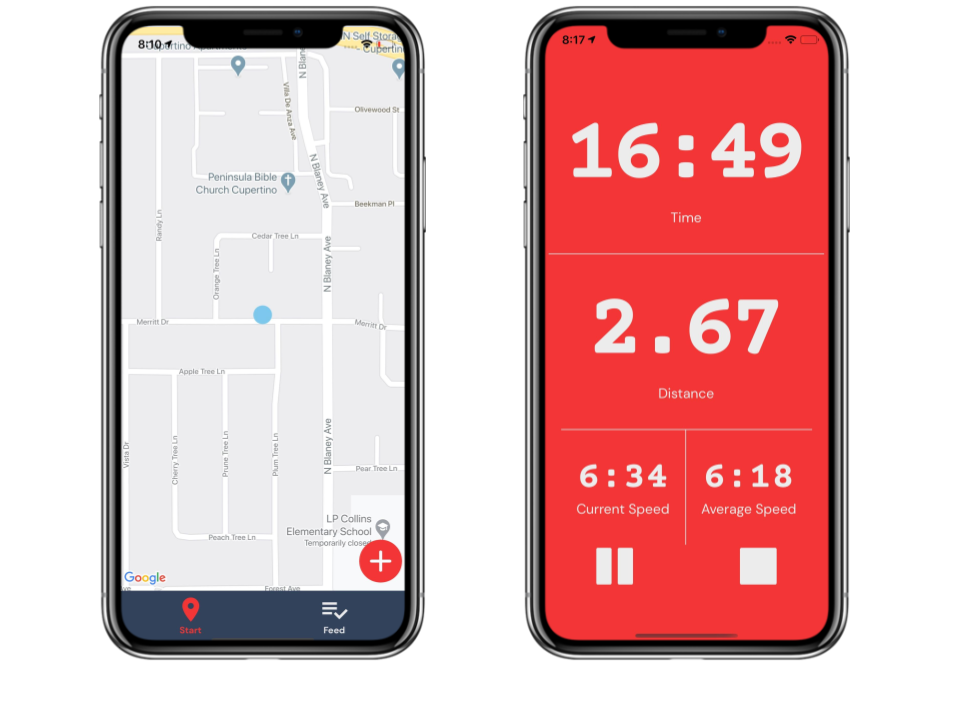
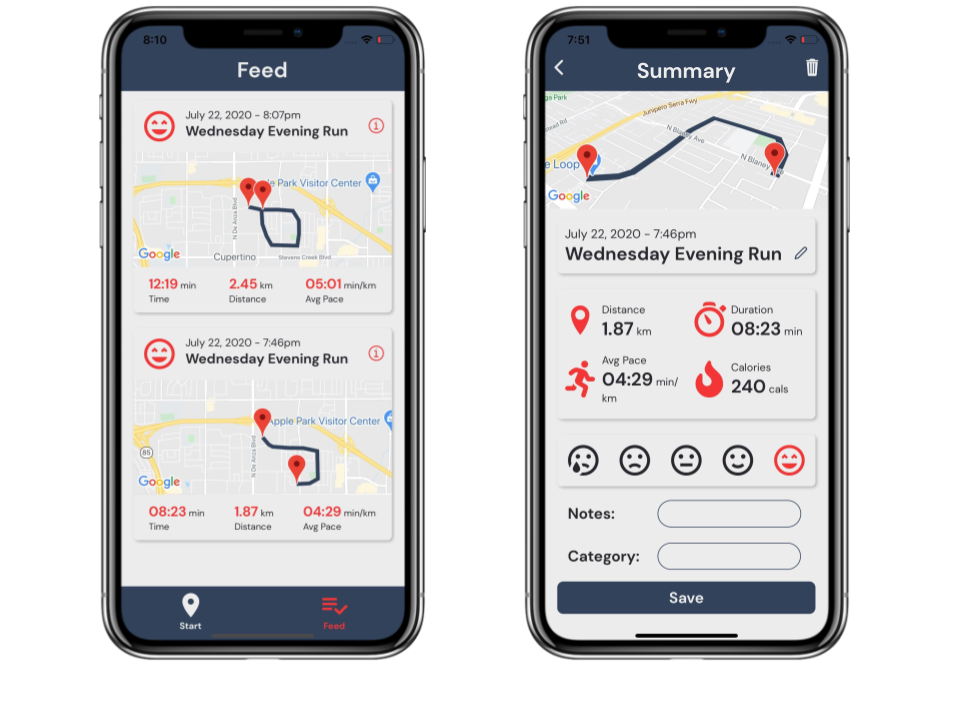
Our app provides users with an array of features that are easy to understand and use. The key feature our app is built around is live and accurate run tracking. While on a run, Run Mapper will calculate the total distance you’ve travelled since the start of your run and keep track of how long you’ve been running for. Furthermore, users will be able to see their current pace and average pace while running. After completing a run users will be given data about their run which includes distance, duration, average pace and calories burned. Additionally, users will be able to see the path they have run on a map. They will also have the option to edit the run’s auto-generated title and add notes prior to saving the data. This data can be accessed and edited on the user's feed which can help them keep track of their runs day in day out.
Challenges I ran into
Some challenges we faced while developing Run Mapper is accurately determining the user’s current location and current speed. This was especially challenging due to the fact that we had no experience with React Native prior to creating this app. From the beginning we were able to determine the user’s location at the start of the run however constantly updating the latitude and longitude was a challenge. Through reading documentation and trying out different methods to collect and update location data we were able to get this functionality of the app working smoothly. When calculating the user’s current speed the challenge we ran into was that due to the slight inevitable deviation from the user’s actual location, distance data wasn’t very accurate on a second by second basis. This meant that using the distance calculated between the previous second and current second to calculate current speed was unreliable. Furthermore, this caused the current speed to fluctuate drastically every second. We were able to overcome this issue by using distance data from the past five seconds of the users run to calculate the user’s current speed. This proved to be quite an accurate method to calculate the user’s current speed without much fluctuation.
What I learned
As individuals who had little with app development and React Native, we were able to learn many things in the process of developing Run Mapper. For one we were able to learn how to set up a React Native environment to create our app. There were many steps we had to ensure we followed just to get to the point where we could start creating our application. We also learned how to use the expo to see updates being made on our app live as we were making changes. We also gained an understanding of how to use props, states and various UI Components. Learning the use of other basic components such as Text, Image, View, Button, ScrollView, etc. has also been very valuable.

Log in or sign up for Devpost to join the conversation.