-
-
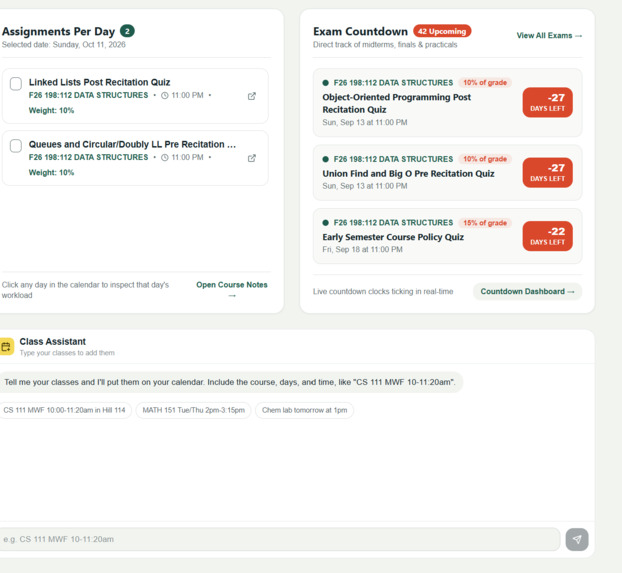
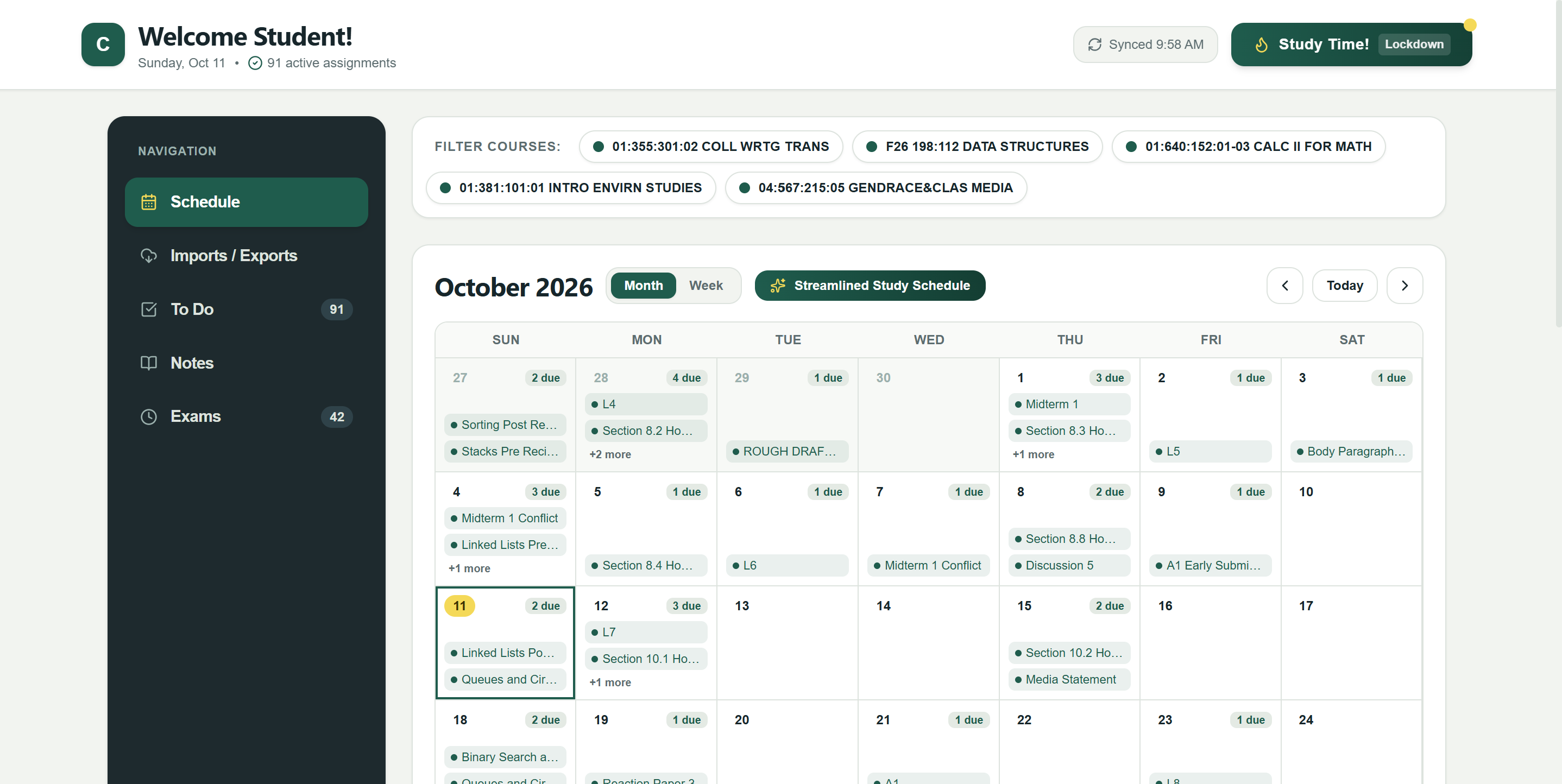
Schedule
-
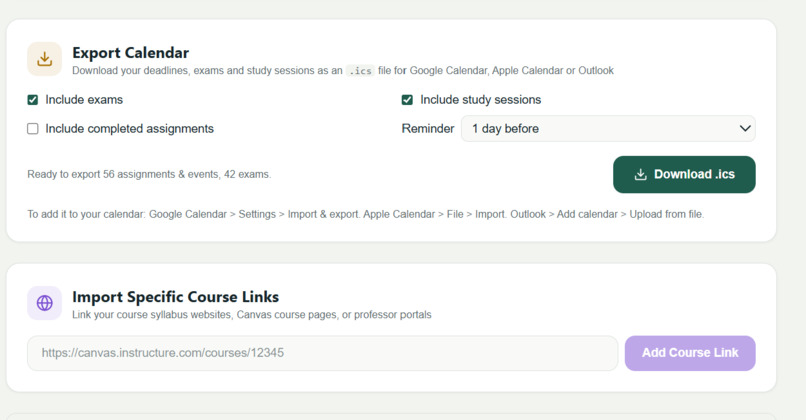
Import/Export
-
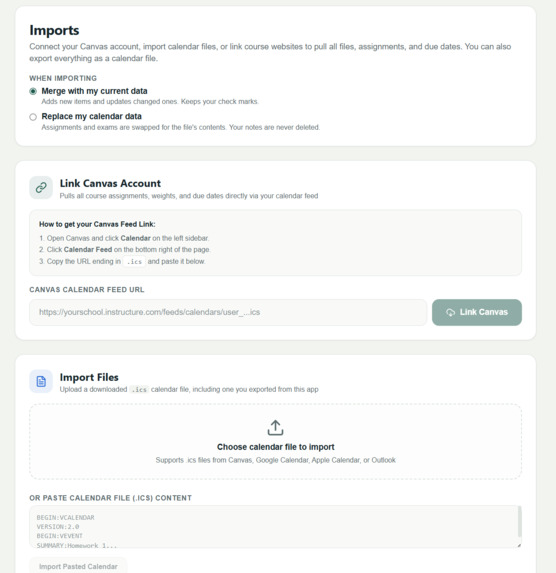
Import/Export
-
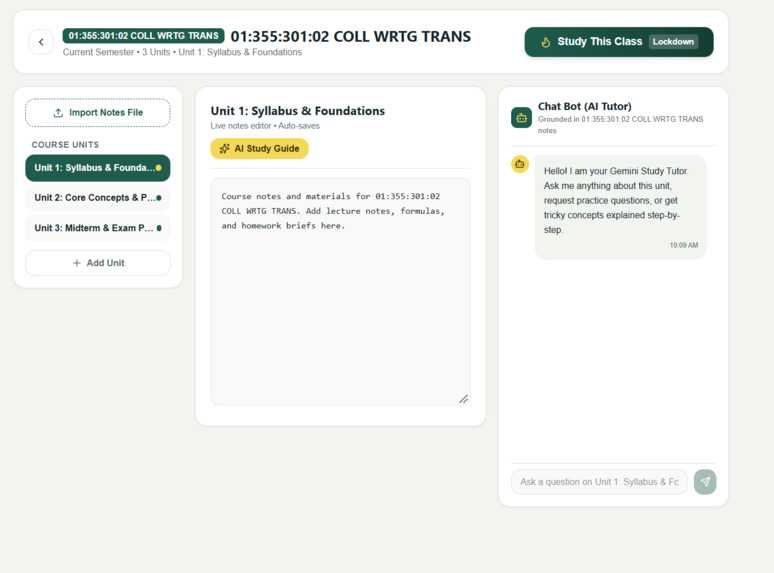
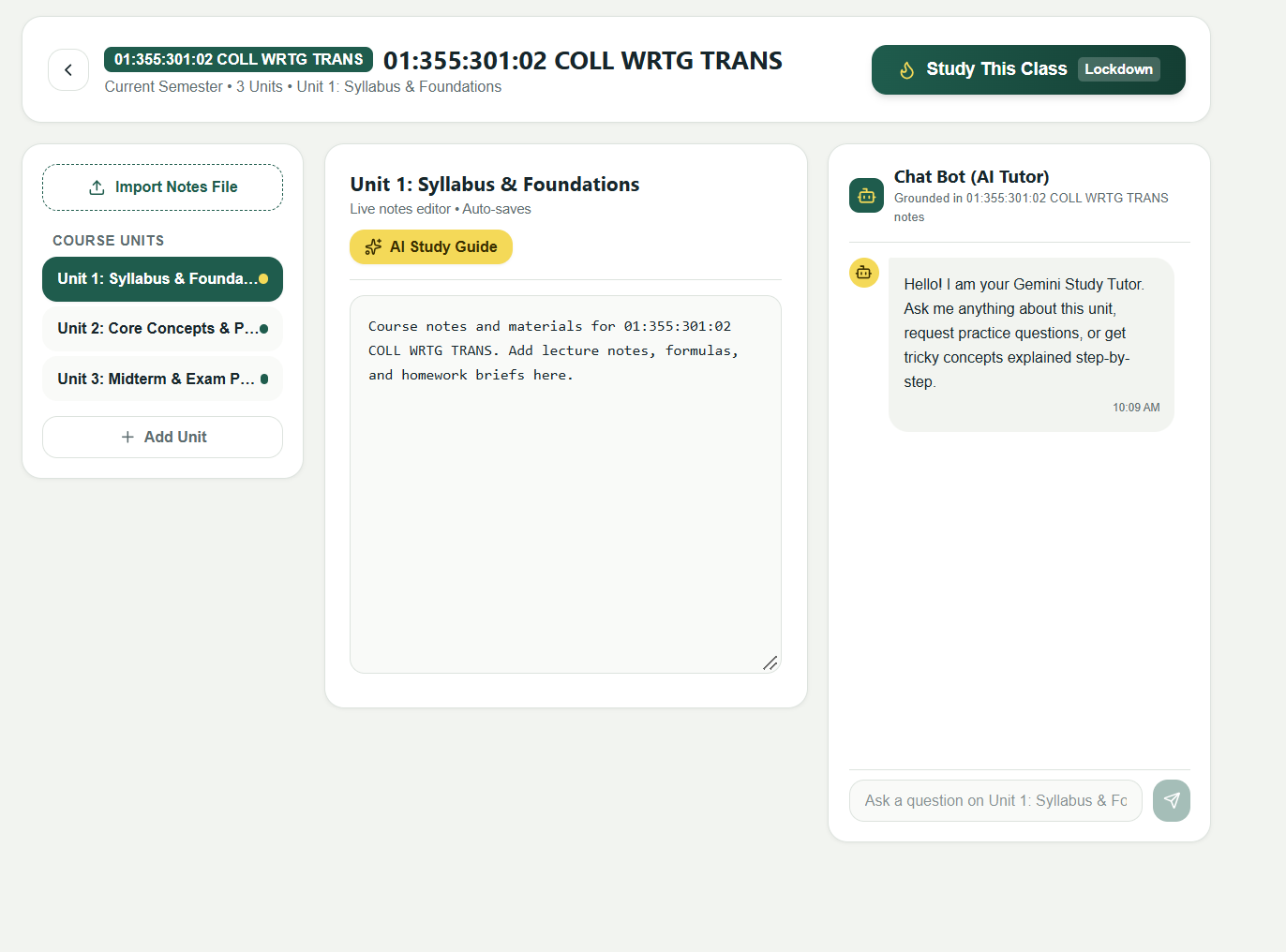
Specific Class
-
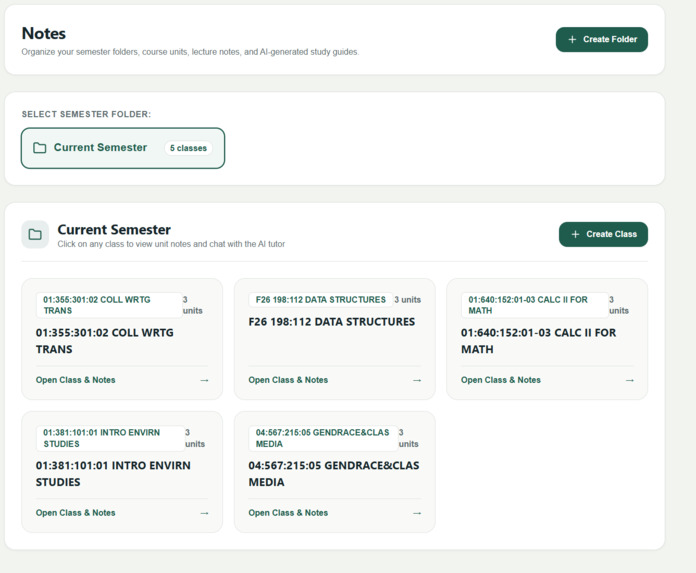
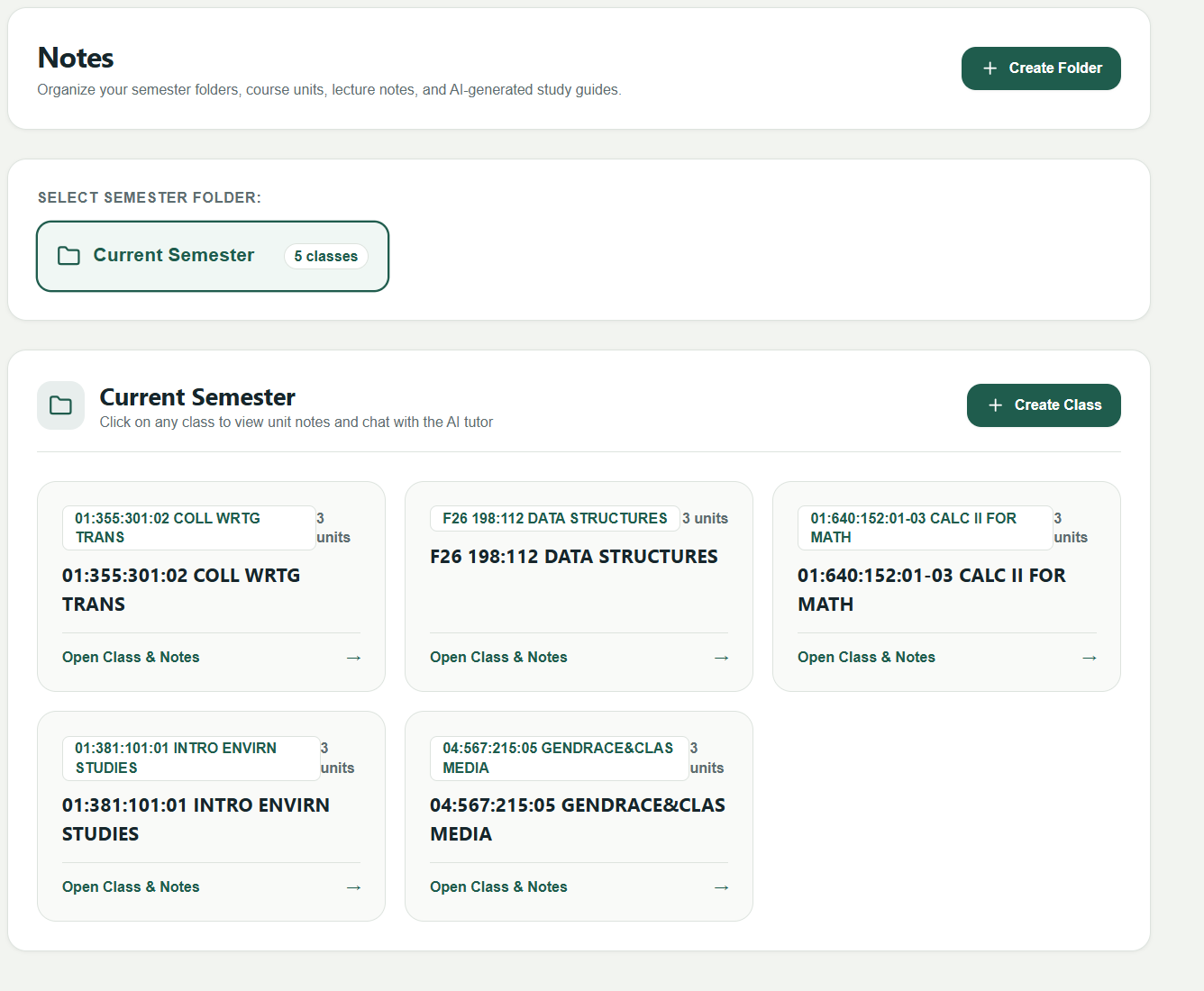
Notes
-
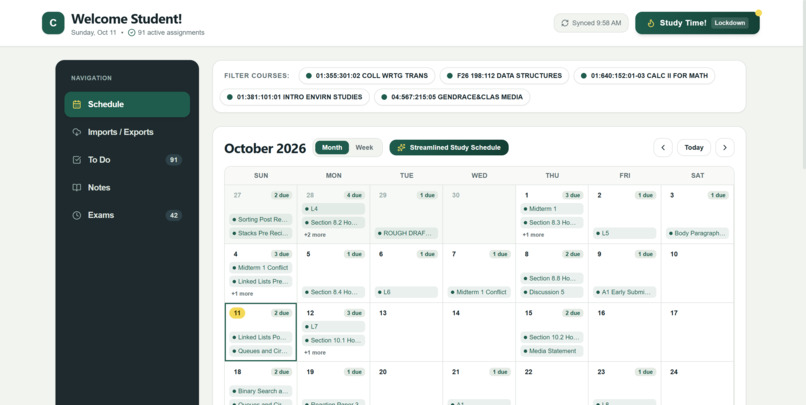
Schedule
-
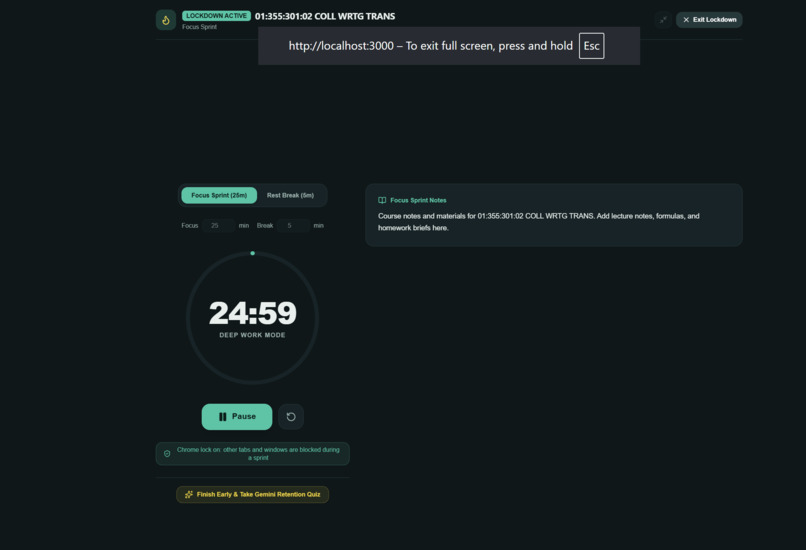
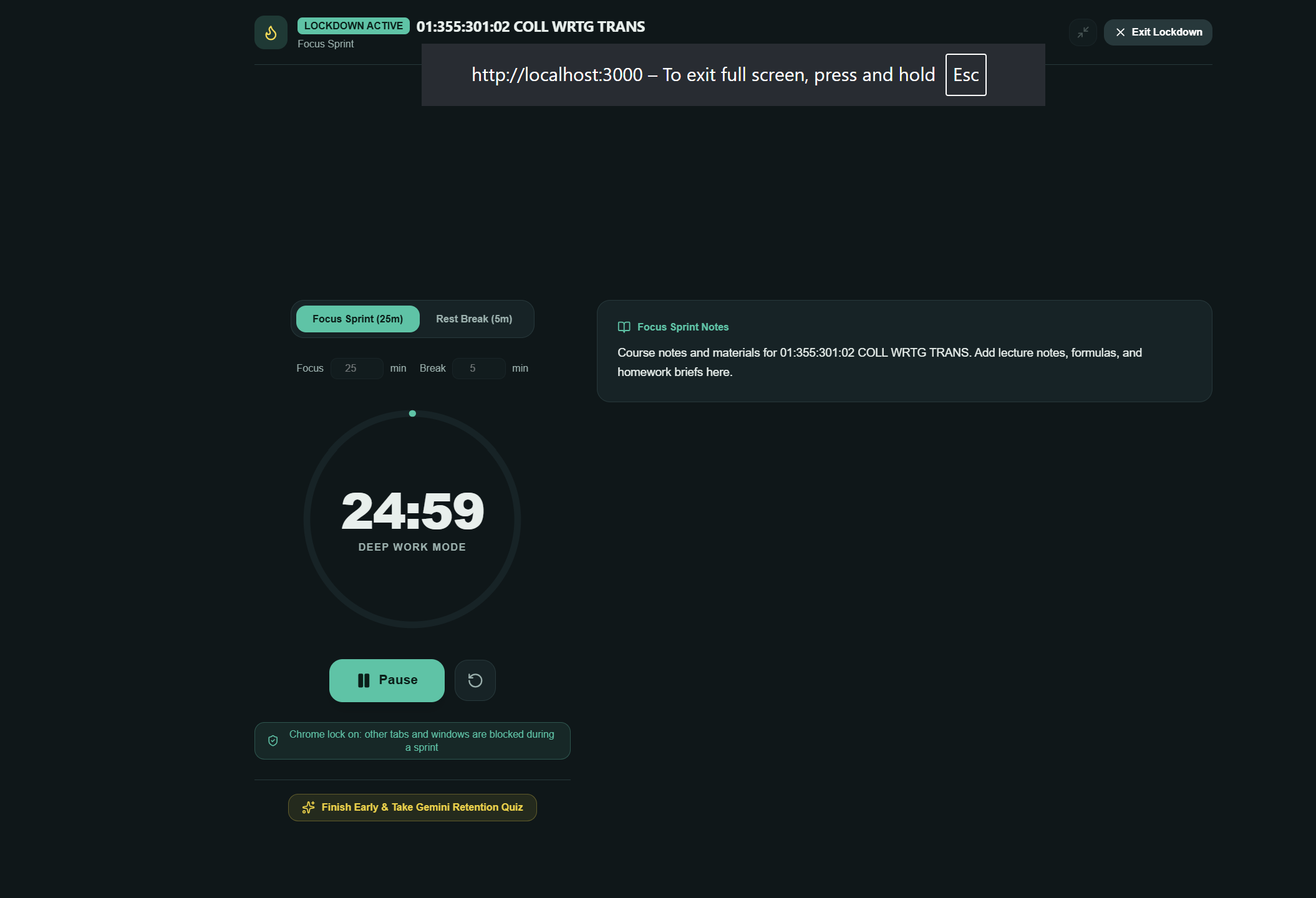
Study Lockdown
-
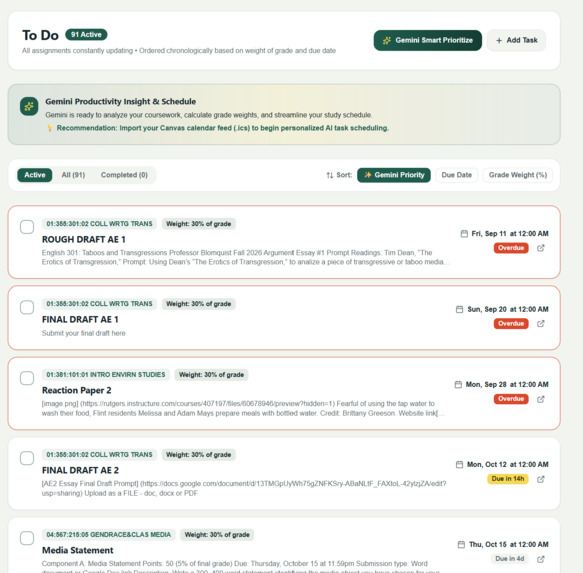
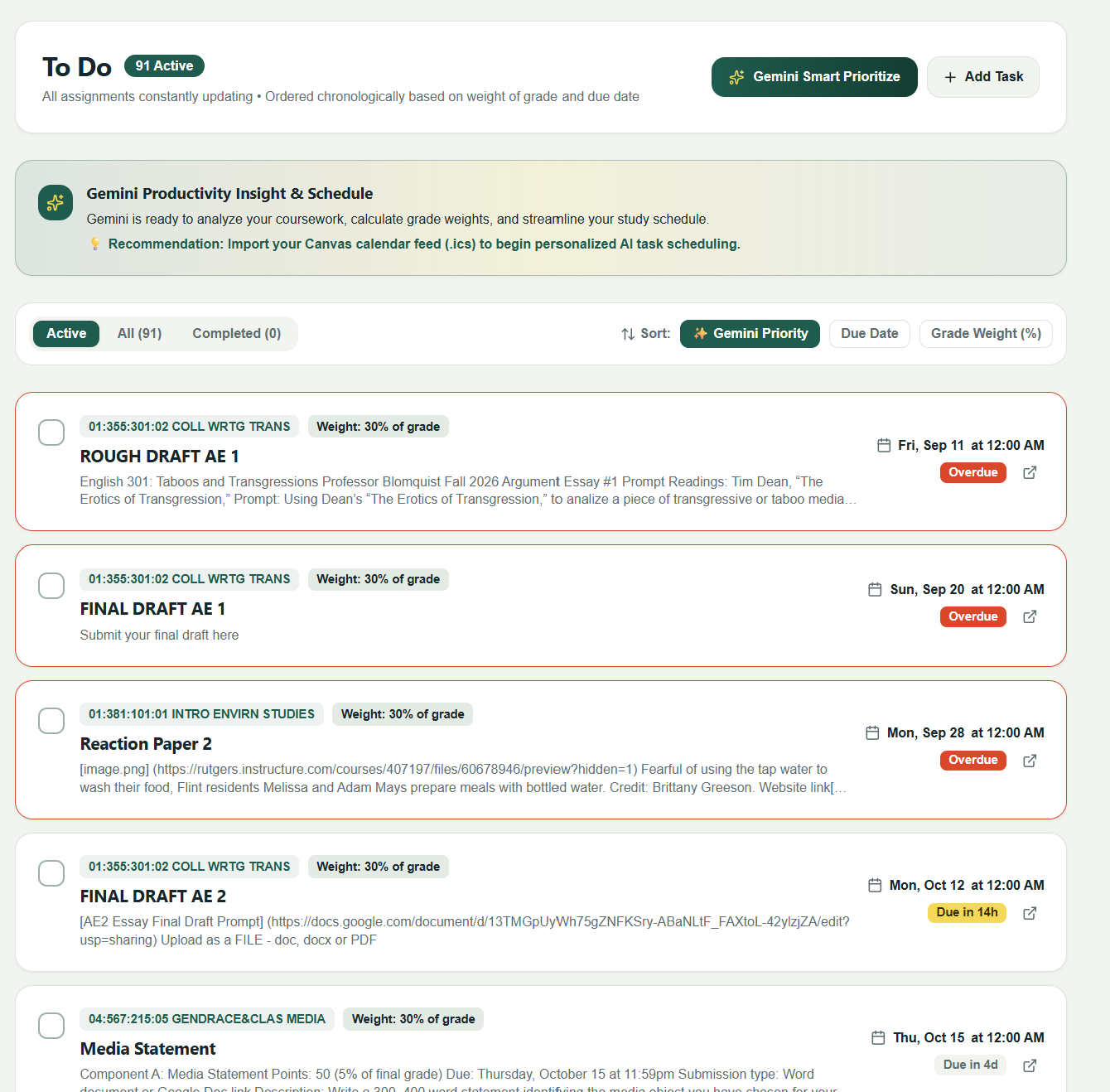
To-Do
-
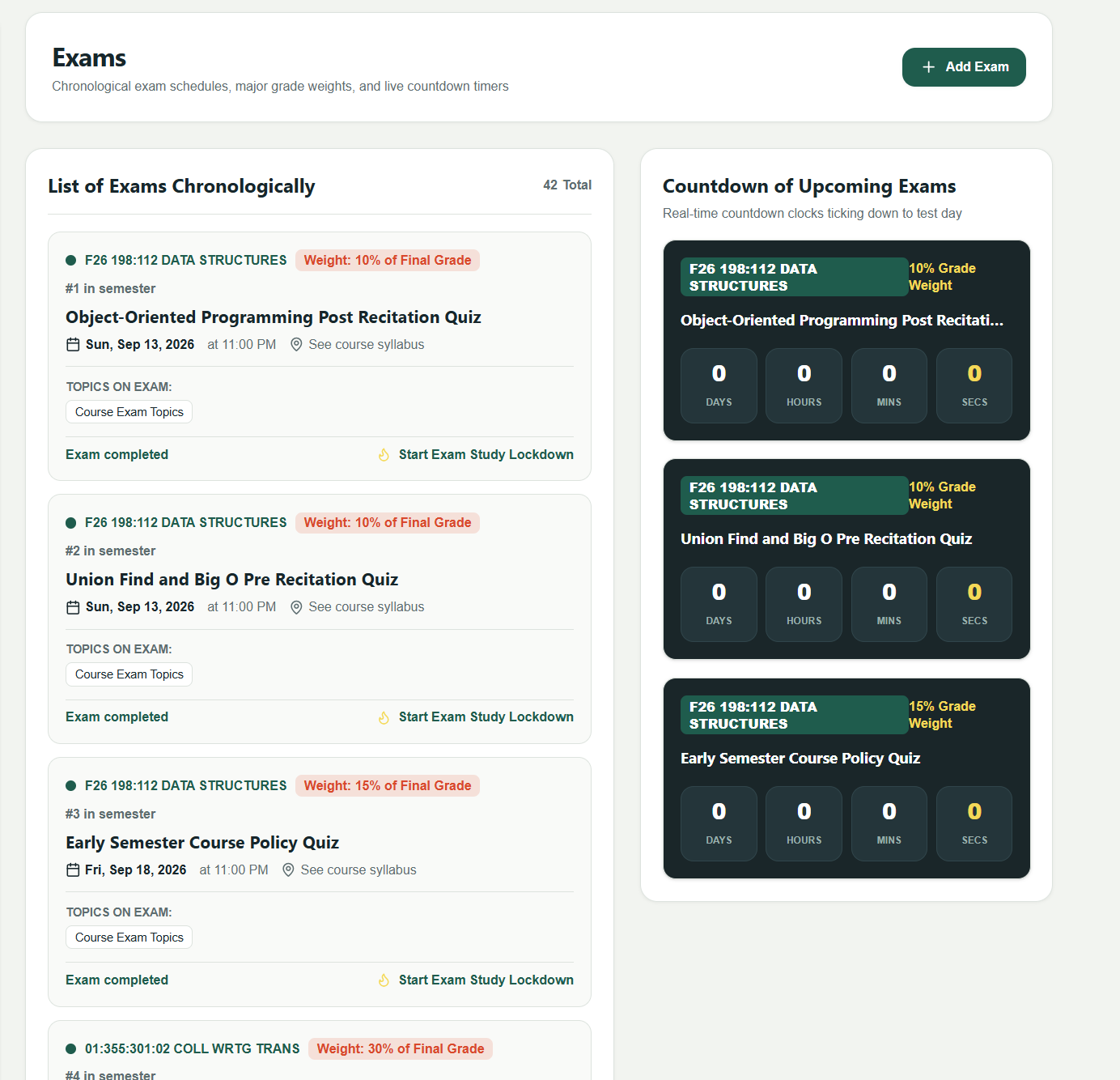
Exams
Inspiration
As Rutgers students, we’ve all experienced the frustration of juggling five different Canvas pages, hidden syllabus deadlines, scattered lecture notes, and unexpected exam dates. Existing planner apps require tedious manual input, while standard calendar apps don't understand academic priorities or grade weightings. We wanted to build a single, intelligent hub designed specifically for college students—one that doesn't just display your schedule, but actively helps you manage your workload and lock in when it's time to study
What it does
RULockIN is an all-in-one academic co-pilot and workload management dashboard. Key features include:
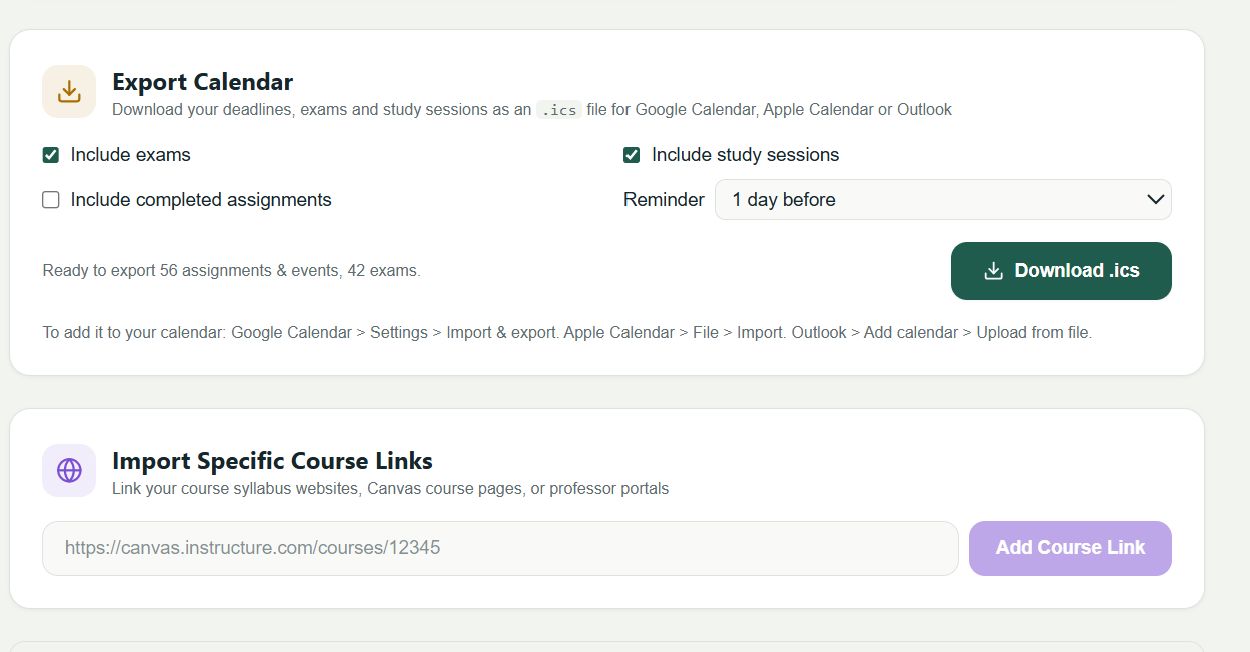
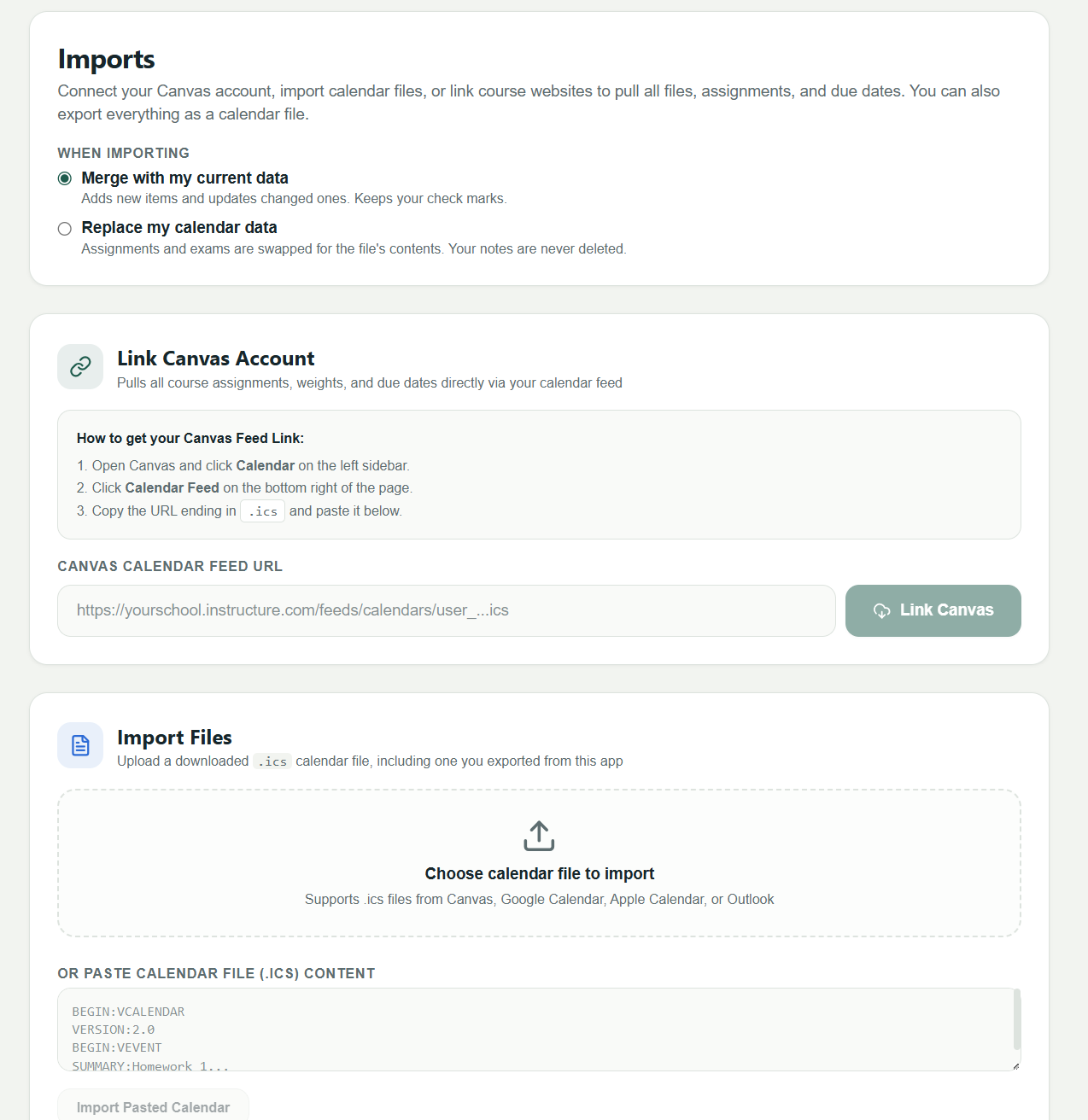
Canvas Calendar Sync: Ingests Canvas .ics calendar feeds to display all upcoming assignments, quizzes, and course events in one unified monthly and weekly calendar.
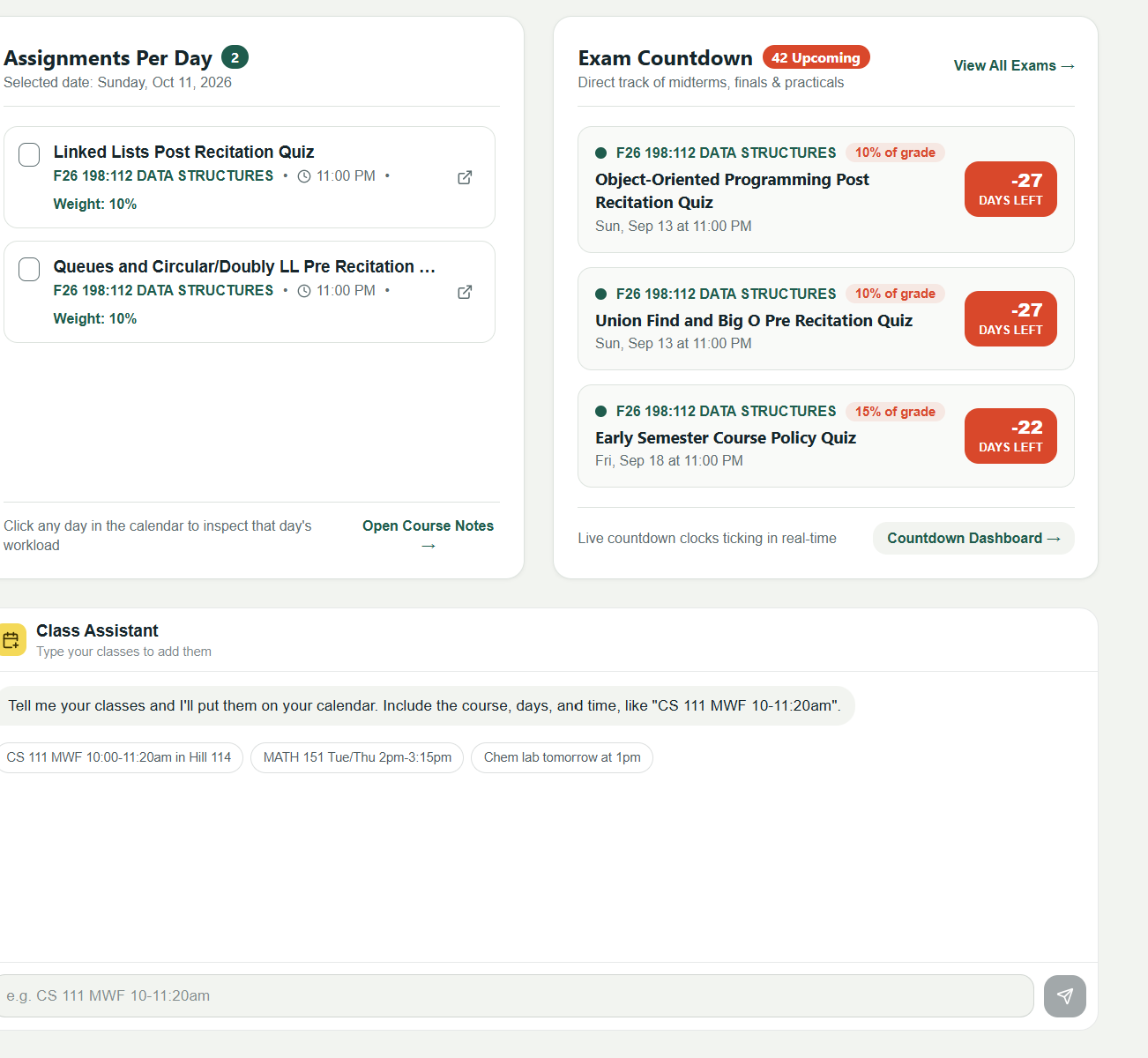
Smart To-Do Prioritization: Automatically orders and prioritizes your assignments based on due dates and grade weight impact.
Semester & Class Note Organization: Hierarchically structures imported files and notes by semester, class, and unit.
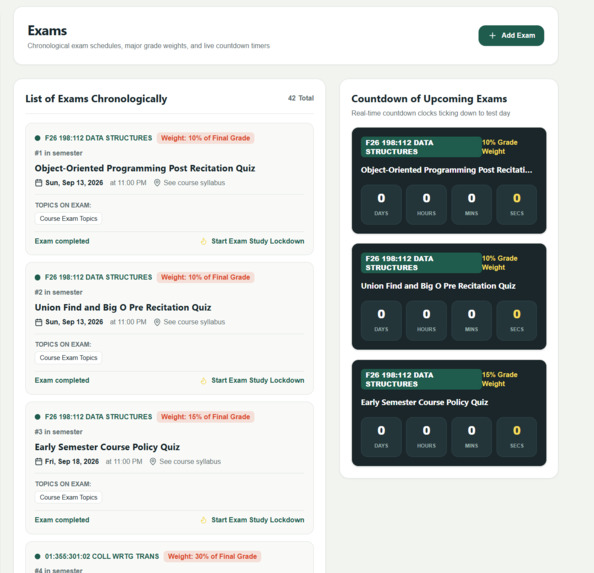
Exam Countdown: Tracks test dates chronologically with live countdown timers so midterms never catch you off guard.
Study Time Lockdown Mode: An interactive focus environment featuring a Pomodoro timer, distraction prevention, and end-of-session knowledge check quizzes
How we built it
AI-Assisted Development: Used Gemini and Claude extensively throughout our hackathon workflow to architect layout structures, generate utility functions, and rapidly iterate on complex parsing logic.
Frontend Structure: Built using clean HTML5, custom CSS variables for light/dark theme adaptation, and responsive grid/flexbox layouts matching our initial wireframes.
Data Ingestion & Parsing: Created a custom JavaScript iCalendar (.ics) parser to process Canvas feed data, extract event metadata (summaries, course tags, due dates, descriptions), and categorize assignments.
State & Local Storage: Managed dynamic UI views (Schedule, Imports, To-Do, Notes, Exams) using modular JavaScript state management and client-side browser storage
Challenges we ran into
Lockdown Mode Functionality & Timing Controls: Configuring the Study Time lockdown environment was tricky. Ensuring the Pomodoro countdown timer transitioned smoothly between focus intervals and rest periods—while enforcing lockdown restrictions reliably without UI glitches—required extensive testing and fine-tuning.
CORS Restrictions on Canvas Feeds: Browsers block direct client-side fetching of Canvas .ics URLs due to Cross-Origin Resource Sharing (CORS) policies. We worked around this during testing by supporting file drop/upload and raw iCal text parsing while planning a backend proxy.
Parsing Unstructured Canvas Metadata: Canvas event summaries often format course codes and assignment titles differently (e.g., [CS111] Homework 2 vs. Homework 2 (CS111)). Writing reliable regular expressions to cleanly isolate course titles and assignment types required careful edge-case handling.
Accomplishments that we're proud of
Fine-tuning the lockdown workflow and timing mechanics to deliver an effective, distraction-free study session. Successfully building a fully functional .ics parser that transforms raw iCal text into clean, categorized dashboard items in milliseconds. Designing a clean, intuitive layout that bridges the gap between schedule management and actual study execution.
What we learned
Best practices for prompt engineering and collaborating with Gemini and Claude to quickly prototype and debug complex frontend applications under hackathon time constraints. How Canvas formats calendar data under the hood and how to handle datetime parsing across edge cases like all-day events and timezones. Strategies for state management and timing mechanics in JavaScript to build reliable timer-driven focus tools.
What's next for RULockIN
Gemini API Integration: AI Assignment Prioritization: Auto-analyzing syllabus weights to rank daily tasks by true grade impact. Automated Study Guide Generation: Converting uploaded class notes and slides into concise study sheets and review summaries. Smart Quiz Generator: Generating interactive practice quizzes at the end of every Pomodoro session based on uploaded course units. Backend Feed Syncing: Setting up a lightweight backend proxy server to continuously auto-refresh Canvas feeds in real time. Full Browser Extension: Converting the lockdown mode into a dedicated Chrome

Log in or sign up for Devpost to join the conversation.