-
-
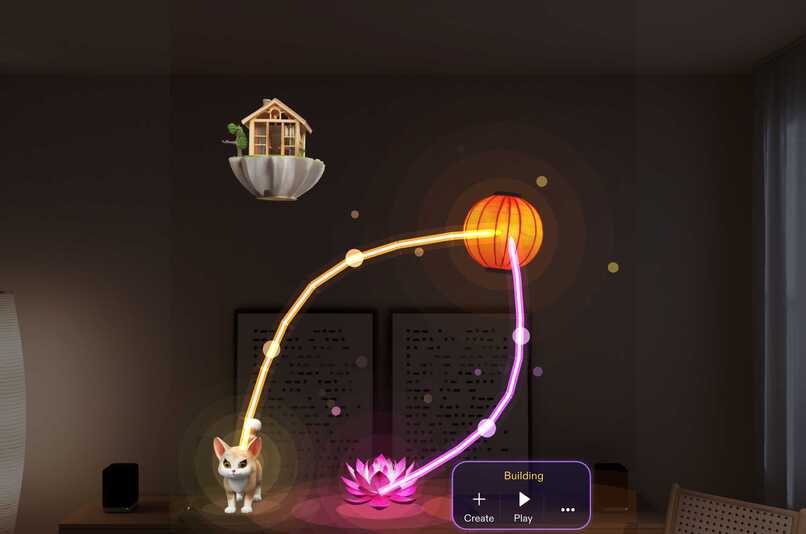
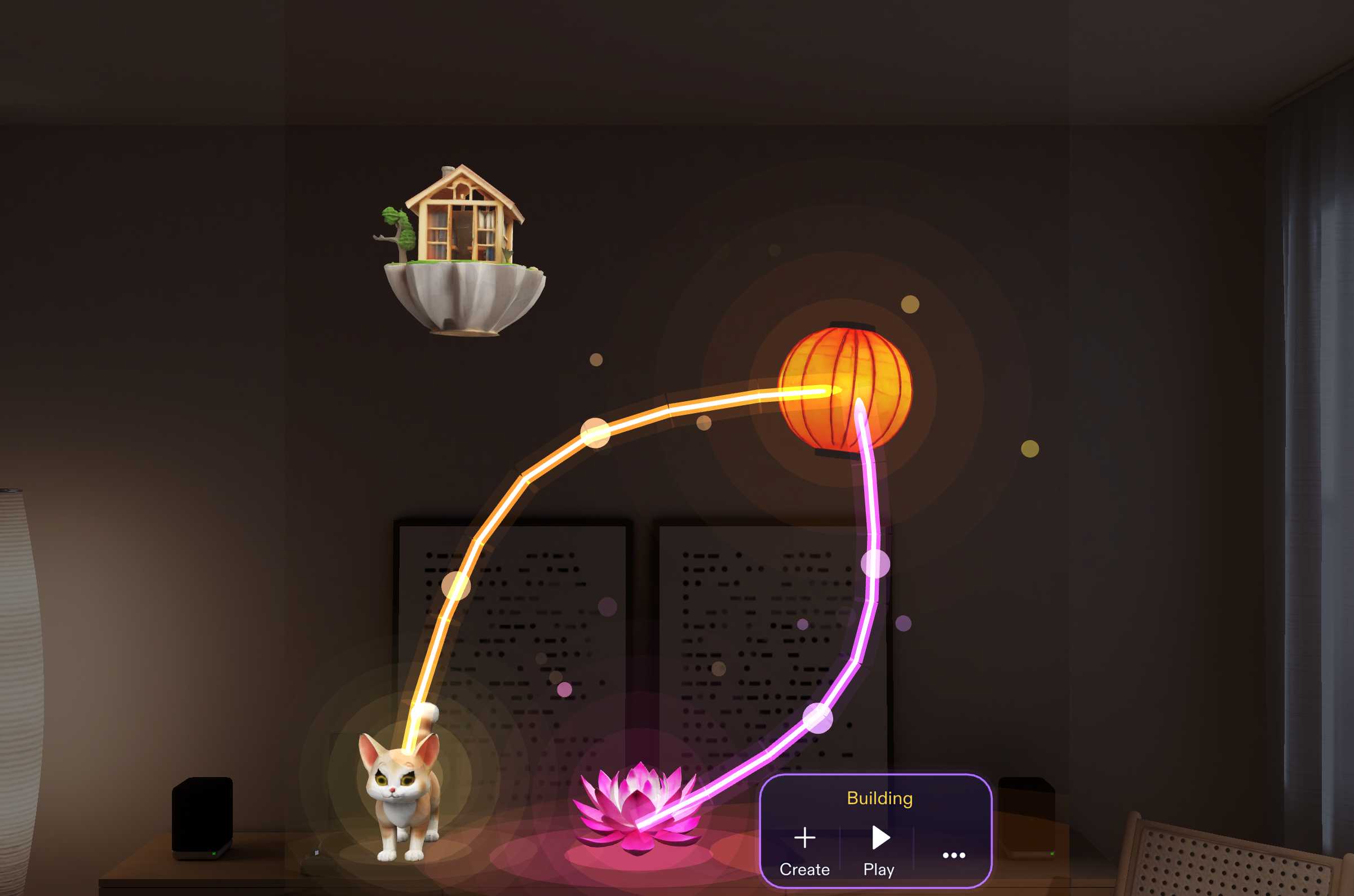
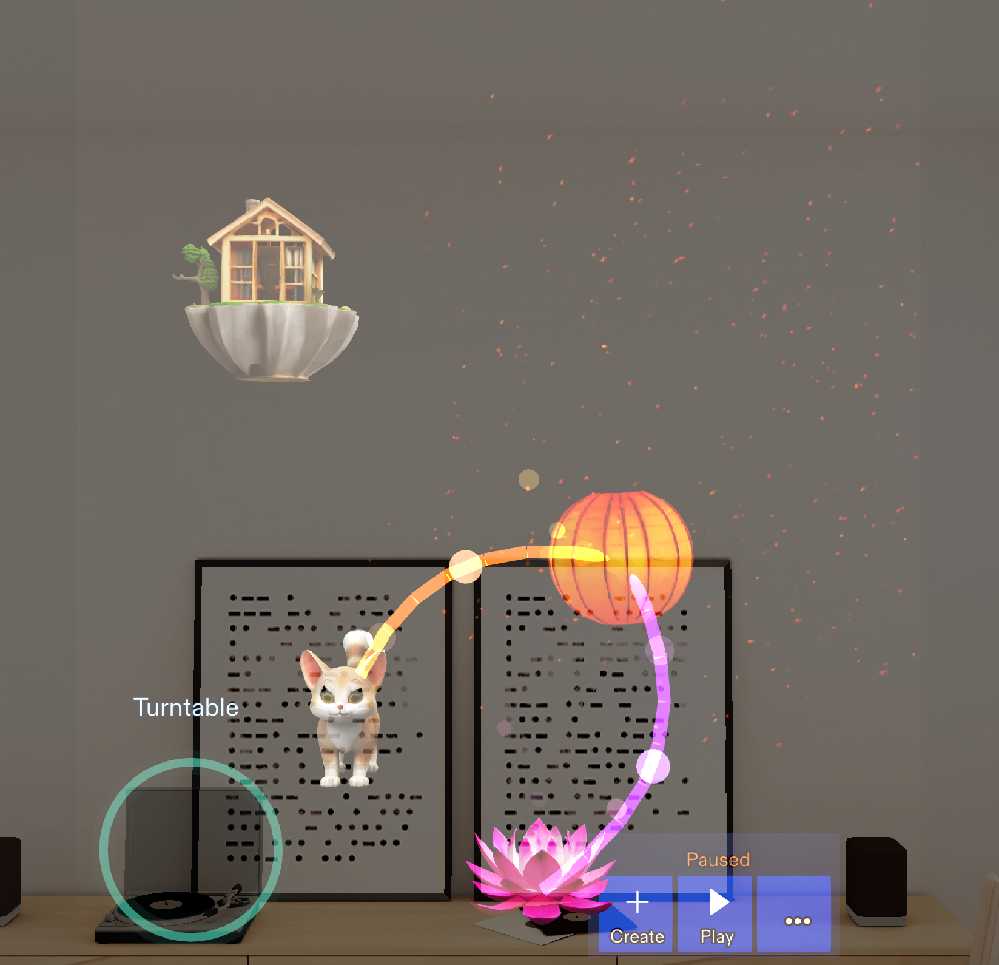
A living world in your room: the cat is attracted to the floating lantern, and the lotus glows. Beams show each rule by colour.
-
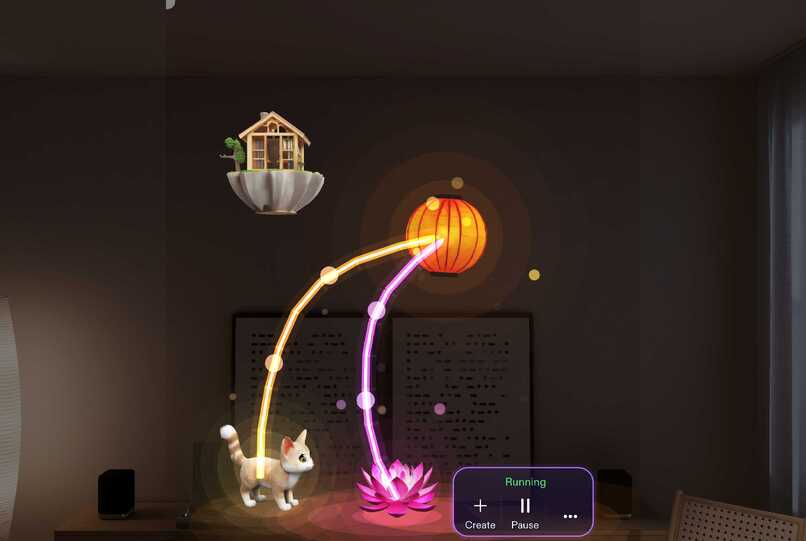
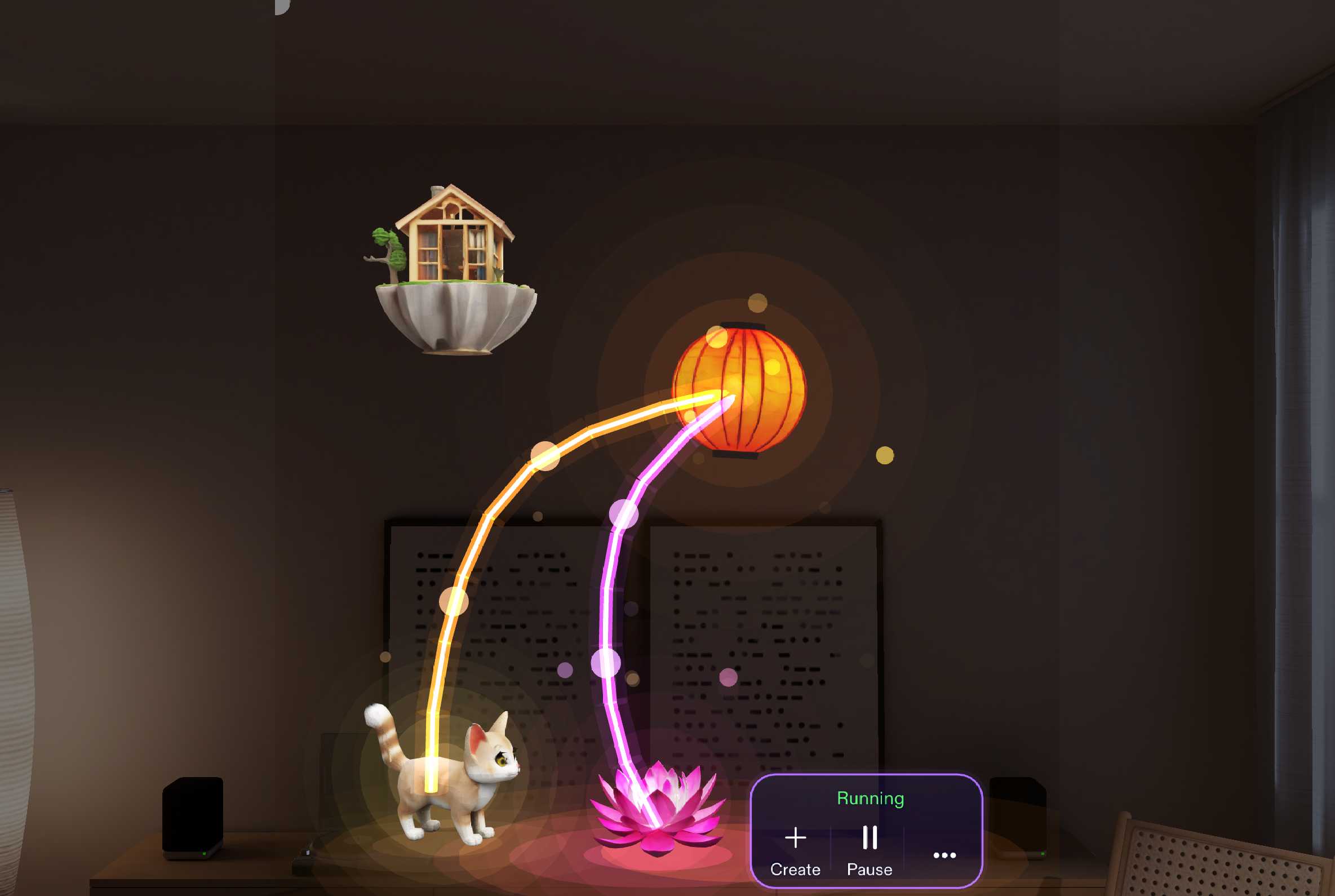
Live rules: the cat follows the lantern along the shelf. When the lantern reaches the lotus, a collision trigger flips the cat to repel.
-
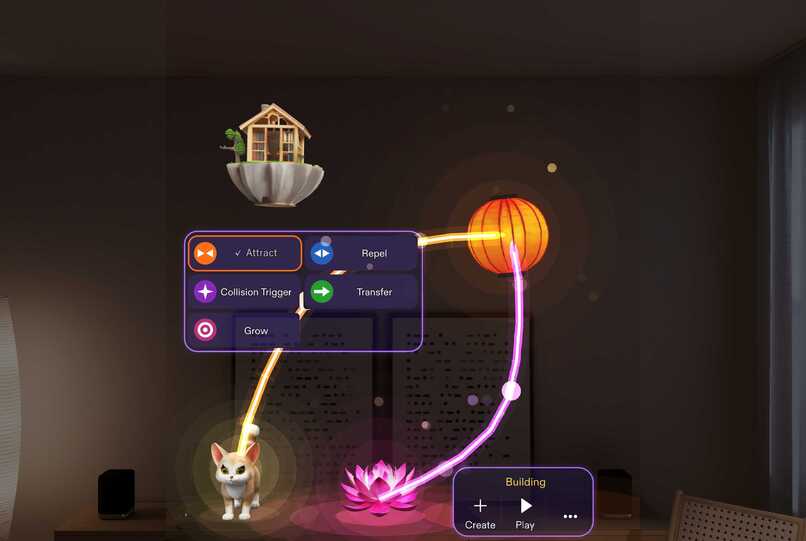
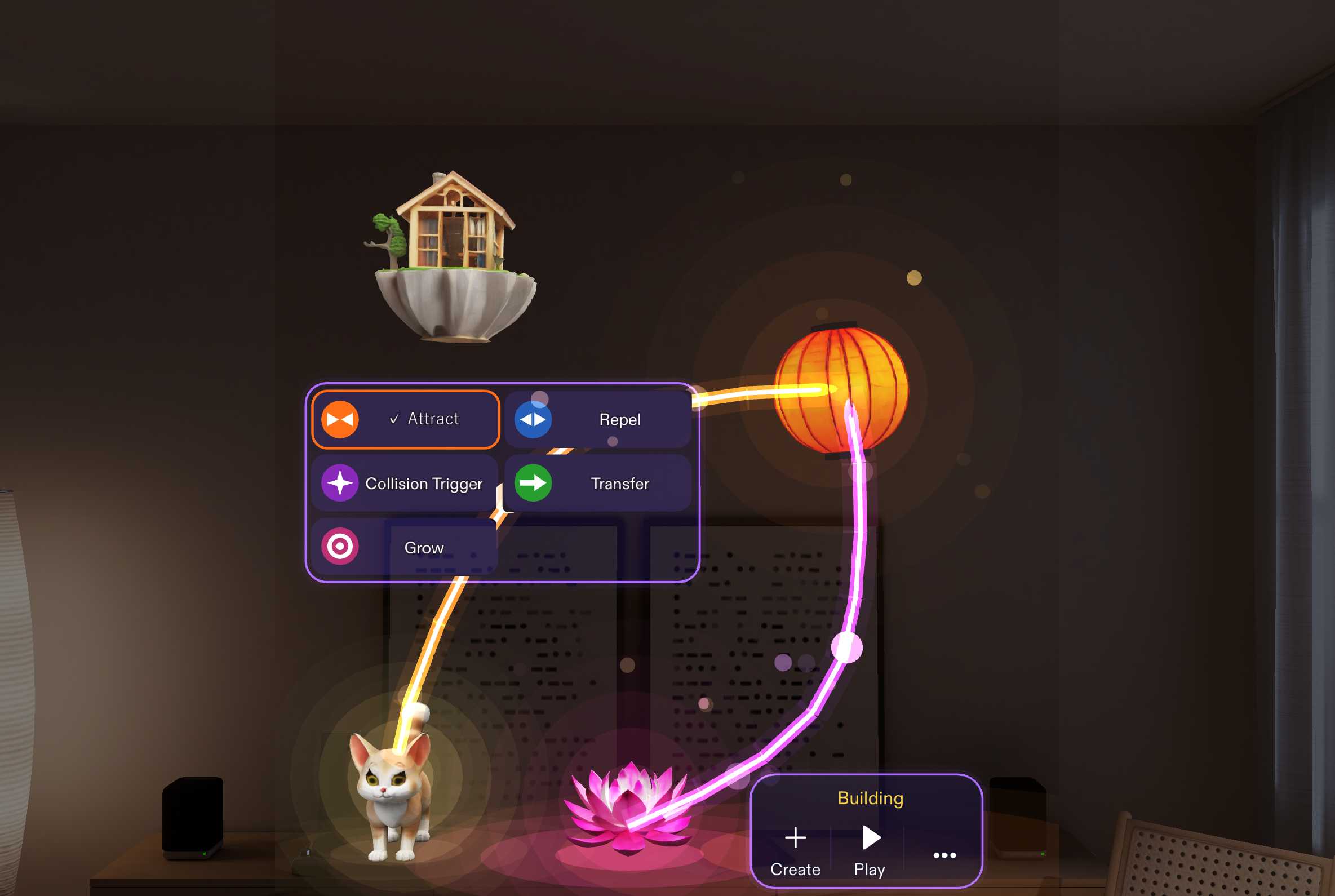
Pinch any connection to change its rule while the world runs: Attract, Repel, Collision Trigger, Transfer or Grow.
-
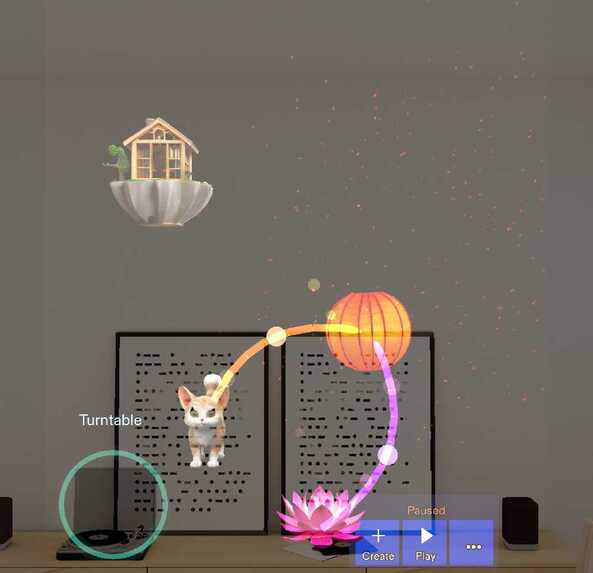
It shares your view: pinch a real object, Gemini recognises it, and the real turntable joins the system. The cat walks over to it.
-
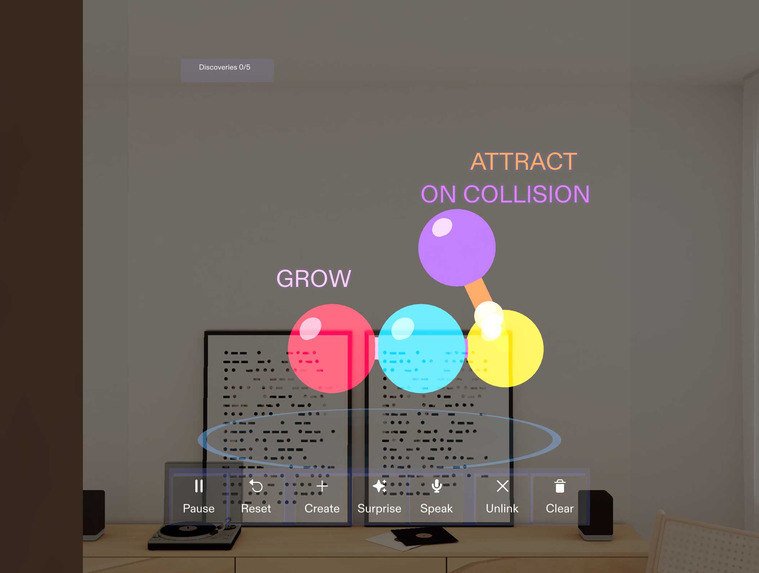
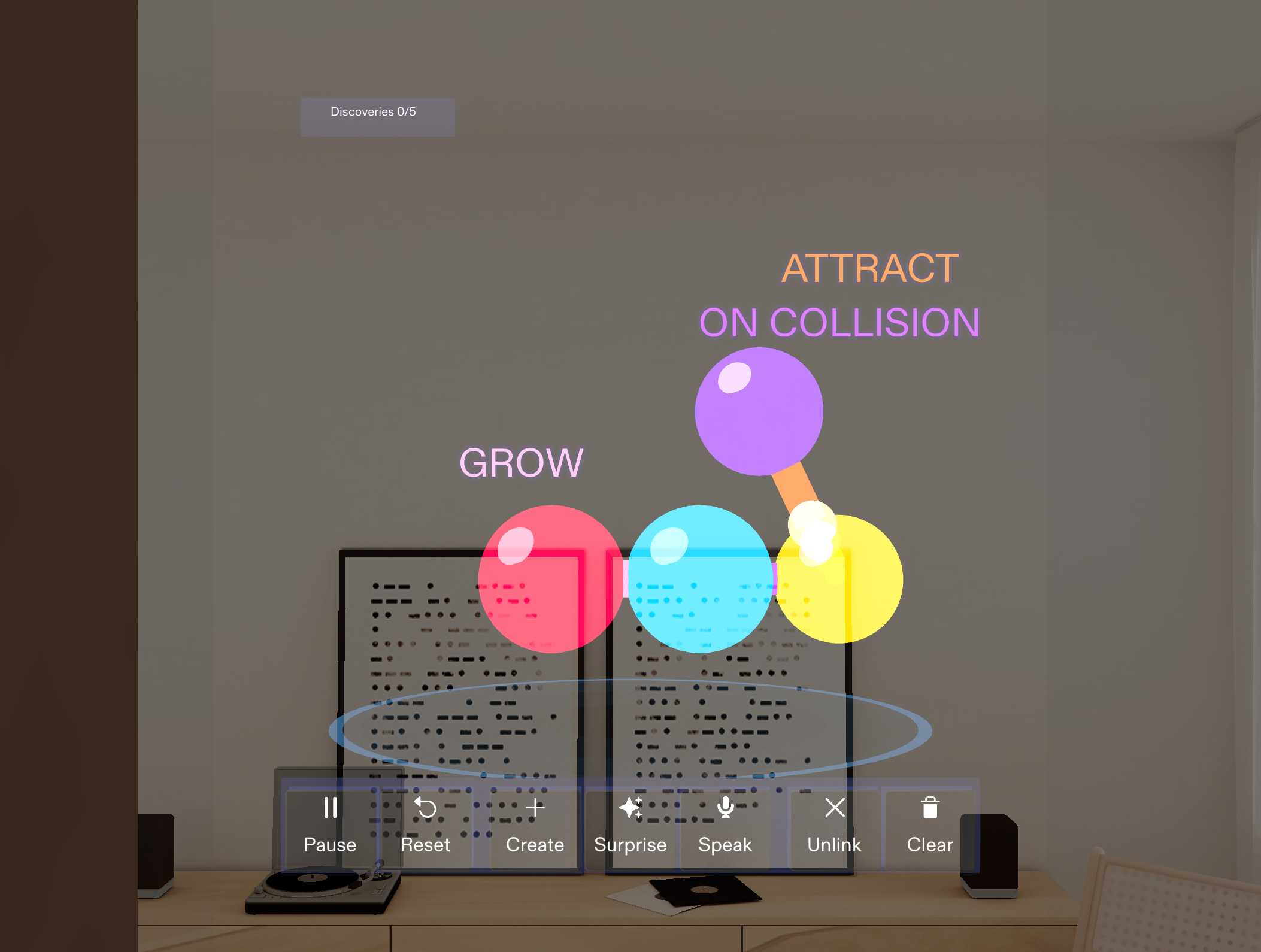
Where it started: spheres on a floating stage with seven buttons. After the live review, the world moved into the room.
Inspiration
Most AR experiences let you place things. I wanted to let people design how things relate: what attracts what, what happens when two things touch, and then rewrite those relationships while the world keeps running. RULESHIFT grew out of my interest in how people reason about connected systems: when you change one rule, can you predict the ripple?
Who it's for: curious people who want to build little living worlds and learn cause and effect by changing the rules themselves. No code, no physics knowledge required.
What it does
RULESHIFT turns your room into a small living world. The loop is create → connect → play → rewrite live.
- Create. Make objects from saved creations or basic building blocks, or imagine something new: Snap3D generates a 3D model that joins the world like anything else. On Spectacles you can ask for it by voice.
- Connect. Link any two objects. Each link carries one of five rules: Attract, Repel, Collision Trigger, Transfer, Grow.
- Play. A cat follows a floating lantern along the shelf, a lotus glows, and beams show each rule by colour.
- Rewrite live. Pinch a link while everything runs, pick another rule, and the world responds instantly. No pause, no restart.
Rules chain. When the lantern reaches the lotus, their collision trigger sends a glowing pulse along the links it changes, and the cat's link flips from attract to repel. You see the cause, then the effect.
It shares your view. Pinch a real object in the room and Gemini recognises it from the camera. The real turntable becomes part of the system, and the cat walks over to it.
How I built it
- Planned with the Devpost Learn skill pack: the plan-lens interview forced me to pick one key moment (changing a rule while the system runs) and to answer "why glasses?". That design brief stayed the reference through every redesign.
- Built by Claude Code through CLAD and the Lens Studio MCP, in Lens Studio 5.23.2 for Spectacles, with the Spectacles Interaction Kit and UI Kit.
- A custom rule and physics engine in JavaScript: forces summed per link, edge-triggered collisions, visible cause pulses, ground-bound creatures.
- Snap3D for generated objects and Gemini for recognising real objects, both via the Remote Service Gateway.
- An evening look: light pools on real surfaces, glowing beams, fireflies, and a minimal glass UI with three buttons.
- An in-Lens test harness with 414 automated checks, run before every commit.
Challenges I ran into
- Making a live rule change obviously live: clear motion, pulses and flashes.
- Collisions firing repeatedly during contact (fixed with edge-triggering).
- Snap3D takes ~30 s and some prompts get rejected, so the wait and the fallback had to be designed.
- The LEAF and AI Preview Agent packages conflicted with the installed Interaction Kit and broke the compile, so I built my own test harness instead.
- Keeping the cat on the furniture while it chases something floating.
- No Spectacles hardware: everything was verified in Lens Studio Preview.
Accomplishments that I'm proud of
- Rules you can rewrite while the world runs, with visible chain reactions.
- Real objects join the system: the camera, Gemini and the rule engine working together, so a real turntable can attract a virtual cat.
- A redesign driven by feedback: after the SPECS Live Review I moved the world from a floating stage into the room, grounded objects on real furniture, let real objects join in, and cut the toolbar from seven buttons to three.
What I learned
A bigger world wasn't a better one. The version that worked had the fewest buttons and the clearest cause and effect. Grounding things on real surfaces and giving them light mattered more than adding features.
What's next for RULESHIFT
- Respond to more of what the camera sees.
- Test on Spectacles.
- Shareable worlds.
- Research on how people reason about connected systems: do they predict the ripple of a rule change, and does watching it change what they expect next time?
Built With
- augmented-reality
- blender
- clad
- claude-code
- gemini
- javascript
- lens-studio
- lens-studio-mcp
- snap3d
- specs
- spectacles
- spectacles-interaction-kit
- typescript

