-
-
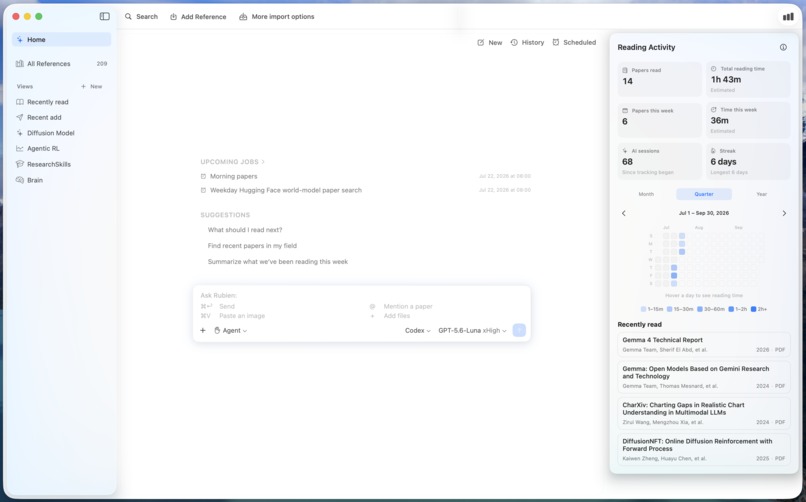
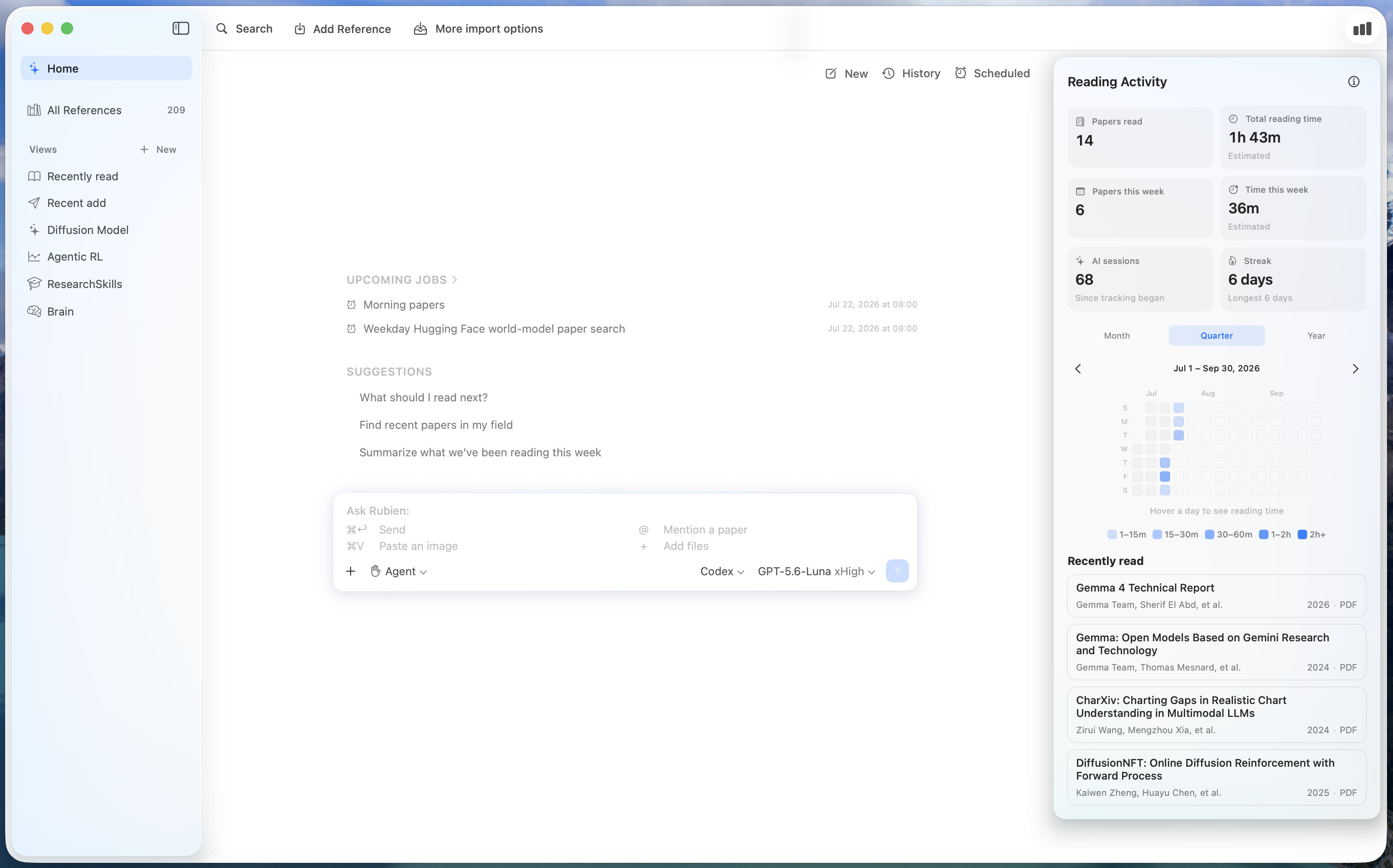
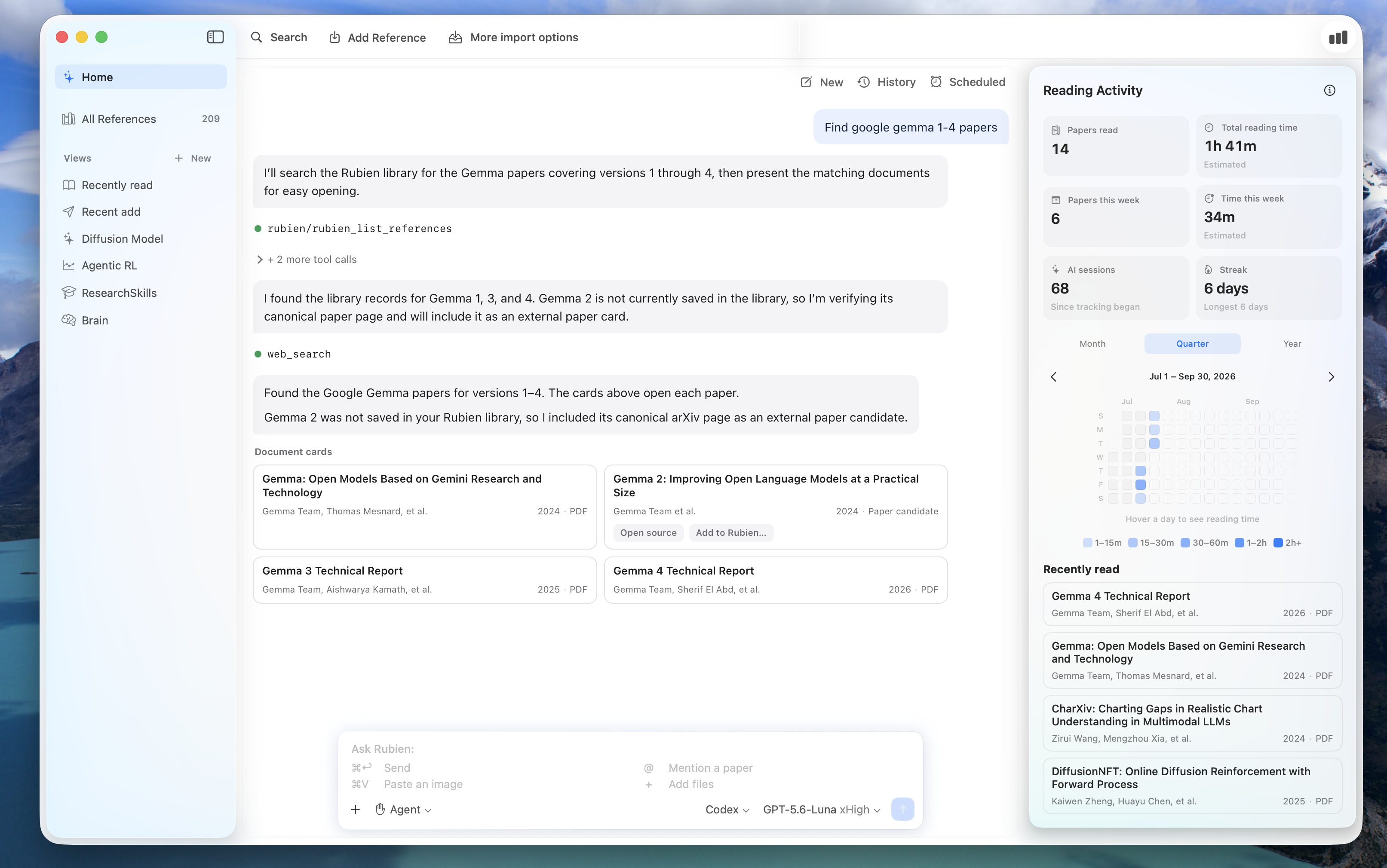
Landing page with reading activity
-
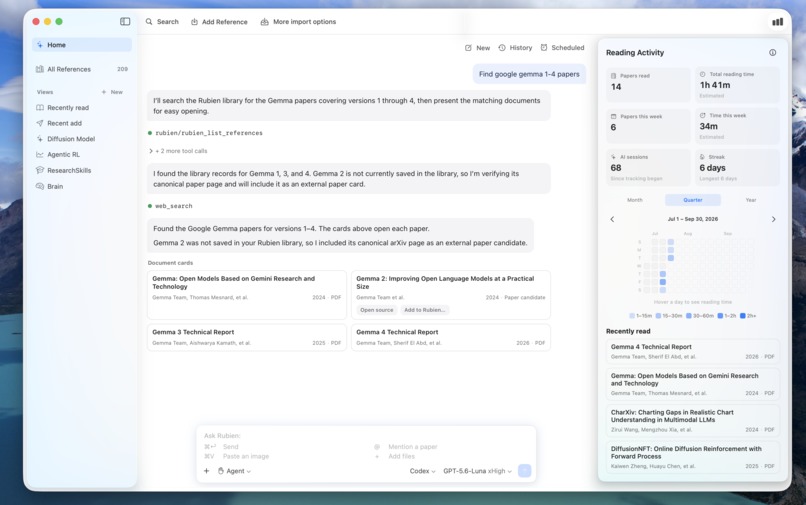
Chat-first interface
-
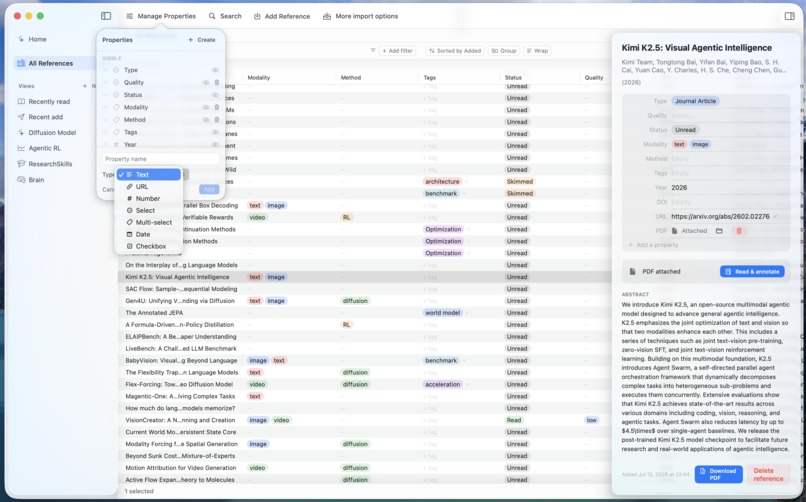
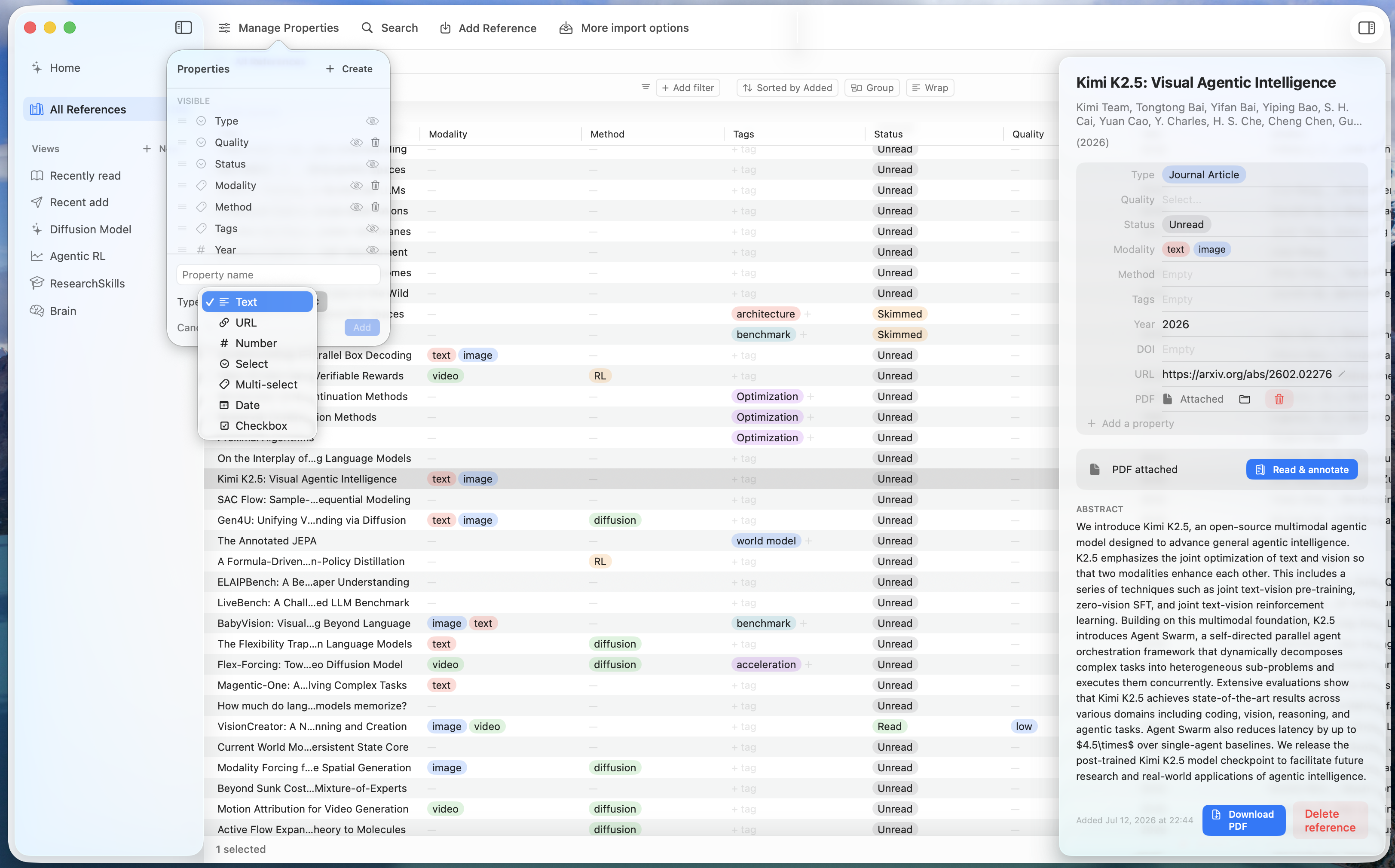
Mange the library your way: customize properties
-
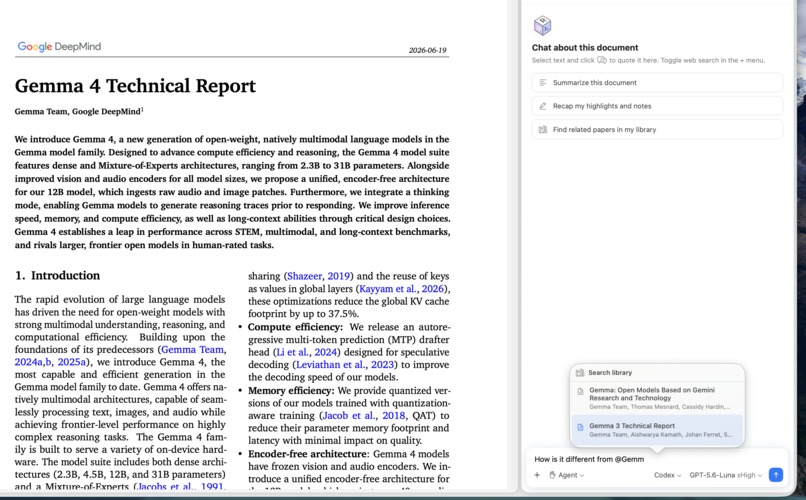
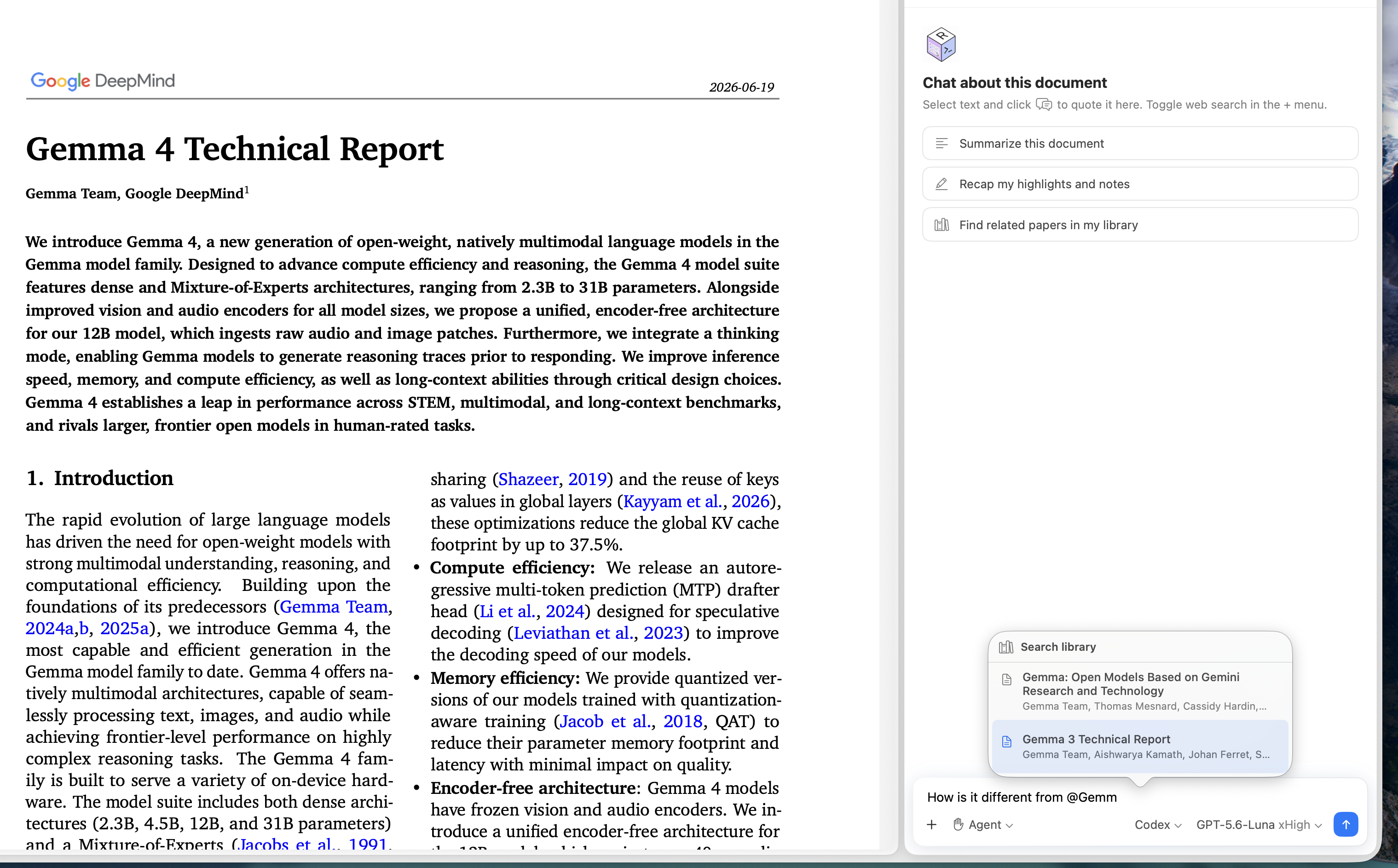
Ask your agent
-
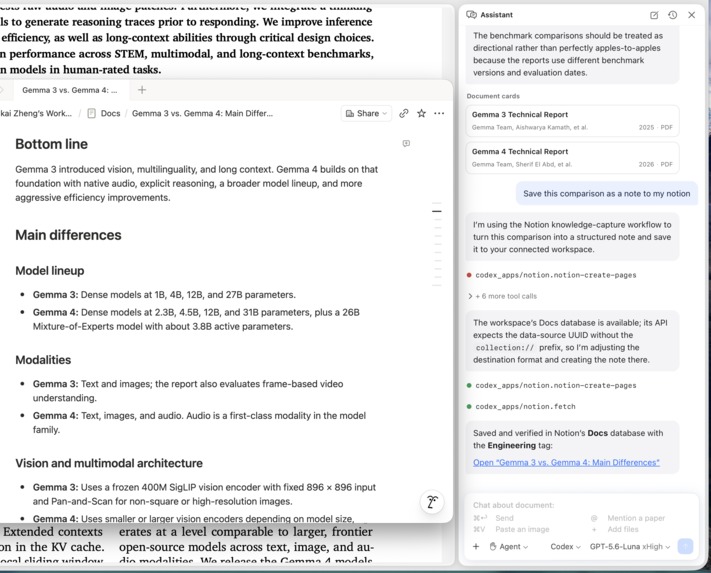
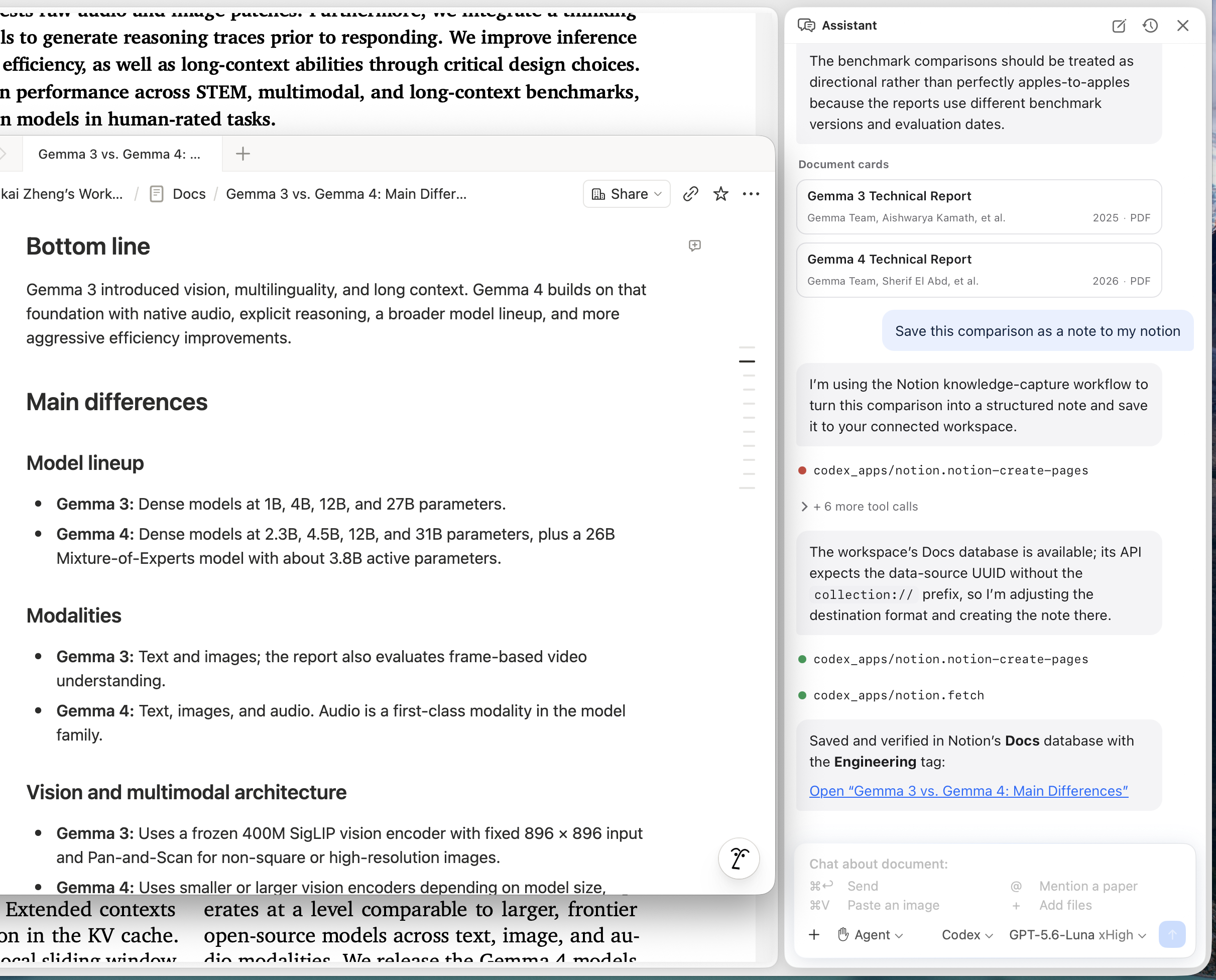
Connect to your tools
-
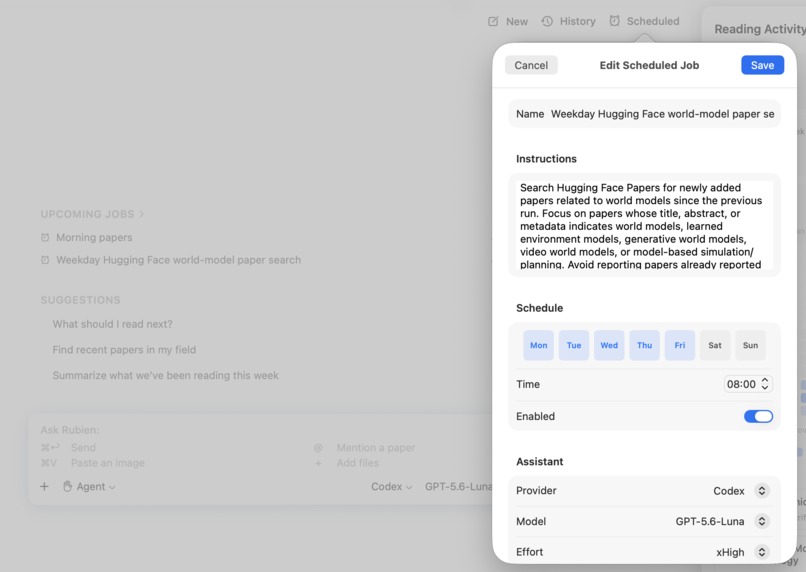
Automate your research
-
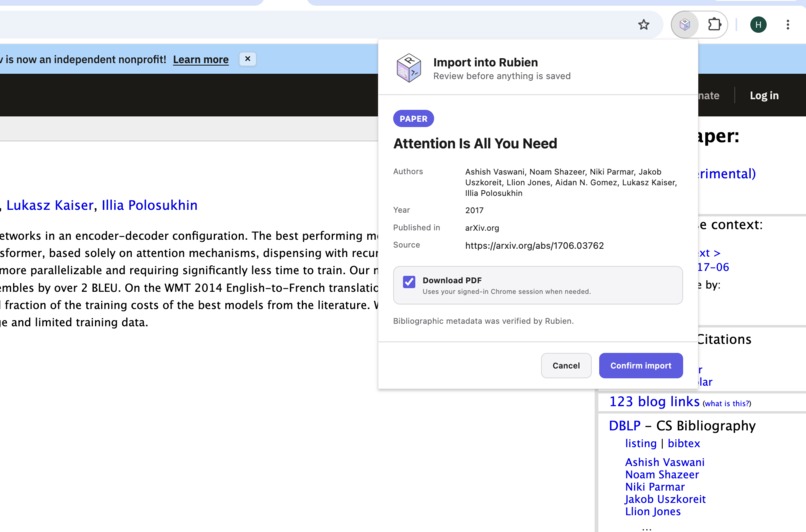
Chrome extension importer
Inspiration
As a PhD student, a massive part of research involves reading papers, books, and blog posts scattered across the internet.
I’ve explored various ways to use AI to streamline this process: setting up OpenClaw to find and filter new papers daily, using Notion or Google Sheets to organize categories, relying on Zotero for annotations, asking GPT to help digest dense concepts, and using Obsidian to clip interesting blog posts. While AI was helpful for each individual task, the entire system never quite came together due to the overhead of maintaining so many fragmented workflows.
What if everything worked seamlessly in one unified flow, making discovering, reading, and organizing resources effortless? So I built Rubien, an AI-native research library so that you can do everything in one flow.
What it does
Rubien: a local-first, agentic research library. Discover, read, and connect ideas in one library with the AI models you already use.
Rubien is a local research library with native readers for papers, books, and web sources. Its in-library assistant helps you discover new work, work through dense papers, connect ideas across sources, manage the library, and act through the tools available to your agent.
In-library AI assistant
Your AI agent is available from Home or beside any open document. Rubien exposes clean context through standardized MCP tools to support tasks such as:
- Search the library: "Find papers on this topic in my library."
- Help with understanding: "Explain this section."
- Take notes: "Save our takeaways to Notion."
- Suggest what to read: "Recommend a paper based on my recent reading history."
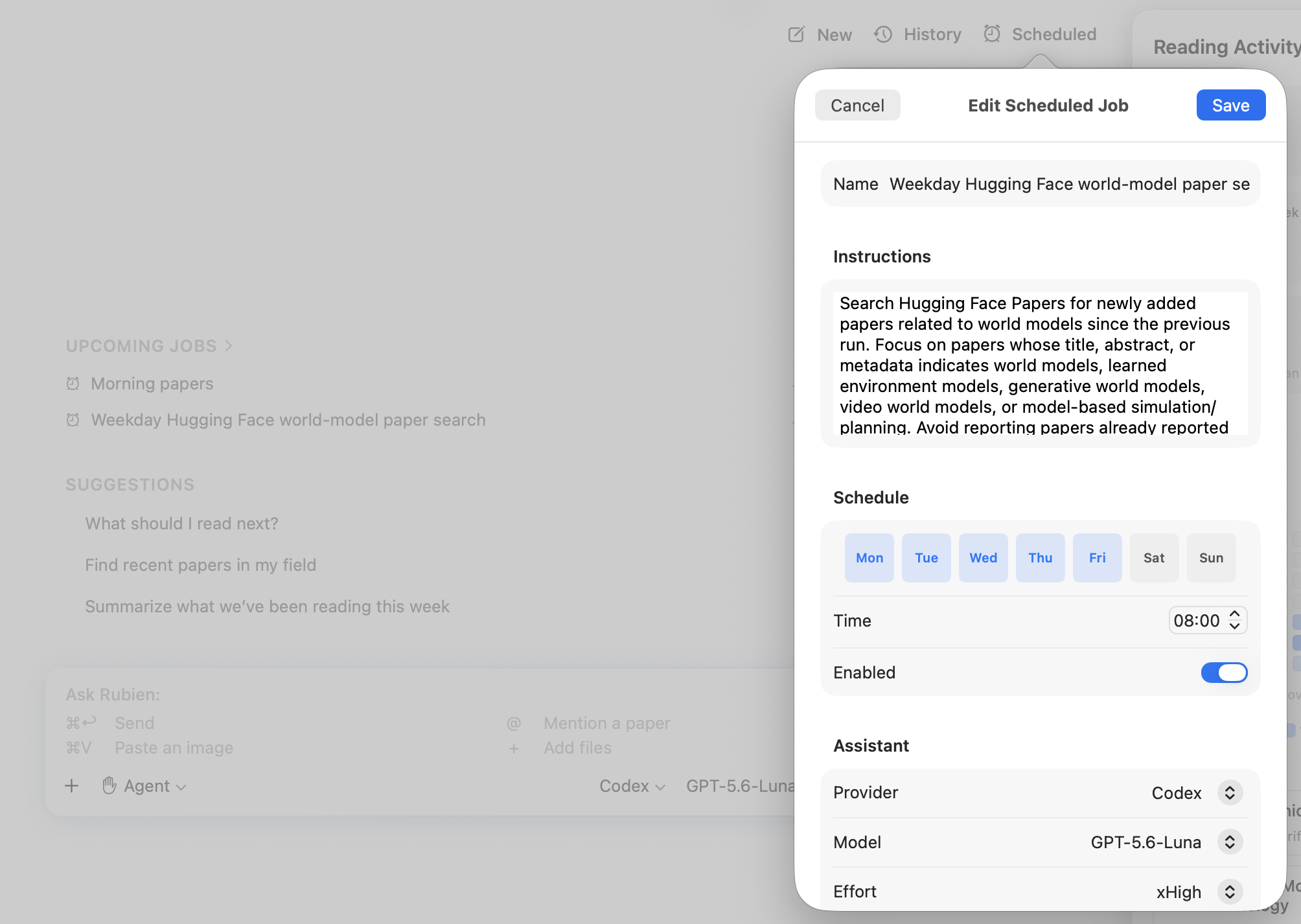
- Run scheduled jobs: "Every weekday at 8 a.m., find new papers on my topic."
Flexible import with metadata validation
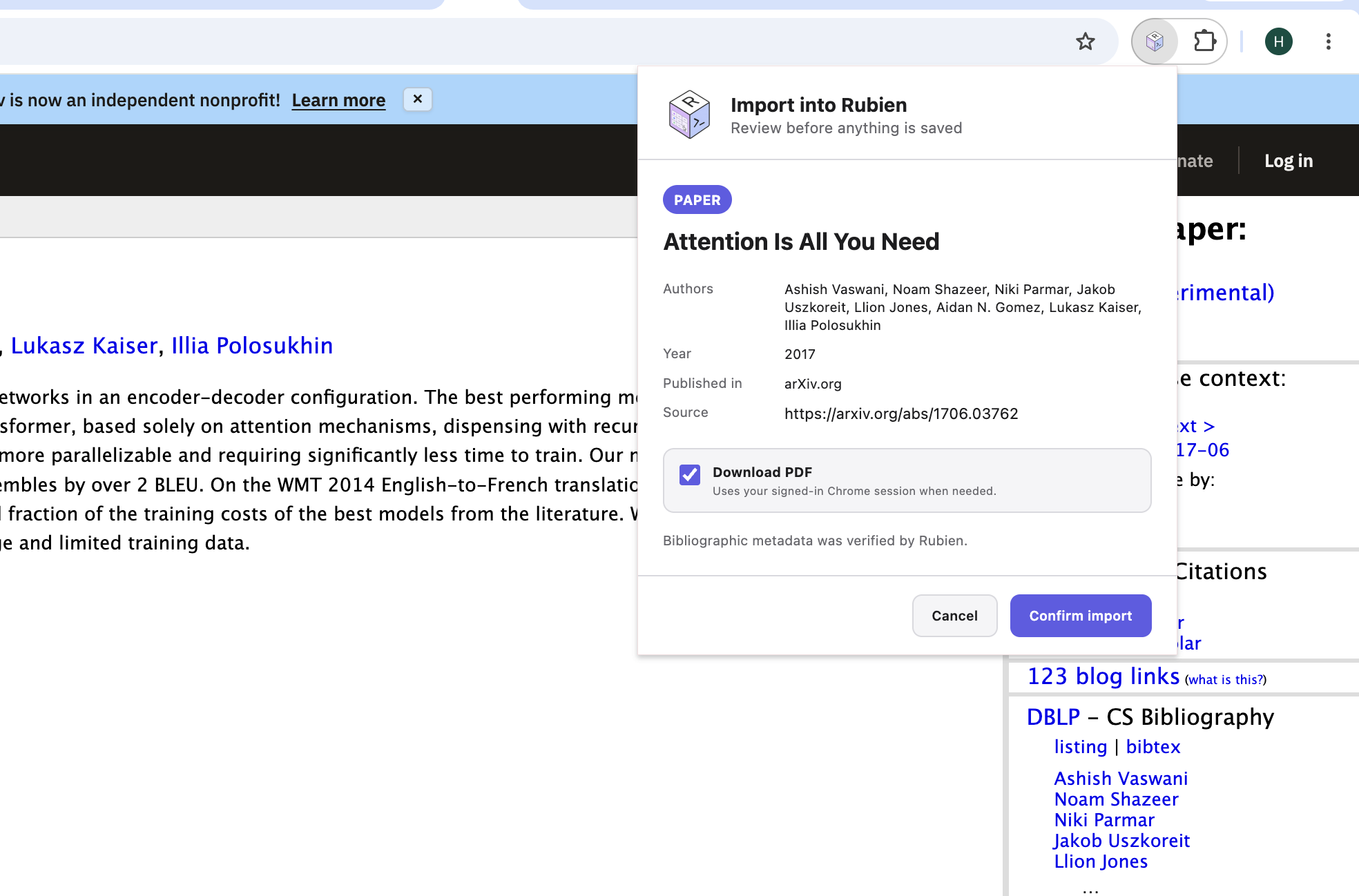
For academic papers and books, it automatically verifies publication metadata and fetches clean data from trusted publishers. For web sources like blog posts and news articles, it extracts and converts the content into crisp, clutter-free Markdown. Rubien supports various import options:
- Paste a DOI, arXiv ID, PMID, ISBN, paper URL, or bare title (supported publishers and venues).
- One click from your browser: the Chrome extension imports the paper, PDF, or article you're viewing.
- Ask the agent: describe what you're after and it finds and imports the references for you.
- Other options: import from Zotero, PDF file, or BibTeX file.
Other modern features
- Native PDF/web readers with highlights, underlines, and anchored notes.
- Track your reading activity and habits: reading streaks, an activity heatmap, and recent reads on Home.
- Organize your way: customizable columns in a database-style table, plus saved views with their own filters, sorts, and grouping.
MCP server for any agent
Rubien ships the rubien-mcp-server, so you can access your library from any MCP client.
How I built Rubien with GPT‑5.6
I built Rubien with Codex as my primary engineering partner. I often started from an idea of desirable features or a real problem I experienced as a user, without any technical details.
For each major feature, I ask GPT‑5.6 propose a design. I walk through the design and clarify the intended behavior, and iterate with codex until we both agree.
Then Codex carried out most of the engineering work to actually implement it. That included implementing changes across the frontend and backend; writing and running tests; diagnosing regressions; and preparing releases.
My role was mostly about product direction and validation, deciding what to build and evaluating it as a real user. I also co-design the repository guidance and release runbook so every session follows the same architecture, testing, review, and release process.
Examples from Build Week
- Agent-first home feature: I wanted an agent workspace to work with the library. We start with an initial proposal from gpt-5.6 and then iterated the design together on a library-wide chat, actionable paper cards, reading activity, and keeping the traditional Library one click away. gpt-5.6 implemented the feature across the UI, data model, CloudKit sync, CLI, MCP server, and tests. My visual QA then drove refinements to typography, alignment, suggestions, and interaction feedback.
- Latency optimization: while using the app, I noticed switching between home and views felt slow. So GPT-5.6 profiled the latency while I interacted with the app, identified several bottlenecks. It found unnecessary SwiftUI invalidations, rebuilt AppKit-backed views and background work. The resulting changes reduced navigation latency from 100–320 ms to under 30 ms.
- A repeatable release process: I consolidated the release runbook. Codex followed it to build, test, review, package, and prepare the release under my explicit approval.
- Beyond these cases: MCP tools, chrome extension importer, scheduled agent jobs, direct import from Zotero, various bug fixes.
What I learned
Before GPT‑5.6, I was using the Superpowers skill to guide coding agents. Just within the first few days of using GPT‑5.6 in Codex, I realized that GPT‑5.6 is smart and reliable enough to tailor the workflow depending on the task difficulty and design ambiguity. The best way to work with GPT‑5.6 turns out to be "be direct with the goal/design and what features I want".
The code review step is often worth it. I asked GPT‑5.6 to launch an independent reviewer to review any non-trivial changes, which often revealed useful findings. User feedback is essential.
GPT‑5.6 can efficiently implement features and tasks, but many gaps and areas for improvement are not visible without real daily interactions. To build an app that provides a smooth interaction and pleasant user experience, I found it crucial to use the app myself as much as possible to identify areas for improvement that only users can feel through real daily interactions.
Built With
- codex
- gpt5.6
- javascript
- swift

Log in or sign up for Devpost to join the conversation.