Inspiration
RSS was the backbone of the open web in the 2000s; a way to follow any website without algorithms deciding what you see. When Google Reader shut down in 2013, RSS faded into obscurity. But it never truly died.
For Kiroween's Resurrection category, we asked: what if we could bring RSS back with the UX expectations of 2025? What if we combined the user control and privacy of RSS with the engaging, vertical-scrolling experience of TikTok?
RSS-Tok was born from this question; a love letter to the open web, resurrected for a new generation.
What it does
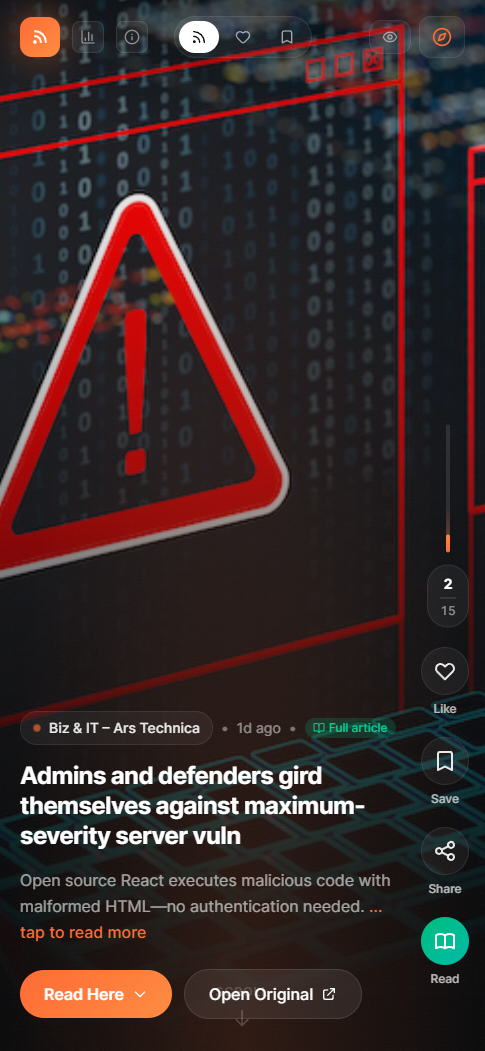
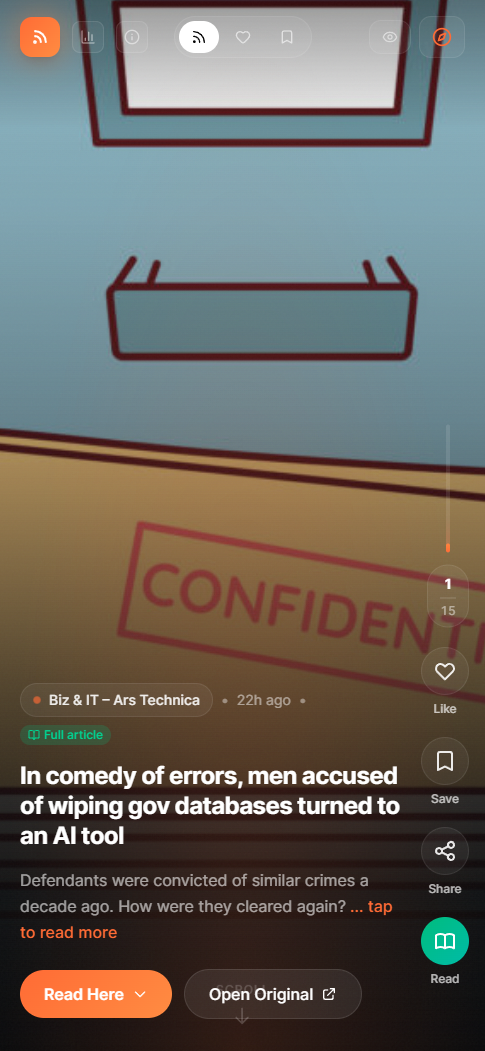
RSS-Tok transforms any RSS feed into a modern, TikTok-style vertical scrolling experience:
- Vertical Feed Navigation: Scroll or swipe through articles with smooth snap-to-card transitions
- Full Article Reading: Read complete articles inline without leaving the app
- Multi-Feed Mixing: Select multiple RSS feeds and mix them into a single randomized stream
- Content Management: Like articles (with double-tap gesture), save for later, and track what you've read
- Statistics Dashboard: View your reading habits, engagement rates, and favorite sources
- Smart Filtering: Hide read articles to focus on fresh content
- Feed Discovery: Curated examples plus custom URL support
All of this with zero algorithms, zero tracking, and complete user control; the way the web was meant to be.
How we built it
The Kiro-Powered Development Process
We built RSS-Tok using Kiro as our AI development partner, and it completely transformed how we approached the project. Here's our workflow:
1. Spec-Driven Foundation
We started by describing our vision to Kiro in natural language. Using Kiro's Specs feature, we generated three foundational documents:
- requirements.md: 11 detailed requirements with acceptance criteria
- design.md: Architecture diagrams, component hierarchy, and data models
- tasks.md: 11 phases with 50+ actionable tasks
This gave us a clear roadmap from day one. No more "where do I start?" paralysis.
2. Iterative Execution
We moved through tasks systematically but not rigidly. When we reached sections requiring more creativity (like the multi-feed mixing algorithm or the statistics dashboard), we used vibe coding; natural conversations with Kiro to rapidly iterate on ideas.
For example, the ArticleCard component started simple. Through iterations, we added:
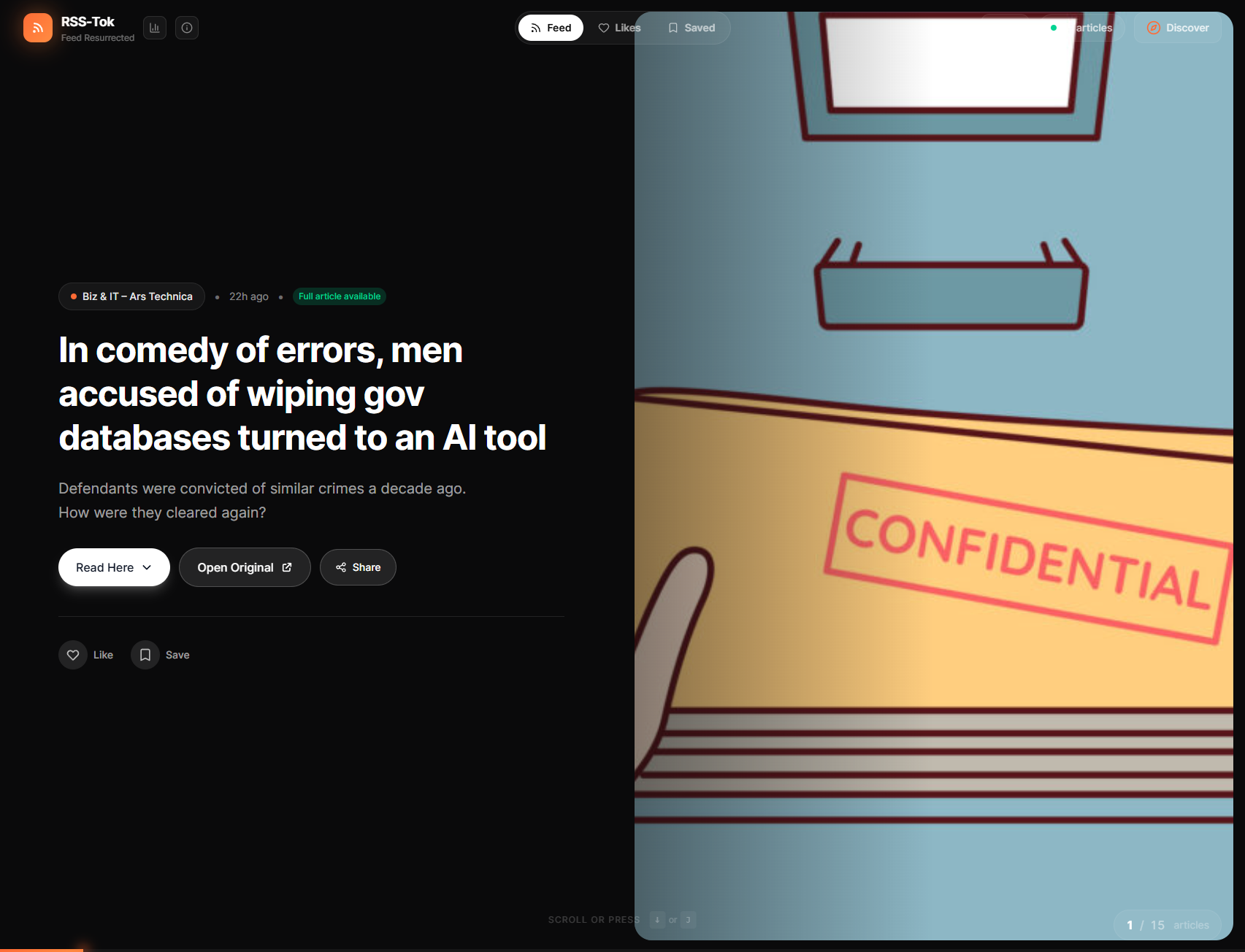
- Desktop split layout with Ken Burns image effects
- Mobile full-screen with gradient overlays
- Double-tap to like with heart animation
- Expandable full article content
- Smart content extraction from RSS feeds
Each iteration built on the previous one, with Kiro maintaining context throughout.
3. Living Documentation
As the project evolved, we kept specs updated. When we added the statistics modal with engagement tracking, we updated the requirements and design documents. This ensured Kiro always had current context; crucial when working on a project across multiple sessions.
4. Steering Files for Consistency
We created steering files that Kiro automatically includes in its context:
- tech.md: Technology stack, libraries, and commands
- structure.md: Project structure and component conventions
- product.md: Core concept and key features
These files ensured Kiro understood our architectural decisions and maintained consistency across all components.
5. Bilingual Workflow with Hooks
Here's something unique: we're Spanish speakers, so we naturally wrote prompts in Spanish. But we needed production-ready code in English. Kiro handled this seamlessly, but we wanted an extra layer of quality control.
We created Kiro Hooks; automated actions that run on file save:
- Removes any Spanish comments that might slip through.
- Removes console.log statements before commits.
This let us work in our native language without sacrificing clean, professional code.
Tech Stack
- Framework: Next.js 15 with App Router
- UI: React 19 + Tailwind CSS 4
- Data Fetching: SWR for smart caching
- RSS Parsing: rss-parser with custom field extraction
- Storage: localStorage for persistence
- Icons: lucide-react
Challenges we ran into
RSS Feed Variability
Every RSS feed is different. Some have images in <media:content>, others in <enclosure>, some only in HTML content. We built a robust image extraction system that checks multiple sources and falls back gracefully.
Full Content Extraction
Many RSS feeds only provide summaries. We implemented smart content extraction that detects when full articles are available, strips HTML intelligently, and preserves readability.
Multi-Feed Synchronization
Mixing multiple feeds required handling partial failures gracefully. We used Promise.allSettled to fetch feeds in parallel, then shuffle articles using Fisher-Yates algorithm while preserving source attribution.
Read Tracking Performance
With potentially hundreds of read articles, we needed efficient filtering. We implemented a versioned state system that only re-filters when necessary, preventing unnecessary re-renders.
Mobile vs Desktop UX
The same content needed radically different layouts. Desktop uses a split view with content on left and image on right. Mobile uses full-screen images with overlays. We made both feel native to their platform.
Accomplishments that we're proud of
Spec-Driven Success
Our initial specs guided 95% of development. The structure Kiro helped us create was so solid that we rarely deviated from the plan.
Feature-Complete in Record Time
From concept to fully functional app with likes, saves, statistics, multi-feed mixing, and full article reading; all in a hackathon timeframe.
Zero Backend Required
Everything runs client-side with smart caching. No servers, no databases, no complexity; just pure web technology.
Polished UX
Double-tap to like, smooth animations, Ken Burns effects, glassmorphism; details that make it feel like a production app, not a hackathon project.
Statistics Dashboard
Real engagement tracking with time-based analytics, top sources, and engagement rates; features you'd expect from a mature product.
Truly Resurrecting RSS
We didn't just build an RSS reader. We proved that "dead" technology can be relevant again with modern UX design.
What we learned
AI-Assisted Development is a Multiplier
Kiro didn't just write code; it helped us think through architecture, maintain consistency, and iterate rapidly. The spec-driven approach gave us structure while vibe coding gave us creativity.
Specs Are Worth the Investment
Taking time upfront to generate detailed specs paid dividends throughout development. Every time we got stuck, we referenced the specs and knew exactly what to build next.
RSS is More Alive Than We Thought
Almost every major site still publishes RSS feeds. The technology isn't dead; it just needed a modern interface. There's real potential here.
localStorage is Underrated
With smart caching and data management, localStorage can power surprisingly complex features without backend infrastructure.
Bilingual Development Works
Being able to think and communicate in Spanish while producing English code removed cognitive overhead and let us focus on problem-solving.
What's next for RSS-Tok: Feed Resurrected
Podcast Support
RSS was built for podcasts. Adding audio playback would make RSS-Tok a complete media consumption platform.
OPML Import/Export
Let users import their existing feed lists and export their curated collections.
Service Workers for Offline Reading
Cache articles for offline access, making RSS-Tok work anywhere.
Custom Themes
Let users customize colors, fonts, and layouts to make their feed truly their own.
Text-to-Speech
Convert articles to audio for hands-free consumption.
Social Features
Share reading lists, discover what others are reading, create curated feed collections.
Browser Extension
One-click "Add to RSS-Tok" button for any RSS feed you discover.
Native Apps
Take RSS-Tok to iOS and Android with React Native.
The open web deserves modern tools. RSS-Tok is just the beginning of bringing user-controlled, algorithm-free content consumption back to the mainstream.
Built With
- nextjs
- tailwindcss

Log in or sign up for Devpost to join the conversation.