-
-

Snapcycle
-
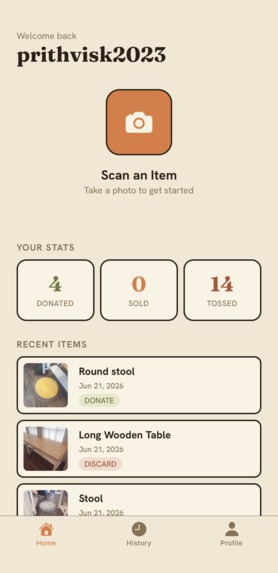
Homepage

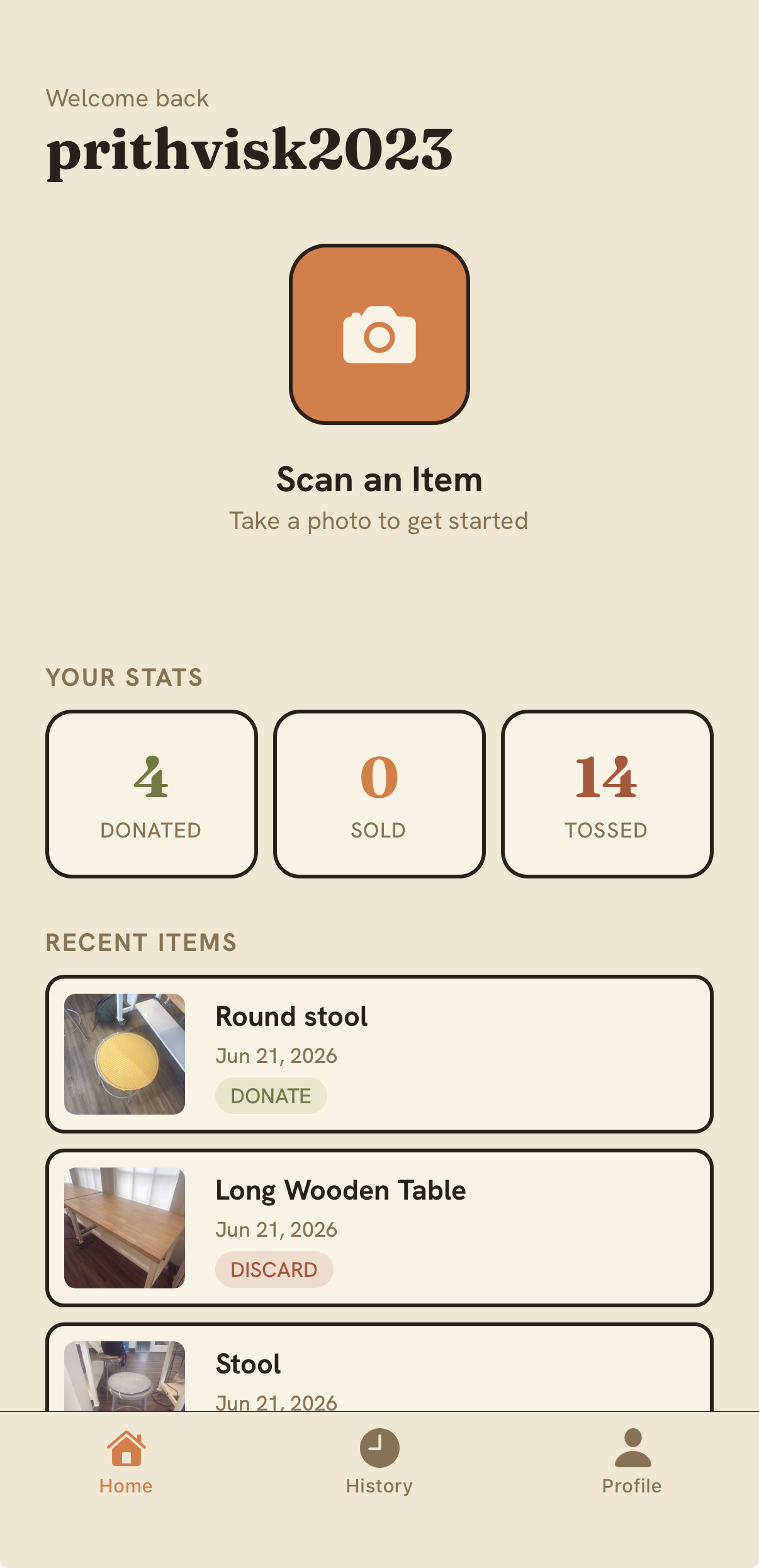
Inspiration
Every year during college move-out season, the curbs fill up with piles of mattresses, desks, chairs, and electronics – a lot of it perfectly donatable or recyclable – that fester in the outdoors, sometimes for weeks. As rising college sophomores moving out on our own for the first time, we all experienced and saw friends experience the difficulty of responsibly disposing of bulky household items. There was just so much information scattered across websites, and it was a hassle to find a disposal pathway (donation, free bulky waste/mattress/e-waste collection services, junk haulers) that was available, cheap, and easy to utilize. The information gap was exacerbated by the fact that we needed to study for finals and pack before our leases ended. Of the 87 people that Joon surveyed this spring, 89% were unaware of existing waste disposal services, yet 58% of them said they would use one or more of these services had they been aware.
What it does
Getting rid of a mattress, a printer, or a half-used can of paint shouldn't take an afternoon of googling conflicting city pages. SnapCycle turns it into a single photo. After getting onboarded (entering your address and zip code), you snap the item you want to dispose of, and the app identifies it, finds every legitimate local way to get rid of it, and lays them out as ranked, tappable cards: donation, free city bulky-waste pickup, recycling collectives, household-hazardous-waste and e-waste drop-offs, and paid junk haulers. Each card carries the factors that drive the decision: cost, environmental friendliness, whether there's doorfront pickup, and how far you'd have to drive if there isn't. A filter lets you sort by whatever matters most to you, and the cards reorder instantly. If the photo is unclear (two items in frame), the agent asks a quick clarifying question instead of guessing. And if nothing's available nearby, it tells you and offers to widen the search rather than dead-ending. Tapping a card is where it goes from information cards to done-for-you. The app spawns an action agent that schedules the disposal for you: it auto-fills the donation or service web form, displays a tap-to-call number for city and collective scheduling, or, for junk haulers messages the three closest, highest-rated haulers with a photo of your item.
How we built it
The system runs in three stages. A knowledge layer uses a Browserbase browsing agent to crawl local recycling ordinances, municipal bulky-waste pickup programs, donation centers, free mattress/household hazardous waste/e-waste collectives, and hauler listings, then structures and embeds them into a RAG vector store keyed on item category and location, making the app's suggestions specific to where the user actually lives instead of generic advice. A scan is handled by a perception-and-retrieval agent running Gemini 2.5 Flash with its state managed in Redis. The agent identifies the item, runs a disambiguation loop when confidence is low, then queries the RAG store with the item plus location to assemble and rank the cards – including a no-results fallback that re-queries on a broadened scope when nothing turns up locally. When the user picks a card, our Simular action agent executes the chosen pathway, branching on how that option can be scheduled: web-form automation for donation and service sites, a tap-to-call number for city and collective scheduling, and the Twilio hauler-bidding flow, where it sends the item photo to the top three haulers (based on closeness and rating) on Twilio and renders their quotes as they stream in, continuously re-sorted low to high so the user can proceed with anyone before all three reply. The frontend is a mobile-first interface built around the card grid, the priority filter, and the live-updating quote list. Arize was used to monitor the agent's outputs. We used the data to optimize the prompt output and the input from agent to agent to create a system that minimizes token usage while increasing agent output accuracy. Sentry was used to check if the app's code was functioning properly, mainly node-related frontend issues that would interfere with overall workflows that could not be found using traditional smoke tests. Claude and Claude Code were used to plan and generate the agentic workflow flowchart.
Challenges we ran into
- IP address for frontend and backend kept changing, making it hard to send request and debugging.
- Accessing Yelp via a virtual browser on the app with Playwright was an issue
- Integrating 5 sponsor API's throughout the stack
Accomplishments that we're proud of
- There are plenty of information aggregators online, but to our knowledge, we are the first to take a step further by helping users actually follow through with the disposal option that best suits their needs and preferences.
- End-to-end flow from camera → AI identify → decision → live disposal pathway discovery → saved item in one app.
- Service discovery that is adaptive to locality and the specific item in question
- Dividing the labor effectively to leverage each of our strengths and experiences
What we learned
- A software that dumps aggregated information to students who are not is not enough. It must guide them
What's next for SnapCycle
- Add an onboarding screen that takes in the user's address and zip code, and subsequently, runs the browserbase agent once (after this initial run, a browserbase agent doesn't run again) – right now, browserbase curates a RAG database for each image uploaded
- Incorporate Redis memory to identify trends in users' preferred method of disposal (e.g. someone who prefers donation over junk hauling)
- Add a voice agent that the user can converse with in multiple languages instead of typing things out


Log in or sign up for Devpost to join the conversation.