-
-

Rowdy Search!
-
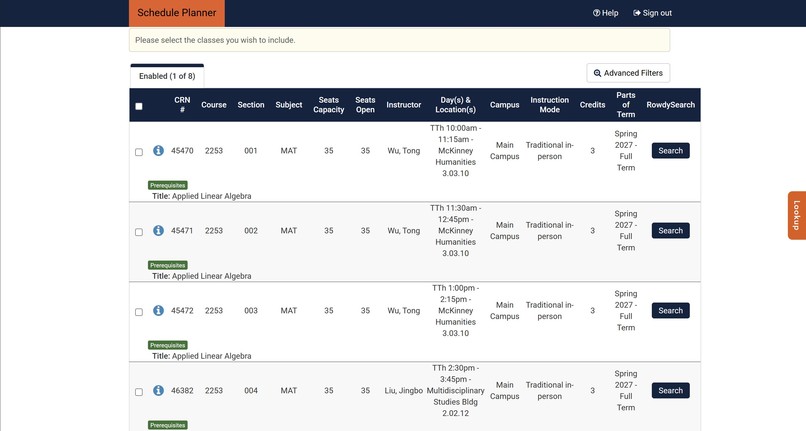
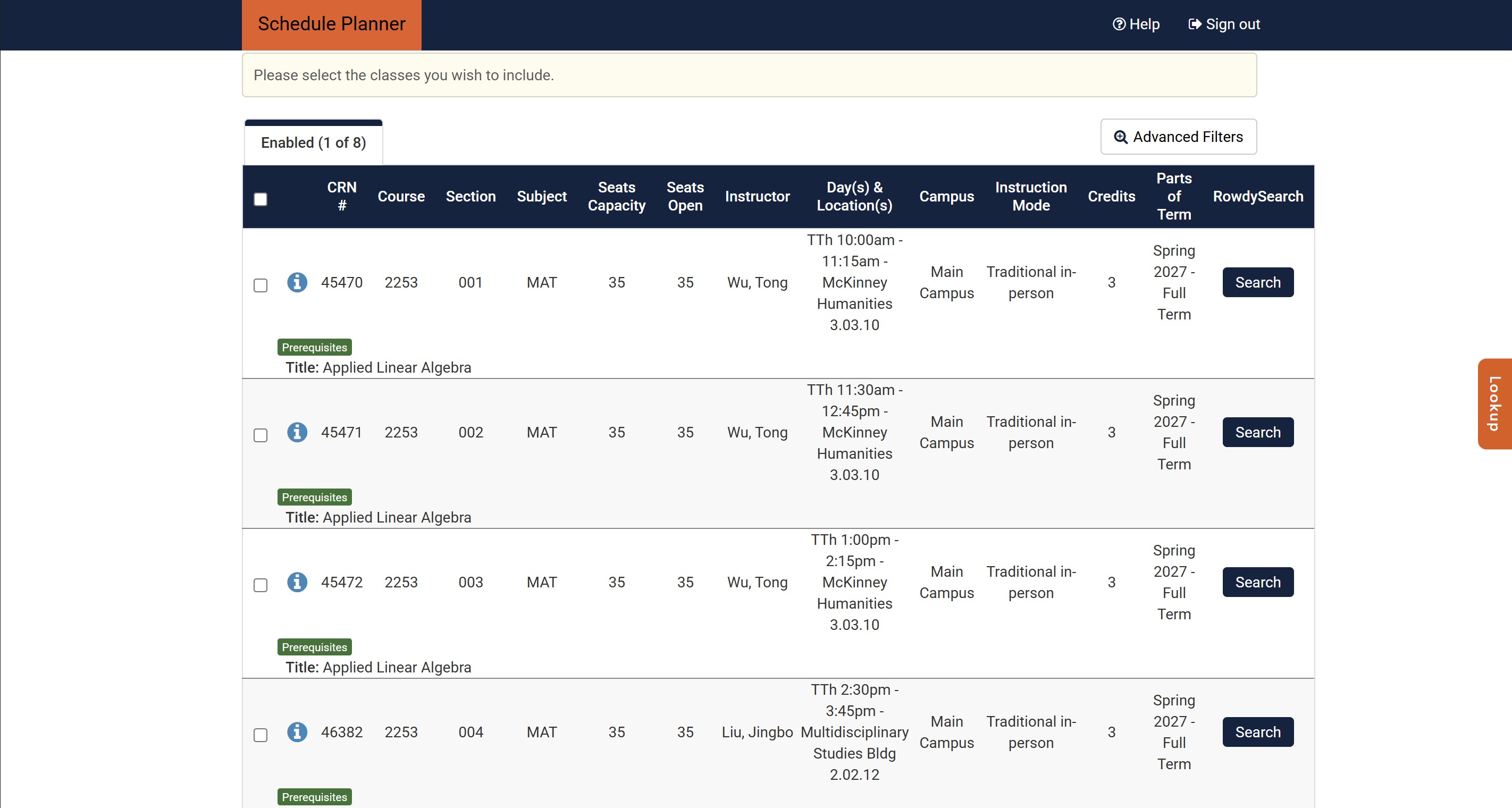
Schedule Planner
-
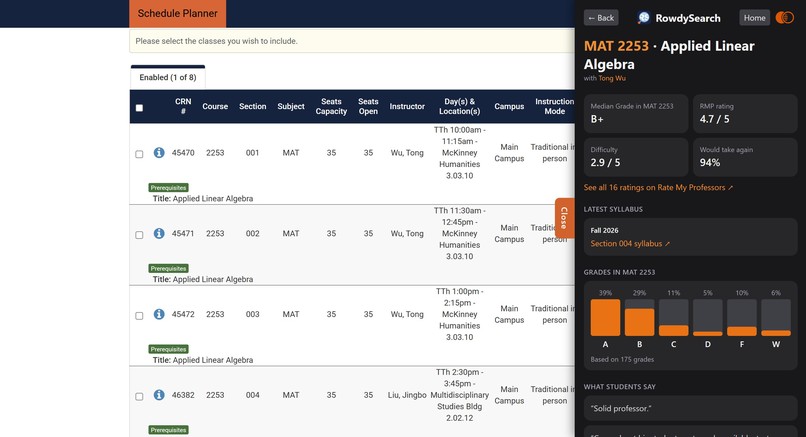
The extension opened
-
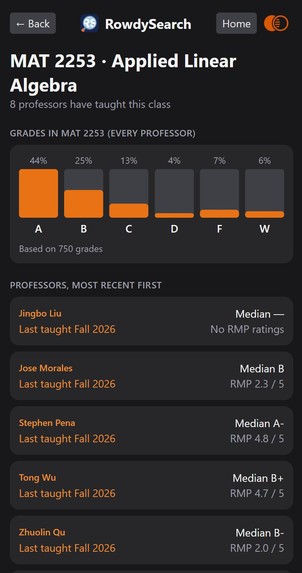
The Class Profile
-
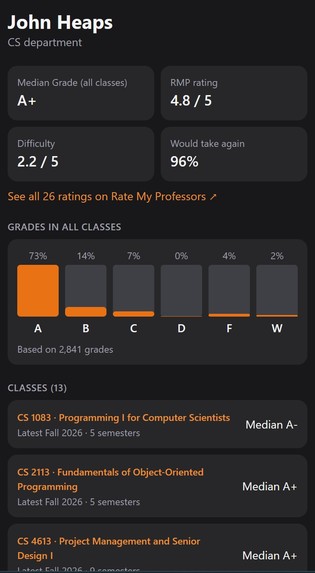
Professor Profile
-
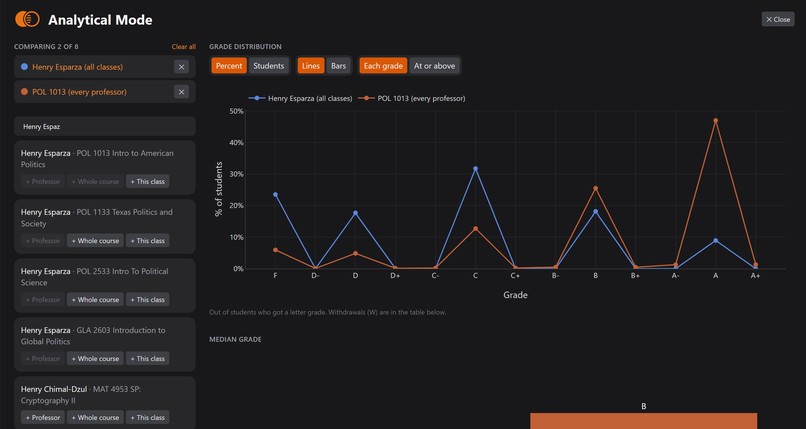
Analytical Mode
-
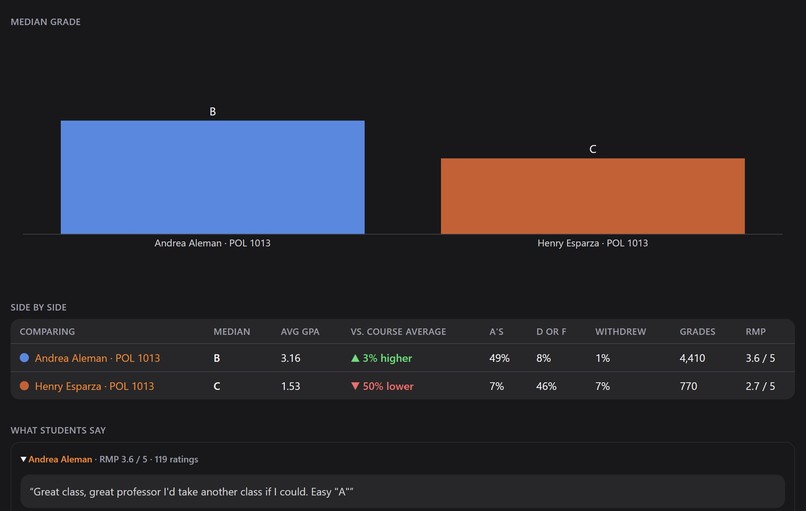
Analytical mode comparing

Inspiration
Joining a class is like getting into a relationship. You are going to be with that professor for months, and the last thing you want is to be stuck with one you hate. So before registering, you look them up on Rate My Professors, then on Simple Syllabus, then you go hunting for grade data.
It is boring, tedious work, and it takes about 10 minutes per professor. RowdySearch turns those 10 minutes into one click. It also adds the piece that matters most and is hardest to find: real grade distribution data, so you are judging a professor on what students actually earned instead of on a handful of reviews.
What it does
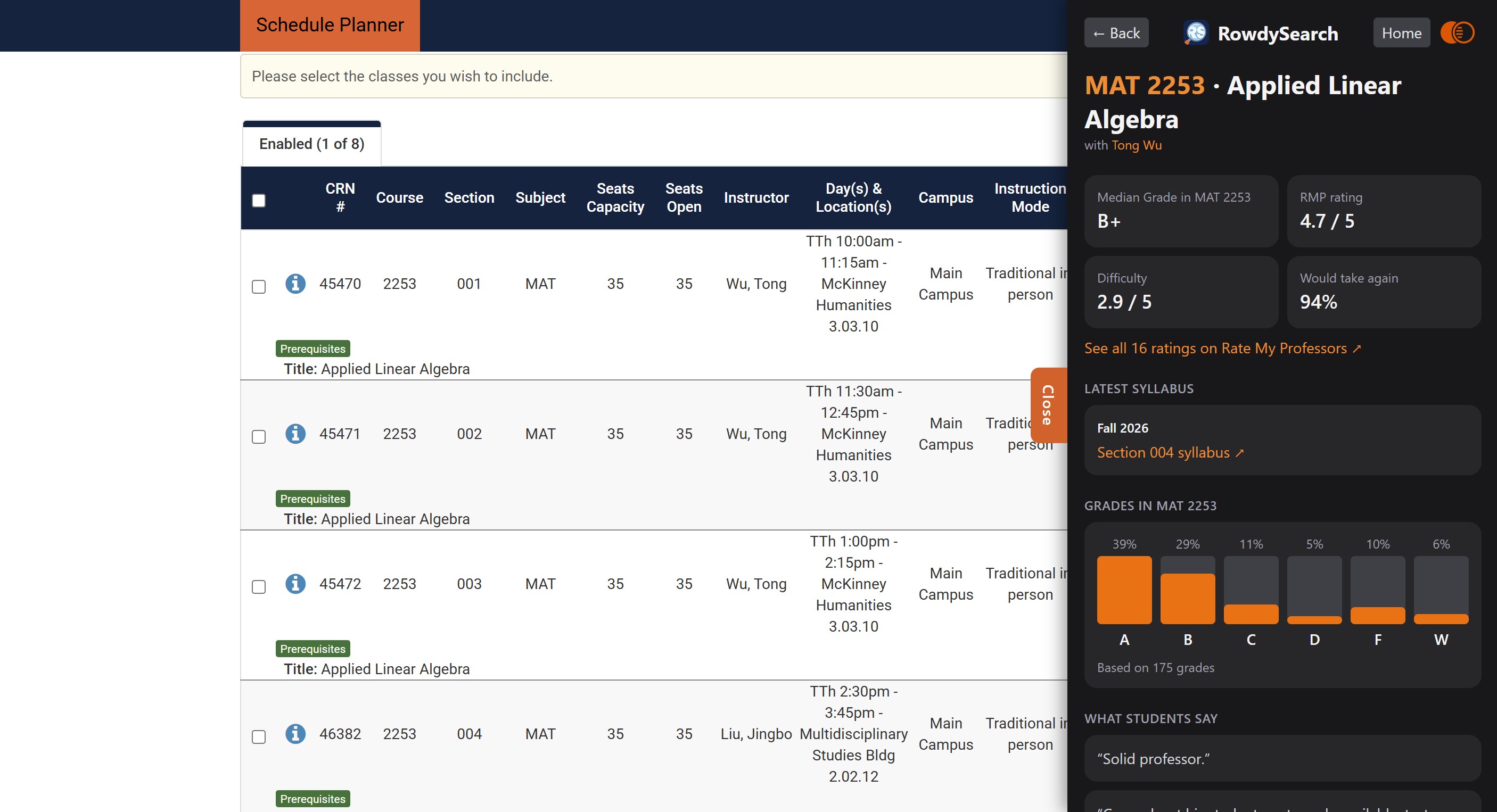
RowdySearch is a Chrome extension that puts grade distributions, Rate My Professors ratings, and the latest syllabus next to every class while you register at UTSA.
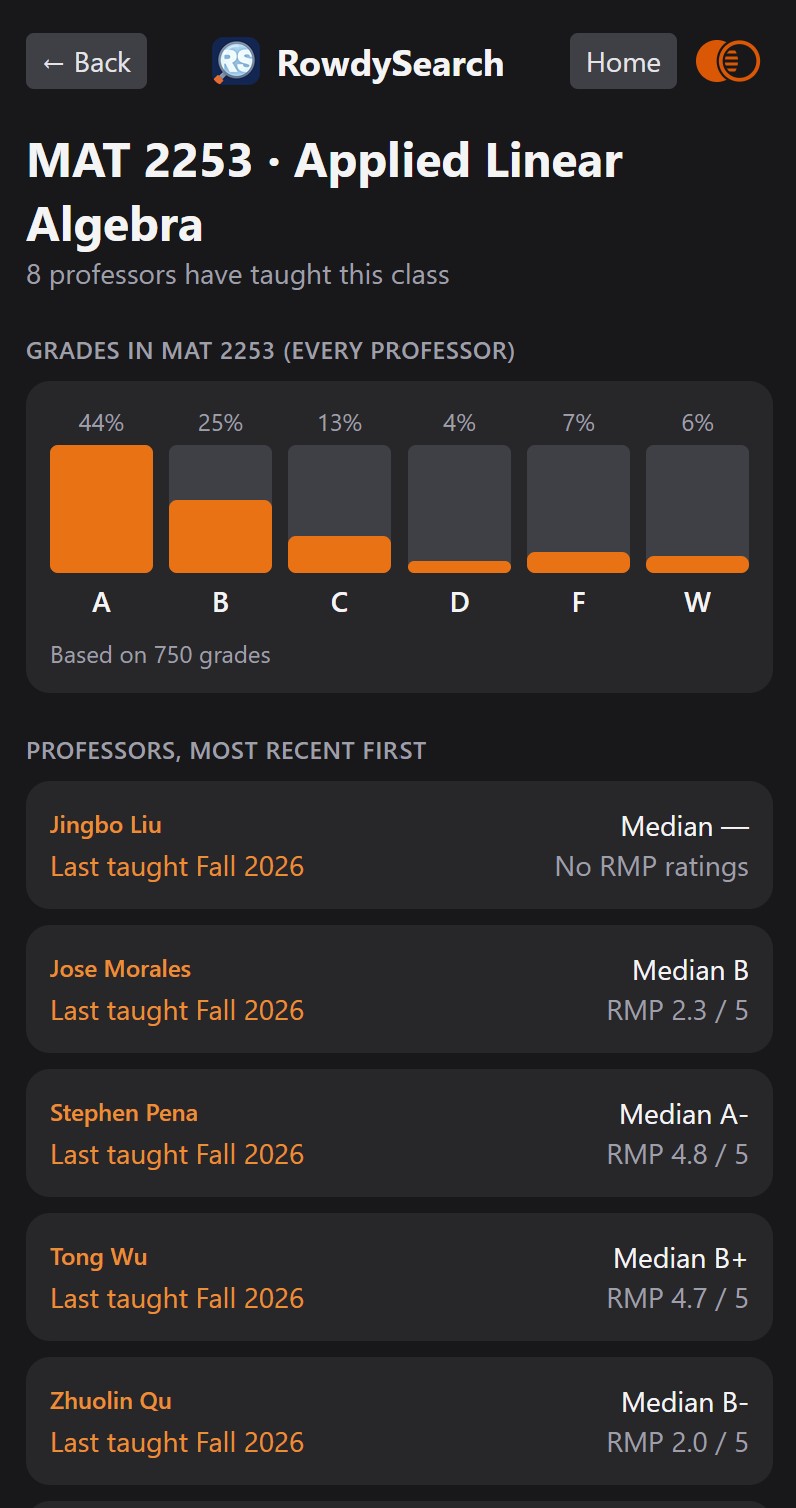
Search buttons. A RowdySearch column gives every class a Search button that opens that professor's class: median grade, Rate My Professors rating, and the latest syllabus. It appears in Schedule Planner's section tables and Shopping Cart, and in the Summary table of Banner's Register for Classes.
Sidebar anywhere. Click the toolbar icon, or the orange Lookup tab on the right edge of the page, to open or close the sidebar on any website. (It can't open on Chrome's own chrome:// pages.)
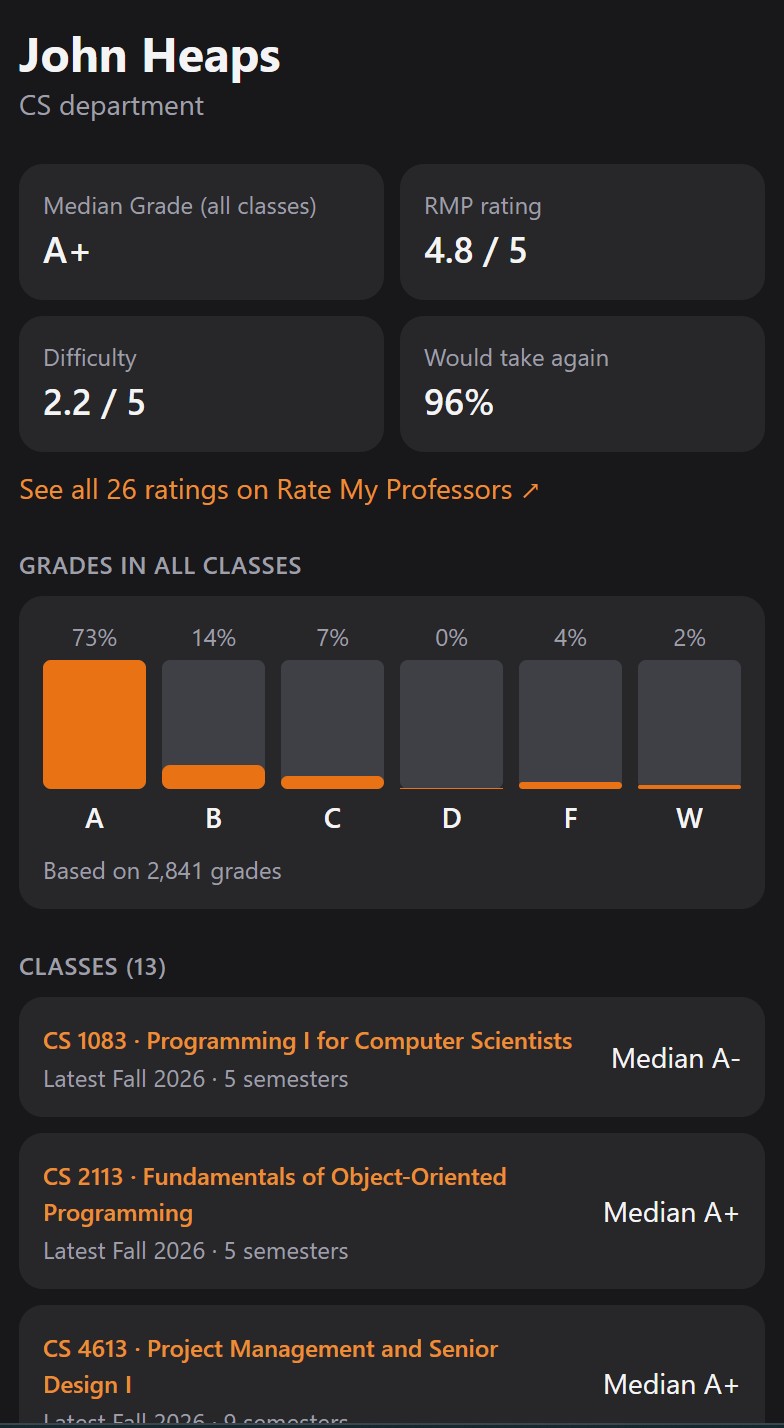
Search by name or course. Type "Sean Beatty" for his professor page, "Beatty MAT 1213" for his MAT 1213 class, or "linear algebra" for every professor who teaches the course, side by side.
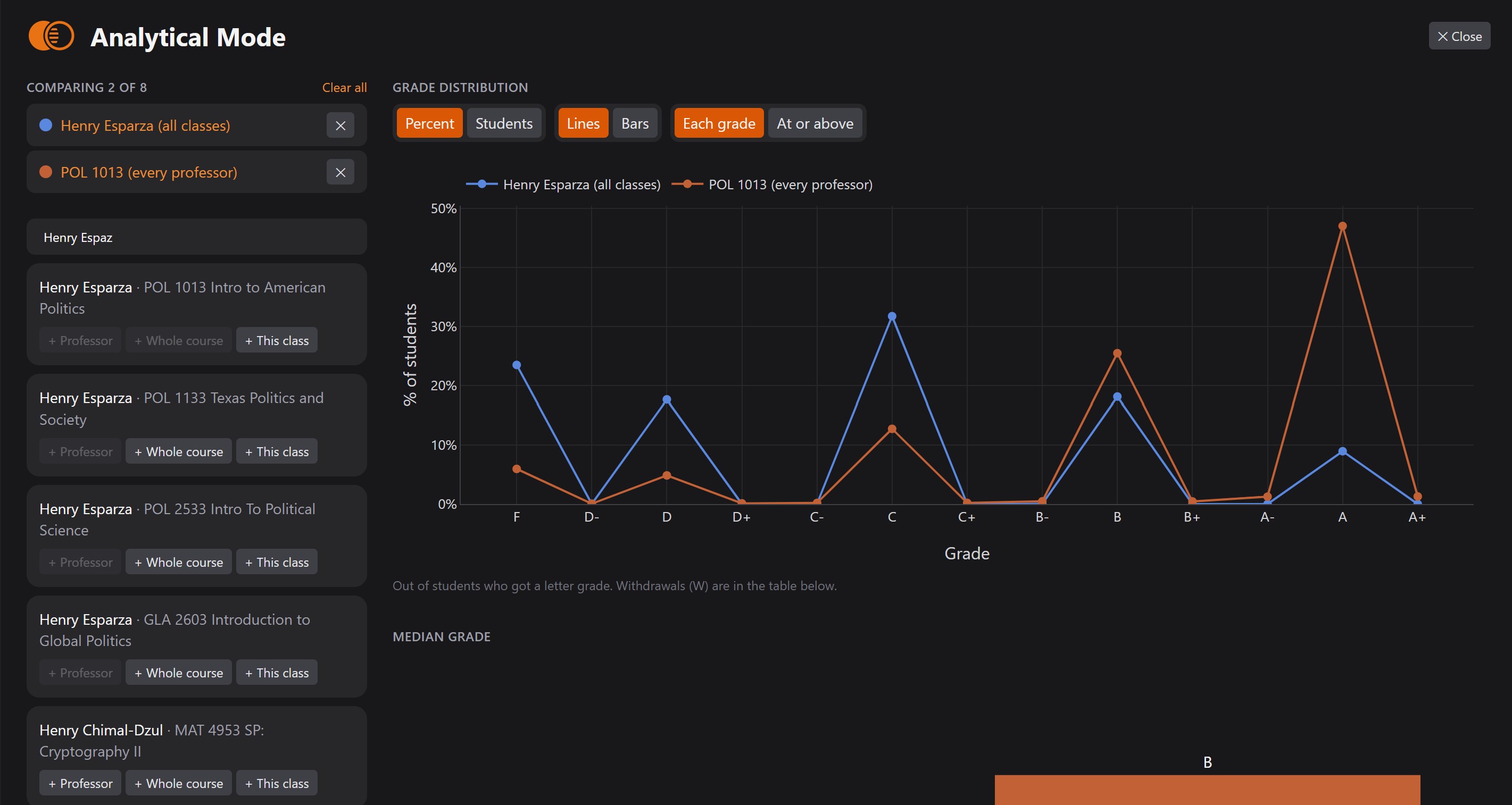
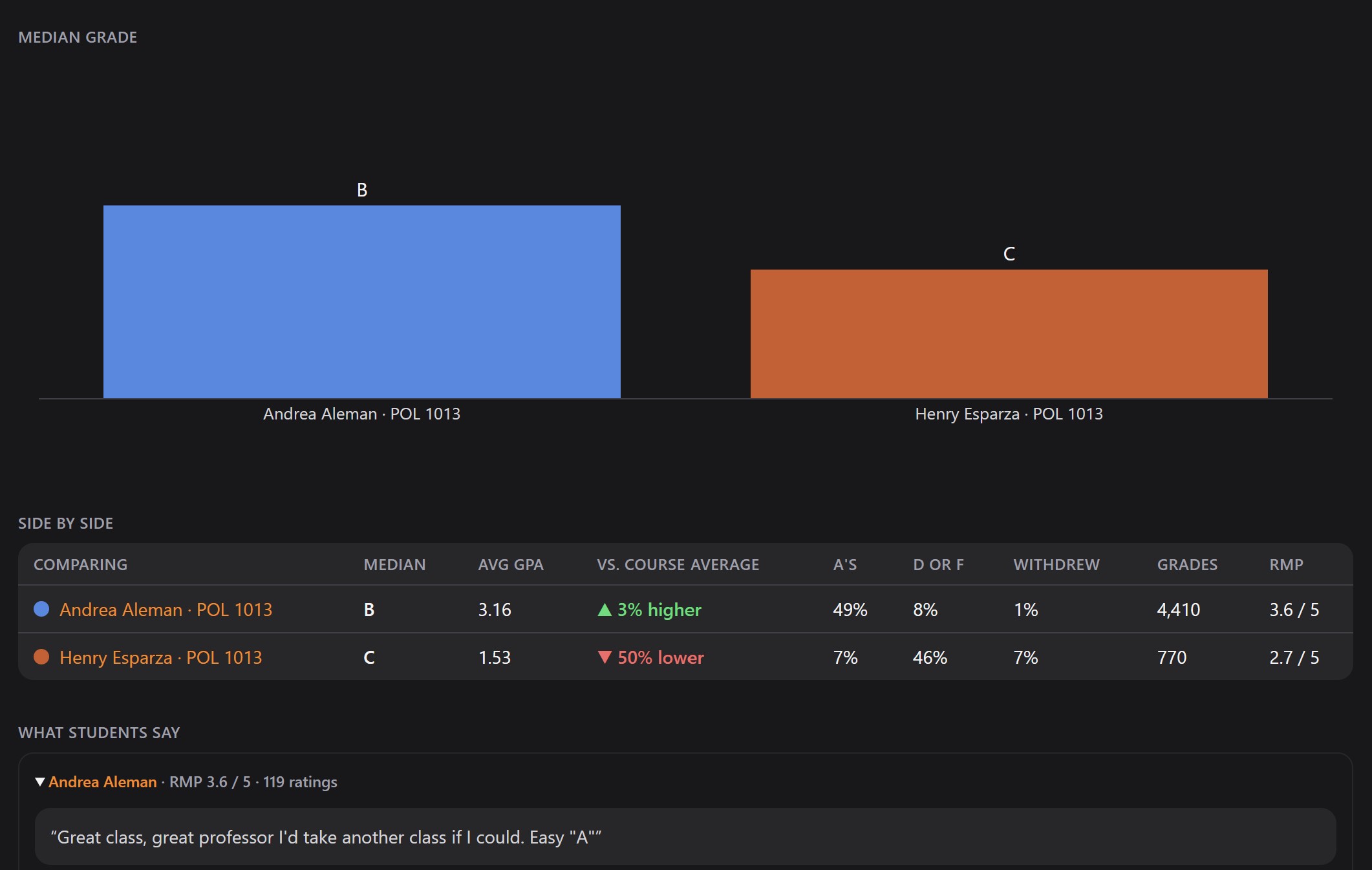
Analytical Mode. The orange Venn diagram in the sidebar's top right corner opens a full screen view for comparing up to 8 professors, whole courses, or one professor's class. It shows a grade distribution chart (F to A+, as percent or students, lines or bars, each grade or "at or above"), a Median Grade chart, a side-by-side table (average GPA, % above or below the course average, A's, D/F, withdrawals, RMP), and everyone's RMP reviews. It starts out comparing whatever page you opened it from.
How we built it
The extension runs on Chrome's extension APIs (Manifest V3). The sidebar is built with React, TypeScript, Tailwind CSS, and Vite, with Plotly.js for the charts and anime.js for motion. Search is our own typo-tolerant engine.
The grade data is not scraped. We filed a public records request with UTSA under the Texas Public Information Act (Texas Government Code, Chapter 552), and the university sent us the grade distributions directly. Every median, chart, and comparison in RowdySearch is built on the school's own official records.
Syllabi come from Simple Syllabus and reviews from Rate My Professors, gathered with our own scrapers. Python combines all three sources into one data set.
The grade data comes from UTSA provided by the open register , Simple Syllabus, and Rate My Professors gathered with our own scrapers and combined into one data set with Python.
Challenges we ran into
We started with Fuse.js for search and hit two problems: it was slow on our data, and it struggled when a professor's name had changed. Life happens, and people change their names or surnames. So we built our own search engine, one that tolerates a whole wrong word in a query and is faster than Fuse.js on this data set.
The approach is a process of elimination that runs the cheapest checks first.
- Index ahead of time. We build an index of every unique word in the data set and which professor-course entries contain it.
- Split the query. At search time the query becomes a set of unique words, each compared against the index.
- Exact matches pass immediately.
- Everything else gets a typo budget based on word length: none for short words and course numbers, one for medium words, two for long ones.
- Reject on length first. If two words differ in length by more than the budget, the pair is thrown out with no further work. "smth" and "hi" are rejected on length alone.
- Edit distance only for the survivors. "smth" and "smith" pass with a distance of 1.
- Allow one missing word. An entry stays in the results if it matches all but one of the query words, which is how a professor is still found after a surname change.
- Rank by similarity. Each query word scores 1 - edit distance / max(len_1, len_2), and the entry's score is the average across the query words.
For example, "smth" against "smith" scores 1 - 1/5 = 0.8. If the other query word matches exactly, it scores 1, and the entry's score is (0.8 + 1) / 2 = 0.9. The highest scores are shown first.
Accomplishments that we're proud of
The search engine is the piece we are proudest of technically: a homemade algorithm that beat a well-known library on our own data.
The accomplishment most students will care about is the grade data. You don't just see a professor's median grade; you see how it compares to other professors and to the course as a whole. That answers the question every student actually has: is this professor hard, or is the course hard? We believe RowdySearch is something every UTSA student should be using at registration time.
What we learned
We learned how to present data clearly in Plotly, and how to balance complexity and simplicity when deciding what belongs in Analytical Mode. We got better at deploying web scrapers to gather data. We learned that public data is there if you ask for it: a records request got us official grade distributions that no scraper could. And we learned that sometimes a homemade algorithm beats a library.
What's next for RowdySearch
AI integration: upload your transcript, and RowdySearch recommends which courses to take next based on your degree plan.


Log in or sign up for Devpost to join the conversation.