-
-
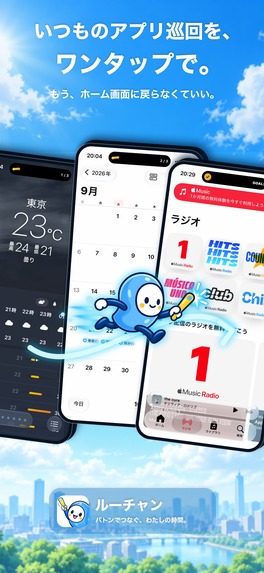
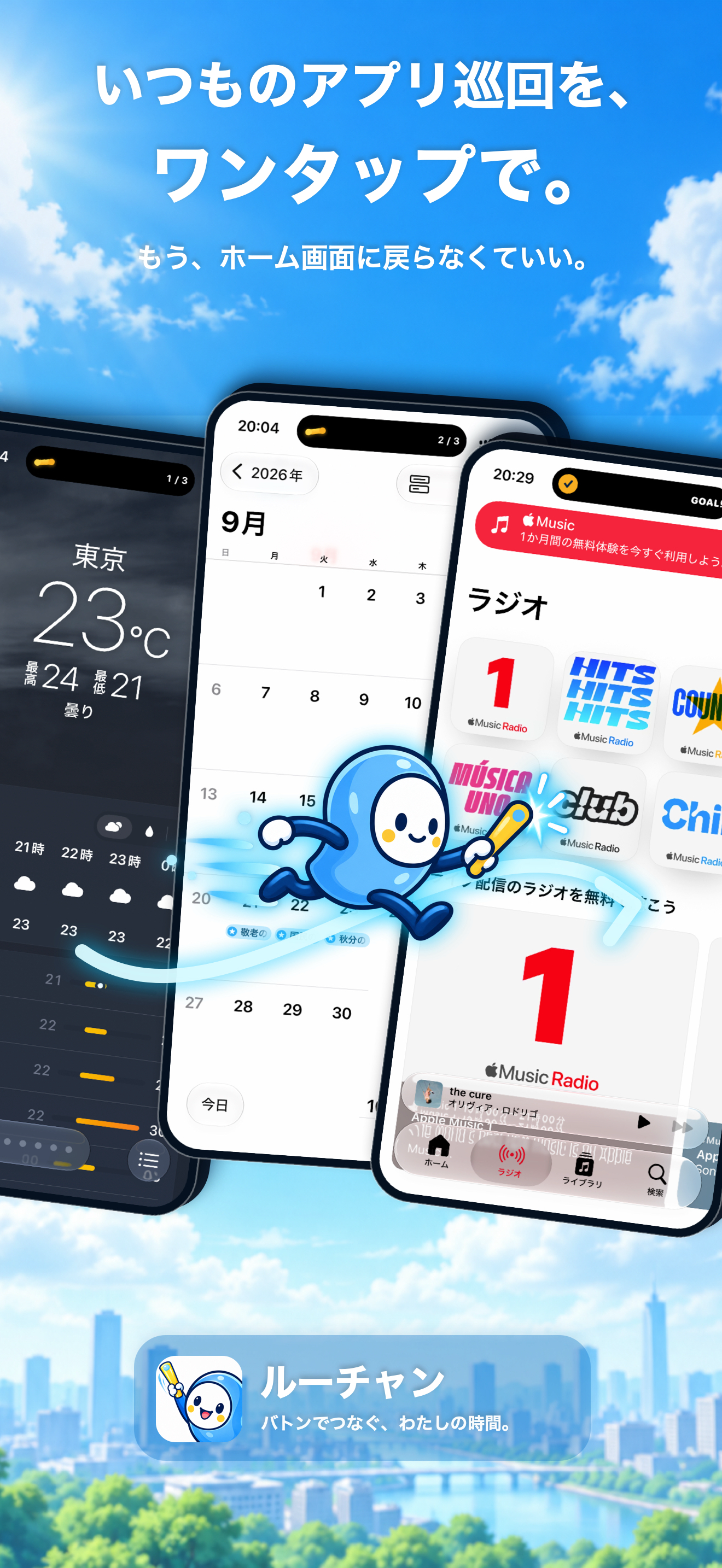
Move through your everyday apps in sequence without returning to the Home Screen.
-
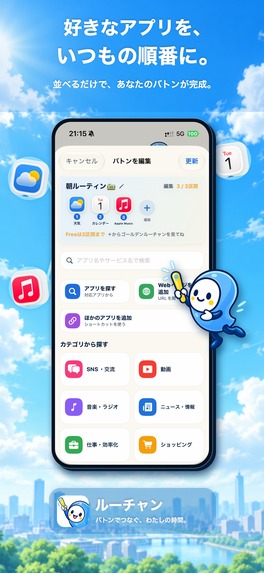
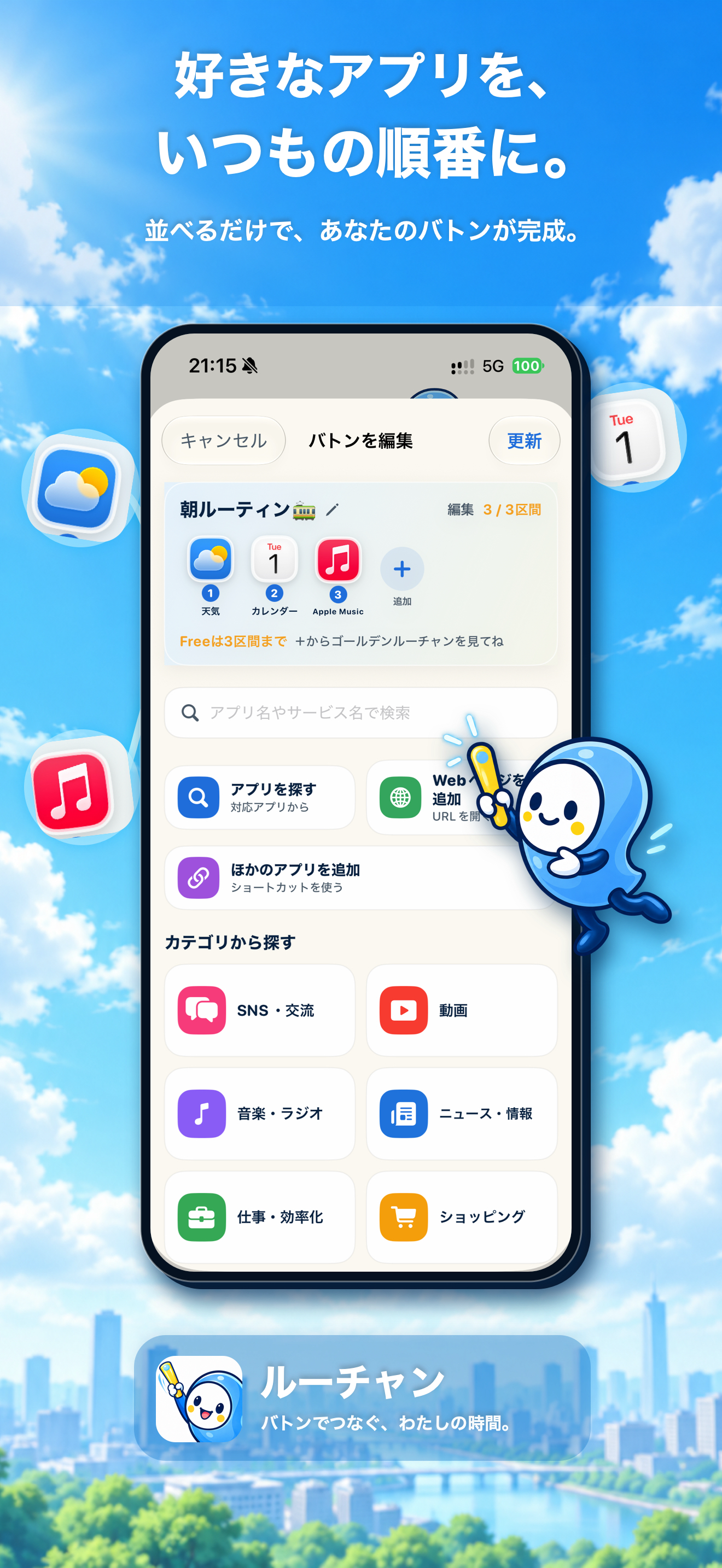
Build a Baton by arranging your favorite apps and websites in the order you use them.
-
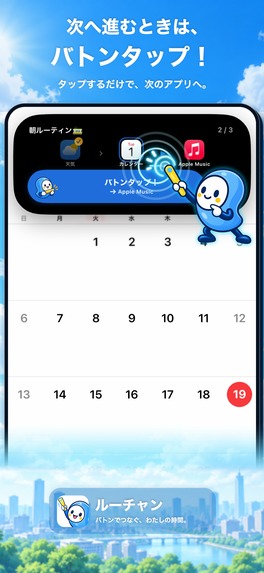
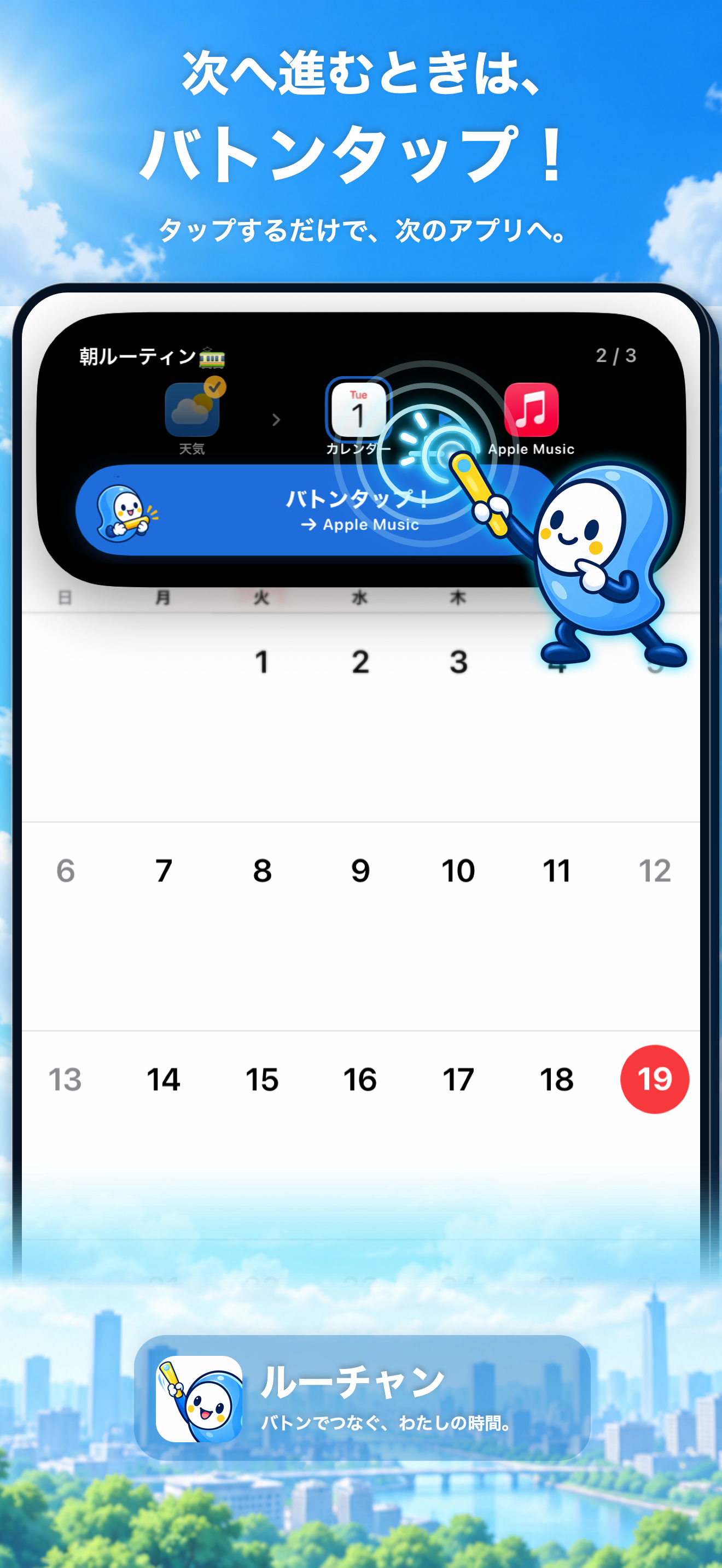
When you're ready to move on, just Baton Tap to open the next app.
-

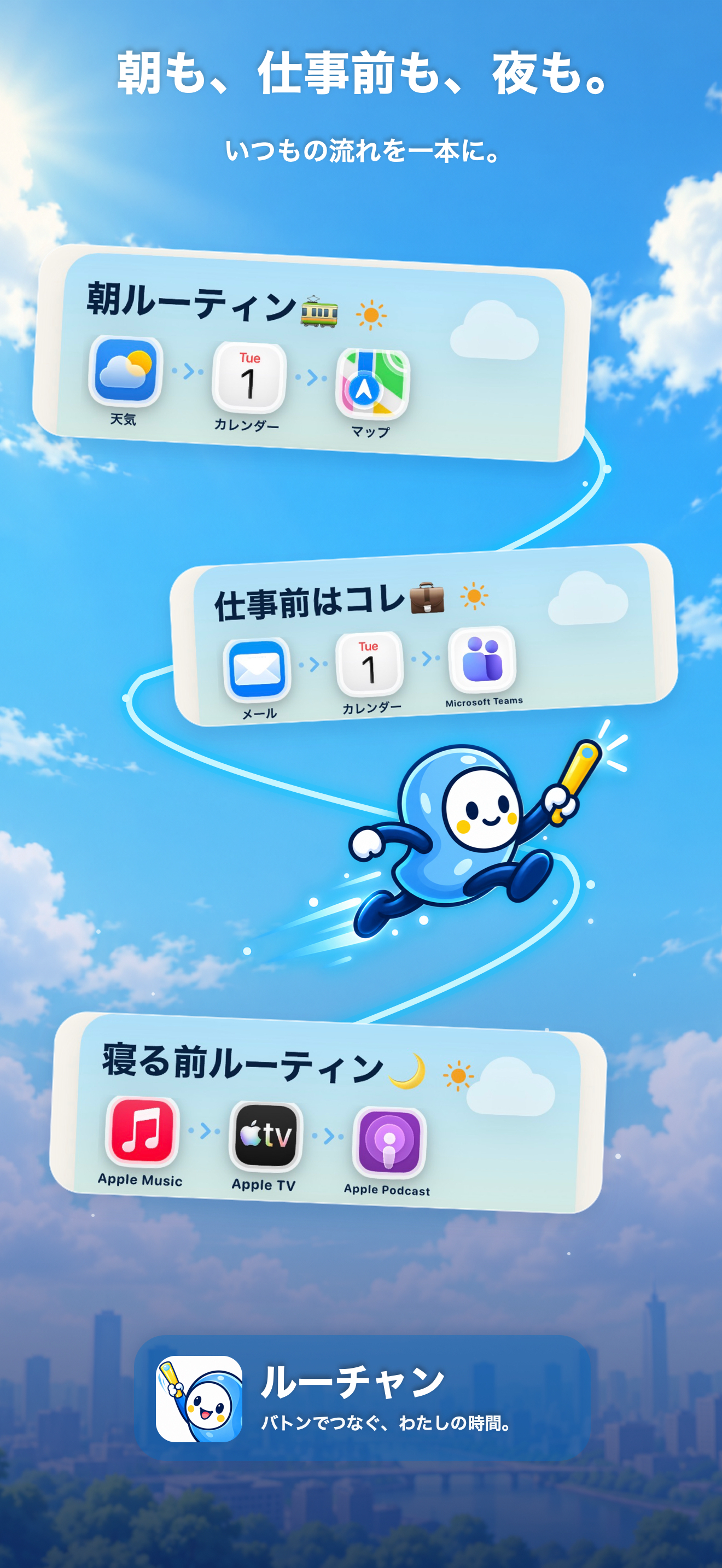
Create different Batons for the routines that shape your day.
-

RoutineChan app icon — 1024 × 1024
-
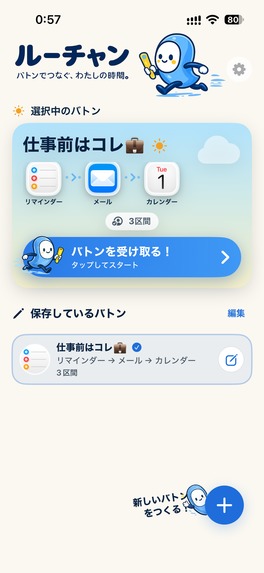
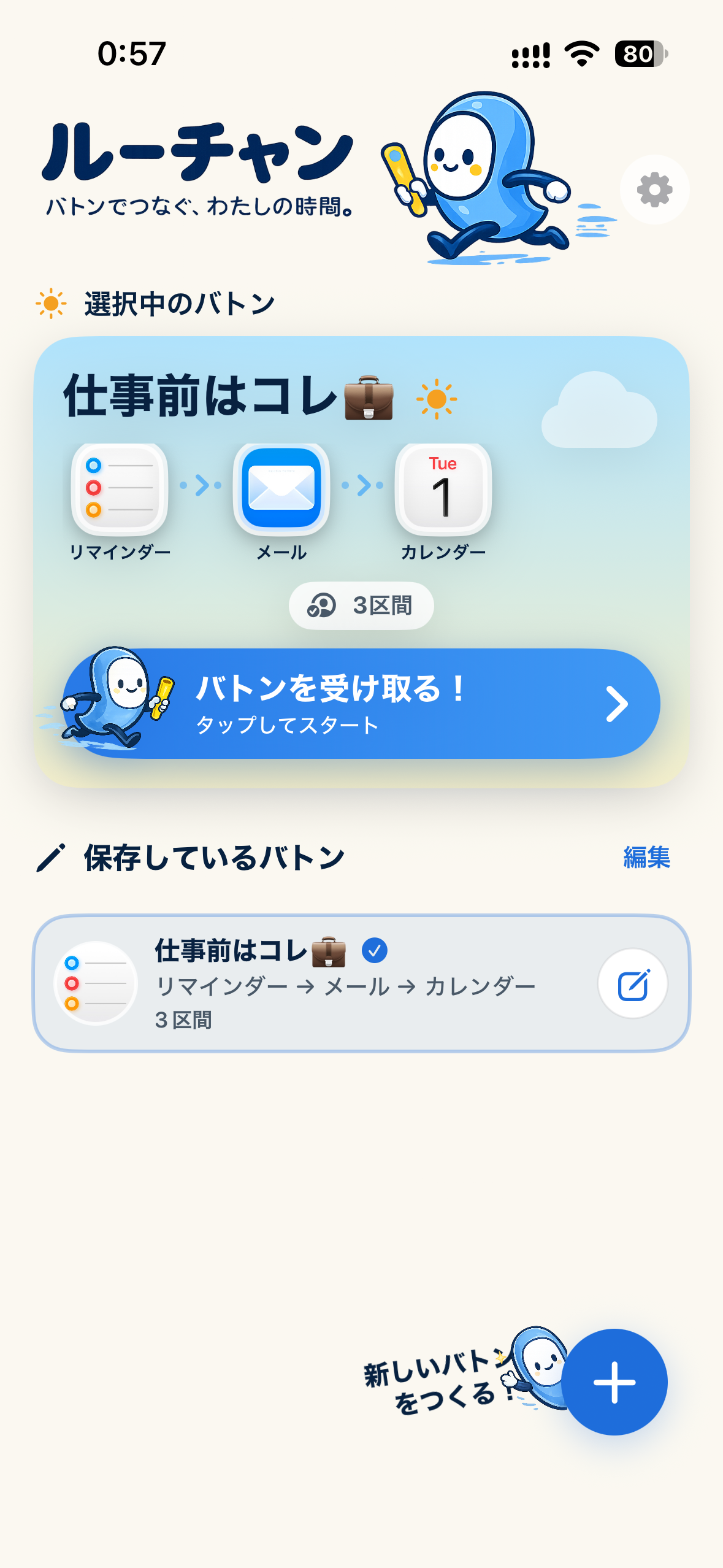
RoutineChan home screen — raw iPhone capture without a device frame

Inspiration
Every day, many of us open the same apps in almost the same order.
Check the weather. Look at the calendar. Read the news. Open email. Maybe check a few more apps before work or before bed.
But after finishing with one app, we still go back to the Home Screen, find the next app, open it, and repeat the same process again and again.
That made me wonder: what if daily app routines worked more like playlists?
Instead of managing another to-do list, I wanted to build something that simply keeps an existing routine moving.
That idea became RoutineChan.
What it does
RoutineChan is an iOS app routine launcher.
Users create a "Baton" by arranging their usual apps and websites in the order they want to visit them. They start the Baton, use the first app normally, and when they are ready to move on, they perform a Baton Tap.
RoutineChan then passes them to the next destination.
The key experience is that users do not have to keep returning to the Home Screen to remember, find, and launch the next app.
During playback, Live Activities and Dynamic Island act like a mini-player for the routine, showing progress and providing quick access to the next step.
A morning Baton might be:
Weather → Calendar → Maps
A pre-work Baton might be:
Mail → Calendar → Teams
And a nighttime Baton could connect entertainment apps in the same way.
RoutineChan is not a habit tracker. It does not tell users what they should do.
It simply makes the app routines they already have feel smoother.
How I built it
RoutineChan is built natively for iOS using Swift and SwiftUI.
The playback experience uses ActivityKit and Live Activities, including Dynamic Island, to keep the current Baton accessible while the user is inside another app.
Because iOS does not provide a universal way to launch every third-party app, destinations are handled through carefully validated launch routes such as Universal Links and supported URL schemes.
For routes that cannot transition directly from the Live Activity, RoutineChan uses a two-stage approach: the interaction briefly returns through RoutineChan and immediately opens the validated destination. The goal is to make that relay feel like one continuous action to the user.
RoutineChan also includes a Home Screen widget and optional Shortcuts integration.
The core Baton data and playback experience are local-first and require no account. A small Cloudflare backend is used for a remotely maintained destination catalog and opt-in anonymous usage analytics, while local fallbacks allow the core experience to continue if the backend is unavailable.
For monetization, I integrated RevenueCat to manage the Golden RoutineChan subscription and entitlement state.
Challenges I ran into
The biggest challenge was also the core of the product:
Can an iPhone move through a sequence of external apps without making the user return to RoutineChan and manually choose the next one every time?
I tested different approaches using Live Activities, Dynamic Island, deep links, Universal Links, and URL schemes.
An early direct-launch approach did not provide a consistent experience. The approach that worked reliably uses a relay through RoutineChan when necessary, while preserving playback state and immediately forwarding the user to the next app.
Another major challenge was destination reliability.
Finding a URL scheme on the internet does not necessarily mean that it provides a good user experience. A scheme may be outdated, unsupported, or technically open an app but leave the user on an unusable screen.
Because of that, the built-in catalog follows a strict rule: a preset destination should reliably open the actual app in a usable state. Launch routes are researched, validated, and tested on real devices before being included.
That process eventually became part of the product design itself: fewer reliable destinations are better than a large catalog that users cannot trust.
Accomplishments that I'm proud of
I'm most proud that the original interaction actually works:
Start a Baton → open an app → Baton Tap → move to the next app → continue until the routine is complete.
It sounds simple, but making that sequence feel natural across app boundaries on iOS required much more experimentation than I expected.
I'm also proud that RoutineChan developed its own personality along the way.
Instead of feeling like a technical launcher or automation utility, the app uses the RoutineChan character and the Baton metaphor to turn a small productivity improvement into something playful.
What I learned
The biggest lesson was that technical capability and good UX are not the same thing.
A URL being accepted by iOS does not mean the resulting experience is useful. A transition working once does not mean it is reliable enough to put in front of users.
Real-device testing became essential.
I also learned to treat platform limitations as product constraints rather than problems to hide. RoutineChan does not pretend that iOS can automatically control other apps. Every transition is initiated by the user, and the experience is designed around what public iOS APIs can reliably support.
What's next for RoutineChan
The next step is to expand the destination catalog carefully while keeping the same reliability standard.
I also want to keep improving the ways users can start and interact with their Batons through widgets, Live Activities, Dynamic Island, and Shortcuts.
Most importantly, I want RoutineChan to stay simple:
Build your Baton. Start it. Tap when you're ready for the next app.
Built With
- activities
- activitykit
- cloudflare
- live
- revenuecat
- swift
- swiftui
- widgetkit

Log in or sign up for Devpost to join the conversation.