-
-
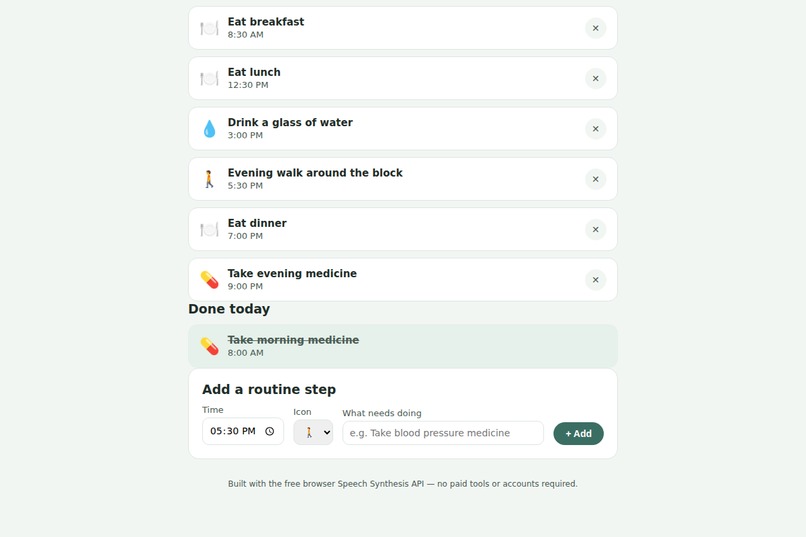
done -section
-
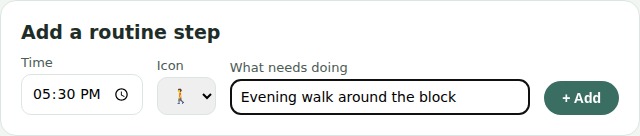
-

spotlight -closeup
-
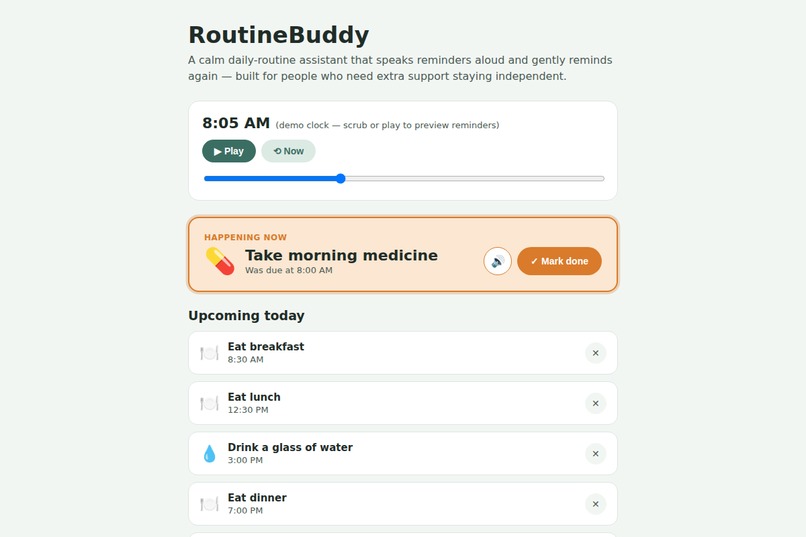
full-view
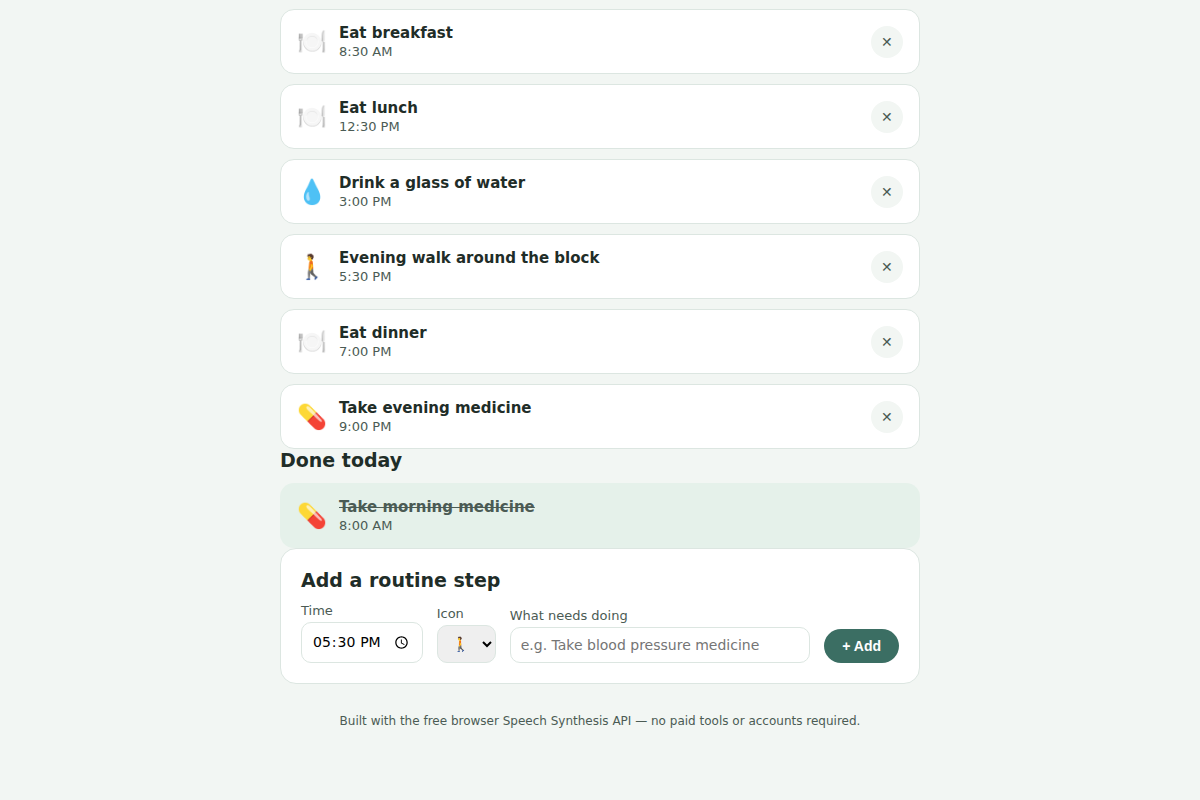

Inspiration
Inspiration
I wanted to build something for this hackathon that actually mattered to someone, not just something technically impressive. Assistive technology stood out to me because the problem is so relatable: many people with cognitive disabilities, memory impairments, or ADHD don't struggle because they can't do daily tasks — they struggle because they forget when to do them. A single notification is easy to miss. I kept thinking about how a small, patient voice that gently reminds someone — and reminds them again if needed — could make a real difference in someone's independence, without needing a caregiver to step in every time
What it does
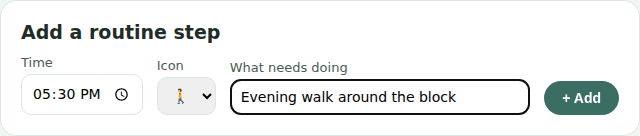
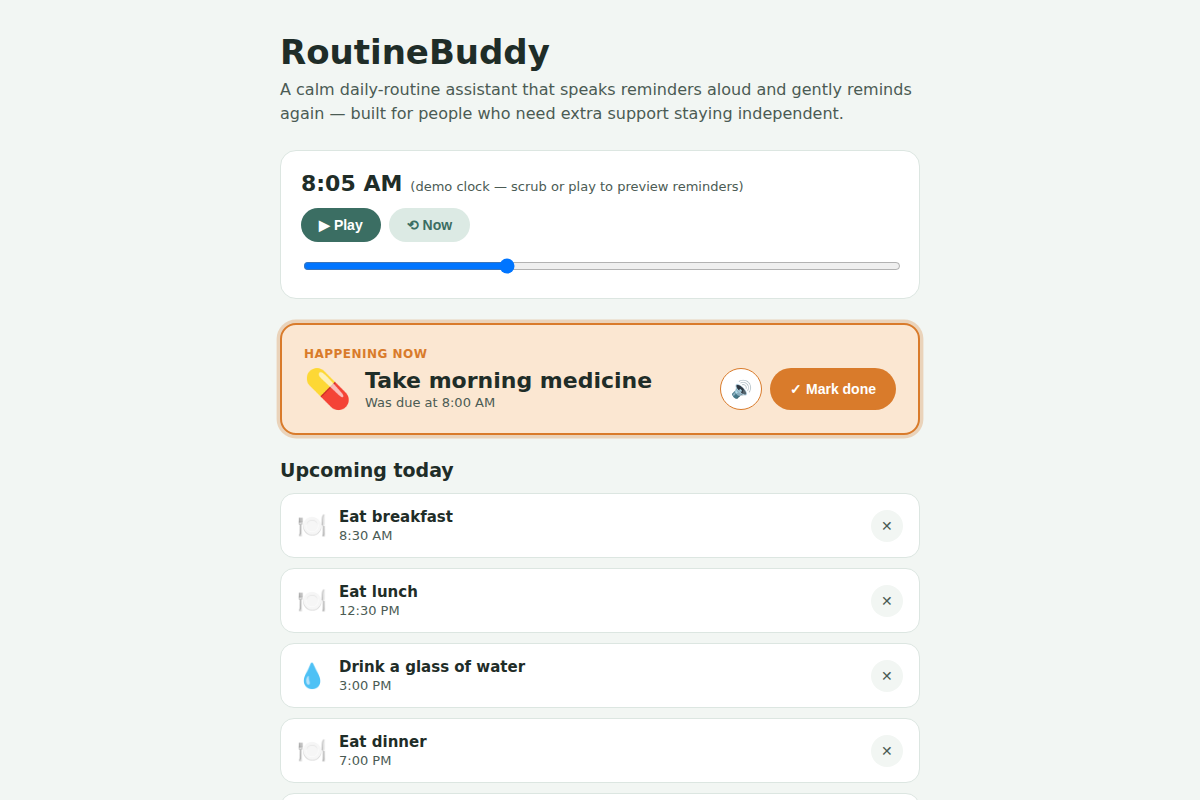
RoutineBuddy is a calm daily-routine assistant that helps someone stay independent with tasks like medicine, meals, hygiene, and appointments. Lets you build a simple daily routine — a time, label, and icon for each task When a task's time arrives, it's spoken aloud automatically using the browser's built-in voice If the task isn't marked done, it gently reminds again after a few minutes, instead of a single alert that's easy to miss Shows a calm, high-contrast "Happening now" card so the current task is always obvious at a glance Includes a demo clock so a full day's reminders can be previewed without waiting for real time to pas
How we built it
I'm a third-year university student and a complete beginner to web development, so I built this from scratch over 7 days, one hour a day, using nothing but free tools:
Plain HTML, CSS, and JavaScript — no frameworks, no paid APIs The browser's built-in Web Speech API (SpeechSynthesisUtterance) for the voice reminders VS Code as my editor and Chrome DevTools for debugging GitHub Pages for free hosting
Challenges we ran into
As a total beginner, most of my challenges were fundamental JavaScript/HTML debugging, not design decisions:
Script load order — I initially placed my tag before the <div> it needed to find, causing a Cannot set properties of null error. Learning that HTML runs top-to-bottom, and that JavaScript can't interact with elements that don't exist yet, was a key lesson. Duplicate code from iterating quickly — while adding new features day by day, I ended up with duplicate function declarations left over from earlier versions, which silently broke the page. This taught me the importance of reading my whole file carefully instead of just pasting new code on top of old code. State not persisting — right now, marking a task "done" only lasts for the current browser session; refreshing resets it, since task data lives only in memory rather than being saved anywhere permanent. Given my time constraints, I made a deliberate choice to prioritize getting the core accessibility feature — the voice reminder system — working well, rather than spending my limited hours on data persistence.</p> <h2 id="accomplishments-that-were-proud-of">Accomplishments that we're proud of</h2> <p>Going from zero web development experience to a fully working, voice-enabled assistive app in one week Building a genuine accessibility feature (spoken + repeated reminders, screen-reader support) rather than just a visual to-do list Debugging real errors independently by reading console messages, instead of giving up when something broke Keeping the scope realistic and finishing something that actually works, instead of an ambitious idea that fell apart at the deadline</p> <h2 id="what-we-learned">What we learned</h2> <p>Coming in as a total beginner, I learned:</p> <p>The fundamentals of HTML structure and nesting, CSS styling, and DOM manipulation with vanilla JavaScript How to debug using the browser console instead of guessing That accessibility isn't an afterthought feature — it shapes core design decisions, like choosing audio and visual reminders together, using aria-live regions, and keeping color contrast and text size in mind from the start That a small, focused feature done well (one clear reminder loop) is more valuable — and more finishable as a solo beginner — than an ambitious idea that never gets completed</p> <h2 id="whats-next-for-routine-buddy">What's next for ROUTINE-BUDDY</h2> <p>Add localStorage (or a lightweight backend) so completed tasks and routines persist across sessions Let a caregiver set up a routine remotely for someone else Add customizable reminder voices/languages Explore a simple "did you complete this?" weekly summary for caregivers, with the user's consen</p>
Built With
- accessibility
- css
- html
- javascript
- web-speech-api

Log in or sign up for Devpost to join the conversation.