
Inspiration
I started thinking about RoutePilot because I noticed how difficult it can be to plan something as simple as a few errands.
For example, imagine I need to go to a bank, buy something from a store, collect a document from university, have lunch, and still get back home before a certain time. I would normally have to search for each place separately, check the opening hours, look at the routes, decide the order of the stops, keep an eye on my budget, and then do the whole thing again if something changes.
We already have great tools for maps and great tools for AI, but I felt like there was still a gap between the two.
I didn't want to build another chatbot that tells me where I should go. I wanted to build something where I could simply tell the AI what I need to get done and let it figure out the details for me.
That idea became RoutePilot.
What it does
RoutePilot is an autonomous AI agent that helps plan and manage multi-step real-world missions.
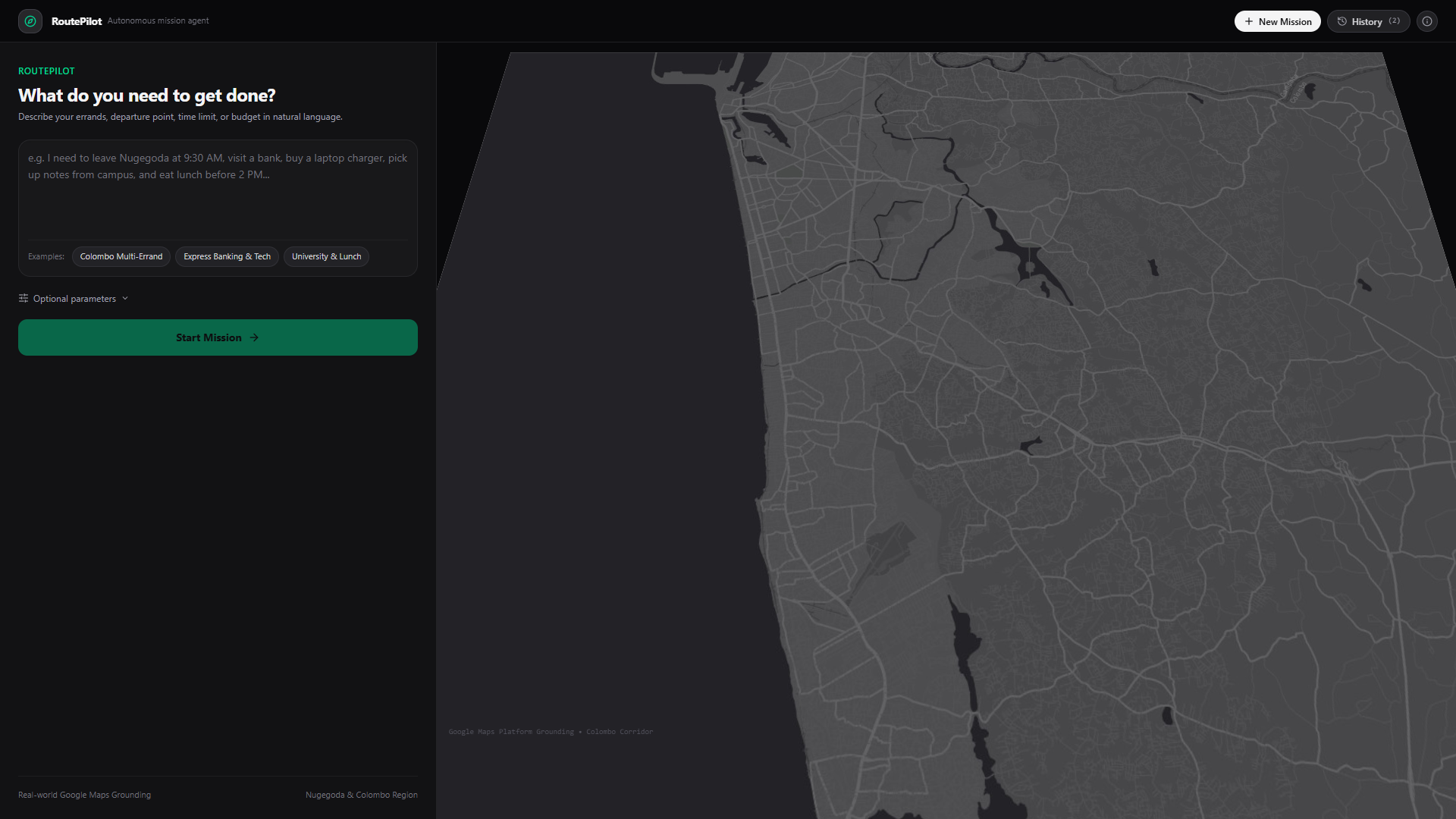
Instead of giving it one simple question, I can give it a complete goal in natural language, including things like my starting location, available time, budget, required stops, and deadline.
For example:
"I'm starting from Nugegoda at 9:30 AM. I have Rs. 5,000 and 4 hours. I need to visit a bank, buy a laptop charger, collect a document from campus, have lunch, and return home before 2 PM."
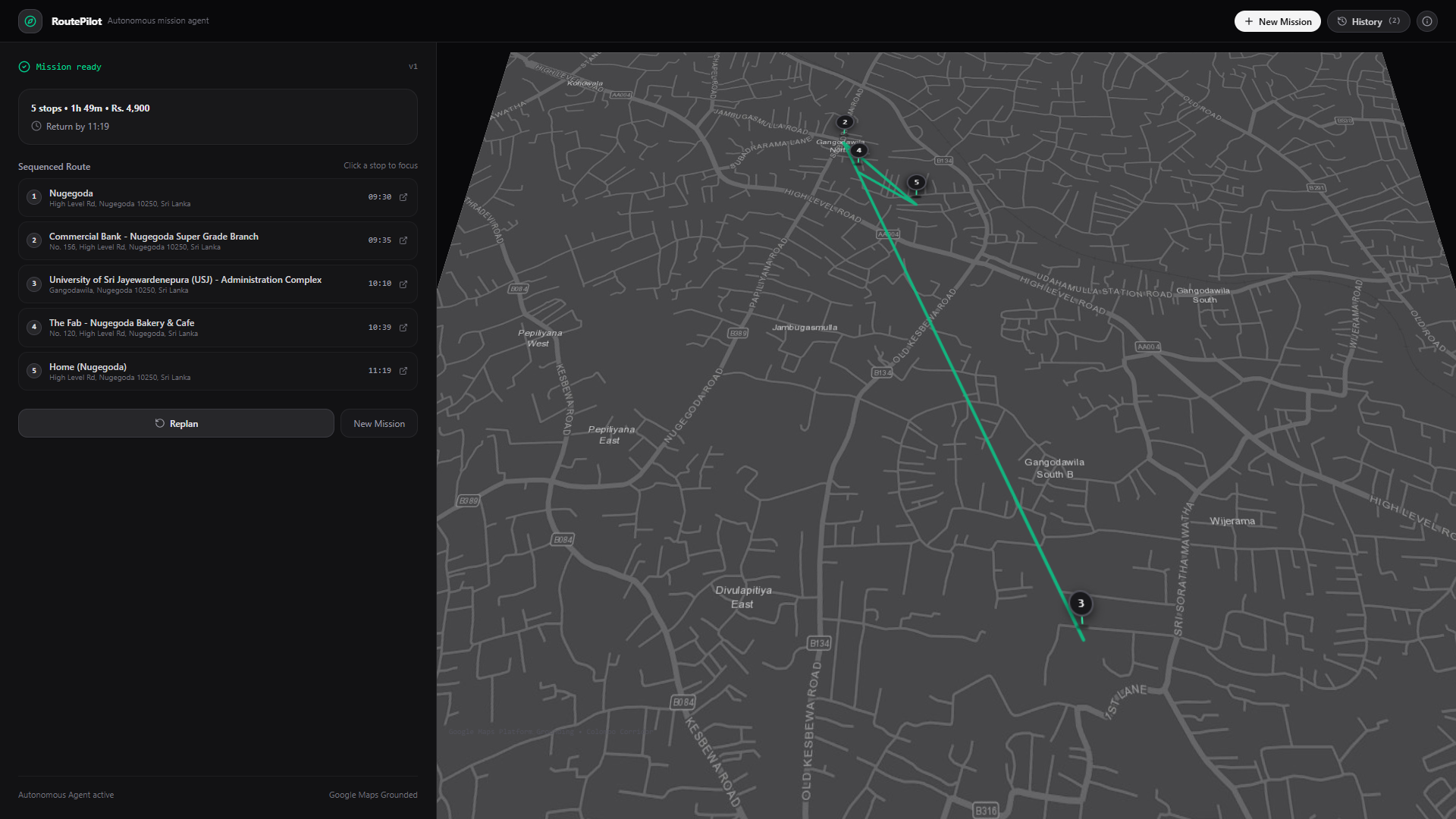
RoutePilot breaks that request into smaller tasks, finds relevant real-world places, compares the available options, calculates routes, checks whether the plan fits the user's constraints, and creates an itinerary.
The part I wanted to make more interesting was what happens after the first plan.
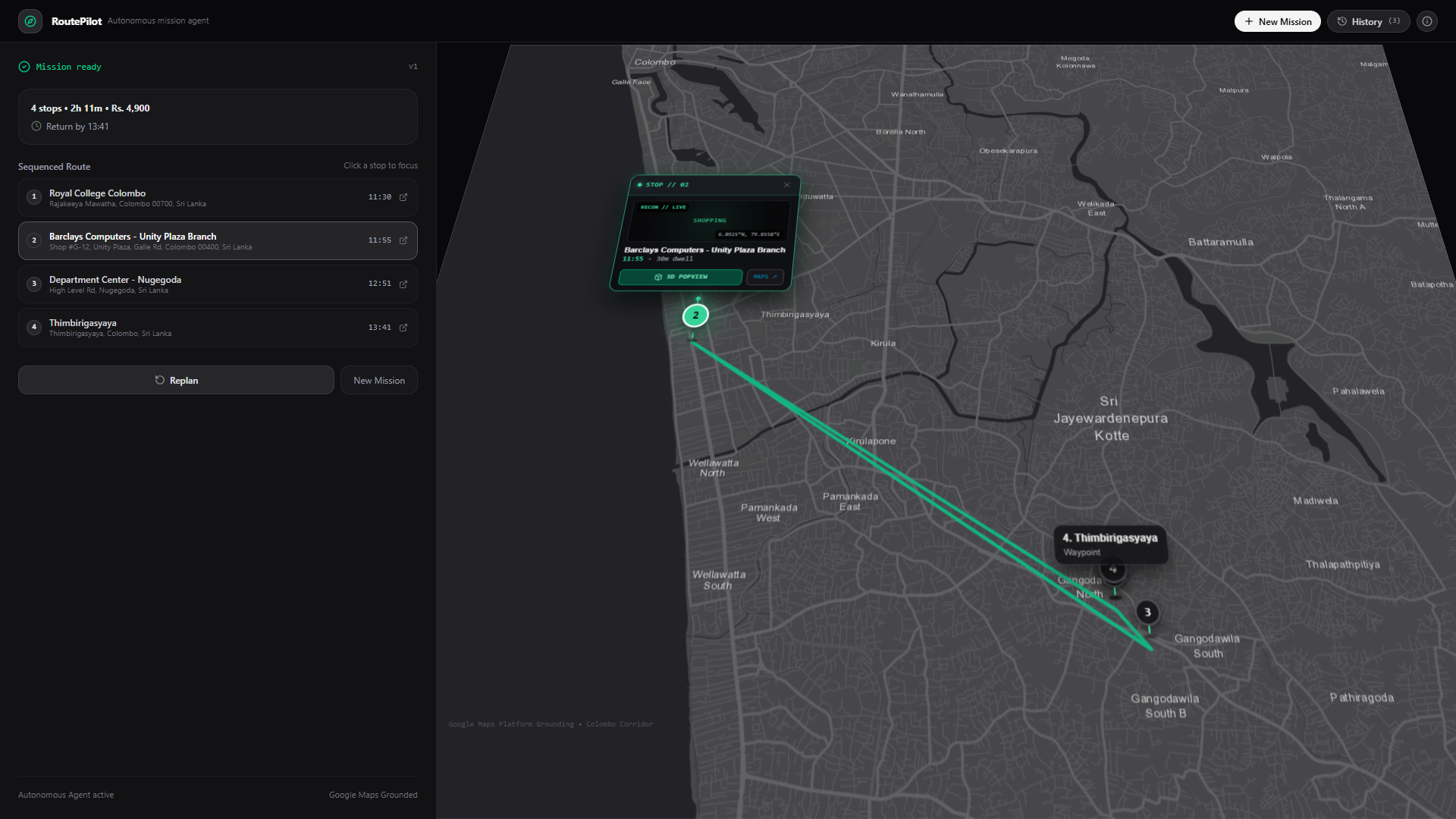
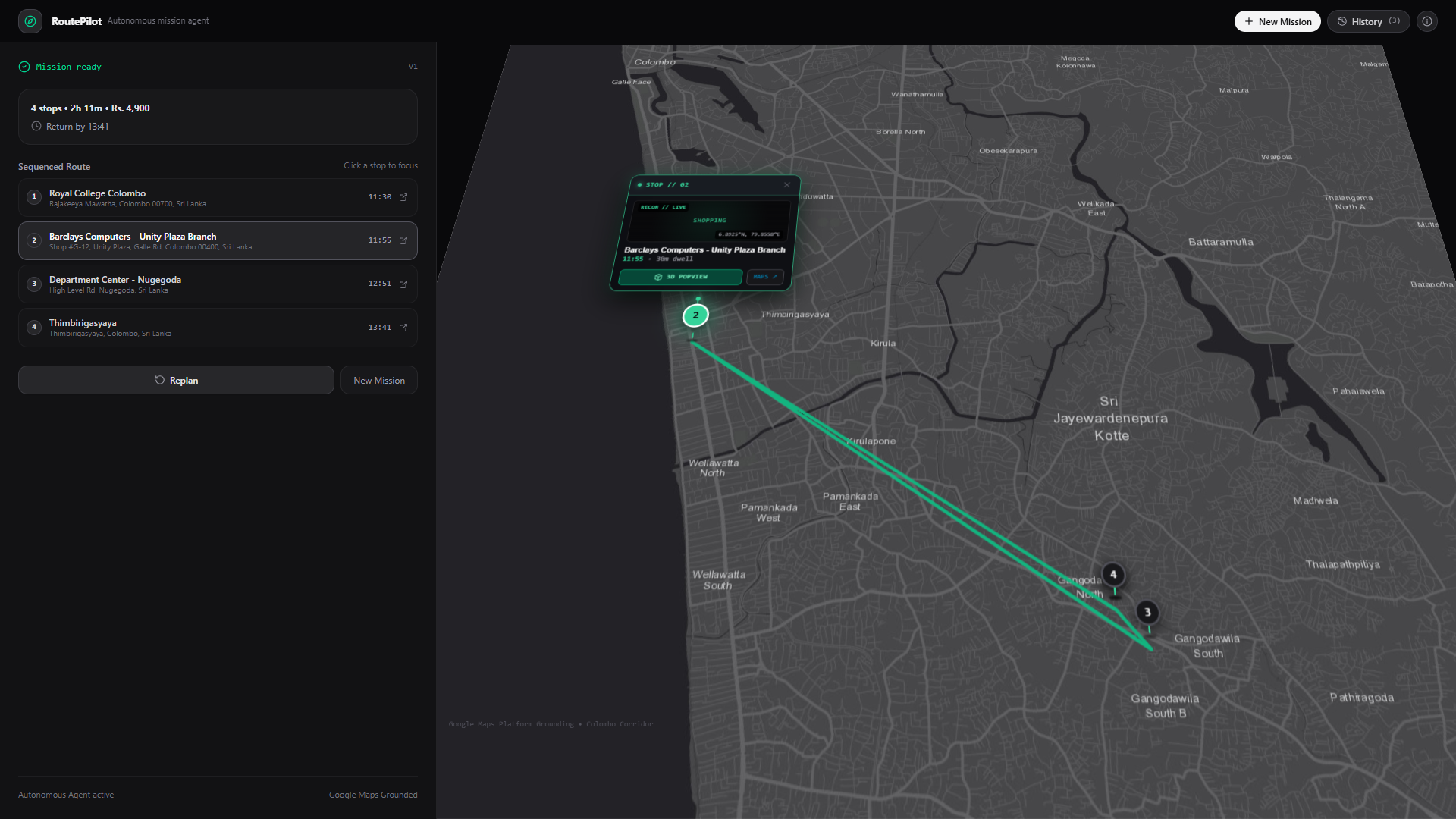
If something changes, RoutePilot can work with the existing mission and re-plan it instead of making the user start over.
For example, if I suddenly only have 90 minutes left, the agent can reconsider the remaining stops, change the order, look for better alternatives, or tell me that the original plan is no longer possible.
The goal is not just to give directions. The goal is to help complete the whole mission.
How we built it
RoutePilot is built as a full-stack application with a React and TypeScript frontend and a backend that handles the agent workflow and external services.
The AI side uses Google Gemini together with Google's agent tooling so the system can work through multi-step tasks and use tools instead of just returning a single text response.
Google Maps Platform is used for the real-world side of the project. The agent can use places, locations, routes, distances, travel times, and other available map information when building a mission.
I also designed the system around persistent mission state so a mission is not treated as a completely new request every time. The current mission, plan, changes, and previous versions can be stored and used again when the agent needs to re-plan.
The frontend is intentionally centered around the map. I wanted the user to be able to see the agent's decisions visually instead of reading a huge amount of text.
One of the main design decisions was to keep the interface simple while keeping the agent itself more complex behind the scenes.
Challenges we ran into
The hardest part was making RoutePilot feel like an actual agent instead of just an AI wrapper.
Getting Gemini to generate an itinerary is relatively easy. The harder problem is deciding what information the agent needs, which tools it should call, what state needs to be remembered, and what should happen when the original plan stops being valid.
Another challenge was working with real-world data.
Maps can give useful information about places and routes, but not every piece of information is always available or guaranteed to be current. For example, knowing that a store exists does not necessarily mean we can verify that a specific product is in stock. Because of that, I had to be careful not to make the agent confidently invent information.
I also spent a lot of time thinking about the user interface. My first approach showed too much information at once. It had lots of status indicators, cards, labels, and technical details. It looked impressive at first, but it actually made the product harder to understand.
I eventually realized that the complexity should be handled by the agent, not pushed onto the user.
Accomplishments that we're proud of
I'm most proud that RoutePilot goes beyond simply generating a route.
The application can take a messy natural-language goal, break it into tasks, use real map information, consider multiple constraints, and build a complete multi-stop mission.
I'm also happy with the re-planning concept.
A plan is useful, but real life rarely stays exactly the same. Being able to change a constraint and have RoutePilot reconsider the existing mission is one of the parts that makes the project feel much more like an autonomous agent.
Another thing I'm proud of is the map-focused experience. Instead of filling the screen with technical information about what the system is doing, I wanted the user to see the result of the agent's work directly on a real map.
Most importantly, this project gave me the opportunity to explore what it actually means to build an AI agent that works with real-world tools and constraints rather than just having a conversation.
What we learned
The biggest thing I learned is that building an AI agent is very different from simply integrating an LLM into an application.
The model itself is only one part of the system.
A useful agent also needs tools, state, constraints, error handling, and a clear way of deciding what to do next.
I also learned that giving an agent more capabilities does not automatically make the product better. The user experience becomes better when the agent handles the complexity quietly and only shows the information that actually matters.
Working with real-world map data also taught me to be much more careful about uncertainty. When information cannot be verified, it is better to say that clearly than to make a confident assumption.
Overall, RoutePilot changed the way I think about AI applications. Instead of asking, "How can I make AI answer this question?", I started thinking, "What task can I give the AI and what would it need to actually get that task done?"
What's next for RoutePilot
There is still a lot I would like to improve.
The next step would be making the background execution and event-driven re-planning more robust, so RoutePilot can handle more situations without needing the user to interact with it every time something changes.
I would also like to support more types of missions beyond simple errands, such as appointments, university tasks, shopping trips, and more complicated day plans.
Another area I want to explore is making RoutePilot better at understanding uncertainty. Instead of only finding a route, it could consider things like how reliable certain information is and how much risk there is of a plan failing.
The long-term idea is still the same:
Give AI a real-world mission, and let it figure out how to get it done.


Log in or sign up for Devpost to join the conversation.