Inspiration
The best workshops I have been in happened on site. Everyone was engaged, moved ideas on notes around and argue about it. Video calls took that away: one person shares a screen and everyone else watches.
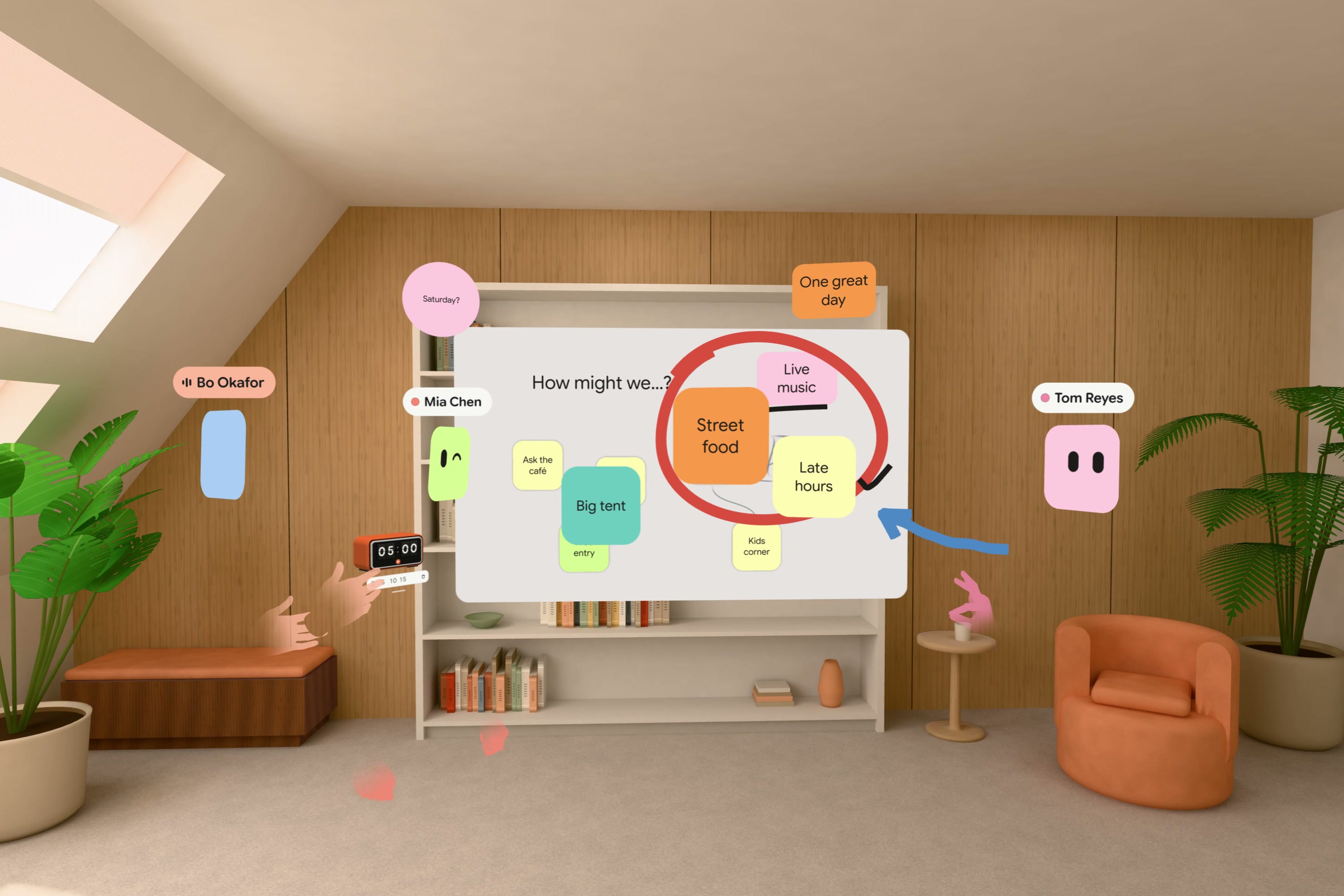
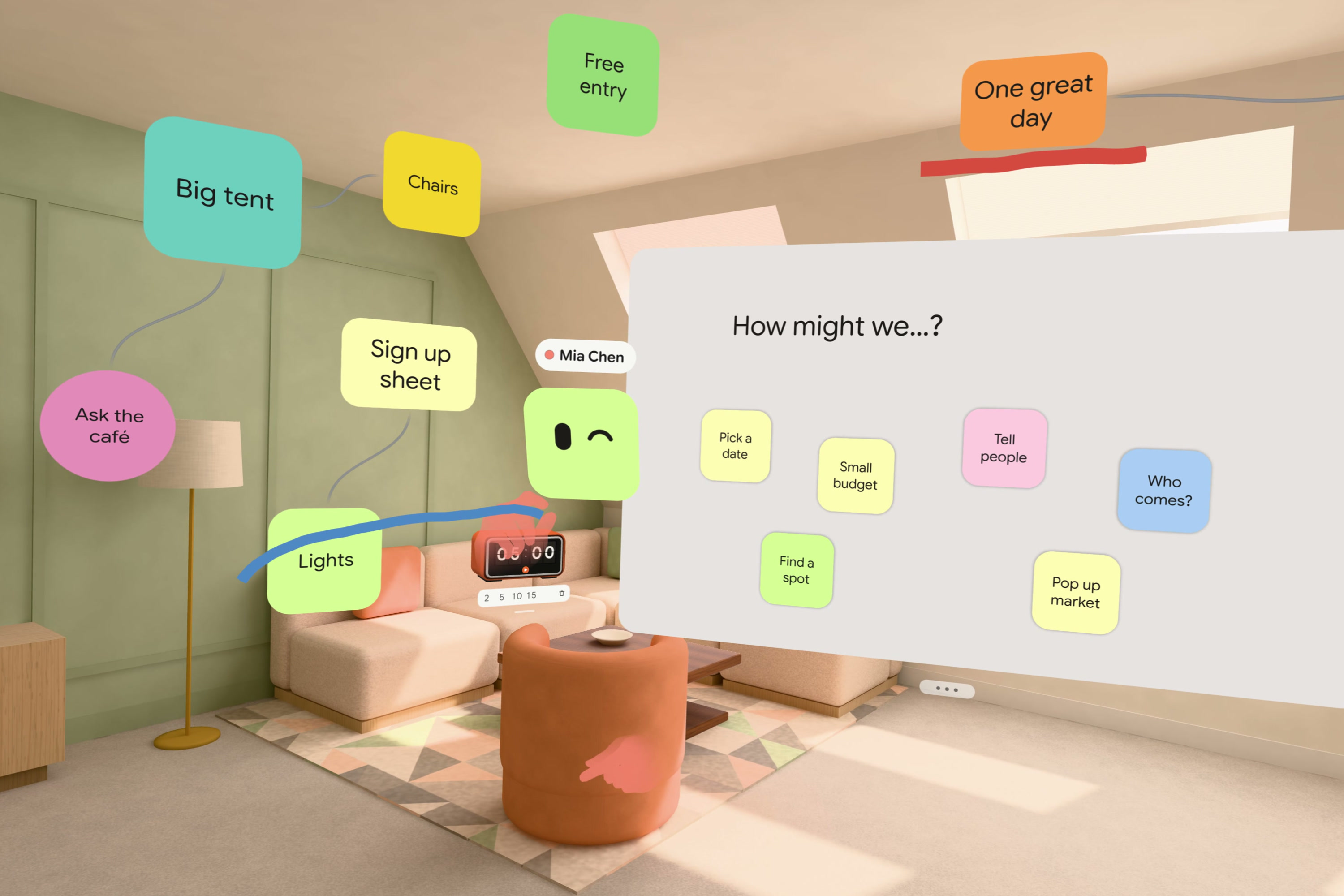
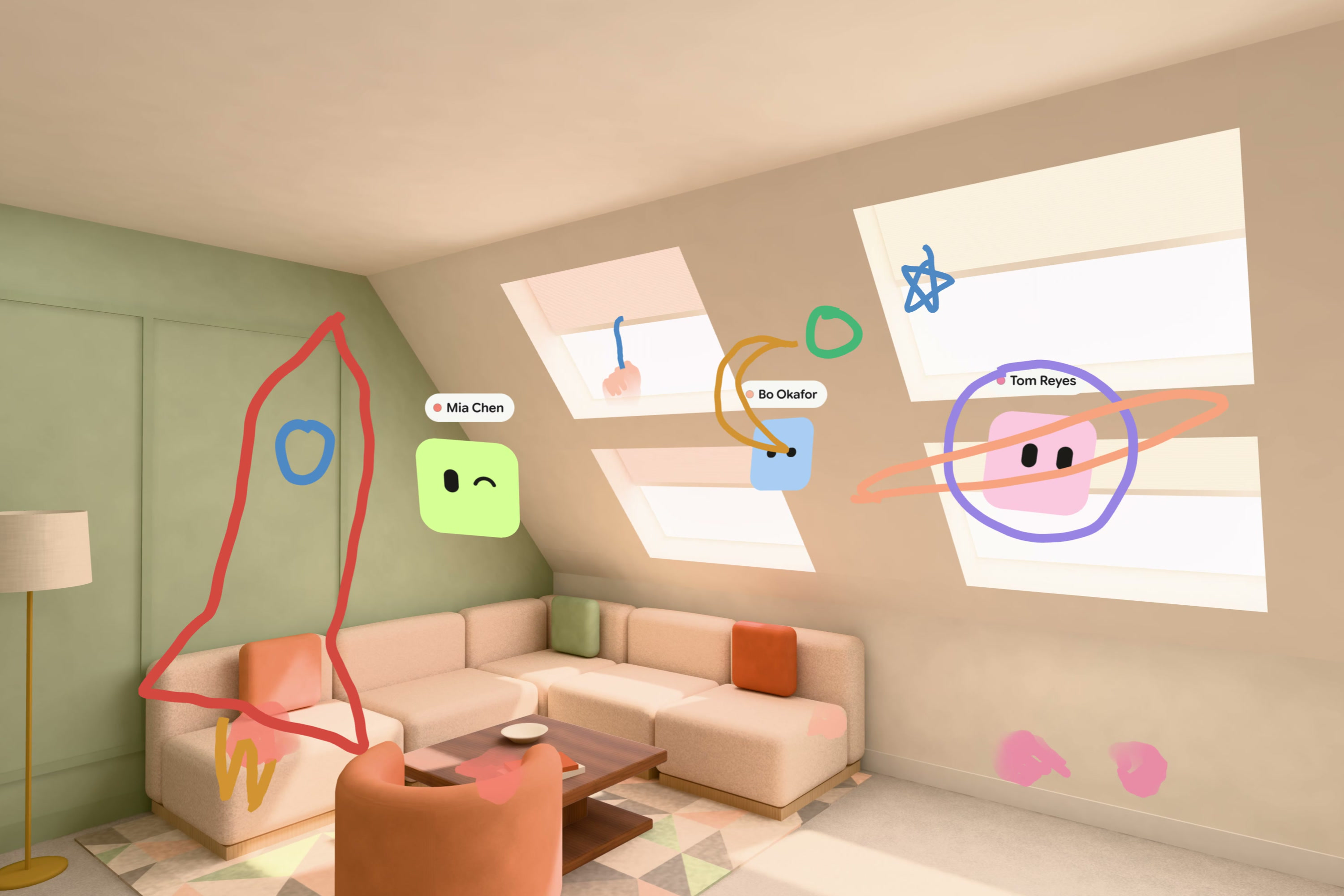
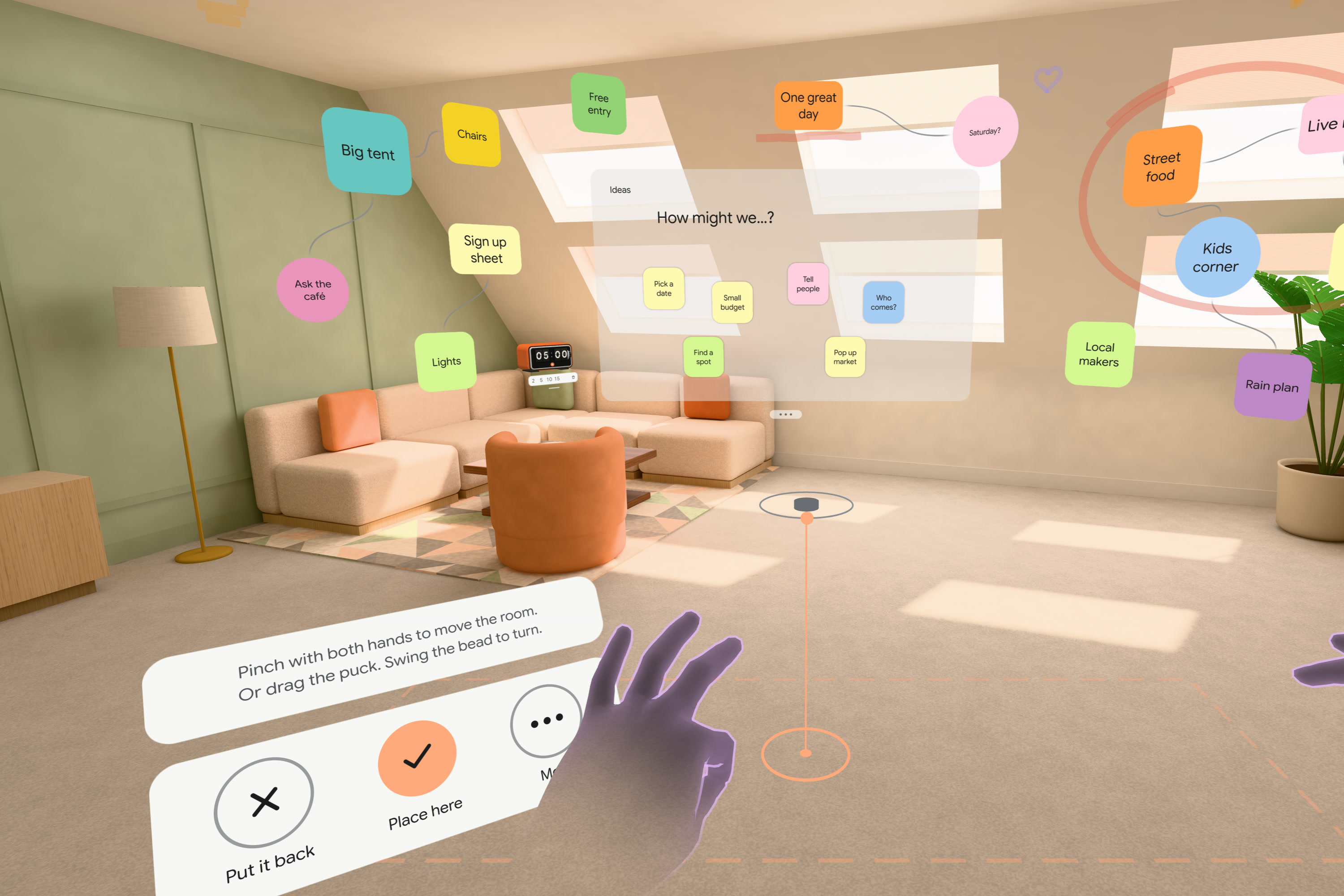
Rounzi brings the shared experience back. Put on a Quest and the workshop is placed in your own space: the whiteboard stands against your wall, the notes float around you, and the people you are working with stand beside you as they move, talk and actively listen. Your ideas, all around you, remote from anywhere.
What it does
Rounzi is a shared spatial workspace. It is built hands-first and runs on your browser:
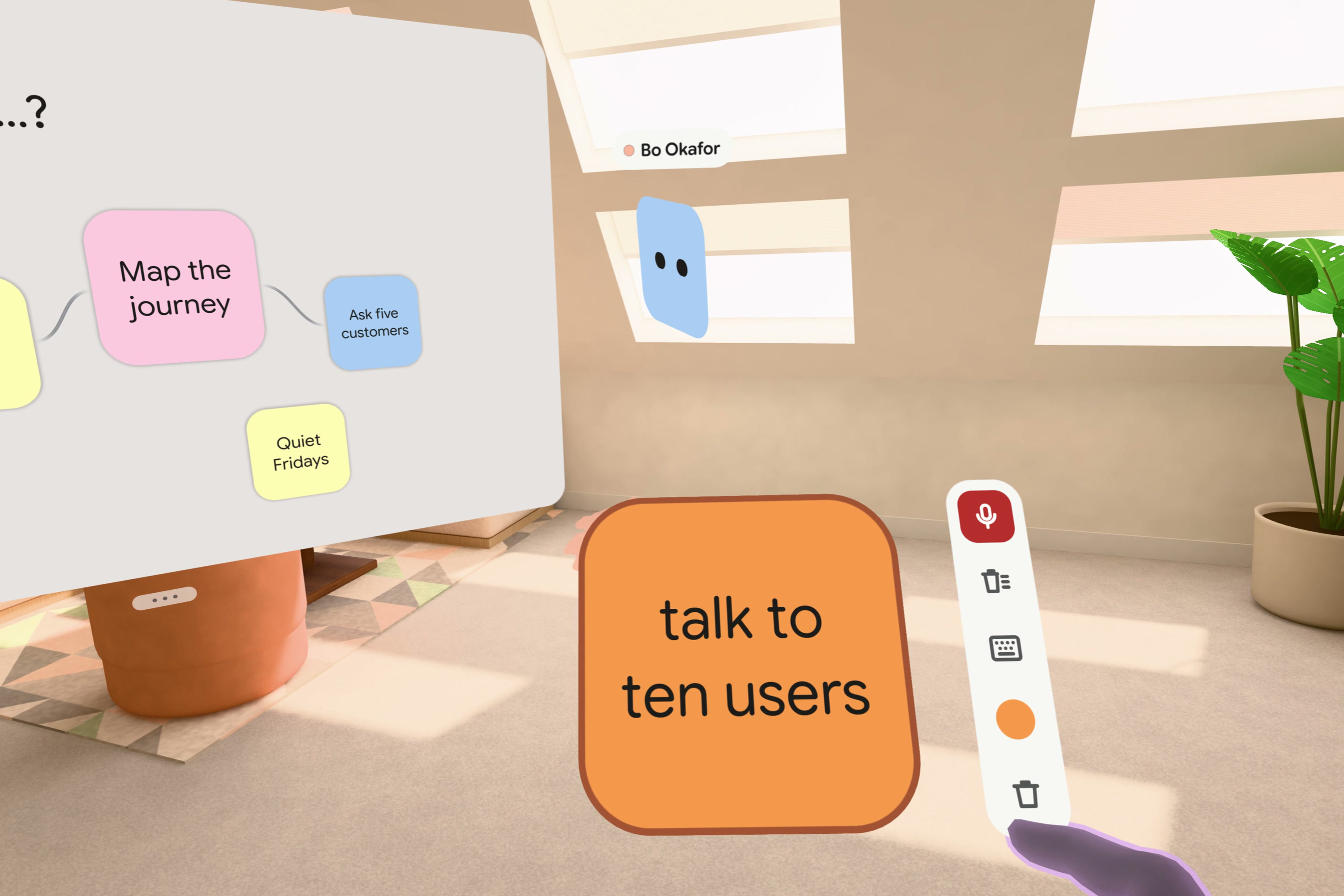
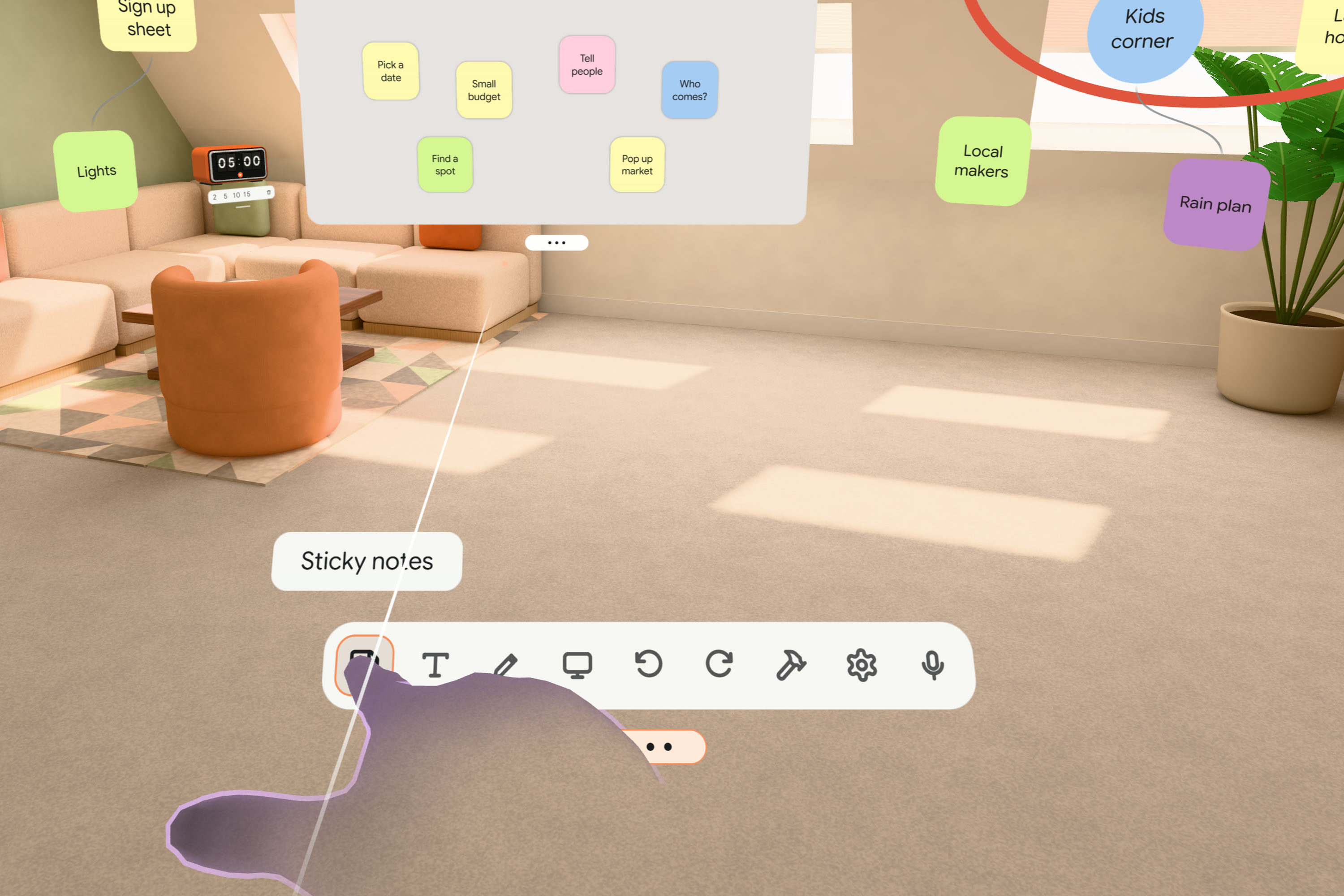
- Pinch the air to make a note, and dictate its text
- Poke buttons and keys with a fingertip, grab a note or a board, throw a note away to delete it
- Point with a beam to reach anything in the room, and reel a far note in
- Draw in the air or on a board with a pen
- Vote on the notes of a board
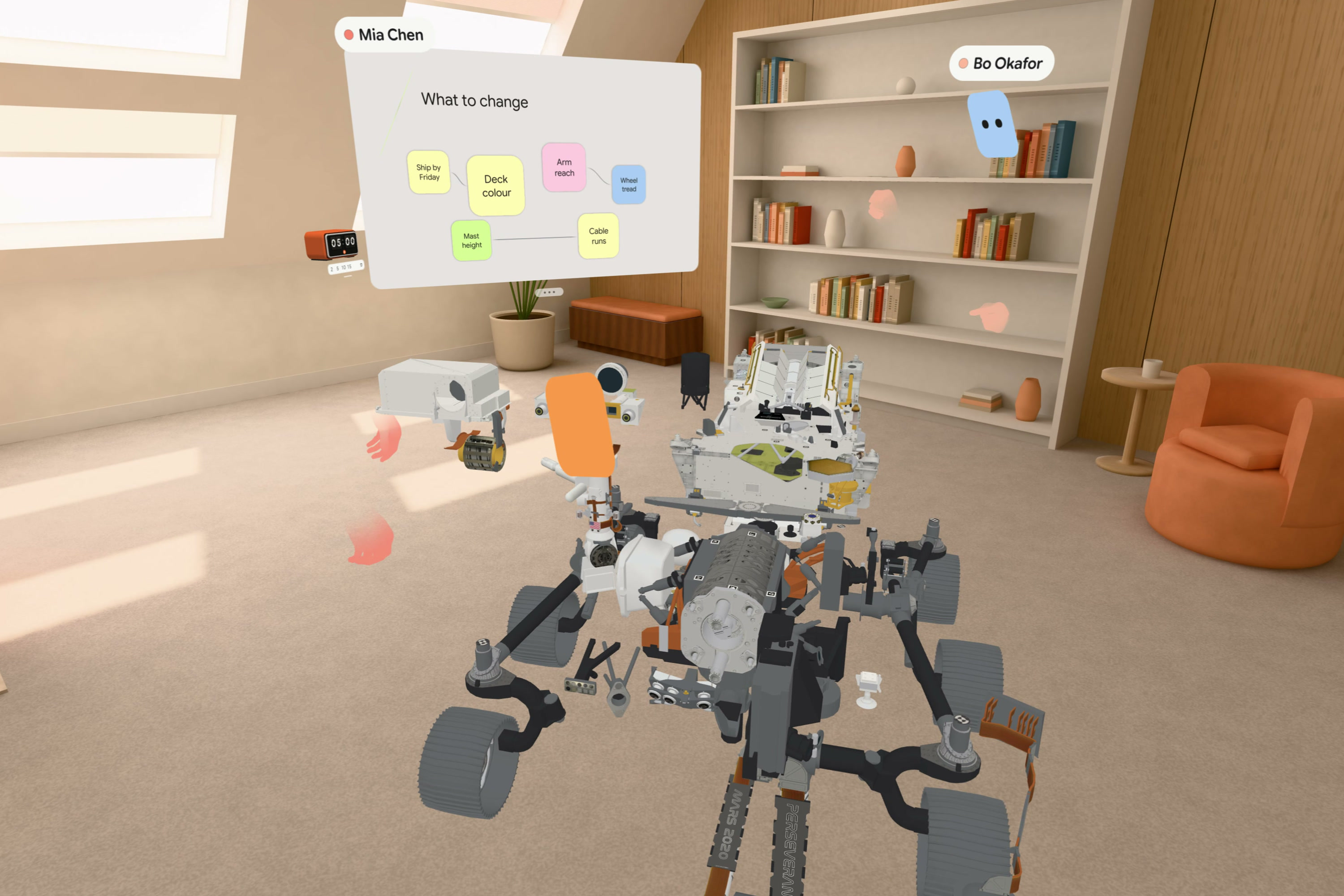
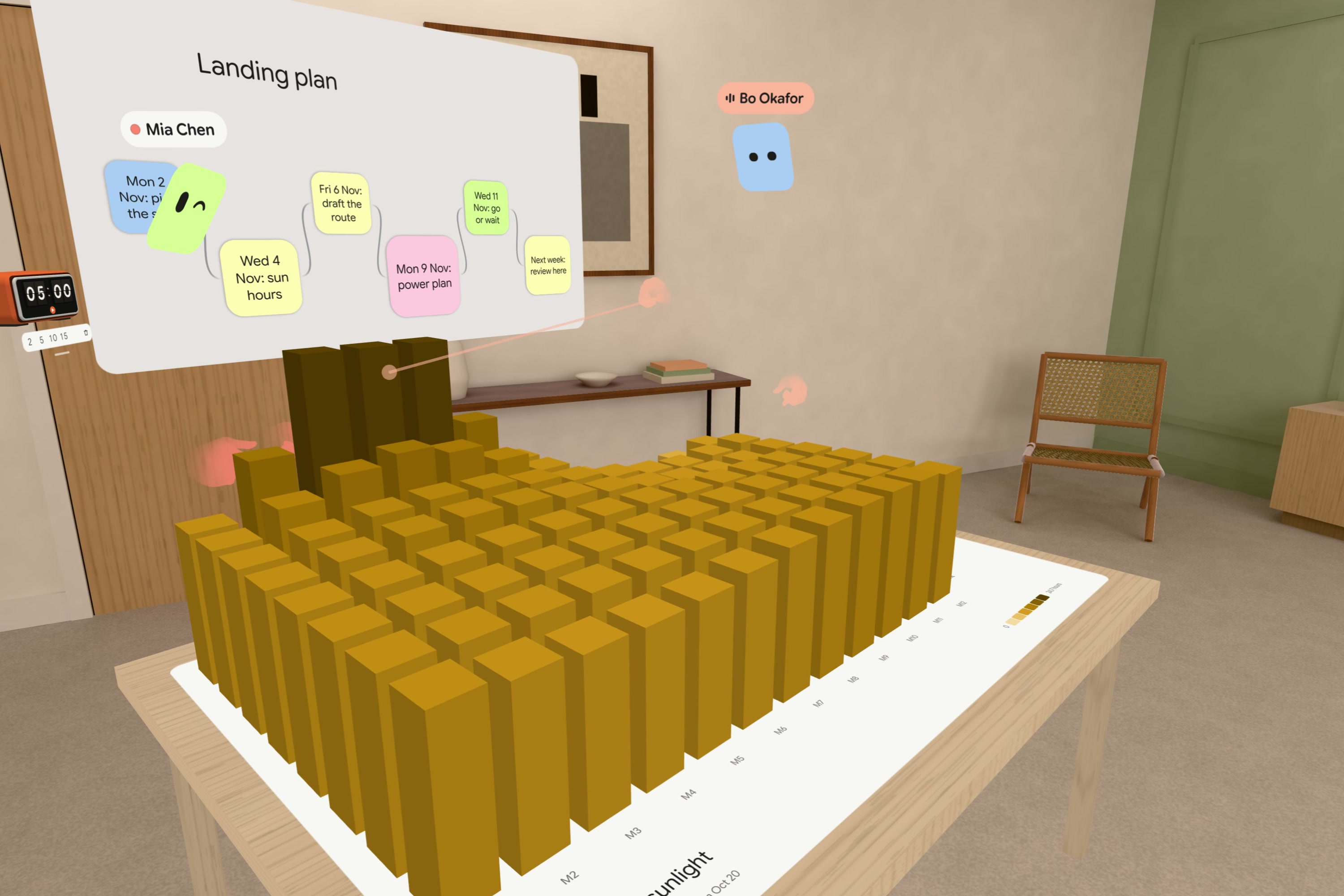
- Bring in your own work: 3D models you can explode and turn, PDFs, images, and 3D charts made from your own spreadsheets
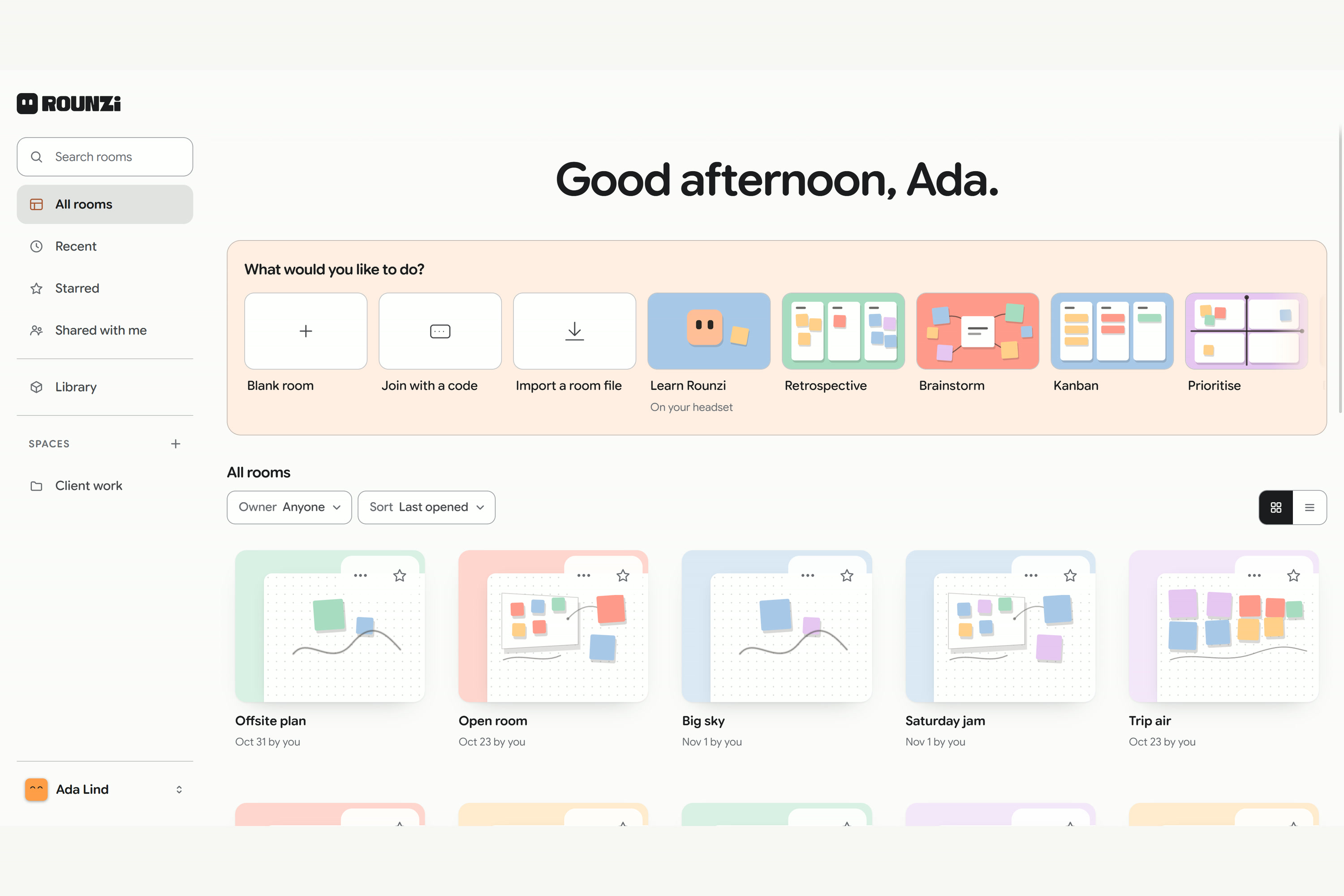
Your rooms and content are saved. They come back where you placed them, held there by a spatial anchor. Up to eight people can be in a room at once, with voice and avatars. A colleague without a headset can join from desktop or AR mode from their mobile device.
New during the competition window
Rounzi existed before 24 September as a hands-first multiplayer whiteboard. Since then, these shipped:
- Charts from your own data. Import a CSV, TSV or pasted cells, then place bars, lines or a single number on a table, or stand a field of points in the room. Anyone in the room can pin a value or highlight.
- 3D model, PDF and image import, with models that explode into their parts and turn in your hands, kept fast on Quest by merging and level of detail.
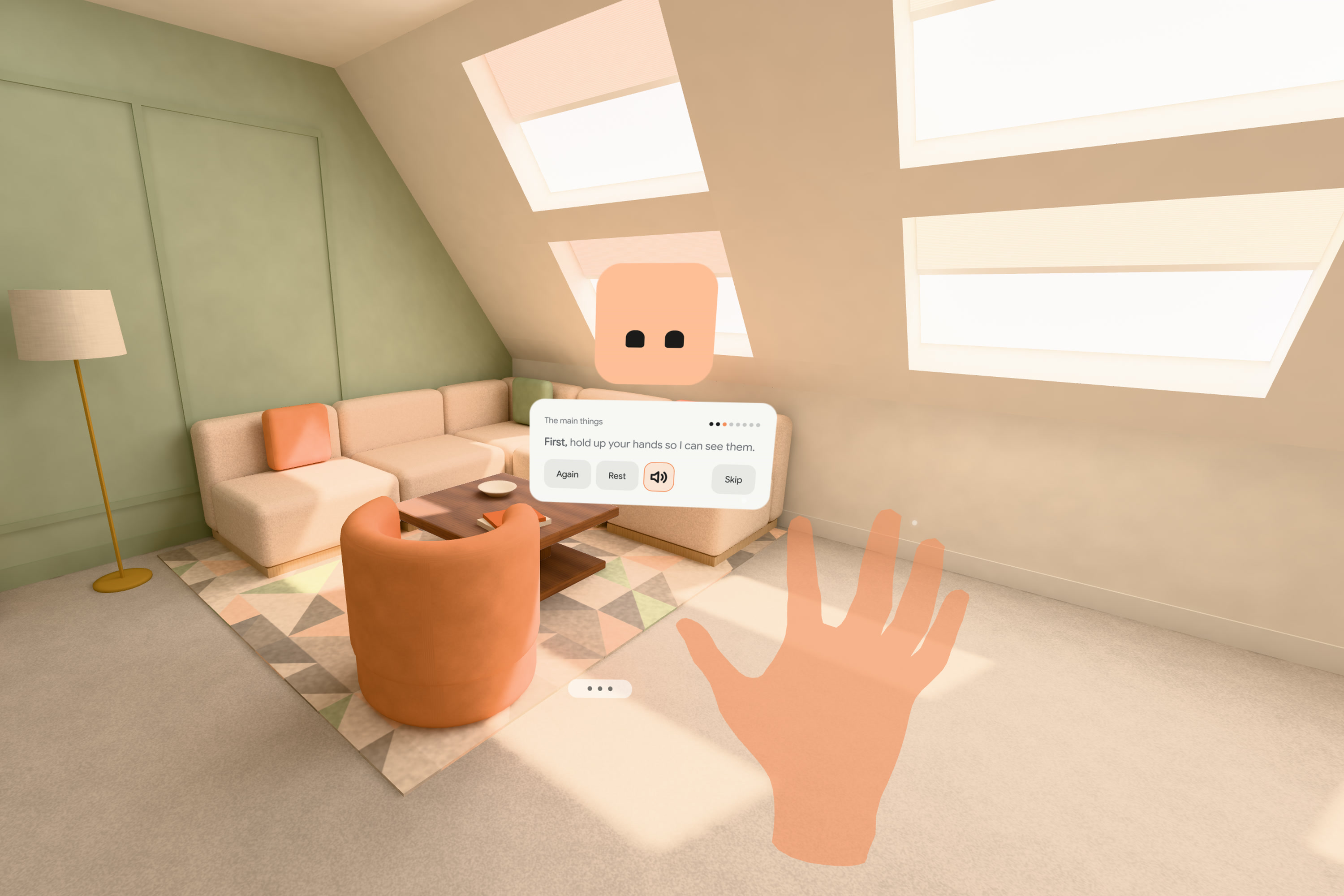
- Learn Rounzi, an in-room tutorial. Rounzi, a sticky note with a face and a voice, teaches one hand interaction at a time by asking you to do it, with no wall of text.
- A demo room you can open on a headset straight from the website, with no account, to try Rounzi.
- Voting on the board: a vote minigame in the board's corner, a plus and a minus on each note, and a reveal.
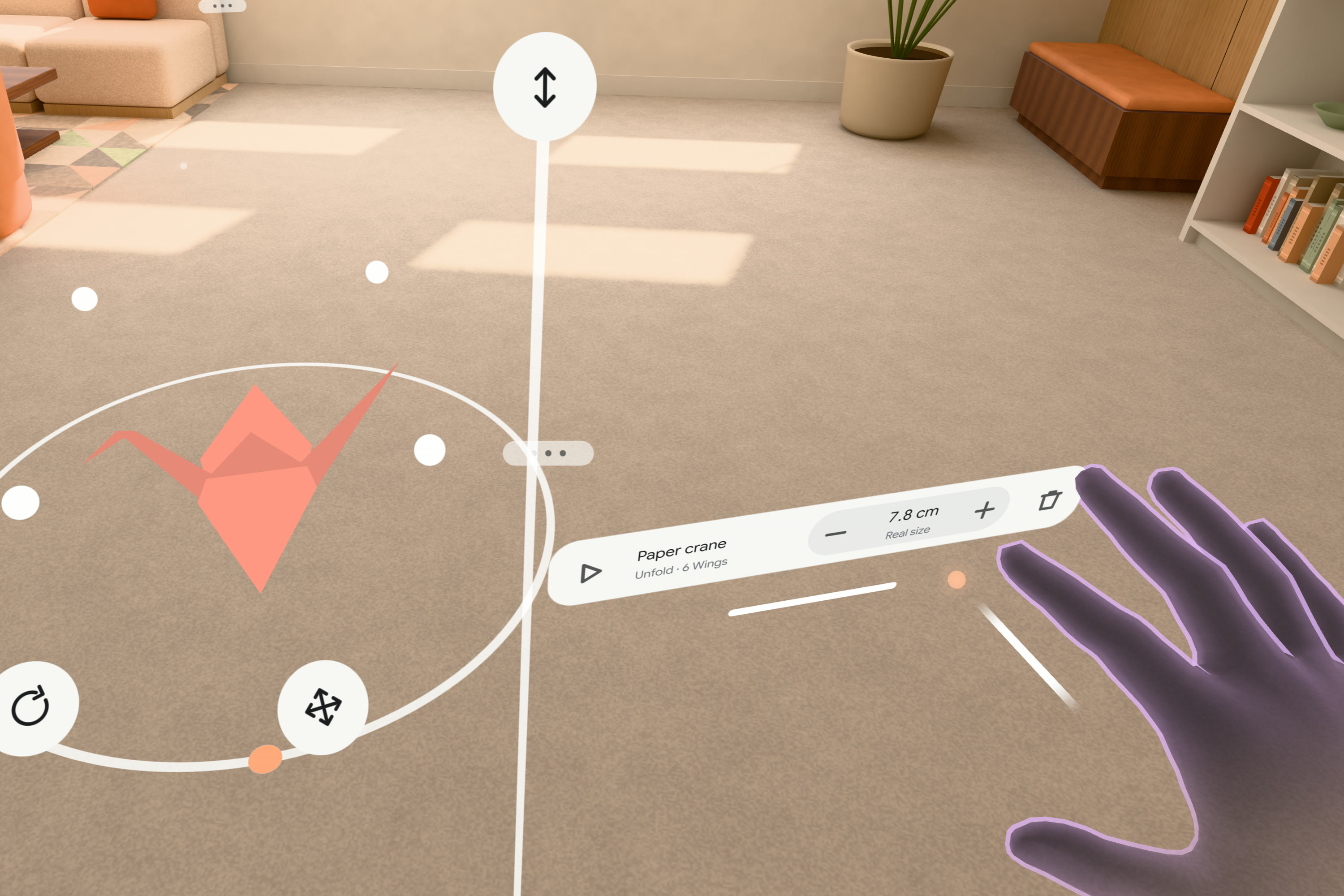
- Placing the room: the room places itself in front of you and a small puck moves and turns it as one piece.
- Sound and touch: a new set of sounds, and, for people who prefer controllers, a feel for each sound. Controllers are optional and appear as your own hand.
How I built it
Rounzi is a WebXR app that runs in Meta Quest Browser, with no install. It uses an immersive-ar session with hand tracking, anchors and passthrough.
- Rendering: Babylon.js and TypeScript, with no UI framework. Every panel is geometry and shaders, because a texture written during a frame is what makes a headset hitch.
- Shared state: Supabase (Postgres with row level security, Realtime and Edge Functions). Each note, board, stroke and link is its own row with a stable id, written in small transactions, never as a whole room.
- Live presence: LiveKit carries voice, heads and the 25 joints of each hand at 30 Hz.
- Dictation runs on the device with Vosk, so speech never leaves the headset. Every sound is synthesized in the browser.
Challenges
- Holding the frame rate. A browser app on a headset has a few milliseconds to spare. I learned to measure every hitch on the Quest's GPU profiler, and moved notes, buttons and charts from textures to geometry and shaders until rooms with a hundred notes held 72 Hz.
- Collaboration without losing work. Two people grabbing the same note at once is normal in a room. Short leases, revisions and per-object writes keep every change, and nothing is ever written over the whole room. -User Accounts Users have their own dashboard, they can create folders, upload content, change settings
- UI WebXR gives the page no camera image, so glass panels could not be blurred and were hard to read. The answer was opaque paper, which reads in any room.
What I learned
The main focus of hands-first design is saving energy, and providing proper feedback and interaction with virtual elements blended with your physical space is a tough challenge. For example, a pinch needs a sound, a poke needs feedback, and a held note needs to feel held. It is the smallest of these details that determine whether people are comfortable using Rounzi for extended periods. Testing and improvement are key.
What's next
Rounzi is in closed beta at rounzi.com and the target for its public launch is spring 2027. The goal: working remote should feel better than a videocall with 2D screen.
- Leave a walkthrough. Record yourself at the board, voice and hands. A colleague in another time zone finds you there next morning, explaining it.
- Rounzi, with AI. Rounzi joins the session: it clusters notes when you say "group these by theme", drafts decisions as notes while people talk, and answers "what did we decide?" with a note pinned beside its source.
- Bring the paper in. Photograph an office wall of sticky notes and it arrives in the room, ready to move.
Testing instructions
You need a Meta Quest 3 or 3S and the Quest Browser.
Try it without an account Go to rounzi.com and press "Try Rounzi in AR". A room opens around you and Rounzi, shows you the basics. After the introduction, the whole toolbar unlocks: notes, boards, drawing, a timer, music, and the Library with a 3D model and charts.
Hands are the main input. Controllers work too.
Questions: [email protected]
Built With
- babylon.js
- deno
- hand-tracking
- livekit
- meta-quest
- passthrough
- postgresql
- quest-browser
- spatial-anchors
- supabase
- typescript
- vite
- vosk
- web-audio-api
- webrtc
- webxr

