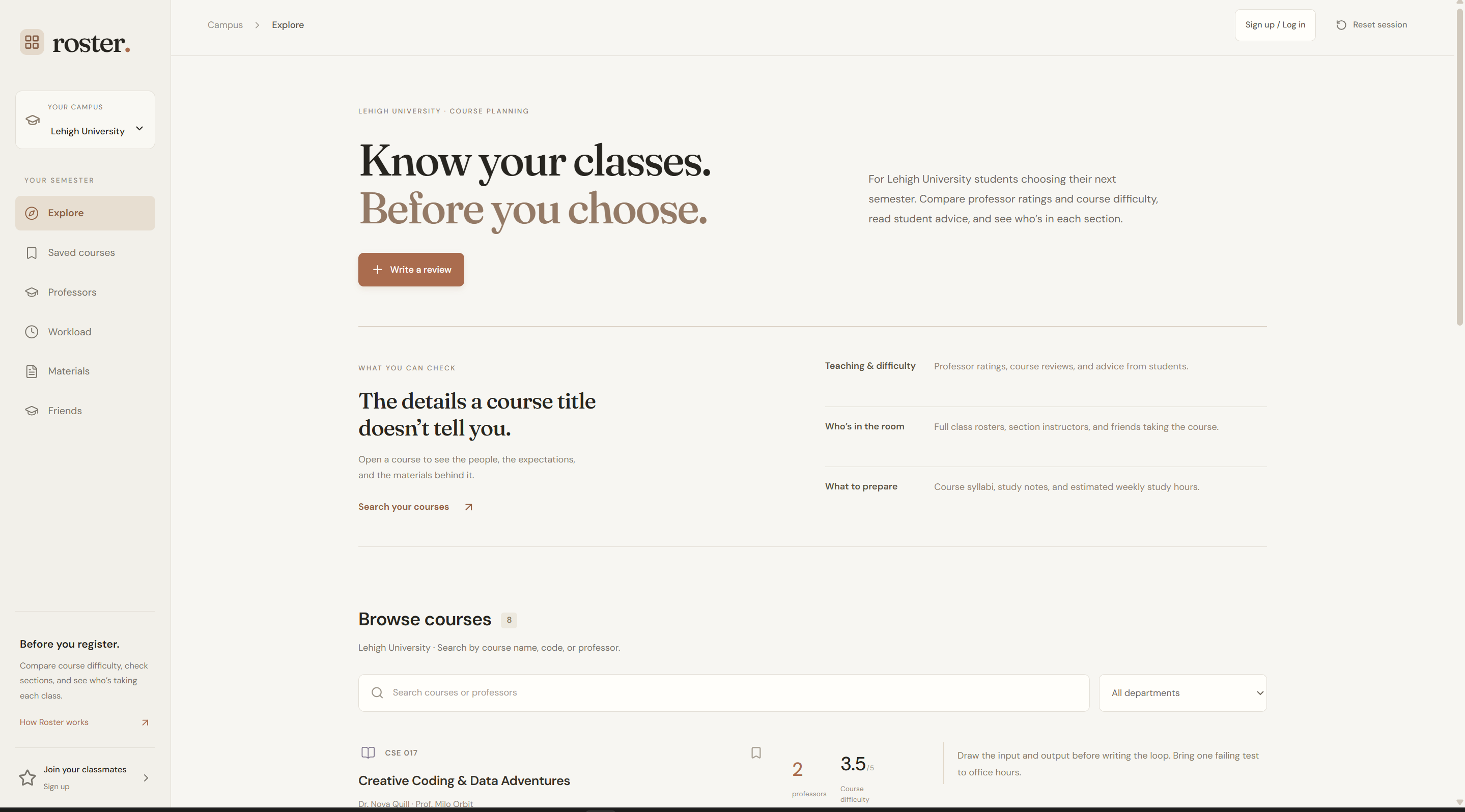
\begin{filecontents*}[overwrite]{\jobname-description.md} NOTE: A database was not included, which includes authentication systems for simplistic reasons. All users and Professors are fake for confidential reasons as a means to not jeaporidze them and ONLY 3 universities were added for simplicity. Schools without course commitment data require manual user input via user reviews. Students must have a specific ".edu" email address to register to prevent bots.
Inspiration
Choosing classes often means going off a short course description and whatever you hear from other students. That doesn't tell you much about the assignments, the exams, or what a normal week looks like. We wanted to make it easier to find the materials that answer those questions before registration, and keep using them once class starts.
What it does
Roster brings course materials, professor reviews, and workload estimates into one place. The main idea is simple: students should be able to look through past syllabi, notes, and instructor-approved former quizzes and testing materials without digging through old group chats or asking around.
A previous syllabus helps you understand how a course is organized. A former quiz or practice exam gives you a better sense of the kinds of questions you'll need to work through. Notes can help when an explanation from class hasn't clicked yet. These materials don't replace doing the work; they help you know what to prepare for and where to focus.
Students can browse courses by school, open a class, and download its available PDFs. They can also upload materials they have permission to share. Professor reviews and estimated weekly study hours add context when comparing classes. There is also a way to check which sections friends are taking, but course information and preparation are the main focus.
How we built it
We built the prototype with React and TypeScript, using Vinext and Vite to run and build the application. The interface uses custom CSS and Lucide icons. Courses, professors, reviews, and schedules are connected through local data files.
The current prototype includes sample syllabi and notes for courses at Lehigh, Bucknell, and Harvard. PDF uploads and temporary accounts run in browser memory, so changes clear on refresh. We used Node.js, npm, Git, and OpenAI Codex during development.
What we learned
We learned that useful course information needs to stay connected to the right class and professor. We also learned to put the materials students need ahead of extra features, and to explain what the site does in plain language.
What's next
Next, we want to keep accounts and uploads available between visits and build out the materials library with permission from contributors and instructors. That includes more past syllabi, quizzes, and practice exams, organized by course and term so students can tell what they're looking at and how recent it is. \end{filecontents*} \RosterMarkdownInput{\jobname-description.md} \end{document}
Built With
- bedrock
- css
- google-fonts
- luicide
- node.js
- react
- typescript
- vinext
- vite


Log in or sign up for Devpost to join the conversation.