-
Startup
-
Querying the System
-
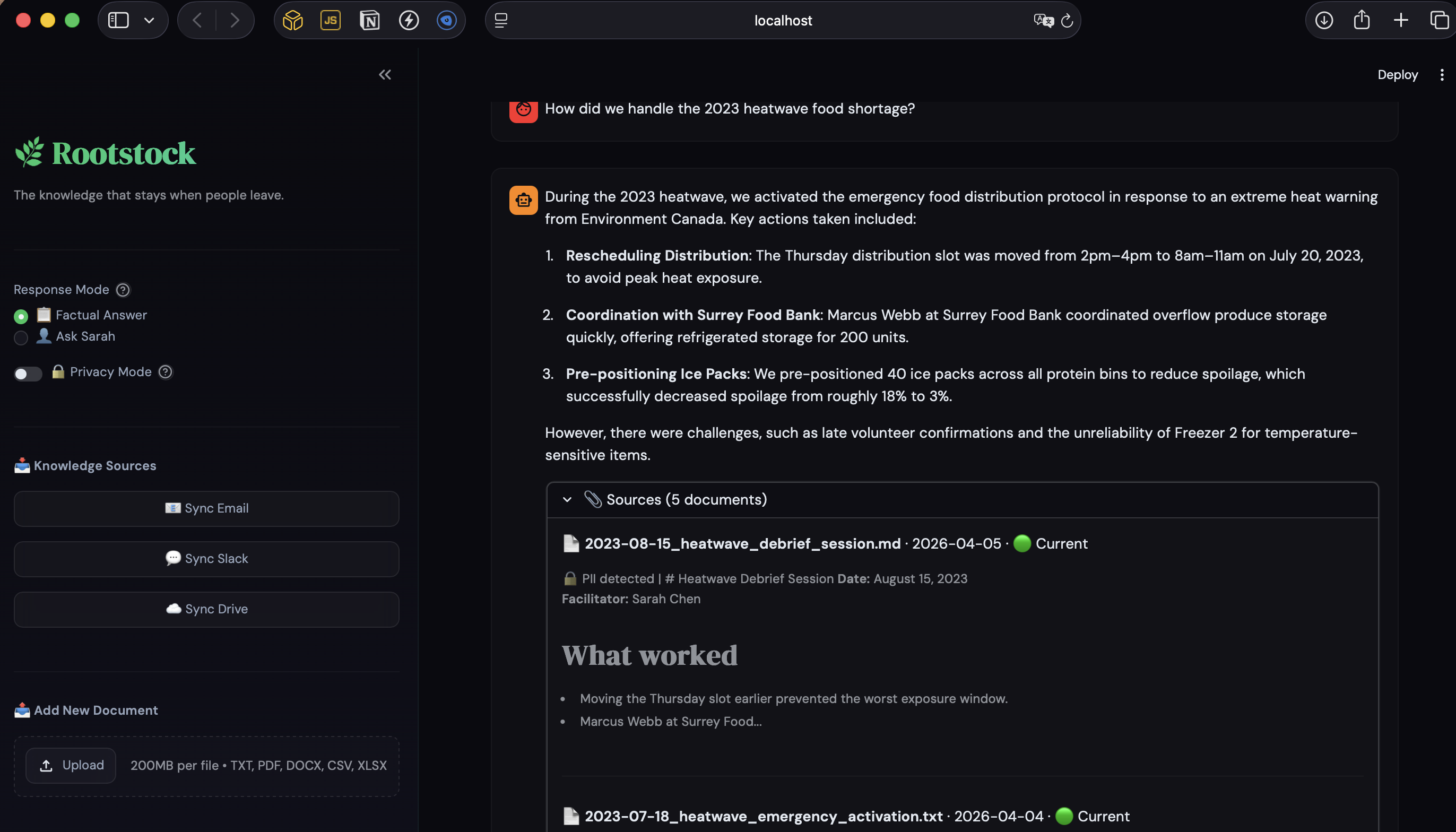
Sources for the answer
-
Knowledge graph
Inspiration
Kevin Huang, Executive Director of Hua Foundation in Vancouver, said it plainly:
"When there's a high turnover of staff and volunteers, institutional knowledge and key relationships built upon trust with community members are lost."
BC has 29,000 nonprofit organizations employing 86,000 people. Most are run by 2-3 staff with no IT department. When a coordinator leaves a food bank, they take years of relationships, emergency protocols, and operational knowledge with them. The next person starts from zero.
The infrastructure connecting knowledge to the people who need it is broken, not because it was never recorded, but because it's scattered across emails, chat messages, shared drives, and documents nobody thinks to hand over.
I didn't want to build another tool nonprofits have to manage. I wanted to turn the work they already do into something they never lose.
What it does
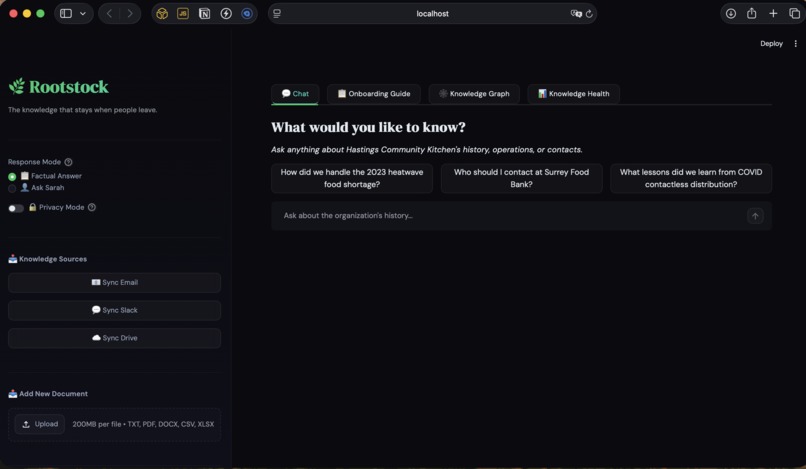
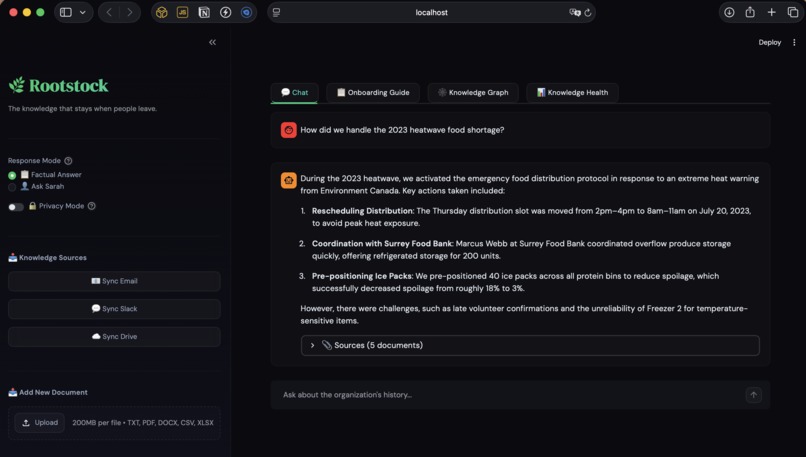
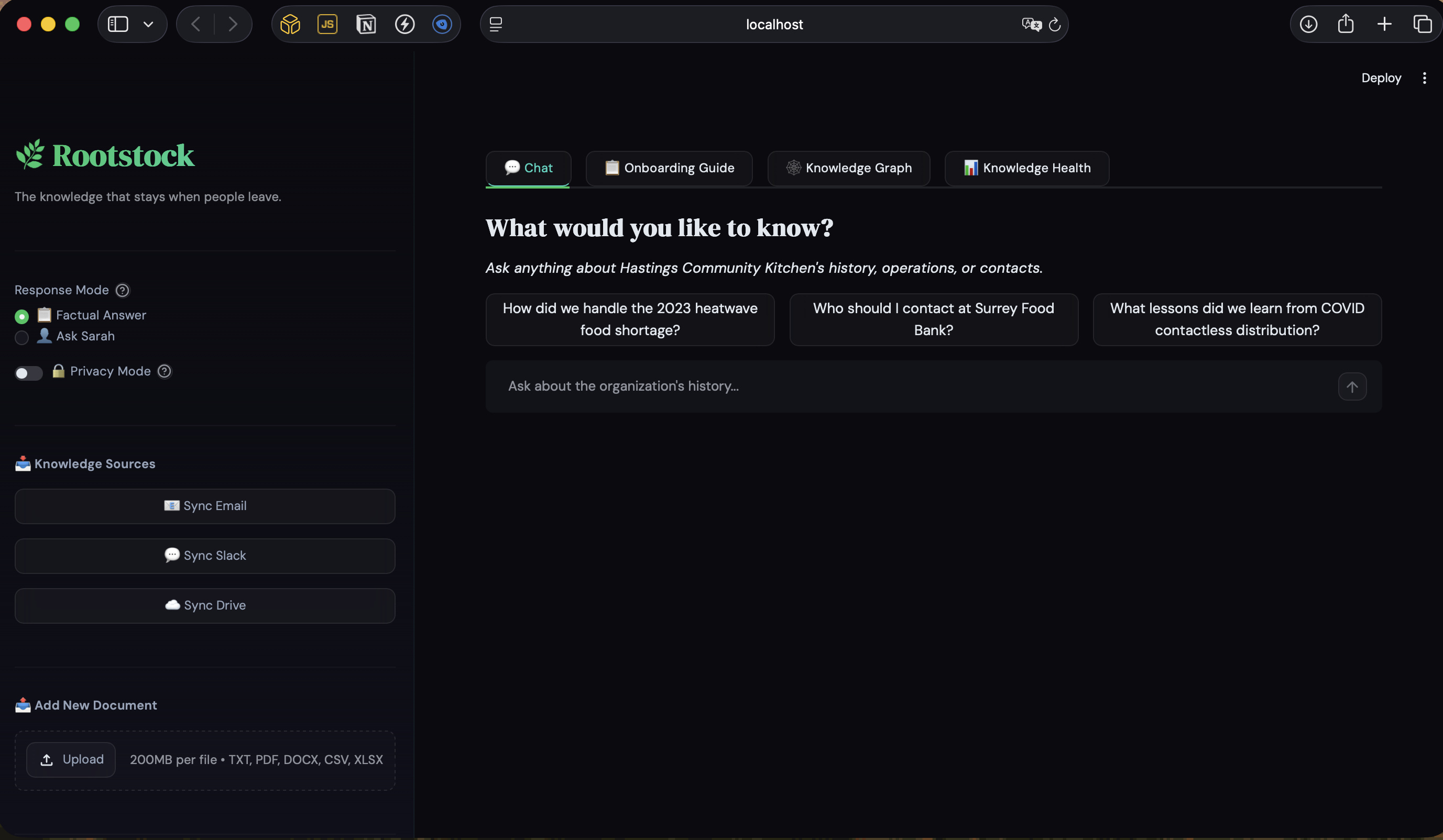
Rootstock is a passive, multi-channel institutional memory platform for BC nonprofits. It captures knowledge from the tools organizations already use — Gmail, Slack, and Google Drive — and makes it queryable through natural language.
Key capabilities:
- Multi-channel passive capture — Gmail inbox, Slack messages (flagged with a 🧠 emoji reaction), Google Drive folders, and direct file upload. No new workflows. No training.
- Multi-format ingestion — TXT, PDF, DOCX, CSV, XLSX, Google Docs, and Google Sheets. Whatever format the knowledge lives in.
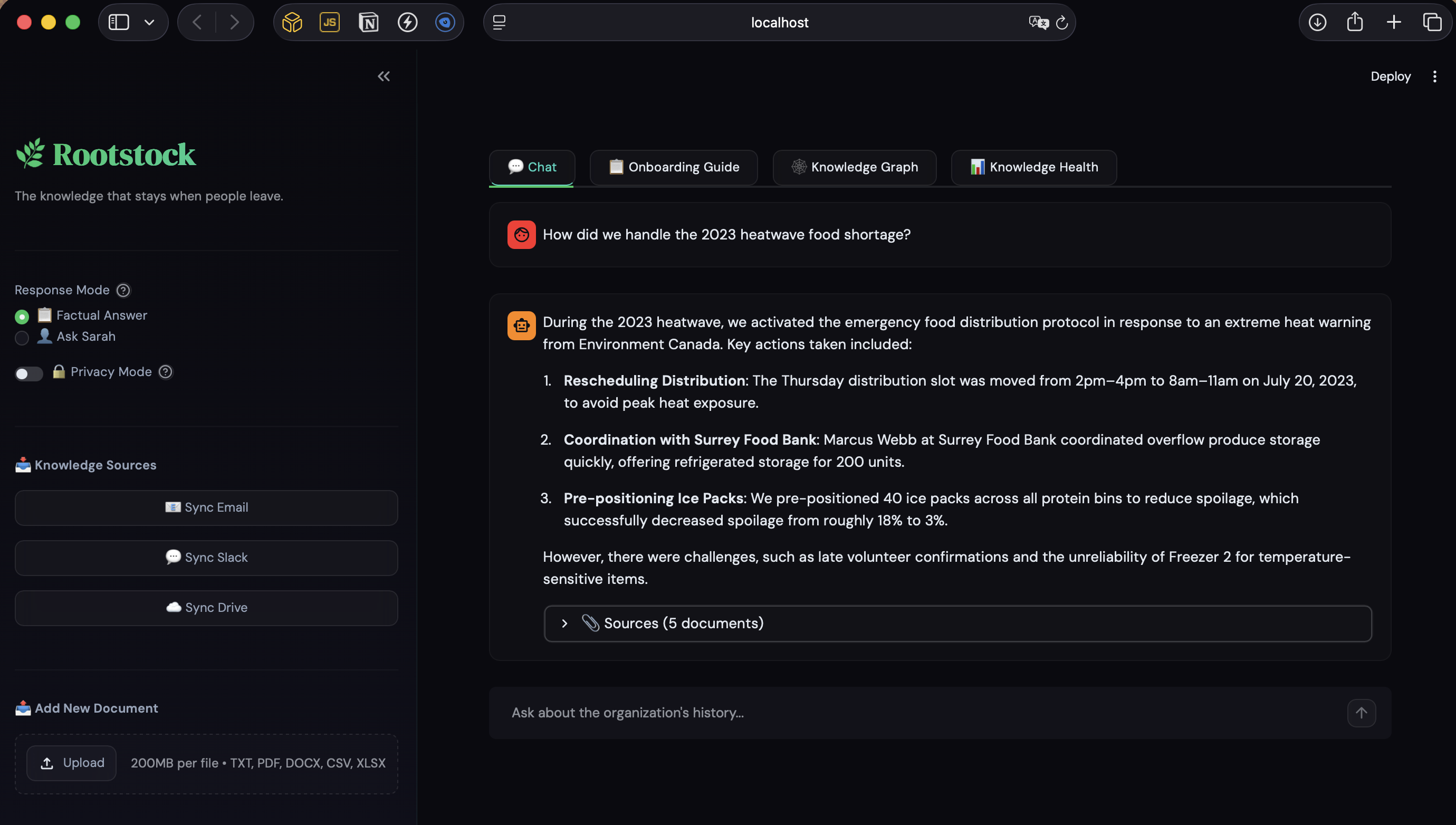
- Two response personas — Factual mode returns cited, grounded answers. "Ask Sarah" mode channels the departed coordinator's voice, judgment, and experience through the documents they created.
- Multilingual support — Ask in Chinese, Tagalog, or Punjabi. Get answers in that language from English source documents. BC's nonprofit workforce reflects its communities.
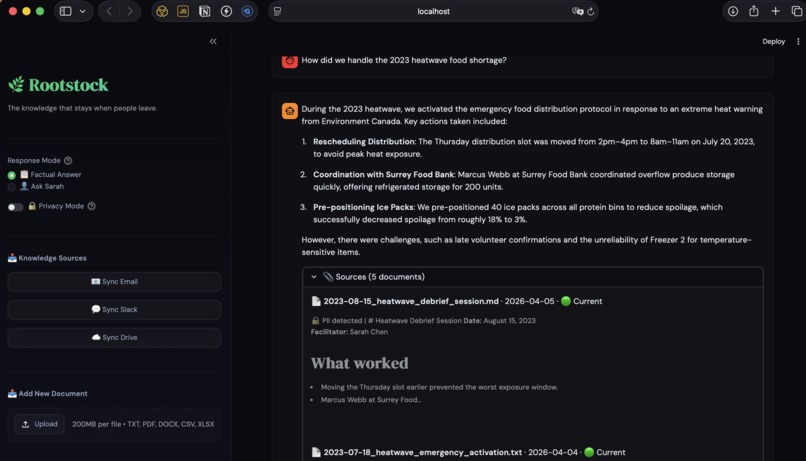
- Knowledge-decay detection — Documents older than 18 months are automatically flagged. Institutional memory with an expiry date.
- PII scrubbing — Privacy Mode detects and redacts personal names in source citations. Nonprofits work with vulnerable people — trust isn't optional.
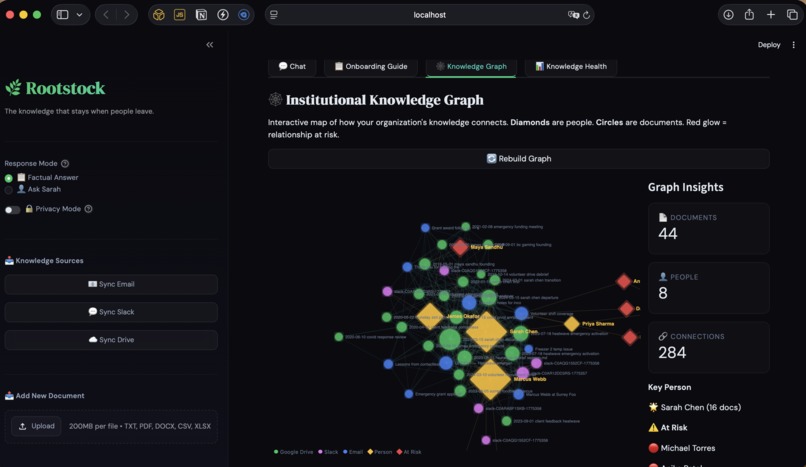
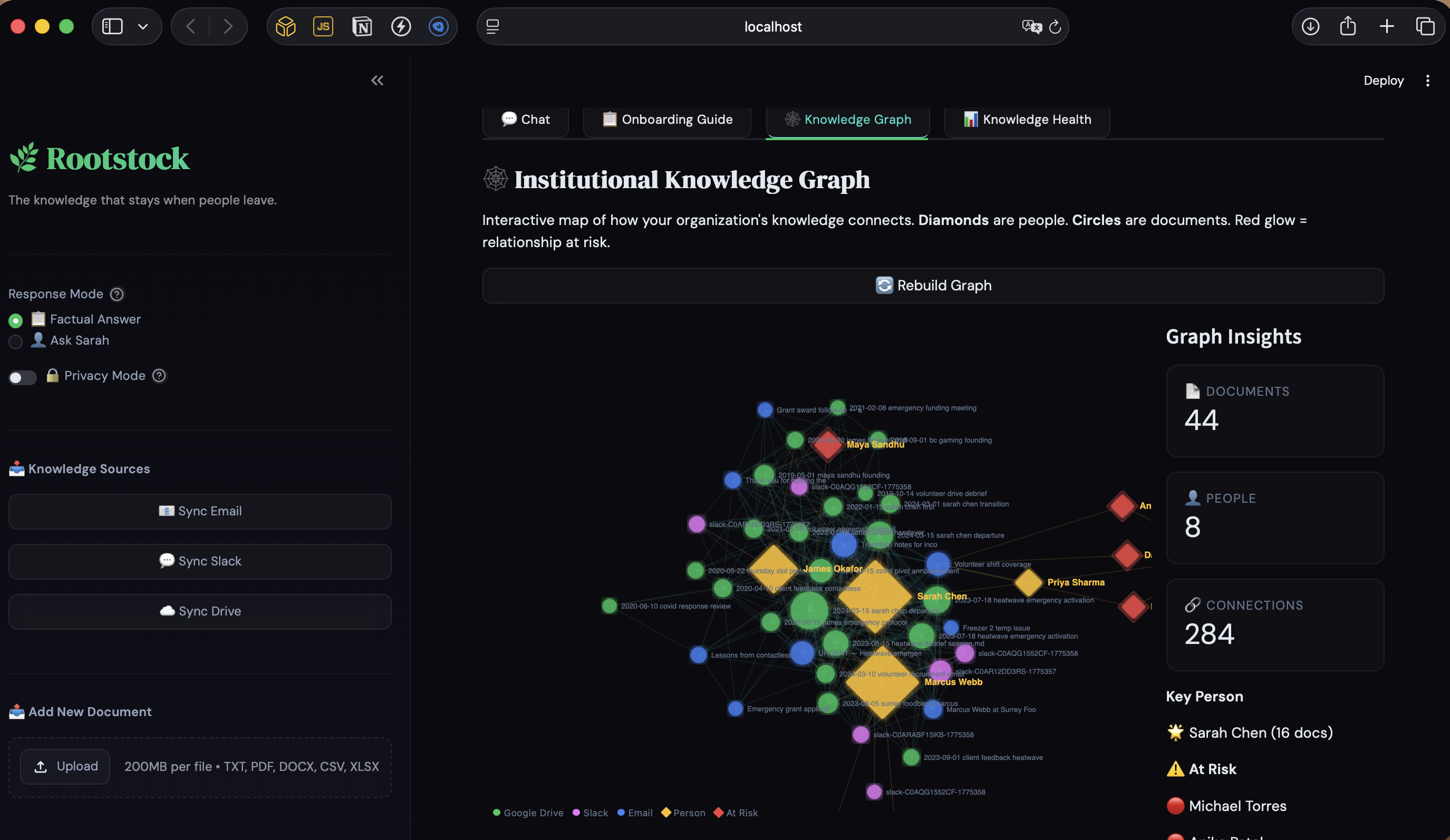
- Interactive knowledge graph — Documents appear as circles, people as diamonds. Edges show shared references. At-risk relationships (documented by only one person) pulse red. The brain drain problem, made visible.
- 30-Day Onboarding Guide generator — One click produces a structured onboarding plan with key contacts, procedures, relationships, and knowledge gaps — built entirely from the organization's own history.
- Knowledge Health Dashboard — Document count, source types, coverage timeline, staleness indicators. A diagnostic view of what the organization knows and what's missing.
How we built it
Architecture: Four passive input channels feed one unified ChromaDB vector store. A LangChain LCEL pipeline (no deprecated chains) retrieves relevant chunks and synthesizes answers via GPT-4o. Streamlit renders the interface with custom CSS theming, D3.js knowledge graph, and real-time connector management.
Connectors:
- Gmail — Google Gmail API with desktop OAuth, label-based filtering
- Slack — Official
slack-sdk, filters messages by 🧠 emoji reaction - Google Drive — Service account auth (no browser popups), supports Google Docs export, PDF extraction via PyMuPDF, DOCX via python-docx, CSV/XLSX via pandas
- Manual upload — Streamlit file uploader with instant ingestion
RAG pipeline: text-embedding-3-small for embeddings, RecursiveCharacterTextSplitter for chunking (512 tokens, 50 overlap), ChromaDB for vector storage with a one-environment-variable swap to SAP HANA Cloud Vector Engine.
SAP integration: The vector store abstraction layer (vectorstore.py) implements a factory pattern — switching from ChromaDB to SAP HANA Cloud is a single ENV variable change. The langchain-hana package provides an identical LangChain VectorStore interface. In production, this connects to SAP SuccessFactors for HR-triggered onboarding workflows.
Knowledge graph: Pure D3.js force-directed graph embedded via st.components.v1.html. Entity extraction identifies people and events across documents. Edge weights reflect shared reference count. Risk detection flags relationships documented by too few sources.
Challenges we faced
Streamlit CSS overrides broke Material Symbols icons. Global font-family rules overwrote Streamlit's icon font, rendering icon ligatures as raw text ("keyboard_dou...", "ace", "oard"). Fixed by targeting only text-bearing elements and explicitly protecting the Material Symbols font family.
Google Drive auth model split. Gmail uses desktop OAuth (user consent flow). Drive demo folder uses a service account (server-to-server, no browser). Two different credential types for two Google APIs in the same project. Getting this right required reading current Google docs carefully — many tutorials are outdated.
Slack sync state. The Slack connector tracks last-sync timestamp to avoid re-ingesting. During development this caused "no messages found" after the first sync. Had to build a state reset into the demo workflow.
Multilingual without translation APIs.
googletransis unreliable. Instead, we leveragetext-embedding-3-small's native cross-lingual capability — Chinese queries retrieve relevant English chunks via cosine similarity. GPT-4o responds in the detected language via prompt instruction. Zero translation dependencies.
What we learned
The most important thing we learned is that the quality of seed data matters more than the sophistication of the technology. A technically mediocre RAG system with emotionally specific, realistic synthetic documents produces better demos than a technically impressive system with generic placeholder content.
We also learned that the "passive capture" thesis only works if the friction is genuinely zero. Every connector that requires configuration is a connector that a 3-person nonprofit won't use. The 🧠 emoji reaction pattern for Slack was the breakthrough — it requires literally one click to preserve institutional knowledge.
What's next
- SAP HANA Cloud Vector Engine — Production deployment on HANA with SuccessFactors integration for automated onboarding triggers
- Authentication + multi-tenancy — Org-level access controls, isolated knowledge bases per nonprofit
- Google Drive / Outlook passive sync — Background polling instead of manual sync buttons
- Consent management — Staff opt-in workflows for email ingestion, aligned with BC privacy requirements
- NER-based PII scrubbing at ingestion time — Automated redaction before embedding, tested against nonprofit-style documents
- Sector-wide deployment — One platform serving BC's 29,000 nonprofits, each

Log in or sign up for Devpost to join the conversation.