Inspiration
We constantly faced the need to create eye-catching images with text embedded behind people or objects. Doing this in Photoshop takes time, effort, and editing skills — not something everyone has access to.
We asked ourselves: “Why not make this a one-click process with AI?”
That’s how Roots Behind was born to make this powerful effect accessible to anyone, anywhere.
What it does
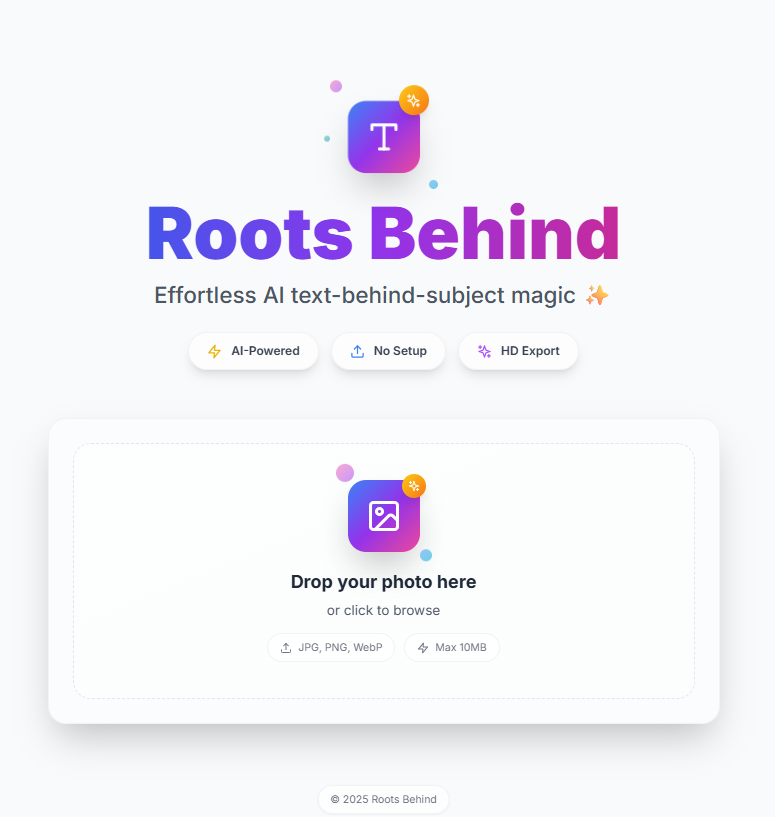
Roots Behind is a web-based AI tool that lets users place text behind the main subject in any photo automatically and professionally. It mimics Photoshop-style masking but delivers the effect in seconds. Users can upload a photo, enter their text, choose font styles, drag and position the text anywhere, and download a beautiful, edited image no design skills required.
How we built it
Frontend - React.js with Tailwind CSS for a clean, modern, mobile-responsive UI Image Processing - Integrated Remove.bg API for subject segmentation Text Editor - Built a real-time drag-and-drop system for placing text with customizable fonts, shadows, and sizes UX/UI Design - Inspired by Apple’s minimalism and Gen Z-style aesthetics — simple, bold, and user-friendly Deployment: Fully serverless using Netlify for lightning-fast performance
Challenges we ran into
Making the text adjustment user-friendly across all devices Handling AI segmentation accuracy for different image types Creating a seamless drag-and-drop interface that works on mobile Hiding API keys securely while still offering free access for users Building a highly polished UI within a short deadline
Accomplishments that we're proud of
Built an AI-powered editor that feels simple but delivers advanced results Designed a fully mobile-friendly editing experience Made a typically complex Photoshop effect available to everyday users Achieved a premium UI/UX that aligns with top design standards Deployed the project serverlessly no backend needed
What we learned
How to combine AI tools with intuitive design That accessibility and simplicity are more valuable than feature overload The importance of smooth UI interactions drag, click, preview for user satisfaction How much small UX tweaks can improve user trust and engagement
What's next for Roots Behind
Add iPhone-style filters (like Vivid, Dramatic, Warm) Let users preview font styles in real-time before applying them Offer pre-designed templates for quotes, ads, social posts Introduce AI-based auto text placement Create before-after preview gallery to inspire users Add dark mode, touch controls, and more mobile gestures Integrate social media export sizes for easy content creation
Built With
- apis:
- canva
- css
- css3
- figma
- frameworks
- github
- html5
- javascript
- netlify
- react.js
- remove.bg
- tailwind

Log in or sign up for Devpost to join the conversation.