-
-
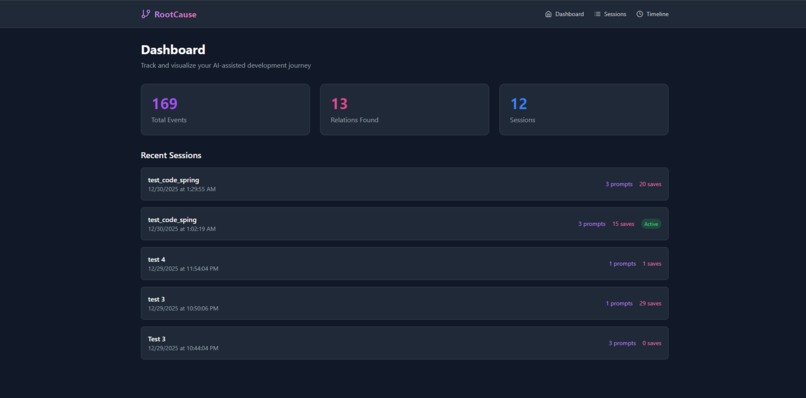
Dashboard
-
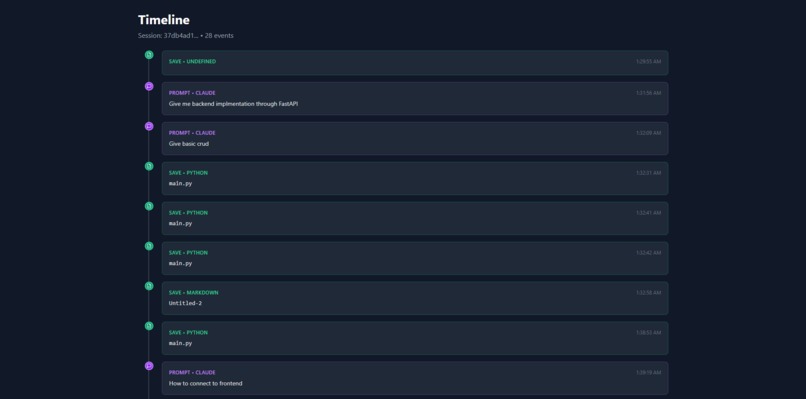
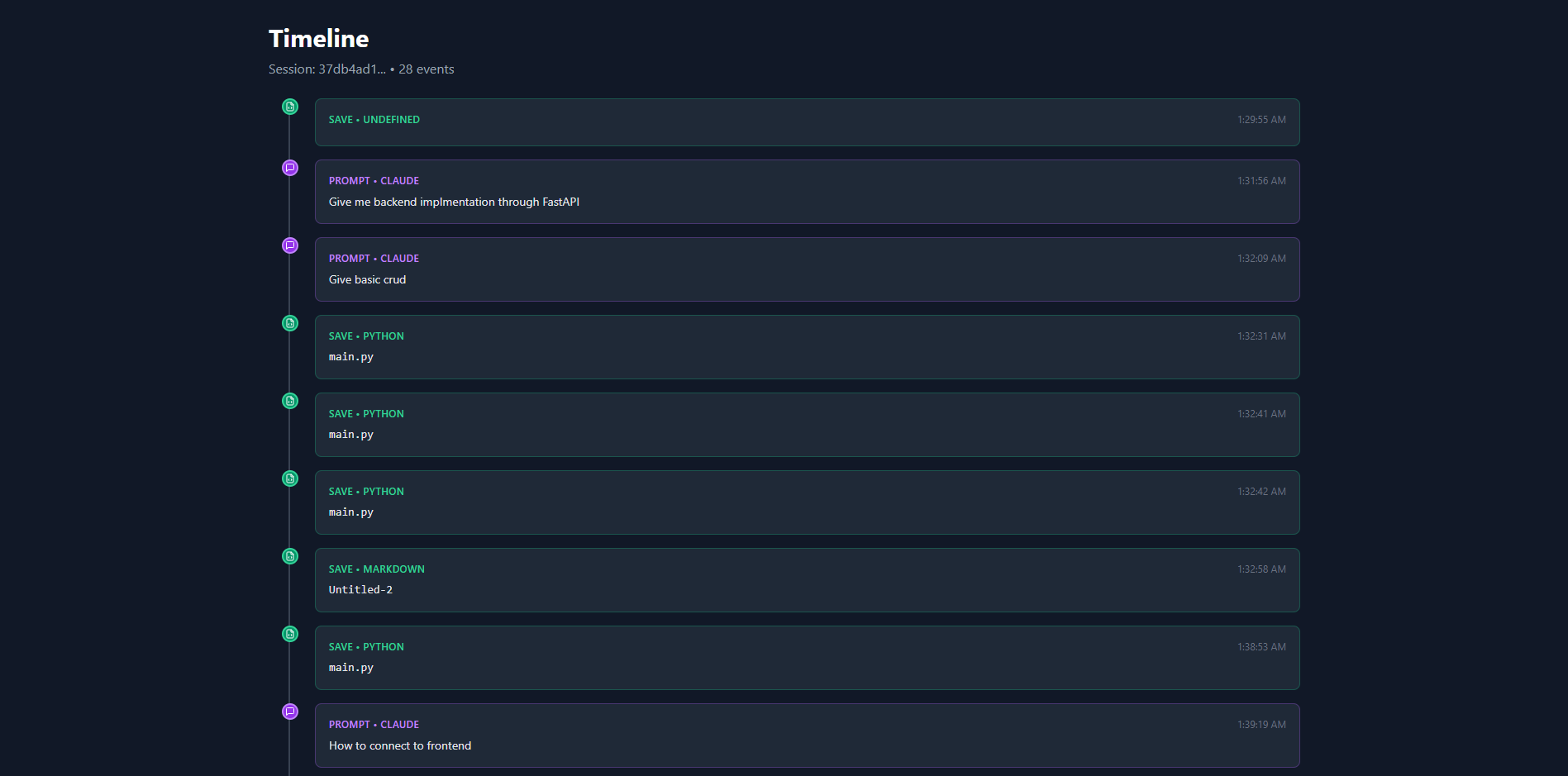
Timeline of a session
-
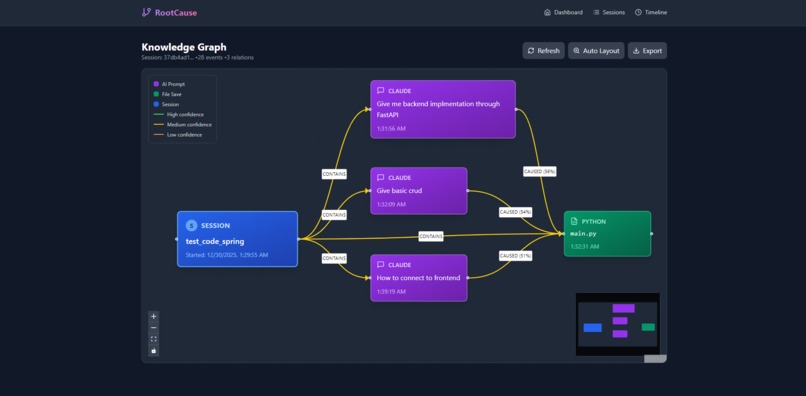
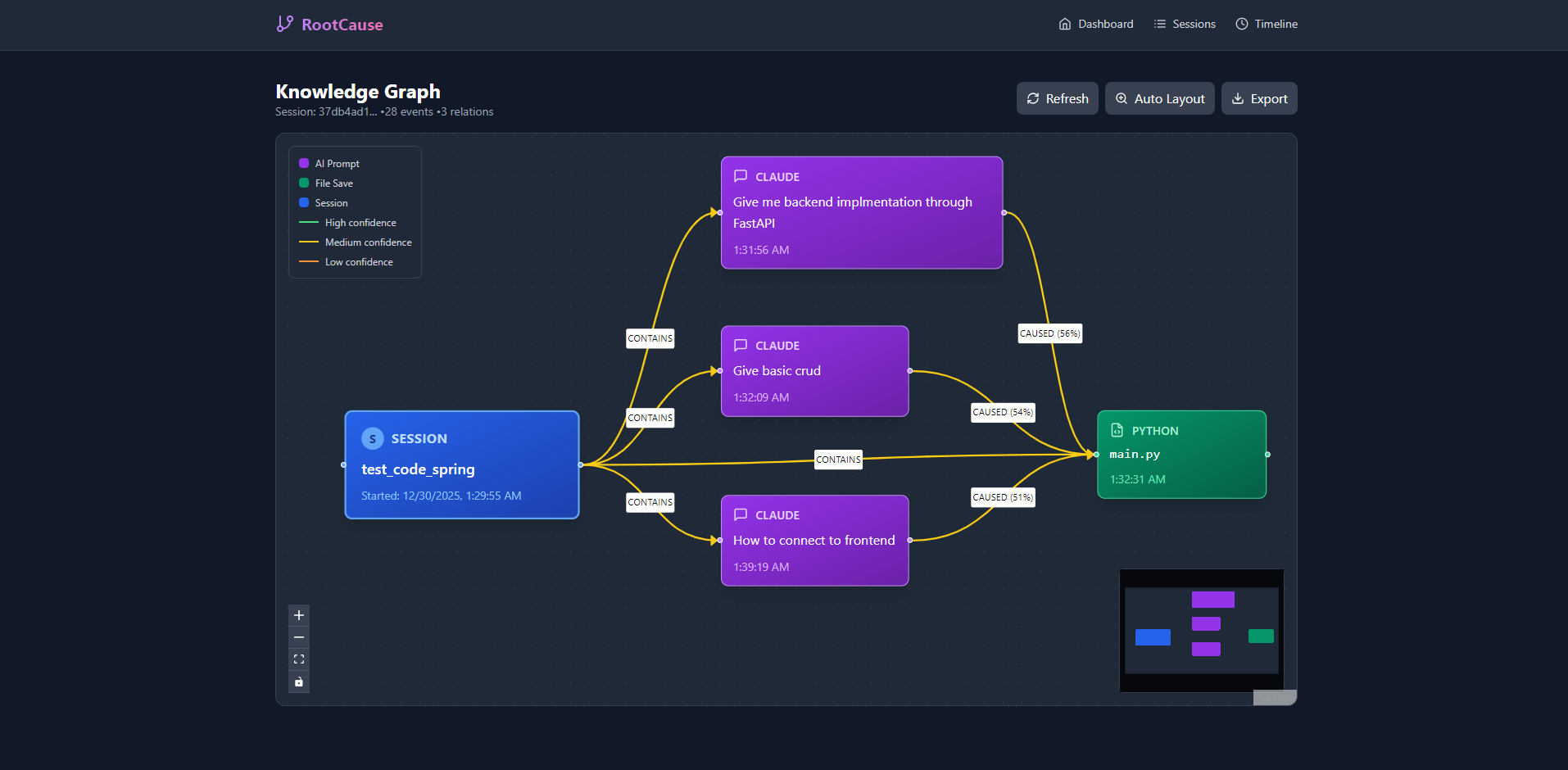
Graphical Visualisation
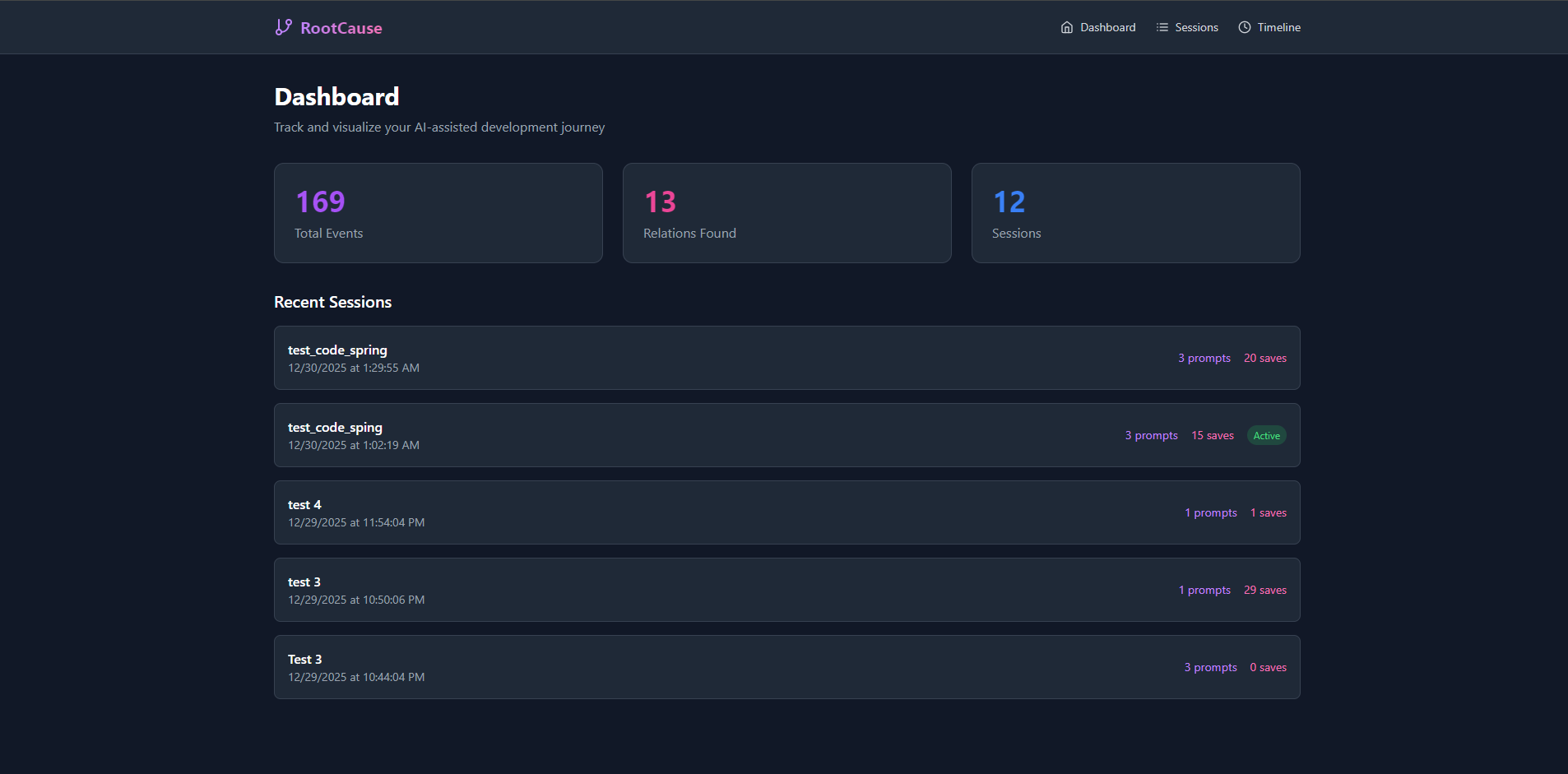
Inspiration
What it does
How we built it
Challenges we ran into
Accomplishments that we're proud of## RootCause: Tracking the "Why" Behind Your Code
"Every line of code has a story — RootCause helps you remember it."
Inspiration
As developers increasingly rely on AI assistants like ChatGPT and Claude, a critical problem emerges: we lose the context of why we wrote our code.
Six months later, you look at a function and think: "What was I trying to solve here?" The AI conversation is buried in browser history, disconnected from the code it helped create.
RootCause was born from this frustration — the need to preserve developer intent and create a traceable link between AI prompts and the code they inspire.
What I Learned
Building RootCause taught me:
- Browser Extension Development — Manifest V3, content scripts, and cross-origin messaging
- VS Code Extension API — Workspace events, status bar integration, and command registration
- Local-First Architecture — SQLite with WAL mode for concurrent access
- Semantic Matching — Using embeddings to find conceptual similarity between text
The most fascinating part? Designing the multi-signal matching algorithm that intelligently links prompts to files.
How I Built It
RootCause is a monorepo with four integrated components:
| Component | Tech Stack |
|---|---|
| Backend | Express.js, TypeScript, SQLite, Xenova Transformers |
| Frontend | React 18, ReactFlow, TailwindCSS, Vite |
| VS Code Extension | TypeScript, VS Code API |
| Chrome Extension | Manifest V3, Content Scripts |
The Matching Algorithm
The core innovation is a weighted multi-signal scoring system:
$$ \text{confidence} = 0.25T + 0.45S + 0.20C + 0.10L $$
Where:
- \( T \) = Temporal score (prompt must precede save)
- \( S \) = Semantic similarity (via local AI embeddings)
- \( C \) = Contextual score (file path matching)
- \( L \) = Language alignment score
Temporal Decay
Prompts lose relevance over time using exponential decay:
$$ T(t) = e^{-0.0008t} $$
Where \( t \) is seconds since the prompt. This means:
- At \( t = 0 \): score = 1.0
- At \( t = 300 \) (5 min): score ≈ 0.78
- At \( t = 900 \) (15 min): score ≈ 0.49
Challenges Faced
1. Capturing AI Prompts Without Breaking Sites
ChatGPT and Claude have complex, dynamic DOMs. I had to carefully observe DOM mutations and identify the right elements without interfering with the user experience.
2. Cross-Component Communication
Synchronizing session state between VS Code, Chrome, and the backend required a polling-based approach with a dedicated sync endpoint on port 9847.
3. Local Embeddings Performance
Running transformer models locally (via Xenova) was slow initially. I implemented caching and lazy loading to make it practical for real-time use.
4. Privacy by Design
Every architectural decision prioritized privacy: no cloud, no telemetry, no source code capture — only metadata and prompts stay local.
🎯 Key Features
- Automatic prompt capture from ChatGPT & Claude
- File save tracking in VS Code
- Smart matching with semantic understanding
- Interactive knowledge graph visualization
- Timeline view of your work progression
- 100% local — your data never leaves your machine
What's Next
- [ ] Support for more AI platforms (Gemini, Copilot Chat)
- [ ] Git commit integration with AI context
- [ ] Team sharing with encrypted sync
- [ ] "Explain this code" feature using stored provenance
RootCause — Because understanding why is just as important as understanding how.
What we learned
What's next for RootCause
Built With
- javascript
- postcss
- react
- sqlite
- tailwind
- transformers
- typescript
- xenova

Log in or sign up for Devpost to join the conversation.