Inspiration
We've all had that one spot in our room where we wished we had something made just for it. But turning that idea into a real object isn't easy. You might need to find references, take measurements, learn 3D modeling software, and figure out whether your design can actually be printed. Even a simple idea can turn into hours of work across different tools.
And sometimes, figuring out what to make is just as challenging. Some of our best ideas come from brainstorming with others, when someone asks a question we hadn't considered or suggests something completely unexpected. But when we're creating alone, it's easy to get stuck before making anything real.
So we wondered: What if you could bring a little creative team into your room, and together turn an idea into something you could actually hold?
What it does
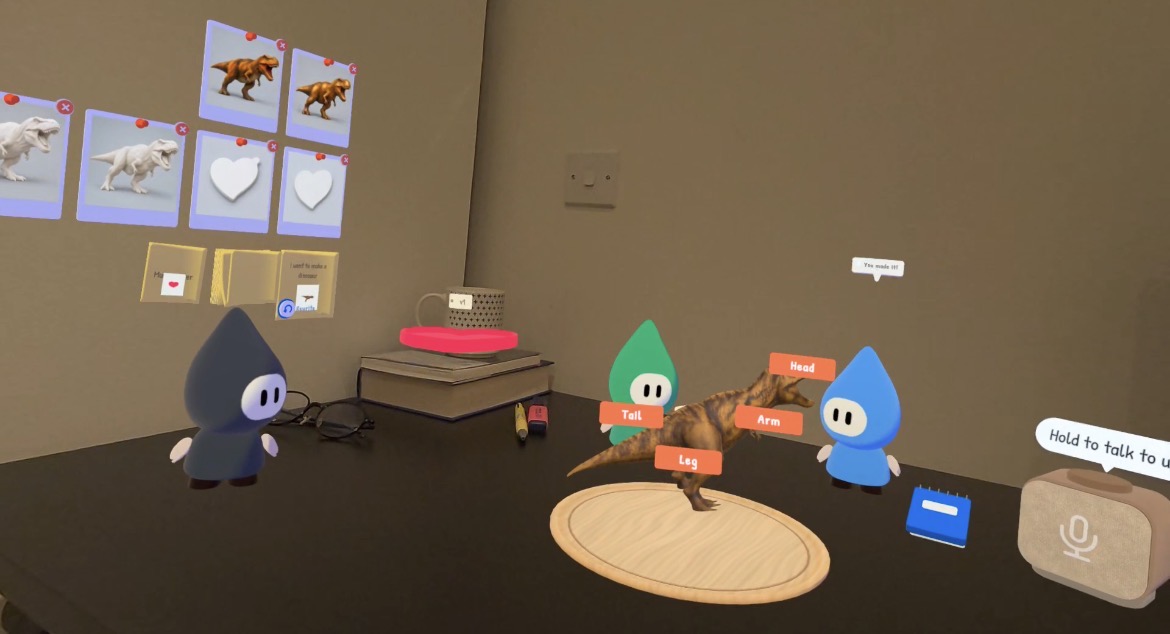
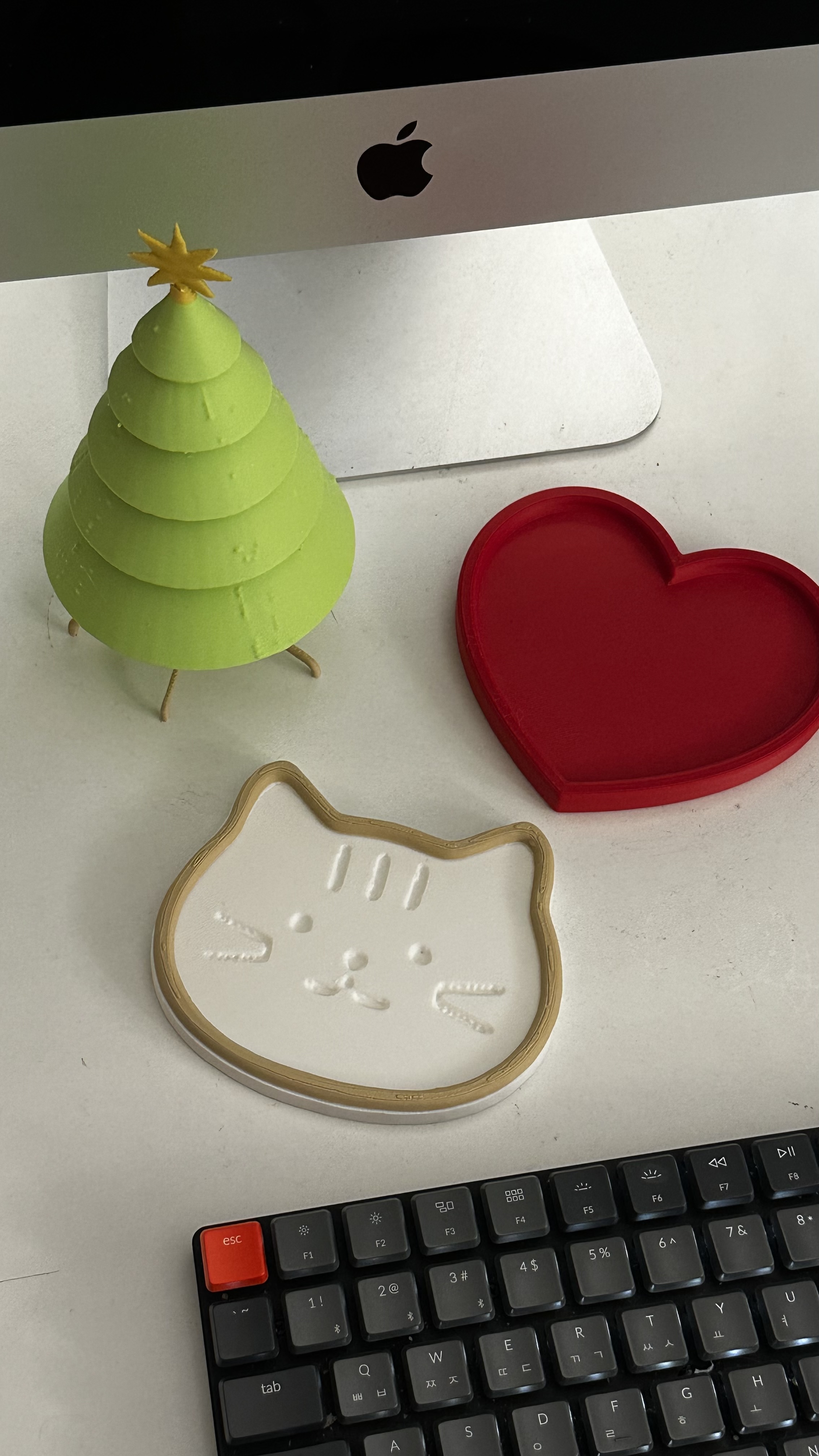
Roomsmiths VR is a mixed-reality app that turns ideas for your space into real, 3D-printable objects, without requiring 3D modeling skills. Instead of designing an object on a flat screen and guessing whether it will fit, you create it right where it belongs. Measure your surroundings with your hands, sketch ideas with your fingertip, work with three AI companions, and preview your creation at real-world scale. And it doesn't end with a virtual model. Roomsmiths VR helps you check whether your design can be printed, then exports actual 3D files. We've taken our creations out of the headset, printed them, and brought them back into the spaces they were designed for.
Your creative team has three members, each with a different perspective:
- Spark explores possibilities and finds inspiration.
- Maker helps turn ideas into designs.
- Fixer challenges assumptions and makes sure things work in the real world.
They don't just chat with you. They move around your room, use their own tools, and help you make decisions through things you can see and touch.
1. Find inspiration in your own room
Clap to summon your creative team. Tell them what you'd like to make, or ask Spark to look around your room for inspiration. The crew can explore nearby objects and leave virtual sticky notes beside the things that catch their attention. Instead of starting with a blank canvas, you start with the space around you.
2. Turn rough ideas into something you can see
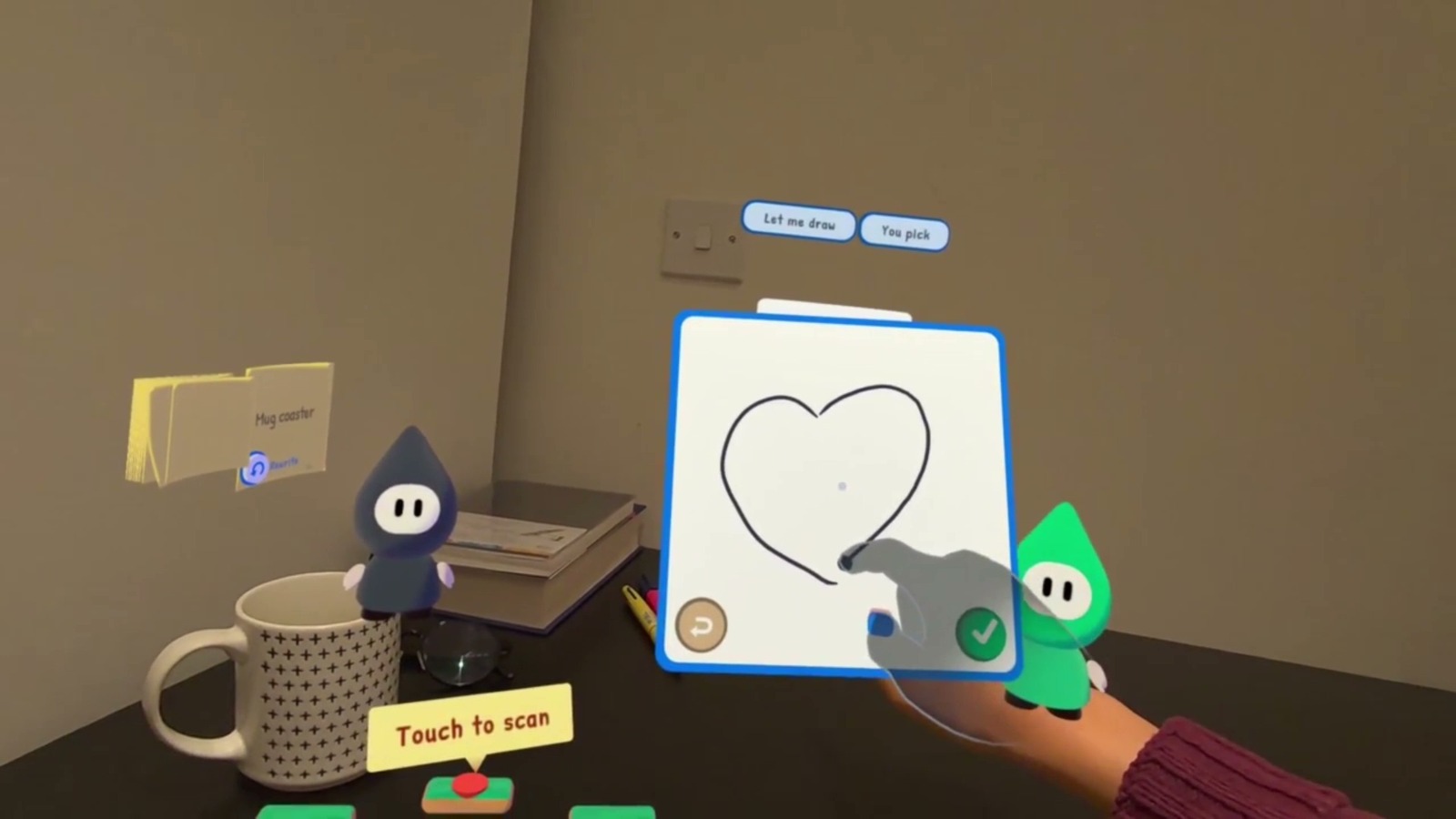
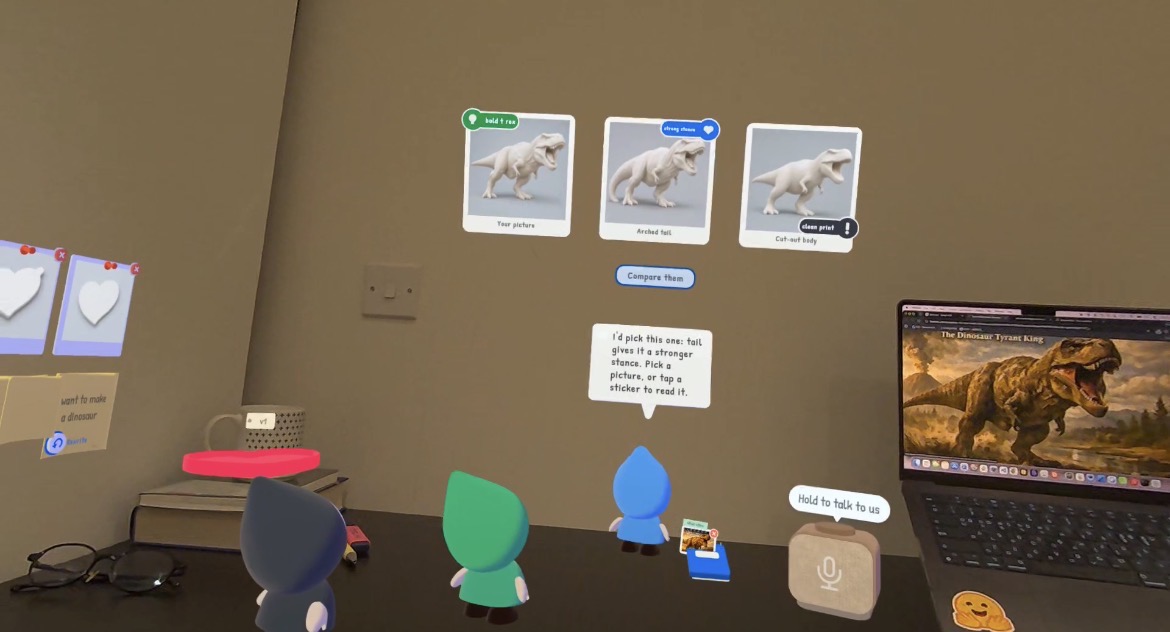
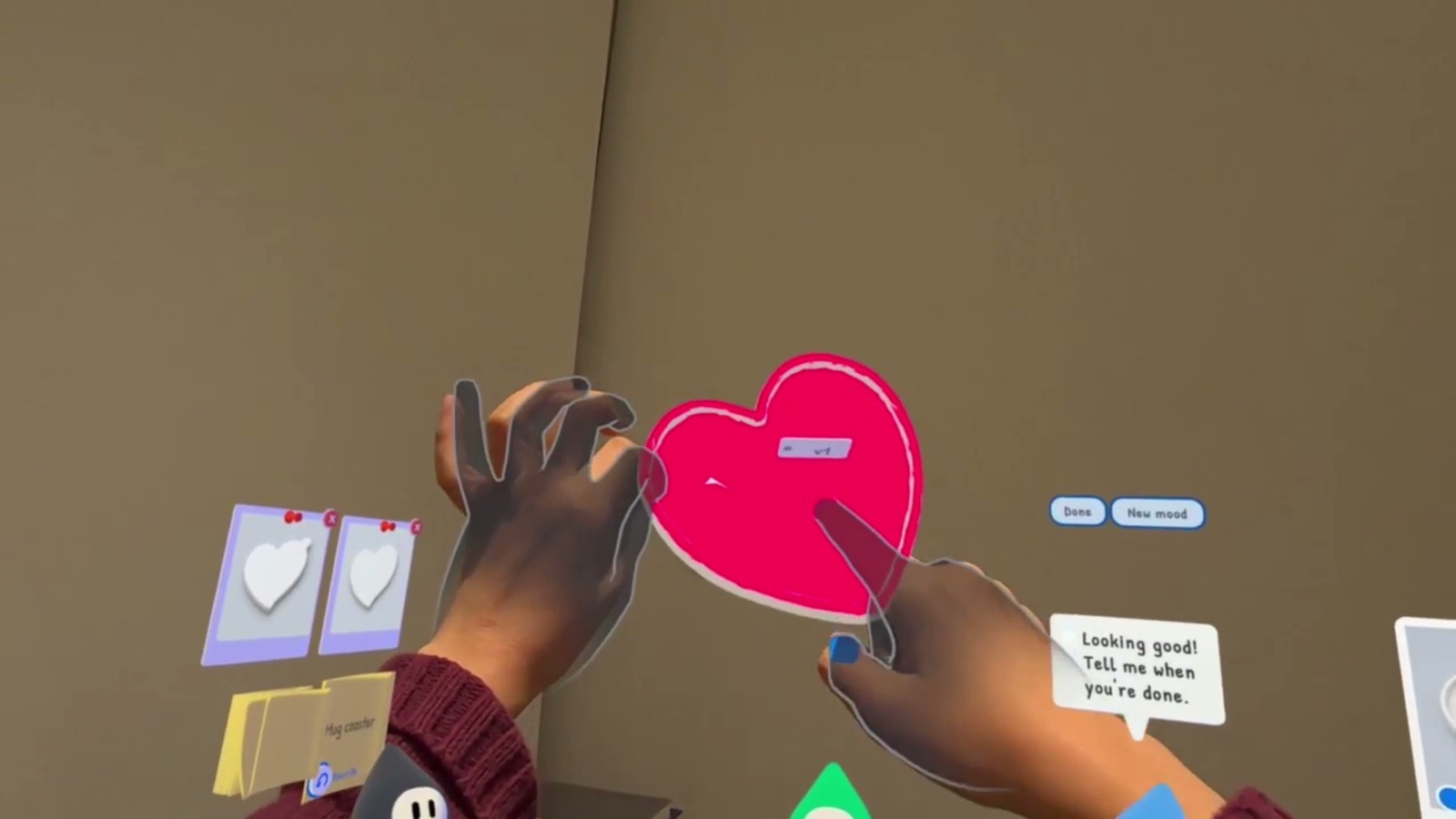
Talk through your ideas with the crew, draw directly in Maker's sketchbook using your fingertip, or capture references with Spark's frame, whether they're physical objects, sketches on paper, or images on a screen. Your crew turn these inputs into visual design concepts. You can compare directions, hear different opinions, and refine your idea together.
3. Design for the space where it will live
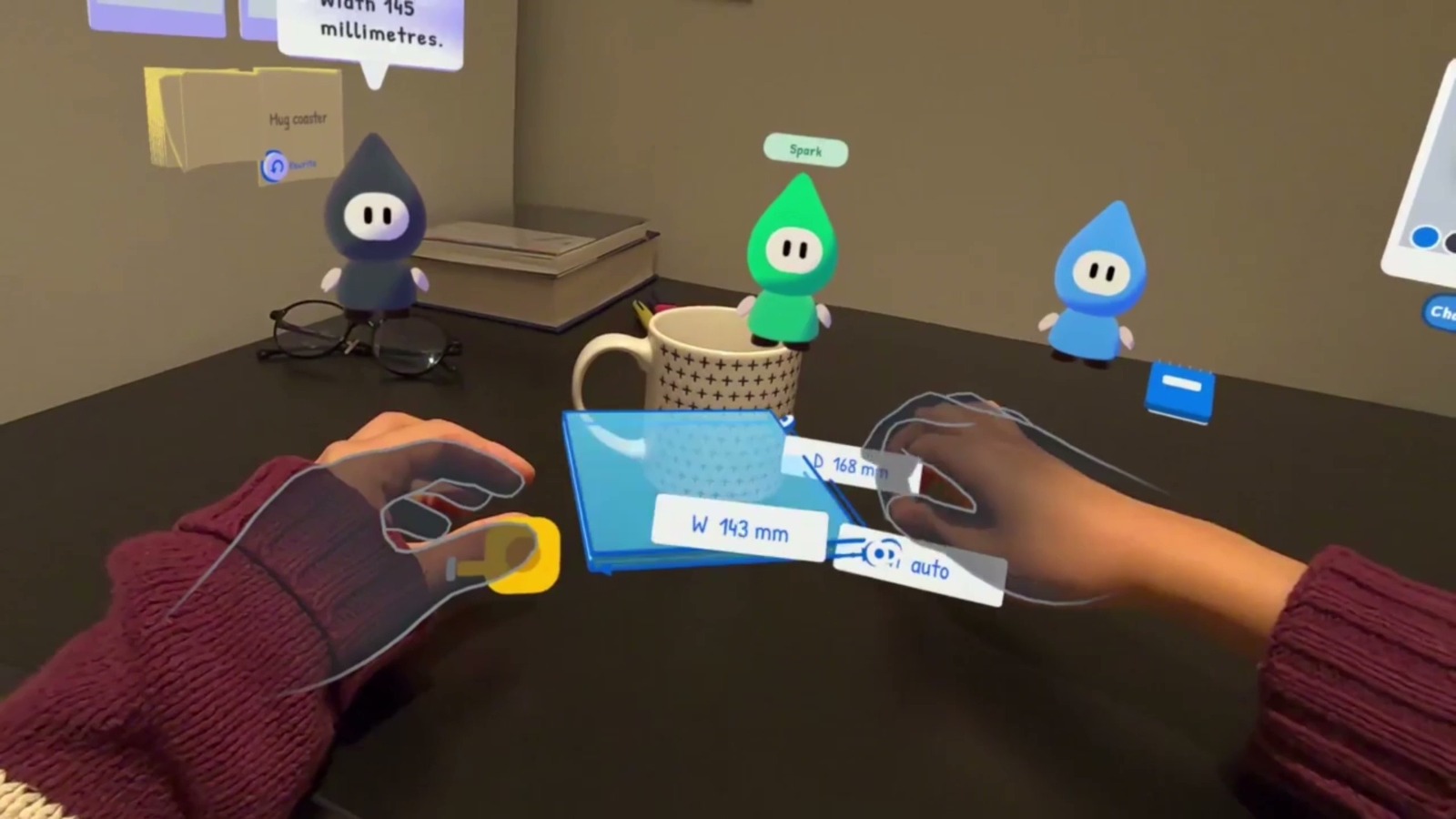
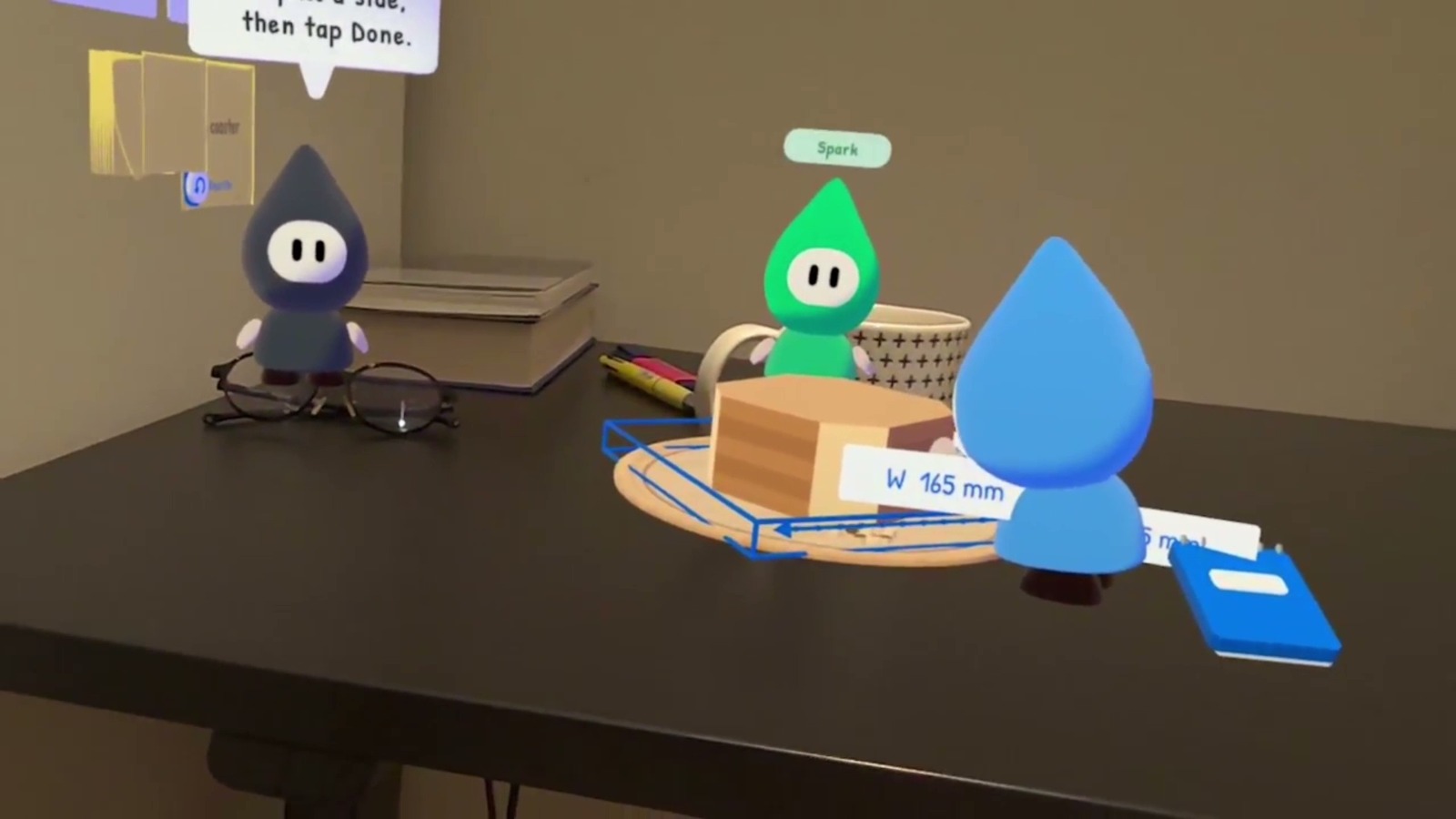
Fixer hands you a virtual tape measure. Stretch it between your hands to measure the space, and those measurements become an adjustable 3D box right on your desk. When you're happy with a concept, Maker begins carving a virtual wooden block while your 3D model generates. You can then place the model beside your real belongings, check its size, and make changes through conversation.
4. Make the design yours
Pick colors directly from your surroundings, dip your fingertip into a virtual palette, and paint onto your creation. You can also describe a style or provide a visual reference to explore different finishes.
5. Take your creation beyond VR
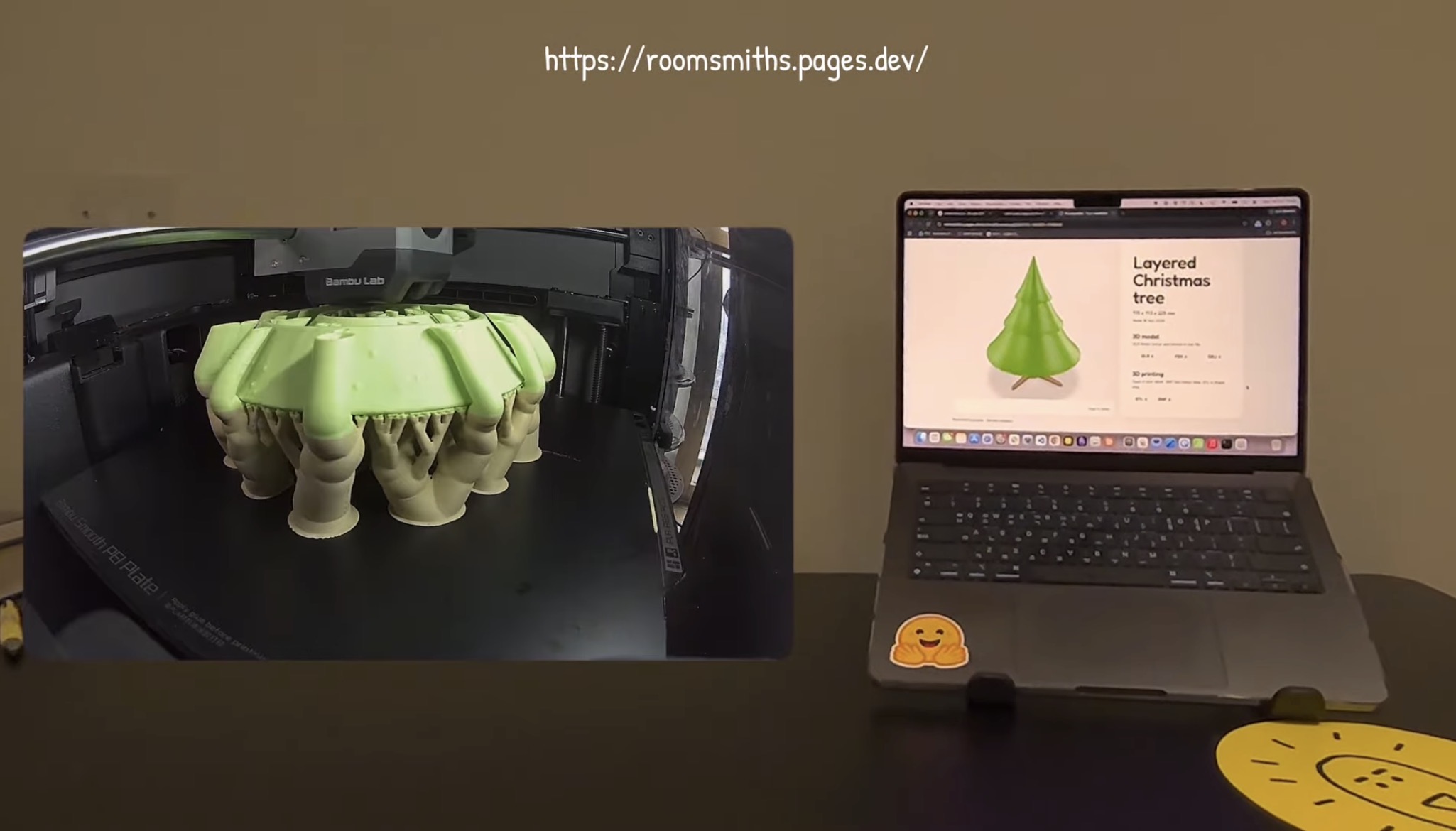
Before exporting, Fixer checks the geometry for potential printing problems, highlighting surfaces that may need support and walls that might be too thin. When you're ready, export your creation and receive a unique code. Enter it on our website to download STL, 3MF, or GLB files for 3D printing or further editing. The goal isn't just to generate a beautiful 3D model. It's to make something useful that belongs in your real space.
Why you'll come back
Not every idea needs to be finished in one session. Your sticky-note wall stays in your room, and Maker's notebook keeps your creations and their design histories. You can return to an unfinished design, try another direction, or improve something you've already made. Roomsmiths VR also has an offline collection mode, so you can capture ideas without an internet connection and bring them into your workshop later.
How we built it
We built Roomsmiths VR in Unity for Meta Quest 3 and 3S, using hand tracking, mixed reality, multimodal AI, and our own geometry-processing systems.
Three AI companions that act, not just talk
Our creative crew was inspired by the Six Thinking Hats method. Spark explores possibilities, Maker drives the design forward, and Fixer challenges ideas from a practical perspective. Each companion has its own personality, tools, and role in the creative process. We didn't want them to be three floating chatbots. Instead, the AI considers the current design and chooses structured actions that our app performs in the physical space. A companion might ask a question with tappable answers, attach an opinion to a design concept, walk over to vote for an option, compare its pros and cons, or suggest a change using a little flag. Their tools also reflect their personalities. Spark carries a magnifier, palette, and capture frame. Maker has a sketchbook and notebook. Fixer brings a tape measure and a 3D-printing checker. We spent a lot of time testing how they communicate inside the headset. Long AI responses quickly became tiring, especially when several characters spoke at once. So we limited their dialogue to fewer than 12 words per line and usually let only one companion speak at a time.
A hands-first workshop (Meta Interaction SDK)
We wanted interactions to feel as natural as working with real objects. Across the app, we use a consistent hand-interaction system: pinch to grab, touch with your fingertip, or aim and pinch to interact at a distance. On top of that, we implemented custom interactions for:
- Clapping to summon the crew
- Measuring distances by stretching a tape between both hands
- Sketching with your index finger and erasing with your thumb
- Painting directly onto 3D models using your fingertip
We also designed the tools around the characters instead of traditional menus. For example, open your palm and look at it, and Spark hands you the color palette.
Making the real room part of the design (MRUK, Passthrough Camera API, Depth API)
Your physical environment isn't just the background. It's part of how the app works. When Spark explores the room, we send a passthrough camera frame to a vision model, then check identified objects again using cropped, zoomed-in images. We combine the results with headset depth and MRUK surfaces to position virtual sticky notes beside the corresponding real-world objects. For color picking, we estimate the room's lighting from neutral surfaces in the camera frame and use that information to correct the sampled colors. Spatial anchors keep creations and sticky notes in their places between sessions.
Turning AI-generated models into editable parts
We use OpenAI for speech recognition, companion decision-making, and concept image generation. Meshy generates 3D models from the selected concepts. But generating a model is only the beginning. We wanted users to be able to edit meaningful parts of their creation, rather than regenerate the entire object every time they wanted to change something. To achieve this, we developed our own software rasterizer that renders the generated mesh from eight viewpoints. We pass these views to Meta SAM 3.1 for segmentation. The resulting masks vote on the original mesh triangles, allowing us to separate a generated object into meaningful parts, such as a handle, shade, or beak. Users can then paint individual parts or modify their shapes through voice commands, such as "make the beak longer," without generating a completely new model.
Making generated geometry printable, on-device
AI-generated meshes aren't necessarily ready for 3D printing. They can have open surfaces, disconnected geometry, or walls that are too thin. So we built our own on-device geometry-processing pipeline. We voxelize generated meshes and reconstruct them as watertight solids using surface nets and Taubin smoothing. We then export STL, color 3MF, and GLB files directly on the headset. We also developed a geometry-based print checker that doesn't rely on AI. Fixer analyzes the model and highlights two common problems:
- Red: Overhanging surfaces that may require supports
- Orange: Walls thinner than 1.2 mm that may be too fragile
Finally, Cloudflare Workers and Supabase connect the headset's export code to downloadable files on our website.
Keeping the experience responsive
We run heavy processing tasks on worker threads and use asynchronous GPU readback to avoid blocking the main frame loop. We also designed an offline fallback. When there's no internet connection, Roomsmiths VR skips the AI-powered room scan and switches to offline collection mode instead of leaving the user stuck.
Challenges we ran into
Long AI responses were tiring to read in a headset, and more suggestions made decisions harder. So each companion got one personality, one purpose and its own tools, and suggestions became things you can touch: sticky notes, design cards, a tape measure.
3D model generation takes around a minute, so we wanted to make that time feel meaningful rather than just showing a loading bar. We had Maker carve a virtual wooden block as the model generates, bringing a little sense of craftsmanship into the digital process.
Accomplishments that we're proud of
One of the most rewarding parts has been bringing to life the creative companions we'd always wished we had. We often get stuck in our own thoughts when developing ideas, so seeing Spark, Maker, and Fixer grow into companions with their own ways of helping has been incredibly exciting.
Not all of us are experienced 3D modelers, so being able to put on a headset, find inspiration in our own rooms, measure the objects around us, and create something for that space still feels a little magical.
What we learned
Good AI collaboration isn't about generating more ideas. It's about helping people turn ideas into action. We found that AI becomes much more useful when its suggestions connect to things people can directly manipulate. When Fixer asks, "How wide should it be?" you don't need to imagine a number or open another tool. You can measure the space with your hands and immediately see those dimensions take shape. Mixed reality works best when the physical world isn't something you escape from, but something you can create with.
What's next for Roomsmiths VR
- More direct 3D editing: Let users grab, stretch, and reshape individual model parts with their hands, not only through voice commands.
- Shared creations: Let people share their designs so others can adapt and remix them for their own spaces.
How to try it
- Device: Meta Quest 3 or 3S with hand tracking. No controllers required.
- Install: Use the Meta invite link under "Try it out."
- Before you start: Connect to Wi-Fi to use the AI features. Roomsmiths uses your Space Setup to find your desk and walls. If you haven't scanned your room, your headset will prompt you during the first launch.
- Offline mode: Without internet, Roomsmiths skips the AI-powered room scan and opens in offline collection mode.
- Download your 3D files: Open Maker's notebook and select Export, or ask Fixer to export your creation. Enter the unique code at roomsmiths.pages.dev to download your model.
Built With
- c#
- cloudflare
- javascript
- meshy
- metaquest
- metasam
- metaxrsdk
- mruk
- node.js
- openai
- supabase
- unity
