Inspiration
Video-call backgrounds usually replace your surroundings with a flat image. We wanted to make the space around you feel like a room you could actually direct, using iPhone Duo’s laptop pose as a camera preview and control deck.
What it does
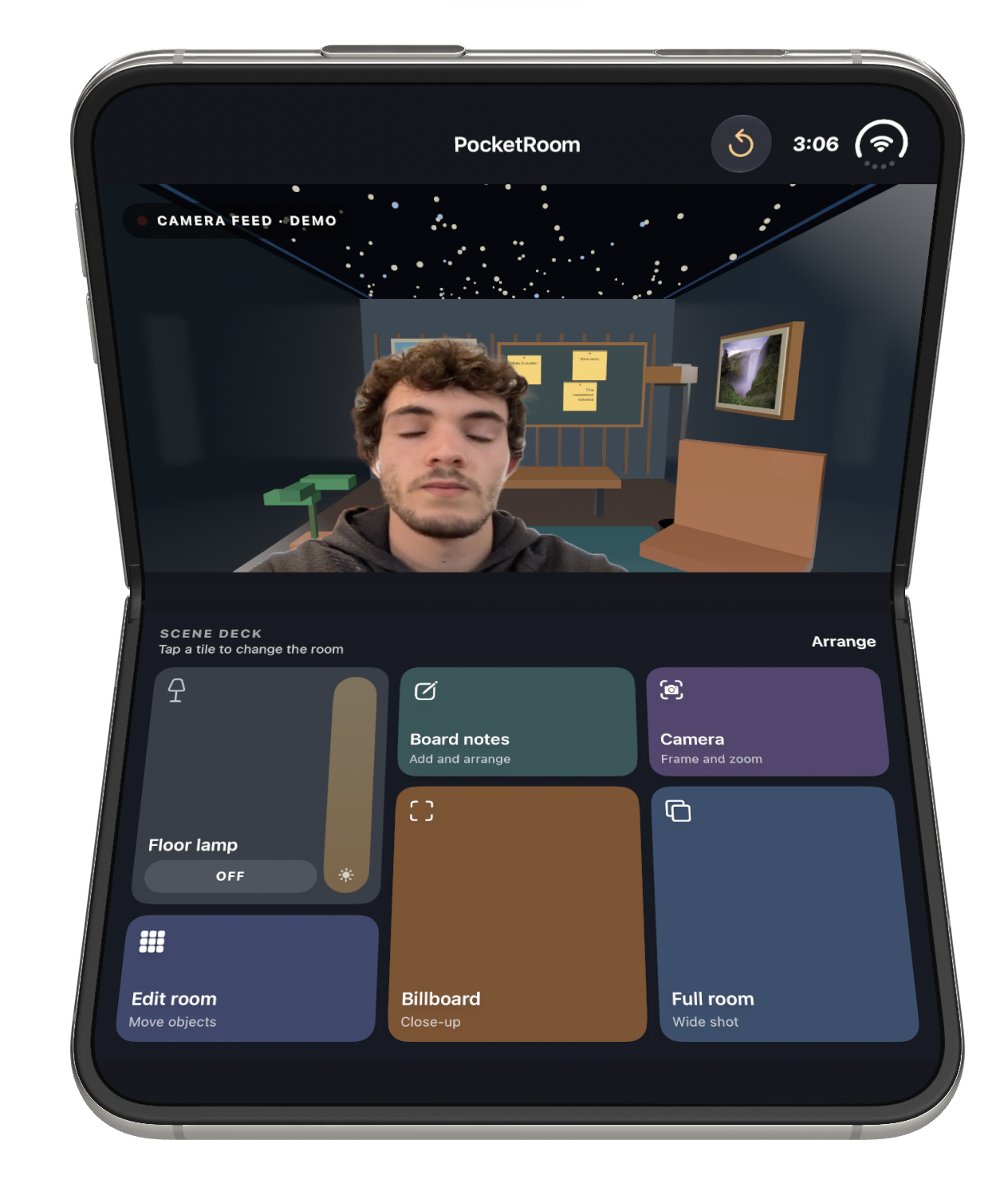
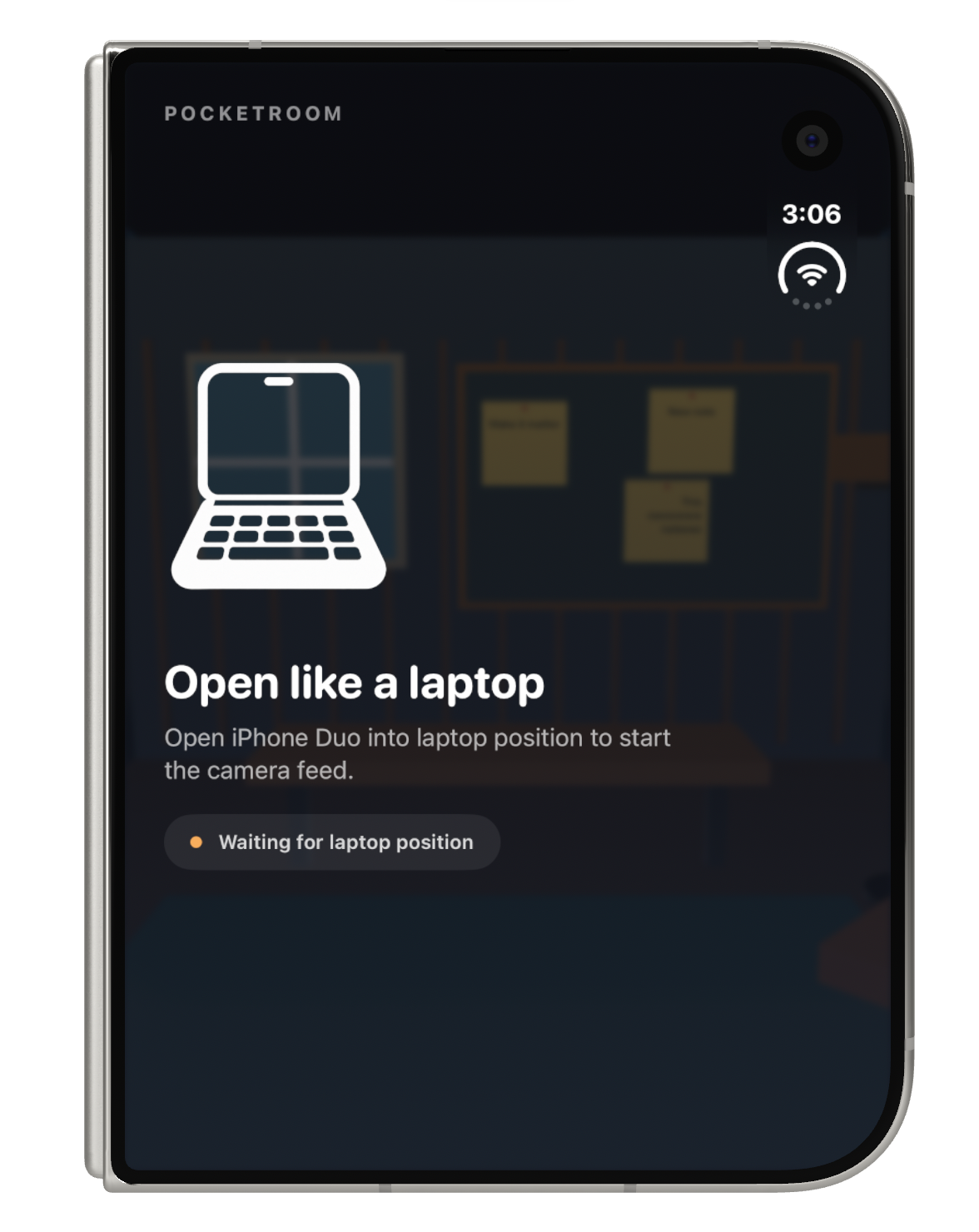
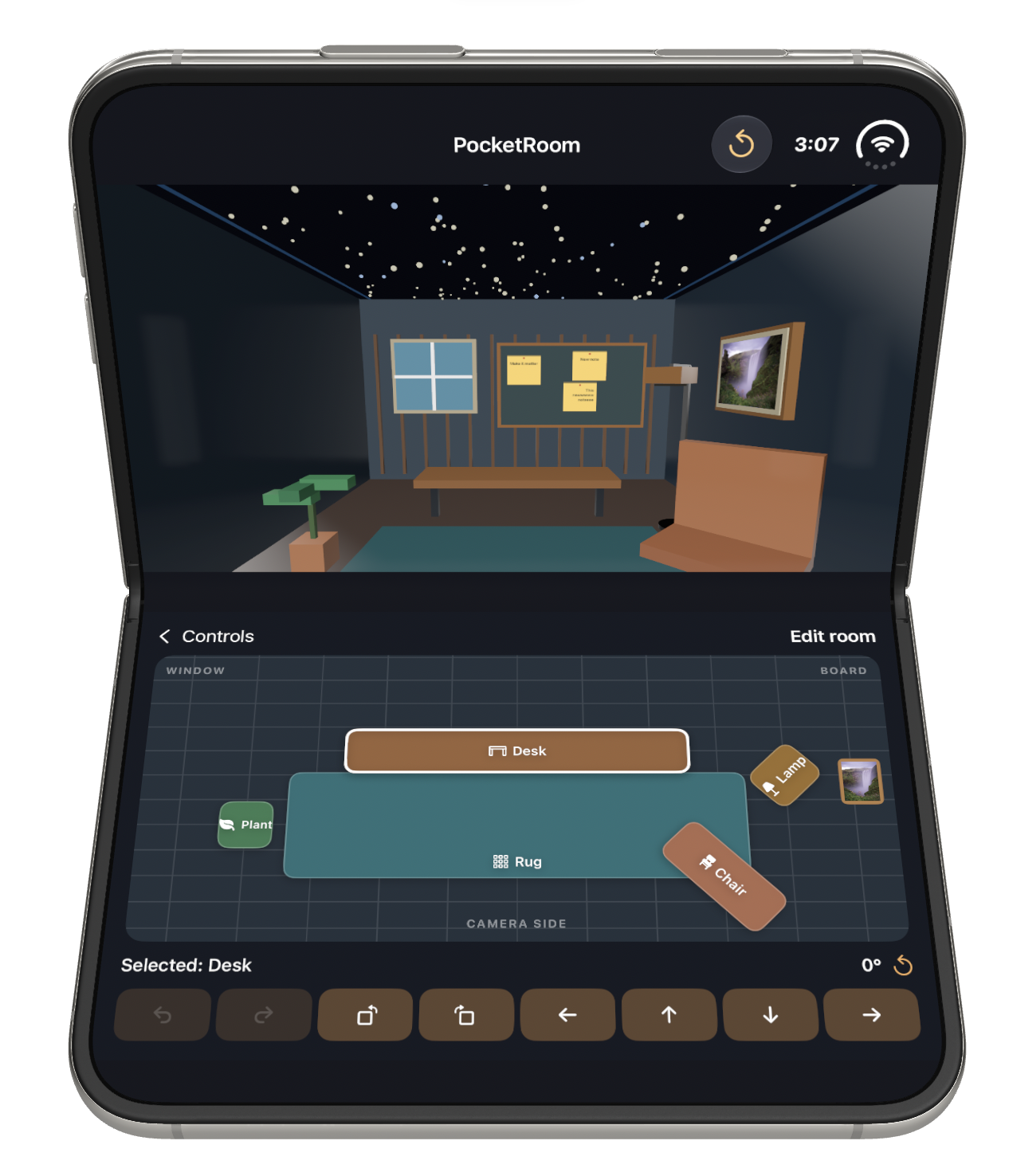
PocketRoom places a masked person in a customizable 3D room. You can switch between a full-room shot and a billboard close-up, arrange furniture in a 2D floor plan, rotate objects in 15° steps, add and style board notes, choose a photo for the wall, and move a floor lamp whose light follows it. Opening and closing the Duo changes the experience, while the hinge angle tilts the room’s point of view. The current camera preview uses a looping demo clip; live capture is a next step.
How we built it
We built the interface in SwiftUI and the room in RealityKit. ArrangementView adapts the preview and controls, while onHingeChange reads the Duo’s pose and angle. AVPlayer plays the demo clip, Apple Vision segments the person on device, and Core Image composites the result. The simulator uses masks generated from the same clip because it cannot run that segmentation model. PhotosPicker supplies wall images, and local storage preserves room edits.
Challenges we ran into
The simulator could not provide the camera feed or run the person segmentation model, so we needed a demo clip and prepared masks to develop the experience. Making the 2D editor match the 3D room, keeping the lamp’s lighting tied to its position, and making hinge movement feel responsive also took iteration.
Accomplishments that we're proud of
The room feels editable while you look at it: dragging an object in the floor plan changes its 3D position, rotating it updates both views, and the lamp lights its surroundings. We’re also proud of the board notes matching between the editor and billboard, and the distinct closed-screen and laptop-pose experiences.
What we learned
A foldable interface works best when layout and interaction have separate jobs. The layout adapts to the available space; the hinge angle becomes a creative camera control. We also learned how much a convincing virtual room depends on small details like lighting falloff, consistent editing views, and smooth camera transitions.
What's next for PocketRoom
Next we want to replace the demo clip with live camera capture, test the full flow on iPhone Duo hardware, and explore ways to use PocketRoom’s output in real meetings.
Built With
- bitrig

Log in or sign up for Devpost to join the conversation.