-
-
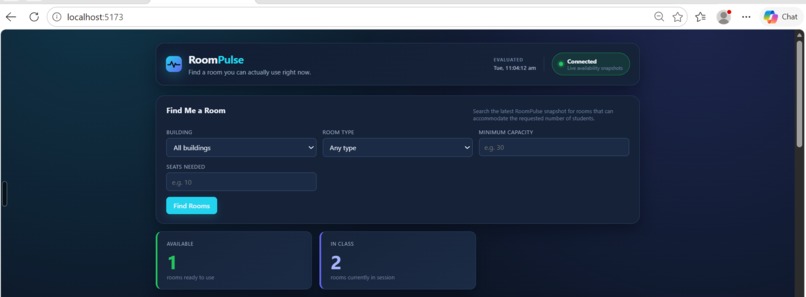
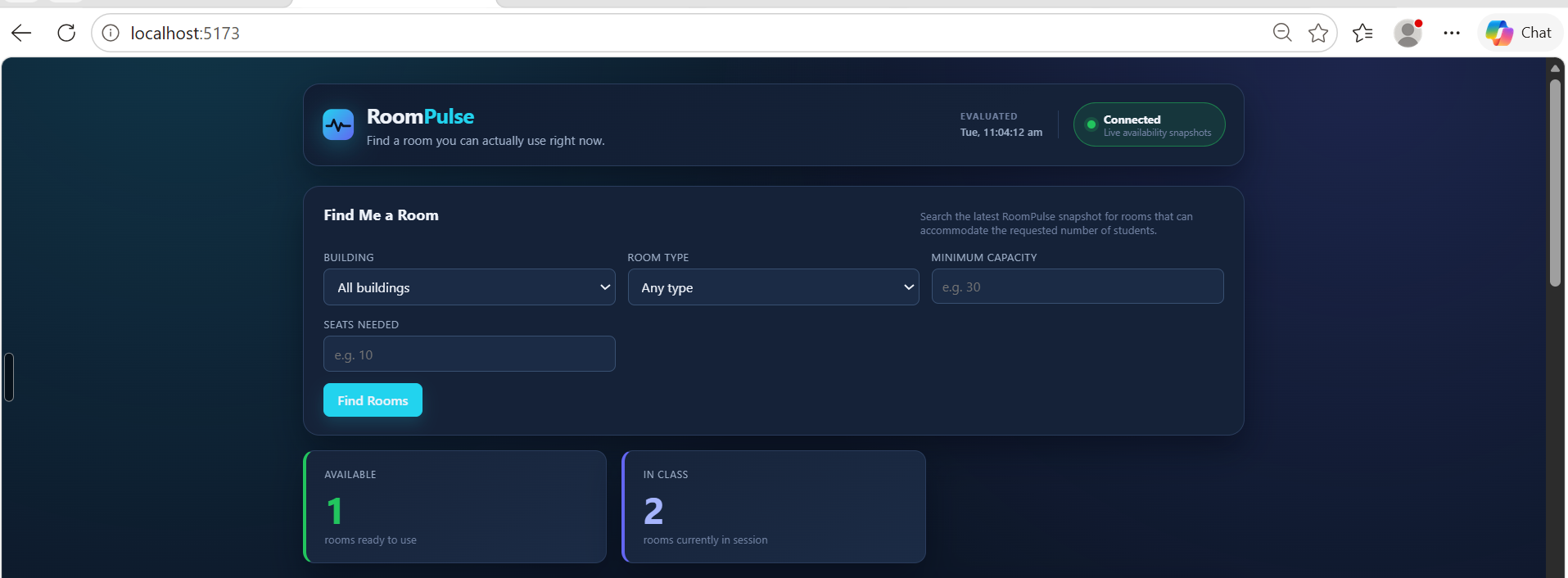
Find Me a Room — Find usable rooms based on building, room type, capacity, and seats needed.
-
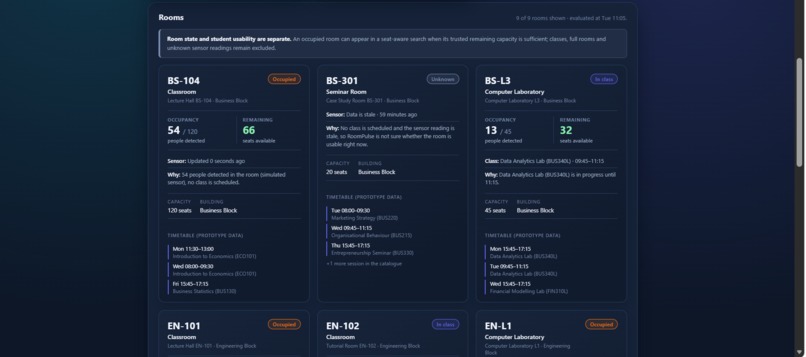
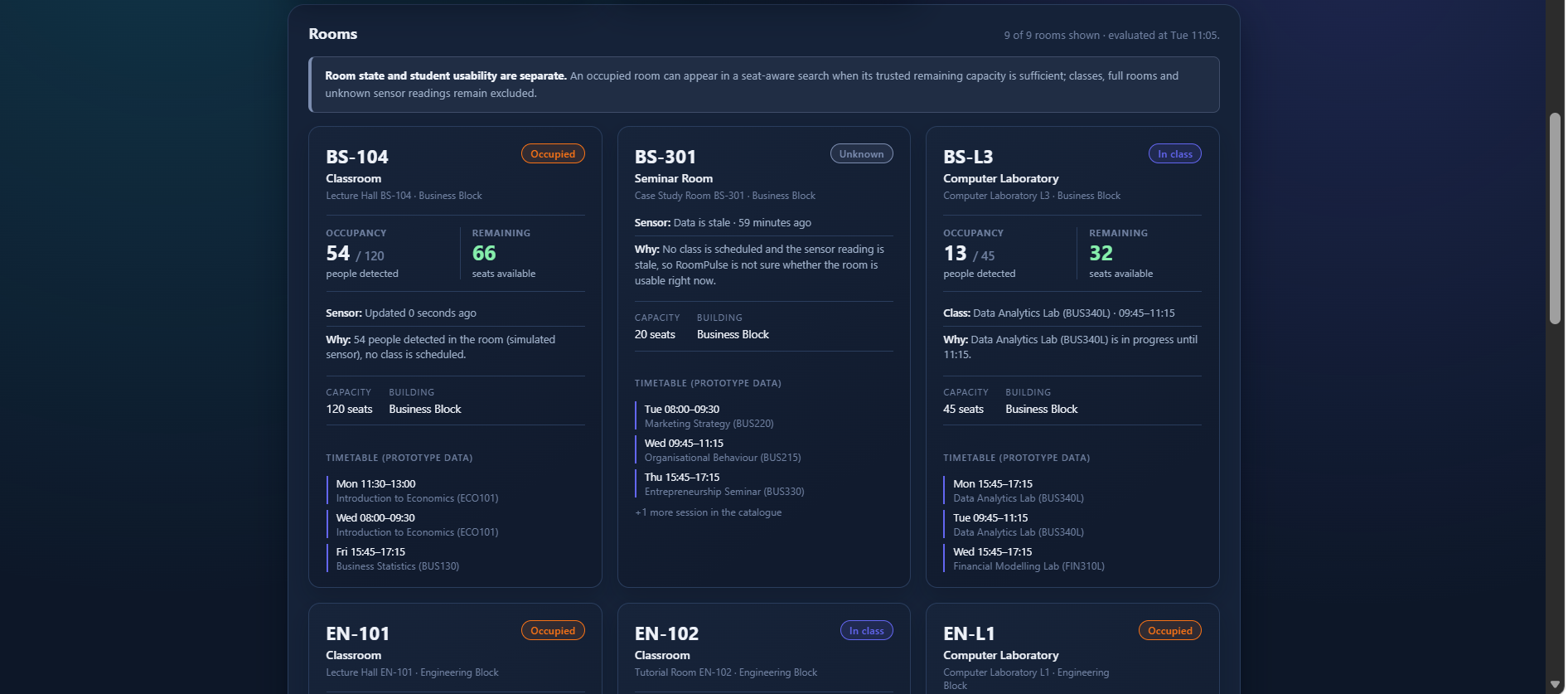
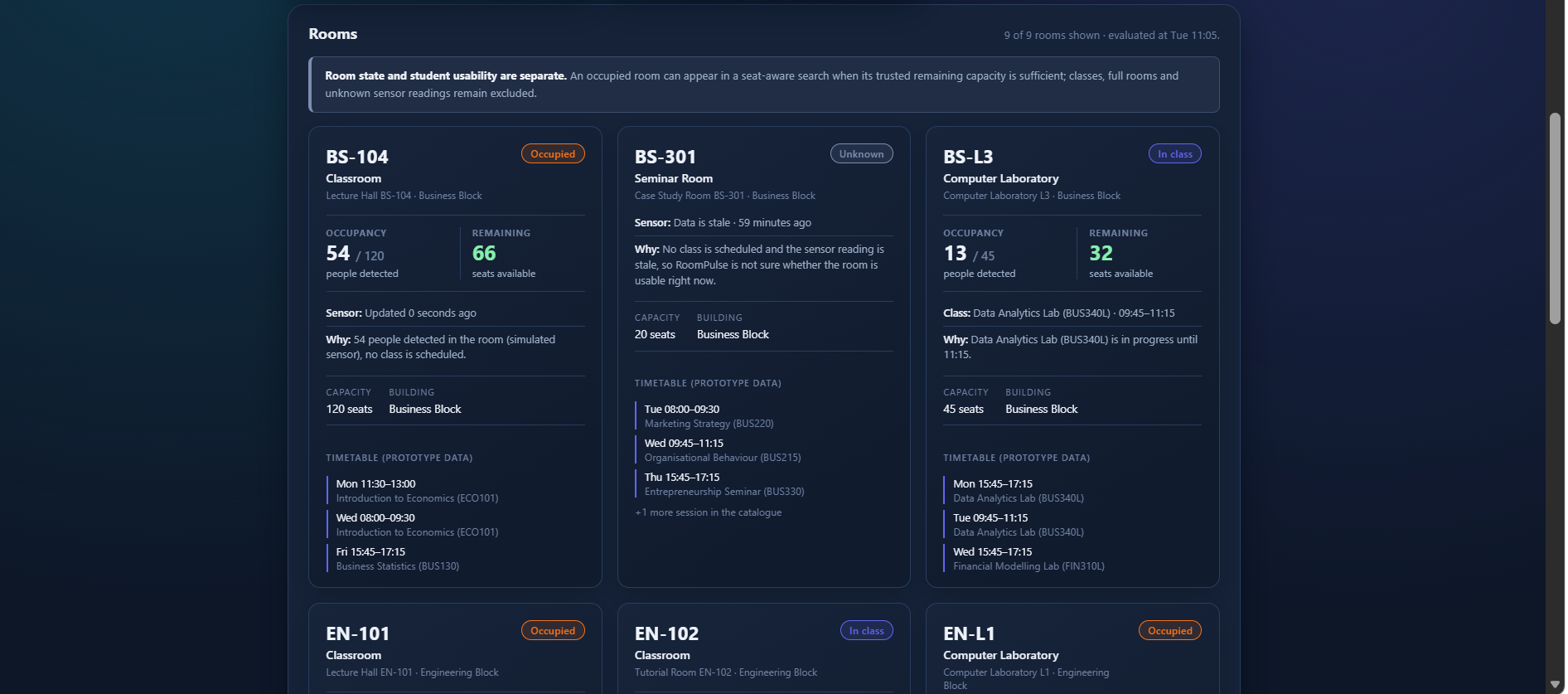
Real-Time Room Dashboard — Monitor live room status, occupancy, remaining capacity, and sensor freshness.
-
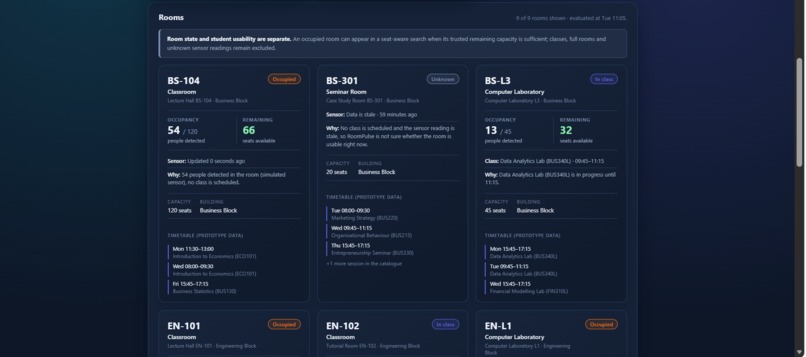
Room Statuses — Clear indicators for Available, In Class, Occupied, Full, and Unknown rooms.
Inspiration
As an FFCS student, I can see my own personalized timetable, but that does not always tell me what other student groups are doing with the same rooms.
If I need a classroom or laboratory right now, my timetable alone cannot tell me whether that room is actually usable. It could have another class, students already inside, insufficient remaining capacity, or stale occupancy information.
This led me to a simple question:
If I need a room right now, how do I know whether I can actually use it?
That question became the idea behind RoomPulse.
What it does
RoomPulse is a real-time campus room availability prototype that combines:
- Timetable information
- Simulated live occupancy
- Room capacity
- Sensor freshness
These inputs are evaluated by a deterministic availability engine to determine the current room state.
RoomPulse supports five states:
AVAILABLEOCCUPIEDIN_CLASSFULLUNKNOWN
The important part is that room state and student usability are treated separately.
For example, a room with a capacity of 120 and 54 people inside is still OCCUPIED, but it can be usable for a group of 10 because 66 seats remain.
The Find Me a Room feature considers the building, room type, minimum capacity, seats needed, remaining capacity, sensor freshness, and current room state.
The dashboard also receives live updates through WebSockets, so room information changes without refreshing the page.
How I built it
I built RoomPulse incrementally, starting with the basic application foundation and then adding the room catalogue and timetable, availability engine, occupancy simulation, sensor freshness, WebSocket updates, explainable room status, Find Me a Room, and capacity-aware usability.
The main technologies are:
- React + Vite for the frontend
- Python + FastAPI for the backend
- SQLite + SQLAlchemy for room and timetable data
- Python for the simulated occupancy system
- WebSockets for real-time updates
- pytest for testing
Challenges I ran into
One of the biggest challenges was handling time correctly.
The timetable needs to use the actual backend time so that a class is considered active only on the correct day and during its scheduled interval.
At the same time, the occupancy simulator uses accelerated time so that occupancy can change during a short demonstration.
Keeping these two concepts synchronized required careful separation of the timetable clock and simulator clock.
I also found a timezone-dependent issue in the occupancy simulation. I fixed the calculation so that the same timestamp produces deterministic simulator results regardless of the machine's timezone.
Another challenge was deciding what "available" actually means. I initially treated room availability mainly as a room state, but during development I realized that an OCCUPIED room can still be usable if enough trusted seats remain. This led to separating room state from student usability.
Accomplishments that I am proud of
I am proud that RoomPulse became more than a simple room-list or CRUD application.
The final prototype includes:
- A deterministic multi-input availability engine
- Real-time WebSocket updates
- Simulated changing occupancy
- Sensor freshness and stale-data handling
- Capacity-aware room usability
- Explainable room status
- A student-focused Find Me a Room feature
- Automated tests covering the major system behaviours
The final backend test suite contains 54 passing tests.
Most importantly, I was able to take a problem from my own student experience, break it into stages, implement each part, test it, debug real issues, and bring everything together into one working prototype.
What I learned
This project taught me how different real-time inputs can be combined into a deterministic system instead of simply storing and displaying database records.
I learned about:
- Real-time WebSocket communication
- Sensor freshness and stale data
- Time-dependent system behaviour
- Capacity-aware filtering
- Deterministic availability rules
- Testing edge cases
- Separating physical room state from user-facing usability
I also learned that seemingly small details such as time zones and stale data can significantly affect a real-time application.
What's next for Room Pulse
RoomPulse is currently a prototype, so occupancy is simulated and the timetable uses prototype seed data.
The next step would be connecting the system to real campus infrastructure, such as:
- Actual occupancy sensors
- Institutional timetable data
- Faculty reservation systems
- Authenticated student and faculty workflows
- A production database and deployment
The existing availability engine is designed so these real data sources could eventually replace the simulated inputs without changing the core student-facing idea.
AI Usage
AI tools were used throughout development for coding assistance, debugging, testing, architecture review, and documentation.
The project was developed iteratively, with the implementation reviewed, tested, manually verified, and refined by me throughout the development process.
Built With
- fastapi
- pytest
- python
- react
- sqlalchemy
- sqlite
- vite
- websockets

Log in or sign up for Devpost to join the conversation.