-
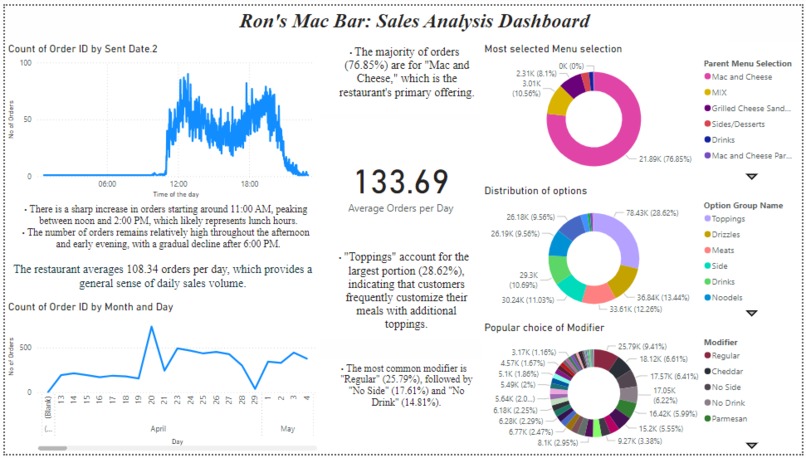
Photo of the DashBoard
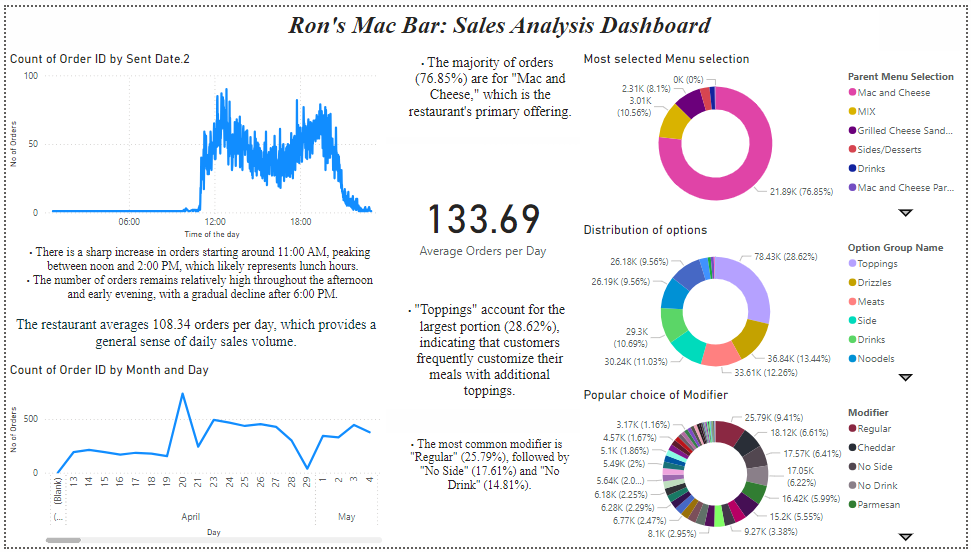
Inspiration
We were inspired by the need to provide Ron's Mac Bar with a clear, data-driven view of its sales performance. The goal was to help the business make informed decisions about menu offerings, peak sales times, and customer preferences. By visualizing key metrics, we aimed to optimize operations and enhance customer satisfaction.
What it does
The dashboard tracks and visualizes essential sales metrics, including: Order Volume: Displays the count of orders by time of day and by date. Menu Preferences: Highlights which menu items are most popular, with a breakdown by category. Modifiers: Shows how often customers customize their orders with toppings, drizzles, or other options. Daily Average Orders: Provides a quick snapshot of the average number of orders per day. This allows Ron's Mac Bar to identify peak hours, popular menu items, and customization trends.
How we built it
We used Power BI to build this dashboard. The process involved: Data Import: We imported sales data from the restaurant's order system. Data Transformation: Using Power BI’s Power Query editor, we cleaned and transformed the data into usable formats. Visualization: We created various charts (line graphs, pie charts, and donut charts) to represent different aspects of the sales data. Interactivity: Filters and slicers were added to allow users to drill down into specific time periods or menu categories.
Challenges we ran into
Data Cleaning: Ensuring that all data was clean and structured properly for analysis was time-consuming. Real-Time Data Updates: Implementing real-time updates for accurate insights required careful configuration of data refresh settings in Power BI. Balancing Detail with Simplicity: We had to strike a balance between providing detailed insights and keeping the dashboard user-friendly.
Accomplishments that we're proud of
Successfully creating an intuitive dashboard that provides clear insights into daily operations. Enabling Ron's Mac Bar to better understand customer preferences and optimize their menu based on data. Building a tool that can be easily updated and scaled as the business grows.
What we learned
The importance of understanding the end-user’s needs when designing dashboards. How to effectively use Power BI’s advanced features like filters, slicers, and custom visuals for better interactivity. The value of iterative design—testing with users helped refine the dashboard for optimal usability.
What's next for Roni's Challenge: Dashboard Building for Business Insights
Predictive Analytics: Implementing machine learning models within Power BI to forecast future sales trends based on historical data. Customer Segmentation: Adding features that segment customers based on order history or preferences for targeted marketing. Mobile Optimization: Ensuring that the dashboard is fully optimized for mobile devices so managers can access insights on-the-go.
Built With
- jupyter
- powerbi
- python


Log in or sign up for Devpost to join the conversation.