

Inspiration
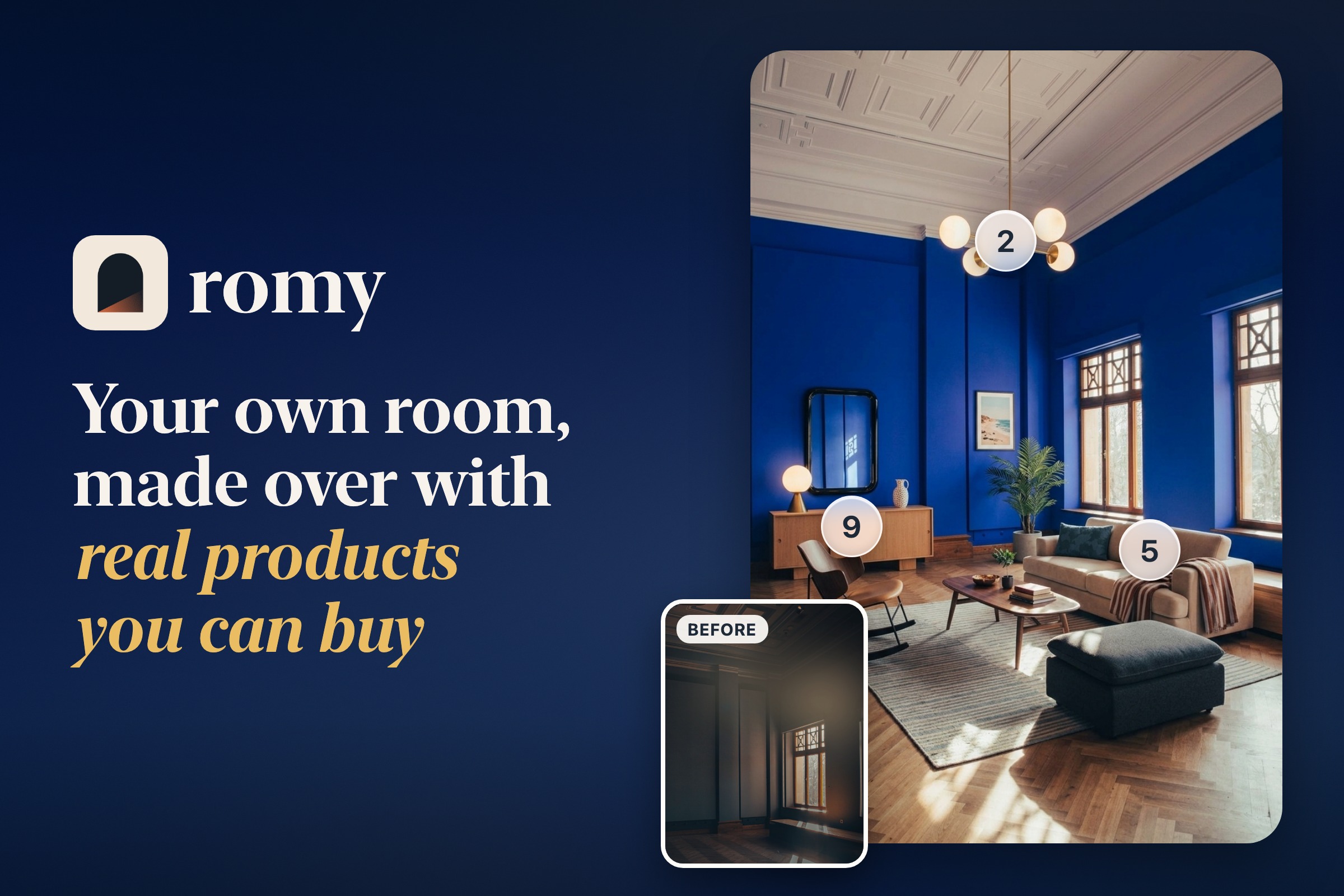
After 5.5 years leading mobile at Photoroom, it was the right time for me to start a new chapter and build something of my own, something that would help people. So this summer, I started thinking about ideas, and around the same time, I wondered what I could do with the messy room next to my office. Every AI app I tried generated virtual furniture that I couldn't buy. That's how romy was born.
What it does
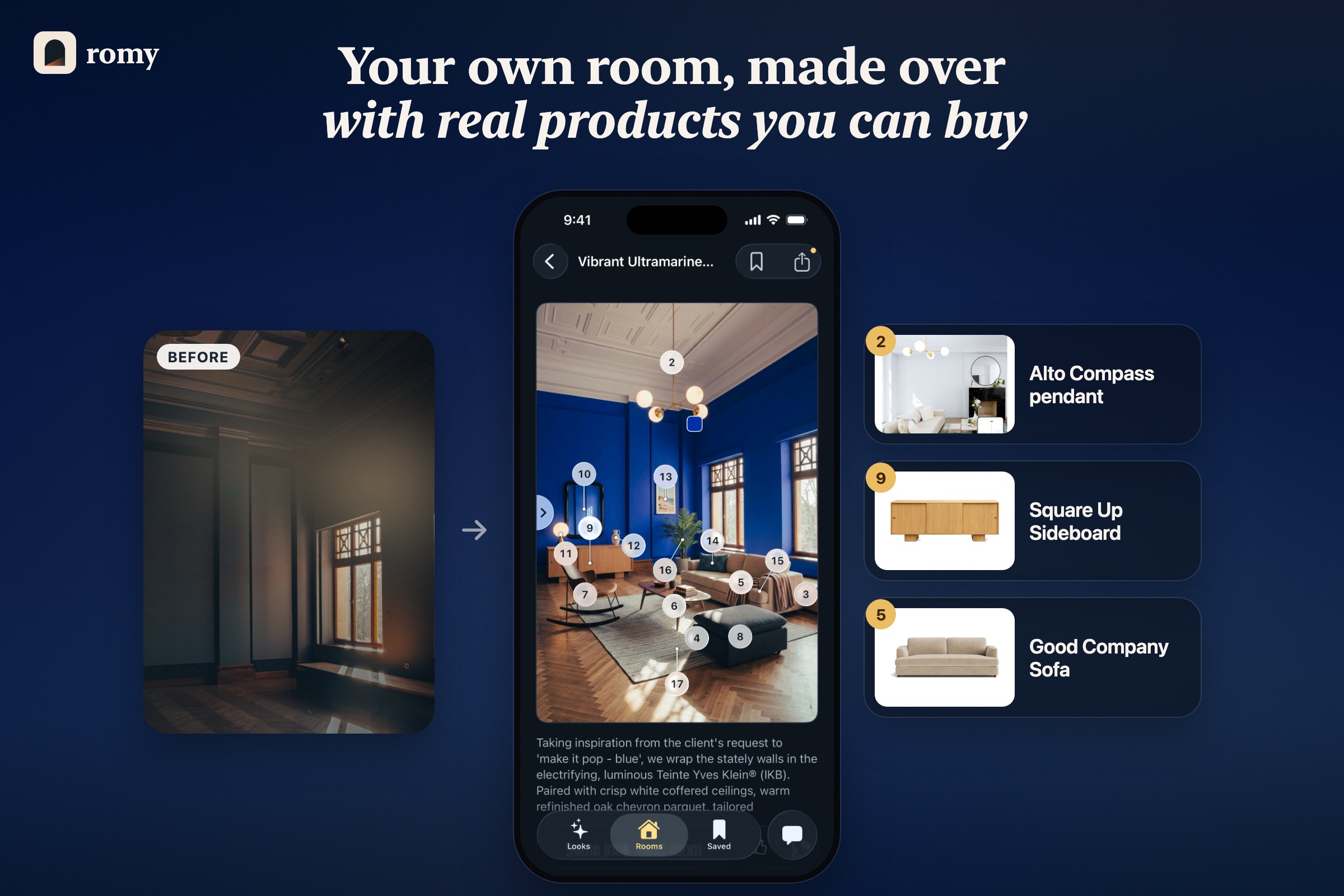
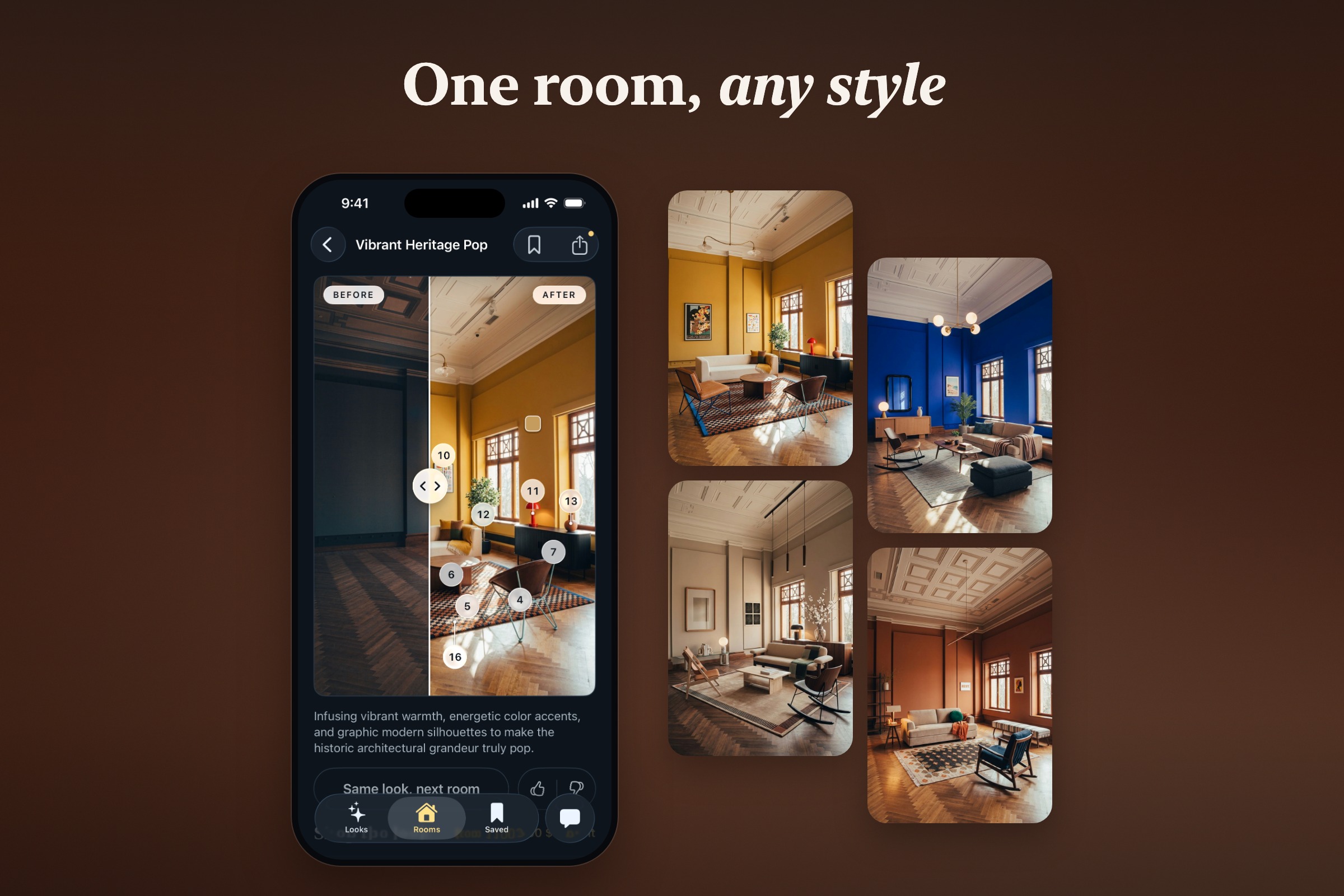
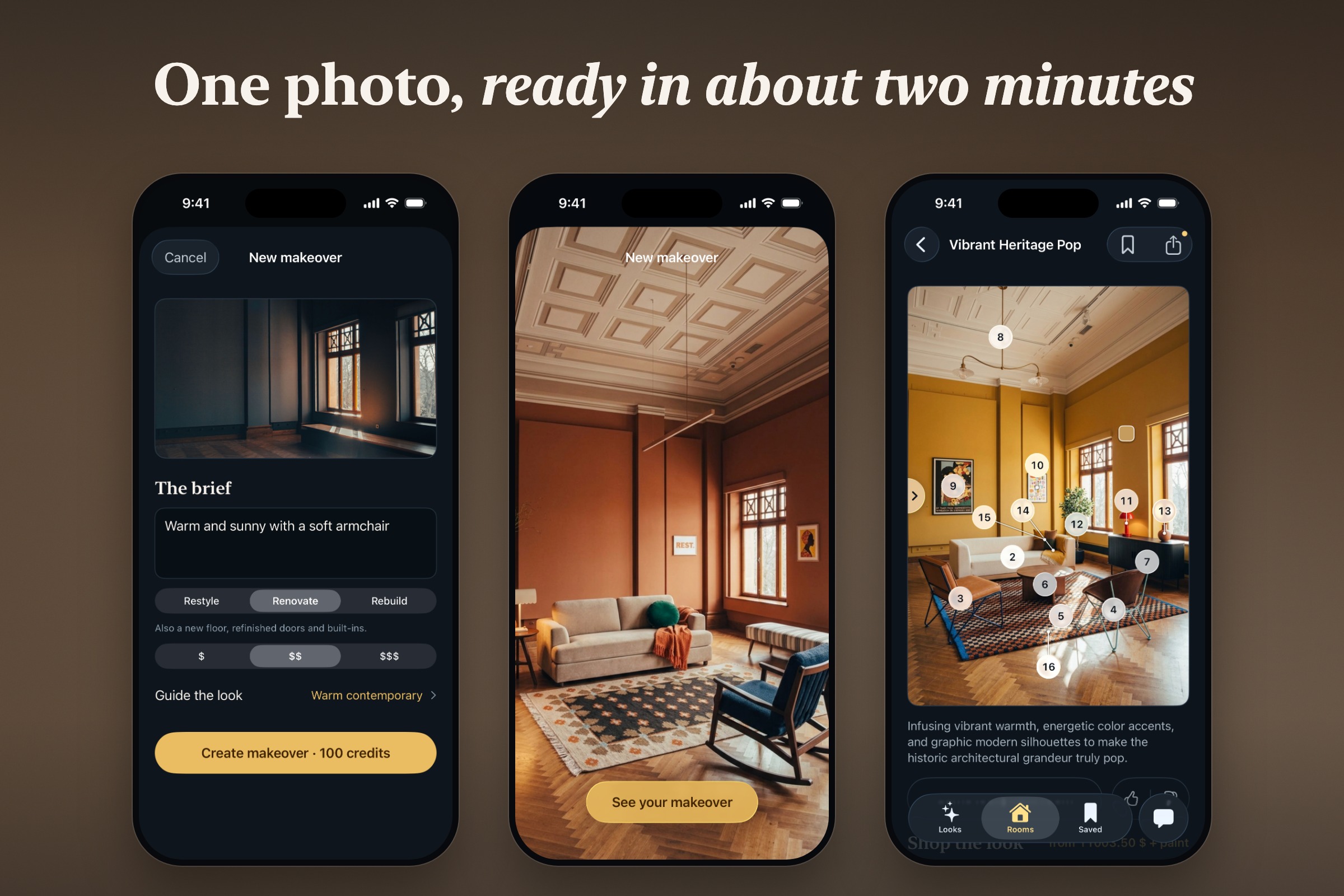
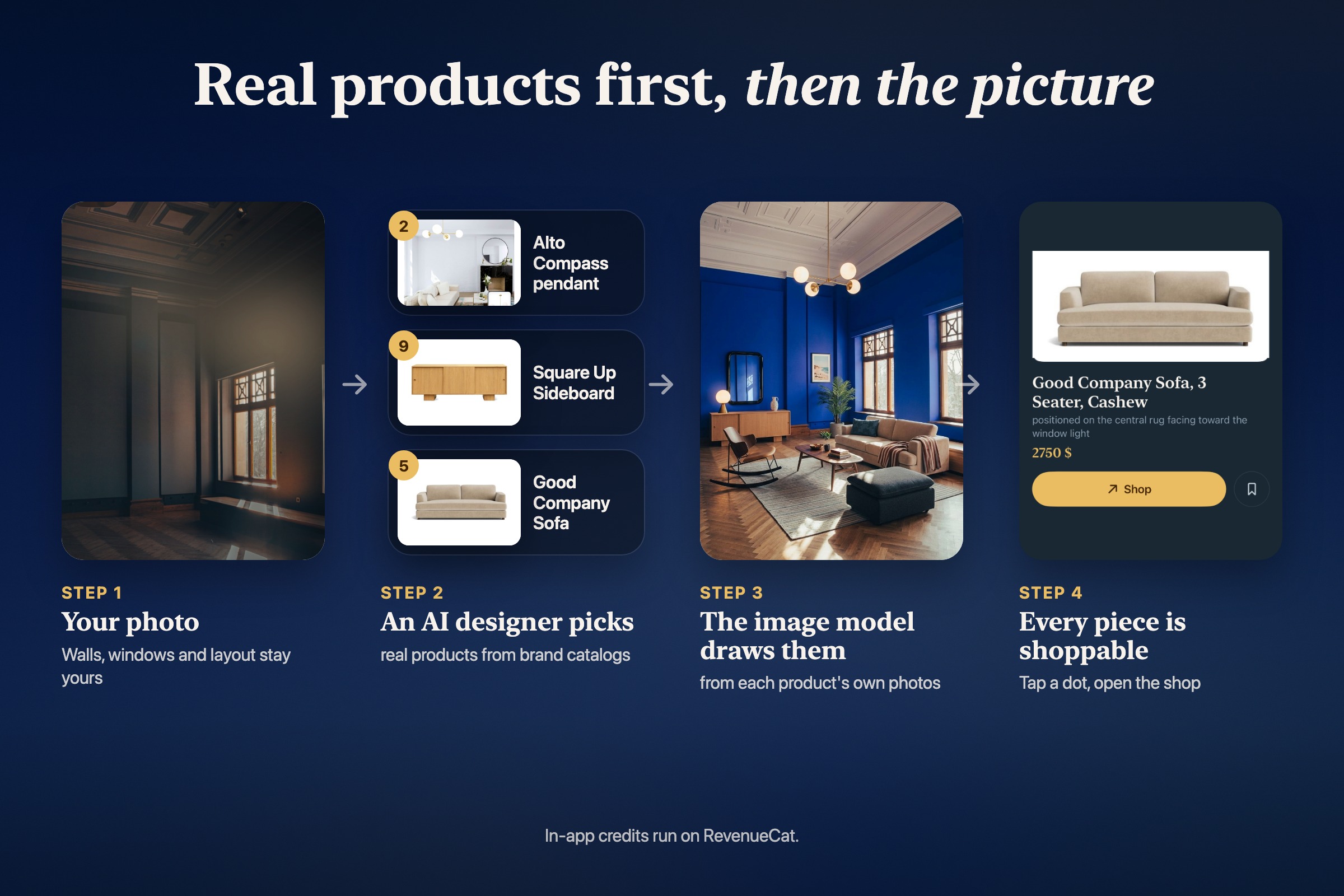
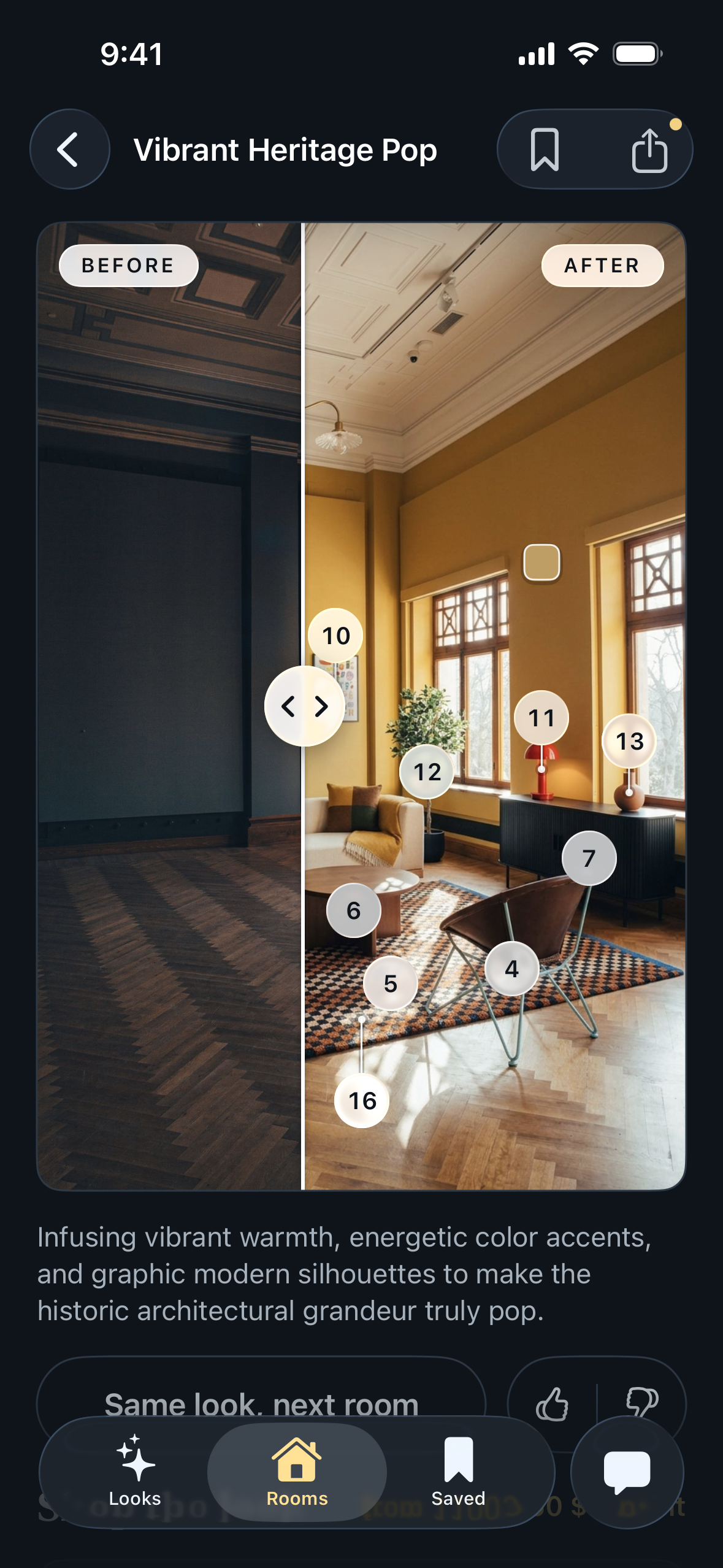
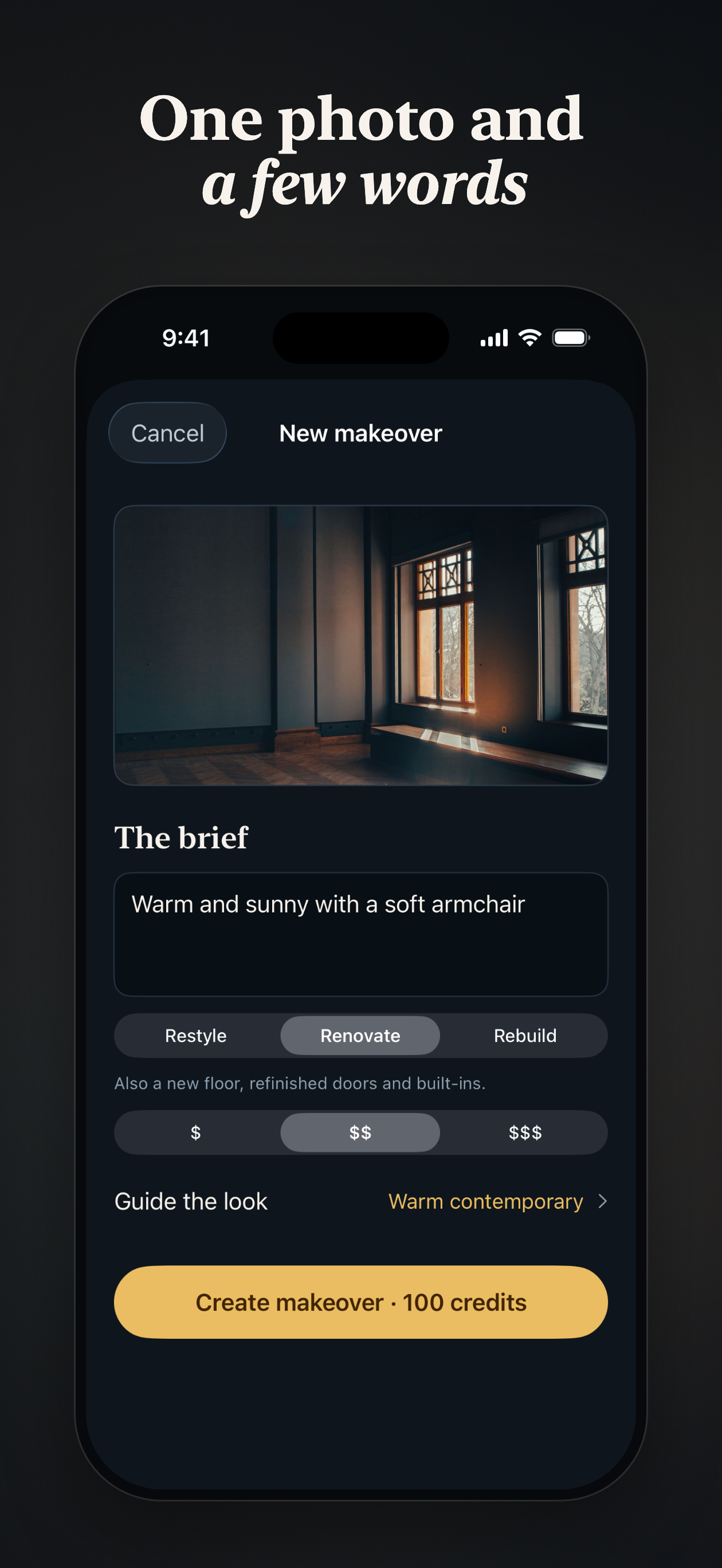
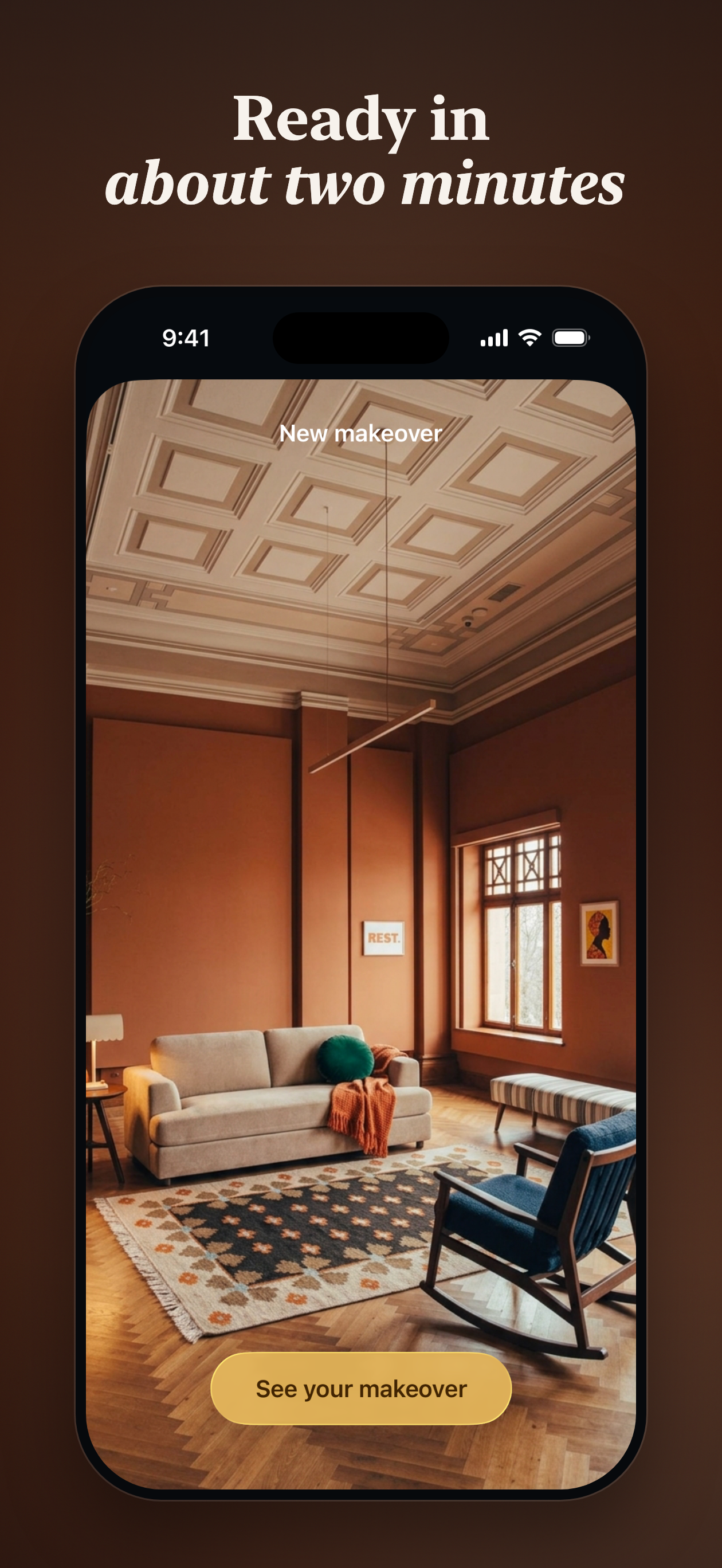
romy helps you restyle, renovate, or rebuild your rooms. You start with a picture of your room, pick a style or describe what you want, select a budget, and romy takes care of the rest. It generates a picture of your room redecorated, with items that you can actually buy.
Features:
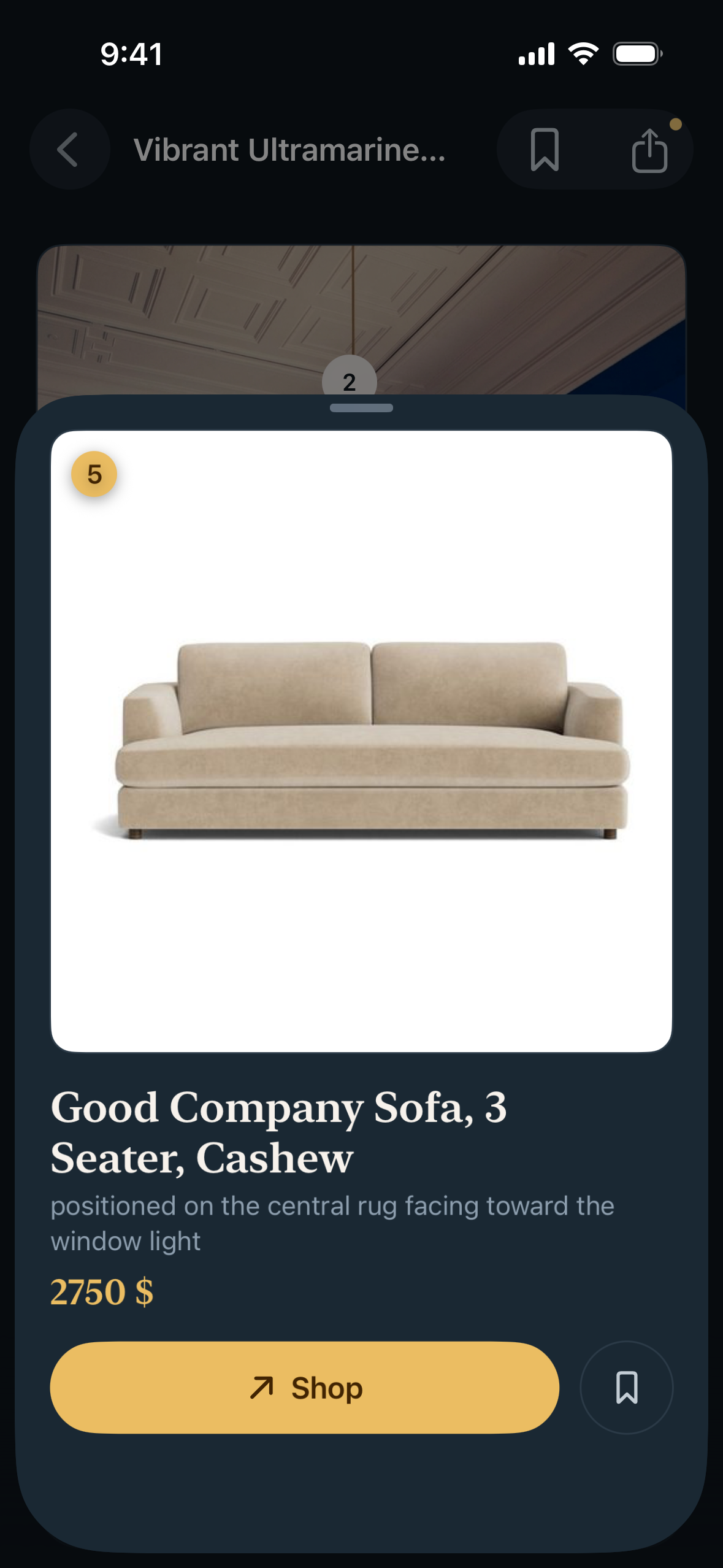
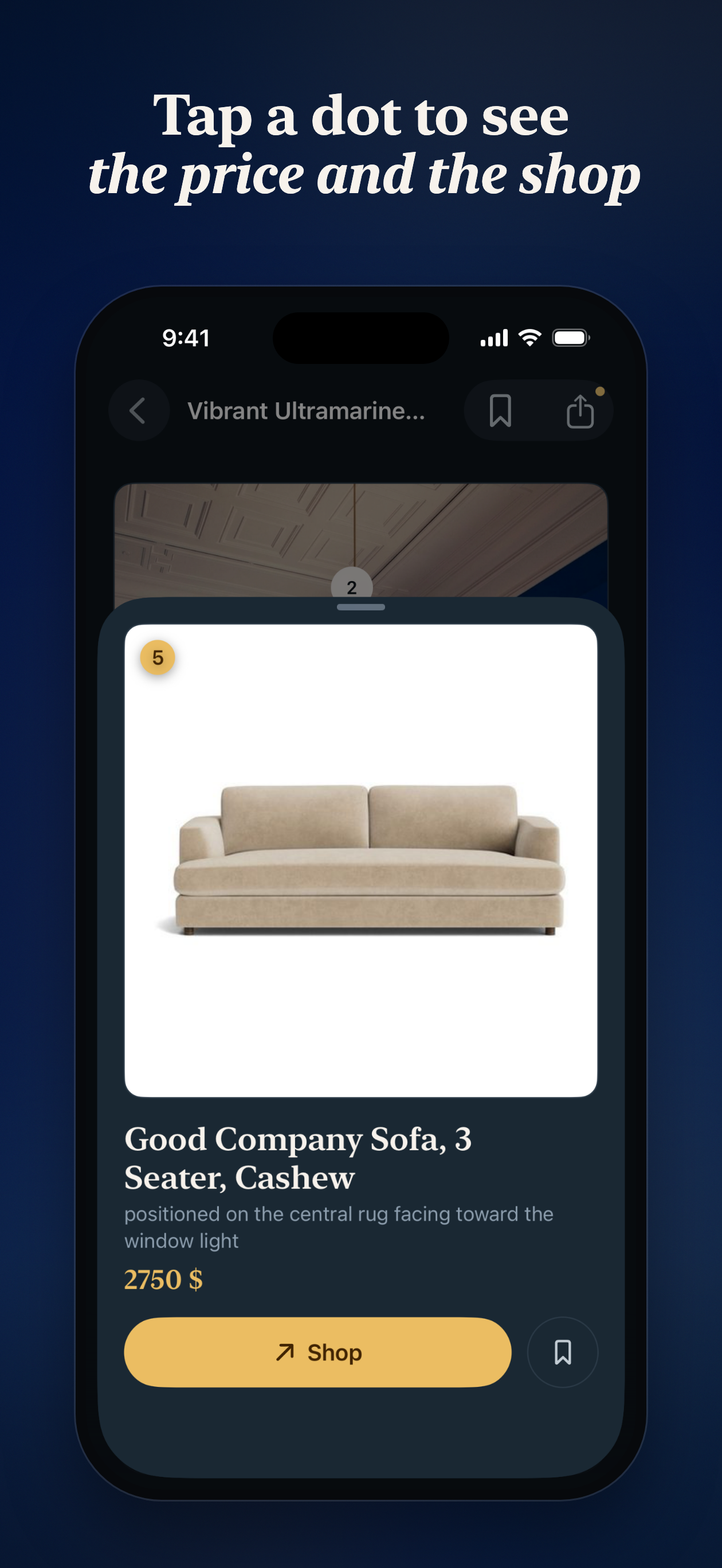
- Tap any item in the picture to see its price and buy it
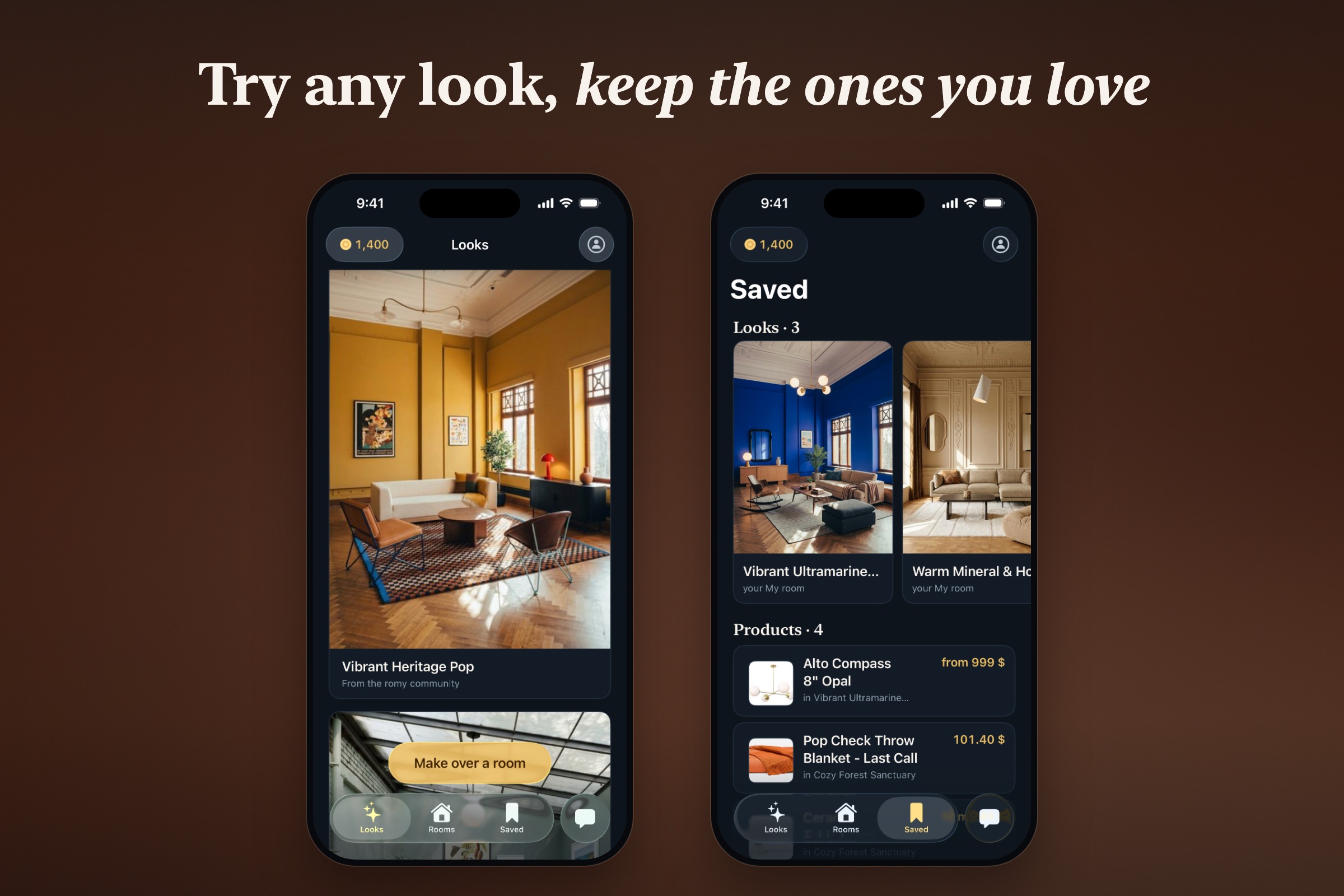
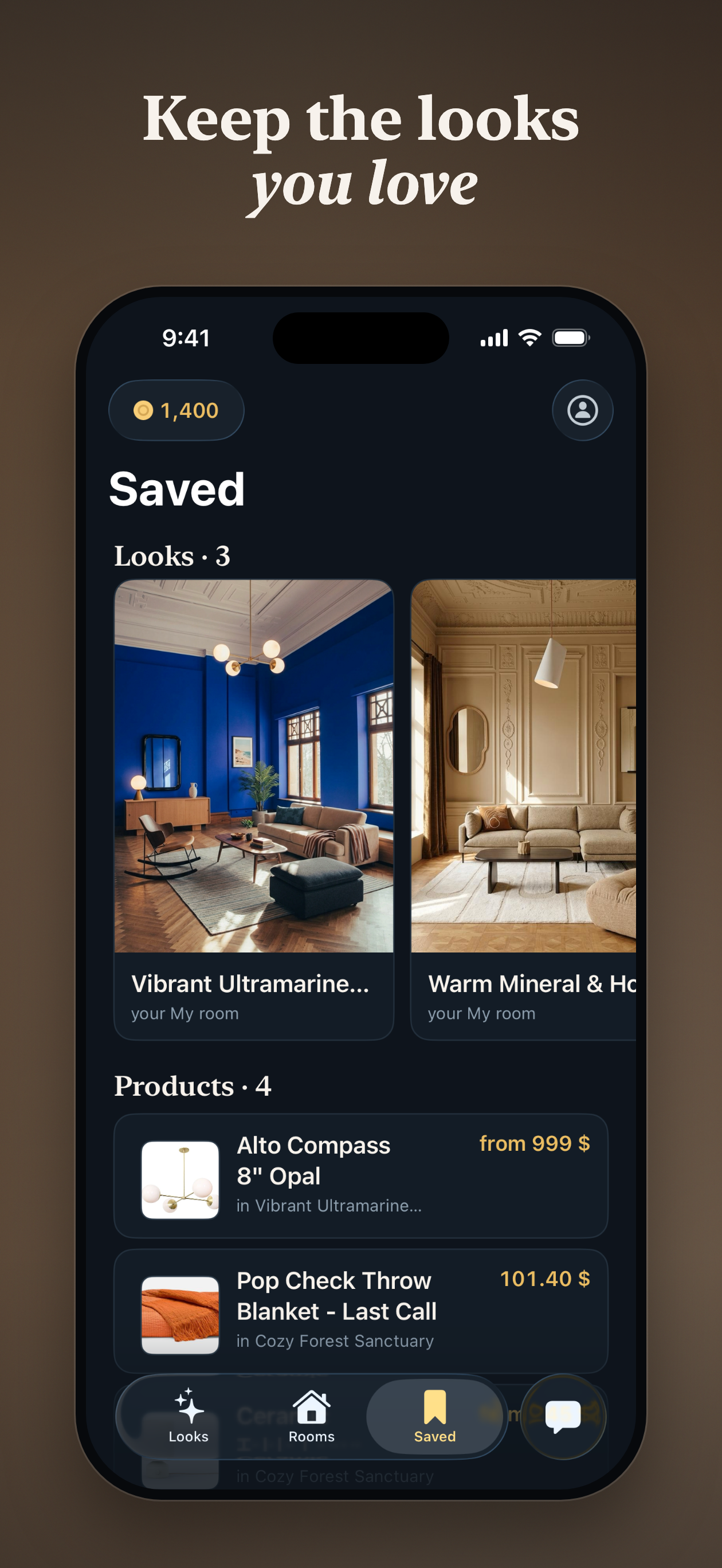
- Save Looks and products
- Browse curated Looks to get inspiration
- Apply a Look to your own picture
- Share your makeovers with a public link
New accounts get free credits for one full makeover, then credits come in packs and monthly plans through RevenueCat.
How I built it
I did most of the work in about a month, alone with Claude Code. romy has 3 core parts: the catalog, the renderer, and the apps.
The catalog
For the catalog, I've built a system that ingests products from brands' websites, with a CMS to manage the products, what goes live for which country, what to retire, etc.
On the tech side, this has been built with:
- Supabase: Postgres for products, Storage for product photos
- Gemini Flash to read the product pages and fill in the facts
- Next.js on Vercel for the CMS
The renderer
The renderer is the central part of romy. It takes a picture of a room, a style, a budget, and a prompt as inputs, and generates an image with the highest possible fidelity. The key rule: the AI picks real products first, then the image model draws them; this avoids the system inventing furniture. Then, a judge model rates the image and requests changes if needed.
On the tech side, this has been built with:
- Python worker on Modal with FastAPI endpoints
- Gemini Flash to pick the products, and a second Gemini Flash call that judges the render
- Gemini Flash Image to draw the room
- Supabase for jobs, credits, and renders
The apps
The web app has been crucial for iterating quickly on the overall app concept. This helped me figure out what v0 needed and what the biggest blockers were. I built it with Next.js, React, TypeScript, Tailwind, Vercel, Supabase, and Sentry.
Once I was happy, I paused the web app development to focus only on the iOS app. The user experience has always been one of my top priorities during development. That's why I picked Swift and SwiftUI. The app also uses XcodeGen, Live Activities, Apple push notifications, RevenueCat (for in-app purchases and subscriptions, of course), Supabase, Amplitude (analytics), Sentry (crash reporting), Crisp (support chat), and Xcode Cloud (deployment).
Challenges I ran into
Of all the challenges, these were the hardest:
1. Keeping the room yours At first, you try a model, send your picture, and ask it to only add a product, and most of the time, it works fine. But when you ask it to empty the room, change the floor and wall colors, add frames, add new furniture, and sometimes add new fixtures, things start to collapse. Image models love to move your windows, create new walls or openings, or change things you didn't mention. So to fix that, I send a list of everything that must not change with every prompt, and the judge uses that same list as its checklist. If a window moves, the render fails, and the judge's notes go into the next try.
2. Product feeds lie Wrong prices, dead links, misleading descriptions or categories... here are some of the many challenges you face when ingesting products for the catalog. Every product goes through several checks before the AI can use it (real description, working link, sane price and photo), and AI reads each product page to describe what it actually looks like.
3. Quality is hard to get Generating one image is pretty cheap now; you have tons of image models that can do almost anything, but the more requirements you have, the fewer capable models you can find. I've run internal benchmarks to test the best models on the market, and even when picking the best ones, you often need to repair the image to ensure fidelity and quality. To give you an idea, it takes an average of 11 text calls and 2 image calls to get a good render.
4. Getting onto the App Store Classic one, but my first submission (for an app with in-app purchases, subscriptions, and AI images) was on September 18th, and after two rejections and no news for almost a week, I thought I would just give up. It went live on September 30. Close one.
Accomplishments that I'm proud of
After several years as a manager, I doubted my ability to build and ship something fast, so honestly, I'm quite proud of these accomplishments:
1. Ship fast After some prototyping, I was able to ship a backend, a CMS, and an iOS app live on the App Store in only 5 weeks, with a great user experience, without writing a single line of code. There were tons of challenges, but I'm really happy with this first release.
2. Getting my hands dirty with AI Generating one image is so simple nowadays, but fidelity is still a big challenge. I'm quite proud of the current system, even though I know I'll have to rethink it every time new models come out (better accuracy, faster generation time, finer controls, etc.).
3. User experience This has always been close to my heart, and I've spent the past few weeks polishing the iOS app: animations, notifications, Live Activities, Liquid Glass design, and shader transitions, all at a steady high frame rate. The demo video shows it better than I can describe it.
4. And of course, real products in your room This was the main goal, and I would call it a success, since you can tap any product in the makeover and go buy it.
What I learned
Here are the first things that come to my mind regarding the past weeks:
1. The last 10% is the real work That's not new, but getting 90% done is always fast. A nice makeover took me a few days. Making sure every object in it is real, still for sale, and that your window didn't move took the rest of the time.
2. Scaling with Claude Code is its own skill At first, one conversation is enough, then you start parallelizing, then things start to collapse: conflicts everywhere, tokens that burn as fast as paper, fixes that stack up... Those were the easy and classic mistakes I made, and then I always tried to take a step back, think a bit "higher level", rework and refactor, and move on.
3. Measure, don't guess "I changed the prompt, and it looks better" doesn't mean much. When you generate content, you have to find a way to evaluate it, and even if you delegate that to the machine, always ask it to show you the results, so you know you're going in the right direction. Every change gets scored on the same set of rooms before it ships.
What's next for romy
SO. MANY. THINGS!
More brands, more products, more markets (UK and FR), more features (iterating on a concept), more fidelity, more speed, and more community content.
Built With
- amplitude
- apple-push-notifications
- claude-code
- gemini
- google-sign-in
- modal
- next.js
- postgresql
- python
- react
- revenuecat
- sentry
- sign-in-with-apple
- supabase
- swift
- swiftui
- tailwindcss
- typescript
- vercel

Log in or sign up for Devpost to join the conversation.