-
-
-
-
-
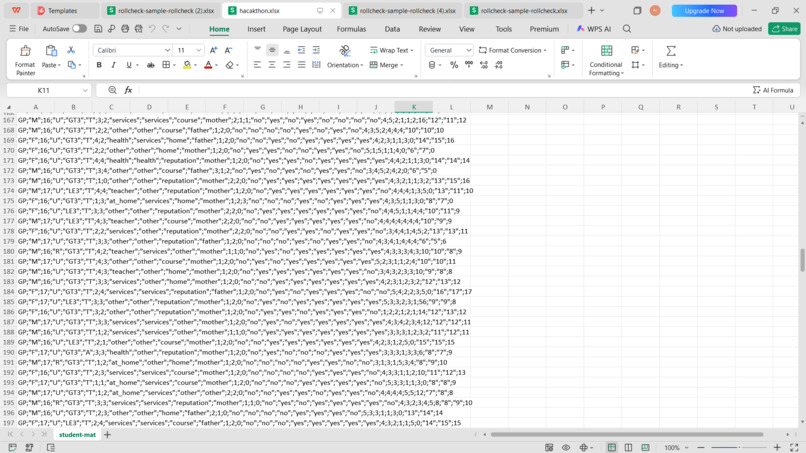
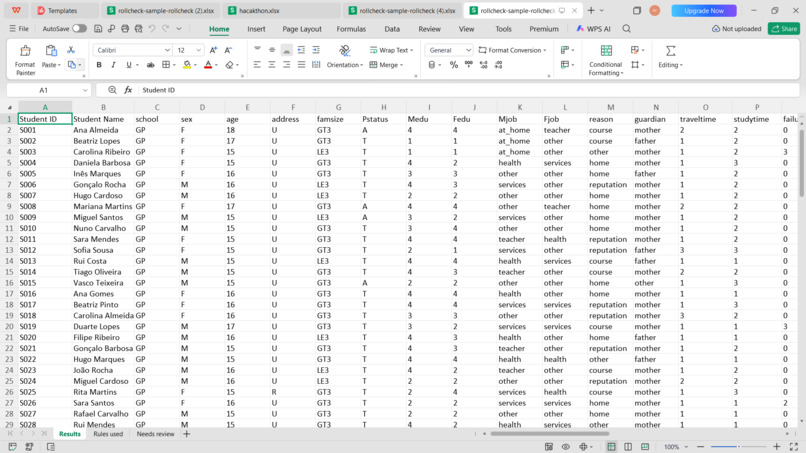
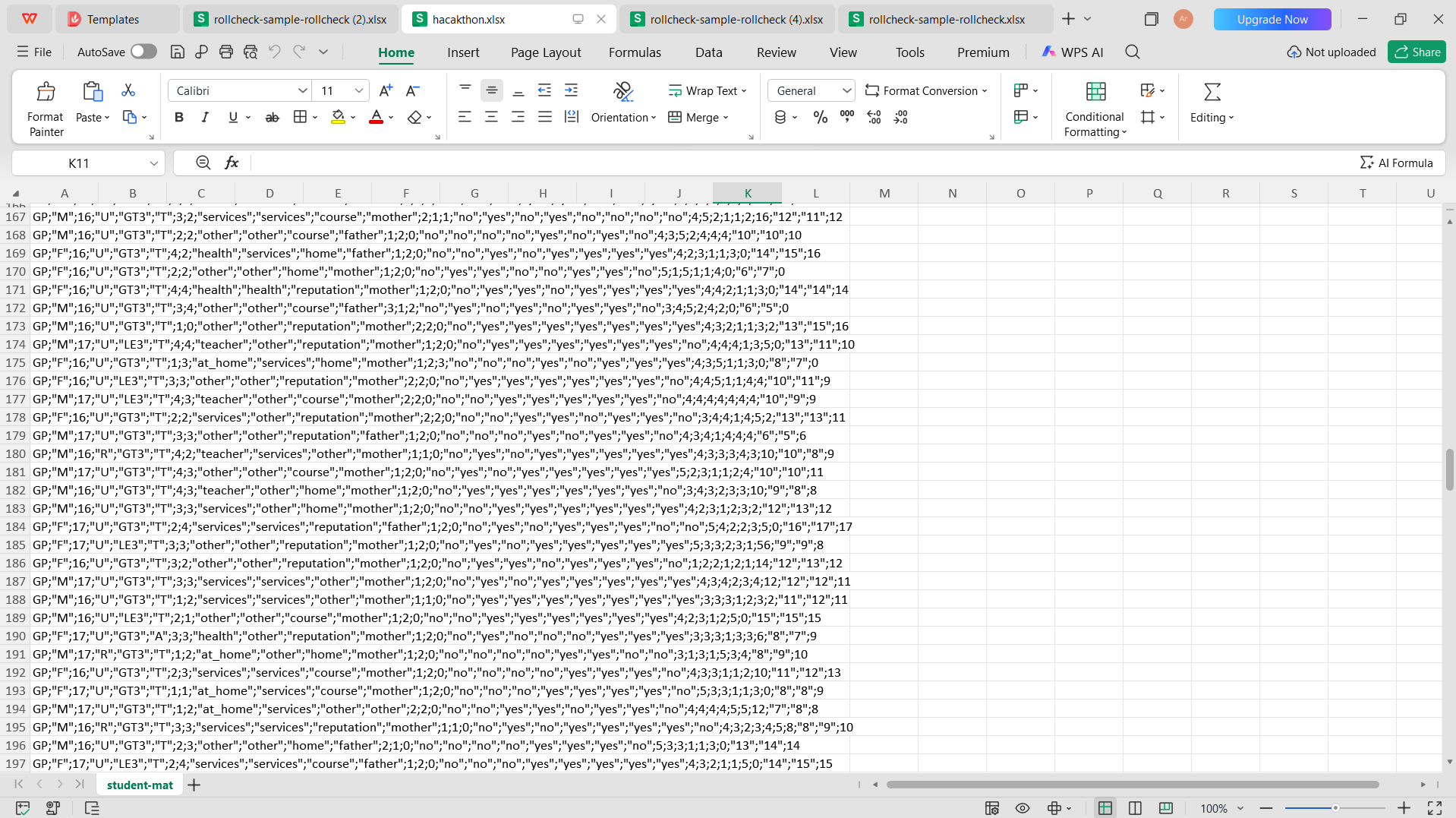
this is unstructure university data
-
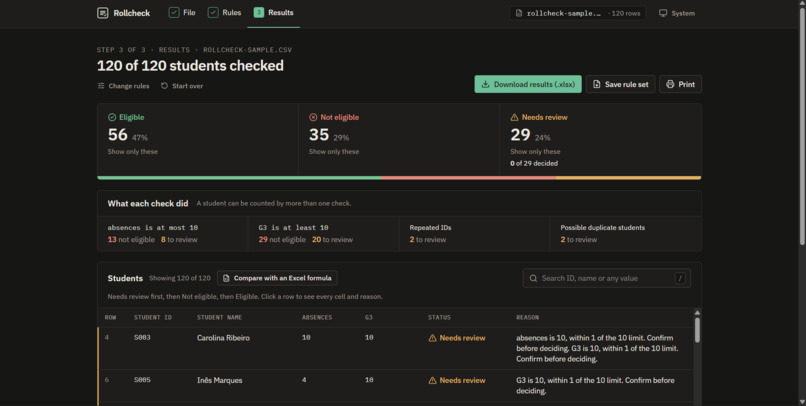
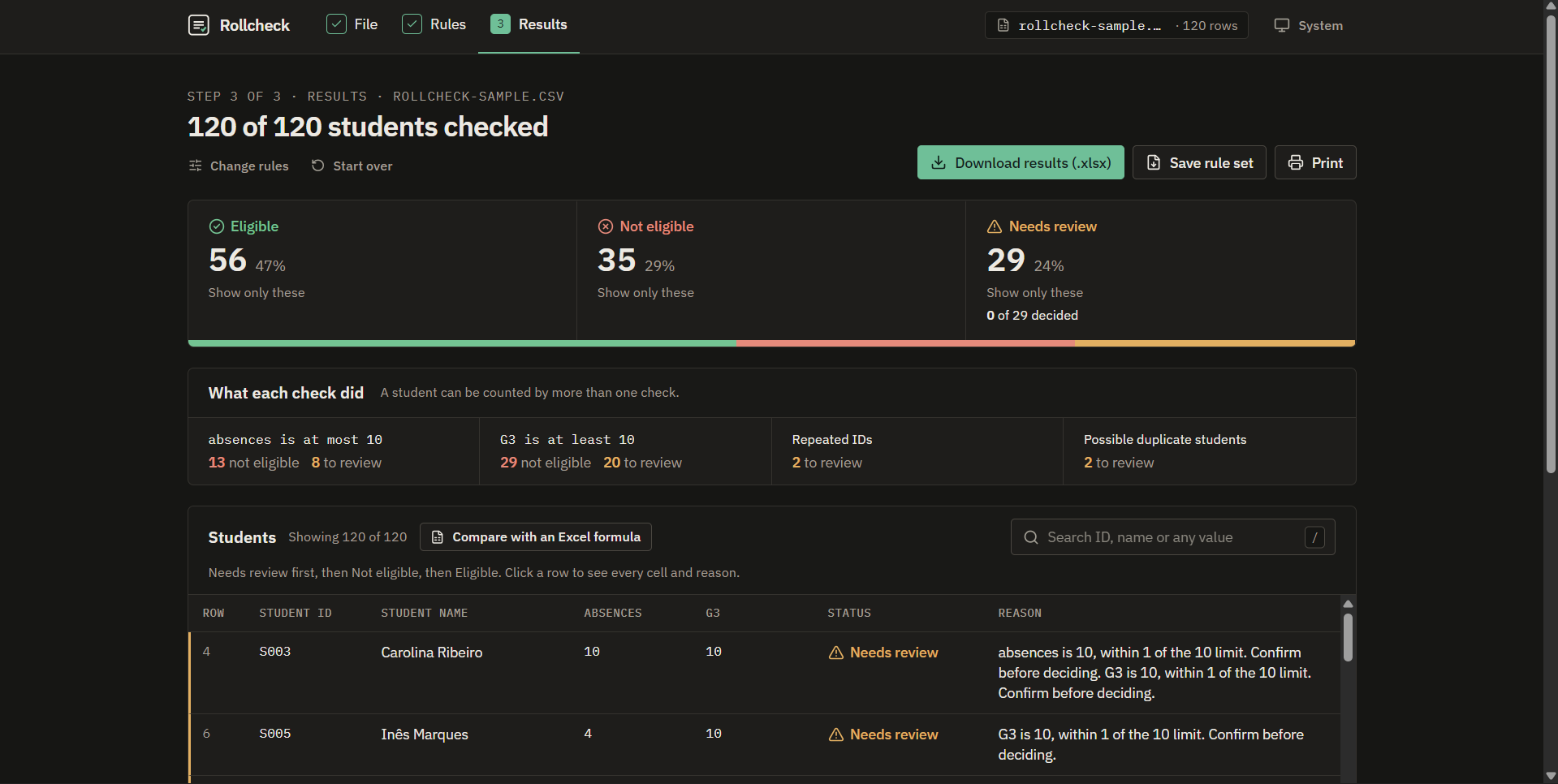
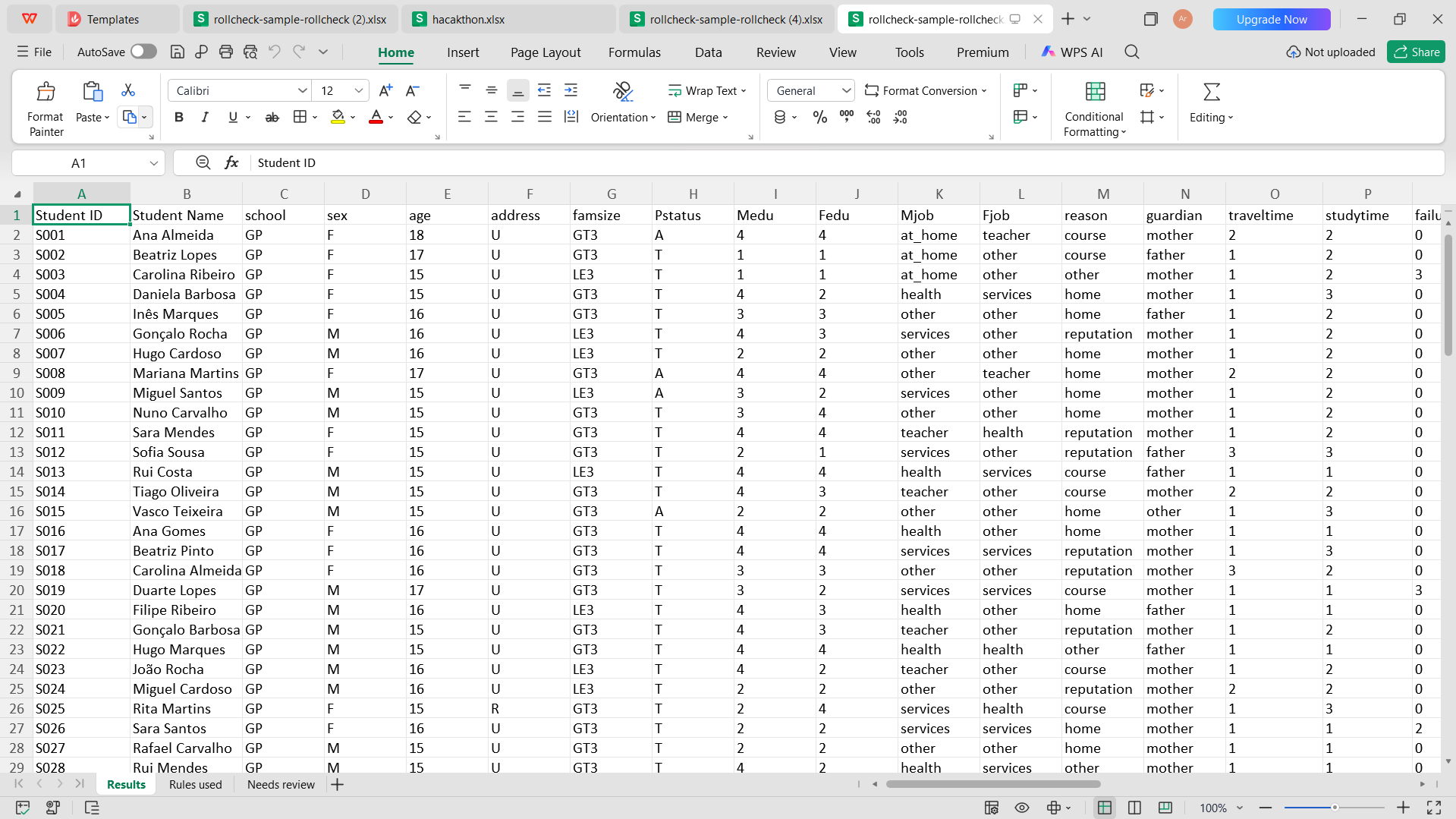
result got by rollcheck with final summary
Inspiration
I work with student data at a university. A lot of important decisions — who can sit an exam, who gets a scholarship — come down to a rule like "grade at least 10" or "absences at most 10" applied to a spreadsheet.
The problem is that spreadsheets fail silently. A grade typed as 9,8 (a comma instead of a dot) is treated as text, and Excel's comparison quietly says Eligible. AB for absent, blank cells and the same student entered twice with a different spelling all slip through the same way. Nobody sees an error, but a real student gets the wrong outcome.
The people doing this work aren't programmers. They need a tool that checks the sheet, explains every result, and refuses to guess when the data is unclear.
What it does
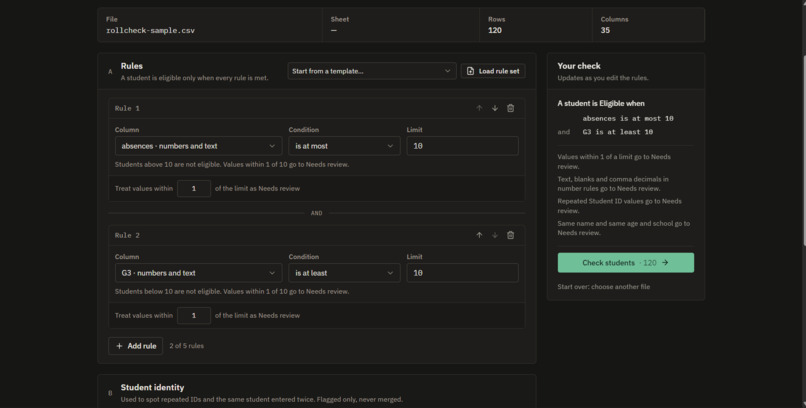
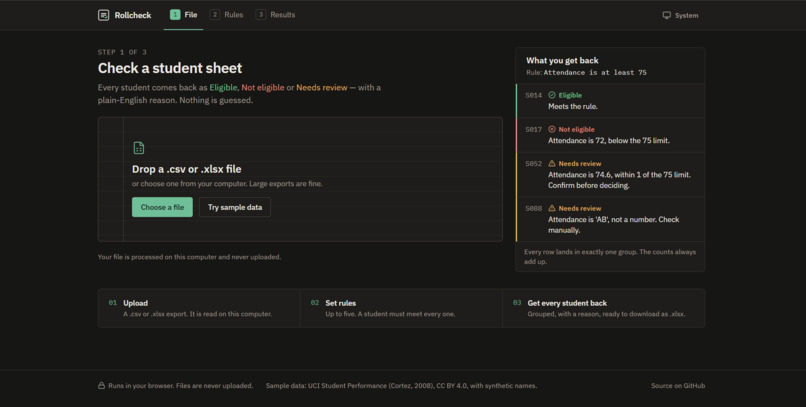
Rollcheck checks a student spreadsheet against eligibility rules, right in the browser:
- Upload a
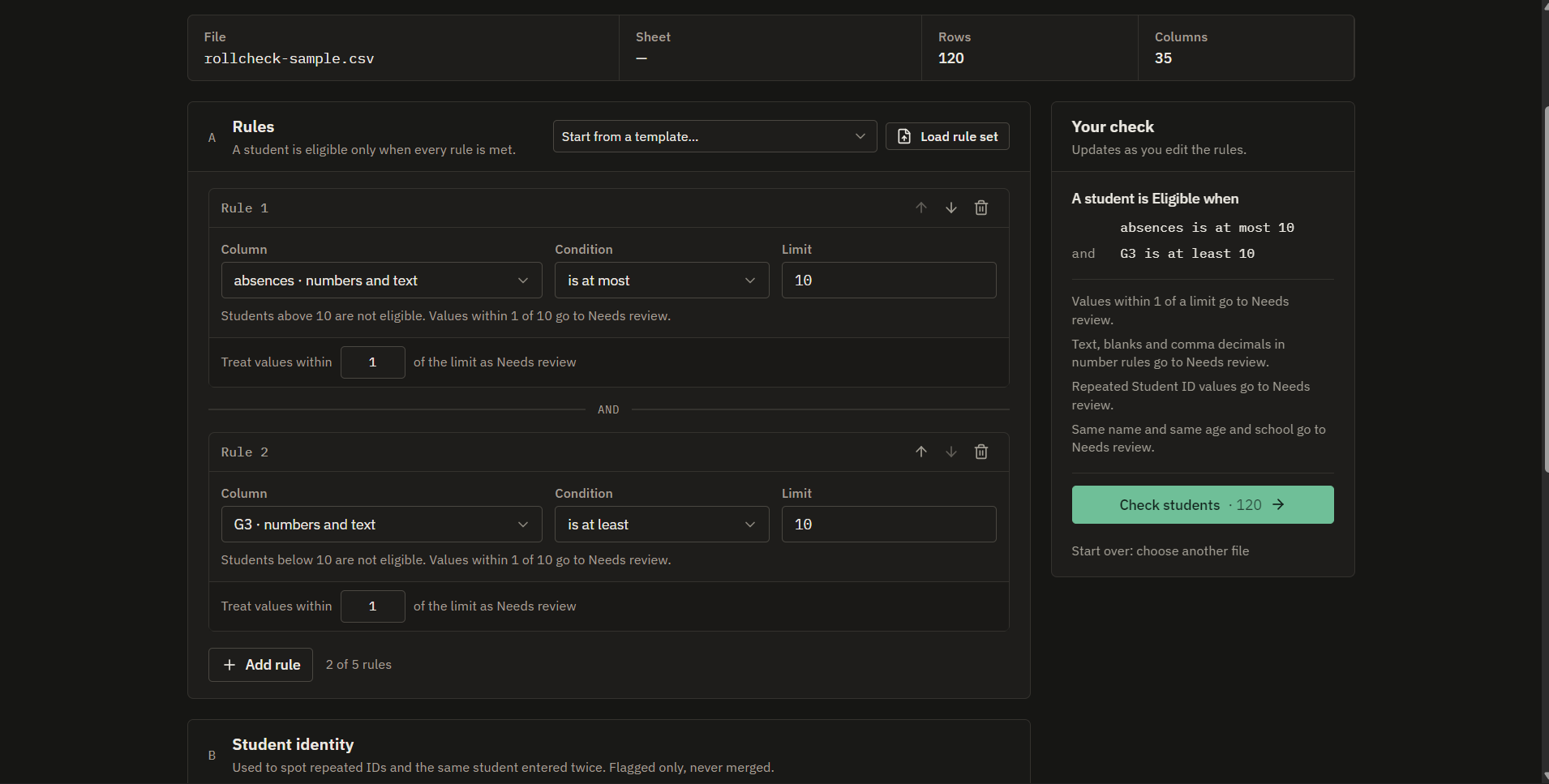
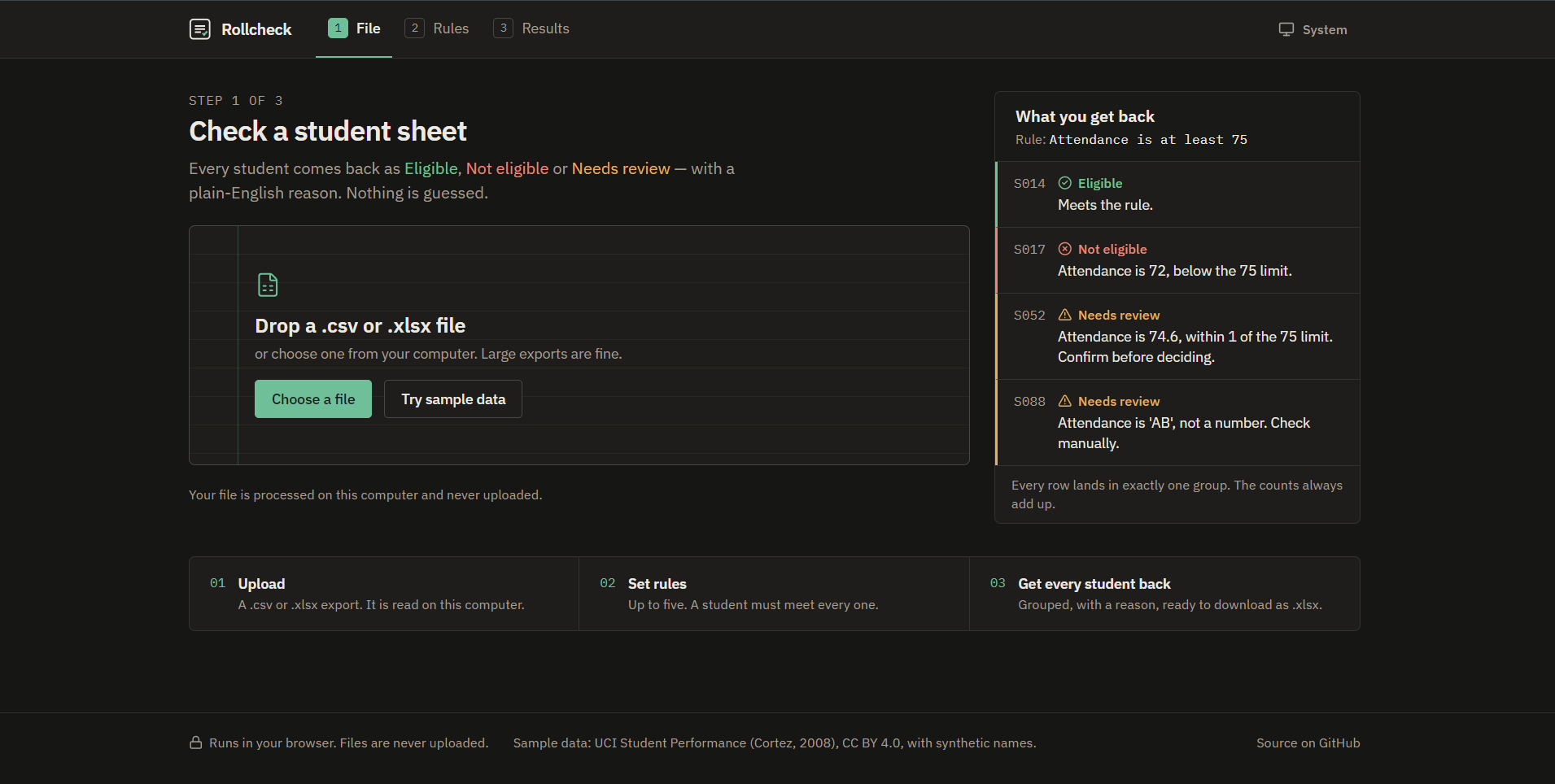
.csvor.xlsxfile (or click Try sample data). The file is processed on your computer and never uploaded. - Choose rules in plain English — no formulas. Rollcheck reads them back as a sentence so you know exactly what's being checked.
- Every student is sorted into Eligible, Not eligible or Needs review, each with a one-sentence reason.
- Needs review catches what formulas hide: values close to a limit, text in a number column (
AB,9,8,75%), blank cells, duplicate IDs and likely duplicate students with different name spellings. - Compare with an Excel formula shows exactly where a typical formula disagrees — on the sample data, 29 of 120 students.
- A person makes the final call on each flagged student and can add a note.
- Download an Excel file with the original data, every reason and the final decision.
The counts must always add up, so no student can go missing:
$$ \text{Eligible} + \text{Not eligible} + \text{Needs review} = \text{Total students} $$
If they ever don't, Rollcheck shows an error instead of partial results.
How I built it
I built Rollcheck with the Devpost Learn Skill Pack in Claude Code, planning before writing code: scope.md → prd.md → spec.md, all in the repo.
- Stack: React, TypeScript (strict), Vite, Tailwind CSS. SheetJS for Excel files and Papa Parse for CSV. Static site on Vercel — no server and no AI inside the app, so every decision is explainable and the data stays private.
- A separate rules engine: parsing, rule checks, review detection and the count check live in their own module, apart from the screens. That made it testable.
- Never rounding: every cell keeps its raw text next to its parsed value, and the raw text is what you see.
- Testing: 155 automated tests (Vitest), CI on every push, Lighthouse 100 for Accessibility, Best practices and SEO, and 0 axe accessibility violations.
- Data: UCI Student Performance (Cortez & Silva, 2008), CC BY 4.0, with synthetic names and 10 documented traps added for the demo. Also tested on the full 395- and 649-student UCI files and a 60,000-row file.
Challenges I ran into
- Deciding what "unclear" means. If a student clearly fails one rule but has
ABin another, are they Not eligible or Needs review? I chose Not eligible — with AND rules, one clear failure decides it — but kept the review note in the reason so nothing is hidden. - Matching duplicate names. Stripping initials broke the match between
S. KumarandSuresh Kumar, so the rule had to match a single letter against the same part of the other name, and only when another column (like age and school) also matches. Phones.Fields were too small to tap and iPhones zoomed in on every input. I made every control at least 44 px tall and used 16 px text in inputs, then checked every screen at 320–414 px wide.
What I learned
Planning first changed how I built this. Writing the PRD surfaced the hard edge cases — like the duplicate-name and "clear failure plus review flag" questions — before they became bugs. Keeping the logic separate from the UI meant I could test every rule on its own.
Limitations
- Rules combine with AND only (no OR).
- It flags possible duplicates but never merges them.
- It doesn't handle sheets that depend on cell formatting, merged cells or pivot tables.
- A person still makes the final decision — Rollcheck shows where to look.
What's next
Pilot it with one university office, and add saved rule sets for weekly reruns.
Challenges we ran into
Accomplishments that we're proud of
What we learned
What's next for Rollcheck
Built With
- claude-code
- dev
- devpost
- devpost-learn-skill-pack
- github-actions
- papaparse
- react
- sheetjs
- tailwindcss
- typescript
- vercel
- vite
- vitest
