-
-
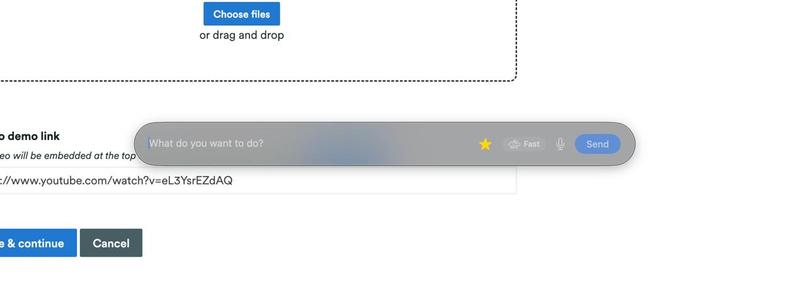
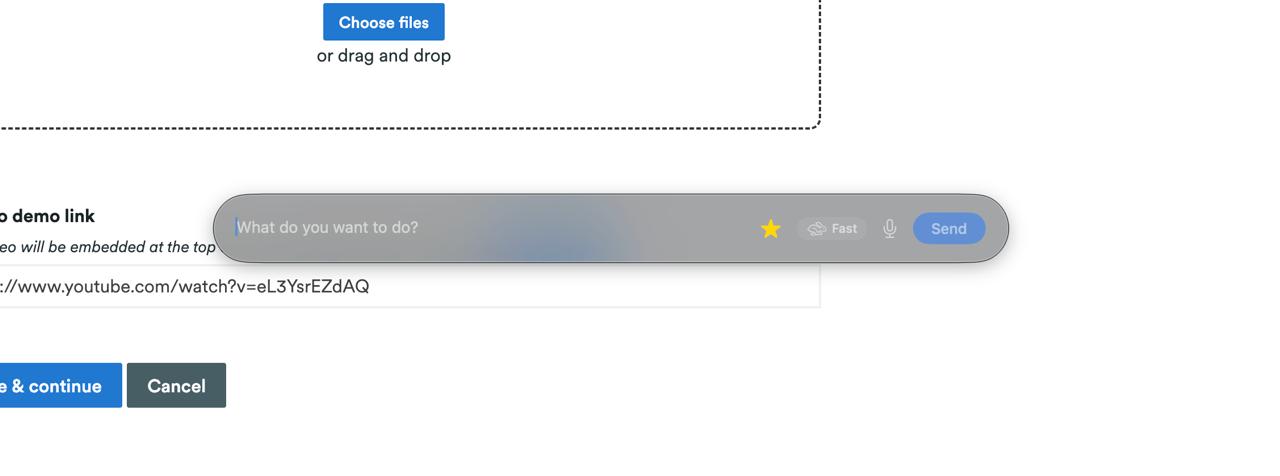
RogerAI question bar on a website asking what you want to do?
-
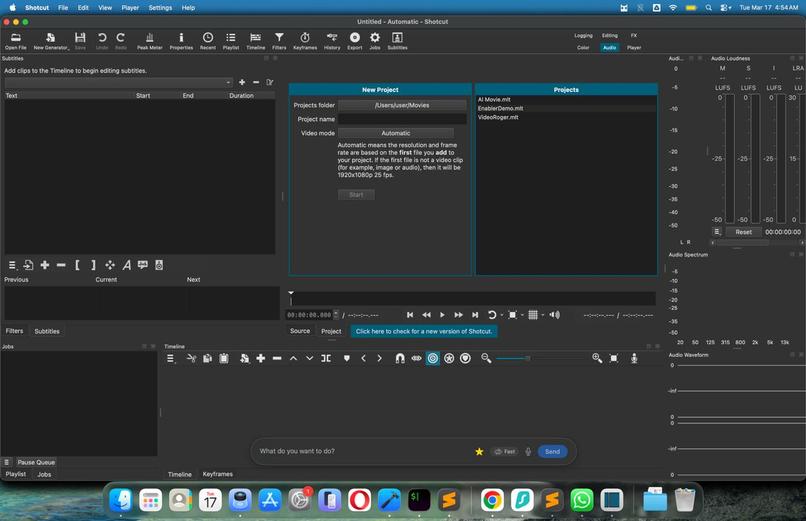
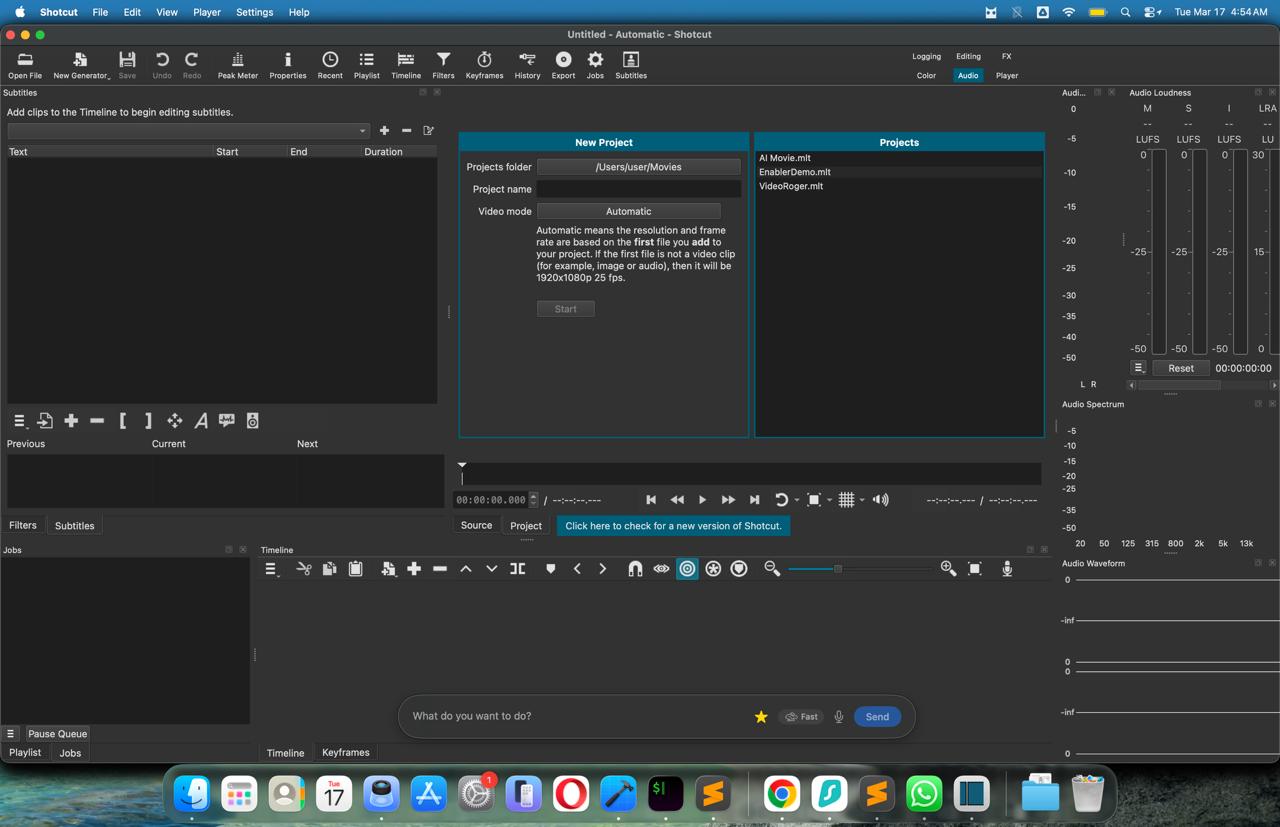
RogerAI question bar on a software asking what you want to do?
-
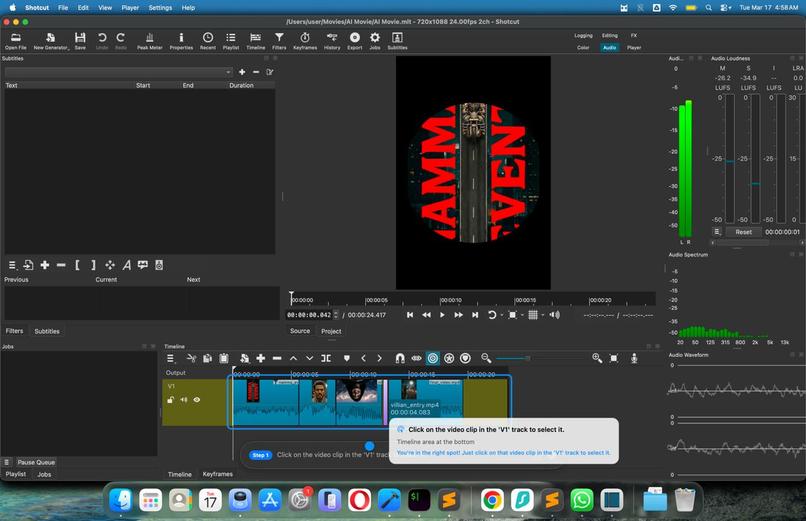
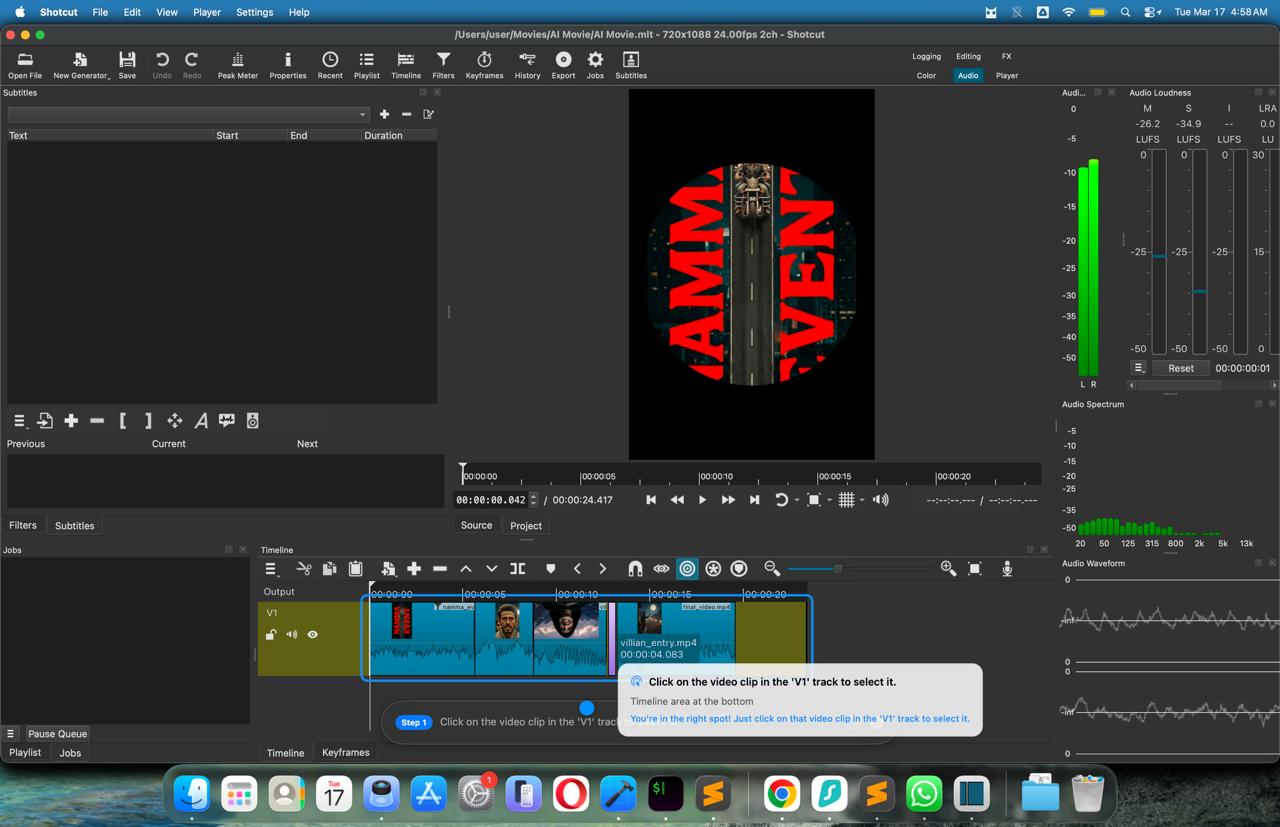
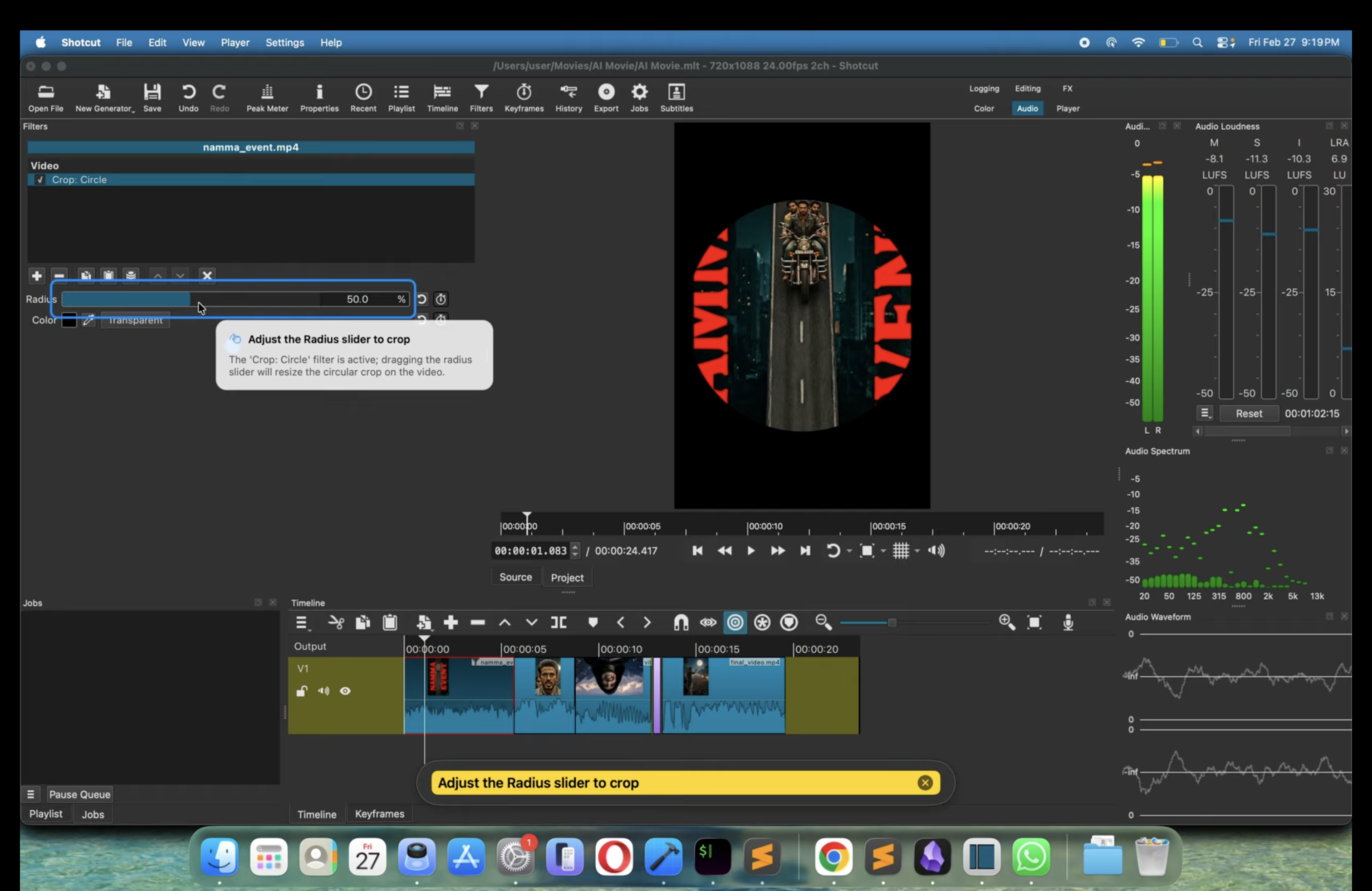
Roger AI guiding with real-time tool-tips and bounding box
-
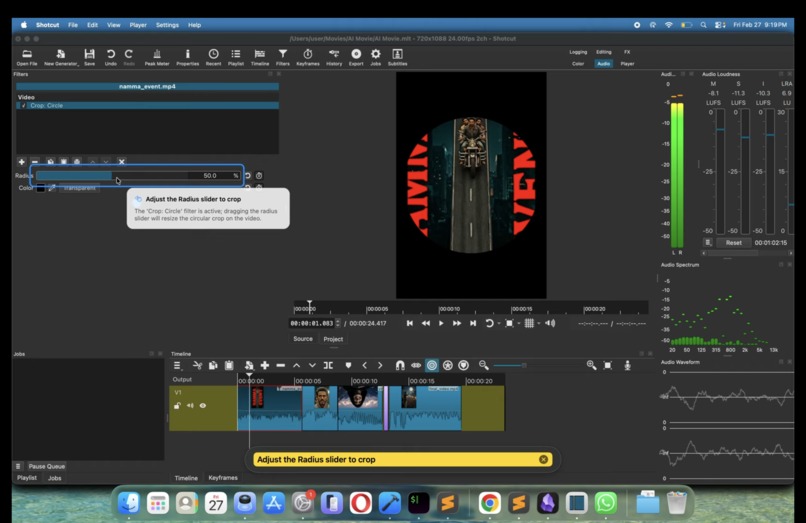
Roger AI guiding with real-time tool-tips and bounding box
-
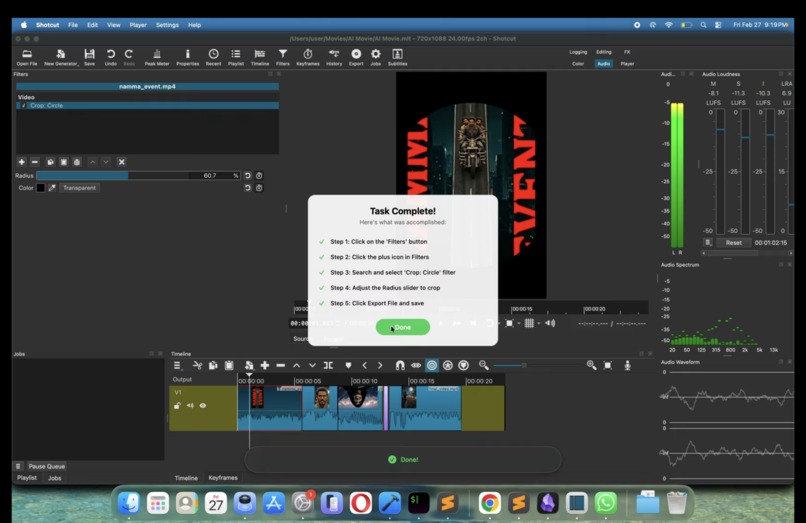
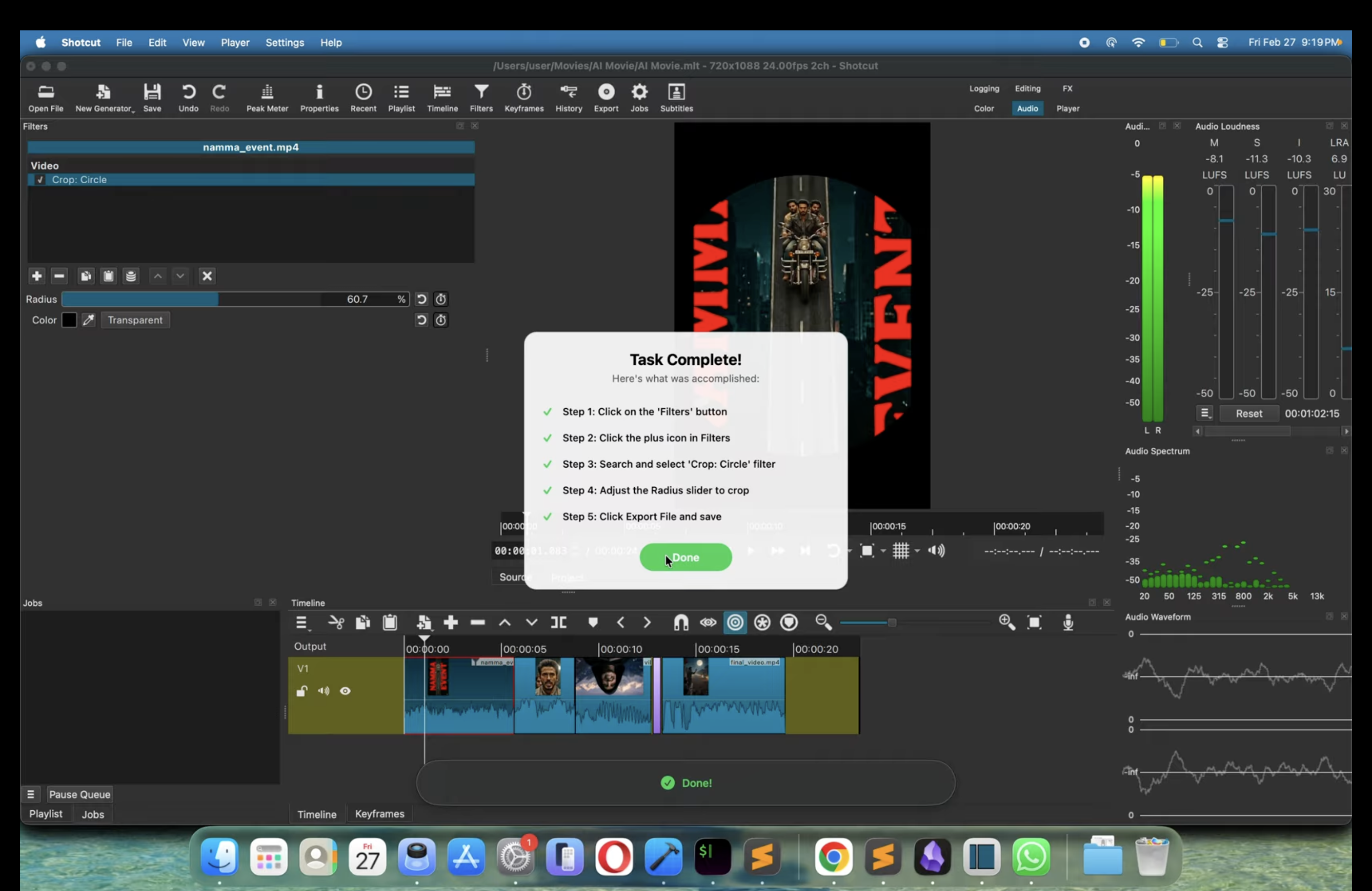
Finished multi-step journey
Inspiration
We've all been there, staring at a screen, trying to figure out how to do something in software that should be simple.
- Pivot tables in Google Sheets,
- Automations in Trello,
- Background removal in Photoshop,
- Editing a video in premiere pro
- Basically any app/ software / website task!
The knowledge exists somewhere on YouTube or a help doc, but the gap between reading instructions and actually doing the thing is where most people give up. We built Roger because we think software should be able to teach you how to use it, in real time, right where you're working.
What it does
Roger AI is an intelligent vision overlay that provides real-time, on-screen guidance for software applications. Instead of just telling users what to do, it shows them. By resting directly over the application, it highlights exactly where to click, explains required inputs, and maps out the next steps to complete complex workflows, making any platform instantly intuitive.
How we built it
Roger is a native macOS application that captures what's on screen and feeds it to vision models to understand UI state in real time. The overlay system renders guidance elements, highlight boxes, arrows, tooltips, directly on top of the user's active app. We use a combination of screen capture APIs, vision model inference, and a custom rendering layer to keep the experience fast and non-intrusive.
Challenges we ran into
Getting the overlay to feel native and not janky was the hardest part. Another thing is timing, if guidance lags behind the user's actions even slightly, the whole experience falls apart. We also had to handle edge cases where apps change layouts, resize windows, or render elements unpredictably. Making it work across any app without integrations means we can't rely on accessibility trees or DOM making it pure vision, which is quite powerful and complex.
Accomplishments that we're proud of
We are incredibly proud of the seamless core overlay experience. Successfully mapping AI-driven visual cues accurately onto a live, shifting screen without breaking the native app's usability was a major technical win. Seeing a user complete a complex, multi-step workflow on a new platform purely by following Roger AI's cues validated the entire concept.
What we learned
We learned that placement matters more than intelligence. A perfectly accurate suggestion that appears in the wrong spot on screen is worse than no suggestion at all. People don't read overlay text, they look where the highlight is. And maybe the most surprising thing was that most people don't actually want AI to take over their computer. They want to feel like they figured it out. Roger works because it makes you competent, and it does not replace you.
What's next for Roger AI
Windows support in April. A B2B SDK in May so any software company can embed Roger-style guidance for their own users. After that, MCP integrations to connect guided workflows with agentic tools. We even plan to introduce voice-prompted guidance, allowing users to simply ask the app, "How do I do X?" and having Roger AI immediately draw the path on their screen. We are also planning to roll out an analytics dashboard so product teams can see exactly where their users get stuck the most. Ultimate north star is to become the default UX component used by absolutely everyone.
Built With
- google-cloud
- google-cloud-apis:-gemini-api-(multimodal)
- python-frameworks:-next.js
- swift
- swiftui-platforms:-macos
- typescript


Log in or sign up for Devpost to join the conversation.