-
-
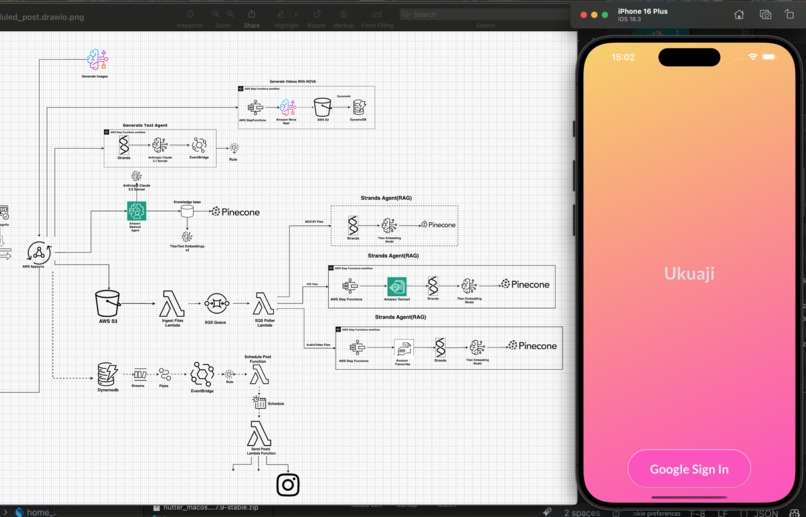
-
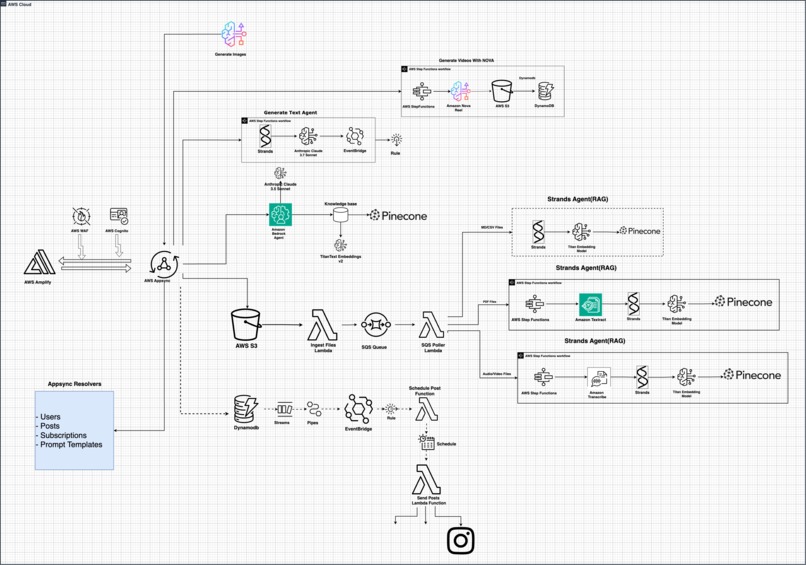
Solutions Architecture
-
-
-
-
-
-
-
-
-
-
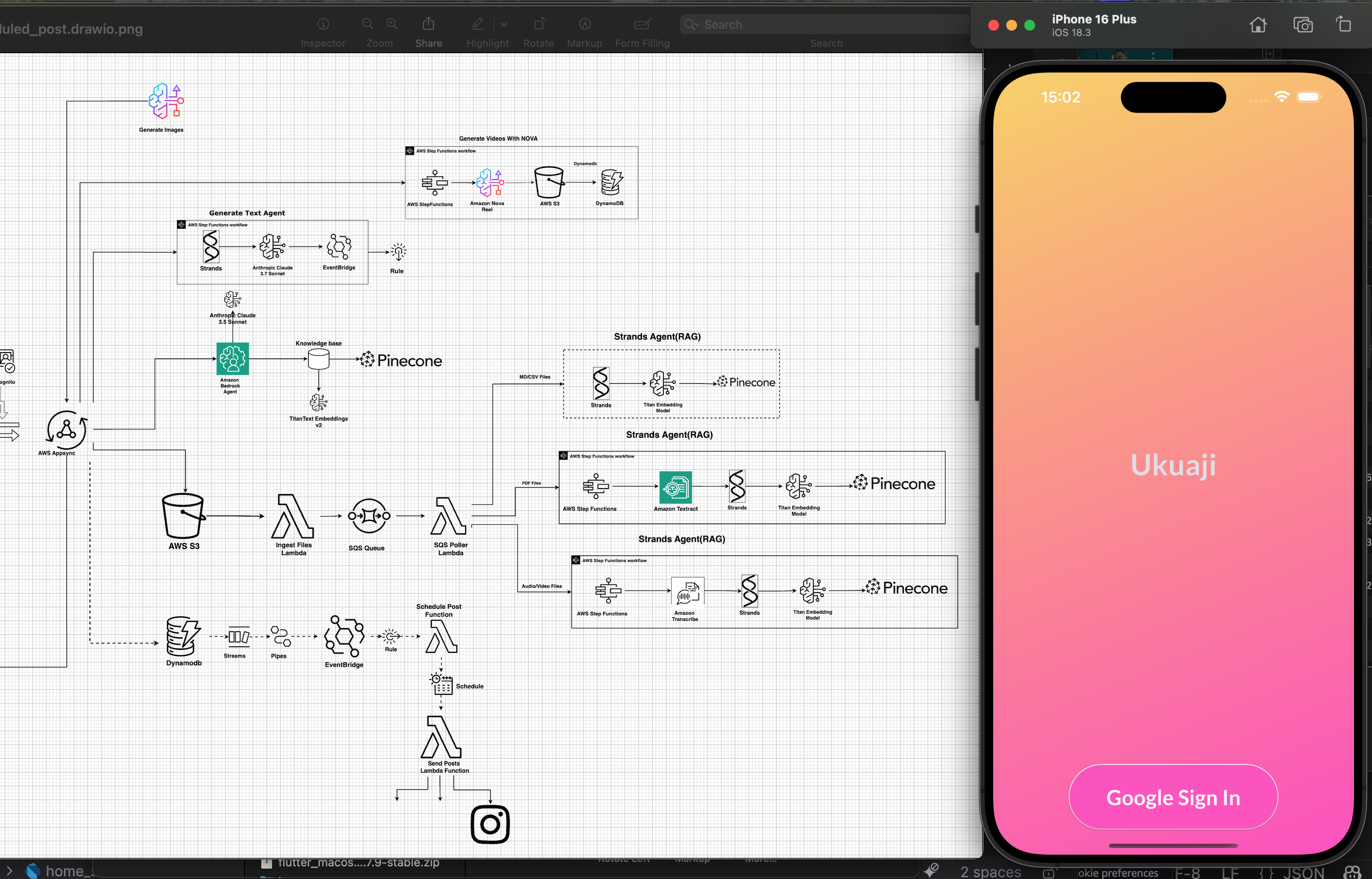
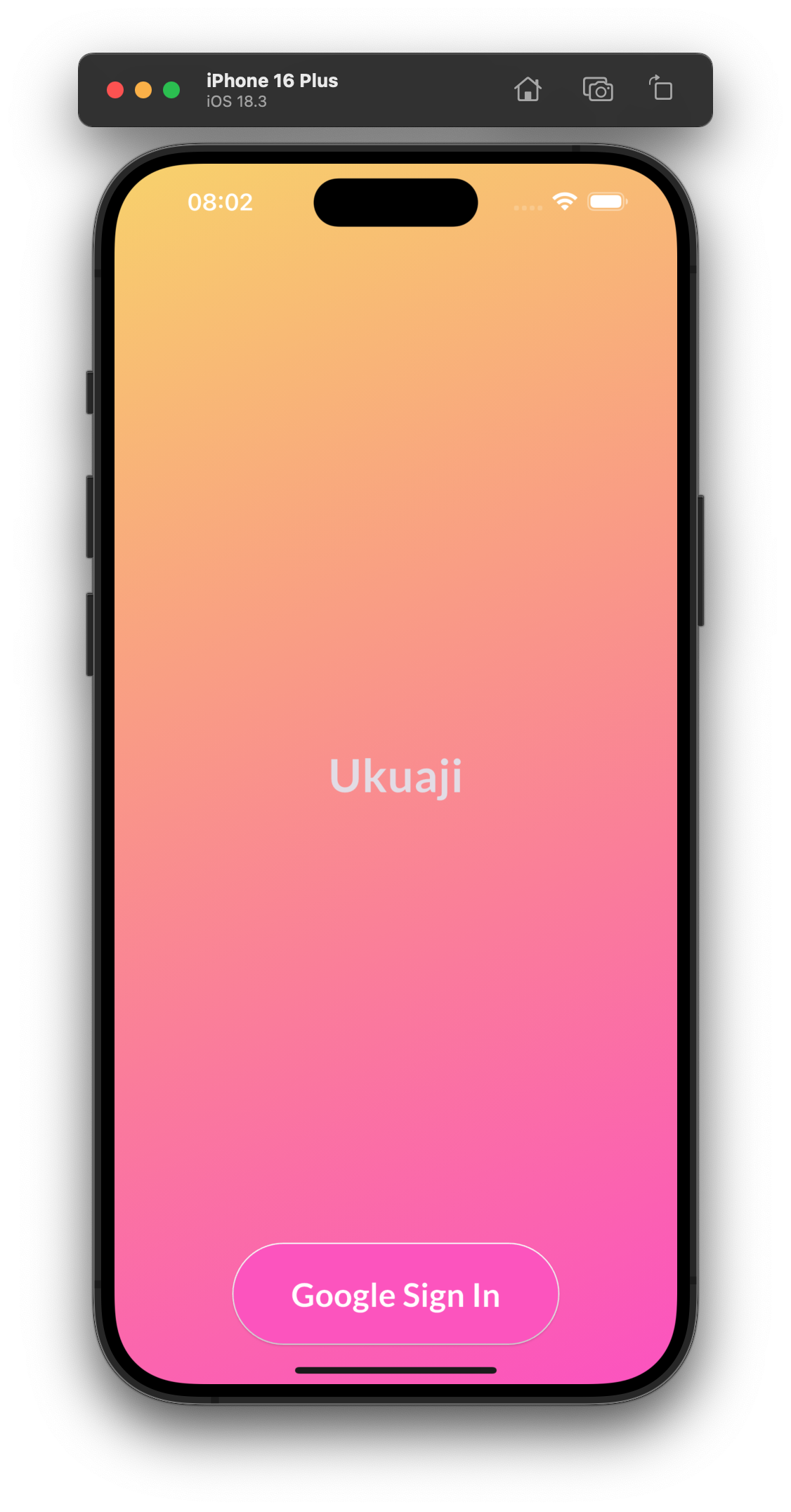
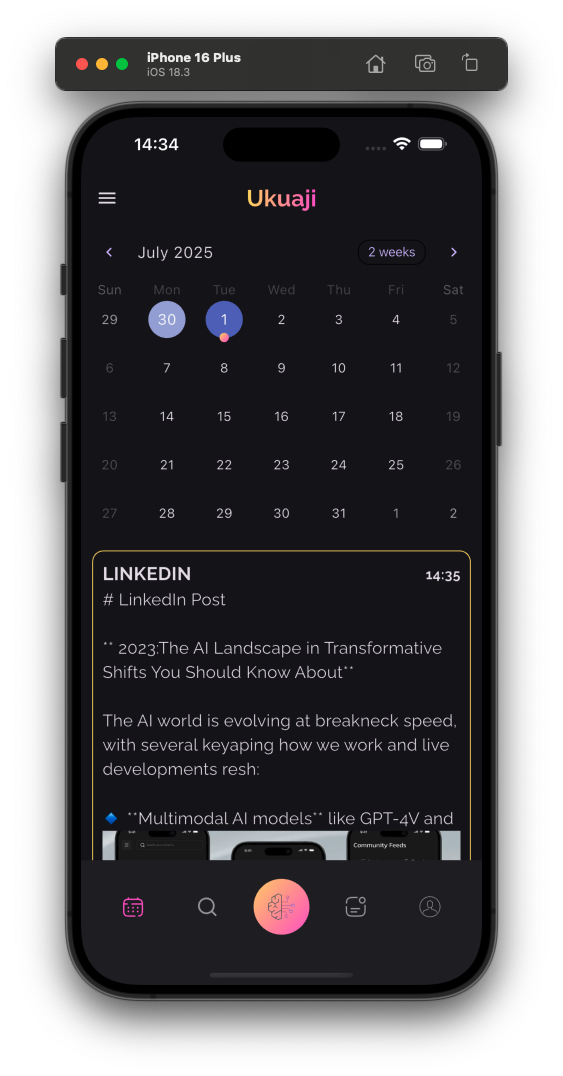
Inspiration
At Educloud Academy (educloud.academy), we specialize in teaching AWS Cloud Computing and Artificial Intelligence through practical, hands-on workshops. Over time, we've developed extensive and diverse content including:
- Text-based materials
- Rich visuals (Images)
- Informative and engaging Videos
However, we currently face two significant challenges that are hindering our growth:
1. Marketing and Distribution
Despite producing high-quality, highly praised content, we struggle with consistent and effective content distribution on social media platforms. This inconsistency severely impacts our visibility and sales potential. While reviewers frequently commend our content for its uniqueness, they often describe our platform as "underrated" or hidden. Consistent content creation and social media engagement are difficult tasks, consuming considerable time and resources, which we currently lack.
2. Bilingual Content Delivery
Our second critical challenge arises from our recent outreach efforts at local universities, specifically in Douala, Cameroon. Being situated in a bilingual region, we've found that students, especially those from the Francophone community, strongly prefer educational materials delivered in French rather than English.
- https://www.linkedin.com/feed/update/urn:li:activity:7343176260212154368
- https://www.linkedin.com/feed/update/urn:li:activity:7329411099533975552
To effectively reach and engage both Anglophone and Francophone audiences, it’s important that our content becomes fully bilingual. However, producing high quality content in multiple languages consistently remains a considerable hurdle.
In response, we've searched the market for applications capable of meeting these requirements comprehensively. Unfortunately, we've found few platforms adequately catering to our specific needs.But they aren't affordable at this point for us.
Our ideal solution would be an app capable of intelligently consuming and repurposing our existing content into engaging, multilingual social media posts without compromising our content’s privacy and security. Ensuring our proprietary workshop content remains secure, private, and under our direct control is of paramount importance to us.
Ukuaji has been developed to meet exactly these unique challenges, ensuring
Educloud Academy achieves sustained growth, broader reach, and deeper engagement
with diverse audiences.
Also, we plan to make the app multi-tenant and privacy first to have other organizations or individuals grow their social accounts or create unique content for themselves as well.
What it does
Ukuaji is Serverless Appsync API which provides
- a robust Multimodal RAG Pipeline(Built with AWS Bedrock knowledge base, Pinecone and Strands Agent) that enables users to feed information to their knowledge bases and l
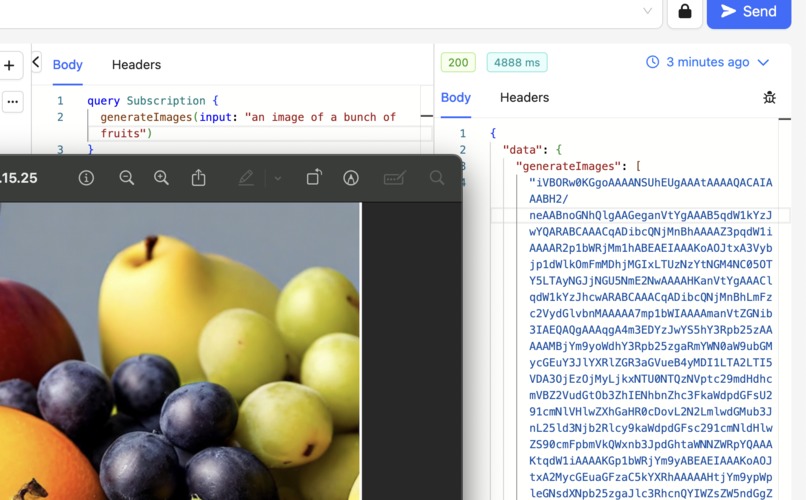
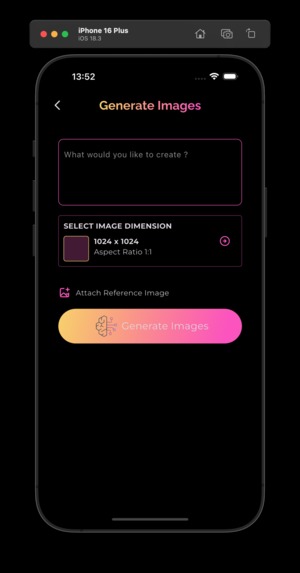
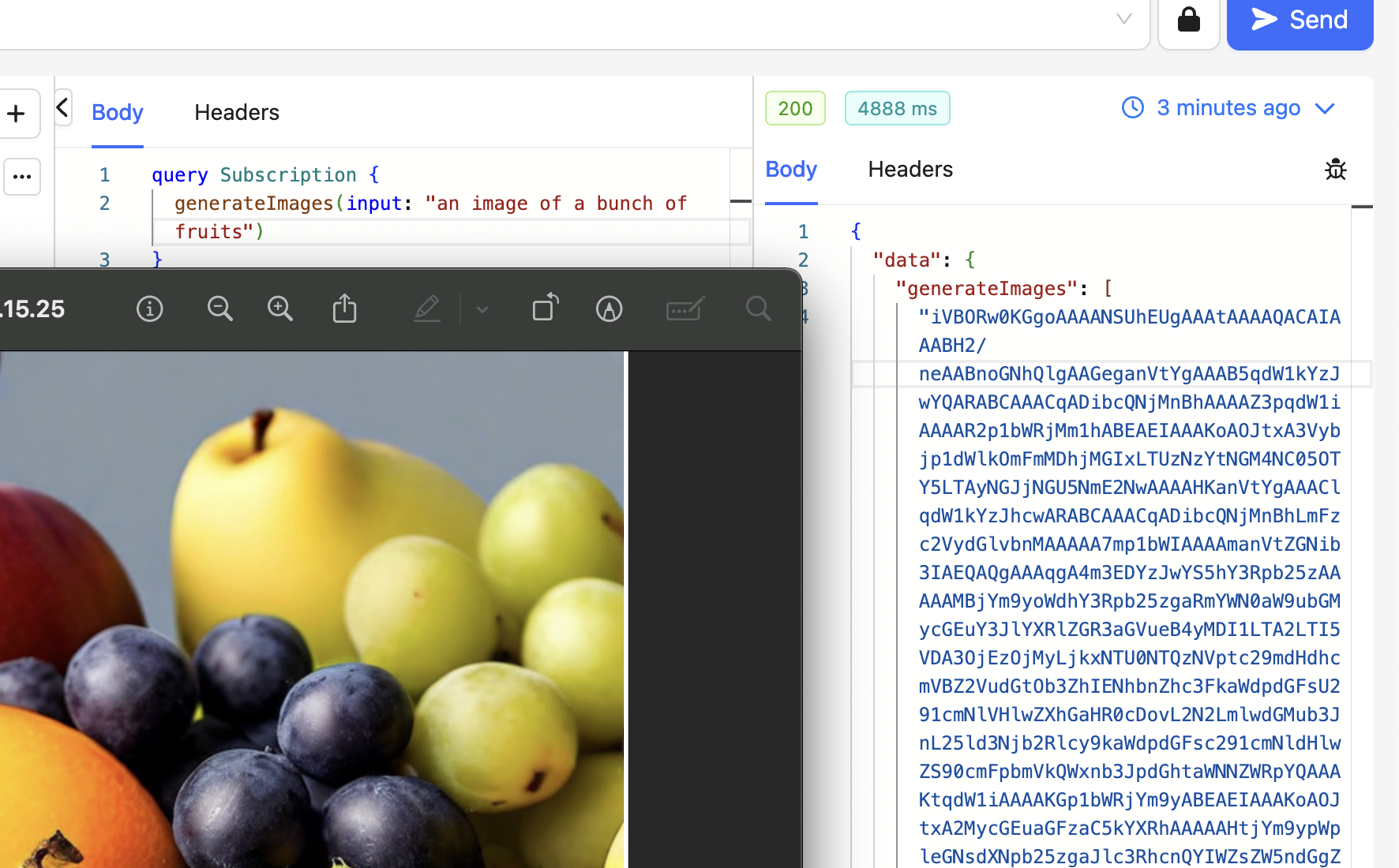
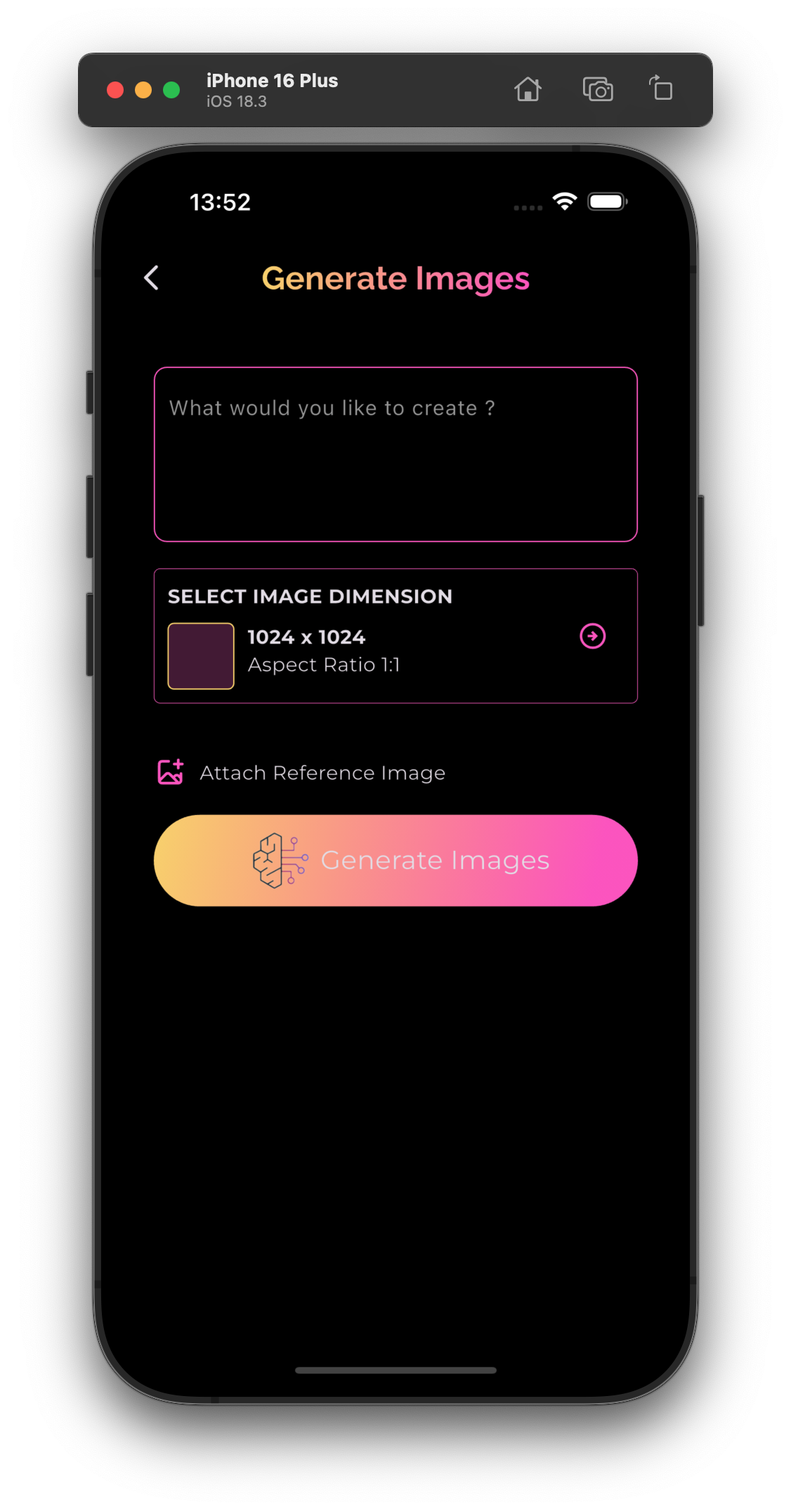
- An Image generation(Amazon Nova Canvas) endpoint to generate images for your content.
- A video generation endpoint for videos(Amazon Nova Reel)
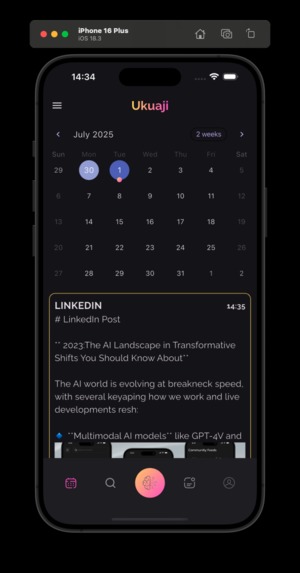
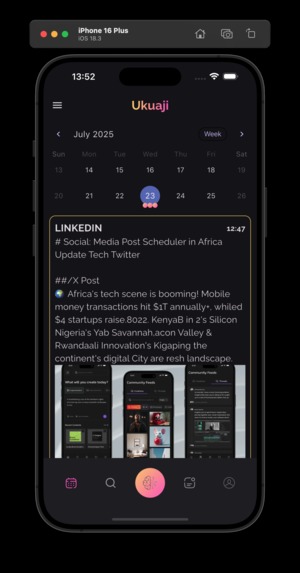
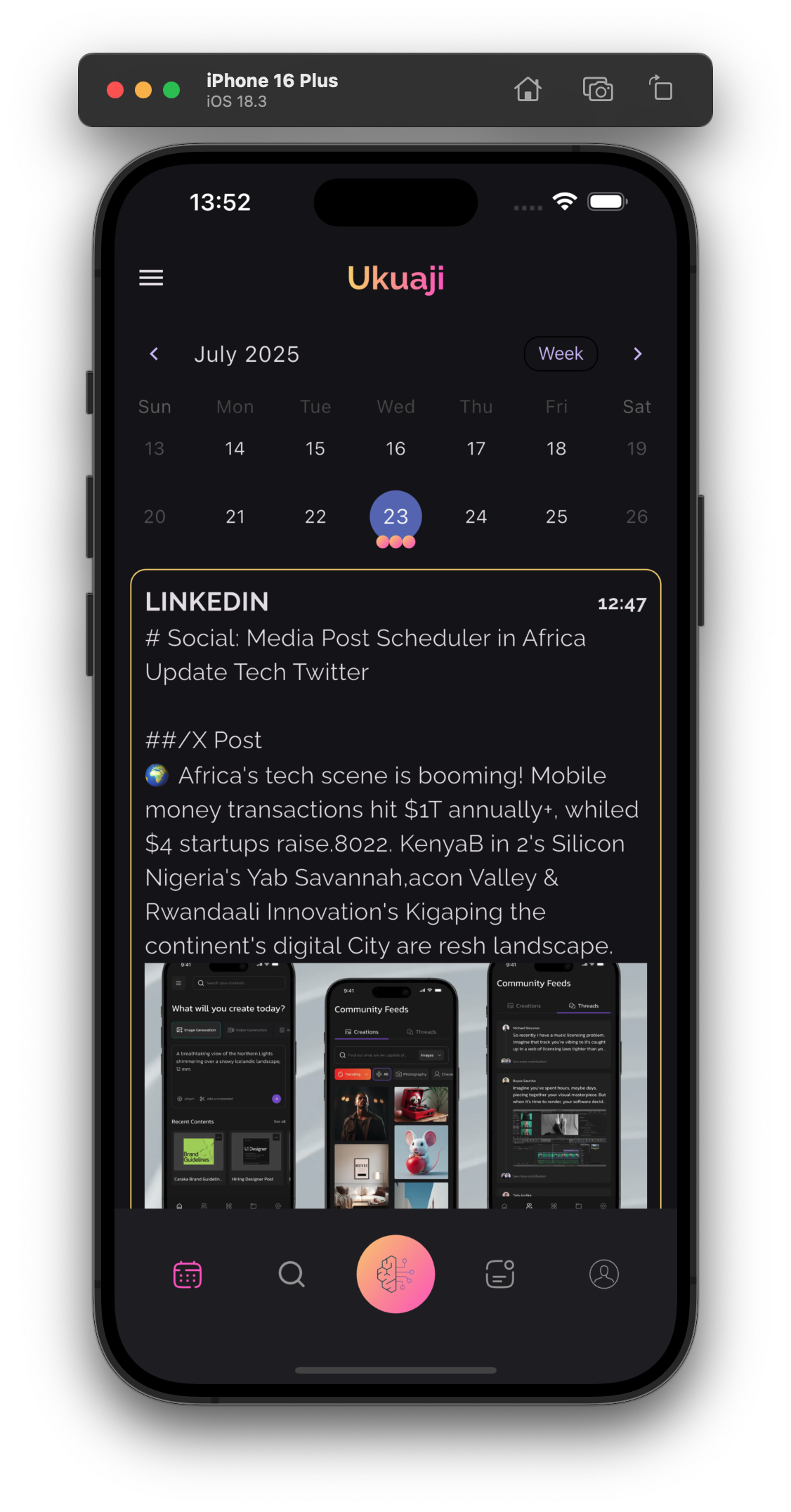
- An Event driven Scheduler using AWS Eventbridge Scheduler which is scalable and enables users to schedule their content for different social media platforms.
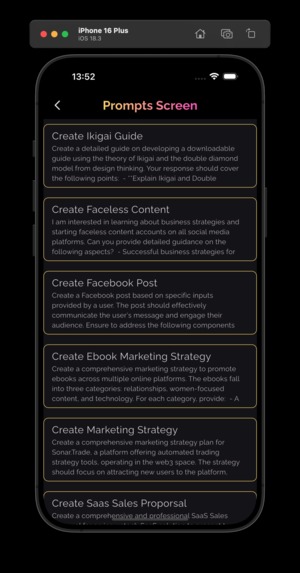
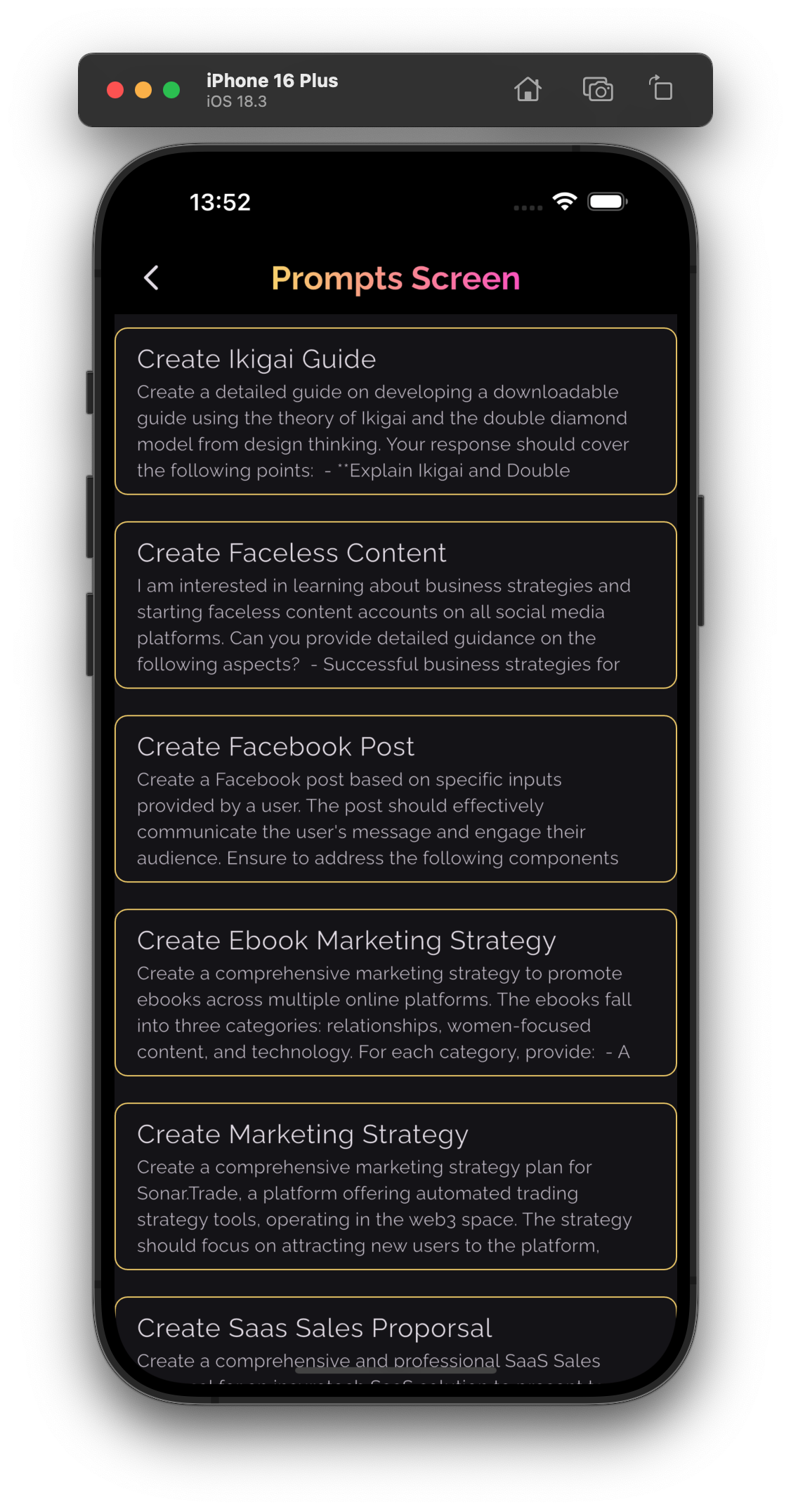
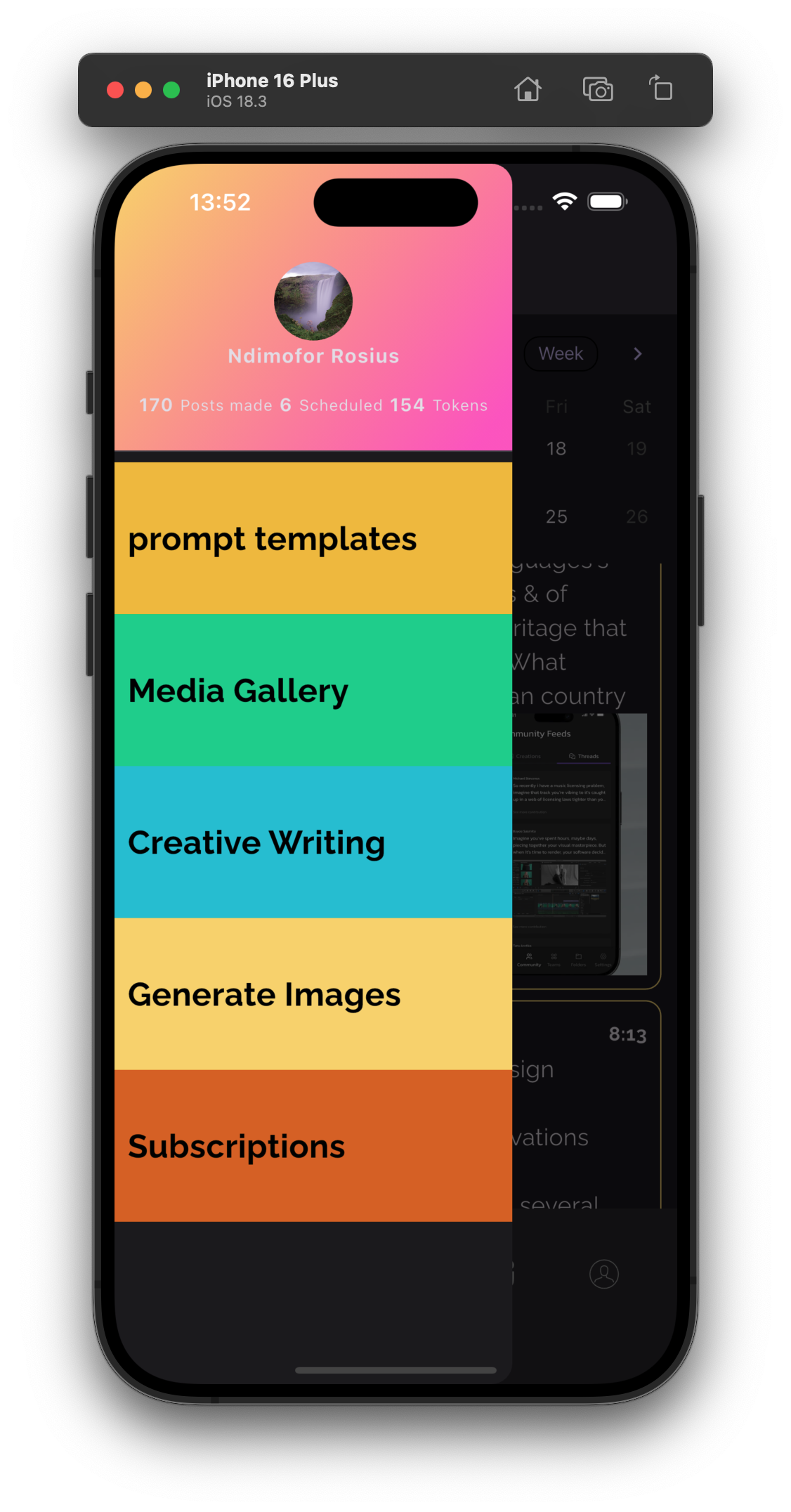
- A Prompt Template repository for prompt ideas and inspiration
- A subscription Model for monetization
How we built it
This is an Appsync Graphql API. I choosed Appsync due to a couple of reasons.
- It's realtime capabilities using subscriptions and offline support with Amplify Clients.
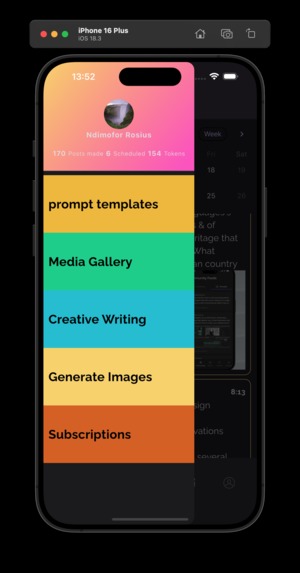
The frontend for this application is a mobile app(It'll be illustrated later).To ensure a good User Experience, it's emperical to always provide immediate feedback on all events going through the app.
The easiest way to do this is to make your application, real-time aware. Appsync makes this step a lot easier with subscriptions.
And you don't need to write extra code to add real-time capabilities to Appsync.
For offline support, Using the Amplify client, we can queue mutations offline and sync when back online (conflict resolution included).
- Payload Efficiency
Graphql enables the frontend applications to only query the fields they need and not necessarily the entire payload. This drastrically improves the apps data consumption and overall speed.
- Granular auth in one place
This API supports 3 Authentication Types
- API KEY
- AWS Cognito
- AWS IAM. And we can easily add others like OIDC. Appsync allows us to easily
support all these right down the the Graphql Schema
field level.
type PostsResult @aws_api_key {
  items: [Post!]! @aws_cognito_user_pools
  nextToken: String
}
     authorizationConfig: {
        defaultAuthorization: {
          authorizationType: appsync.AuthorizationType.API_KEY,
          apiKeyConfig: {
            name: "default",
            description: "Default API key for scheduled posts API",
            expires: cdk.Expiration.atDate(keyExpirationDate),
          },
        },
        additionalAuthorizationModes: [
          {
            authorizationType: appsync.AuthorizationType.USER_POOL,
            userPoolConfig: {
              userPool: userPool,
            },
          },
          { authorizationType: appsync.AuthorizationType.IAM },
        ],
      },
- Tooling for analytics.
Appsync makes it easy to connect X-ray tracing at the resolver layers and
monitor Logs of all levels.
xrayEnabled: true,
      logConfig: {
        fieldLogLevel: appsync.FieldLogLevel.ALL,
      }
- Appsync Javascript Resolvers.
Not every resolver needs to be a Lambda function. Lambda functions are expensive to run. Sometimes, a light weight Appsync JS_resolver is enough to get the Job done. They're free, have zero cold starts and extremely fast.
Authentication
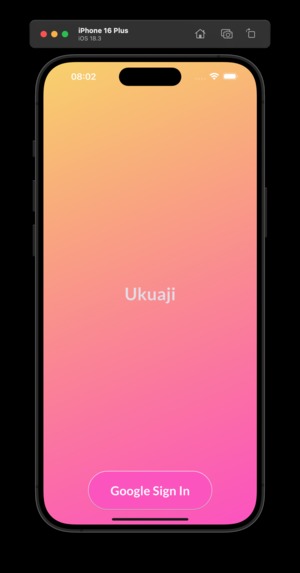
This application starts off with the user having to create a user profile.
Before creating a user profile, the user has to be authenticated.
That's where AWS Cognito comes in.
We define the Cognito resources(userpool and userpoolclient) inside the
auth-construct.ts class in the lib/constructs directory.
The userpool is then connected to the Appsync API in the appsync-construct.ts
class.
// Create the AppSync API
this.api = new appsync.GraphqlApi(this, "Api", {
  name: "SchedulePostsAPI",
  definition: appsync.Definition.fromFile("schema/schema.graphql"),
  authorizationConfig: {
    defaultAuthorization: {
      authorizationType: appsync.AuthorizationType.API_KEY,
      apiKeyConfig: {
        name: "default",
        description: "Default API key for scheduled posts API",
        expires: cdk.Expiration.atDate(keyExpirationDate),
      },
    },
    additionalAuthorizationModes: [
      {
        authorizationType: appsync.AuthorizationType.USER_POOL,
        userPoolConfig: {
          userPool: userPool,
        },
      },
      { authorizationType: appsync.AuthorizationType.IAM },
    ],
  },
  xrayEnabled: true,
  logConfig: {
    fieldLogLevel: appsync.FieldLogLevel.ALL,
  },
});
From the frontend application, we can let users sign into the application using
- username/password
- Apple
- Amazon
- Facebook.
Once the user is properly authenticated, the next step is creating their accounts. For user account functionality, we'll use Appsync Javascript Resolvers. They are fast, cost nothing to run, no cold starts and are light weight. Read more on Appsync Resolvers here
User Resolver functionality
In the directory resolvers/users/ we have User Resolver files.
Let's take a look at the Create User Resolver functionality.
Firstly, we have to define Graphql Inputs, and Mutation for this resolver.
input CreateUserInput @aws_cognito_user_pools {
  username: String!
  firstName: String!
  lastName: String!
  about: String!
  email: AWSEmail!
  userType: USERTYPE!
  profilePicKey: String!
  profilePicUrl: String!
}
Appsync support Field Level Authorization using directives. For the above
Graphql Input, we use the directive @aws_cognito_user_pools to grant access
to Cognito authenticated clients only.
For the Mutation, we have
createUserAccount(userInput: CreateUserInput!): User! @aws_cognito_user_pools
Finally, we use a pipeline resolver to save user profile data to the dynamodb table.
The pipeline resolver has 2 functions
This function formats and prepares the user's input to be saved to the dynamodb table.
This function receives the input from the formatUserAccountInput function and saves to DynamoDB.
// Create pipeline resolvers for user account operations
const formatUserAccountFunction = new appsync.AppsyncFunction(
  this,
  "FormatUserAccountInput",
  {
    api: this.api,
    dataSource: noneDs,
    name: "formatUserAccountInput",
    code: appsync.Code.fromAsset("./resolvers/users/formatUserAccountInput.js"),
    runtime: appsync.FunctionRuntime.JS_1_0_0,
  }
);

const createUserAccountFunction = new appsync.AppsyncFunction(
  this,
  "CreateUserAccountFunction",
  {
    api: this.api,
    dataSource: dbDataSource,
    name: "createUserAccountFunction",
    code: appsync.Code.fromAsset("./resolvers/users/createUserAccount.js"),
    runtime: appsync.FunctionRuntime.JS_1_0_0,
  }
);

this.api.createResolver("CreateUserAccount", {
  typeName: "Mutation",
  code: appsync.Code.fromAsset("./resolvers/pipeline/default.js"),
  fieldName: "createUserAccount",
  pipelineConfig: [formatUserAccountFunction, createUserAccountFunction],
  runtime: appsync.FunctionRuntime.JS_1_0_0,
});
Creating a RAG Agent
This application supports MultiModal RAG pipeline, giving users the possibility to upload
- Text
- Audio
- Video content to a knowledge base and later use that data in multiple scenarios such as
- Creative Writing
- Generating Context Aware Social Media Posts
As a matter fact, by enabling users to upload content to their knowledge bases, you give them the possibility to generate content with respect to their context.
For this use case, we'll use Amazon Bedrock Knowledge bases, A custom datasource and Strands Agent.
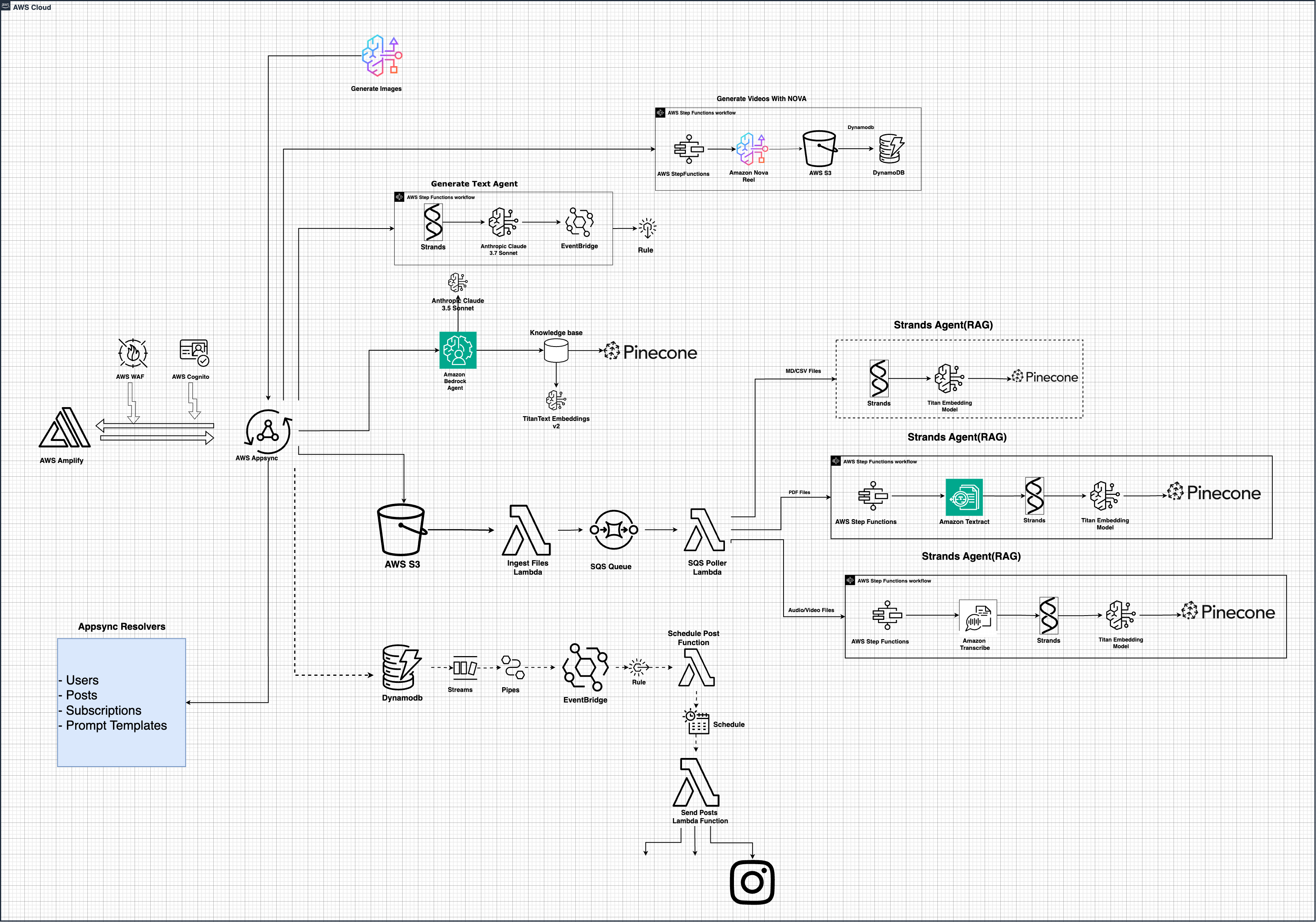
Here's the solution architecture for this functionality
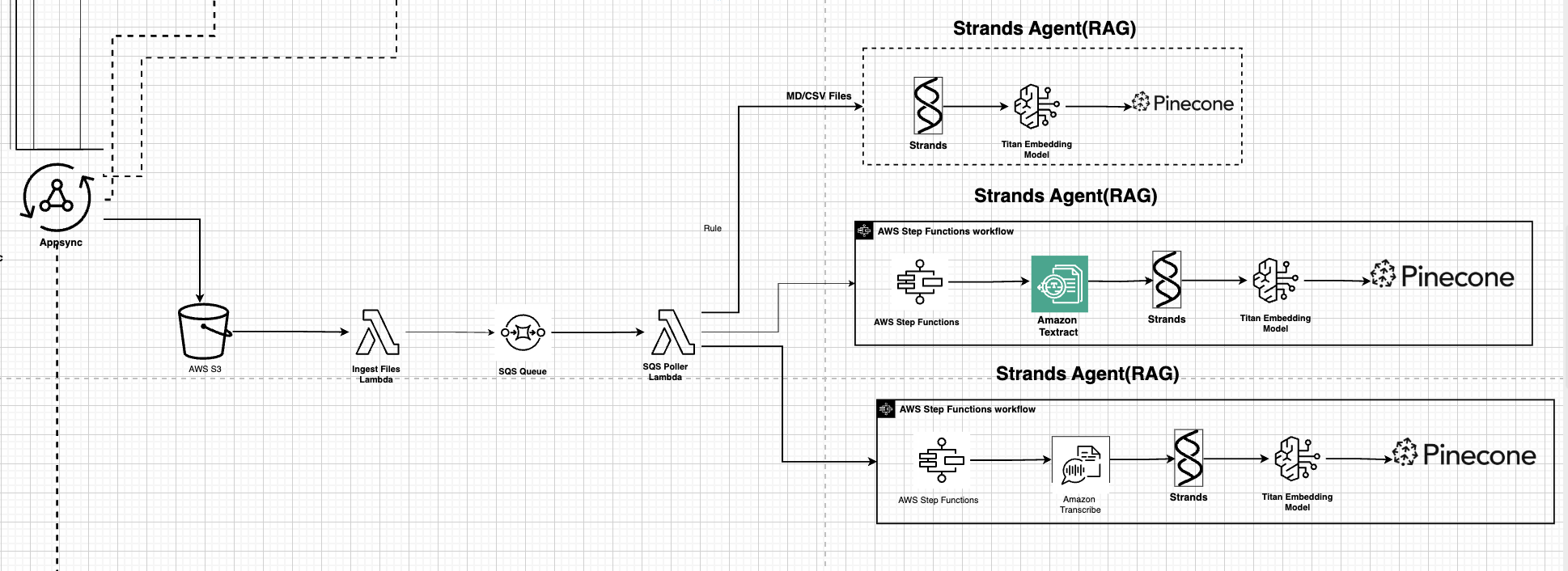
The Upload Workflow kicks off when content(.md/.text/.pdf/.mp4/.mp3) is uploaded
to the uploads/ folder of
${cdk.Stack.of(this).account}-${cdk.Stack.of(this).region}-saturn-media S3
bucket.
A Lambda function gets triggered by the S3 bucket. This function gets the content from S3 and sends it as a message into an Amazon SQS Queue. We use a Queue here to decouple our application, thereby making it fault tolerant and scalable. Attached to our Queue is a Dead Letter Queue(DLQ) which catches and stores unprocessed messages for a duration of 14 days.
// Create an SQS queue for processing uploaded files
this.processingQueue = new sqs.Queue(this, "ProcessingQueue", {
  queueName: "MediaProcessingQueue",
  visibilityTimeout: cdk.Duration.seconds(300), // 5 minutes
  retentionPeriod: cdk.Duration.days(14),
  deadLetterQueue: {
    queue: new sqs.Queue(this, "DeadLetterQueue", {
      queueName: "MediaProcessingDLQ",
      retentionPeriod: cdk.Duration.days(14),
    }),
    maxReceiveCount: 3,
  },
});
Another lambda function polls for available messages inside the SQS Queue, grabs the messages and then invokes a path, based on the uploaded file extension.
If the file was a .md/.csv file, the text is extracted and stored inside a
knowledge base, using an AI Agent.
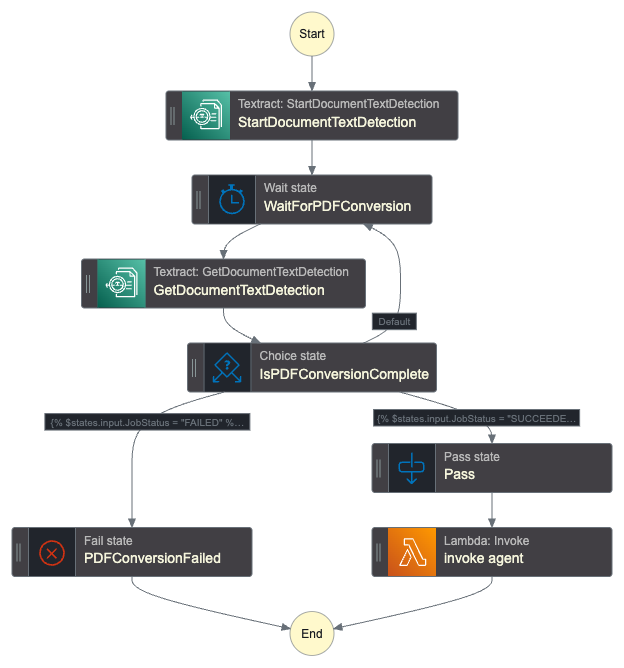
If the file was .pdf, an AWS Step functions worflow is invoked. This workflow
uses Amazon Textract to extract the text from the PDF file, and then saved to
the knowledge through the AI Agent.
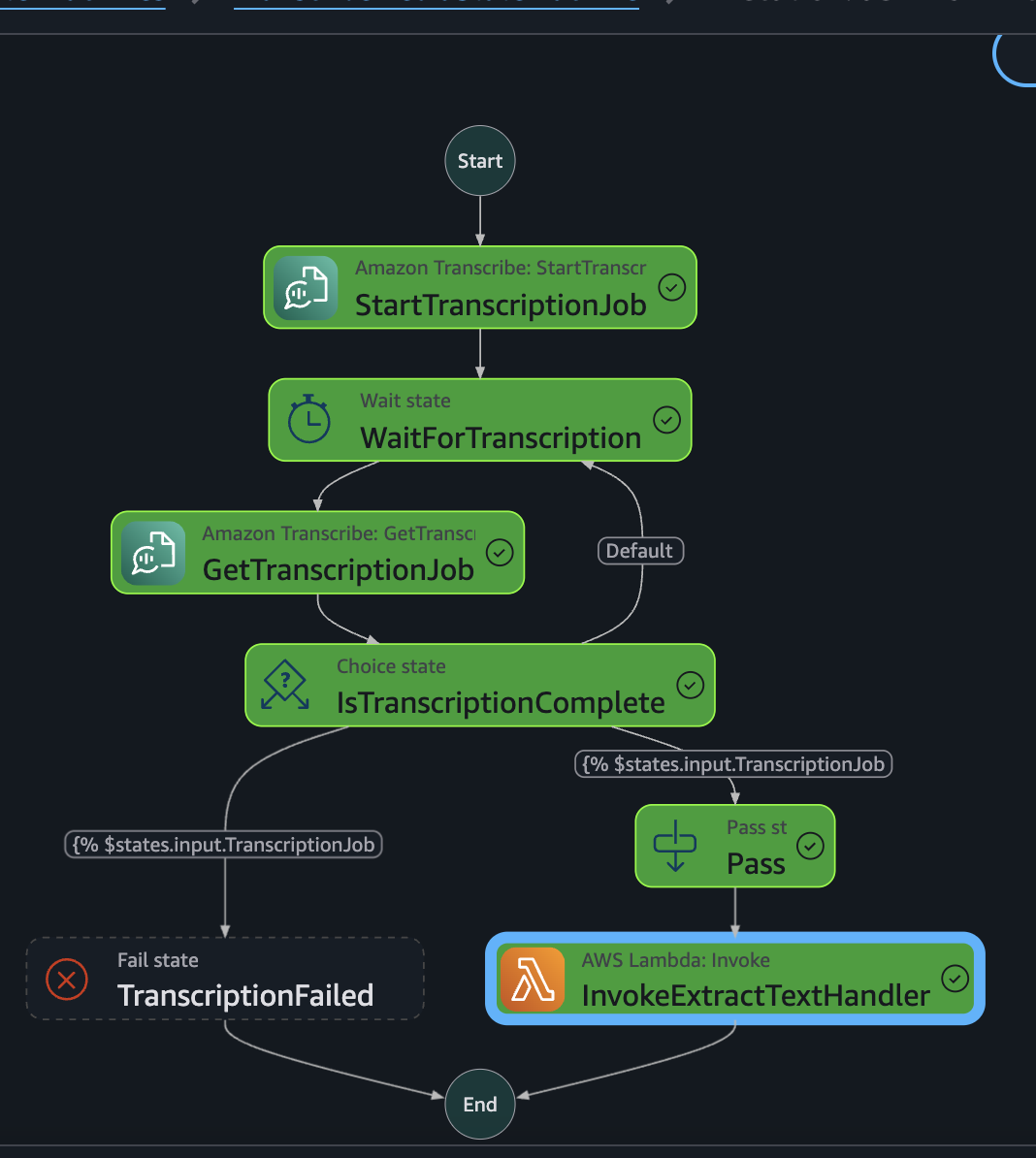
If the file was .mp4/.mp3, an AWS Step functions workflow is invoked as well.
This workflow uses Amazon Transcribe to automatically convert spoken language in
audio or video files into accurate, time-stamped text you and then fed into
downstream lambda function, which gets saved into a knowledge base by an AI
agent.
Content Creation
In this section, we'll look at all the ways by which this app lets users create content.
Text Generation with Strands(No Knowledge base)
Here's the solutions architecture
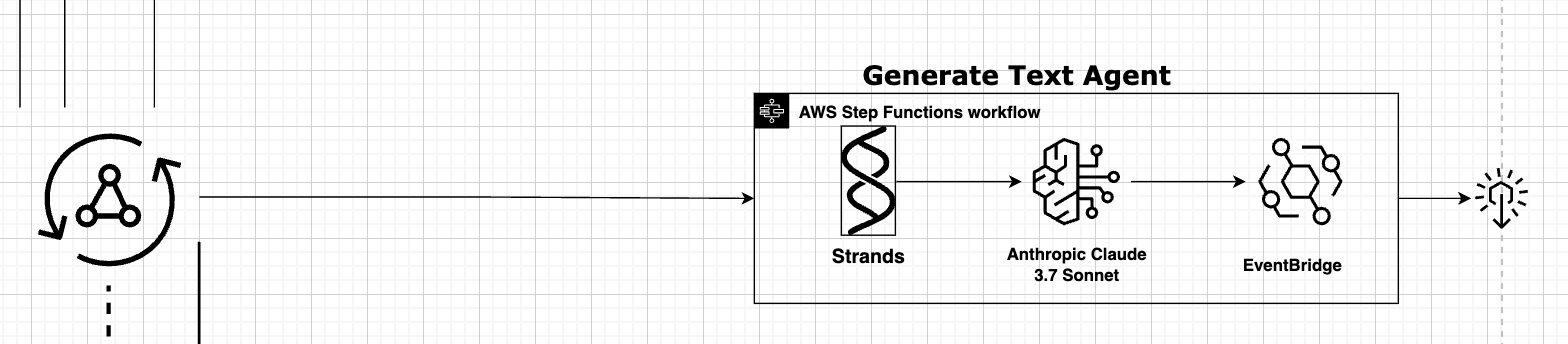
This endpoint gives a user the capability to generate text using the strands Agent. No context from the users knowledge base is used in this scenario. The text is streamed in realtime back to an Appsync subscription. So the susbcribed clients get each text chunk as it gets generated. One of the coolest features of the app. It'll be illustrated properly in the video.
Text Generation with Bedrock Agents(With Knowledgebase)
This endpoint gives the user the capability to generate content with context from their knowledge bases.
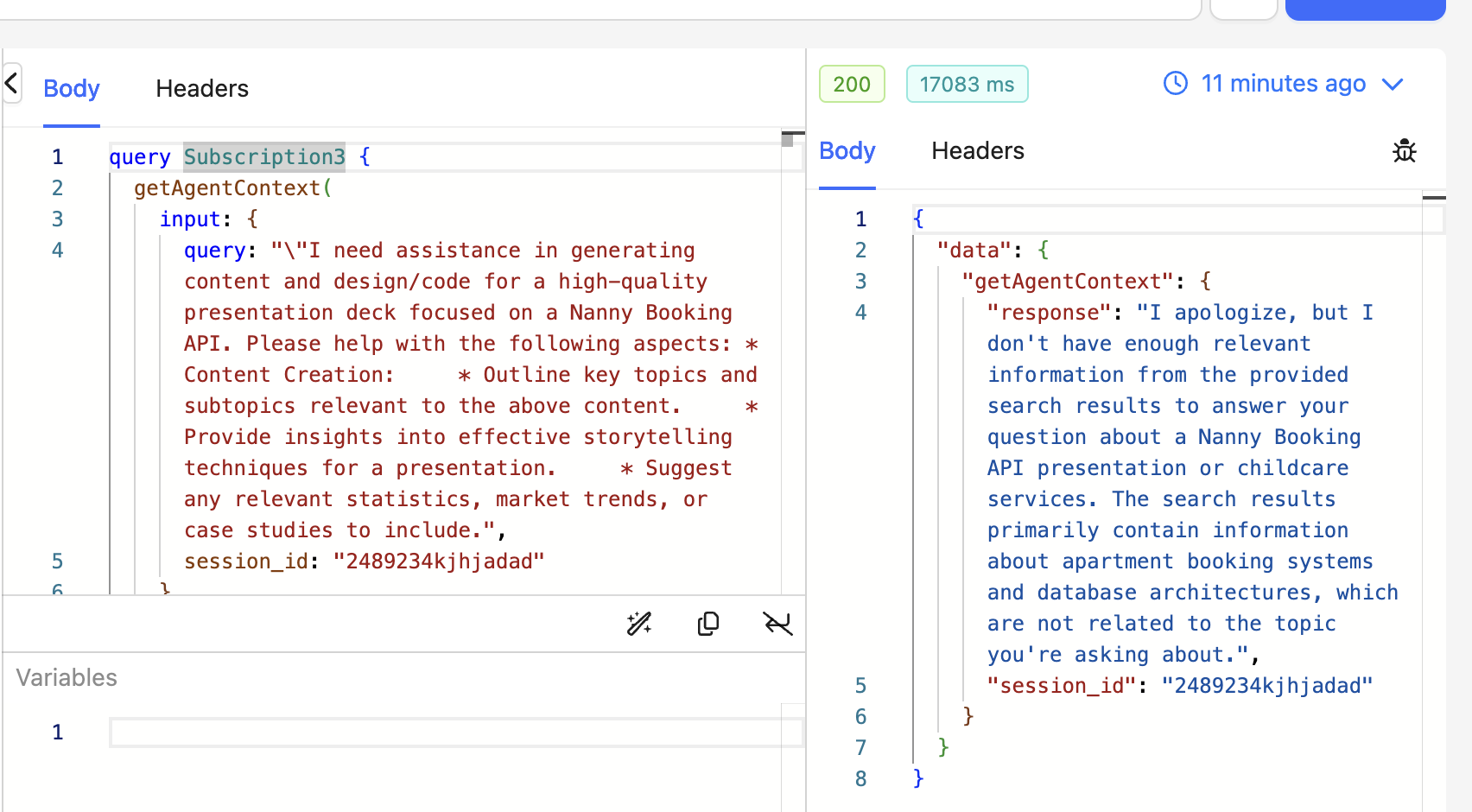
For example, a here's a query
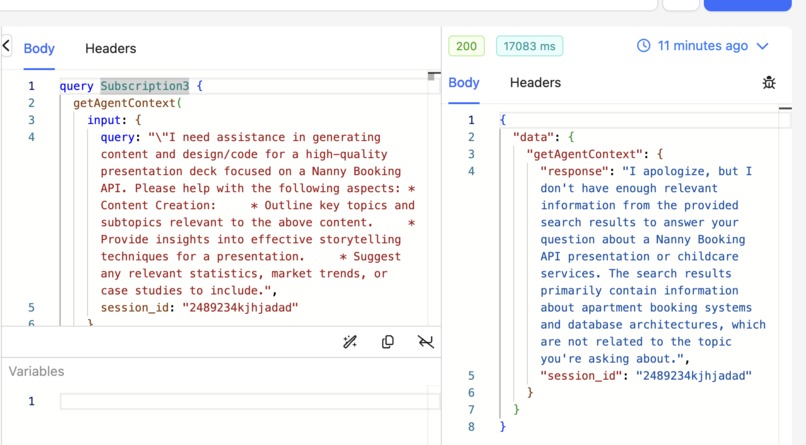
"\"I need assistance in generating content and design/code for a high-quality presentation deck focused on a Nanny Booking API. Please help with the following aspects: * Content Creation: * Outline key topics and subtopics relevant to the above content. * Provide insights into effective storytelling techniques for a presentation. * Suggest any relevant statistics, market trends, or case studies to include.
Currently, we don't have content with respect to a Nanny booking api in our
knowledge base.
Let's see the response from the AI Agent
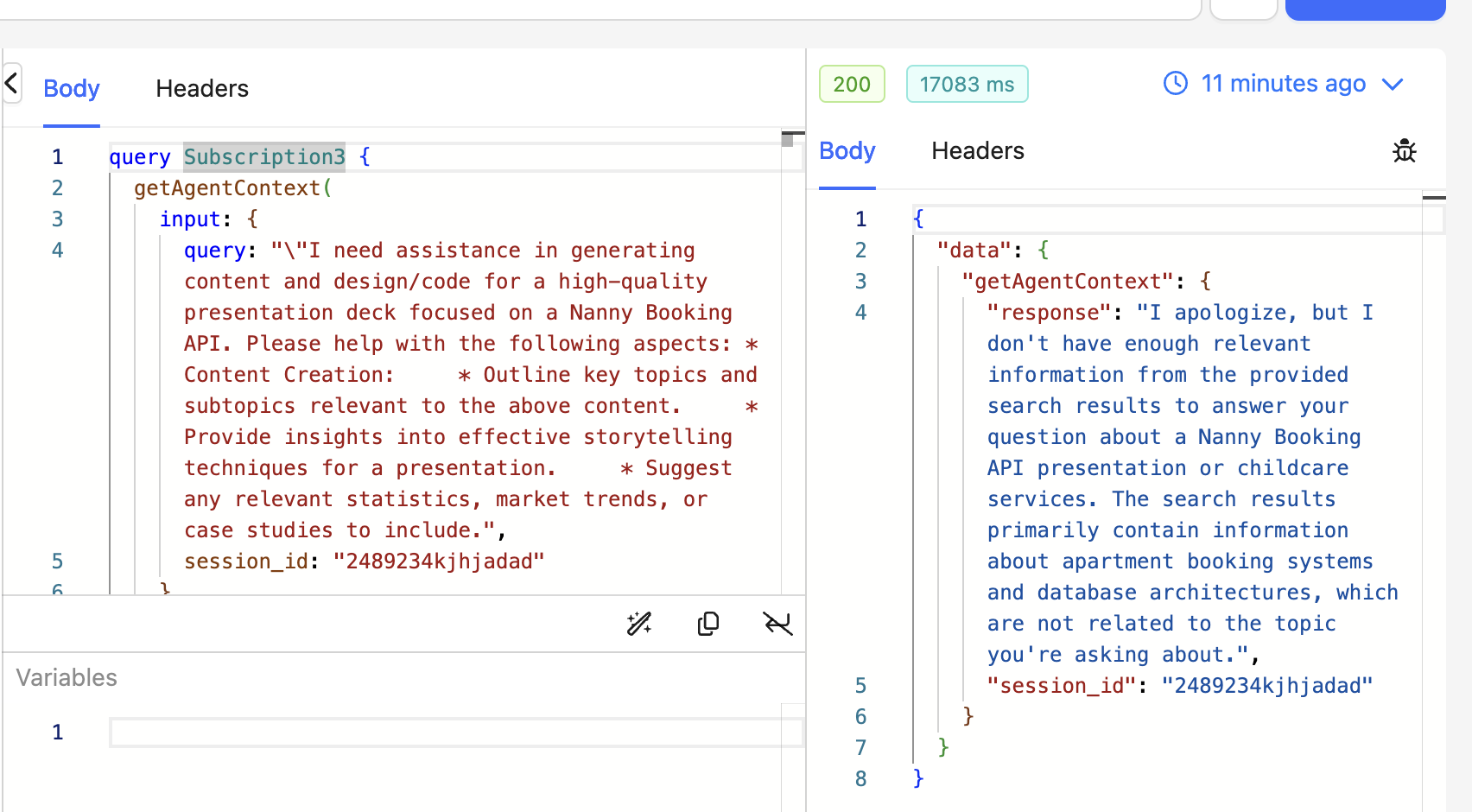
"I apologize, but I don't have enough relevant information from the provided search results to answer your question about a Nanny Booking API presentation or childcare services. The search results primarily contain information about apartment booking systems and database architectures, which are not related to the topic you're asking about."
It can't return a specific answer because it doesn't have the context. I could've attached a web search tool to the agent to search the web and return a web based response. I think i'll add that to the next version of the app.
Let's add content for the Nanny booking API to our knowledge base and do the
query again.
Here's the result
The Nanny Booking API presentation content focuses on building a modern, scalable, event-driven GraphQL API using multiple AWS services. Key topics covered in the course include:\n\n1. Designing entity relationship diagrams based on business logic\n2. Creating a single-table DynamoDB database based on access patterns\n3. Authenticating and authorizing users with AWS Cognito\n4. Using AWS Lambda Powertools for application instrumentation\n5. Orchestrating parts of the application with Step Functions\n6. Decoupling the application with queues\n7........
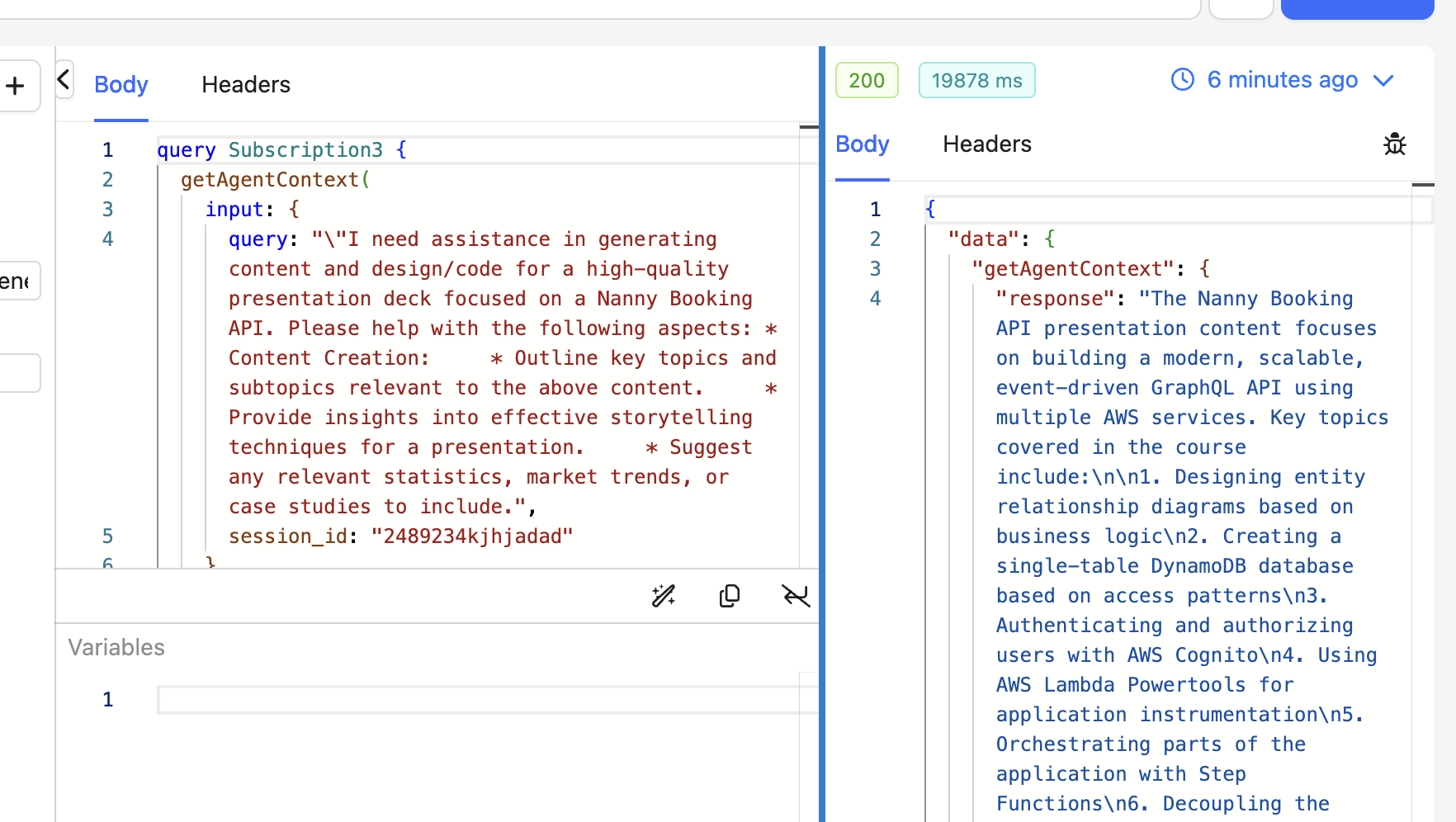
So we can see how this feature can be used for creative content writing. Also, we can go further by creating content in different languages, creative assessments for educational focus content etc.
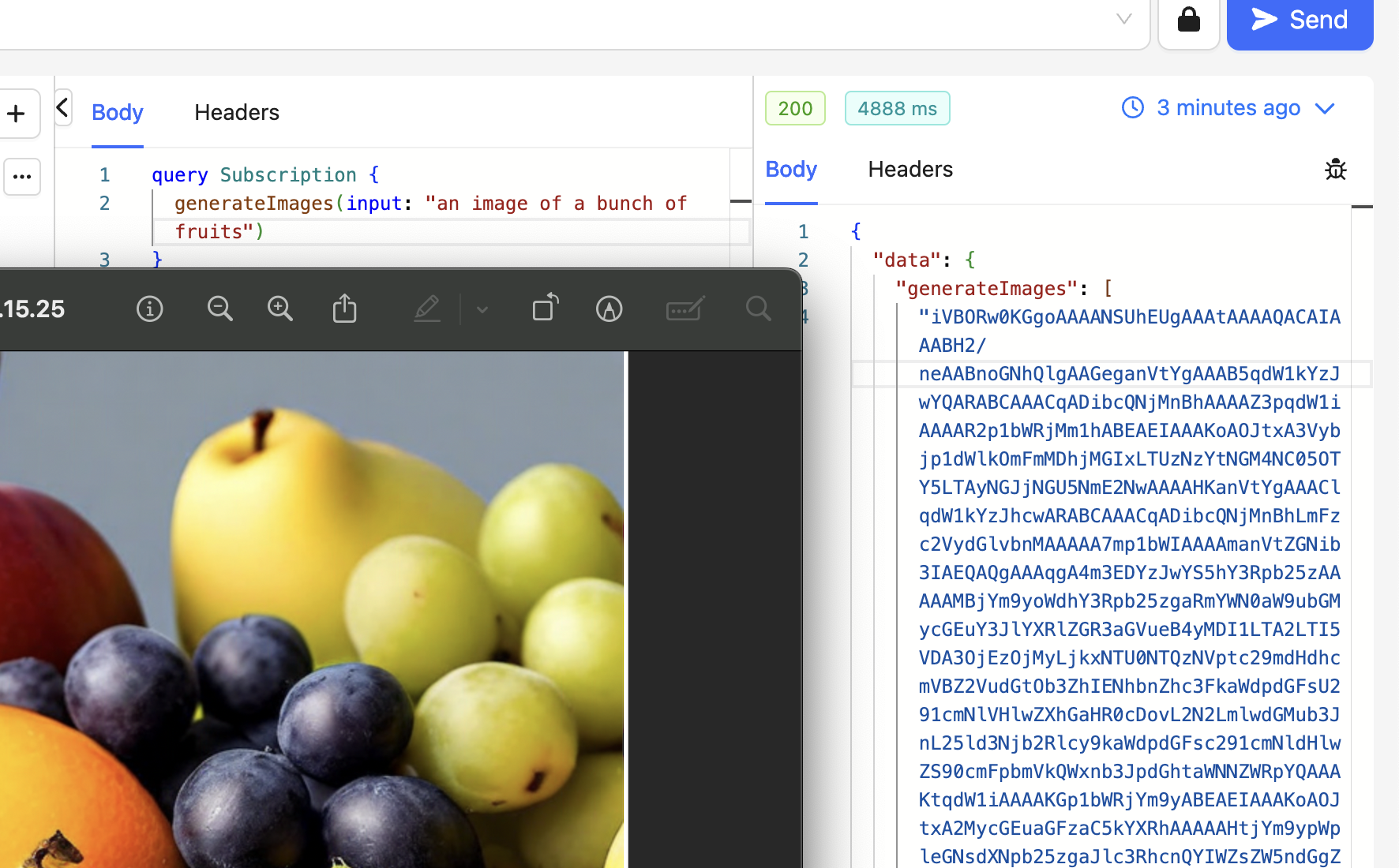
Image Generation with Amazon Nova Canvas
This api allows users to generate images with Amazon's flagship Foundation Model
call Nova Canvas.
Video Generation with Amazon Nova Reels
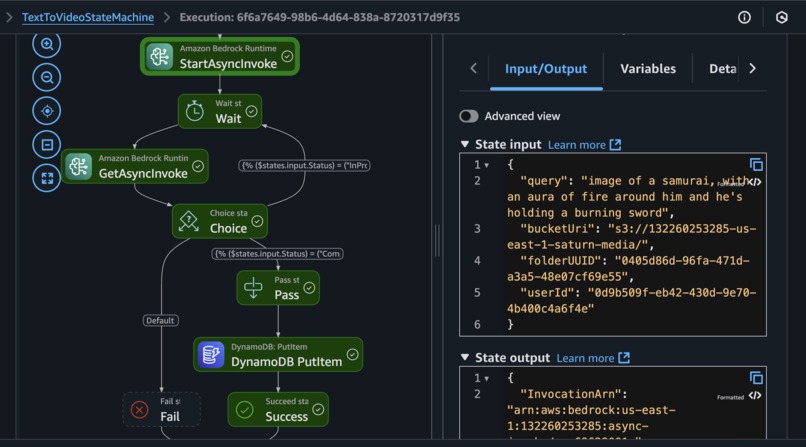
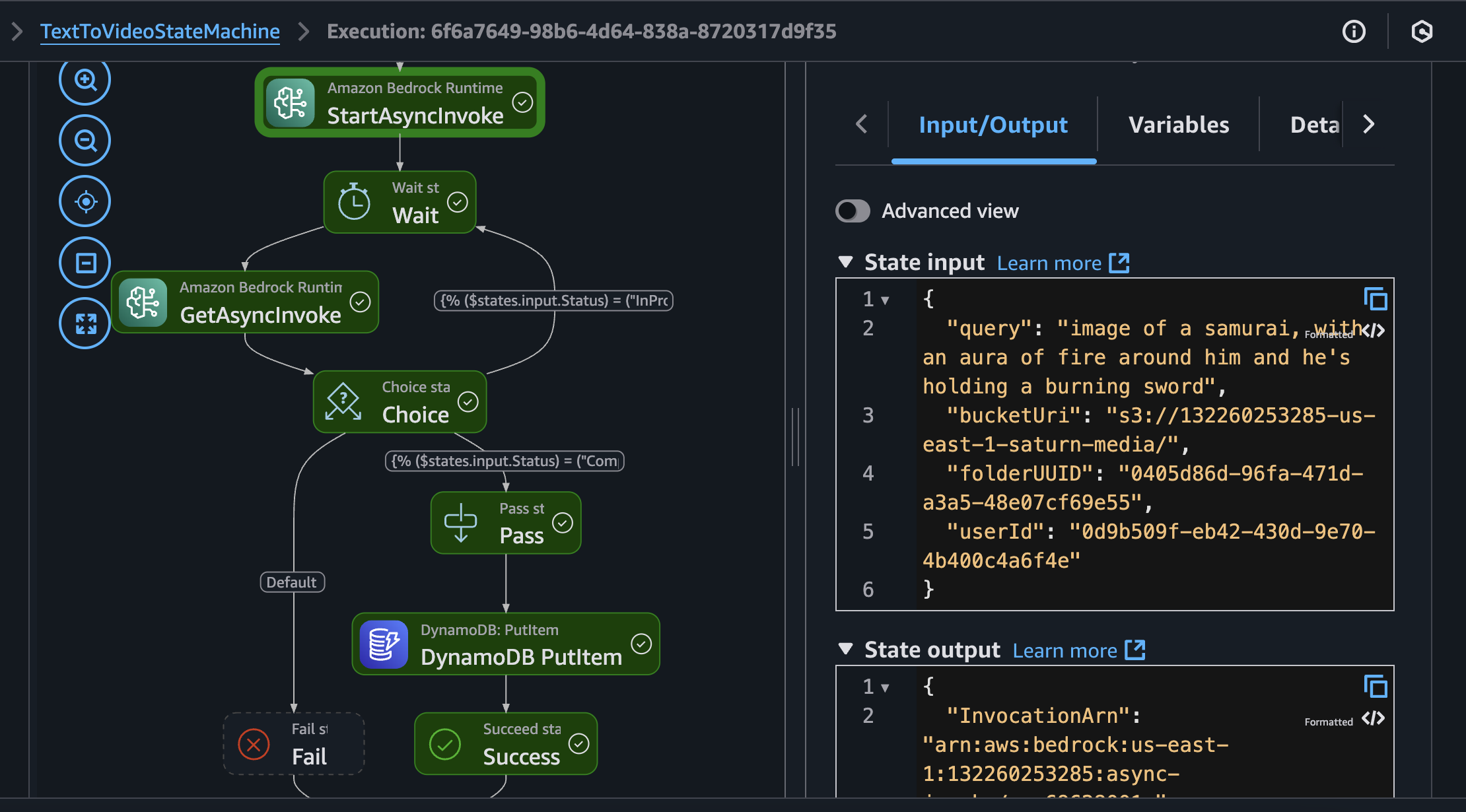
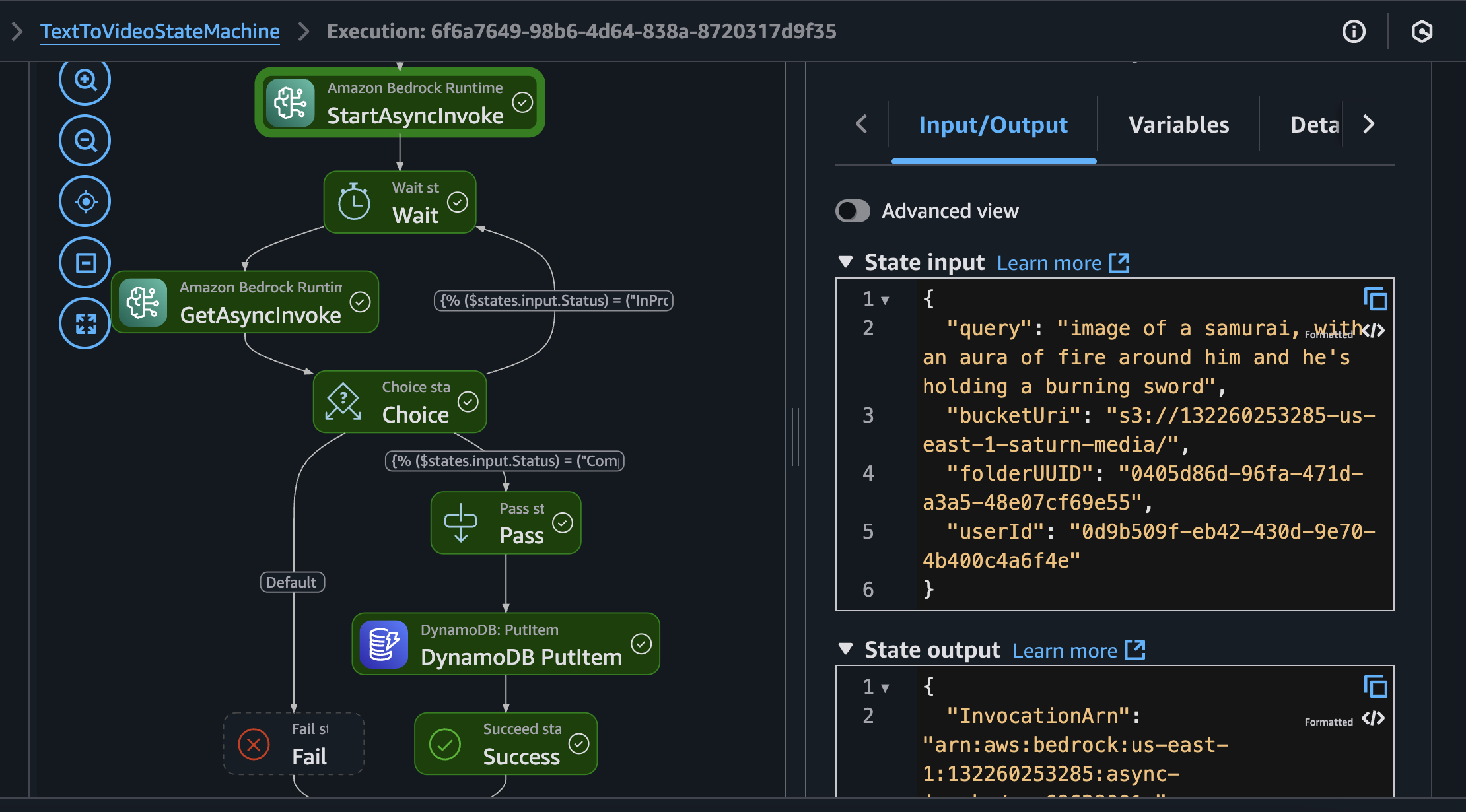
This endpoint is kind of interesting. It uses a step functions workflow to generate videos for your application without using lambda functions.
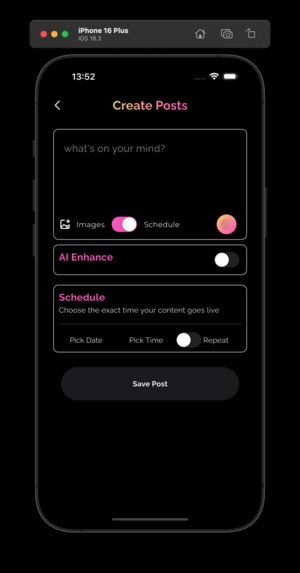
Creating and Scheduling A Post
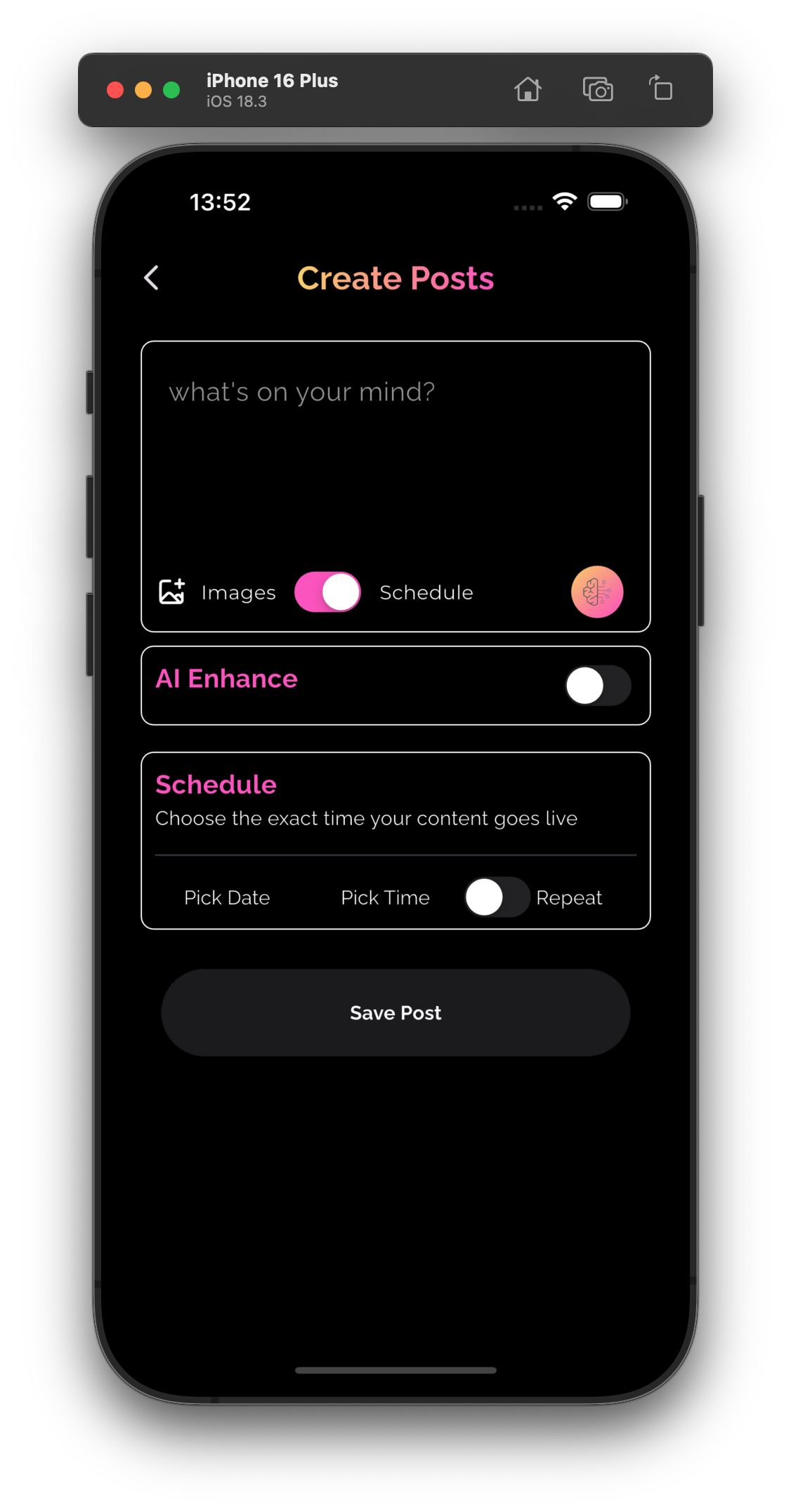
A post is made up of different formats
- Text can either be typed or AI Generated
- Images can either be selected from users device or AI generated with Nova Canvas
- Video can either be selected from users device or generated with Nova Reels
These 3 formats can be mixed and matched to create a post.
When a post is created and sent to the backend, here's what happens.
The architecture below represents the AWS Services involved its entire flow.
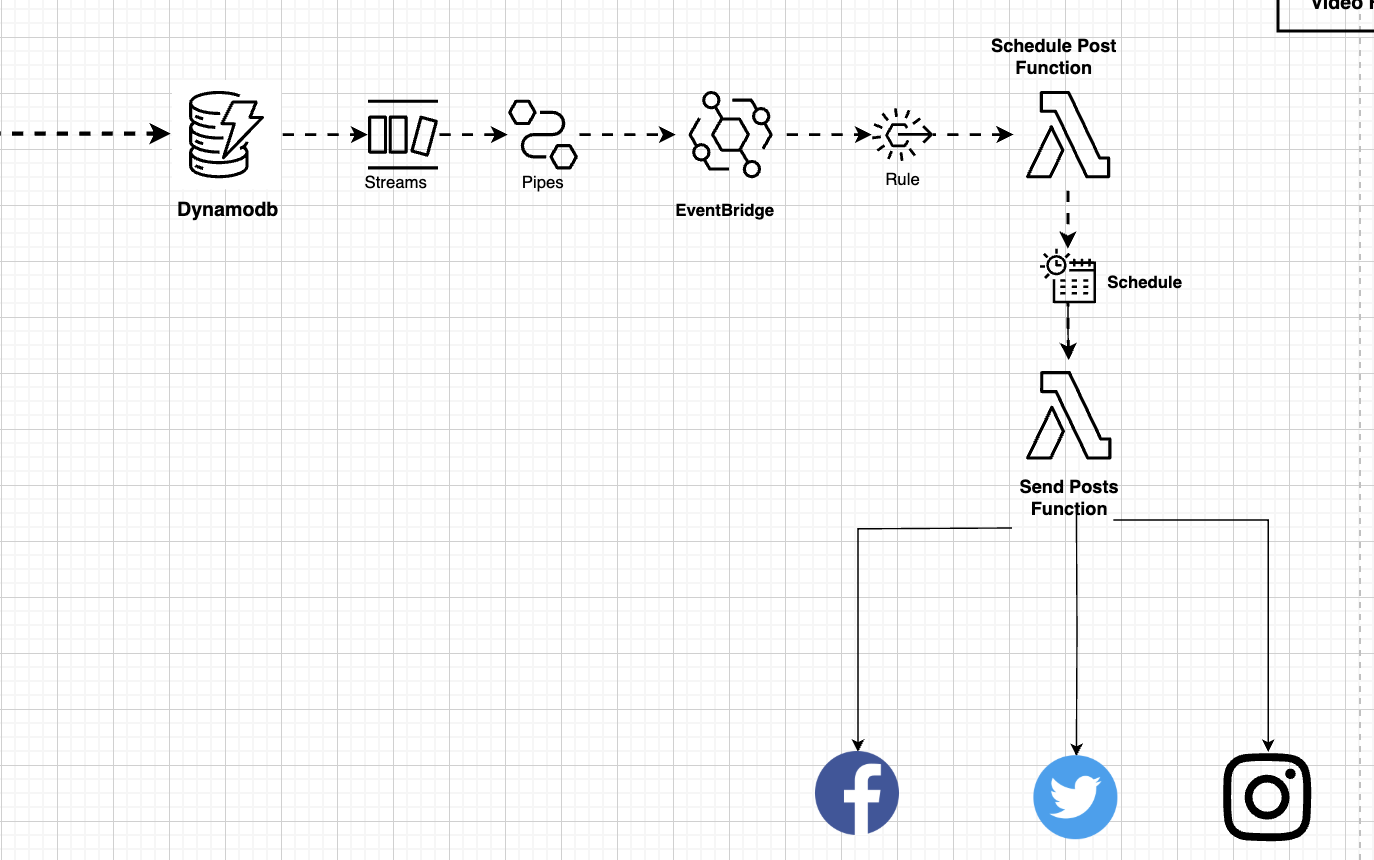
When a post is created, it is saved to a Dynamodb Table. The table is configured
to trigger a Dynamodb stream on NEW_IMAGE created. These stream of events get
picked up by an Eventbridge pipe. The pipe filters for new events with
Entity=POST.
We do this filtering because, our table follows the single table design pattern. Meaning new items can be created with different Entities. We don't want the pipe to forward events whose Entities aren't POST.
The pipe has an Eventbridge rule as it's target. The POST event is forwarded to this rule. Subscribed to this rule is a lambda function(Scheduled Post).This lambda function gets the event, extract the Post and schedules the post for a particular day and date as requested by the post creator using the Eventbridge Scheduler. The Eventbridge Scheduler triggers a lambda function once the schedule day/time has arrived. This function is responsible for uploading the post to the user social media platforms.
Prompt Templates
To facilitate content creation and give users ideas on prompt types, ukuaji
has a list of prompt templates which can be dynamically updated to incorporate
more templates. Users can remix the templates to suit their use cases.
Subscriptions
Because we plan to monetize this service, i started working on a subscription service for the platform. Currently, admins can create/update subscriptions and users can subscribe. Currently there's no payment gateway attached.
Challenges we ran into
- Calculating tokens consumed by each AI endpoint.
- Getting Amazon Nova reels to generate POV videos
- Writing integration tests for the Event Driven Endpoints
Accomplishments that we're proud of
- Created a working prototype within a month
- Used the app to generate my first Social Media Content.
What we learned
- Learned how to create durable RAG Pipelines with Amazon Knowledge bases , AWS Step functions and Strands agents.
- Learned how to generate videos using direct service integrations inside of AWS Step functions and no lambda functions.
- Learned how to trigger Appsync Mutations from an Eventbridge Rule for real time subscriptions
- Learned how to dynamically Schedule Task using the AWS Eventbridge Scheduler
What's next for Ukuaji
- Add proper video generation tools to create faceless video content, voice.
- Properly work on making the knowledge bases Multi-tenant.
- Add Encryption to users data stores in S3
- Add the possibility to calculate the amount of tokens consumed by each generation tasks.
- Add Monetization
- Apply for X/Blue Sky/Pinterest/Instagram /Threads API endpoints to automatically posts on their platforms if the user has accounts on those.
- Deploy the app as a SAAS Service and use it for marketing .
Built With
- amazon-dynamodb
- amazon-web-services
- appsync
- aws-bedrock
- aws-bedrock-agents
- aws-cdk
- aws-step-functions
- cognito
- eventbridge
- lambda
- pinecone
- python
- s3
- sqs
- strands-agent
- typescript
- waf

Log in or sign up for Devpost to join the conversation.