-
RoboPilotAR4IL
Inspiration
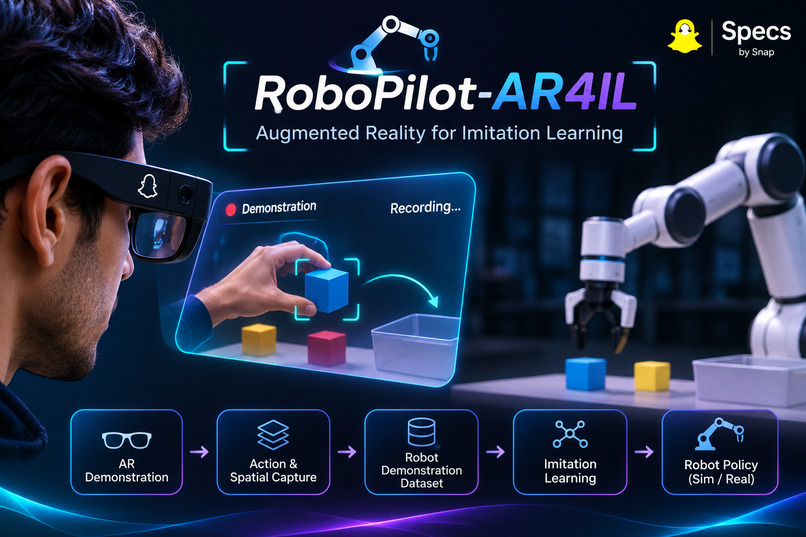
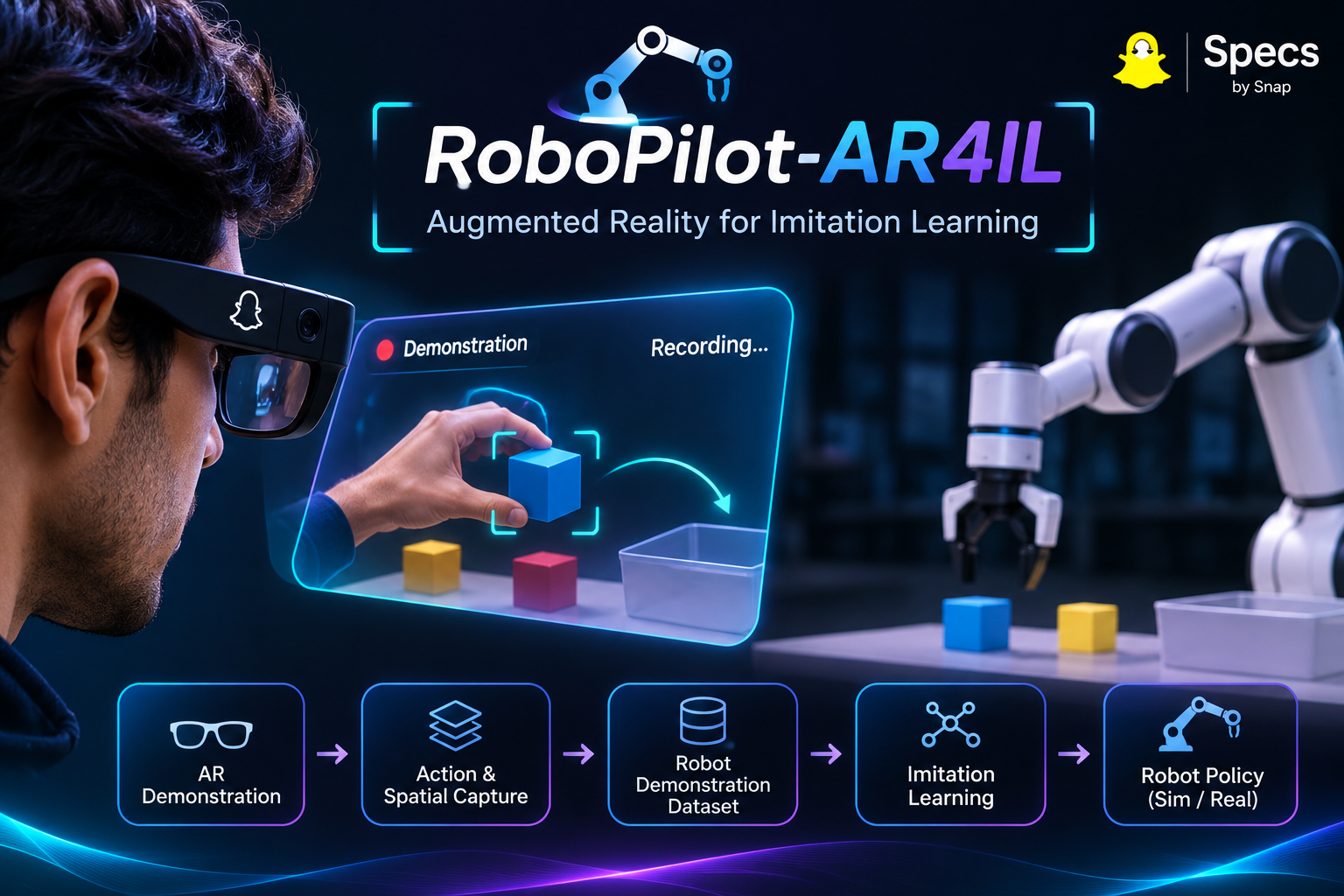
Teaching robots new manipulation tasks often requires specialized programming, carefully configured trajectories, and complex interfaces. We wanted to explore a more intuitive approach: what if humans could teach robots simply by demonstrating how a task should be performed?
Inspired by the potential of Augmented Reality and imitation learning, we envisioned RoboPilot-AR4IL as a spatial interface where human demonstrations become structured data that can eventually help robots learn manipulation tasks.
Our goal is to bridge human interaction and robot learning through spatial computing.
What it does
RoboPilot-AR4IL provides an interactive AR pick-and-place workspace built with Snap Lens Studio and Spectacles Interaction Kit.
Users can demonstrate manipulation tasks by moving three objects (red, green, and blue cubes) into a target tray.
Key capabilities include:
- Spatial Workspace: A virtual tabletop, target tray, interactive objects, and task interface.
- Interactive Manipulation: Grab, move, and release objects using the interaction system.
- Placement Validation: Uses interactor ray projection and workspace coordinates to determine whether an object is correctly placed.
- Automatic Recovery: Rejects invalid placements and records failed attempts for retry.
- Sequential Demonstrations: Guides users through red, green, and blue object placement.
- Structured Data Capture: Generates JSON records containing object positions, interaction timestamps, placement results, and demonstration metadata.
- Completion Tracking: Tracks successful demonstrations and displays a completion message.
The captured records are marked as simulated and provide a foundation for future imitation-learning dataset development.
How we built it
We built RoboPilot-AR4IL using Snap Lens Studio, TypeScript, and Spectacles Interaction Kit (SIK).
The application is organized around a local workspace coordinate system, allowing the tabletop, cubes, tray, and interface elements to maintain consistent spatial relationships.
The core implementation consists of:
- WorkspaceFrame: Defines workspace coordinates, geometric constants, and coordinate transformations.
- PlacementProjection: Projects the interaction ray onto the tray placement plane.
- CubeGrabProbe: Captures and diagnoses manipulation events.
- PickPlaceController: Manages object interactions, placement validation, task progression, recovery, and JSON recording.
- WorkspaceFrameSelfTest: Validates coordinate transformations and object positions.
The manipulation pipeline detects grab, movement, and release events. On release, the interactor ray is projected onto the tray plane, and the resulting coordinates are checked against the valid placement boundaries.
Successful placements settle the object at the configured resting height. Failed placements are rejected and recorded.
Each attempt produces a structured JSON record with session and demonstration identifiers, object positions, timestamps, and placement status.
The current prototype was tested using mouse-based interaction in Lens Studio Preview.
Challenges we ran into
1. Coordinate systems and spatial transformations
Maintaining consistent coordinates between the workspace and Lens Studio world space was challenging. We addressed this by introducing a dedicated workspace coordinate frame and self-tests for transformations.
2. Mouse interaction and placement detection
Indirect mouse interaction does not provide a reliable physical release height. We solved this by projecting the interactor ray onto the tray placement plane and validating placement using projected X/Z coordinates.
3. Interaction event handling
We encountered duplicate demonstration records because disabling manipulation triggered a re-entrant SIK release event. We resolved this using a state-transition guard that prevents the same release from being processed twice.
4. Package compatibility
Additional interaction and testing packages introduced TypeScript compilation errors because they targeted a different generation of the interaction APIs. We removed the incompatible packages, recovered the Lens Studio compiler state, and restored a clean build without replacing the working SIK setup.
Accomplishments that we're proud of
- Built a functional spatial pick-and-place demonstration environment.
- Implemented interactive manipulation using Spectacles Interaction Kit.
- Developed ray-projected placement validation.
- Implemented successful placement, failed-attempt detection, and recovery handling.
- Completed the sequential red → green → blue demonstration workflow.
- Captured structured JSON records with unique demonstration identifiers.
- Resolved duplicate event processing and verified exactly three successful demonstration records.
- Achieved 12/12 passing workspace coordinate self-tests.
- Restored a clean TypeScript build with zero compilation errors.
Most importantly, we demonstrated how an AR interaction can be transformed into structured manipulation-demonstration data, creating a foundation for future robot learning workflows.
What we learned
We learned that building spatial applications involves much more than placing virtual objects in a scene.
Coordinate frames, interaction semantics, geometric constraints, event lifecycles, and data representation all need to work together.
We also learned that mouse-based indirect interaction behaves differently from physical hand interaction, making ray-based placement validation an important design decision for our prototype.
Debugging the interaction lifecycle taught us the importance of handling synchronous and re-entrant events when working with interaction frameworks.
Finally, we explored how structured human demonstrations can become a starting point for imitation-learning datasets.
What's next for RoboPilot-AR4IL
RoboPilot-AR4IL is the first step toward a broader AR-assisted robot teaching workflow.
Our next goals are:
- Richer Demonstration Capture: Record continuous object trajectories and spatial interaction samples rather than only interaction summaries.
- Dataset Export: Introduce persistent JSON/JSONL export and dataset validation.
- AR Guidance: Add spatial highlights, target indicators, and contextual task instructions.
- Demonstration Replay: Reconstruct and replay captured manipulation demonstrations.
- Imitation Learning: Convert demonstrations into robot-compatible representations and train behavior-cloning policies.
- Simulation Integration: Connect captured demonstrations with RoboPilot-Sim2Real for simulated manipulation and policy evaluation.
- Physical Validation: Test direct hand interactions on Snap Spectacles and explore eventual real-robot integration.
Our long-term vision is to make robot teaching more intuitive: humans demonstrate tasks naturally, while learning systems transform those demonstrations into robot behavior.
RoboPilot-AR4IL — Demonstrate tasks. Capture intelligence. Teach robots.
Built With
- ar
- javascript
- lensstudio
- snap
- specs
- typescript

