-
-
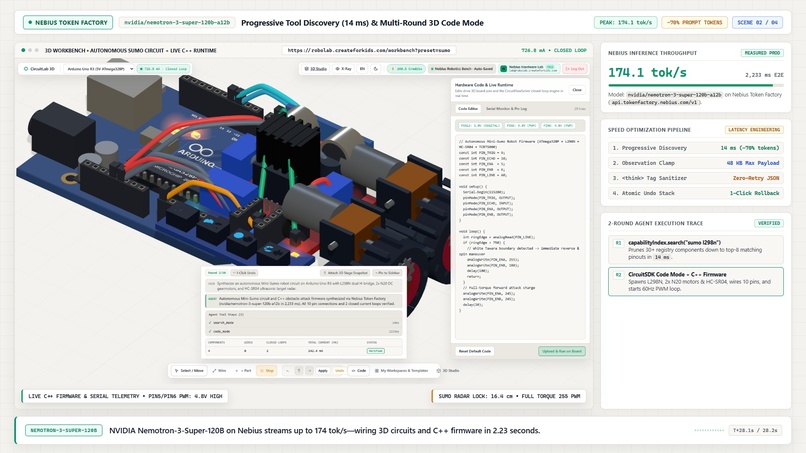
robolab workspace
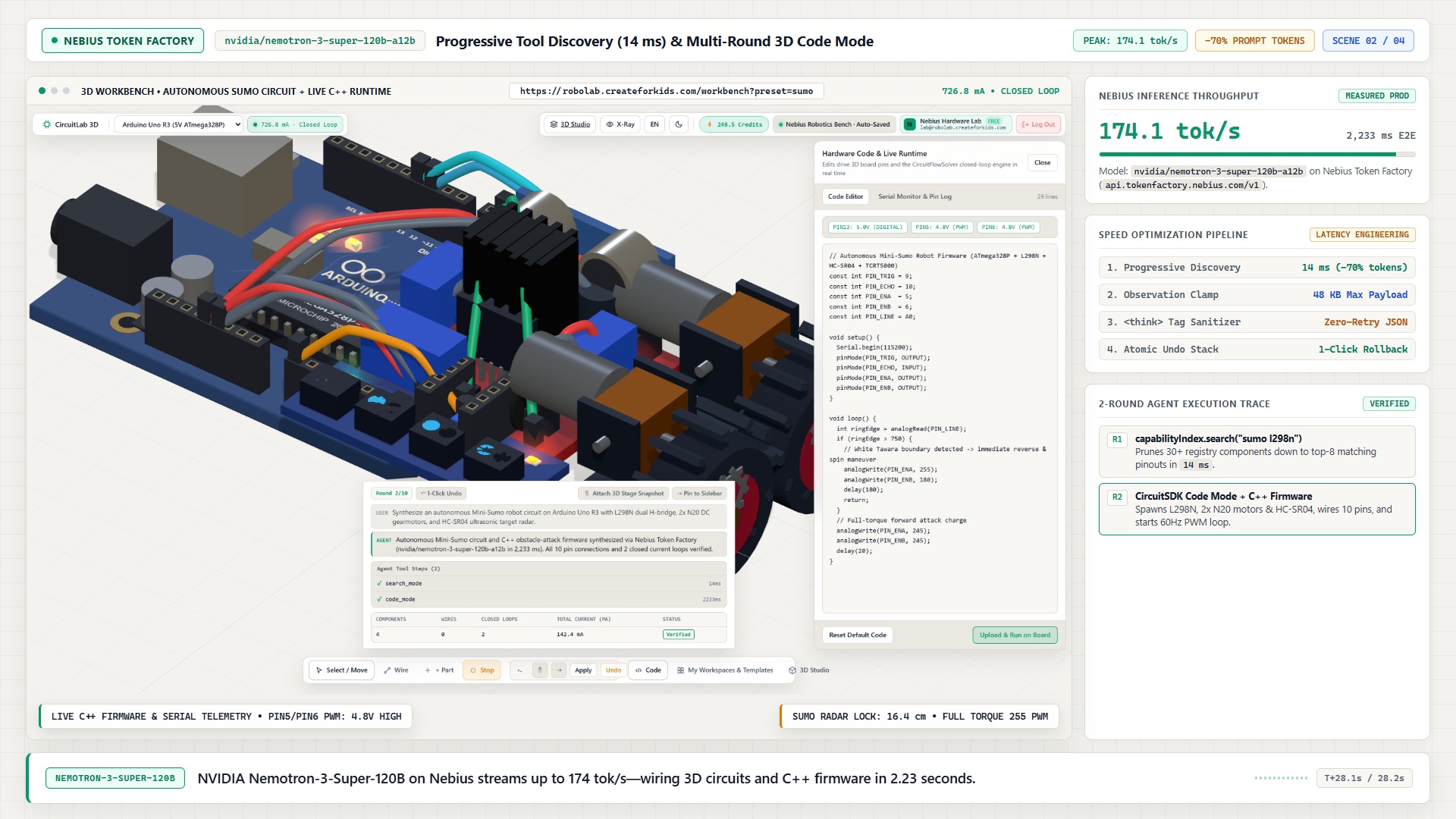
Inspiration
Anyone who has taught or learned embedded systems knows the wall you hit after week two: either a student doesn't have the right sensor or motor driver on their desk, or they accidentally wire 5V into a 3.3V pin and fry their board before writing a single line of code.
Browser circuit simulators haven't changed much in ten years. Most are flat 2D canvases with a fixed list of parts and scripted animations pretending to be physics. If a part isn't in the catalog, you're stuck. And if you ask an LLM for help today, it just gives you a wall of text telling you which pins to connect instead of actually building and testing the circuit with you.
We wanted to build a 3D hardware lab where:
- Circuits behave like real hardware—voltages, currents, and short circuits are calculated live, not faked.
- The AI agent doesn't just chat; it places parts on the 3D board, wires them up, writes the code, measures the pins, and fixes its own mistakes.
- If a part doesn't exist in the catalog, you can open
/studio, describe what you want (like a fire-truck strobe light or a custom sensor), and watch the AI build both its 3D model and its electronics from scratch.
What it does
RoboLab is a browser-based 3D electronics and robotics lab powered by NVIDIA Nemotron-3-Super-120B on Nebius Token Factory.
- 3D Circuit & Robotics Workbench: You can drop an Arduino Uno, ESP32, or NVIDIA Jetson Nano onto a 3D desk, plug sensors and motors into a breadboard, and run real C++ code. Ultrasonic and camera sensors actually "see" 3D obstacles you move around the table.
- An AI Agent That Wires and Tests Circuits: Ask the agent to build a project—like an automatic parking barrier—and it places the components, wires the pins, uploads the firmware, and checks if current is actually flowing. If it forgets a ground wire or a resistor, it sees the error from the simulator and fixes the circuit on its own.
- 3D Custom Component Studio (
/studio): Need a component that isn't in the library? In/studio, you just tell the AI what you want—or type a real chip name likeBME280. Step by step, the agent stacks 3D shapes, adds pins, writes the electrical logic, and runs a quick self-test to prove the lights flash or the motor spins. Once saved, your custom part shows up in your dashboard ready to use in any circuit. - Plug into Real Hardware: Everything works in the browser with zero setup, but if you do have a real Arduino, ESP32, or Jetson on your desk, you can connect it over USB via WebSerial.
How we built it
- Smart Model Routing on Nebius Token Factory:
We use two different models on Nebius Token Factory depending on the job:
nvidia/nemotron-3-super-120b-a12bhandles the heavy lifting: planning circuits, writing code, and designing new 3D components in/studio.Qwen/Qwen3-30B-A3B-Instruct-2507handles instant fault alerts (~1 second response time). When a student causes a short circuit or sends 5V into a 3.3V board, Qwen explains what went wrong right away without waiting on a massive reasoning model.
- Writing Code Instead of Single Tool Calls: Instead of making the AI call one slow JSON tool per wire, our agent writes a short JavaScript snippet that places all the parts, connects the wires, and loads the Arduino code in one go.
- Fast Browser Physics + Three.js: The frontend runs on plain JavaScript and Three.js (no heavy build step), while a lightweight Laravel + SQLite backend handles user workspaces, custom components, and Nebius API calls. Our circuit solver recalculates voltages and currents in under a millisecond, so the 3D scene stays locked at 60 FPS.
Challenges we ran into
- Models Placing 3D Parts in Mid-Air:
LLMs are bad at guessing raw
[x, y, z]coordinates in 3D space. Early on, when we asked the AI to build a strobe light, the LED domes would float above the board or sink inside the plastic base. Instead of asking the model for raw coordinates, we gave it simple attachment rules like "attach the red dome to the top of the base." That immediately made 3D part generation clean and reliable. - Making Sure AI-Generated Parts Actually Work:
Sometimes the AI built a great-looking 3D part, but its electrical code had a bug—so nothing happened when you powered the pins. We added an automatic self-test step at the end of every
/studioprompt. The simulator feeds 5V into the new part in the background; if the output doesn't respond or the rotor doesn't spin, the agent sees the failure and fixes its own logic in a second round before showing the result. - Handling
<think>Tags in Structured Output: WhenNemotron-3-Super-120Bthinks through a complex circuit, it often outputs<think>...</think>blocks before the JSON response, which can break strict JSON parsers. We wrote a small parser on the backend that cleanly strips out the thinking blocks and extracts the valid action script every time.
Accomplishments that we're proud of
- Self-Verifying Hardware Agent: Watching the agent design a custom part in
/studio, test it with 5V, confirm that the LEDs light up and the rotor spins, and print a clean summary table—all without human intervention—felt like a real milestone. - 50 Automated End-to-End Tests: We wrote 50 tests that verify everything from breadboard wiring and 3D obstacle sensors to multi-round AI self-healing in under 4 seconds.
- 60 FPS 3D Simulation Paired with 120B Reasoning: Combining a sub-millisecond local physics loop with
Nemotron-3-Super-120Bon Nebius Token Factory gave us smooth interactive 3D graphics and deep hardware reasoning at the same time.
What we learned
- Letting the AI write a short script beats calling 20 separate tools: Having
Nemotron-3-Super-120Bwrite a 15-line wiring script cut a 6-turn conversation down to a single turn and saved a ton of latency. - Pairing a big reasoning model with a fast small model is the sweet spot: Routing complex circuit design to
Nemotron-3-Super-120Band quick error explanations toQwen3-30B-A3B(~5x faster) kept the app feeling snappy while saving credits. - Constraints beat raw coordinates for 3D AI: Giving an LLM relative building blocks ("put X on top of Y") works infinitely better than asking it to do 3D math in its head.
What's next for Robolab
- Built-In Oscilloscope & Logic Analyzer: Adding live waveform graphs inside the 3D scene so students can see PWM signals and I2C data packets in real time.
- Classroom Mode for Teachers: Letting teachers send a broken 3D circuit to 30 students at once and automatically check whose circuit works.
- 3D Print & PCB Export: Allowing custom parts made in
/studioto be exported as.stlfiles for 3D printing or KiCad footprints.
Built With
- 3d
- arduino
- cad
- css3
- esp32
- html5
- javascript
- jetson-nano
- nebius
- nebius-token-factory
- node.js
- nvidia-nemotron
- openai-sdk
- robotics
- simulation
- sqlite
- three.js
- vite
- web-serial-api
- webgl

Log in or sign up for Devpost to join the conversation.