

How Robo Arena Started
When I finally bought my own Quest headset, the first thing I wanted to try was finding colocated games I could play against my brother. To my surprise, there was almost nothing on the Quest Store that made real use of the room scan feature. Since I study game design and had seen a few videos and tutorials showing that the basics of creating a mixed reality experience were fairly approachable in Unity, I wondered whether I could simply build something myself. That question eventually became the starting point for Robo Arena.
What the experience offers
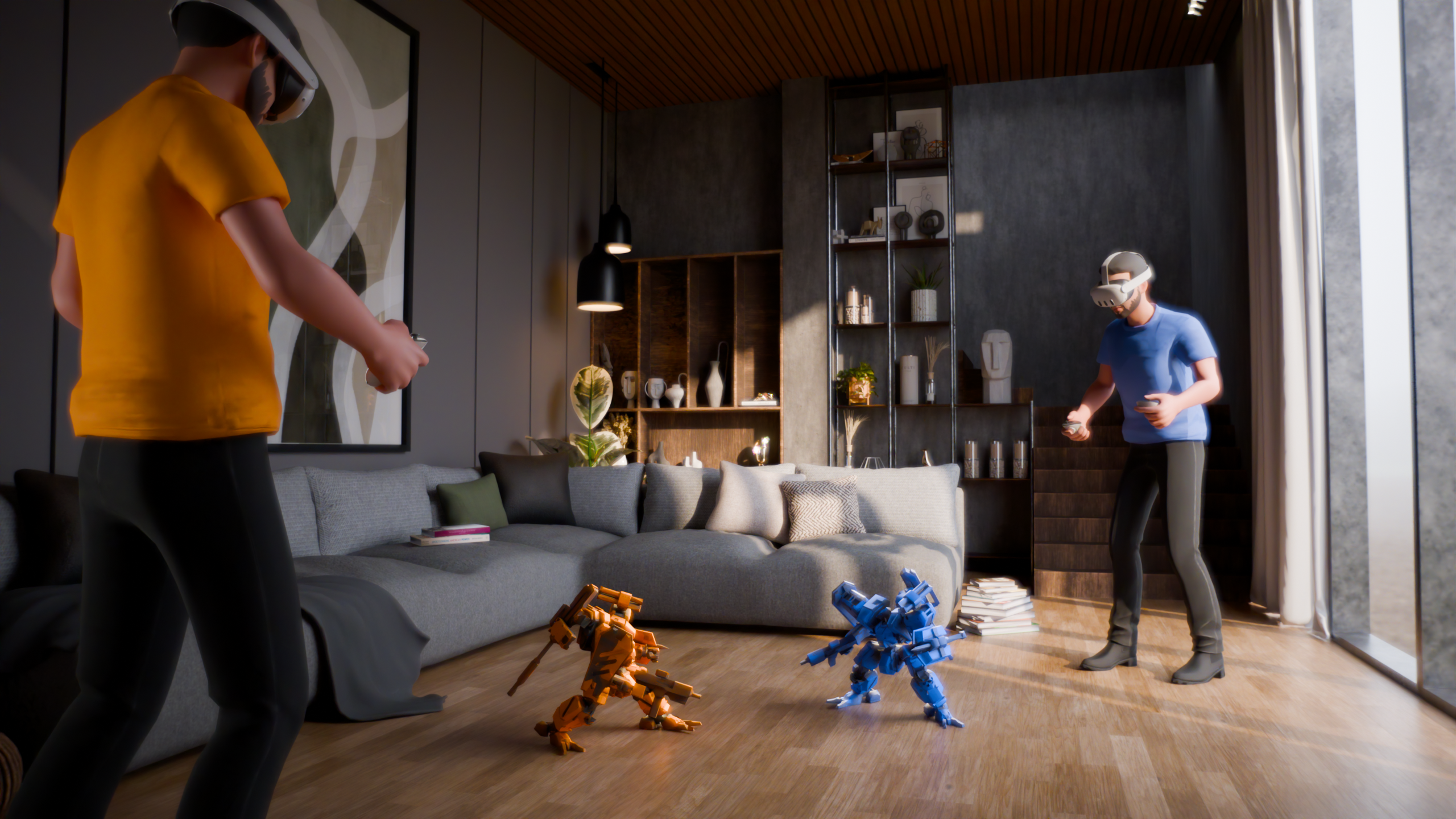
At its core, Robo Arena is a 1-vs-1 mixed-reality arcade battler that unfolds directly in your own room. The scanned environment defines the arena’s hitboxes, giving every space its own layout and character. Players can even rearrange furniture between matches to subtly shift how the battlefield feels, making each duel a bit different.
How we built it
Robo Arena is built in Unity using the Meta XR SDK, based on the Meta Building Blocks, and Fusion as the networking solution. This combination allowed us to set up a colocated session surprisingly quickly and handle spatial meshes, shared room data and environment-based hitboxes.
Challenges
This is my first real multiplayer project and also my first mixed-reality game. Learning netcode while constantly jumping in and out of a headset while figuring everything out along the way was… a challenge.
What we’re proud of
Honestly, the biggest achievement is simply that anything works at all. I only started building the real Unity project two weeks before the deadline, and I committed to actually submitting something nine days before it. From that point on, it was pure crunch mode. Given that timeline, I’m pleasantly surprised that Robo Arena not only runs, but is already a functional colocated MR battler. It definitely wasn’t guaranteed.
What we learned
Pretty much everything about this project was new. MR workflows, networking, colocation logic and spatial meshes were all unfamiliar territory. Working through these topics taught me a lot about how MR behaves in real development scenarios and how different it is from traditional game design.
On a personal level, I learned so much and I am genuinely excited to use that knowledge to create more colocated experiences. I am not an expert yet, but it finally feels like building new AR and MR games will no longer be such a big hurdle, which is a great feeling.
What’s next
Robo Arena will continue to grow. We plan to add upgrades, powerups and more interactions with the environment. The project also received some public funding from the state of Baden-Württemberg, which allows us to develop a properly polished prototype.
Credits
3D Mech Model
Based on “Zenith – Front Mission Wanzer animation” by Oregu Licensed under CC Attribution. Edited base model, colors and animations. Original model available on Sketchfab: https://sketchfab.com/3d-models/zenith-front-mission-wanzer-animation-0cb1d2e6bc96482e95055a864bea0c44
Development
Programming & Game Design: Yannik Andler
Animation and 3D Editing: Fabian Andler
A big thanks to everyone who helped me to test and develop this prototype!
Built With
- fusion
- unity


Log in or sign up for Devpost to join the conversation.