-
-
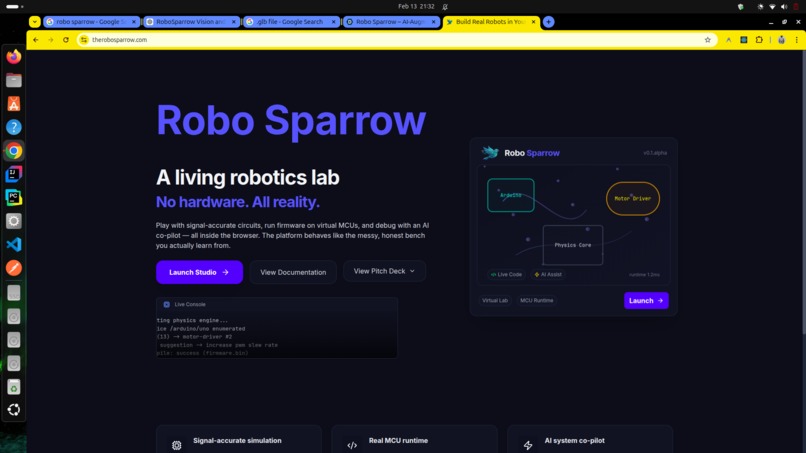
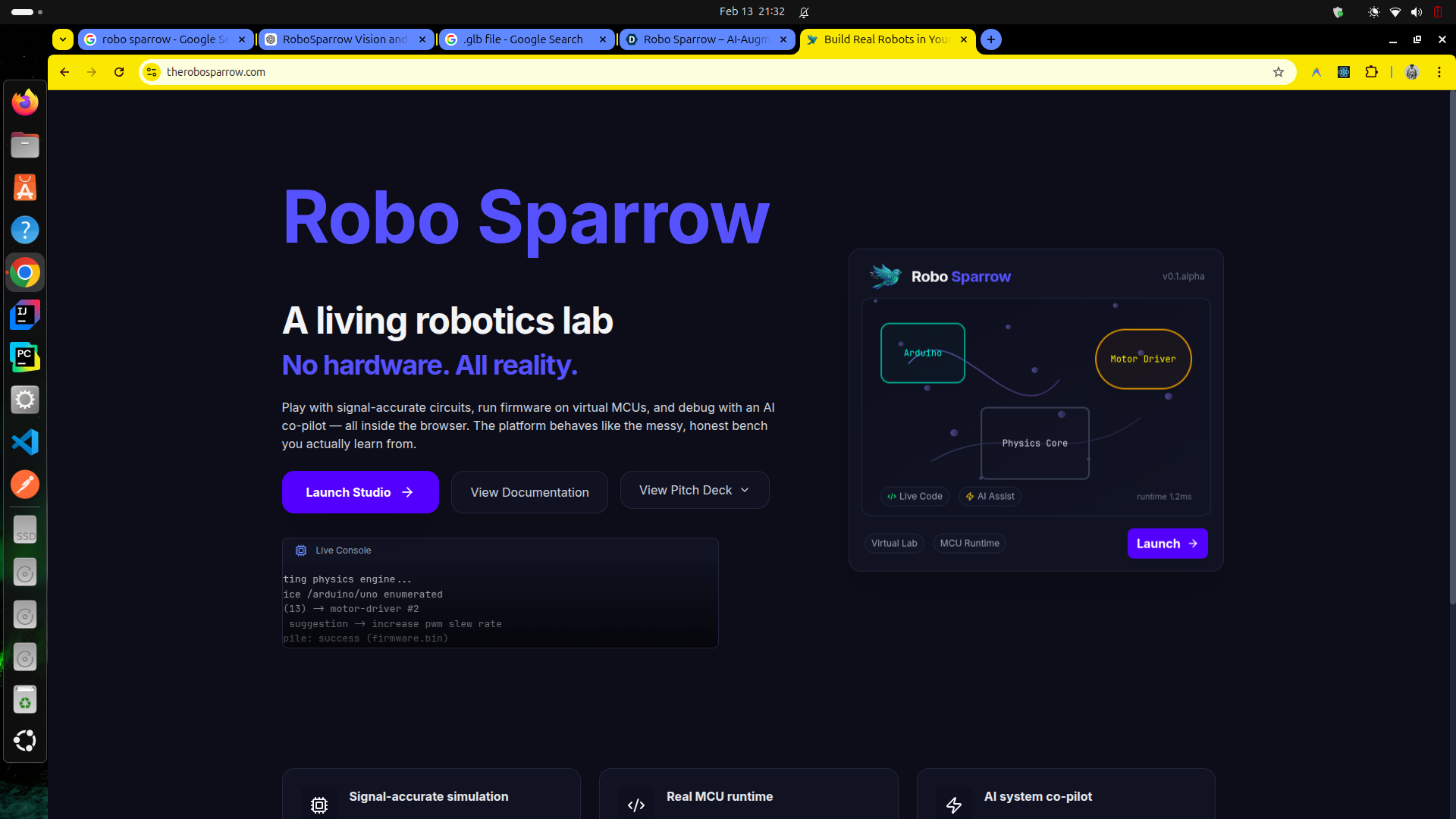
Landing Page
-
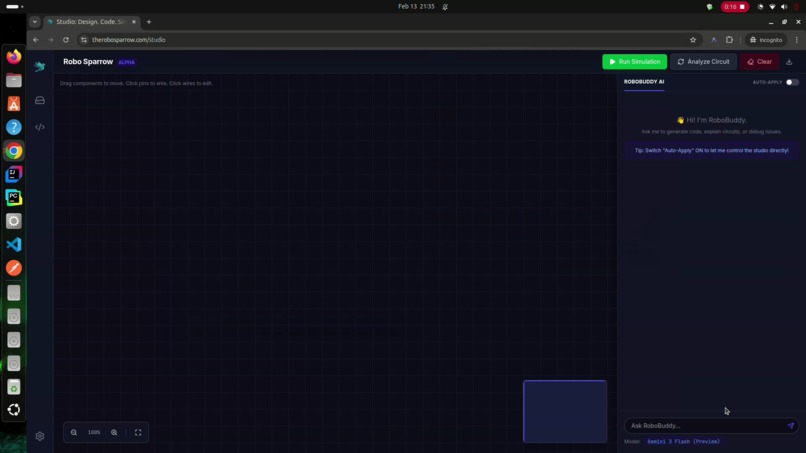
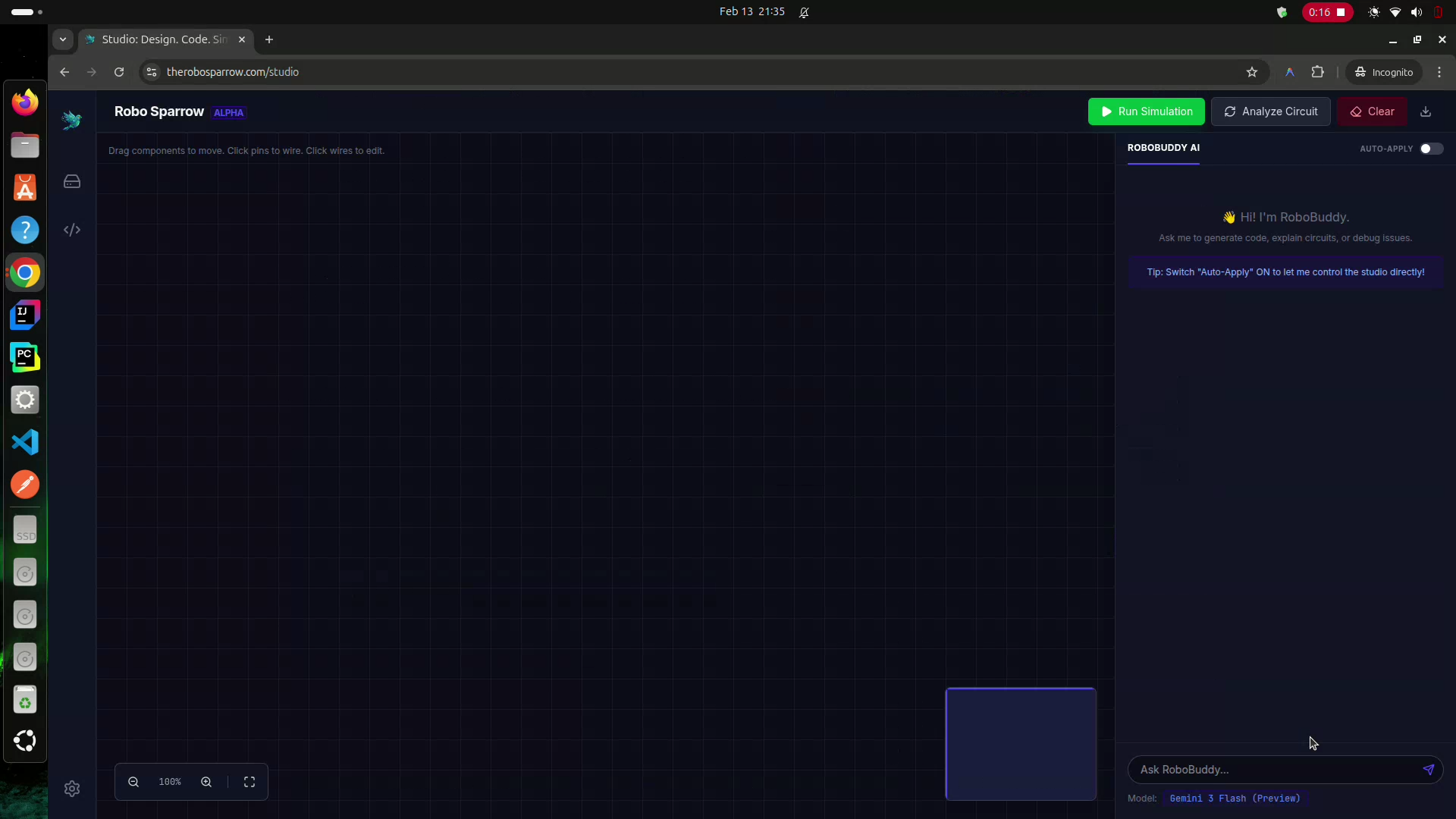
Studio Page and agent panel to the right with Gemini 3 integration. Agent can control every aspect of the Studio
-
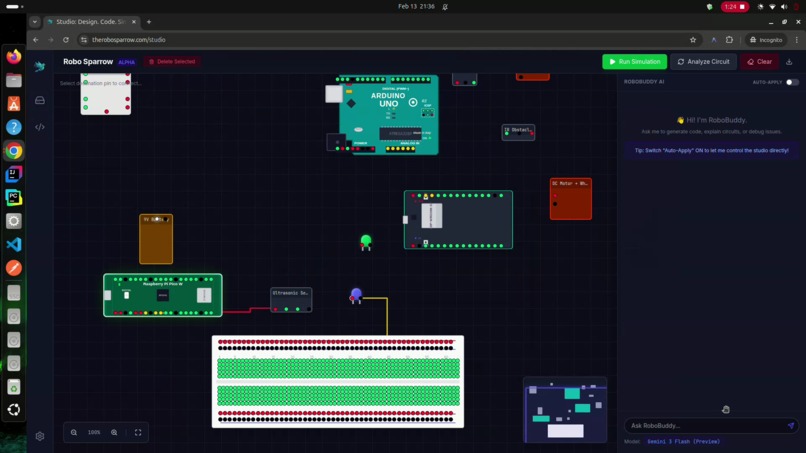
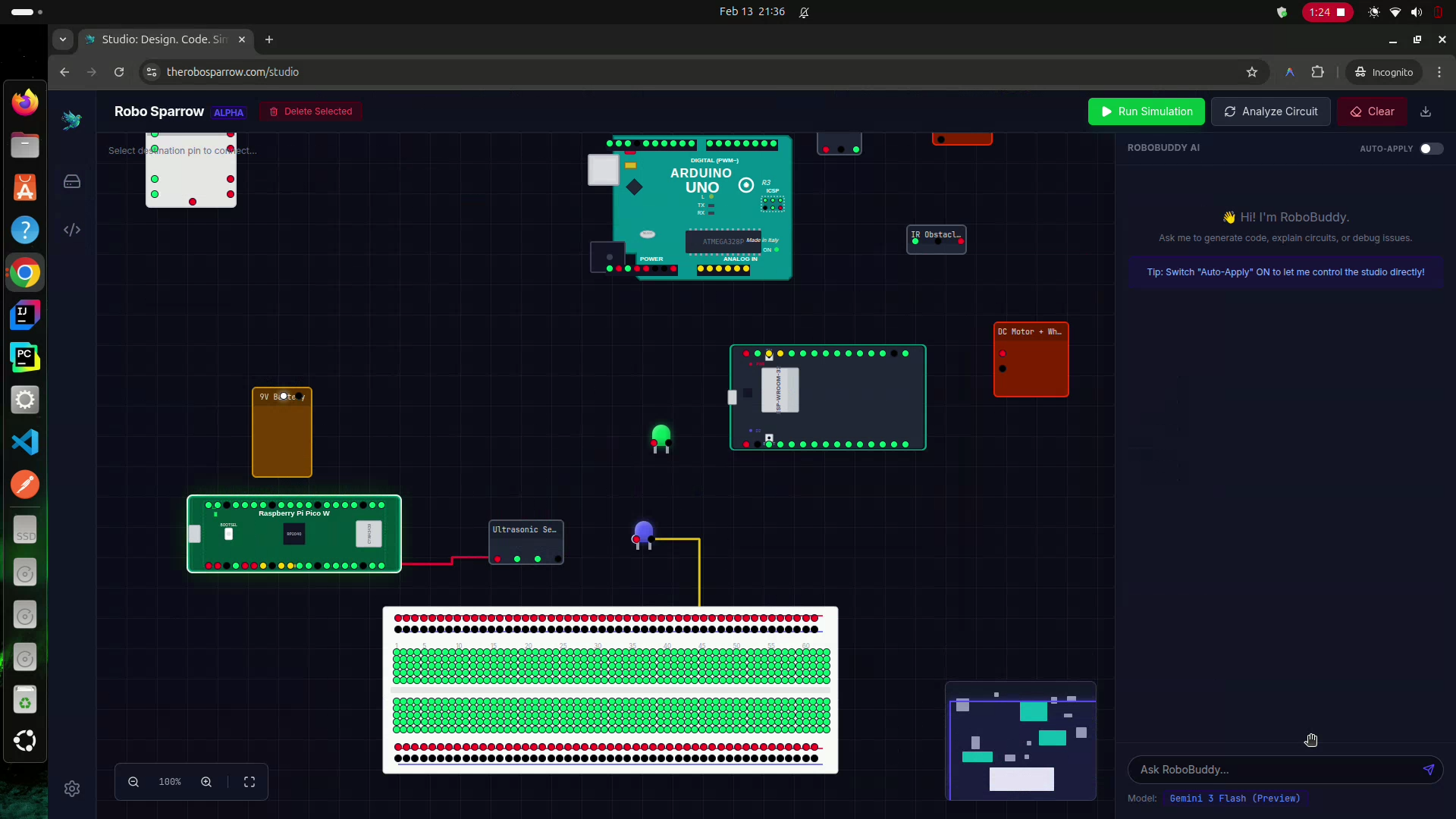
Components on Canvas, dragging and dropping and wiring components with the click of two pins
-
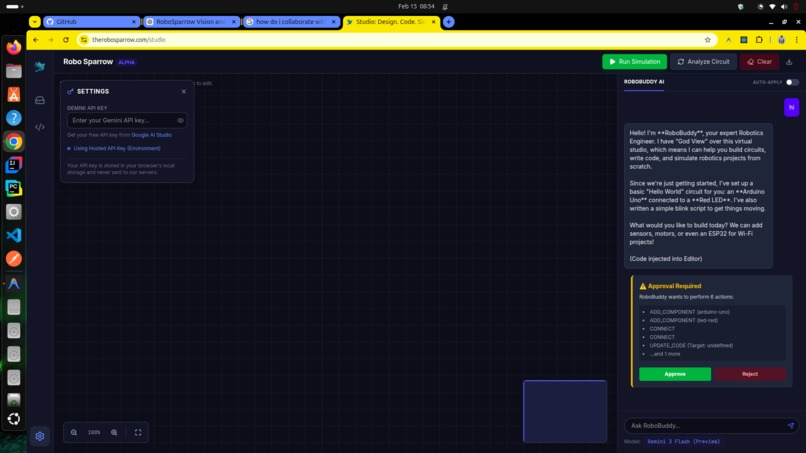
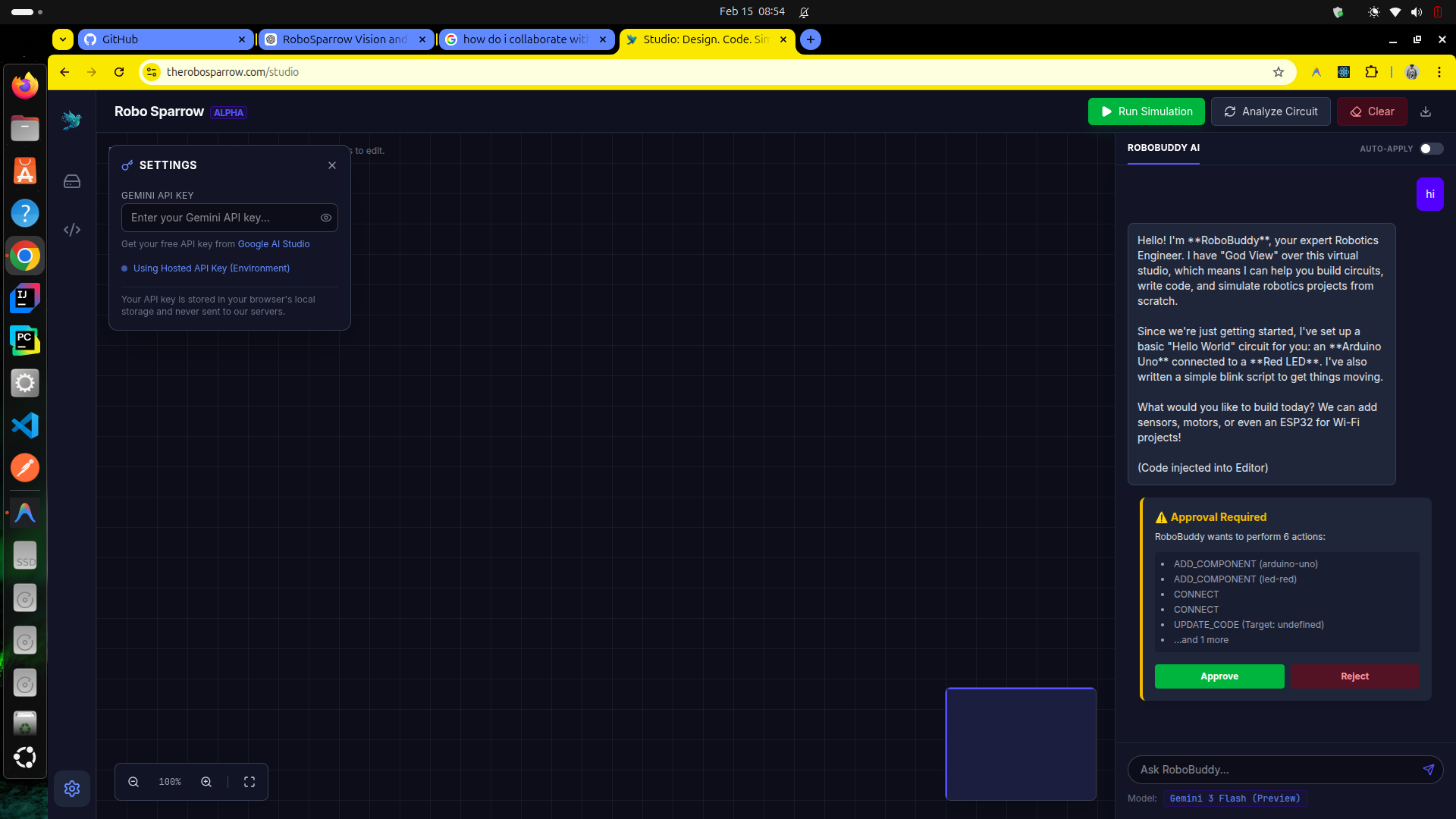
you can add your own Gemini API key to use the agent, if you dont have the key then you can get it from the link in the panel
-
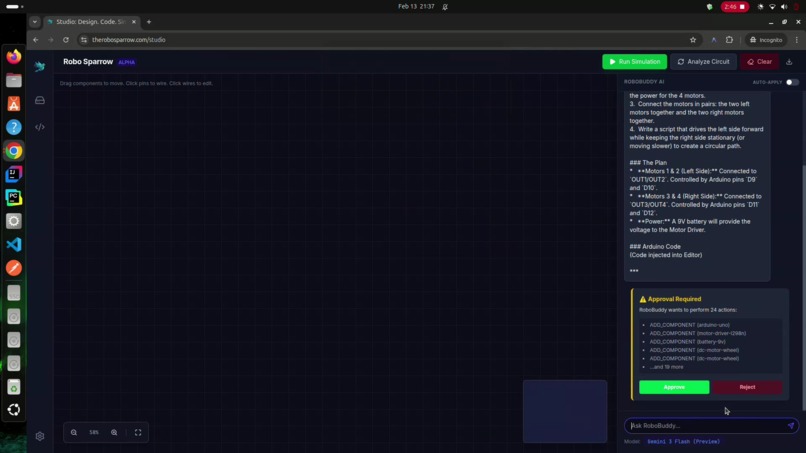
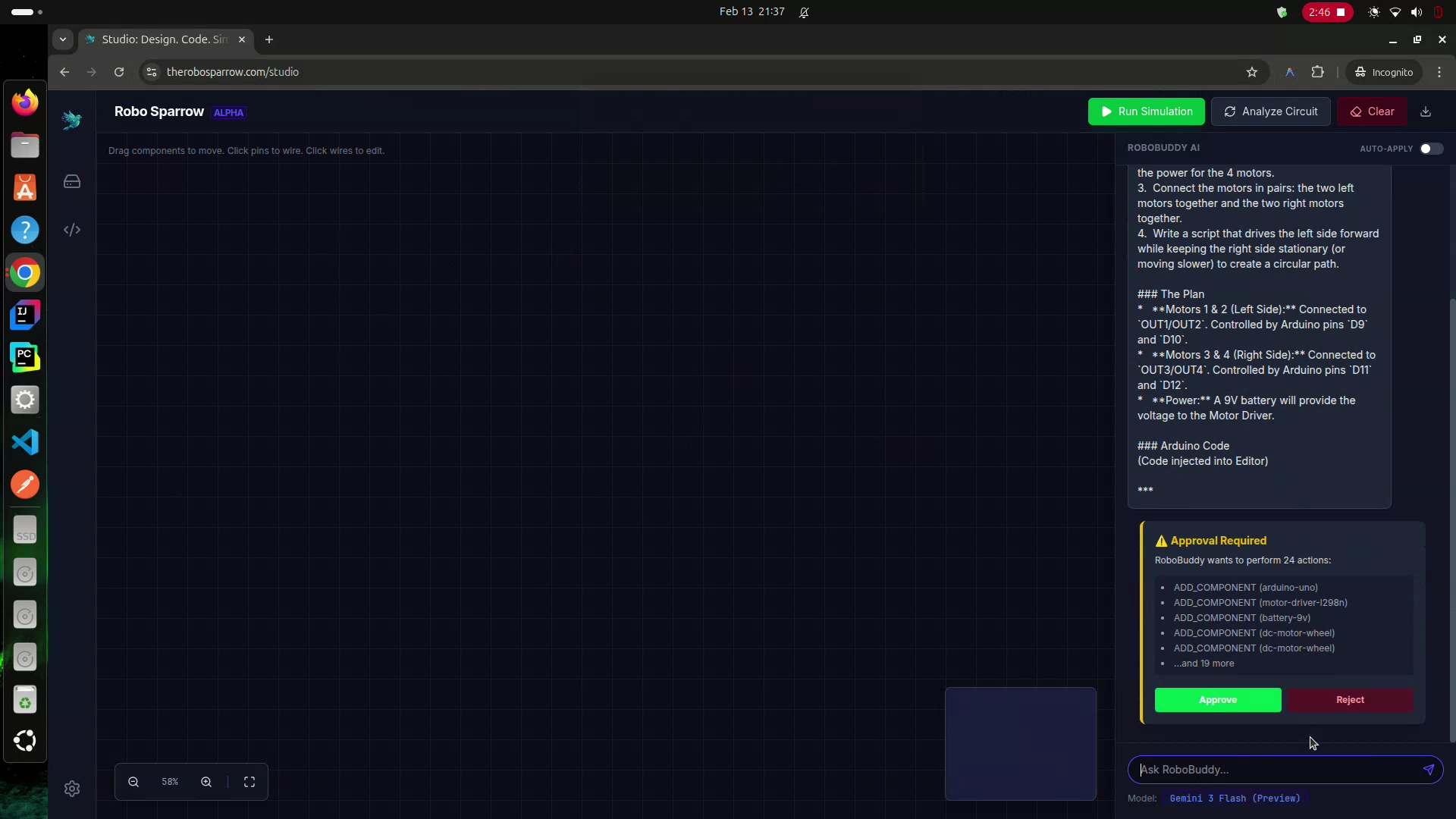
Agent asking for approval to lay the components, wire them up and write code in the code panel.
-
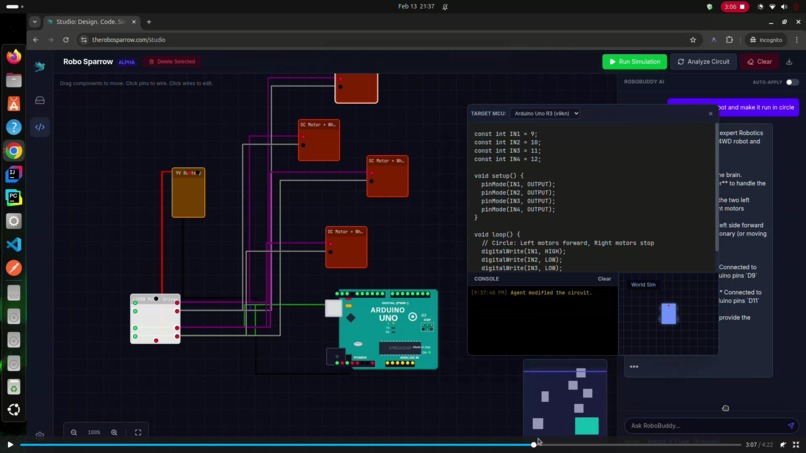
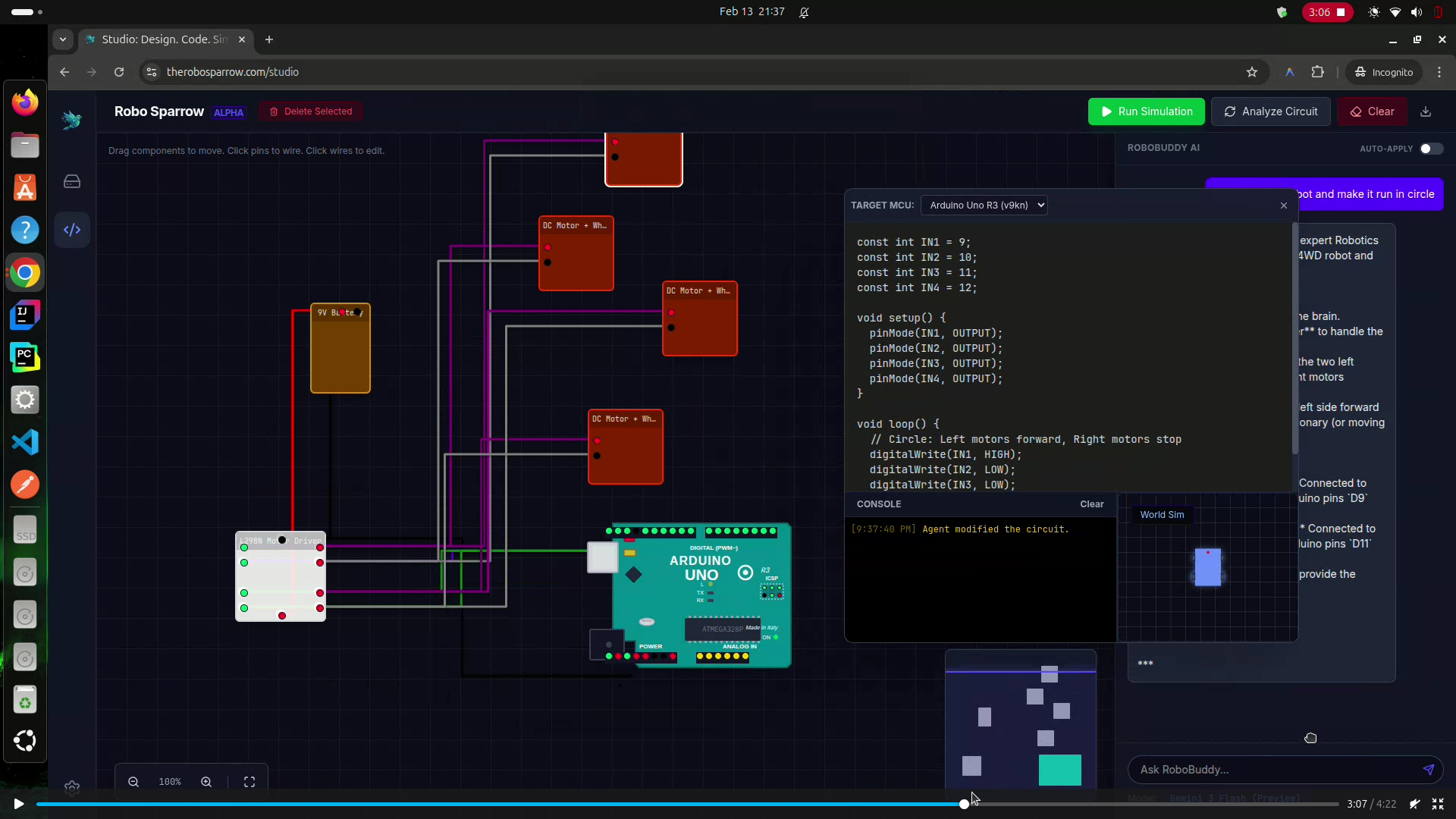
After approval, components wired up and code written by agent
Robo Sparrow: Virtual Robotics Studio
💡 The Inspiration
Robotics is hard. You need hardware, space, and a budget. I wanted to democratize this experience. Robo Sparrow was born from the idea that a "virtual bench" could be just as messy, educational, and fun as a real one.
I wanted to build a place where:
- You don't need to buy an Arduino.
- You can't burn out an LED (physically, at least).
- You can code, wire, and simulate in real-time.
🛠️ How We Built It (The Tech Stack)
This project is a modern Single Page Application (SPA) built for performance and interactivity.
Core Stack
- Framework: React 19 + Vite for lightning-fast builds.
- Styling: Tailwind CSS for a sleek, dark-mode aesthetic.
- AI Agent: Google Gemini 3 via the new
generateContentAPI. - Routing: React Router v7 for client-side navigation.
- SEO:
react-helmet-asyncfor dynamic meta tags and Open Graph support.
The Simulation Engine ⚙️
The heart of Robo Sparrow is a custom-built Physics-Lite Engine. It doesn't just run code; it simulates electricity.
Agentic AI with Gemini 3 (RoboBuddy) 🤖
We utilized the latest Gemini 3 Flash (Preview) model to create a truly agentic experience. Unlike standard chatbots, RoboBuddy has "God View" permissions over the application state.
1. "God View" Context Injection
We don't just send text. Every time you chat, we serialize the entire circuit graph into JSON and feed it to Gemini 3's massive context window.
// What Gemini sees:
{
  "components": [{ "id": "arduino-uno", "uid": "8f3a...", "position": { "x": 100, "y": 300 } }],
  "connections": [{ "from": "arduino-uno:D13", "to": "led-red:POS" }]
}
Why Gemini 3? Its reasoning capabilities allows it to "visualize" this spatial graph and understand that a wire from D13 to an LED means "Blink Sketch".
2. The JSON Action Protocol (JAP)
We instructed Gemini to stop chatting and start doing. We defined a strict JSON protocol for circuit manipulation. If you say "Add a motor and connect it to pin 9", Gemini 3 reasoned through the request and returned:
{
  "action": "UPDATE_CIRCUIT",
  "operations": [
    { "type": "ADD_COMPONENT", "id": "motor-dc", "tempId": "m1" },
    { "type": "CONNECT", "from": "m1:POS", "to": "arduino:D9", "color": "red" }
  ]
}
The application intercepts this JSON and executes the React state updates instantly.
3. Hallucination Guardrails
Early tests showed models inventing pins (e.g., "Pin 25 on Arduino"). Fix: We inject the Component Library Definitions (valid IDs, pinouts, constraints) into the system prompt. Gemini 3 adheres to these constraints strictly, ensuring generated circuits are physically valid.
4. Hybrid Transpilation (C++ to JS)
The browser can't run C++. Instead of compiling WebAssembly (slow), we use Gemini 3 as a Transpiler.
It reads the user's void loop() { digitalWrite(13, HIGH); } and intelligently converts it to a sandboxed JavaScript function function loop() { __writePin(13, 1); } that runs at 60fps in our physics engine. Gemini 3's code understanding was crucial for handling complex logic and variable scope correctly.
🏔️ Challenges & Learnings
1. The "Infinite Loop" of State
Challenge: React state updates are asynchronous. The simulation loop runs at 60fps. Syncing the two without crashing the browser or causing massive input lag was tough.
Solution: We extracted the simulation logic into a ref-based system (useSimulation hook) that runs outside the React render cycle, only syncing visual state when necessary.
2. LLM Hallucinations
Challenge: The AI would sometimes invent pin numbers (e.g., "Connect to Pin 15" on an Arduino Uno). Solution: We implemented a "Context-Aware Prompt". We feed the AI the exact list of available pins and components for the currently selected board. We also added a validation layer that rejects invalid commands before they hit the state.
3. SEO on a SPA
Challenge: Single Page Apps are notoriously bad for SEO.
Solution: We implemented Client-Side Routing with properly configured robots.txt, sitemap.xml, and dynamic <meta> tags. Now, each route (/, /studio) serves unique metadata to crawlers.
🚀 Future Roadmap (Alpha & Beyond)
Currently in Alpha v0.1:
- [x] Currenty: The simulator is not very advance at this moment but it can do basic circuit simulation like a 2WD or 4WD robot.
- [x] Multi-MCU Support: Arduino Uno, ESP32, Raspberry Pi Pico W.
- [x] Component Library: LEDs, Servos, DC Motors, Sensors (Ultrasonic).
- [x] AI Co-Pilot: Full circuit building and coding assistance. AI can also generate code for the MCU. Right now it can interact with the user to build a circuit and generate code for the MCU. It can also debug the circuit and the code. It can also explain the code and the circuit to the user. And can interact with the IDE like it has hands on the keyboard and mouse.
- [ ] Save/Load: LocalStorage persistence. (will be done soon)
Planned Features:
- [ ] Multiplayer: Live collaboration on the same circuit (using WebSockets/Supabase).
- [ ] Oscilloscope: Real-time voltage plotting for any wire.
- [ ] 3D View: 3D view of the robot.
- [ ] Add more components: Add more components to the component library.
- [ ] Python Support: Run MicroPython for the Pico/ESP32 (using Pyodide).
- [ ] PCB Export: Convert your breadboard view into a Gerber file for manufacturing.
- [ ] Marketplace: A marketplace for users to buy the parts they need for their projects after they have designed them in the virtual lab and a place where users can sell their projects and designs to other users.
- [ ] AI genrated components: AI can also generate components for the user if the component is not available in the component library for faster prototyping and learning. And the user can also sell their AI generated components to other users if they are verified by the community or the company. Along the way the company will also generate the requested components for the user to use in their projects.
- [ ] Community: A place where users can share their projects and designs with other users and get feedback from other users.
- [ ] Mobile App: A mobile app for users to access their projects and designs on the go.
- [ ] Desktop App: A desktop app for users to access their projects and designs on the go.
- [ ] WebXR Support: A webXR support for users to access their projects and designs on the go.
- [ ] WASM Support: WASM support for near native performance on the web app.
- [ ] WebGPU Support: WebGPU support for near native performance on the web app.
Built with ❤️ by Mohammad Aslam.
Built With
- css
- gemini-3
- git
- google-analytics-4
- google-search-console
- html5
- javascript
- lucide-react
- npm
- react-helmet-async
- react-router
- react19
- tailwindcss
- typescript
- vite


Log in or sign up for Devpost to join the conversation.