Inspiration
Painting from a reference can be surprisingly difficult. A reference image shows you what the finished artwork should look like, but not how to get there. What should you paint first? Which colors should you mix? Where should you blend? Which brush or technique should you use? And when your painting starts looking different from the reference, it can be difficult to understand why.
That led us to Rob Boss, a spatial painting coach that does not create art for you. It teaches you how to create it yourself.
What it does
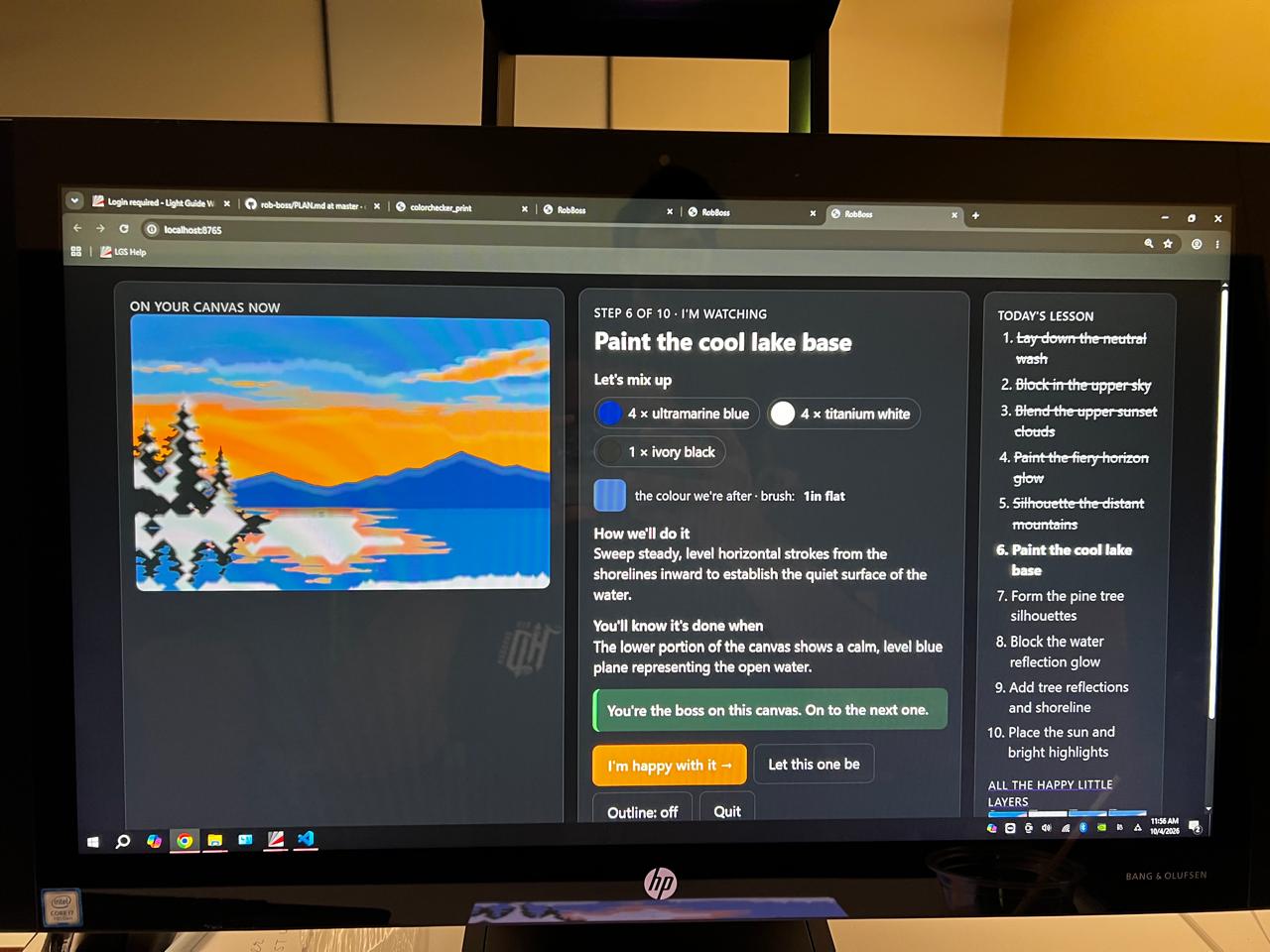
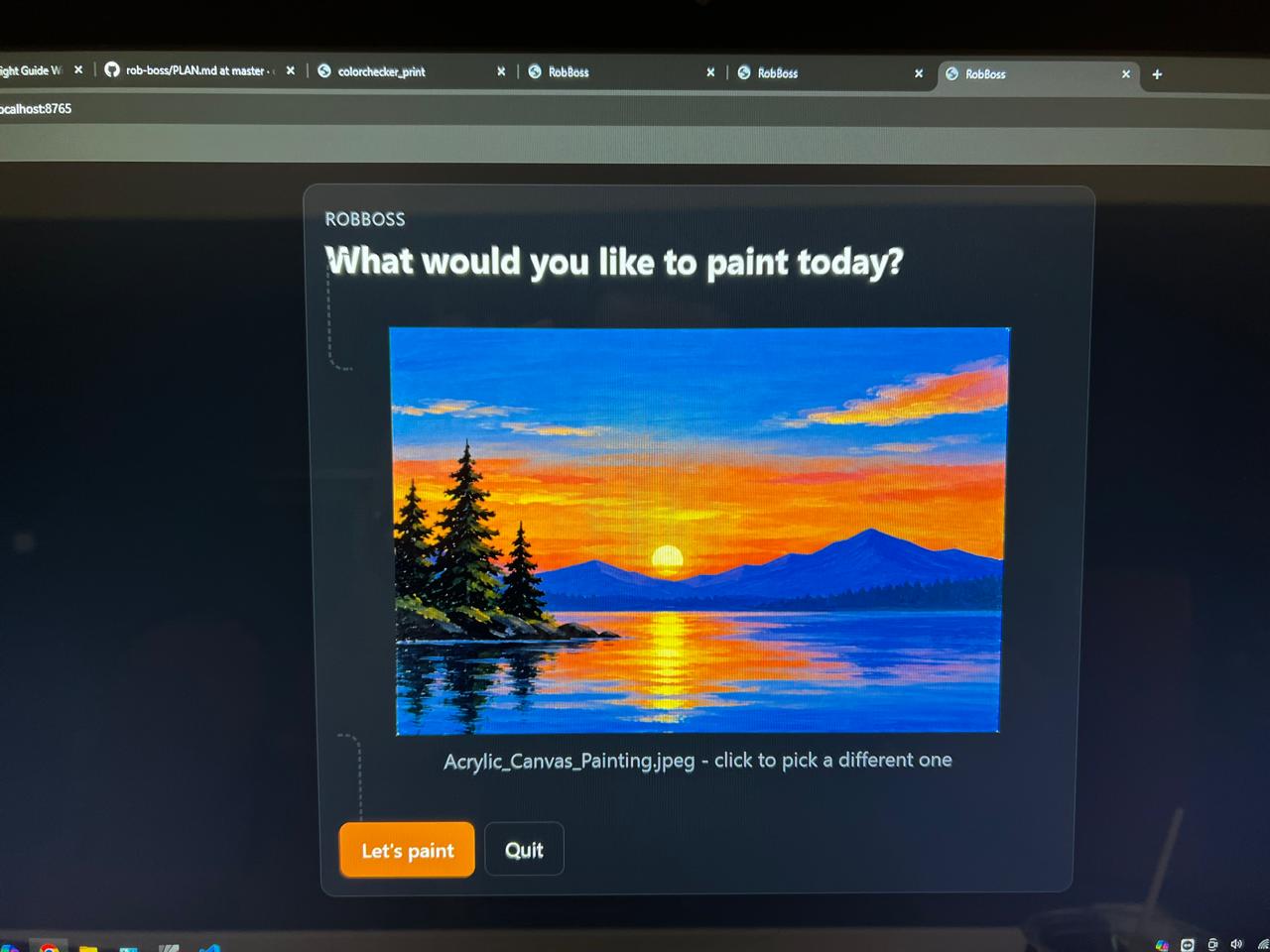
RobBoss transforms any reference image into an adaptive, step-by-step painting experience.
A user uploads an image they want to paint. AI analyzes the reference and breaks it down into a practical painting plan, including:
- Composition and major regions
- Painting order and layers
- Color palette and mixing guidance
- Brush and technique recommendations
- Blending areas
- Stroke direction
- Intermediate goals
The guidance is then brought into the user's physical workspace using HP Sprout.
Instead of constantly looking between a tutorial, reference image, palette, and canvas, the painter can receive contextual guidance directly where they are working.
As the user paints, RobBoss captures their progress and compares the current painting with the reference and the current goal. It can then determine whether the painter should continue or make an adjustment.
For example, instead of simply saying:
"The sky is too dark."
RobBoss can identify the relevant area, project guidance onto the workspace, and explain:
"Lighten this region with titanium white and softly blend toward the center."
The result is a continuous learning loop:
Analyze → Break Down → Guide → Paint → Observe → Adapt
How we built it
RobBoss combines multimodal AI with spatial computing.
Gemini acts as the visual reasoning engine. It analyzes the reference image, decomposes it into paintable stages, and evaluates the user's evolving physical painting to determine the next useful action.
HP Sprout connects that intelligence to the physical world. Its camera observes the painting workspace while its projection capabilities allow RobBoss to display contextual instructions, regions, colors, and visual guidance around the user's work.
Together, these components create a closed-loop system where AI can see, reason, guide, observe, and adapt.
Challenges we ran into
One of our biggest challenges was translating AI-generated advice into useful spatial guidance. Saying "work on the sky" is easy; identifying where the relevant region exists in the physical workspace and presenting guidance without distracting the painter is much harder.
We also had to think carefully about how much assistance AI should provide. The goal is not pixel-perfect copying and it is not generating artwork for the user. Painting is inherently creative, so RobBoss needs to provide enough guidance to teach technique while preserving the artist's individual interpretation.
What we learned
We started with painting, but discovered a broader interaction model.
Most multimodal AI systems work like:
Physical world → Camera → AI → Screen
RobBoss explores:
Physical world → Camera → AI → Physical world
AI observes what a person is doing, reasons about their goal, and brings contextual guidance back into the environment where the task is actually happening.
Painting is our first use case, but the same approach could eventually support physical skills such as drawing, crafts, electronics, assembly, repair, and other hands-on learning experiences.
What's next
We want to expand RobBoss beyond individual painting sessions into a long-term creative learning companion.
Future versions could support multiple painting mediums, richer color-mixing assistance, brushstroke and technique analysis, personalized skill progression, and increasingly sophisticated spatial feedback.
Built With
- cloudflare
- gemini
- javascript
- lightguide
- opencv
- paint
- python

Log in or sign up for Devpost to join the conversation.