-
-
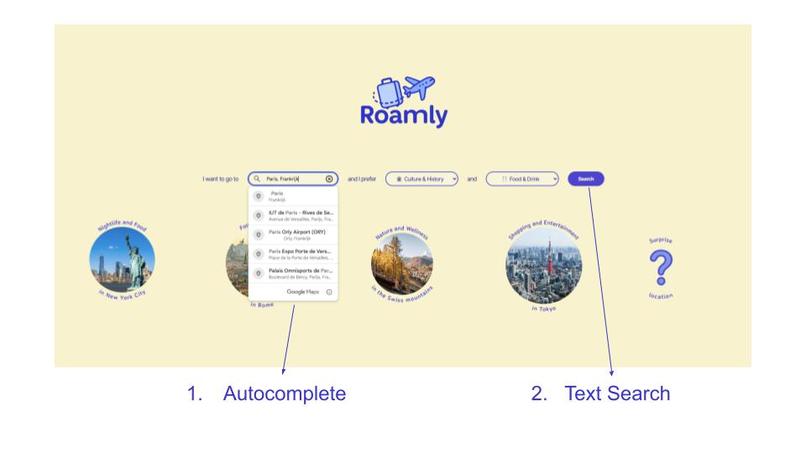
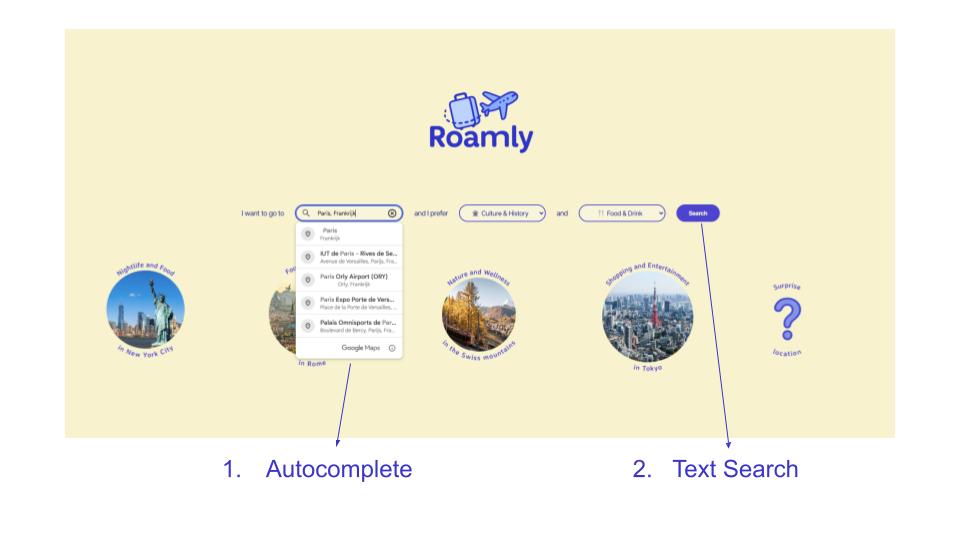
1. Start Your Search - Start screen
-
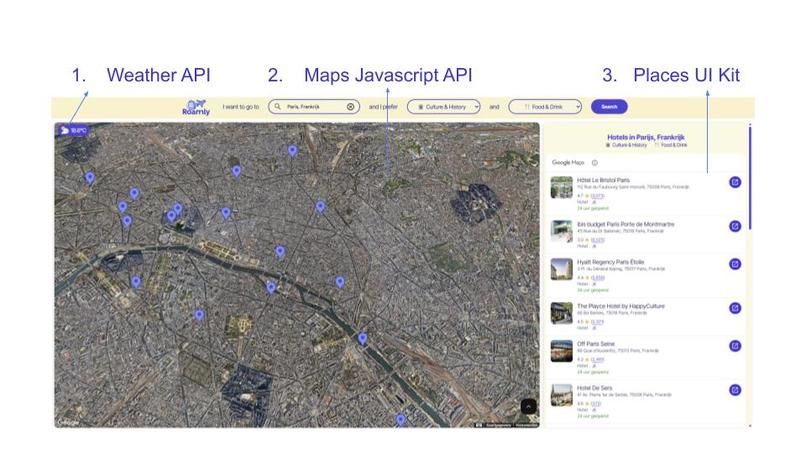
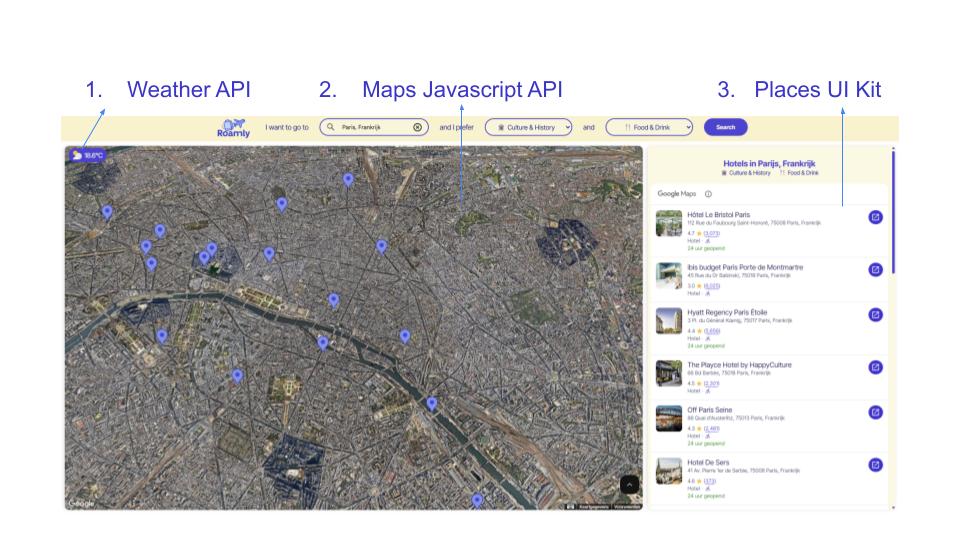
2. Hotel overview
-
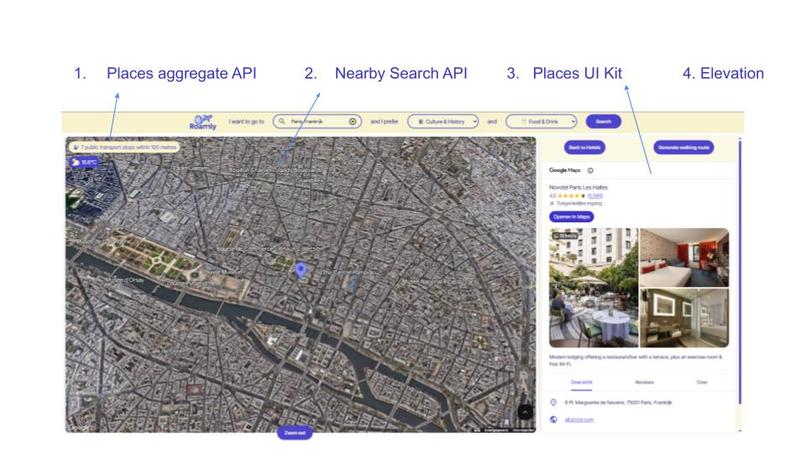
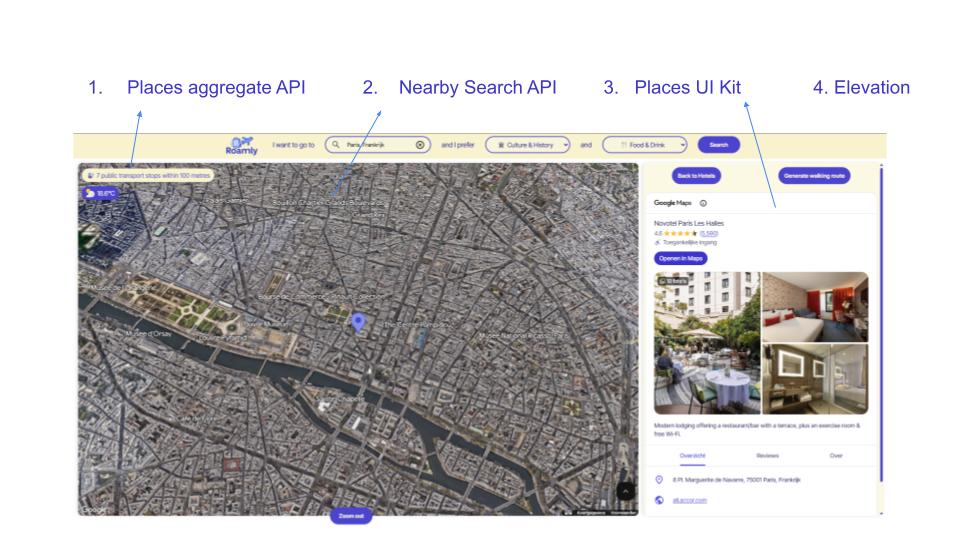
3. Hotel Details
-
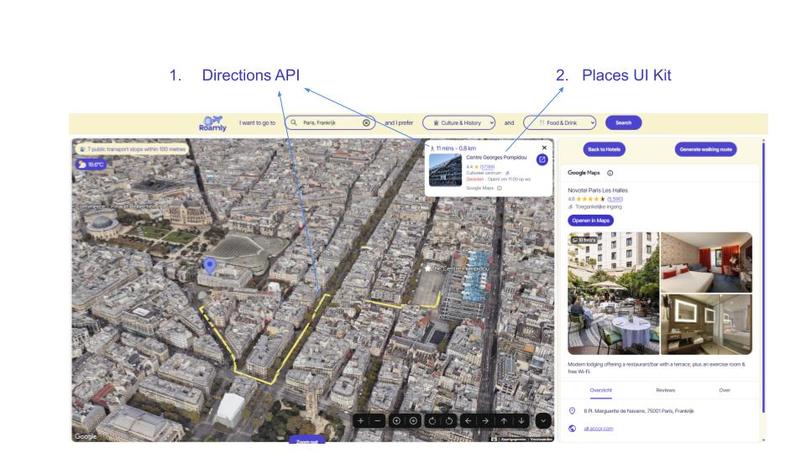
4. Explore Nearby Places
-
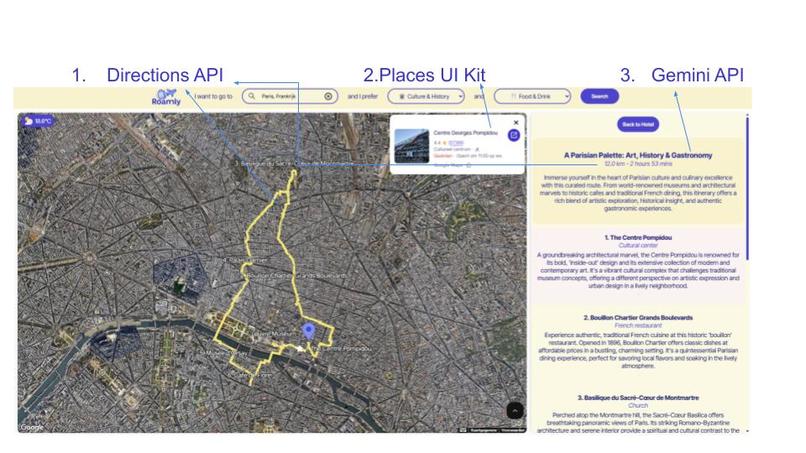
5. Plan a Custom Walking Route
Google Maps Platform Awards – Eline van Straaten – Roamly
Introduction & Inspiration
Hi there! I’m Eline van Straaten, Customer Engineer at Localyse, a Google Maps partner. In my role, I help clients implement Google Maps APIs and brainstorm creative, location-based solutions that bring real value to their projects. Over time, I’ve experimented extensively with Google Maps APIs and created several demos to showcase what’s possible.
When I heard about the Google Maps Platform Awards, I knew it was the perfect opportunity to build a larger, more polished demo. At the same time, I’d been exploring how AI could be integrated into travel solutions, and this felt like the ideal project to try it. After all, the rise of AI is bound to have a huge impact on travel platforms!
History & Vision
I envisioned an app that would feel like a real travel platform: one that could showcase the potential of the Google Maps APIs while offering a highly personalized user experience. I also wanted to focus on providing an immersive experience by using the 3D maps.
The result is Roamly, a dynamic, all-in-one travel app that makes exploring the world smarter and more interactive. Whether you’re searching for the perfect hotel, discovering hidden gems nearby, or planning a customized walking adventure, Roamly makes the process simple and fun.
How I made it
I built this using plain JavaScript, HTML, and CSS because I enjoy challenging myself with foundational coding languages. I typically create straightforward demos to keep things clear and easy to understand for both colleagues and clients.
Use of Google Maps Platform
- Autocomplete API: Validate and autocomplete user-entered locations.
- Text Search API: Find hotels and attractions based on user preferences.
- Nearby Search API: Surface nearby points of interest that match the user’s interests.
- Maps JavaScript API: Display dynamic 3D maps with interactive markers.
- Compute Routes: Calculate optimized walking routes and travel durations, and provide polylines to display on the map.
- Elevation API: Improve map camera placement.
- Places Aggregate API: Show the amount of public transport stops near hotels.
- Places UI Kit: Provide clean and consistent user interfaces for place information.
- Gemini API: Select the best stops and provide them with some context.
How It Works
1. Start Your Search
On the home screen, users can search for hotels based on two preferences. They can also choose from a pre-defined or surprise destination.
- Autocomplete API ensures only valid locations are submitted.
- After pressing search, Text Search API queries:
"Hotels near [preference 1] and [preference 2]" in the selected location.
2. Hotel Overview
After pressing search, hotels get shown based on the location and preferences provided.
- See weather details so you know what to pack.
- Browse results on a 3D map with interactive markers.
- Explore a clickable hotel list powered by the Places UI Kit.
3. Hotel Details
Click on a hotel to access deeper insights, again on the 3D map:
- See the number of public transport stops within 100 meters (Places Aggregate API).
- Browse nearby attractions (Nearby Search API).
- Access rich details and photos (Places UI Kit).
- View dynamic map perspectives, adjusted with Elevation API.
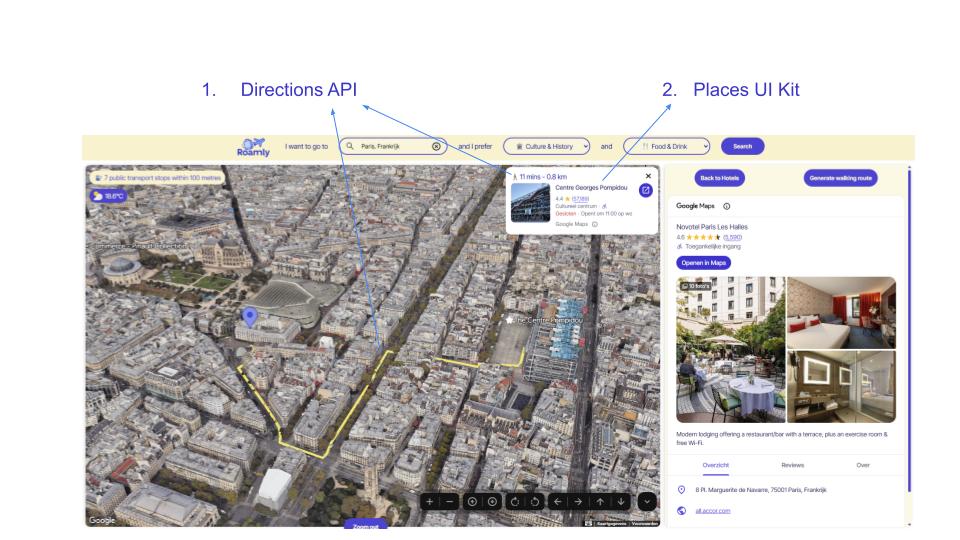
4. Explore Nearby Places
Click on any nearby place to:
- Get walking distance and time from your hotel (Routes API).
- View a compact info card (Places UI Kit).
- Look at the route using the route polyline on the 3D Map.
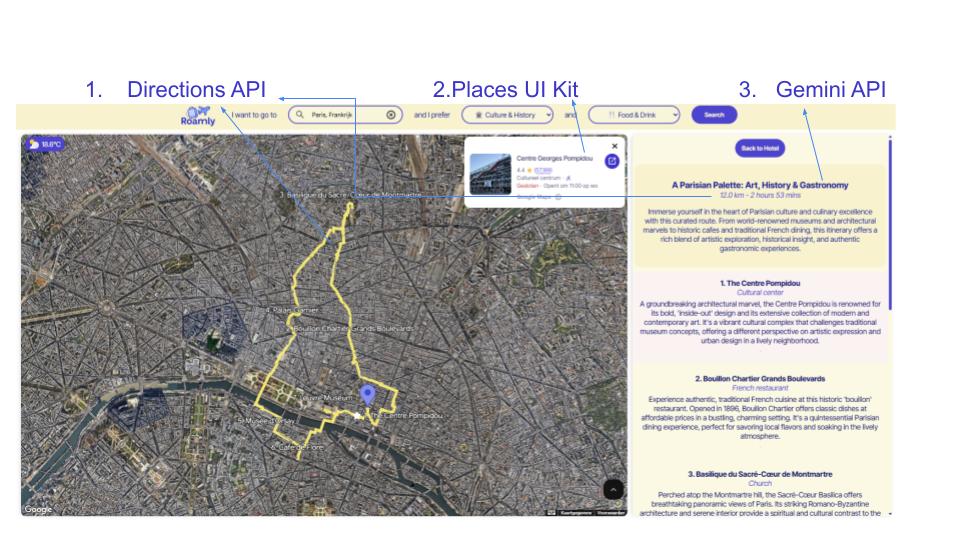
5. Plan a Custom Walking Route
Click “Generate” Walking Route and the app will:
- Use Gemini API to pick the best stops based on user interests.
- Use Routes API to create an optimized walking route with:
- An ordered list of stops
- A polyline showing the route on the 3D map
- Total walking time and distance
- An ordered list of stops
Learnings & Key Differentiators
I think the strong points of my application are the way it seamlessly integrates multiple Google Maps APIs to create a truly cohesive travel experience. Users can search, explore, and plan their trips without ever leaving the app, but they do have an instant link to Google Maps if they would like to add a place to their favourites, for example.
The visualization on the 3D map offers an immersive experience, combined with the Places UI Kit, where you can browse through photos and reviews.
Another key strength is the AI-enhanced personalization, which delivers smarter recommendations and optimized walking routes. I believe AI is something travellers will increasingly expect from modern apps in the future.
What's next
I am planning on using the same concepts but for a website for selling real estate.

Log in or sign up for Devpost to join the conversation.