Inspiration
As an avid traveller myself, I've seen first hand the pain that comes with planning trips. You have a spreadsheet for logistics, TripAdvisor for reviews, and Instagram/TikTok for inspiration. These three silos never talk to each other. I realized that Agentic AI has the power to bridge this gap, combining the logic of a travel agent with the visual discovery of a social feed. I wanted to build a planner that doesn't just tell you where to go, but shows you what it feels like before you book.
What it does
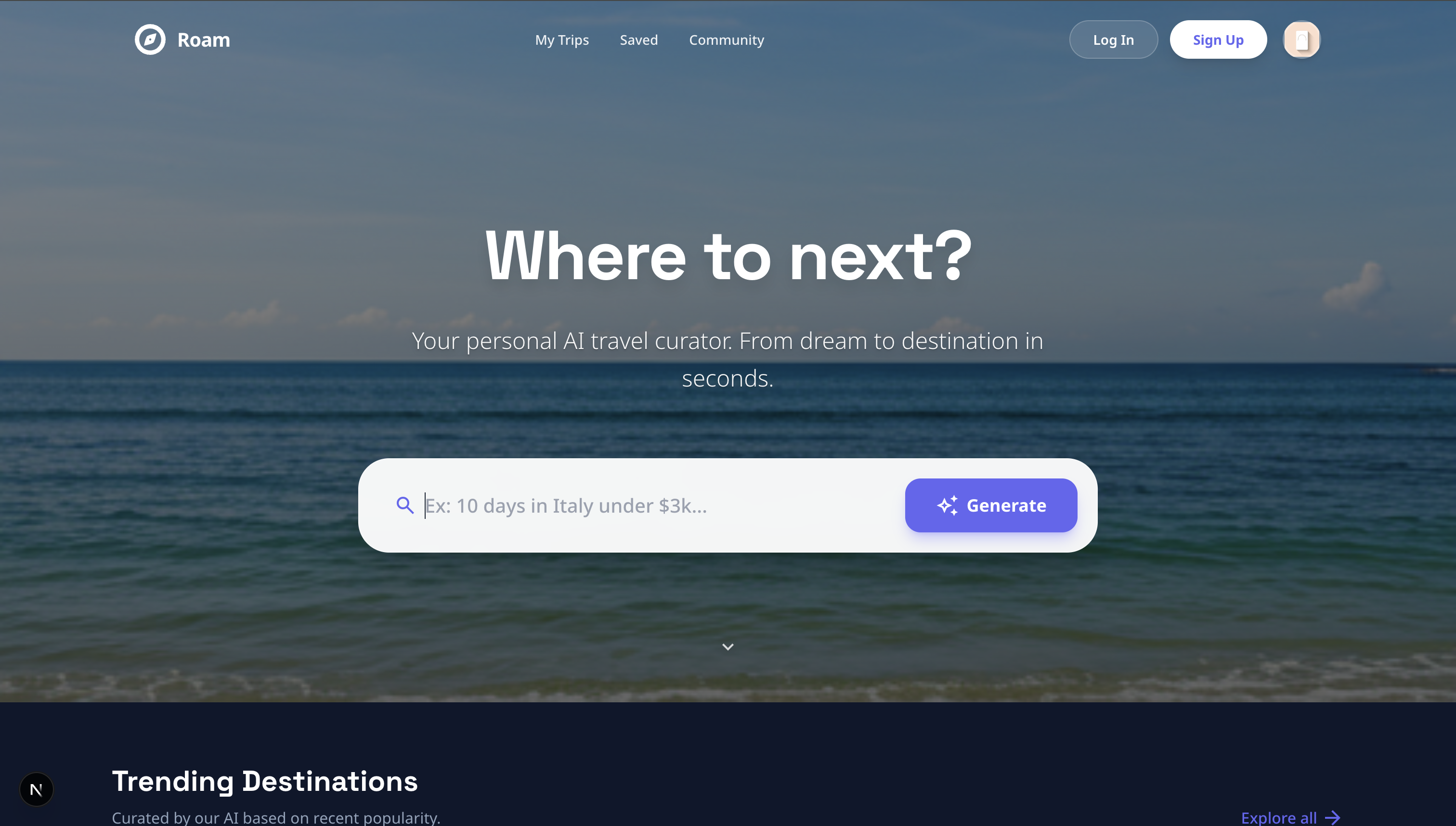
Roam is an AI-powered travel curator that turns a simple text prompt (e.g., "5 days in Tokyo, focusing on anime and food") into a fully interactive, bookable itinerary.
Smart Itinerary Generation: It builds a logical day-by-day plan, optimizing for route and budget.
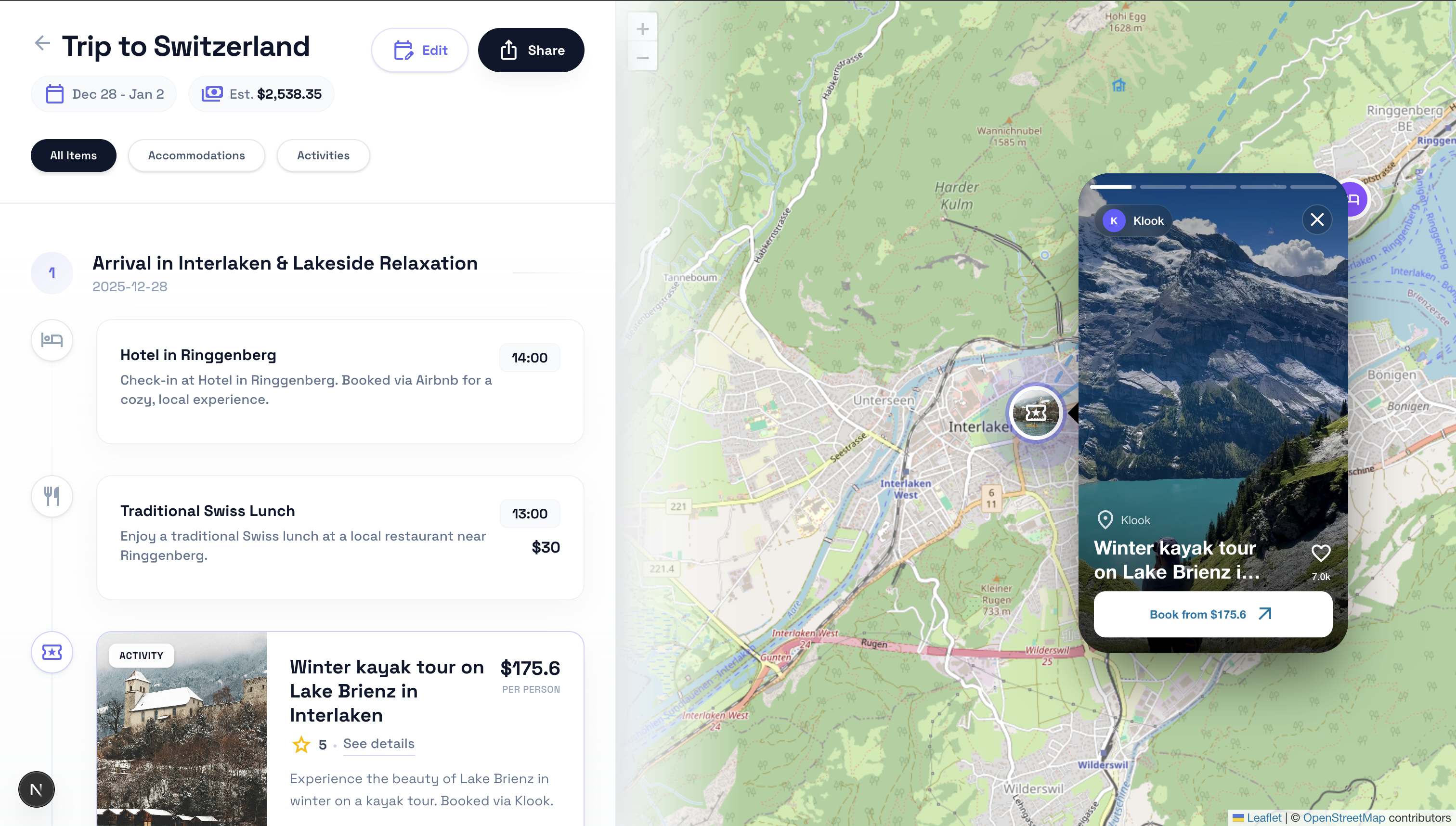
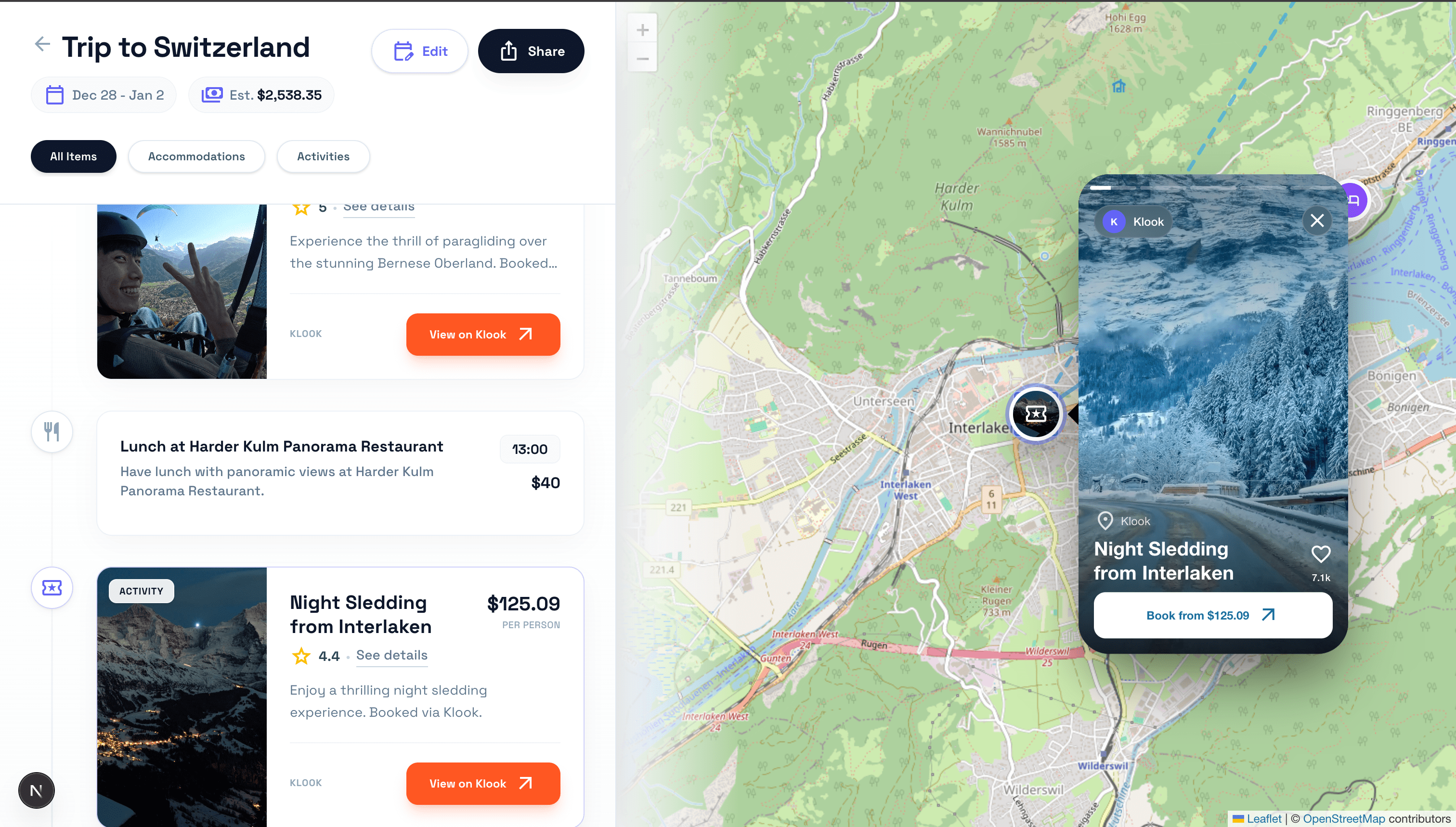
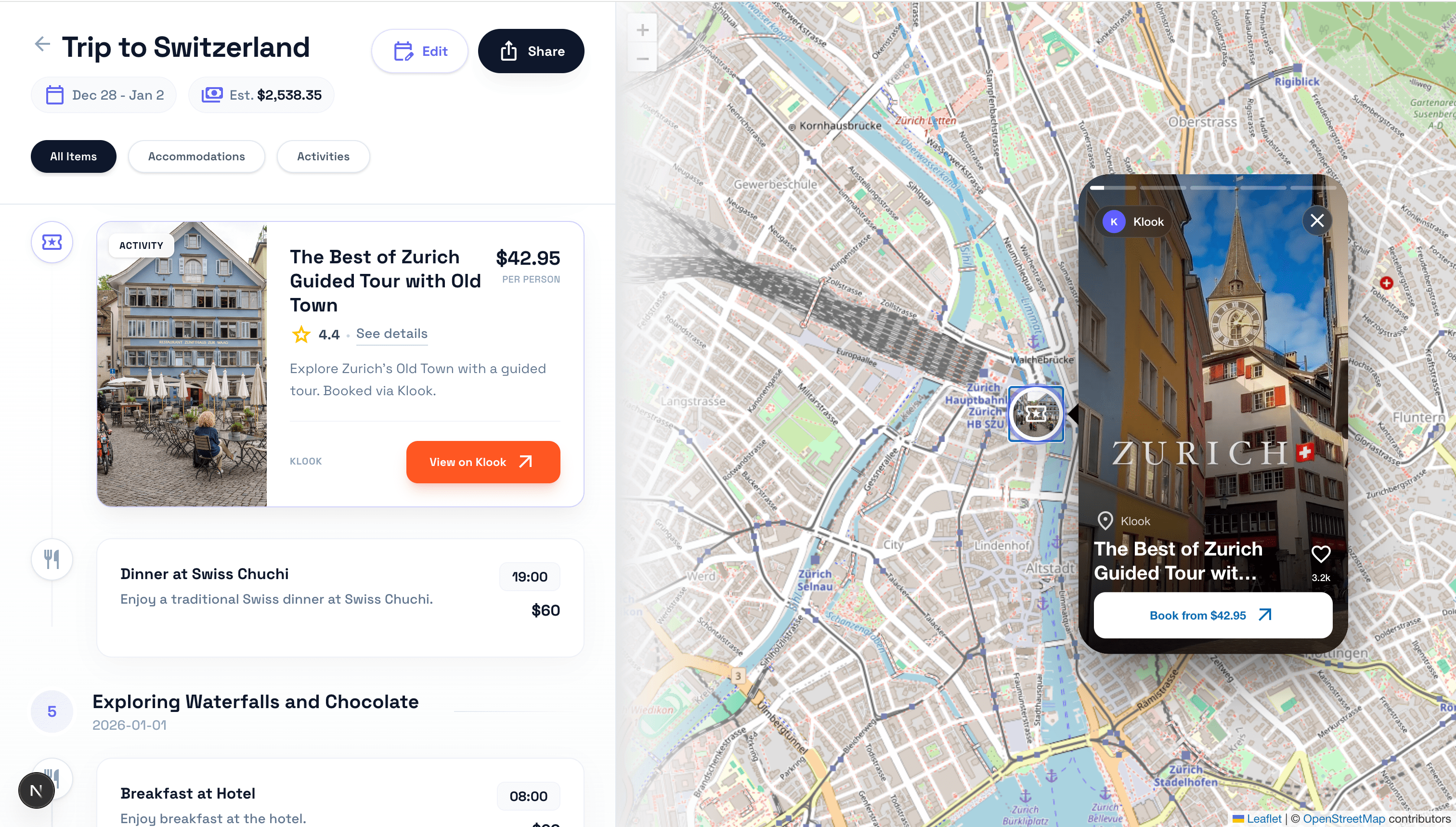
The "Instagram Map": Instead of boring pins, the map comes alive with autoplay video reels for attractions. Users can tap a marker to watch a "Vibe Check" of the location (e.g., a reel of the Shibuya Crossing) directly on the map.
Real-Time Availability: It doesn't just hallucinate hotels; it "scouts" real listings from Airbnb and Booking.com to provide actionable options with prices.
Immersive Story Mode: Attractions are presented in a "Story" format (like Instagram/Snapchat) with progress bars and tap navigation, making research fun
How we built it
We built Roam using a Next.js frontend and a sophisticated multi-agent backend:
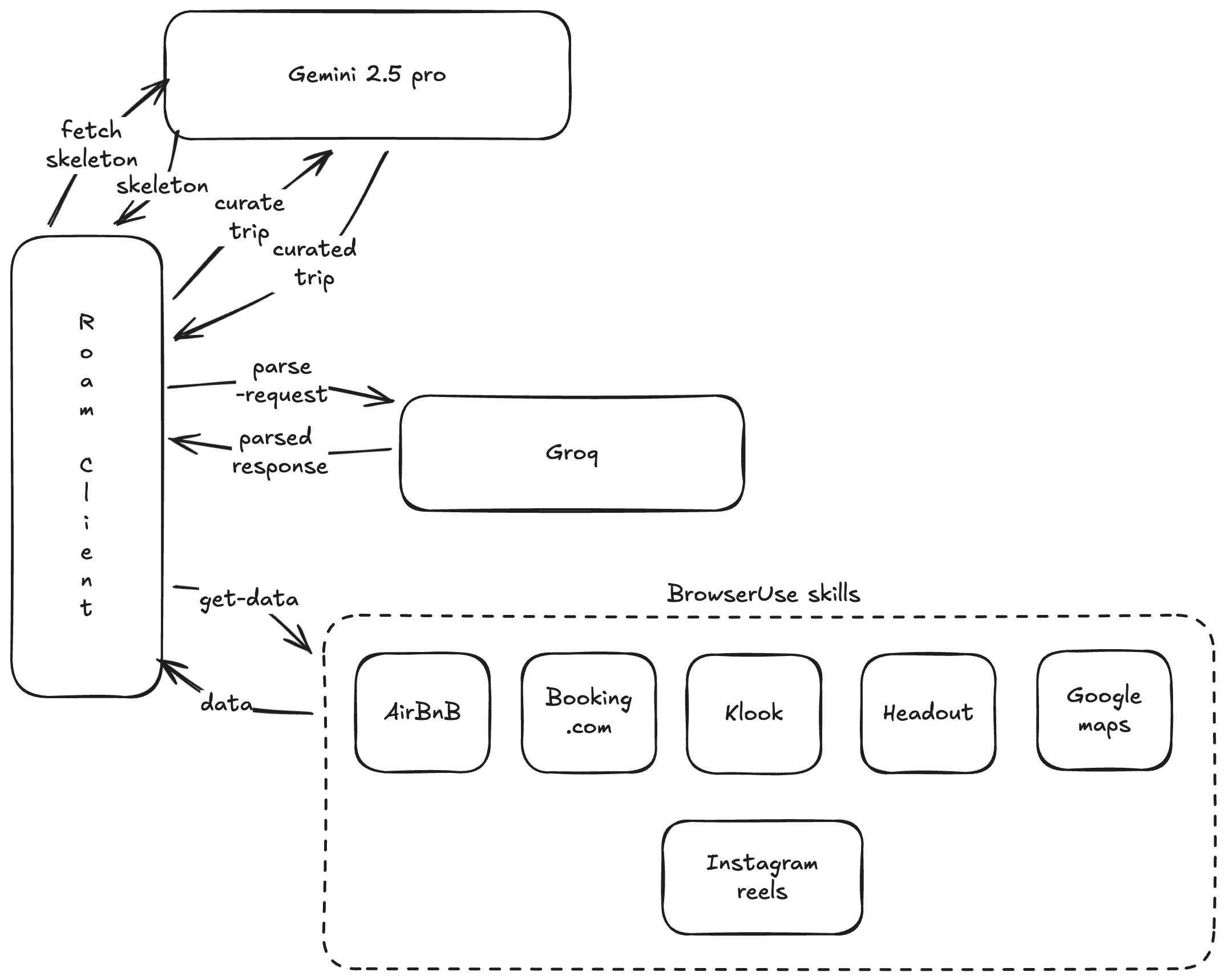
The "Architect" (Gemini 2.0): When a request comes in, my first AI agent generates a "Trip Skeleton"—the logical flow of cities and dates.
The "Scout" (Browser-Use): Parallel workers spin up to "scout" real-time data. I use browser-use to scrape live availability from accommodation providers and activity platforms (Klook/Headout), ensuring the prices and links are real.
The "Curator" (Gemini 2.0): The final LLM synthesizes the skeleton and the scouted data into a cohesive JSON itinerary.
The Visual Engine (Leaflet + Portals): The frontend is where the magic happens. I heavily customized React-Leaflet, using React Portals to inject interactive, high-performance video components directly into the DOM of the map markers.
Reel Hydration: To keep the app fast, I built a "Lazy Hydration" system. The itinerary loads instantly with text, while a background hook (useReelHydrator) asynchronously scrapes and "pops" video reels onto the map one by one as they are found.
Challenges we ran into
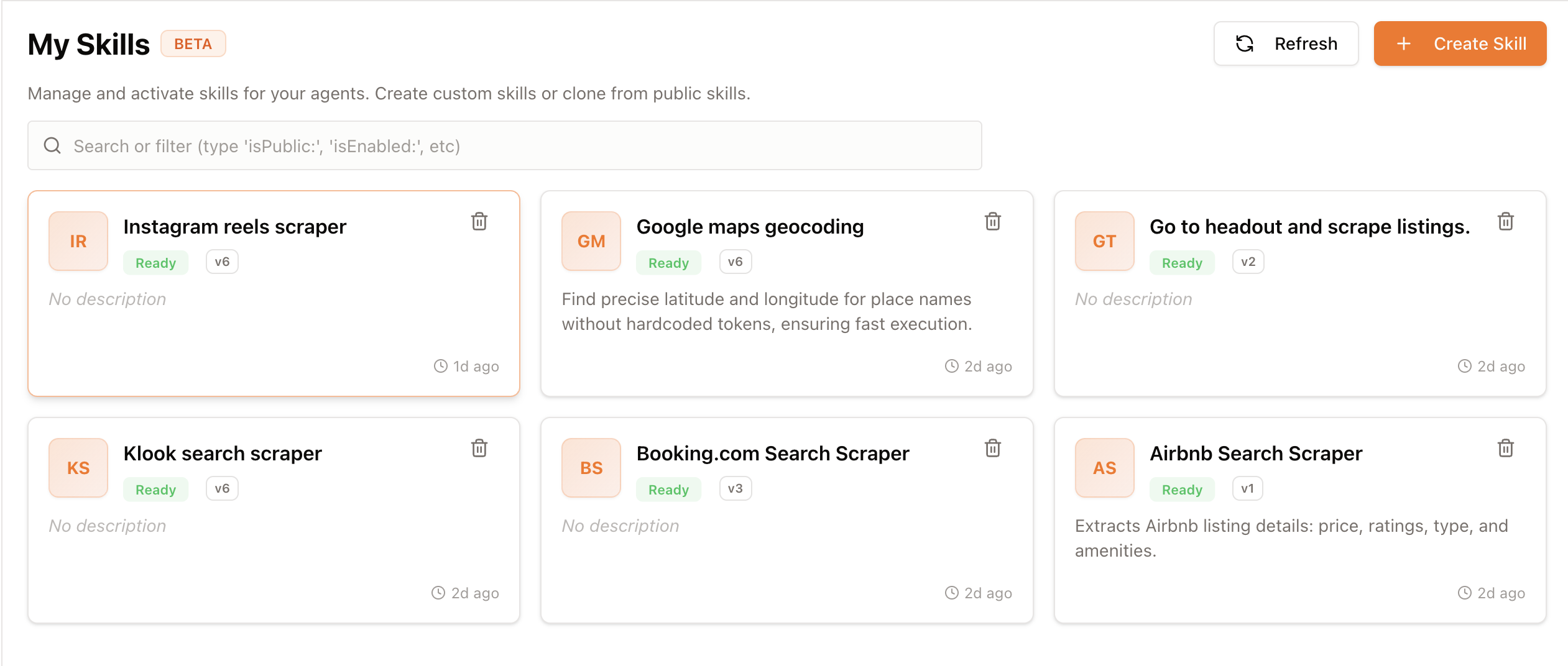
Not all attractions had longitude and latitude positions. I had to think outside of the box and build a browseruse skill that could, give a list of places, provide me with the longitude and latitiudes.
The "Drifting Popup" Problem: Anchoring a heavy React video component to a WebGL map marker is tricky. Initially, the video overlays would drift away when zooming or panning. We solved this by portal-ing the video card directly into the Leaflet DivIcon HTML, letting the GPU handle the positioning pixel-perfectly during fly-to animations.
AI Hallucinations: The AI kept trying to find "Reels" for boring logistics like "Airport Transfer" or "Breakfast at Hotel." We had to implement a strict Sanitization Layer in the backend to enforce "Reel Eligibility" rules—only allowing videos for scenic trains, museums, and landmarks.
Accomplishments that we're proud of
The UI Polish: I've achieved a native-app feel on the web using Framer Motion for liquid layout transitions, shared element animations (the header morphing into Edit Mode), and the "Snap" feel of the reels.
Robust Error Handling: If an image fails to load, the map markers degrade gracefully to category-coded colored pins instead of showing broken icons.
Deep Integration: I'm not just showing text; I am deeplinking directly to booking pages for Klook and Airbnb, making the plan actually actionable.
Use of browseruse skills
Googlemaps geoencoding - I've created a geo encoder for attractions and listings without location information
Instagram popular reels scraper - I'e created a browseruse skill to fetch top 5 popular reels for a location.
Booking.com, Klook and Viator scrapers - Fetches the hotels and attractions for a given location, budget and date.
What we learned
AI needs "Guardrails": LLMs are great at creativity but bad at negative constraints (e.g., "Don't show a video for breakfast").
Visuals drive engagement: The difference between a text list and a map with autoplaying videos is night and day. Users engaged far longer when they could "watch" their trip.
Hydration patterns: Loading heavy media in the background while showing the "Skeleton" UI is critical for perceived performance in AI apps.
What's next for Roam - Plan, Map, Book: Your World Awaits.
More travel connectors : I'll be using brosweruse skills to add more connectors such as Viator, Getyourguide, Agoda etc.
Collaborative Planning: Adding multiplayer support so friends can vote on the itinerary in real-time.
AI Co-Pilot: A chat interface to modify the plan dynamically (e.g., "It's raining on Day 3, give me indoor alternatives").
Built With
- browseruse
- nextjs
- react

Log in or sign up for Devpost to join the conversation.