
💡 Inspiration
Think of a big family gathering where half the family is overseas or can't make the trip. Today they get a phone pointed at the party and a shaky video call, so they watch the event without really being part of it.
We wanted them to actually attend: walk through the house, go from room to room, find the people they want to see, and join in, all from wherever they are.
🏠 What it does
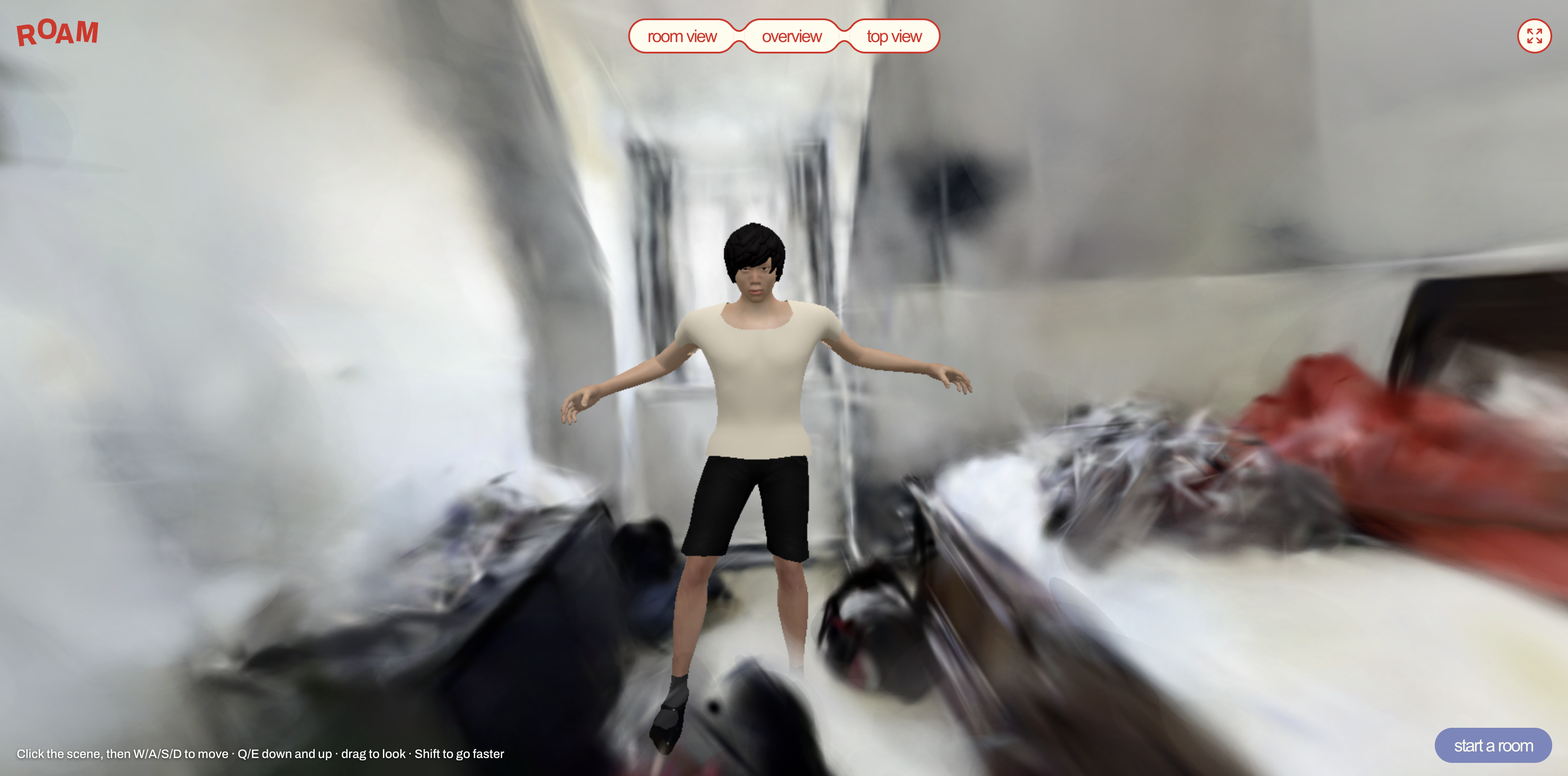
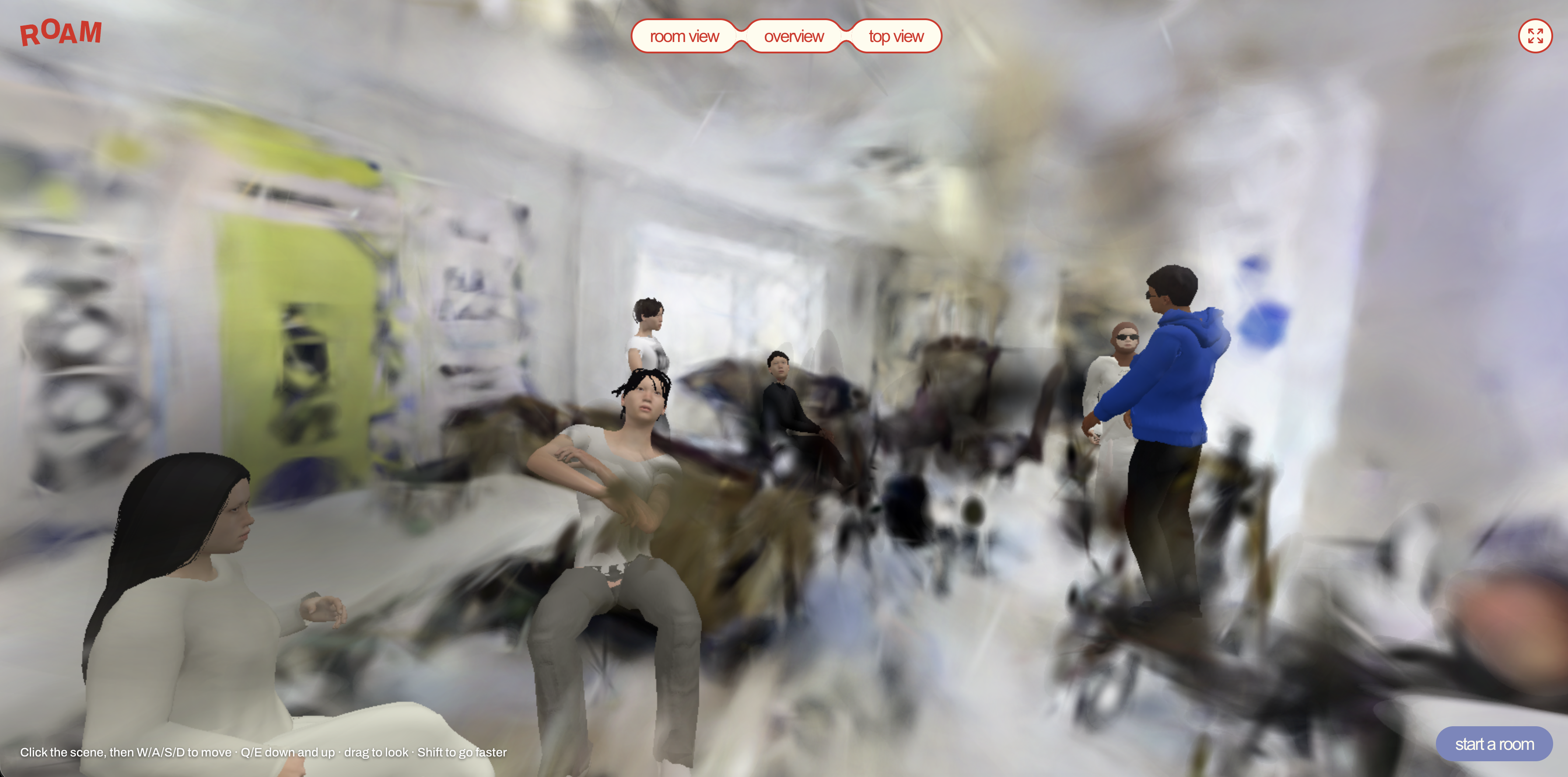
ROAM puts remote guests inside a photorealistic 3D copy of the venue.
- 🏡 The house, in 3D: most of the house is captured as a Gaussian splat: bedrooms, hallway, lobby, stairs and both floors, rebuilt from ordinary phone videos.
- 🚶 Walk around freely: guests enter from their browser and explore in first person, going wherever they like.
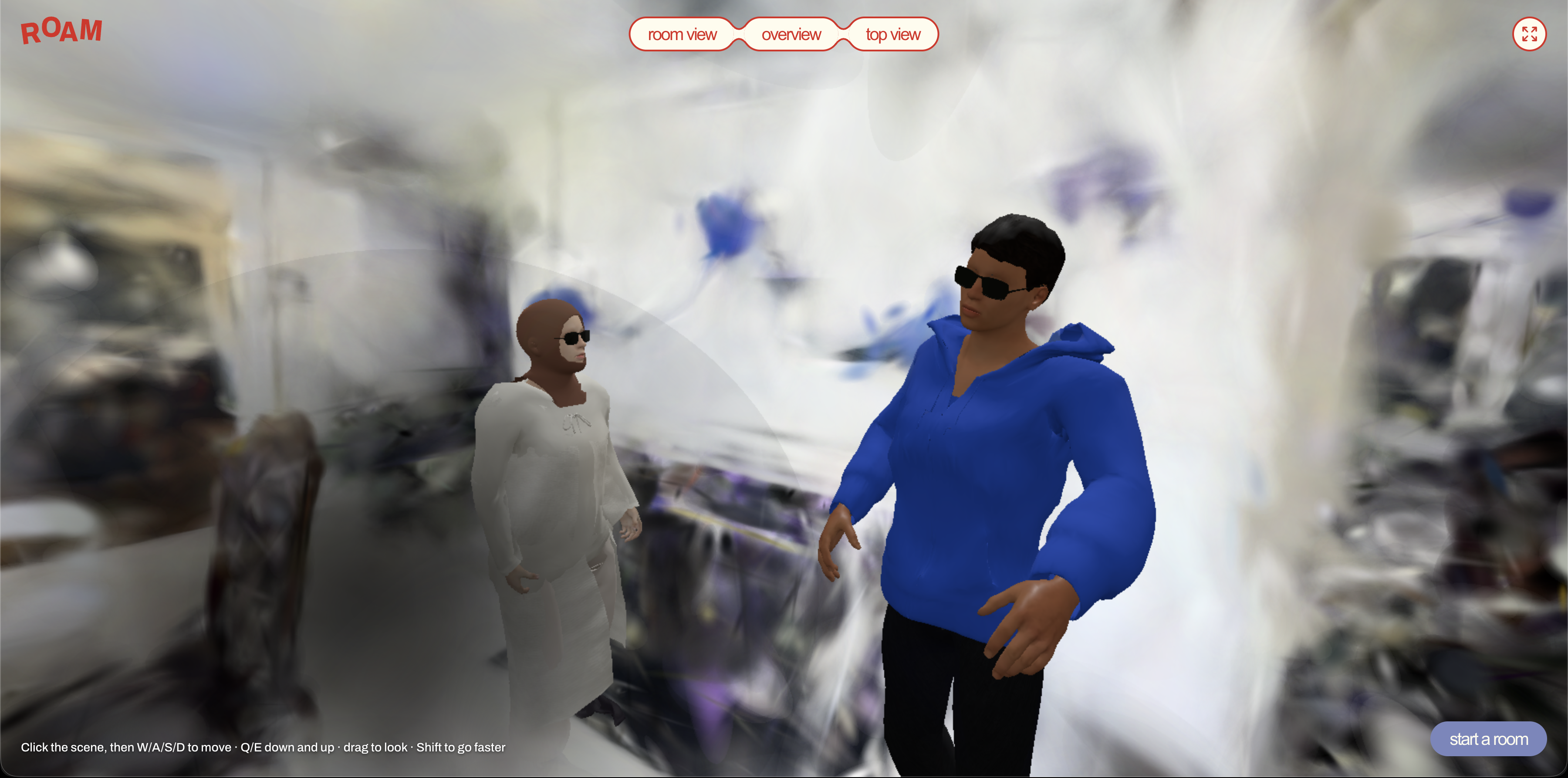
- 👋 Meet other guests: remote attendees can see and interact with each other inside the house.
- 🎉 Watch the event live: what's happening at the gathering streams straight into the app, with realistic human models standing where the action is happening.
🛠️ How we built it
The scan: we filmed a walk-through of the house on a phone. A Python process on a Mac picks frames, works out where the camera was in each one with the Pi3X model, and trains a Gaussian splat scan with metal-gauss: about 764,000 colored blobs from 1,199 views. Then we cleaned it: Mask R-CNN removed people and pets, and other scripts evened out the party lights, leveled the floors and stitched in the upstairs, stairs and hall.
The people: the realistic guests in the house are 3D copies of real people. We filmed them on video and used DeepMotion to pull out how they move as an animated skeleton (rig). That rig was brought into Blender, skinned with a body model from a library of people, and textured with the person's look from the video, so each one moves and looks like who was filmed.
- The page: React 19, Three.js and Spark (a Gaussian splat viewer), on one Cloudflare Worker.
- Live rooms: one Cloudflare Durable Object per room, using hibernating WebSockets for who's in and where they stand.
- The call: direct WebRTC video between browsers, and Web Audio HRTF panning so voices come from where people stand.
- The phone: WebXR AR tracking, lined up against a taped spot on the floor that matches a camera in the scan.
- Shipping: we built it in small slices: share live from one link, add the first floor, best upstairs fit, rebuilt hall and stairs, then the party room with two looping people on the couch. Every rule has a test.
🧗 Challenges we ran into
- One big reconstruction smeared the house. Rebuilding the whole multi-room walkthrough at once blurred the hallway and bathroom. We rebuilt each room on its own and stitched them together through frames they shared, which raised quality from 15 dB to 21.6 dB PSNR.
- People kept showing up in the scan. Removing people after training left ghosts and holes. Masking them out of the footage before training, with Mask R-CNN, worked far better. It even caught people in mirrors.
- Joining two floors. The upstairs scan had only glimpsed the stairwell from above and filled it with haze. We used the newer stairs footage to find and delete splats it could see straight through, then joined the floors along the floor plane.
- Party lighting. Coloured disco lights changed from frame to frame and tinted the walls. We had to white-balance every frame and hide the light spots before training.
- Fitting it on the web. The raw scan was far over the hosting limit, so we compressed it into Spark's
.spzformat without losing visible quality. Size limit: the scan was 40.9 MB, but Cloudflare serves files up to 25 MiB. We compressed it to SPZ and kept full color detail. Browser quirks: - Chrome won't let us place a remote voice in 3D until a hidden audio element is playing it.
- Sound stays off until the user clicks something.
iPhones have no WebXR at all. Previews: once we added live rooms, Cloudflare stopped giving us a preview link for each change, so we had to test on a shared staging site. Windows tooling: our build scripts failed on Windows until we added a small fix so they could run there.
Filming during a party: disco lights, people walking through the shot and pets in the footage. We wrote scripts to balance the colors, cover the light spots, and remove people before training.
Getting people's movement right. Pulling accurate motion out of ordinary video was hard: jittery joints, feet sliding across the floor and arms snapping through the body all broke the illusion. We also looked at GVHMR, an open-source research model for recovering human motion from video, but it needs a CUDA GPU (our pipeline runs on a Mac) and outputs SMPL body parameters that would have needed a custom conversion step before Blender could use them. DeepMotion gave us a clean rig that dropped straight into Blender, which mattered on a hackathon clock.
🏆 Accomplishments that we're proud of
- A two-floor house you can walk through in a browser, built from a handful of phone videos.
- The scan grew from one room (173K splats) to two floors (595K splats) without wrecking the rooms already done.
- The whole pipeline runs on a laptop: no cloud GPUs.
- People, clutter and party lights are cleaned out automatically.
📚 What we learned
- Split big spaces into small pieces. Rooms rebuilt one at a time and stitched together beat one giant reconstruction.
- Clean the footage, not the result. Fixing people and lighting before training beats patching the 3D scene afterwards.
- Film a shared spot. Capturing the same corner in every video makes stitching reliable.
- Get a basic version live early. It exposed problems like file size before the demo, not during it.
👥 Who built what
- @aloceprng: 3D models of the people (rigging, skinning and texturing in Blender), plus the frontend UI and design.


Log in or sign up for Devpost to join the conversation.