Inspiration
RK ~ S🌞L Command Centre was inspired by a simple problem: when life becomes busy, stressful, or document-heavy, important tasks, deadlines, notes, and decisions quickly become scattered across different apps and conversations.
I wanted to build one calm, private digital command centre where a user can organise priorities, capture thoughts by voice or text, manage different workstreams, and regain focus without surrendering control of personal information.
The project combines productivity with emotional grounding. It is designed not only to track what must be done, but also to help the user pause, breathe, organise their thoughts, and decide the next practical action.
What it does
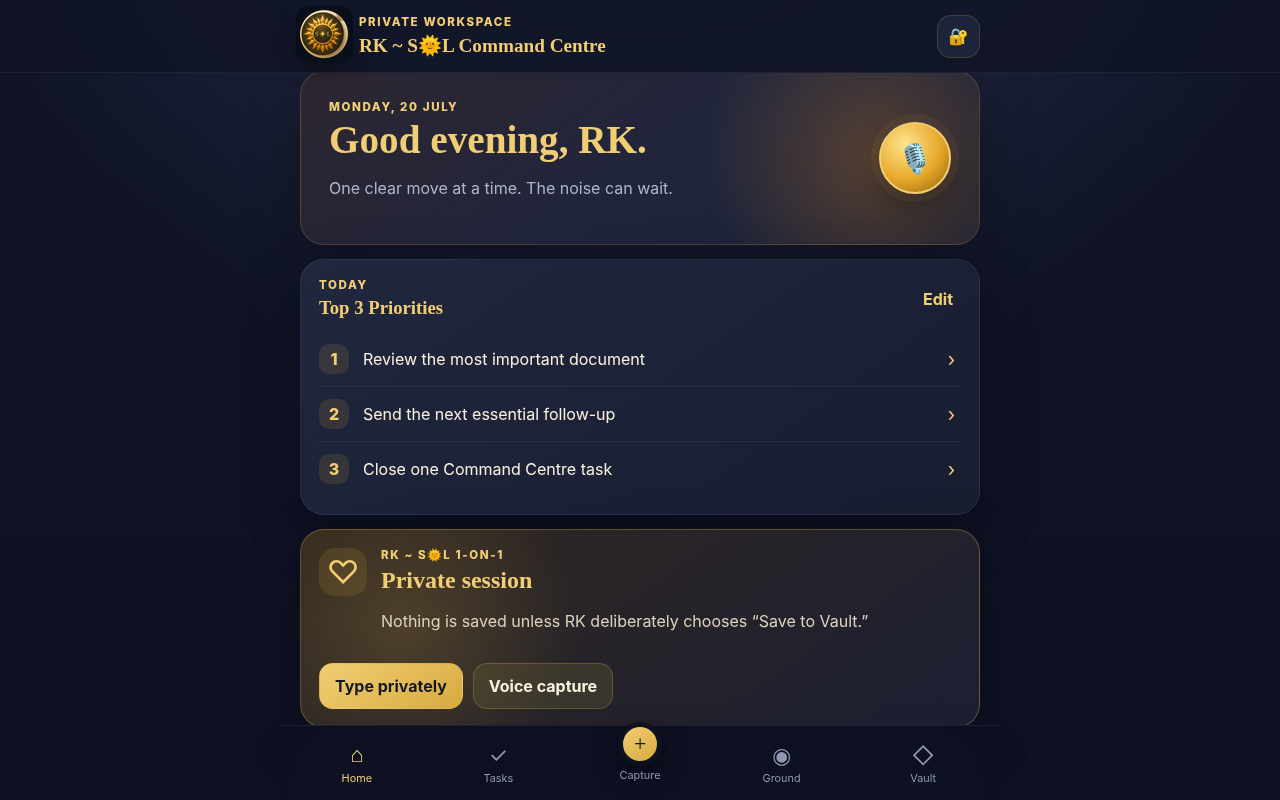
RK ~ S🌞L Command Centre is a mobile-first, offline-capable Progressive Web App that provides:
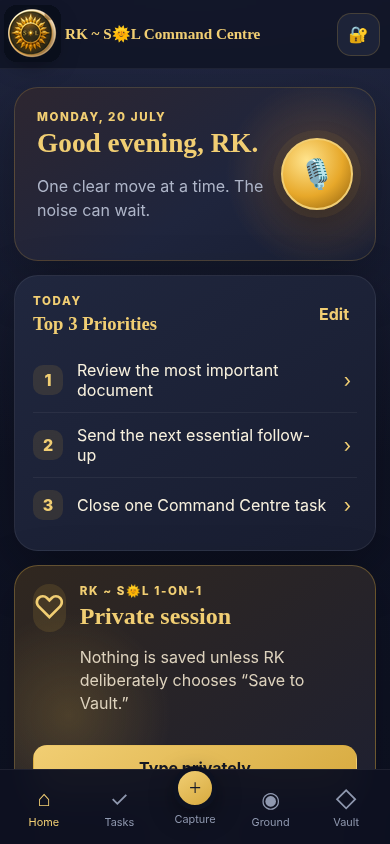
- A daily “Top 3” priority dashboard
- Separate project and workstream management
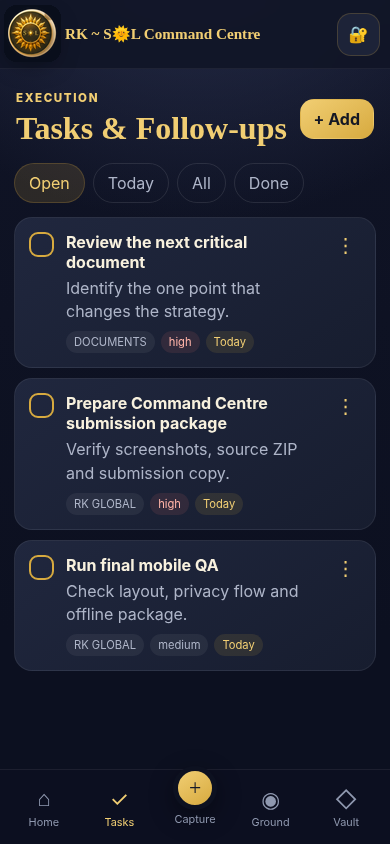
- Task creation, deadlines, priorities, and completion tracking
- Voice-to-text and typed note capture
- A private 1-on-1 reflection space
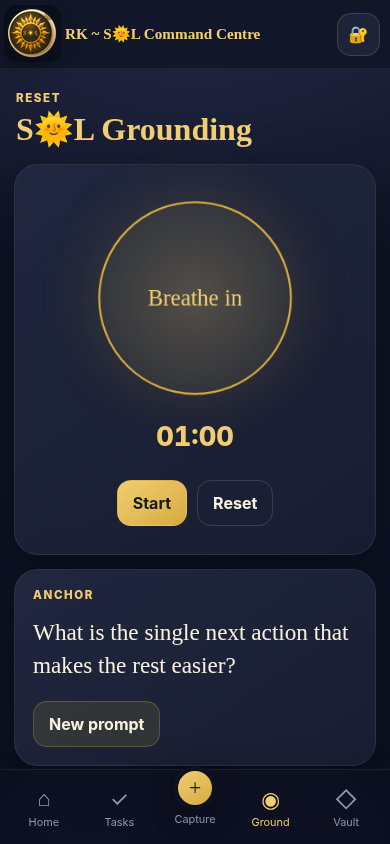
- A guided 4–2–6 grounding exercise
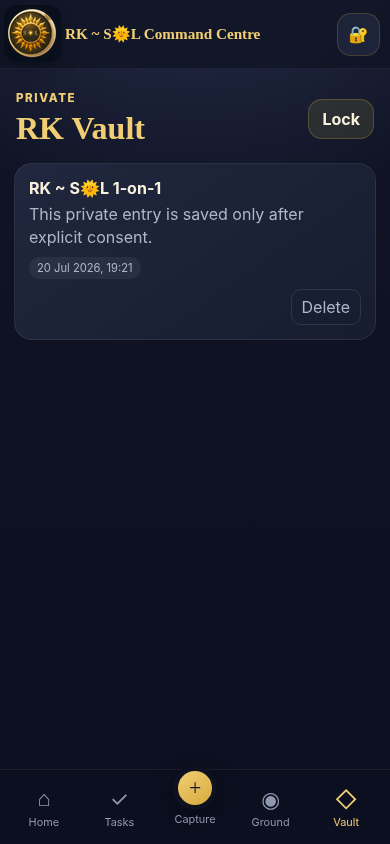
- An encrypted local Vault for information the user deliberately chooses to save
- Local backup export and restore
- A public-safe Demo Mode that hides private information
- Offline access after installation
Private 1-on-1 entries are not automatically saved. The user must deliberately choose to place information in the Vault.
How I built it
The Command Centre was built as a lightweight Progressive Web App using HTML, CSS, and vanilla JavaScript.
A Web App Manifest enables installation on supported mobile devices, while a Service Worker provides offline access and caches the essential application files.
Data is stored locally on the user’s device. Sensitive Vault content is protected using browser-based cryptographic functions, including PIN-derived encryption and AES-GCM. The interface was designed mobile-first, with a dark navy, olive, and gold visual identity.
The project also uses browser speech-recognition capabilities where supported, with manual typing available as a fallback.
Challenges I faced
One of the biggest challenges was balancing convenience with privacy. Automatically saving everything would have been easier, but it would conflict with the purpose of a genuinely private reflection space. I therefore designed private sessions to remain unsaved unless the user makes an intentional decision to store them.
Another challenge was creating useful functionality without relying on a large external backend. The application needed to remain lightweight, work offline, and retain as much user control as possible.
Mobile browser compatibility also required careful handling, particularly for voice input, cryptographic functions, offline caching, and installation behaviour.
What I learned
I learned that privacy is not simply a security feature; it is also a product-design decision. Clear consent, intentional saving, local control, and understandable user actions are just as important as encryption.
I also learned how Progressive Web Apps can deliver an app-like experience while remaining accessible through ordinary web technologies.
Most importantly, the project reinforced that productivity tools should reduce pressure rather than create more of it.
What’s next
Future development may include:
- Optional secure device synchronisation
- Calendar integration
- Document and deadline reminders
- Improved accessibility controls
- Expanded voice-command navigation
- Customisable workstream templates
- Secure sharing of selected information
- More advanced local search and reporting
The long-term goal is to develop RK ~ S🌞L Command Centre into a trusted personal operating system that combines organisation, privacy, and calm decision-making.
Built With
- aes-gcm
- chatgpt5.6
- codex
- css3
- html5
- javascript
- local-storage
- mobile-first
- offline-first
- privacy-by-design
- progressive-web-app
- responsive-design
- service-worker
- speech-recognition-api
- web-app-manifest
- web-crypto-api

Log in or sign up for Devpost to join the conversation.