-
-
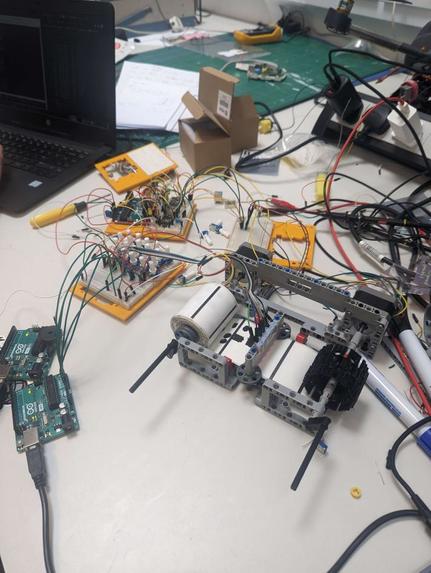
Whole
-
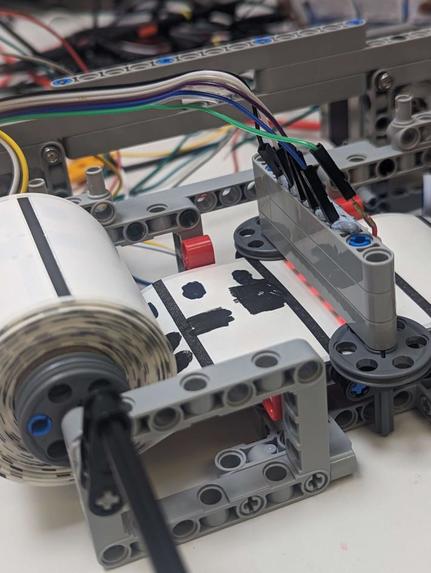
Head & Tape
-
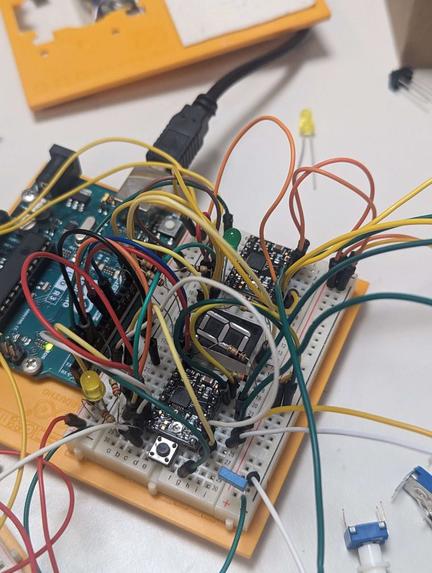
7-seg
-
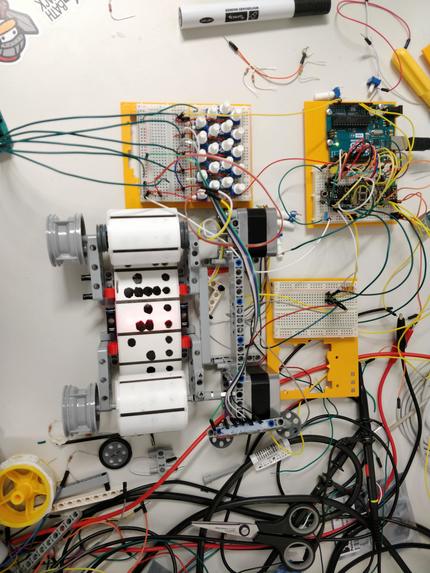
Top-down
-
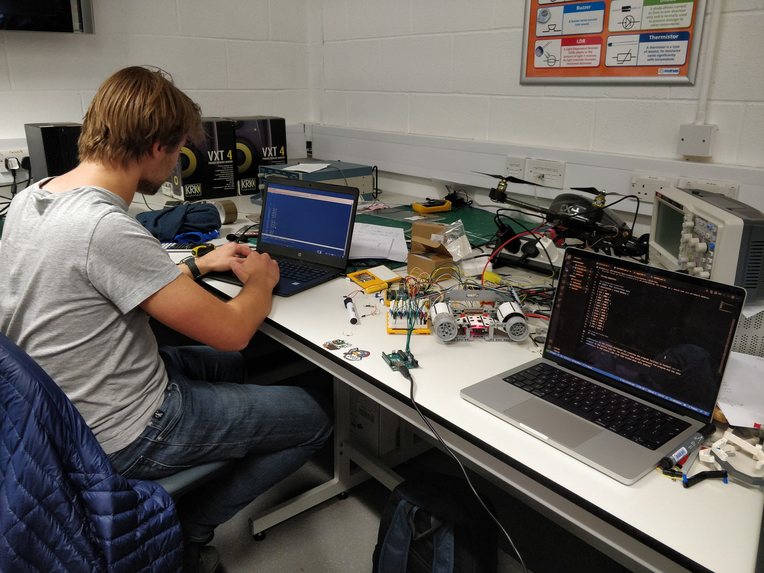
Working Hard
-
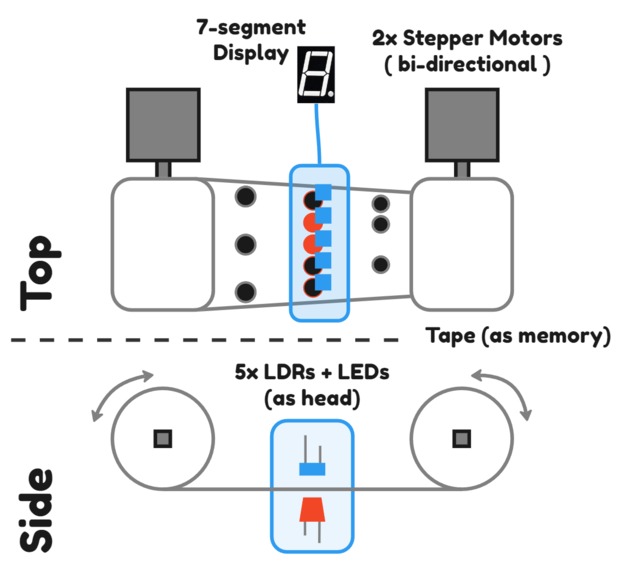
High-Level Diagram
-
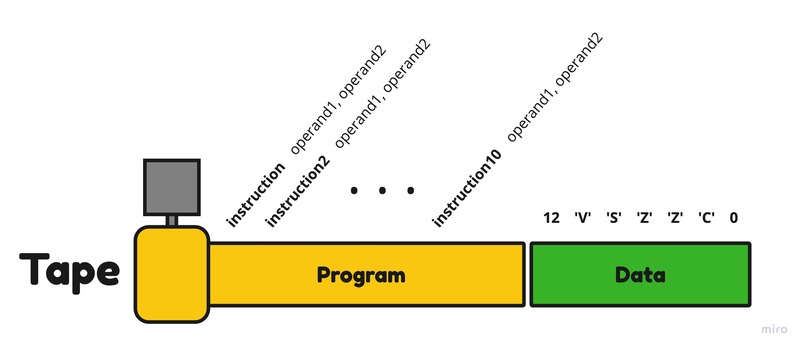
Tape structure
-
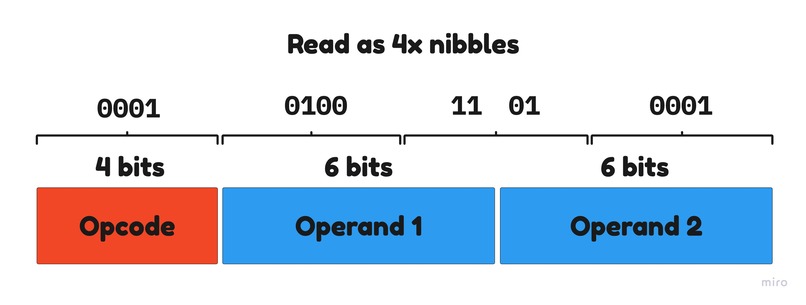
Instruction & Nibble structure
-
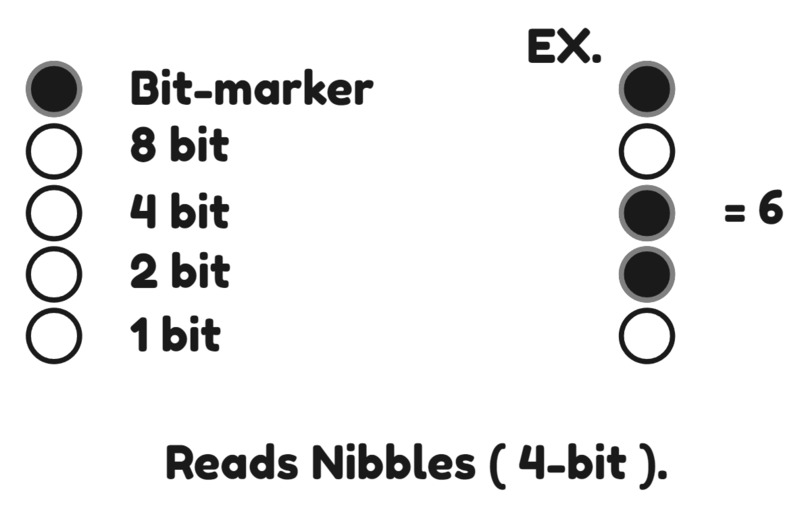
Tape Nibble representation
-
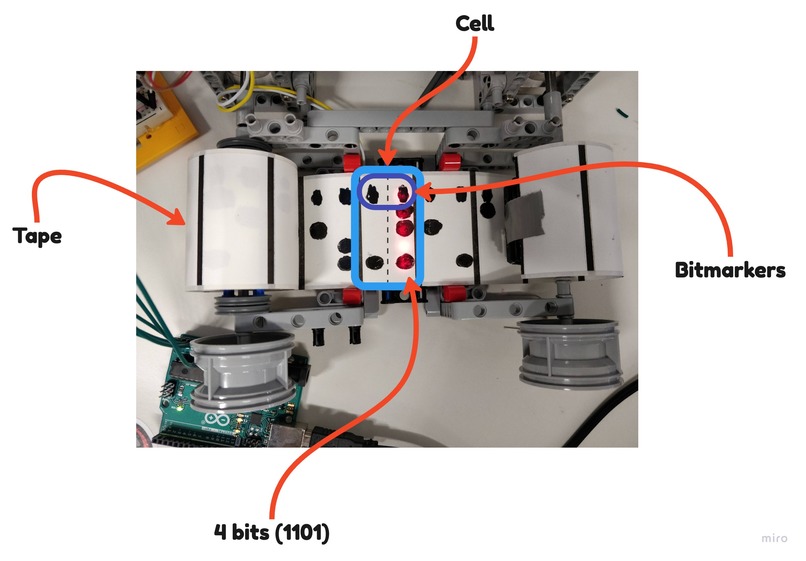
Hardware Pic
-
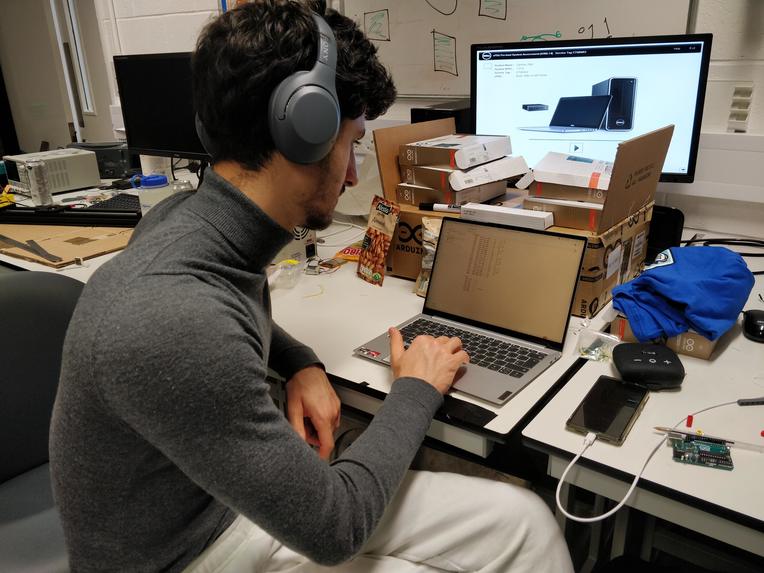
Hardly Working
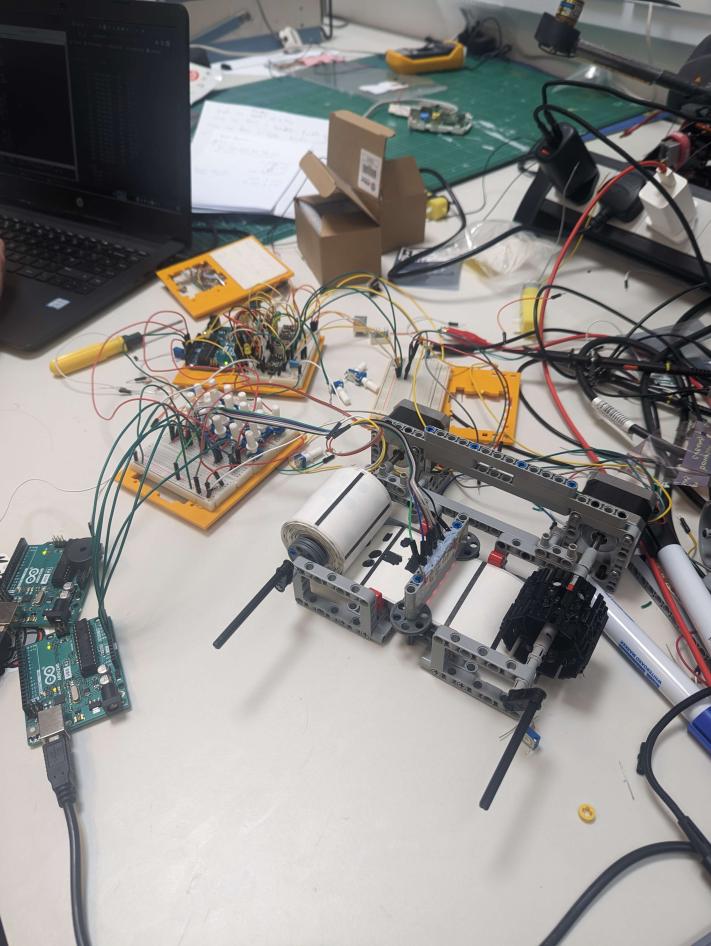

RISC-iest Tape Computer
A Turing Complete Tape & ATMega general purpose computer. The tape is a physical strip of paper with binary nibbles written on it using our own (extra-reduced) instruction set, detailed at bottom. The ATMega executes interpeted opcodes & operands using its registers and the motors to move the tape.
Key Points
- System memory is all on Tape - program & data stored as sets of nibbles.
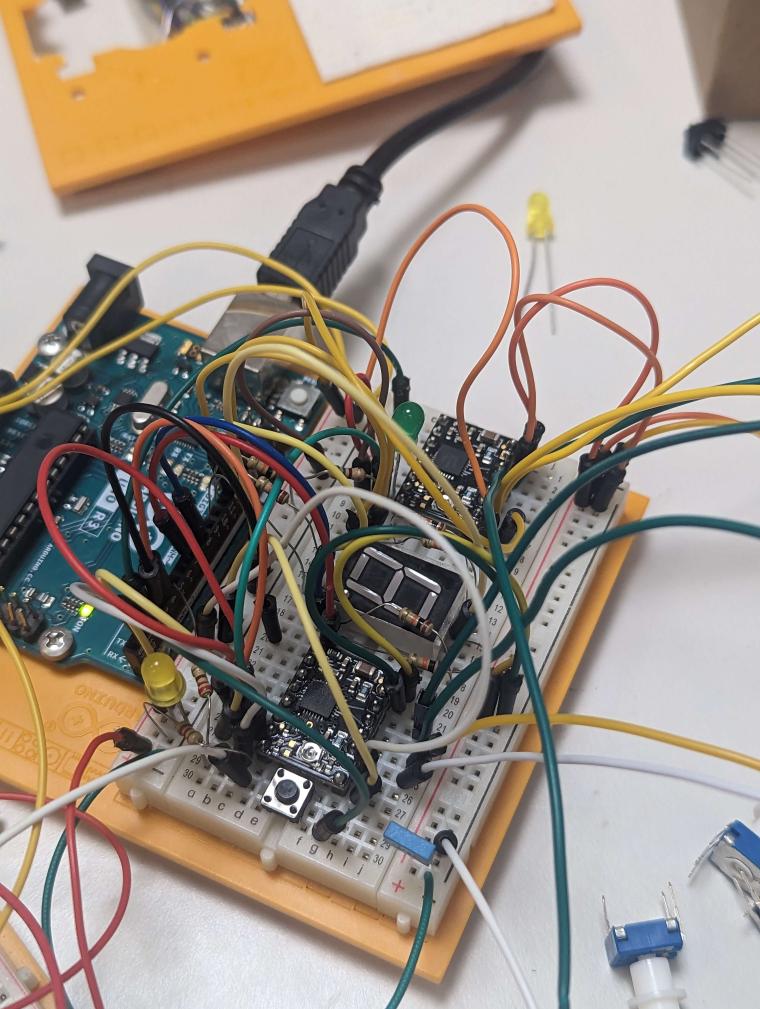
- Only used ATMega as Head, using only processing power & registers.
(no SRAM) - Implemented fully in AVR assembly
High-Level Overview
[ refer to High-Level Diagram ]
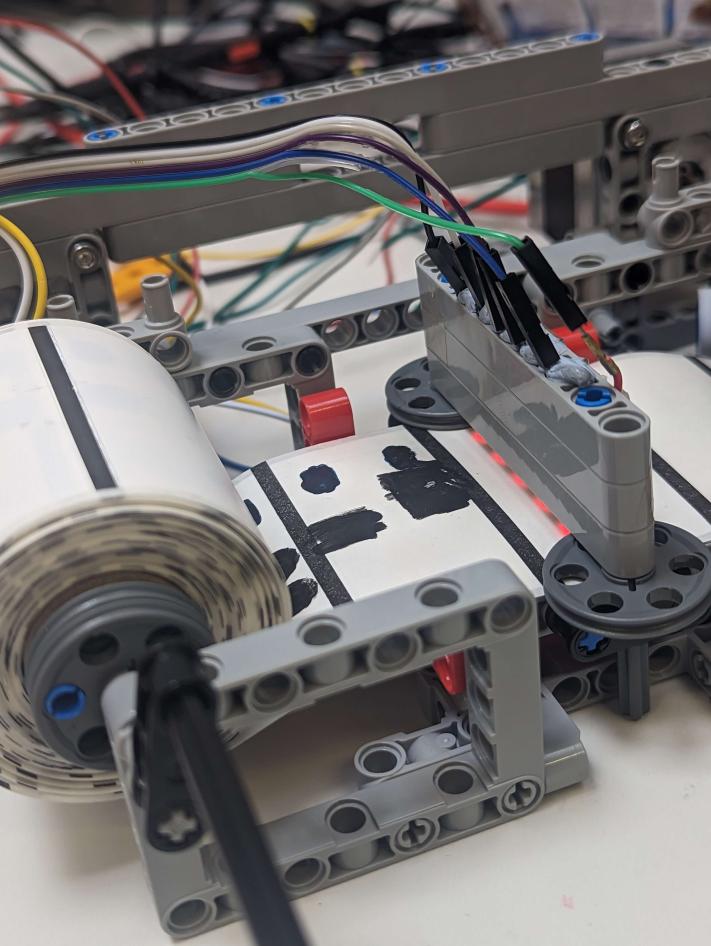
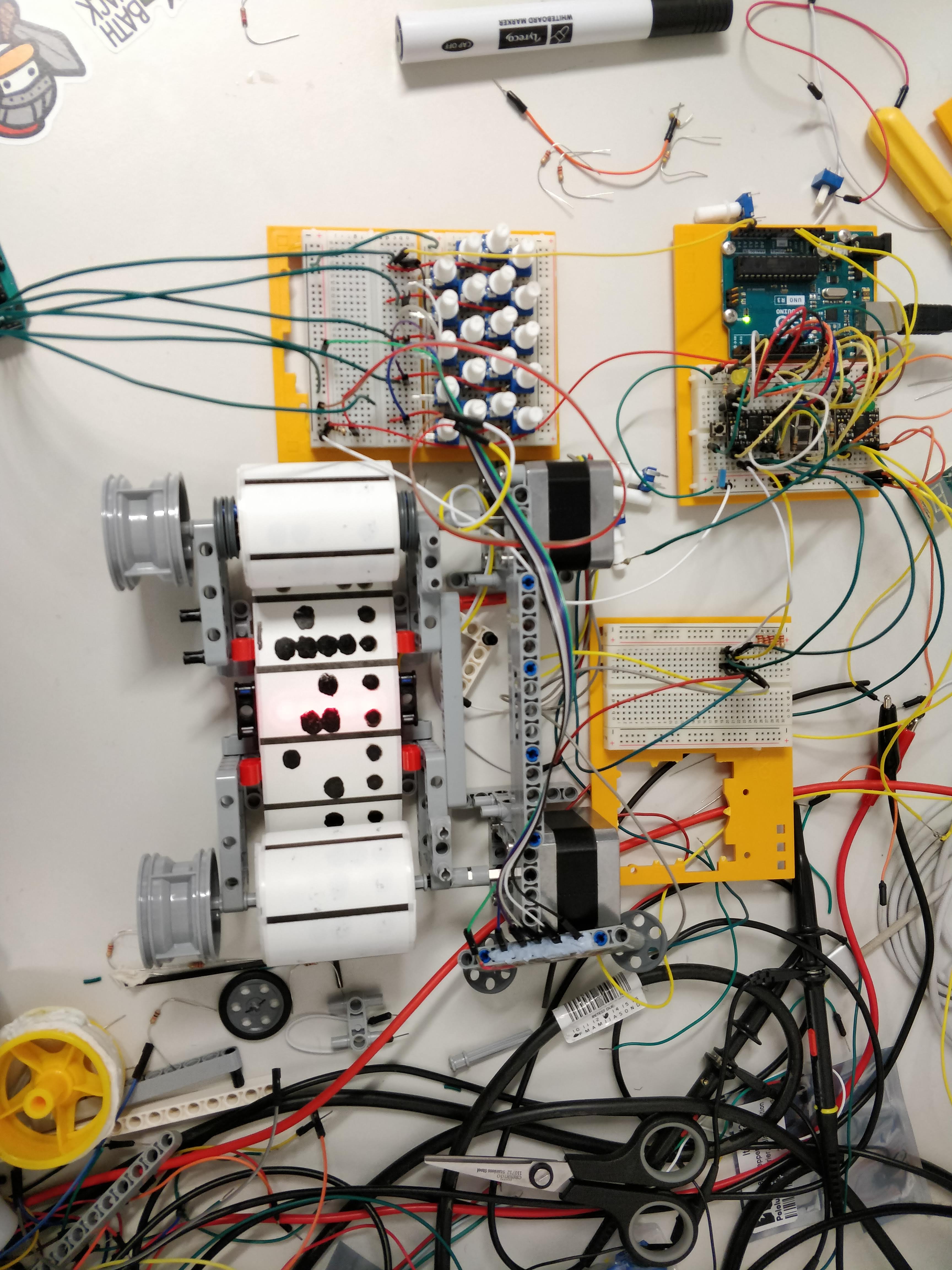
The RISC-iest Tape Computer uses a tape where LDRs capture blocked light as the stepper motors rolls the tape backwards and forwards through the head.
DEMO
A caesar cipher implemented using general purpose (extra-reduced) instruction set.
Abstract
- Fetch next data item
a. if character, decrypt and display to 7-segment display
b. if number != 0, set as cipher key
c. if number == 0, halt program
Example
| Input Data: | 12 | 'V' | 'S' | 'Z' | 'Z' | 'C' | 0 |
|---|
- cipher key = 12
- cipher-text data = "VSZZC"
- halt key = 0
| Output on 7-segment Display: | "HELLO" |
|---|
Tape Structure
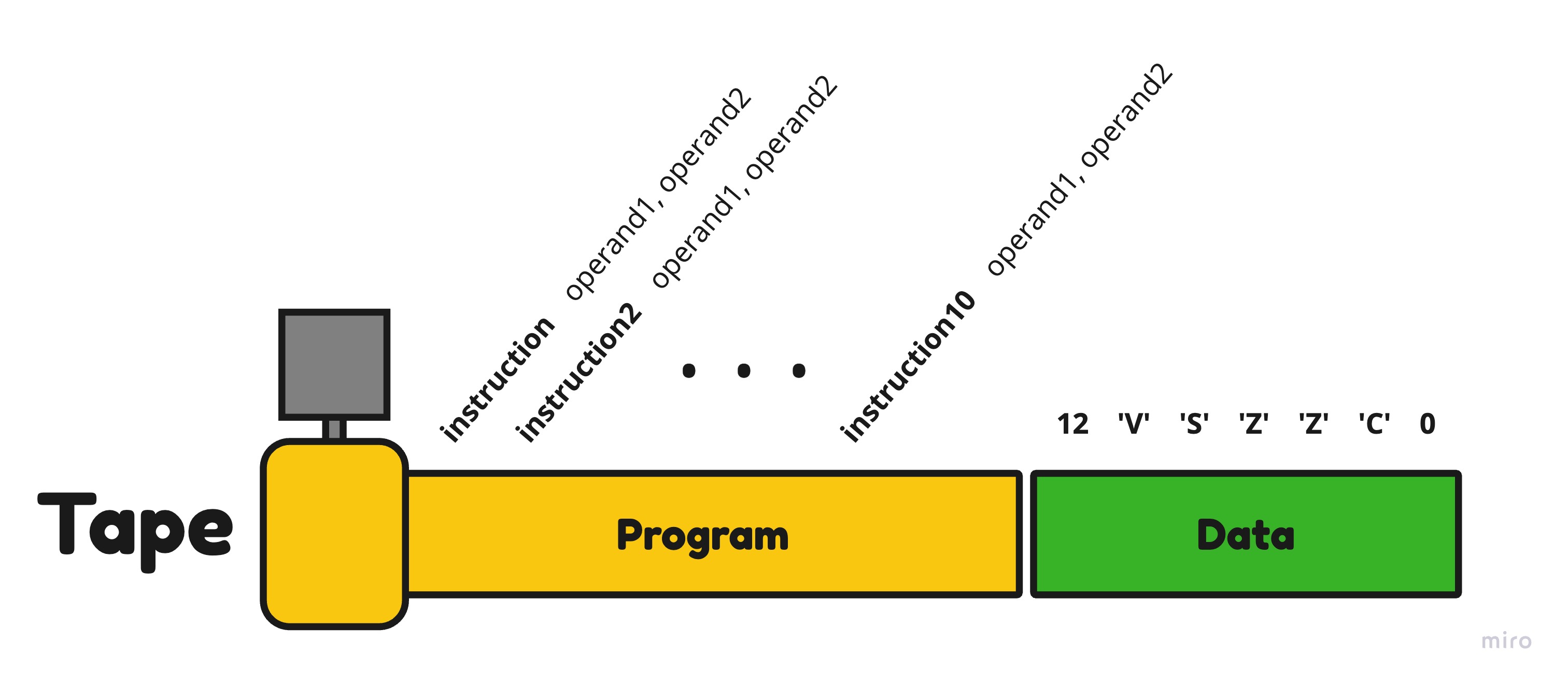
The high level layout of the tape is as follows. It contains an initial section of the tape which is the program followed by a section for the data.
[ refer to Tape structure diagram ]
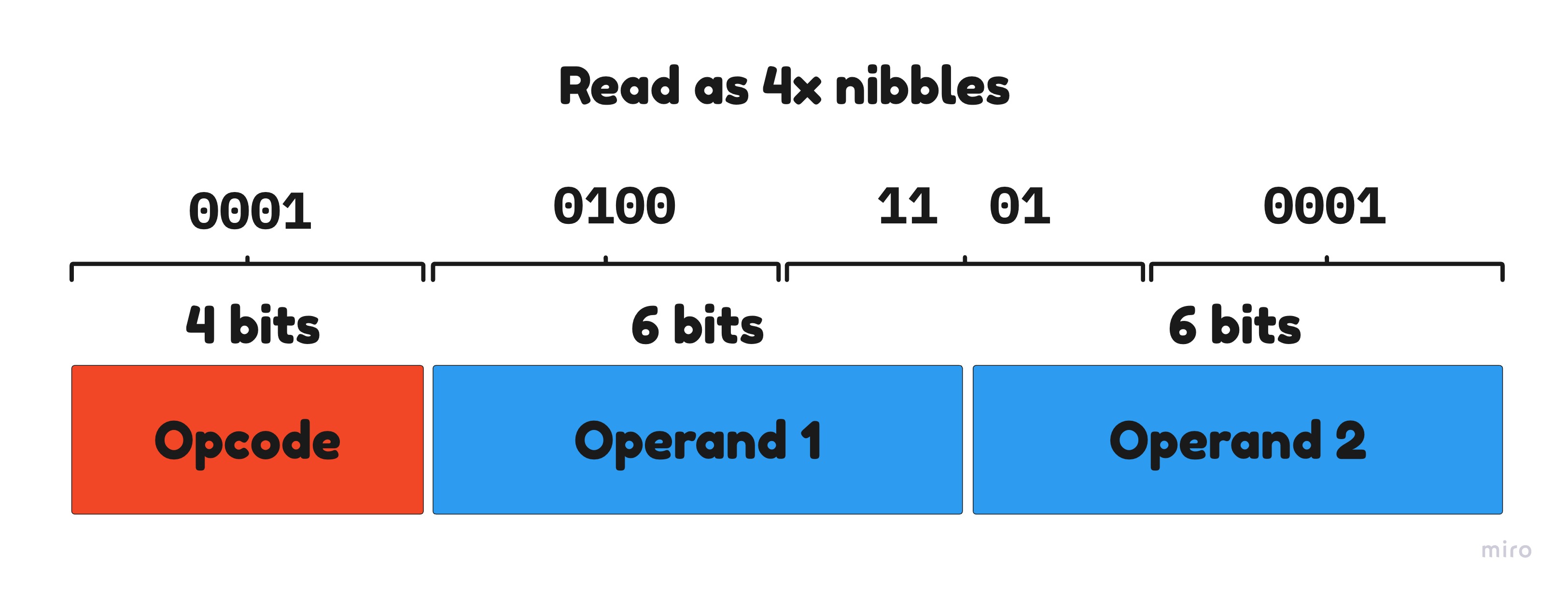
The information on the tape itself is broken down into 1 byte per cell. For 1 instruction using our instruction set, it takes 2 bytes(2 cells). The first 4 bits represent the opcode(instruction) and there are 2 operands which are 6 bits each; together, the opcode and operands make the 2 bytes.
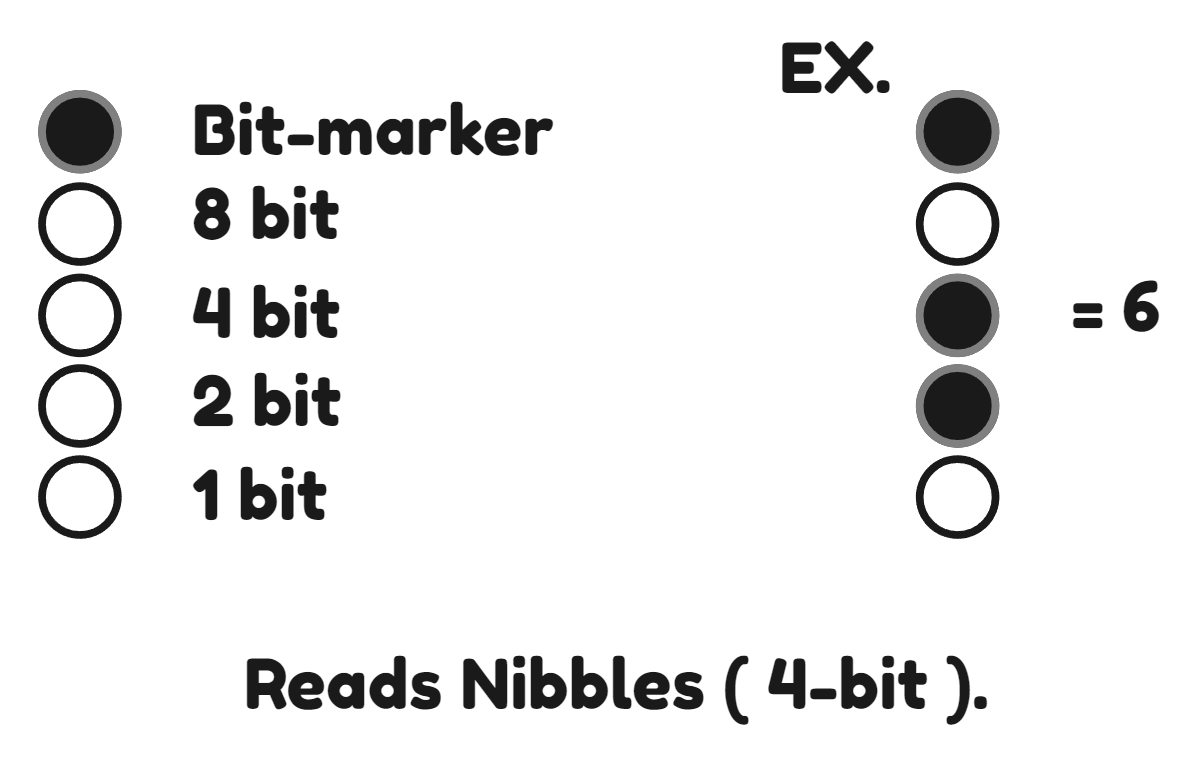
[ refer to instruction & nibble, and Tape nibble representation diagrams ]
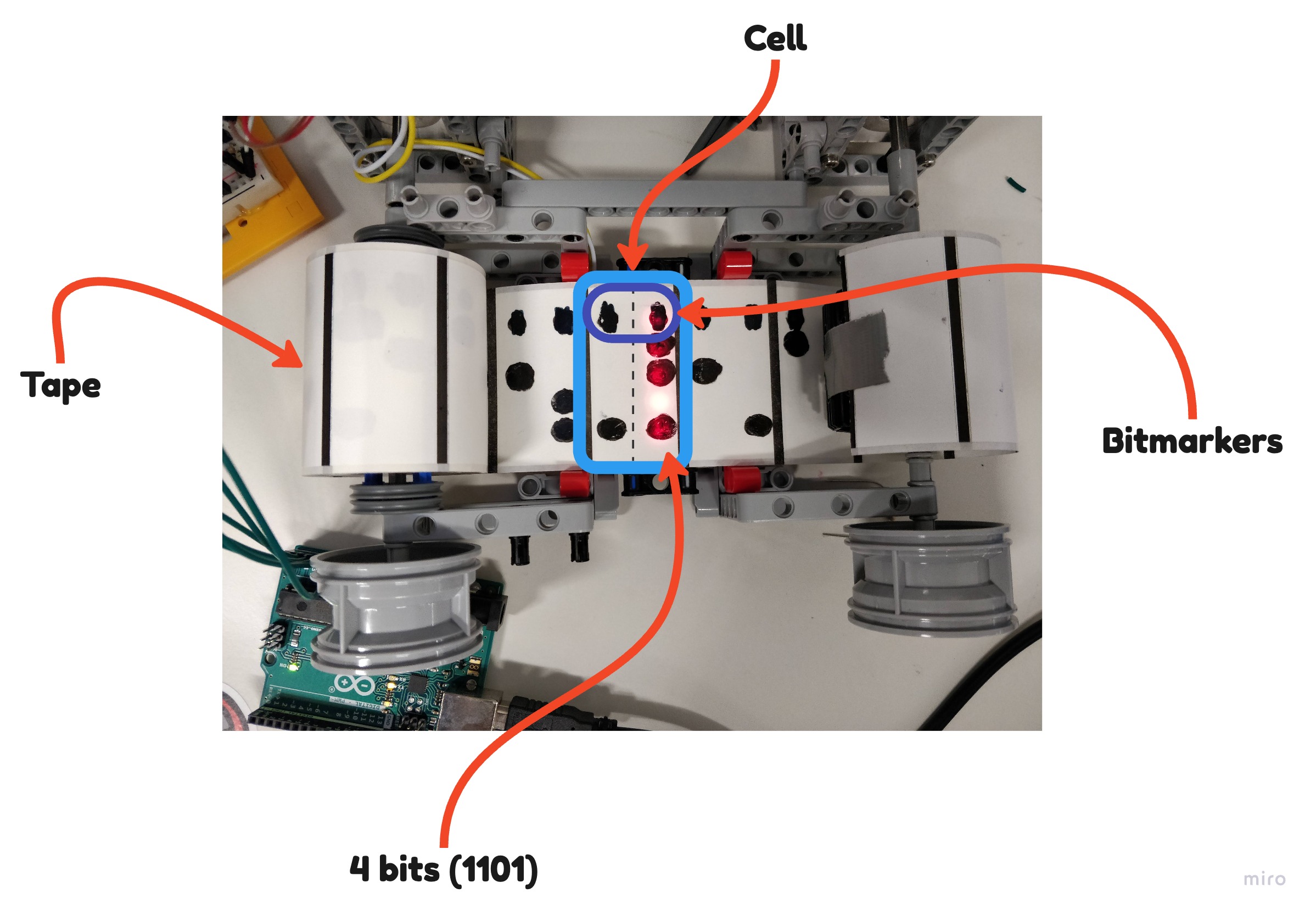
Below is a picture specifically looking at 1 cell of the tape and how it's broken down.
[ refer to Hardware Pic ]
Innovations
- 4x Denser - Initially we planned to fit 1 bit per cell, using Lego, we found a reliable way to densely pack each cell with 8 bits thus allowing more information to be stored in smaller tape length.
- General Purpose structuring - Setting the opcode to 4 bits and each operand to 6 bits allowed us to have the full instruction set with upto 16 instructions as well as ample range for the operands. This was a key innovation as it allowed us to have a more general purpose instruction set.
- Reliable Bit-marking - Initially we planned to punch holes in the tape to allow light to pass through to signify a bit. Although, we couldn't find a reliable method to do this. Instead of letting the light pass through, we decided to block the light with a black marker to signify a bit.
Limitations
- The tape is read only and cannot be written to. This means that the program cannot be changed once it has been loaded onto the tape. We are limited by the number of available registers on the ATMega to store and manipulate data.
- The program & data have to be manually translated into binary and drawn onto the tape, which is a time consuming process and suceptible to human-error. <!-- - Currently, there is potential for expanding the instruction set with 2 more instructions. In the future, if we wanted to implement more instructions, we would have to completely restructure the bit allocation for the opcodes and operands. -->
FWKB-I (Instruction set)
The following is a table of our instruction set, and the binary representation of each instruction. It's composed of 14 instructions and is Turing complete.
| Instruction | 4-bit Binary | Description |
|---|---|---|
| HALT | 0000 | Halt the program |
| LOAD | 0001 | Load the value into the specified register |
| ADD | 0010 | Add the values of the 2 specified register |
| ADDK | 0011 | Add constant k to the value of the specified register |
| SUB | 0100 | Subtract the values of the 2 specified register |
| SUBK | 0101 | Subtract constant k from the value of the specified register |
| COMP | 0110 | Compare constant k to the specified register |
| iLESS | 0111 | If the specified register is less than k, jump to the next instruction |
| iEQIV | 1000 | If the specified register is equal to k, jump to the next instruction |
| iGEQ | 1001 | If the specified register is greater than or equal to k, jump to the next instruction |
| JUMP | 1010 | Jump to the specified location |
| COPY | 1011 | Copy the value from one register to another |
| LOADK | 1100 | Load constant k into the specified register |
| DISP | 1101 | Display the value of the specified register on the 7-segment display |
Files
main.asmThe assembly code for running the paper machinecaesar.asmThe assembly code for the program on the tapenibbles.binis the binary code from tape broken down into nibbles (Binary)tape.binis the binary code for the physical tape which represents the program and the data (Binary)abstract.pyThe initial workspace for conceptualising the program (Python)
Built With
- arduino
- assembly
- avr
- lego

Log in or sign up for Devpost to join the conversation.