-
-
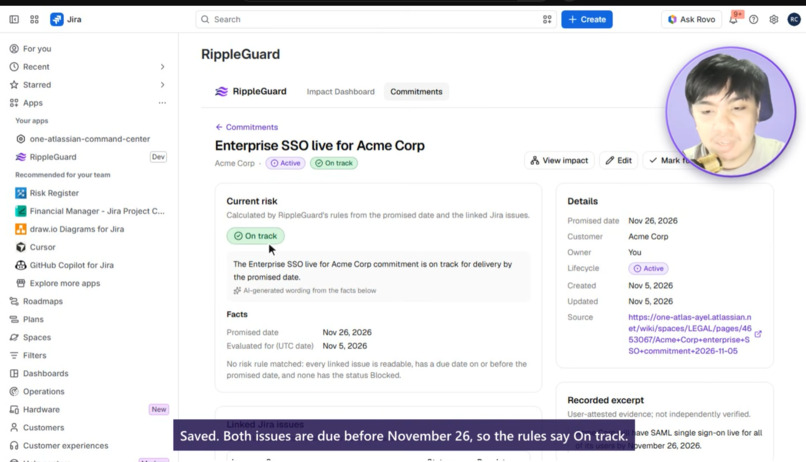
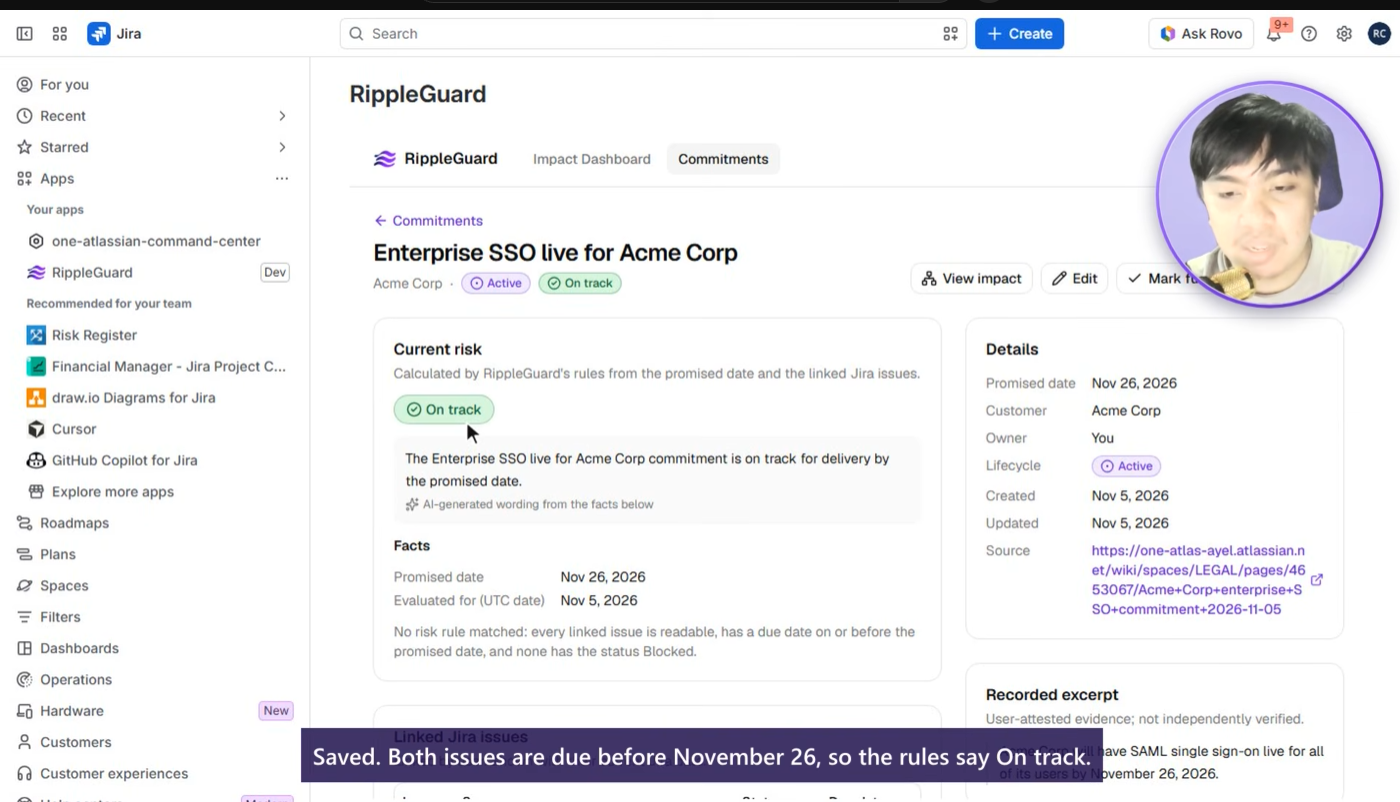
Commitment detail - Keep the promise, source, linked issues, and current risk together, with evidence explaining the status.
-
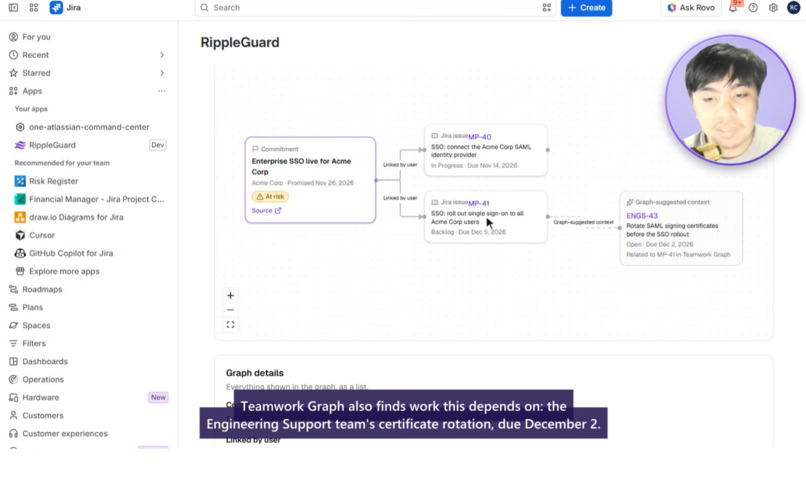
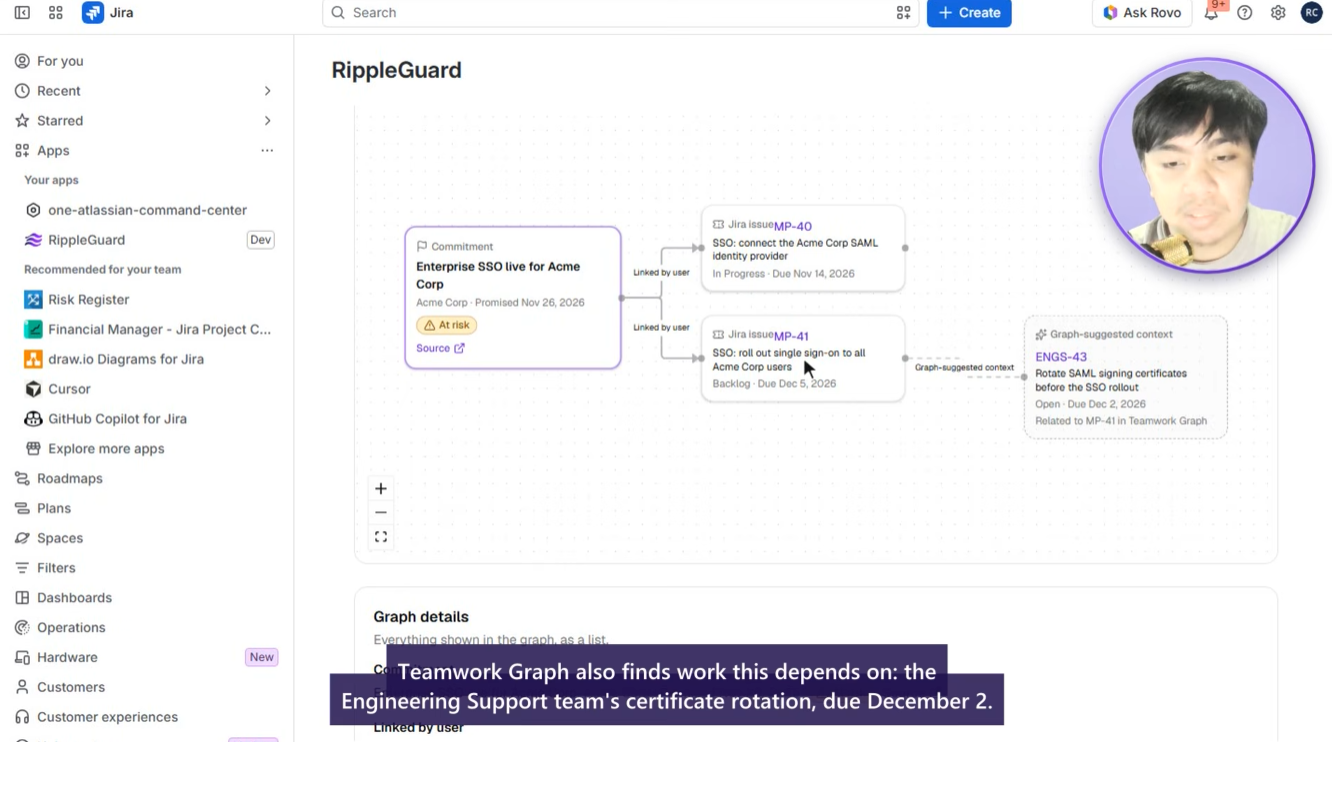
Impact graph - Trace a promise to its linked Jira issues and explore separately labeled context from Teamwork Graph.
-
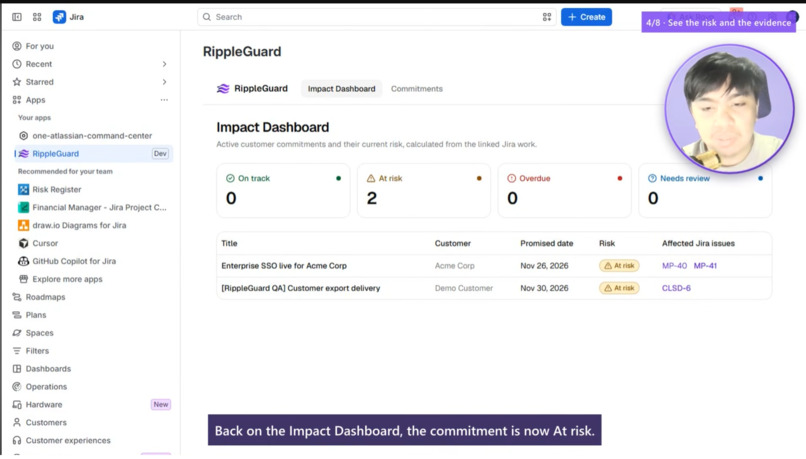
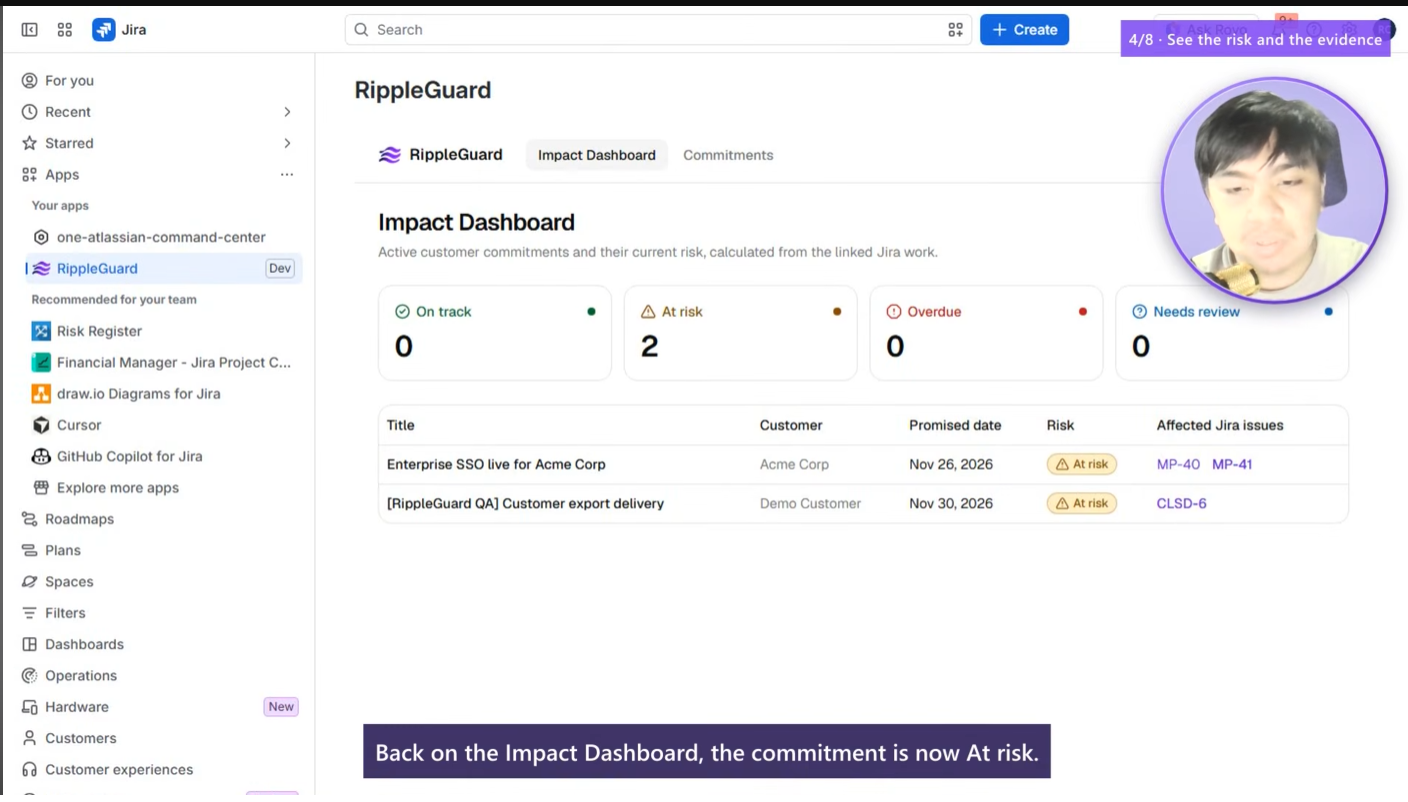
Impact Dashboard - See which commitments are at risk, their promised dates, and the Jira issues that need attention.
Inspiration
A customer hears, “We’ll deliver it by Thursday.” The promise gets written in Confluence, while the work happens in Jira.
Then a task slips. The Jira date changes, but the customer promise stays exactly where it was. Someone has to remember the connection, notice the mismatch, and bring it to the team.
That gap inspired RippleGuard. I wanted to make it easier to answer a practical question during delivery planning.
Which promises need our attention because the work behind them has changed?
What it does
RippleGuard connects a recorded customer commitment to the Jira issues that deliver it.
You enter the promise, customer label, delivery date, source link, and a short excerpt. Then you link the relevant Jira issues. RippleGuard checks their current dates and statuses and gives the commitment a clear status.
- On track when the linked work fits the promised date.
- At risk when a linked issue is due after the promise or is explicitly blocked.
- Overdue when an active commitment’s promised date has passed.
- Needs review when information is incomplete or the work is done but delivery still needs confirmation.
When relevant Jira work changes, RippleGuard recalculates the risk. The dashboard, commitment detail, and Jira issue panel help the team find the affected promise and inspect the evidence.
The Impact Explorer shows the issues explicitly linked to the commitment. When available, Teamwork Graph adds separately labeled suggestions that help reveal related work across teams.
The owner can also review a mitigation draft and explicitly confirm creation of a Jira Task.
Where Rovo and MCP fit
The RippleGuard Impact Agent brings the same evidence into Rovo Chat. You can ask which accessible commitments are at risk, why a particular promise was flagged, or which commitments an issue change might affect.
Three read-only MCP tools expose those same questions to compatible external clients through Atlassian’s authorization flow.
The agent explains the facts returned by RippleGuard. Risk statuses come from fixed rules, and Jira changes require a person’s confirmation through the app.
How I built it
RippleGuard runs on Atlassian Forge.
The interface uses React and TypeScript in Forge Custom UI. Forge resolvers handle the application’s operations, Forge KVS stores commitments, and a Jira issue-updated event triggers recalculation.
The risk engine compares date-only values using a consistent UTC boundary. Forge LLM turns the resulting evidence into a plain-language explanation. React Flow displays the impact graph, with optional context from Teamwork Graph.
The UI, Rovo actions, and MCP tools share the same authorization logic. Every read checks the caller’s access to all linked Jira issues.
Challenges I faced
Creating a useful explanation was only part of the problem. The harder work was keeping the answer dependable.
Jira events can arrive more than once or out of order, so the app reads current issue data before evaluating risk. A timeout during mitigation creation can also leave the outcome uncertain. I built the flow to preserve that uncertainty and require review before retrying.
Permissions needed the same care. A commitment can connect several issues, and exposing its title or evidence could reveal information from a restricted project. RippleGuard checks access across the full linked set.
Testing the assistant also meant working through Atlassian site provisioning and OAuth setup. A Forge demo site made it possible to exercise Rovo and external MCP against real Jira data.
What I learned
The most useful AI explanation starts with a dependable source of facts.
Building RippleGuard taught me to make the issue, date, rule, and source visible alongside the explanation. It also reinforced how much event handling, permissions, and failure recovery matter in an app that people use to make delivery decisions.
What I’m proud of
The demo follows one promise through a real Jira date change, a visible risk explanation, related work in the graph, and a reviewed mitigation task.
The same commitment can then be discussed in Rovo or queried through MCP, with the issue keys and dates available to support the answer.
RippleGuard helps a team notice the gap between what it promised and what its current plan can deliver.
Built With
- atlassian
- confluence
- forge
- forgekvs
- forgellm
- jira
- mcp
- node.js
- react
- reactflow
- rovo
- tailwindcss
- teamworkgraph
- typescript
- vite


