-
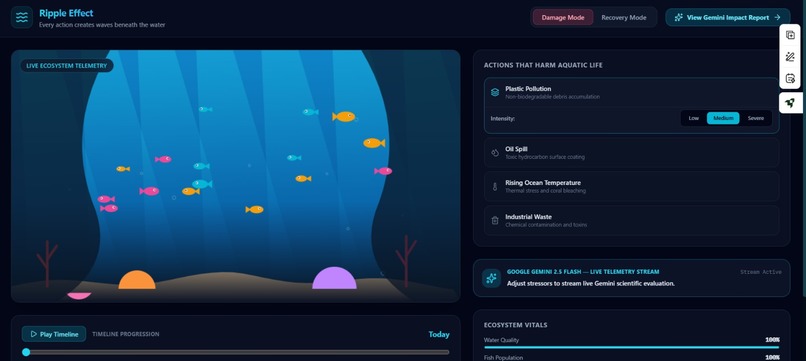
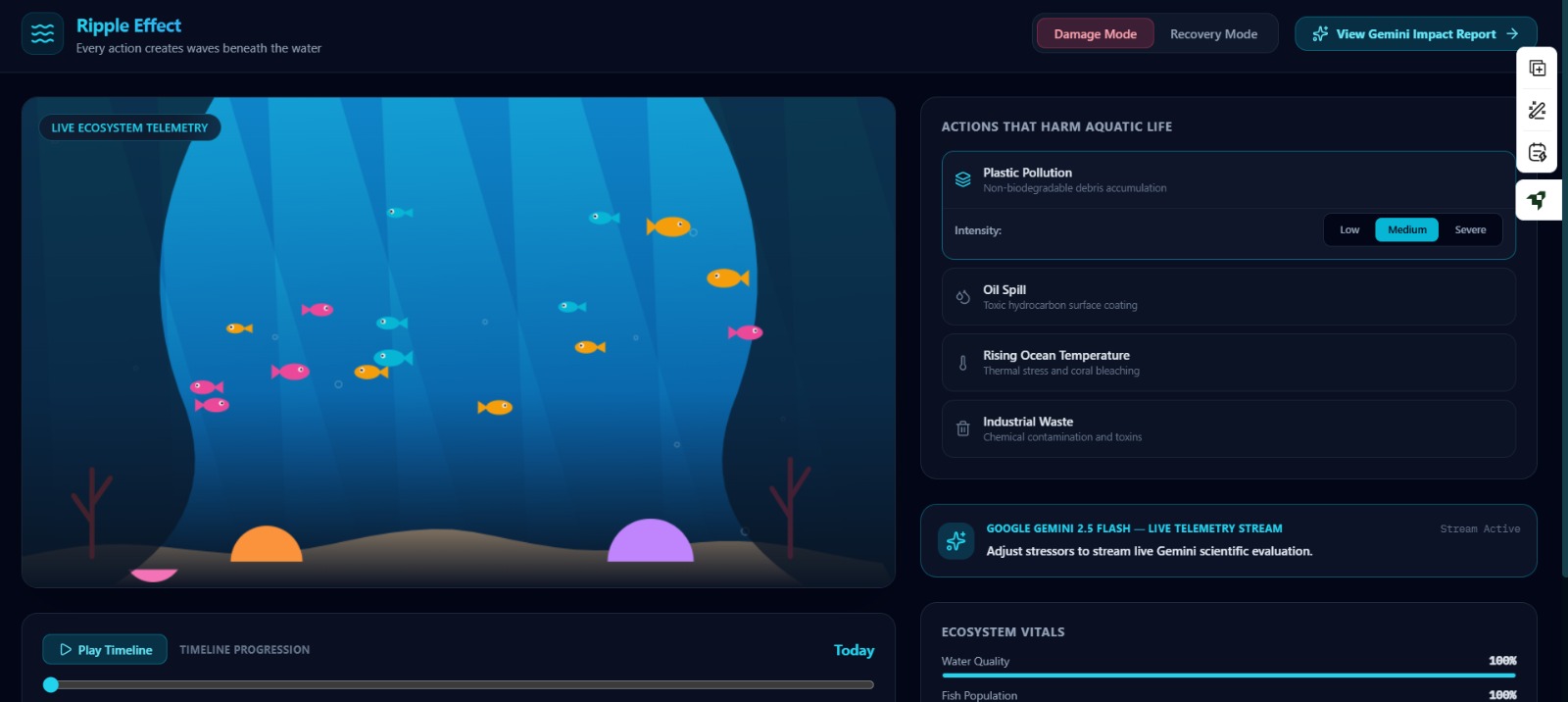
The Main Simulation Canvas
-
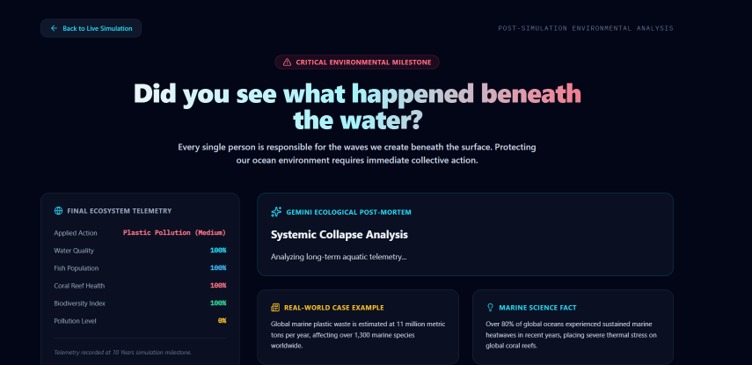
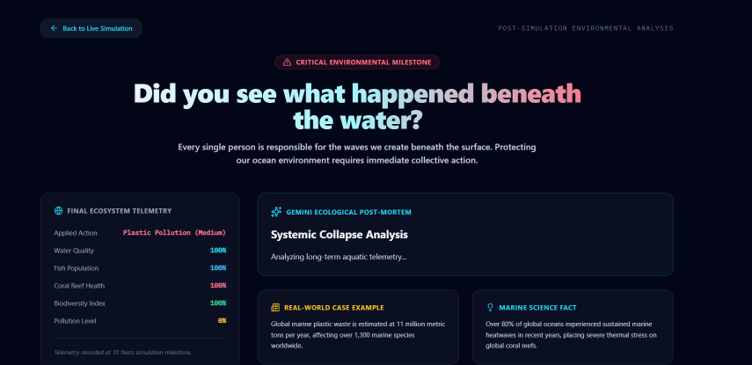
The Impact Page
-
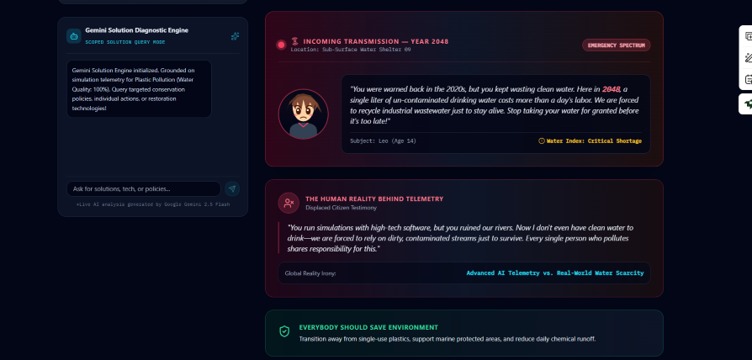
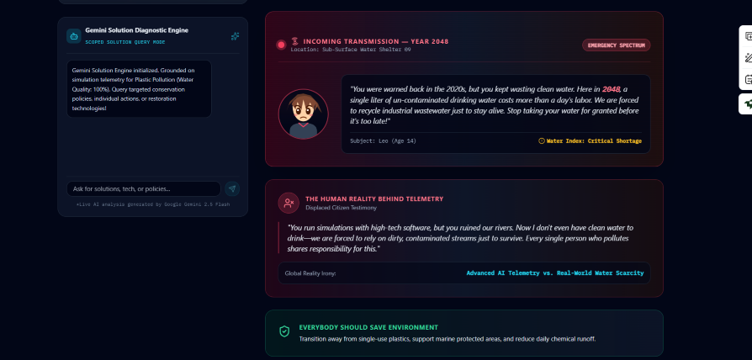
The 2048 Future Transmission
-
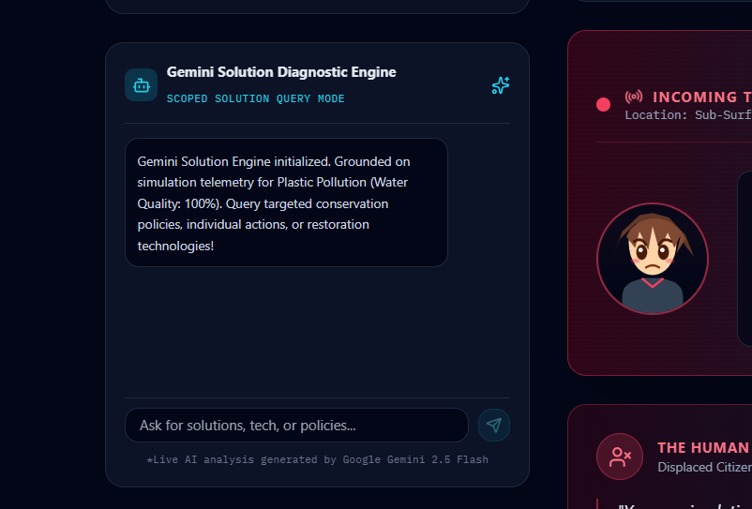
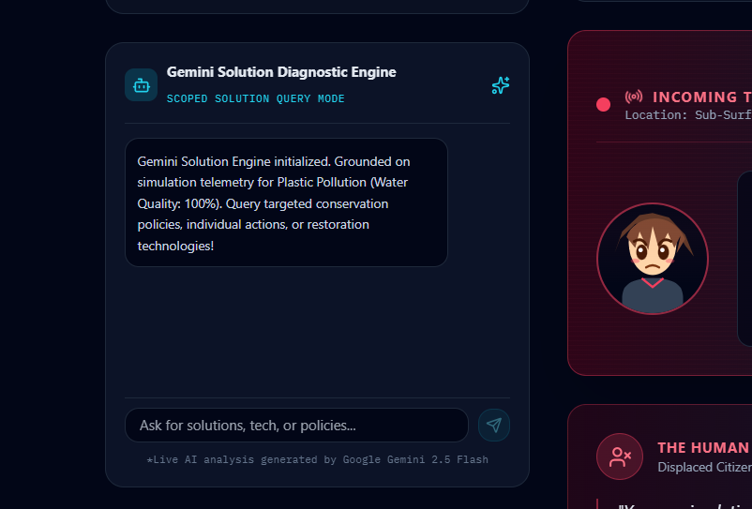
The Gemini Solution Diagnostic Engine
Inspiration
Human activities create invisible ripples beneath the ocean surface. We wanted to build 'Ripple Effect' to turn complex aquatic data into an immediate, visual, and human experience. By combining real-time 60 FPS canvas animations with Google Gemini 2.5 Flash, we set out to show people—not just tell them—how pollution, rising temperatures, and industrial waste destroy marine life over a 10-year timeline.
What it does
'Ripple Effect' is an interactive environmental impact visualizer:
Live 60 FPS Telemetry Simulation:Scrub through a 10-year timeline to watch fish populations decline, toxic sludge pour from industrial pipes, and coral reefs visibly bleach from bright pinks to ghostly whites in real time.
Gemini Ecological Post-Mortem: Powered by gemini-2.5-flash, the app generates structured, real-time diagnostic reports analyzing environmental degradation, real-world case studies, and biological facts.
Futuristic Transmission from 2048: Displays a holographic transmission from a child in 2048 suffering from severe water scarcity, bridging high-tech data with emotional human reality.
Gemini Solution Diagnostic Engine:A scoped AI assistant anchored strictly to ocean restoration, allowing users to query targeted conservation policies, technologies, and individual action plans.
How we built it
Frontend:React, Tailwind CSS, Lucide Icons, and HTML5 Canvas API for smooth 60 FPS rendering.
AI Integration: @google/genai SDK using gemini-2.5-flash for real-time telemetry processing, structured diagnostic summaries, and scoped Q&A diagnostics.
Deployment:GitHub & Vercel for continuous deployment and public access.
Challenges we ran into
Frontend State Synchronization & Play Timeline Mechanics: Designing a smooth playback control loop was tricky. Synchronizing state updates across the 10-year timeline slider, play/pause controls, dynamic metric calculations, and canvas animation frames required carefully managing React hooks to avoid re-render stutter or desynced UI states. Dynamic Canvas Rendering & Visual Coral Bleaching: Rendering dynamic environmental degradation in real time—specifically blending RGB color channels for coral reefs to visibly bleach as health metrics dropped—took significant mathematical tweaking on the HTML5 Canvas. Strict AI Scoping: Re-scoping our open AI assistant into the targeted "Gemini Solution Diagnostic Engine" to ensure responses remained strictly focused on actionable marine biology solutions without hallucinating or drifting off-topic.
Accomplishments that we're proud of
Seamless 60 FPS Canvas Shader:Achieving smooth underwater physics, swimming fish routines, volumetric sunrays, and dynamic pollution particles on a custom HTML5 canvas. Real-time AI Grounding:Connecting Google Gemini 2.5 Flash live to UI state parameters so every diagnostic feels tailored to the exact stressor and severity chosen. High-Impact Emotional Storytelling:Integrating sci-fi narrative elements (the 2048 transmission) alongside scientific telemetry to create an unforgettable user experience.
What we learned
- How to leverage Google Gemini's
gemini-2.5-flashmodel efficiently for fast, low-latency live telemetry analysis. - Advanced canvas manipulation techniques, including dynamic RGB color blending for environmental state changes.
- How crucial strict prompt engineering and state management are when building AI-driven interactive web dashboards.
What's next for Ripple Effect
- Adding multi-region sea maps (e.g., Arctic Ocean vs. Great Barrier Reef) with region-specific wildlife and environmental stressors.
- Integrating real-time IoT water sensor APIs to feed actual river/ocean pollution metrics into the simulation live.
- Expanding community action toolkits where users can calculate their personal water footprint and support verified marine conservation charities directly.
Built With
- gemini-api
- git
- github
- google-gemini
- html5
- javascript
- lucide-react
- react
- tailwindcss
- vercel
- vite

