-
-
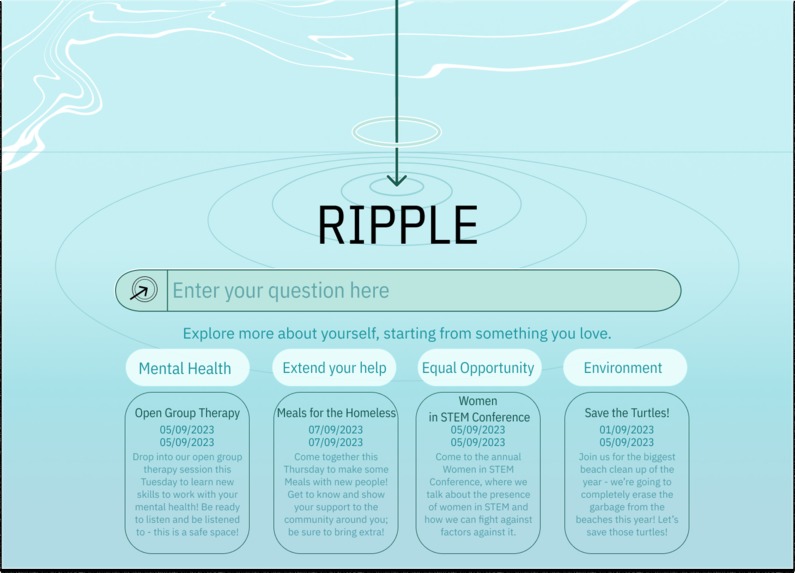
Potential social missions possibly expressed through Ripple, allowing users to be made conscious of changes they can bring to others.
-
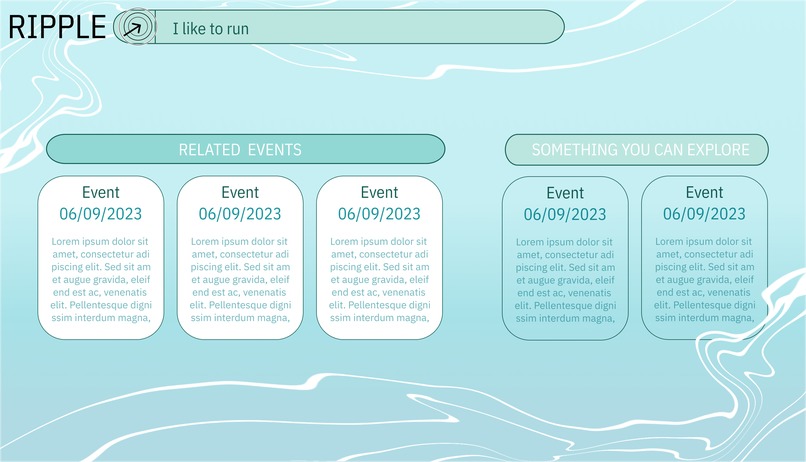
The user interface in how users are given experiences and also newer experiences to try out.
-
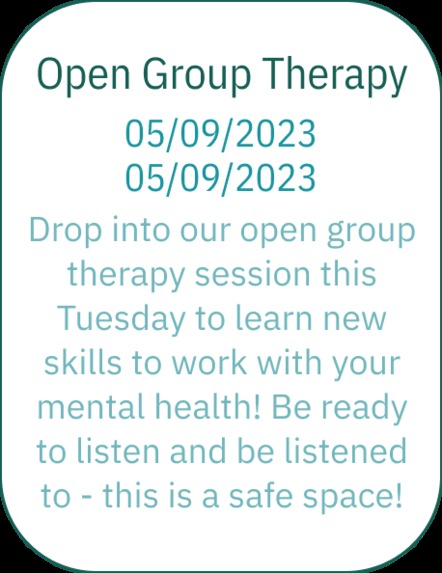
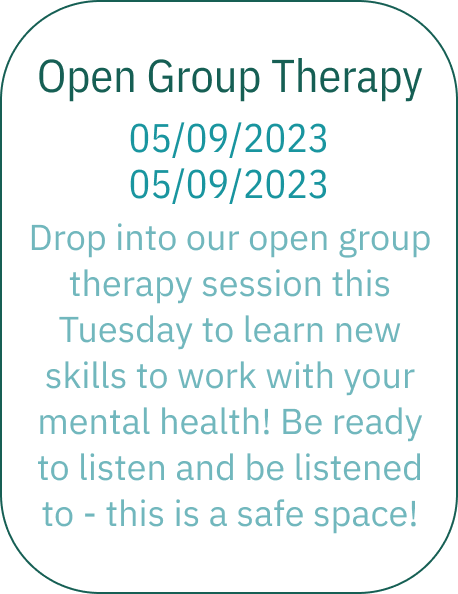
Potential mental health implications of ripple allowing for users to reach out to and find local mental health resources.
Inspiration
COVID-19 hit social gatherings like a truck, ever since it has always been a bit difficult to open up to new experiences and risk. However, we believe that there are so many hidden passions and talents that people are not exploring and we hope to create this platform to allow people to explore local events that they are familiar with, and new events that they can grow into and experience the local community around them.
What it does
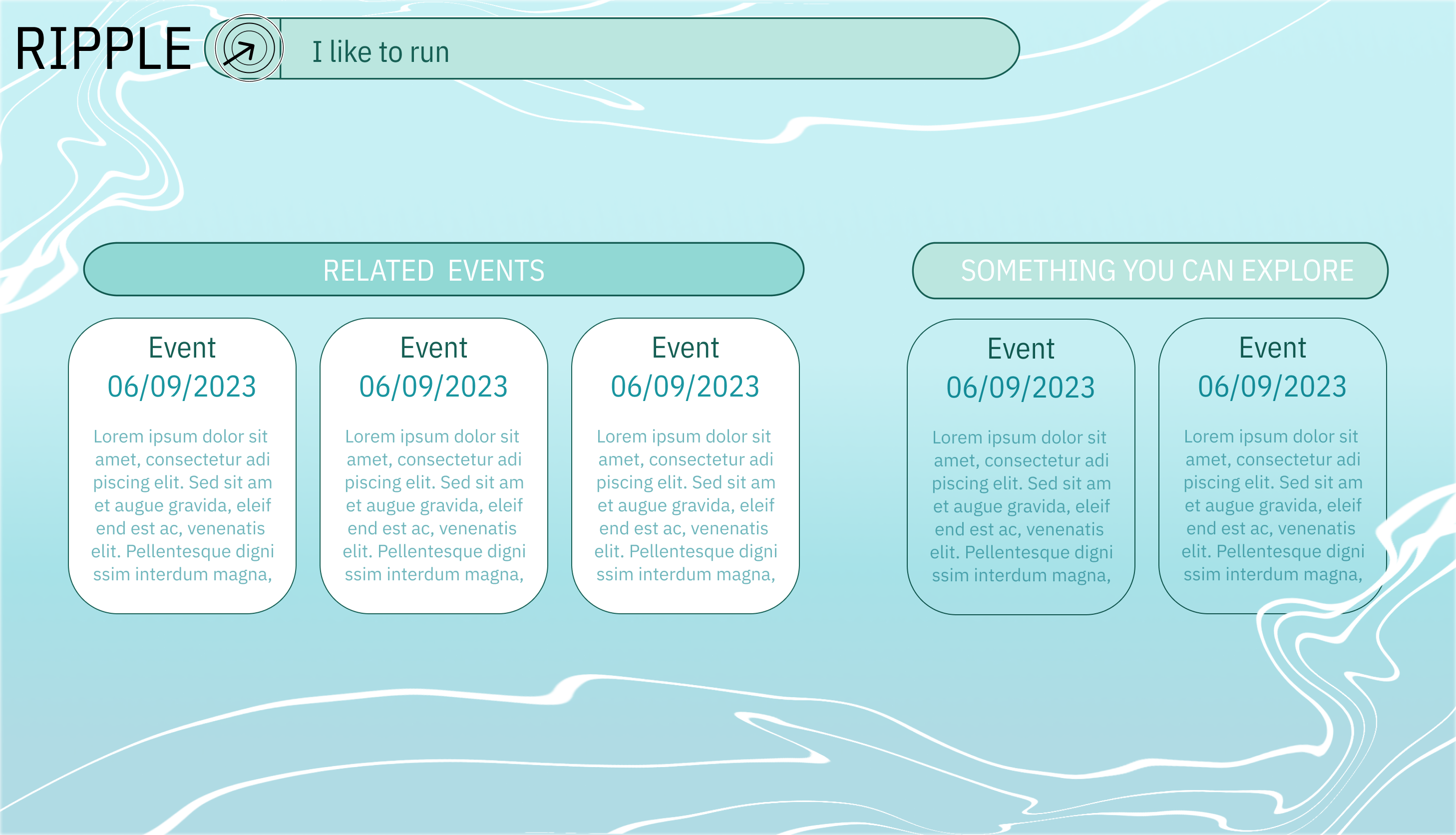
RIPPLE is a website which allows users to input a phrase of their choice from which it will recommend 5 events. Our team’s goal is to be the ripples in a user’s sea of interests - of the 5 events recommended, we recommend 3 closely related events and 2 events in an adjacent category. This allows a user to comfortably step out of their comfort zone and explore a new, but similar, interest.
How we built it
Our main building process consists of four parts: Designing and implementing the UI, training the CO:HERE API to tag phrases with certain event tags, creating the API of the relevant/exploratory event generation, and connecting it all. The UI Design was largely created on Figma, with an initial sketch on Clip Studio Paint to establish the colour scheme and general idea. The implementation allowed for the design to incorporate a workable search bar and hoverable event cards. The search bar is used to access the webpage with the generated events, while the event cards contain the details of each event. The training of the CO:HERE API consisted of feeding it over 250 sentences, which we assigned to a designated event subcategory. This allowed for our CO:HERE API to return the closest event subcategories for any given prompt. Our event API was implemented shortly after - after adding over 200 event examples, our event API would take in a given event subcategory, and return three different events from within the subcategory and two more from within the category but outside of the subcategory. Connecting it all together allowed for the website to take in information from the search bar, put it through the CO:HERE API, then through the event API. The returned events would then be displayed on the second page of the website on event cards. The API was made RESTful with flask and utilized by React.js in the frontend to provide for the user interface.
Challenges we ran into
Our biggest challenge was implementing the API into our UI. While we managed to complete the API and allowed for it to run on a demo UI, the search bar in the UI we designed and implemented was not able to communicate with the API. Unfortunately, because of that, the website currently is unable to run with the initially designed UI. This was the team’s first time working with Figma converted to CSS Files, and unfortunately this resulted in mistakes - ranging from the formatting issue of fixed rather than relative location to a search bar which can only browse the web but not connect it to the API. Thankfully, when we realized this, we were able to come up with a temporary solution - which was to direct the search bar to the demo UI, which was on a separate webpage. As it was some of our first times working with React and Figma, we are proud to come out with this much on our first attempt and we're excited for the future!
Accomplishments that we're proud of
Our API is fully functional and we are able to associate inputted phrases, no matter how obscure, with relevant event subtags (for example telling it “I like watching A Silent Voice”, which is a rather niche movie, still returns the event subtag “Movie”). We are very proud of this feat because, while it was our first time working with CO:HERE, we were able to implement our idea well. We are also very proud of the user-friendly interface of our UI. While we had some struggles initially, with this being the first time any member of the team had used Figma and the corresponding CSS code, we were ultimately able to implement our API in a modified version of our UI. Just being able to complete such a project is awe-inspiring and we'd like to extend a huge thank you to the UofTHacks team!
What we learned
With this being the first Hackathon for one of our team members, there was a lot learned throughout this process. This includes but is not limited to designing a prototype using Figma, exporting said prototype to CSS/React, working with the prototype in a non-static manner, training CO:HERE API, stylized search bars, re-routing to different pages, and using external dependencies.
What's next for Ripple
The next steps for Ripple would be to ensure that the search bar is functional and directed to another part of the initial website instead of another website entirely. The event cards presented in our second page UI should then be refined to be more user friendly, and each card should link with existing eventbrite events or event websites. Ripple is also looking into creating a login function which will allow users to create their own events and allow for the website to give randomized events which expand on identified interests. This will allow users to receive more catered events, giving them more new events when they use the website instead of receiving 5 events based on one input. Previously visited events can be then stored in the system to better understand where the user is currently and where the user wants to be. Finally, the event cards in the front page should be under 4 permanent subcategories: Mental Health, Extend Your Help, Equal Opportunity, and Environment. This will help us better establish our goal - to become a ripple that starts a larger wave. Our idea is that, by suggesting these events, we can someday create a ripple which allows our user to change themselves and the world for the better.


Log in or sign up for Devpost to join the conversation.