-
-
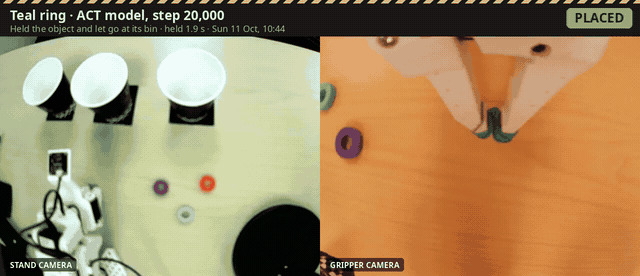 GIF
GIF
Teal ACT model (20k steps) picks the teal ring and drops it in its bin: stand camera and gripper camera side by side
-
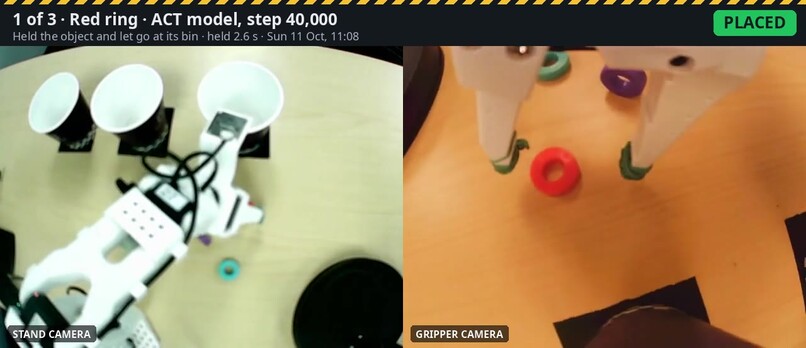
One full work order, one try per part: red and purple placed, teal missed and the gripper check caught it
-
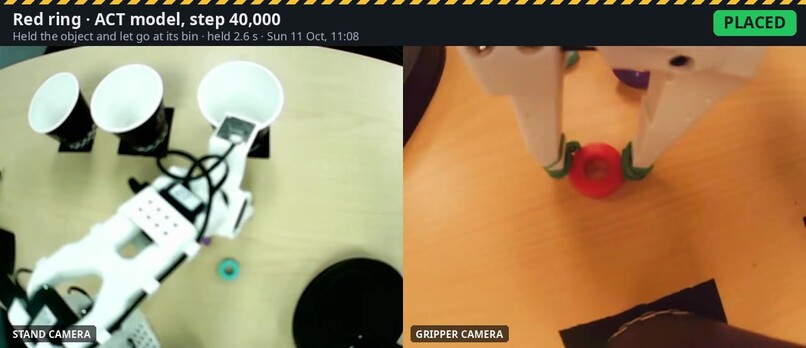
Red ACT model (40k steps): placed, confirmed by the gripper's own position record
-
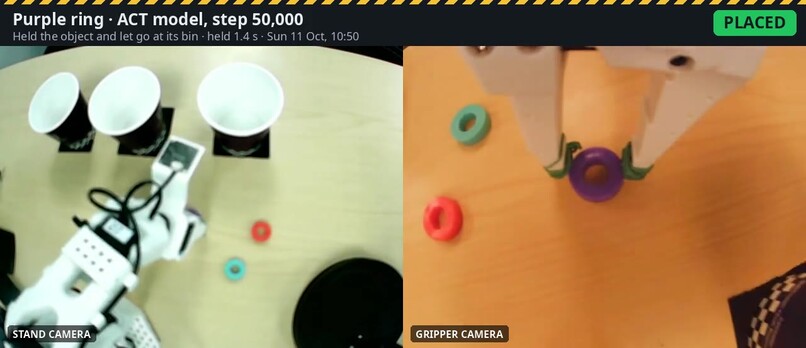
Purple ACT model (50k steps): placed, ring held 1.4 s and released over the purple bin
-
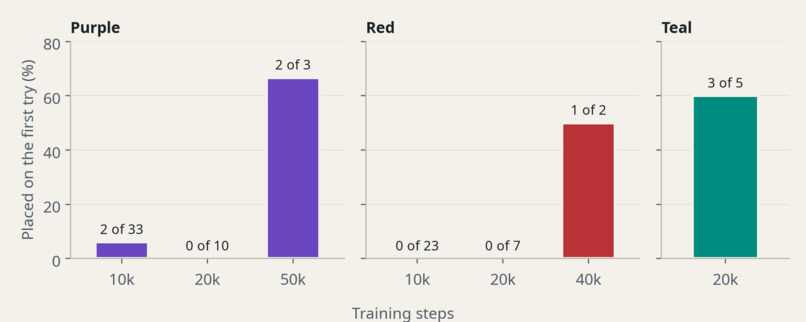
First-try placement by checkpoint: purple and red only started placing at 40-50k steps; teal placed at 20k
-
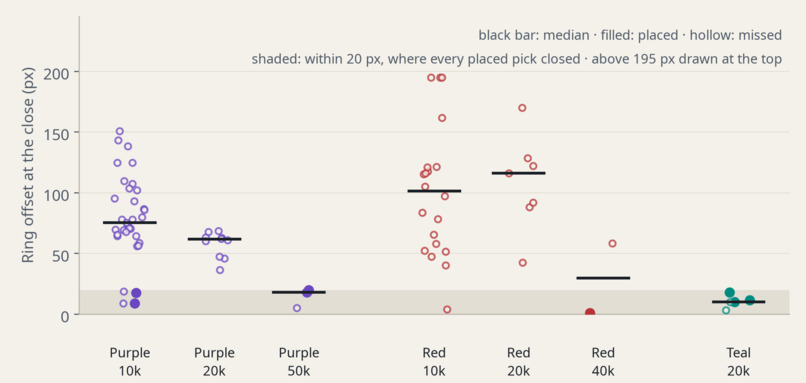
Where the ring sat in the gripper camera at the close: the offset shrinks with training; every placed pick closed within 20 px
-
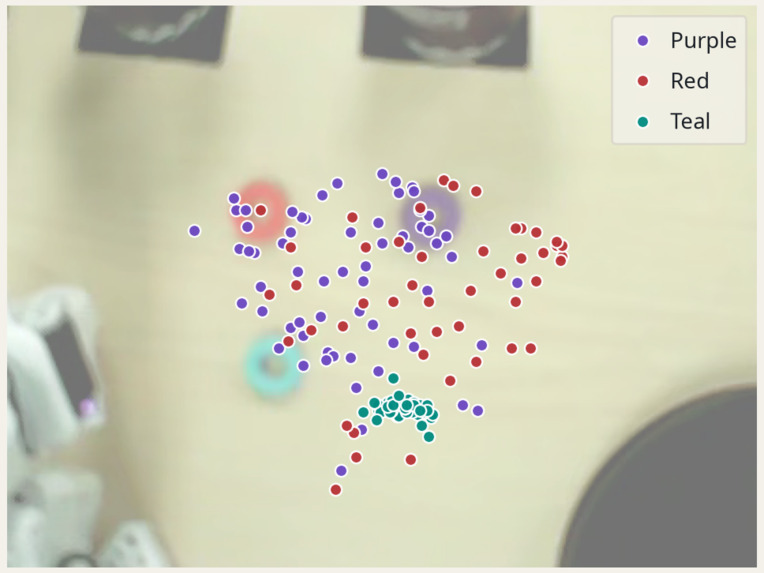
Where each ring started in all 155 demos: teal tight, purple and red spread out. Consistent data beat more training
-
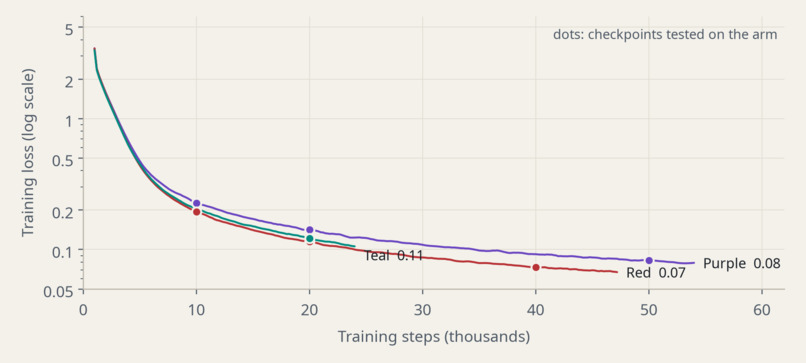
Training loss for each model (AMD Radeon AI PRO R9700): flat by 20k steps, while the arm kept improving later
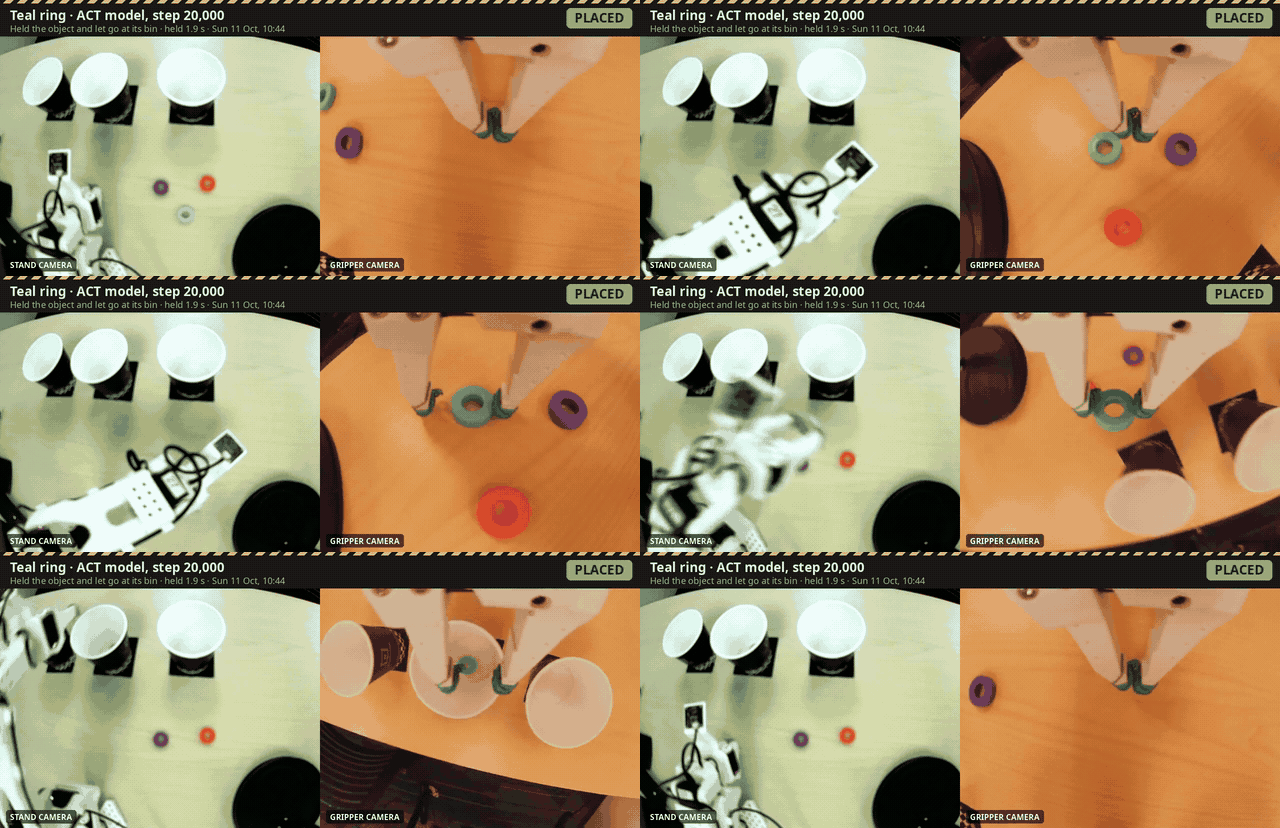
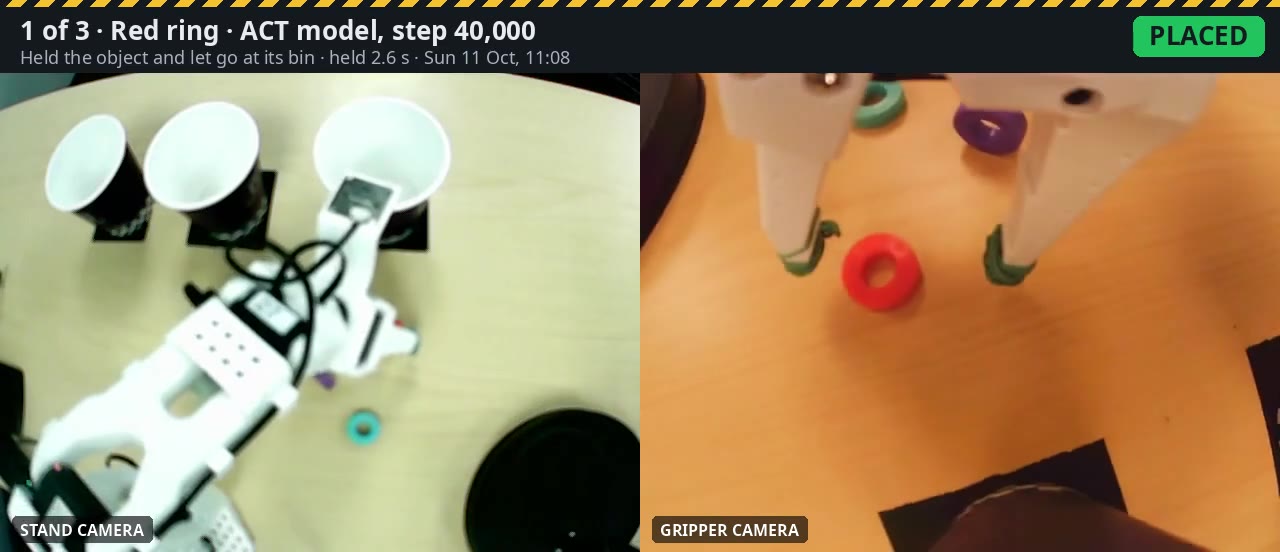
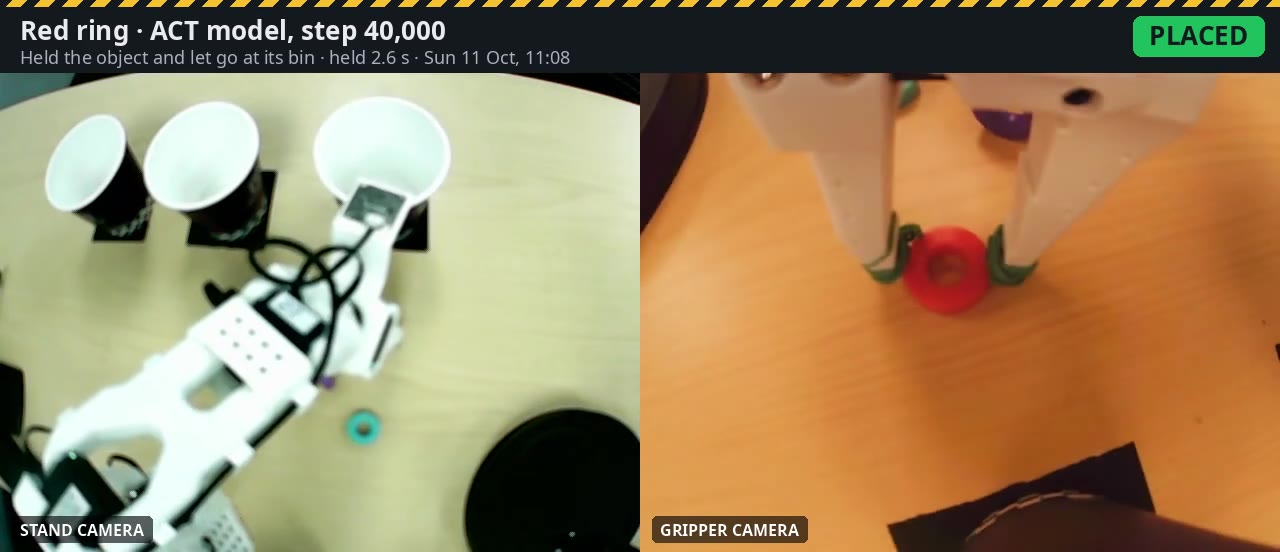
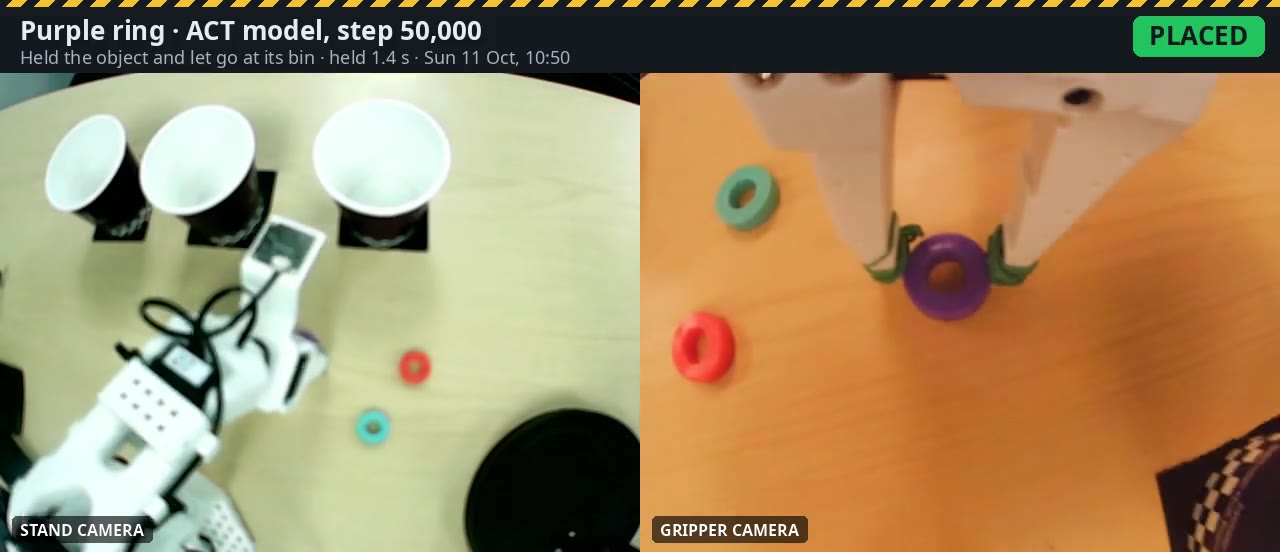
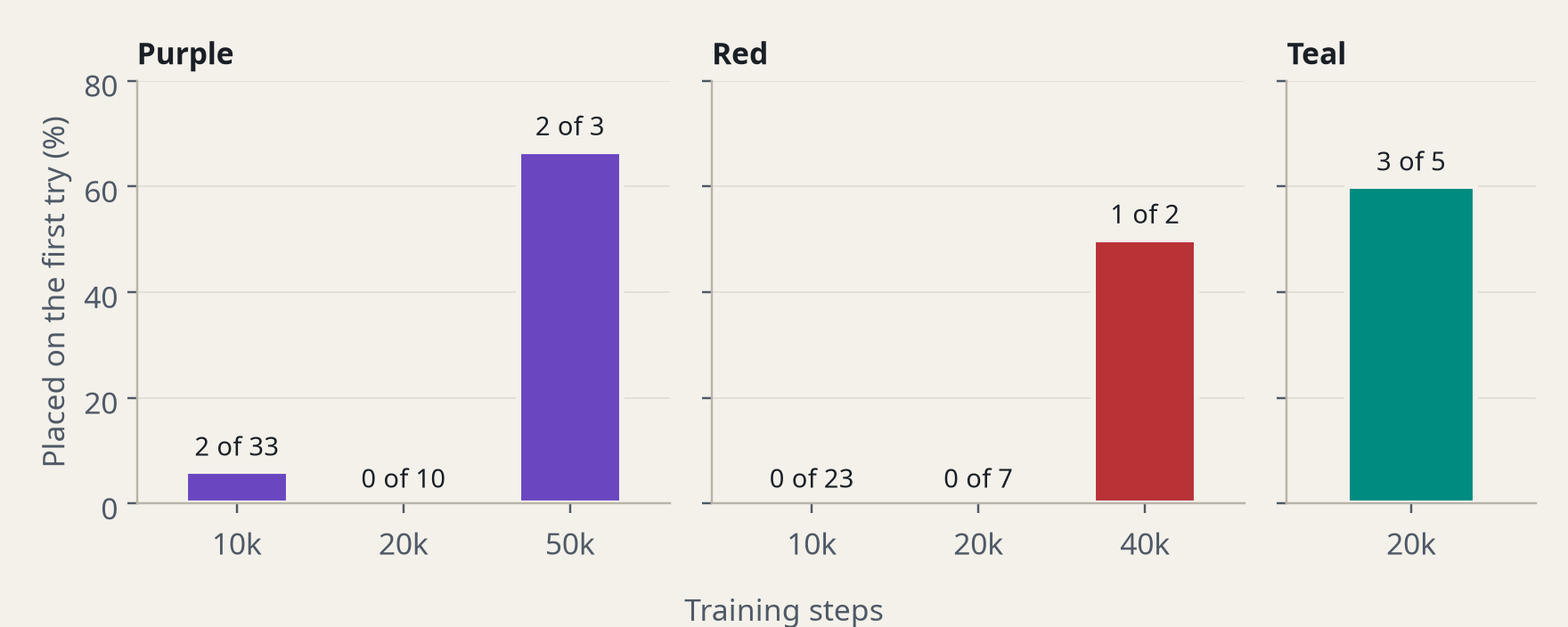
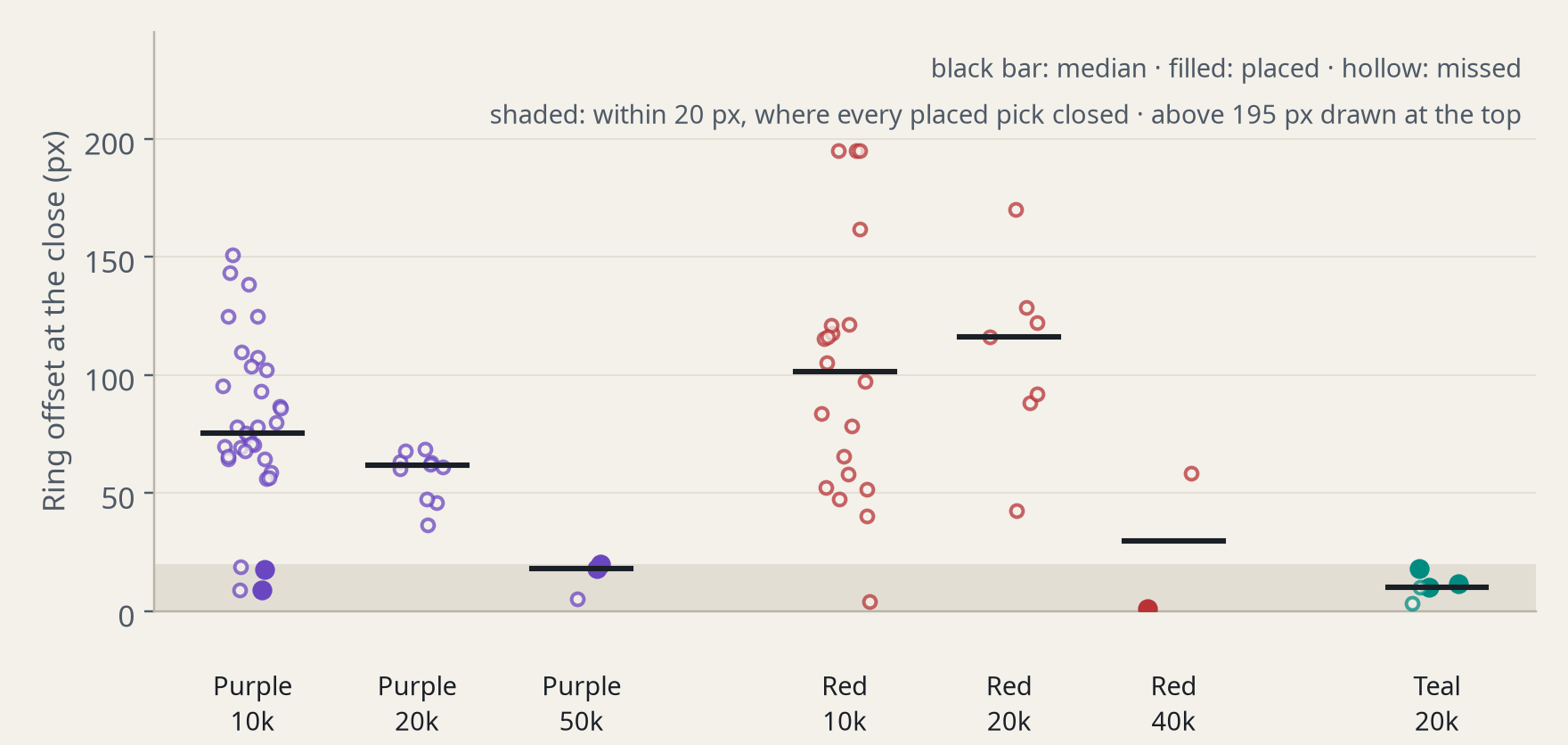
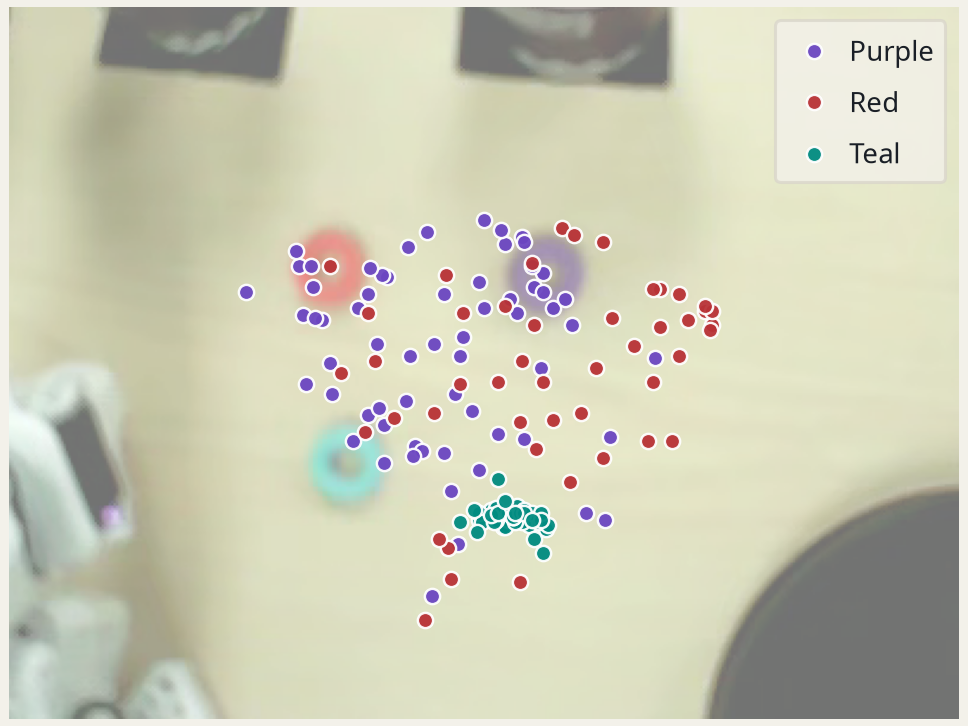
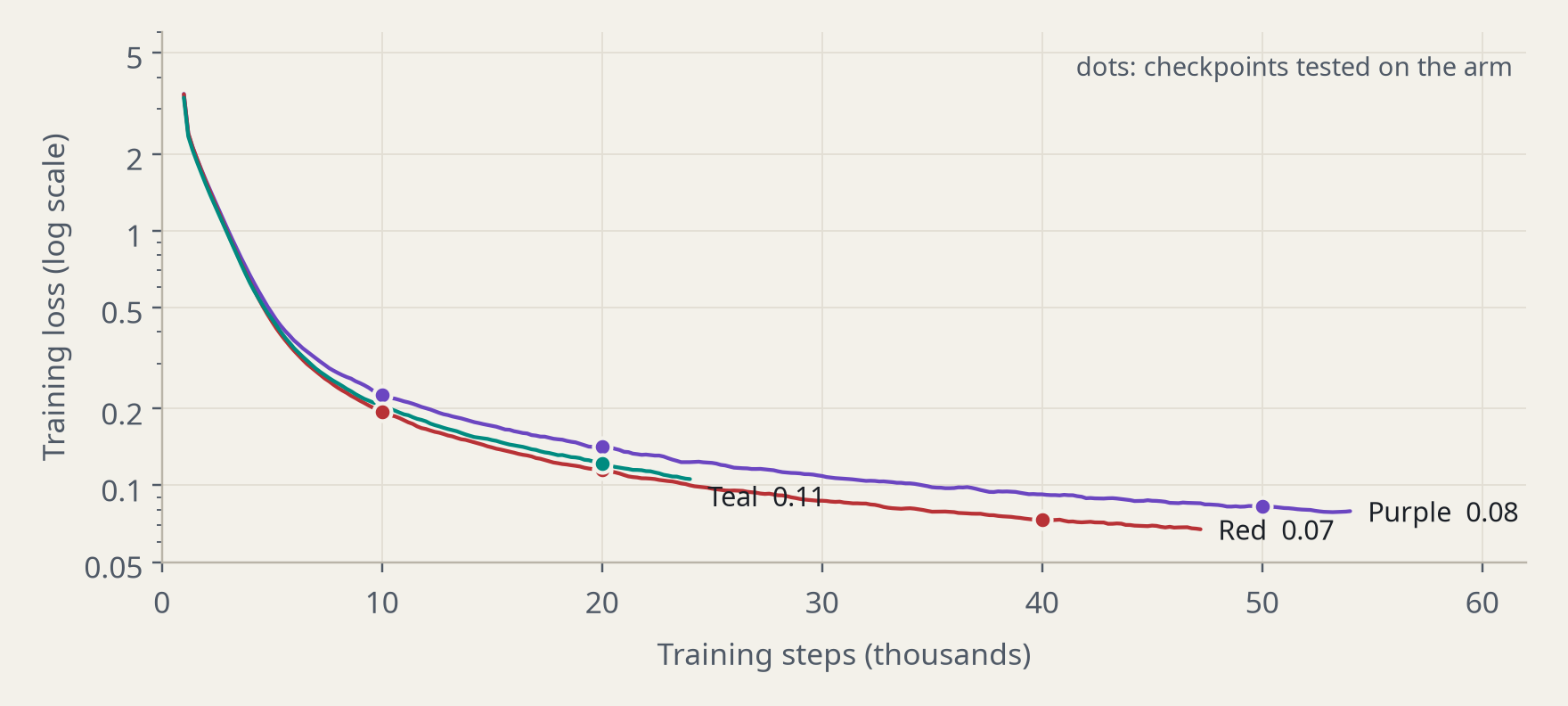
Table 5 · Physical AI (AMD) track · Team: Pranav Yerramaneni, Varun Satish, Kanwar Joseph
Inspiration
In a factory, parts often arrive mixed: from a supplier delivery, a disassembly line or a returns pile. Before anyone can pack kits or orders, each part type has to go into its own bin, and a bin is only useful if you can trust it. A part in the wrong bin, or one silently left behind, turns up later as a wrong kit or a short order, where it costs far more to find.
Robots that learn by demonstration make this worse in one specific way: they fail silently. Our first model placed 2 of 23 rings, and nothing told us which 21 had failed. So we built a sorting cell whose main feature is knowing when it got a pick wrong.
What it does
RingSort is a robot sorting cell. An SO-101 arm sorts mixed parts into one bin per part type. On the table, colored rings (purple, teal, red) stand in for part types such as O-rings or washers, and a cup per color is each part's bin.
- Every pick is checked with evidence the model doesn't control: the gripper's own position record and a fixed stand camera.
- Each pick is called placed, missed or dropped. Anything other than placed stops the cell and calls the operator, like a line worker pulling the andon cord. The operator chooses retry, placed by hand, skip or cancel.
- A station dashboard shows the line like a factory screen. It has a tower light (green: sorting, amber: retrying, red: operator needed), work-order buttons, a playback of every pick from the cell's own cameras, and shift numbers: first-pass yield, operator calls and average pick time.
- Adding a part type needs no new code: record about 50 demonstrations, train, learn its grasp reference, and add one entry to
config.json.
How we built it
Learning the skills. We recorded demonstrations by teleoperation, with the leader arm driving the follower: 155 takes in all (63 purple, 45 teal, 47 red). We trained one ACT model per part type with Hugging Face LeRobot on AMD Cloud with AMD Radeon AI PRO R9700 GPUs, at 0.27 s per step for a single run. We kept checkpoints every 10,000 steps so models could be tested on the arm while training continued. Loss curves are on Weights & Biases.
Running the cell. Everything at run time runs locally on an AMD Ryzen AI MAX+ 395 PC (Radeon 8060S, ROCm): the models, the cameras, the checks and the dashboard. The cell makes no cloud calls.
The grasp check, with no extra sensor. LeRobot records two gripper positions on every frame: where it was told to go, and where it actually got to.
- Holding a part: the gripper can't close all the way, so the measured position stays about 13.5 points (on a 0–100 scale) above the commanded one.
- Picked up nothing: the gripper closes fully, so there is no gap.
- Slipped: the gap disappears while the gripper is still told to stay closed.
- Released correctly: the gripper opens while the base points where the demonstrations let go.
The camera check. Whenever the arm is idle, the stand camera finds each part by color. It checks three things: that each part sits inside the area the cell was taught to pick from, that a part the gripper check calls "placed" has really left the table (and, for purple, is in the bin), and that the camera itself hasn't moved since the demonstrations were recorded. These are plain color thresholds with no model involved. The taught areas come from the first frame of every demonstration.
Grasp check accuracy: it read 19 of 20 public SO-101 demonstrations as placed, 20 of 20 simulated empty grasps as missed, and 75 of 76 simulated slips as not placed. On our own day-2 robot runs, 5 of 5 verdicts matched what both cameras showed.
Challenges we ran into
- Undertrained models. On day 1, the models learned the full motion (reach, close, swing to the bin, open) but closed about half a ring-width off target. At batch size 8, they had seen 160k samples, against 1.28M in the organizers' recipe. More training fixed it: purple went from 2 of 33 at 10k steps to placing at 50k, and red from 0 of 23 at 10k to placing at 40k.
- A camera that kept getting bumped. A moved camera breaks a trained model, so we built a tool that measures the shift against a recorded take, plus a camera badge on the dashboard.
- Streaming the cameras slowed the model, so the dashboard hands the cameras to the robot during each pick and shows the recording afterwards.
Accomplishments that we're proud of
- A working cell that catches its own failures live. In our full work-order video, red and purple were placed, teal missed, and the gripper check caught the miss.
- A self-check that needs no extra hardware, only data LeRobot already records.
- Every model, dataset and training log is public and measured. We report results as counts ("3 of 5"), not vibes.
What we learned
Consistent data beat more training. Teal's camera stayed within 3 px across all 45 takes, and half of its rings started within 15 px of the same spot. Its model placed at just 20,000 steps. Purple's camera moved three times during recording, and it needed 50,000 steps. Red's camera moved after recording, and it needed 40,000. (Teal was also recorded last, when we were most practiced.) For a new part type, we'd lock the camera before the first take and put the part on the same mark every time.
What's next for RingSort
- Build the packing station downstream that pulls kits from the bins.
- Add a feeder so nobody has to restock parts by hand.
- Keep the models loaded between picks, to remove about 10 s of start-up per pick.
- Use one language-conditioned model (e.g. SmolVLA) for all part types, instead of one ACT model each.
Links
- Code: https://github.com/devmello/ringsort
- Datasets: purple · teal · red
- Models used in the demo: teal 20k · purple 50k · red 40k
- Training logs: https://wandb.ai/devmello2/lerobot
The code and Hugging Face repos use the project's working name, kitcheck.

Log in or sign up for Devpost to join the conversation.