Rings of Relaxation
An AI shopping concierge for relaxation rings. You search for a spinner or rolling ring whose steady, repeatable motion helps you unwind, try it on a photo of your own hand to see if you like it, and if you do, you pay for it with PayPal. Your part ends there. From the moment the PayPal payment goes through, an AI agent does the rest: it goes to the real store that sells that ring and buys it for you. You never touch the merchant's checkout and never re-enter a card.
The user approves a single PayPal payment; an autonomous agent then buys the ring on the user's behalf at a store the app was never pre-integrated with, and if it can't, PayPal refunds the payment in full.
The purchase flow, and where each piece does its job
Here is the full loop a user walks through, and the role every technology plays in it.
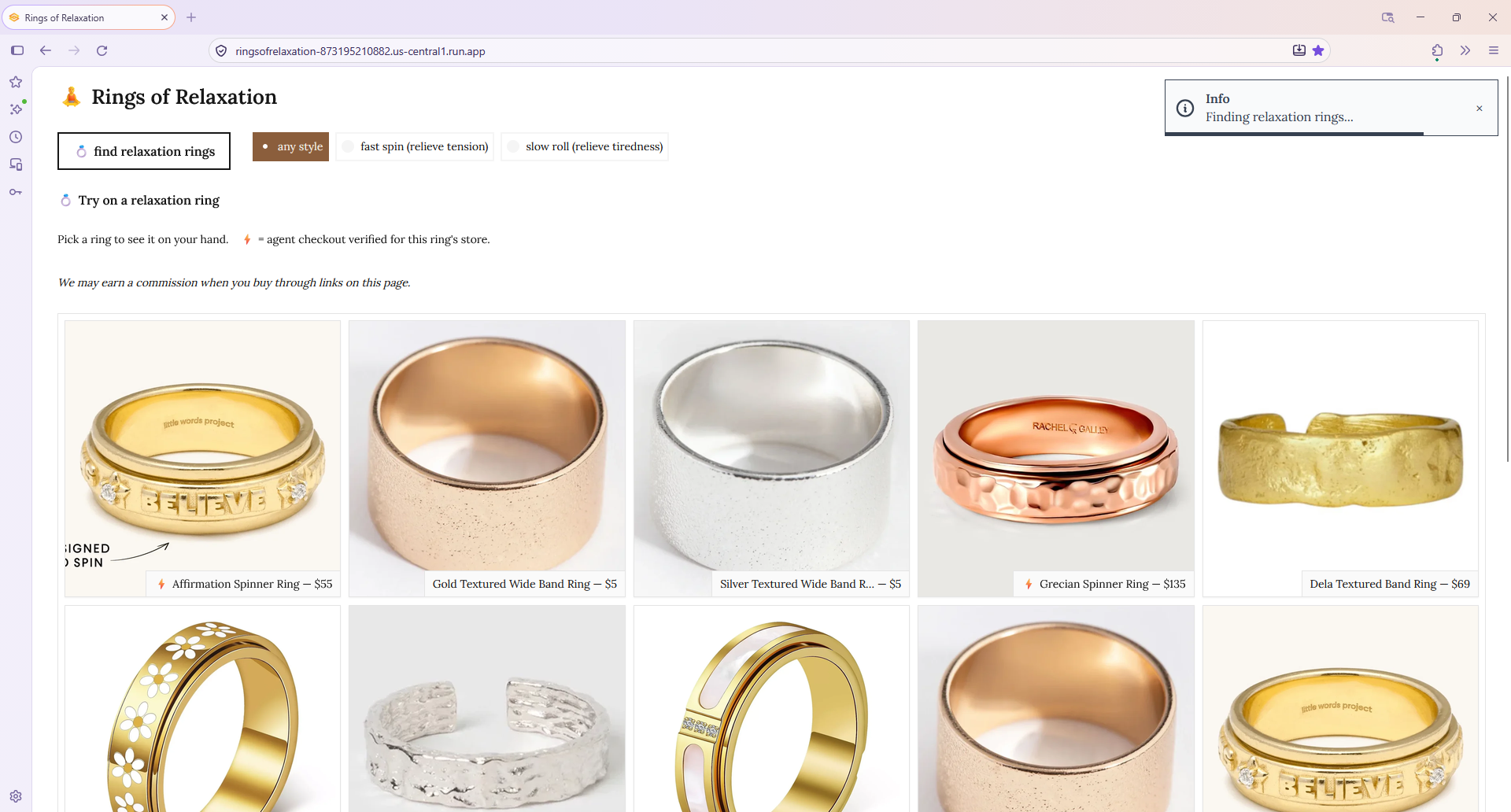
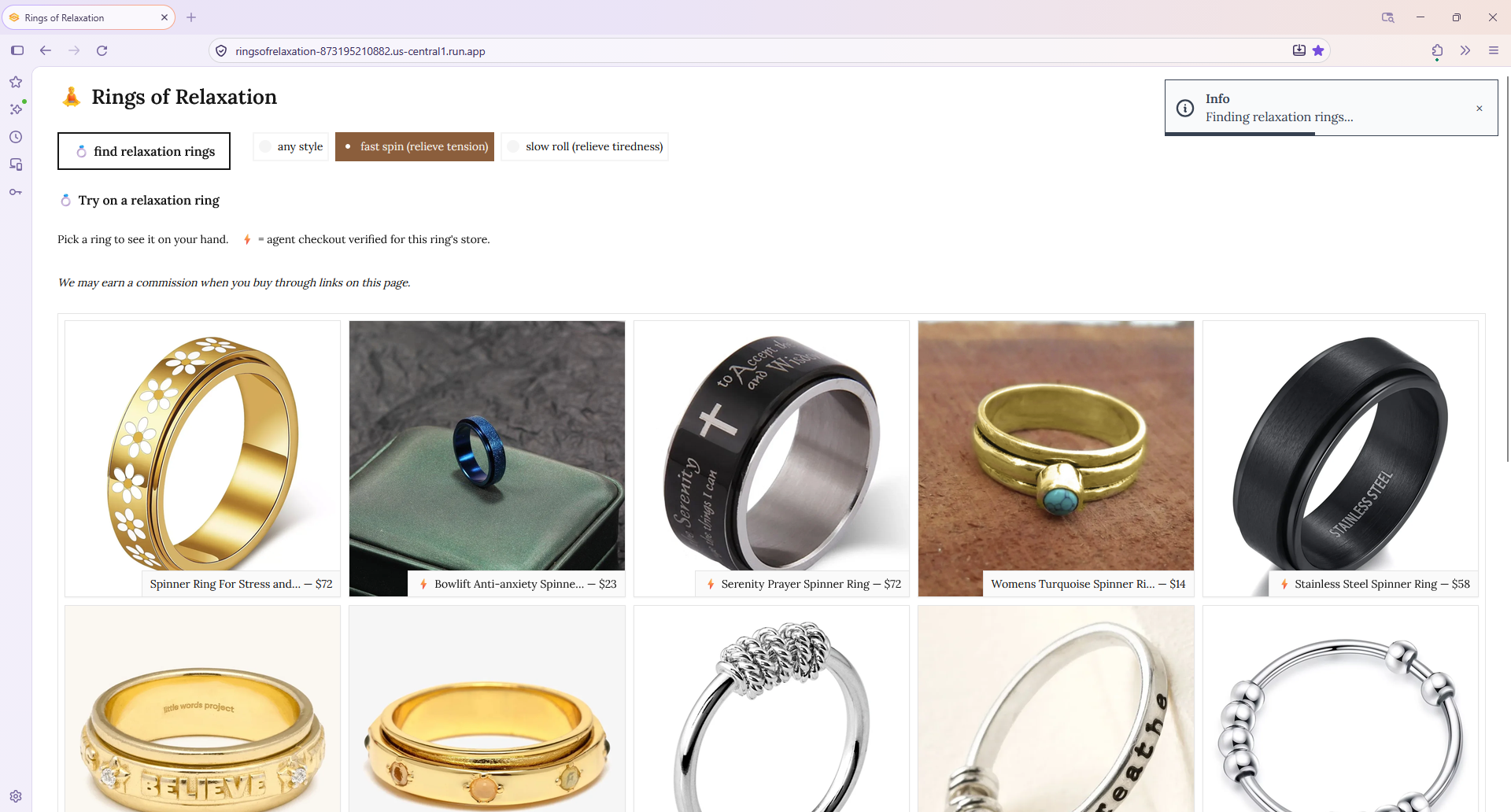
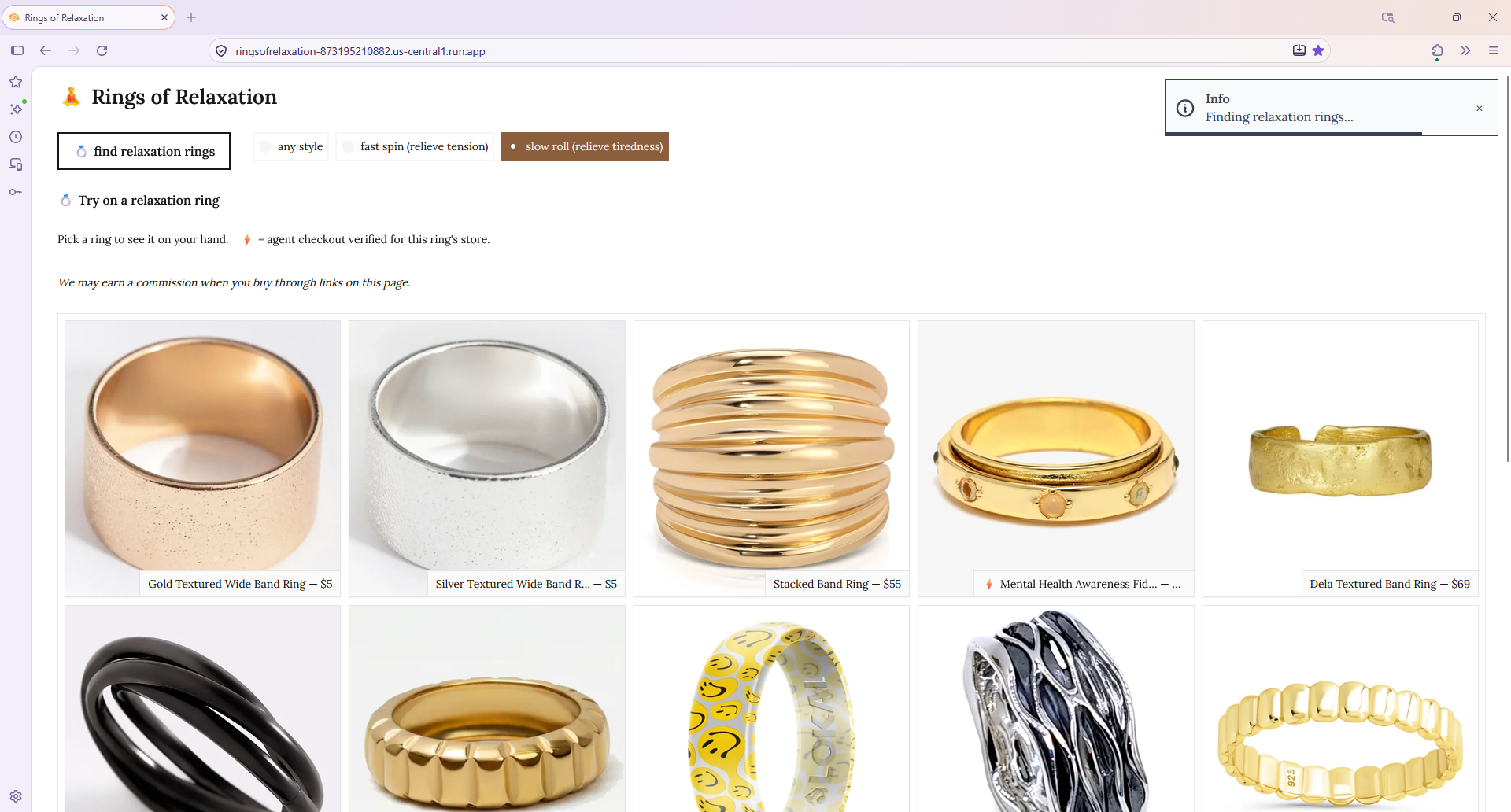
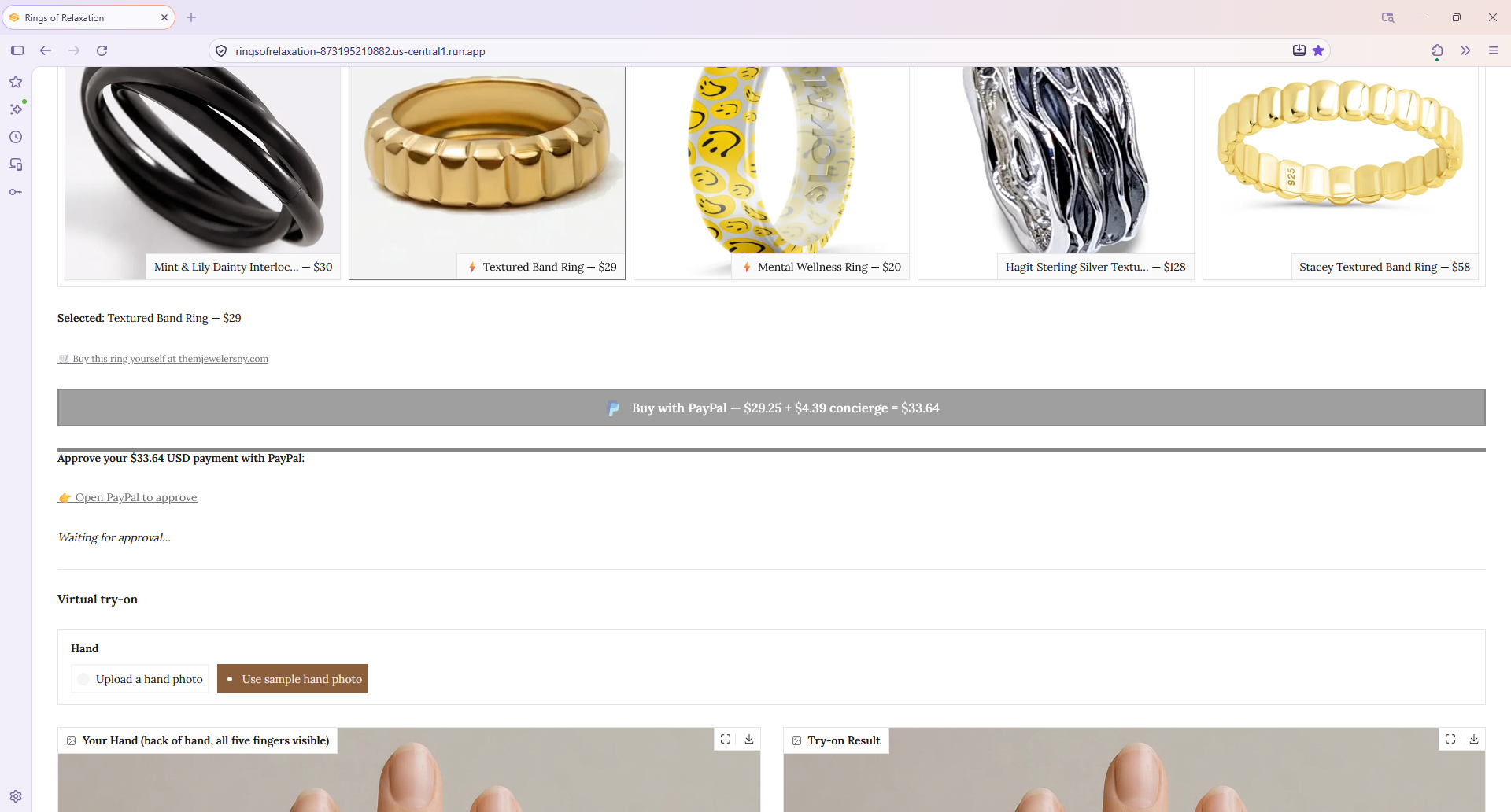
Discover real, in-stock relaxation rings — Channel3. A relaxation ring — a spinner ring or a rolling band — gives your hands a steady, repeatable motion to return to, a quiet physical way to settle and unwind. The user picks one of three styles — any, fast spin, or slow roll — and each choice runs a different Channel3 search. Channel3's Search API returns real products, in stock, with live prices and a real buy link to the merchant that sells each one.
Keep only rings worth trying on — Gemini vision. Behind the scenes, before the gallery appears, every candidate ring photo is screened by a Gemini vision pass, so the user only ever sees clean, single-ring product shots the try-on can render well.
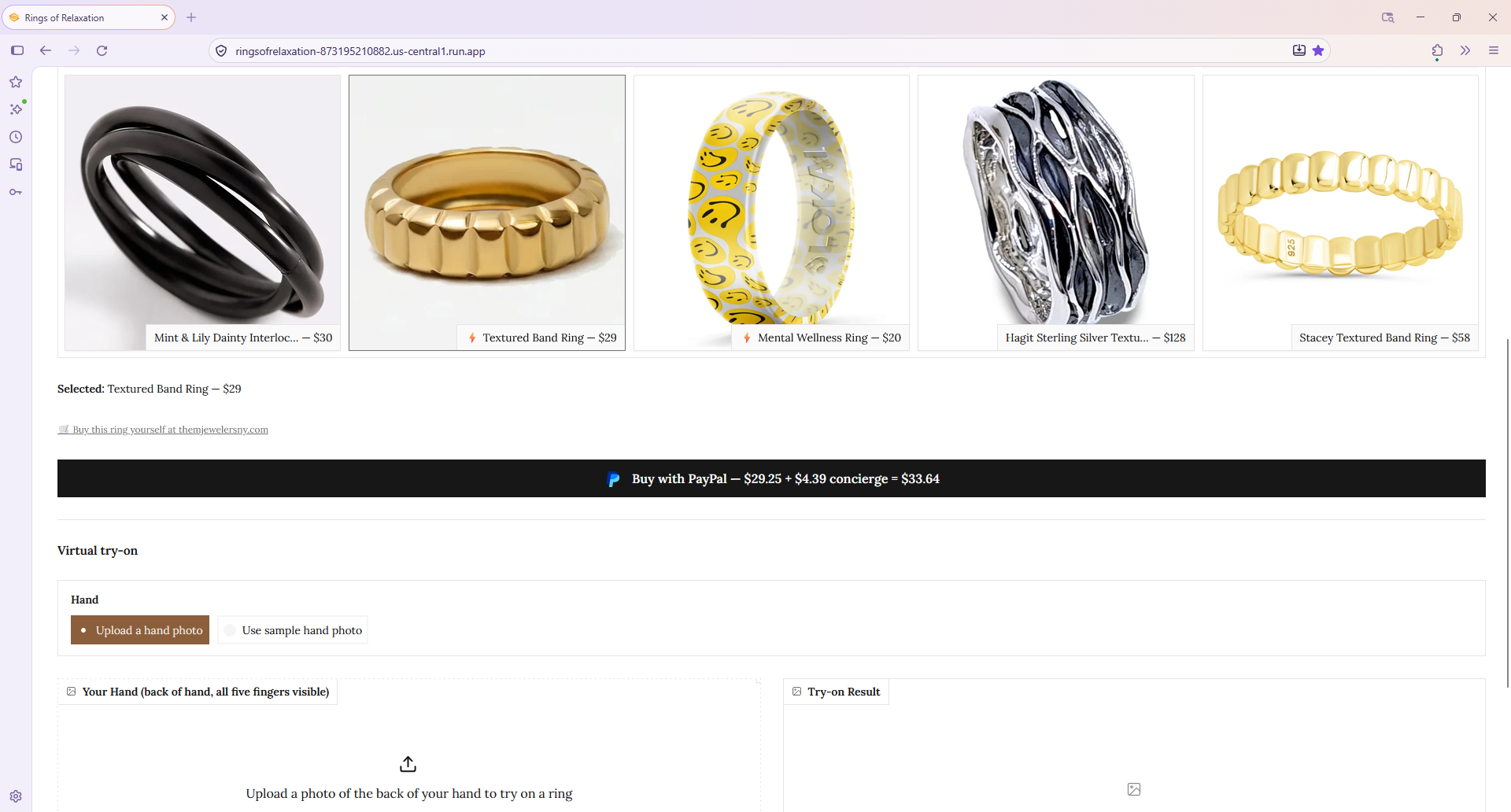
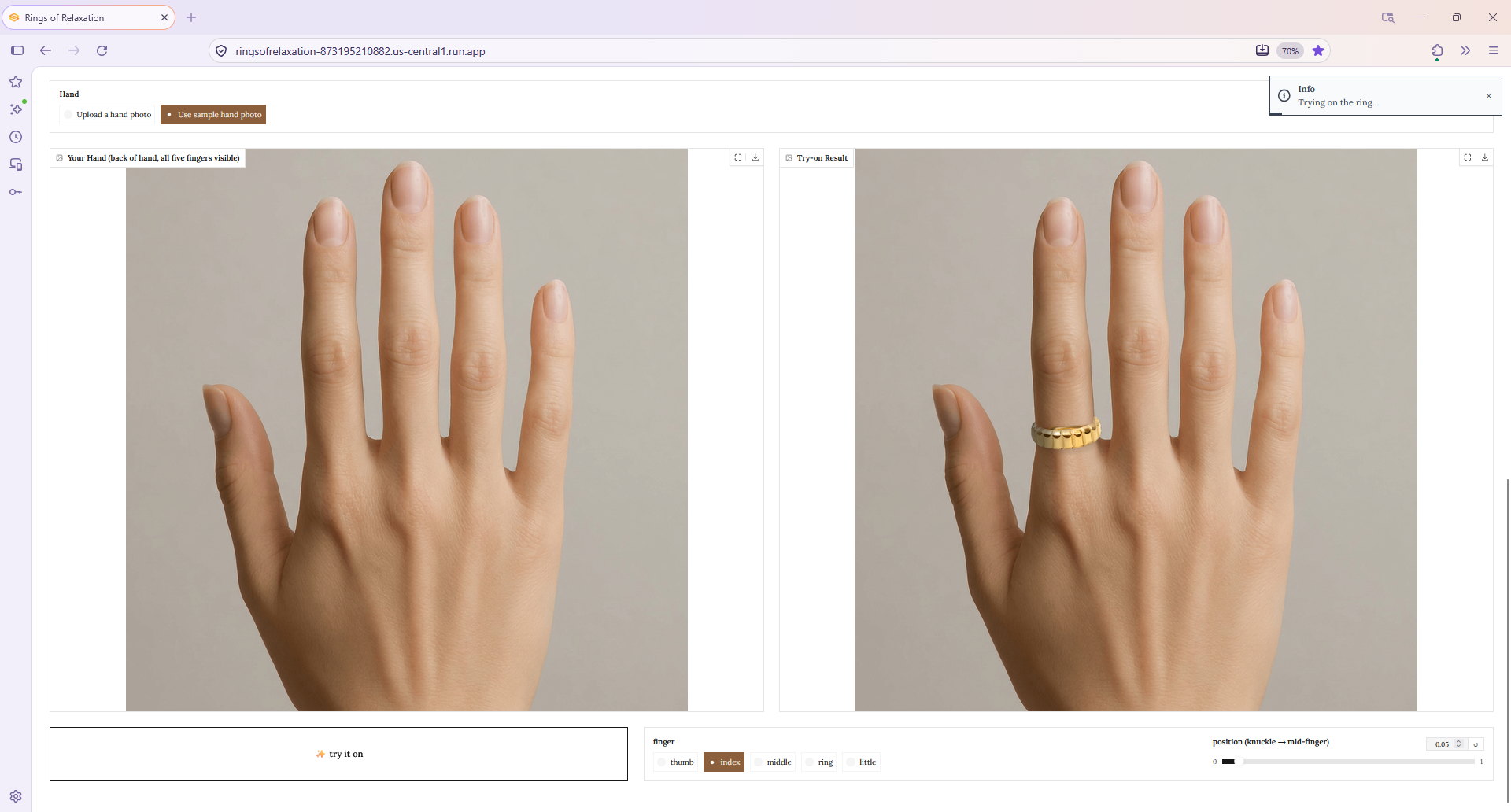
See it on your hand — YouCam AI Ring Virtual Try-On. The user uploads or snaps a photo of the back of their hand, and the chosen ring is rendered onto it with realistic shadow and lighting. This is the moment a listing becomes a decision: the user sees the ring on their hand and decides they want it.
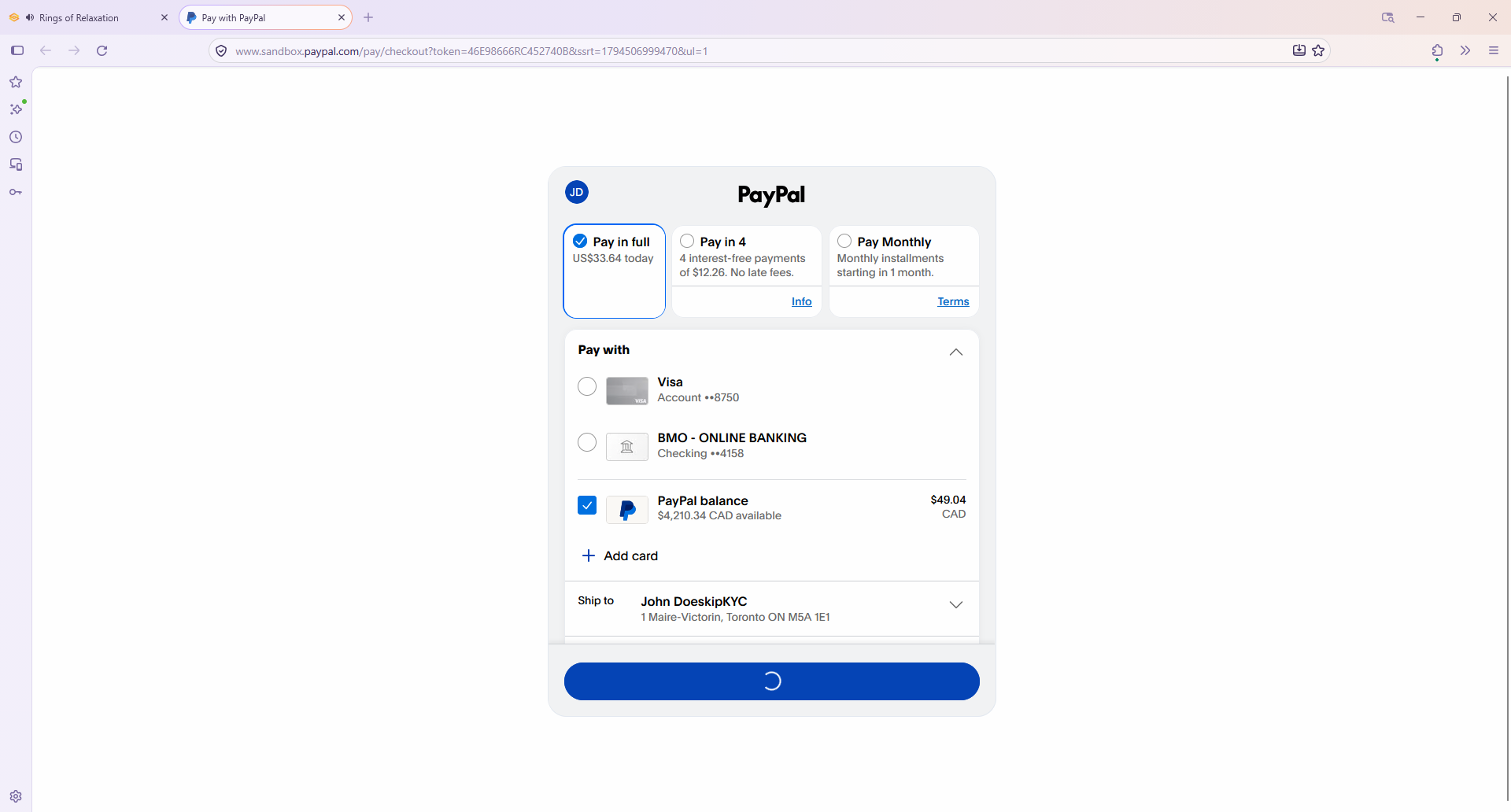
Pay with PayPal. The user taps Buy with PayPal, which reveals an approval link; opening it brings up PayPal, where the user signs in if needed and approves the payment the usual way. The app, acting as the merchant of record, charges the ring's price plus a concierge fee (15% of the ring price, with a $2 minimum) through a real PayPal Orders v2 transaction. This is the only payment the user makes, and it is a real, verifiable transaction in the sandbox.
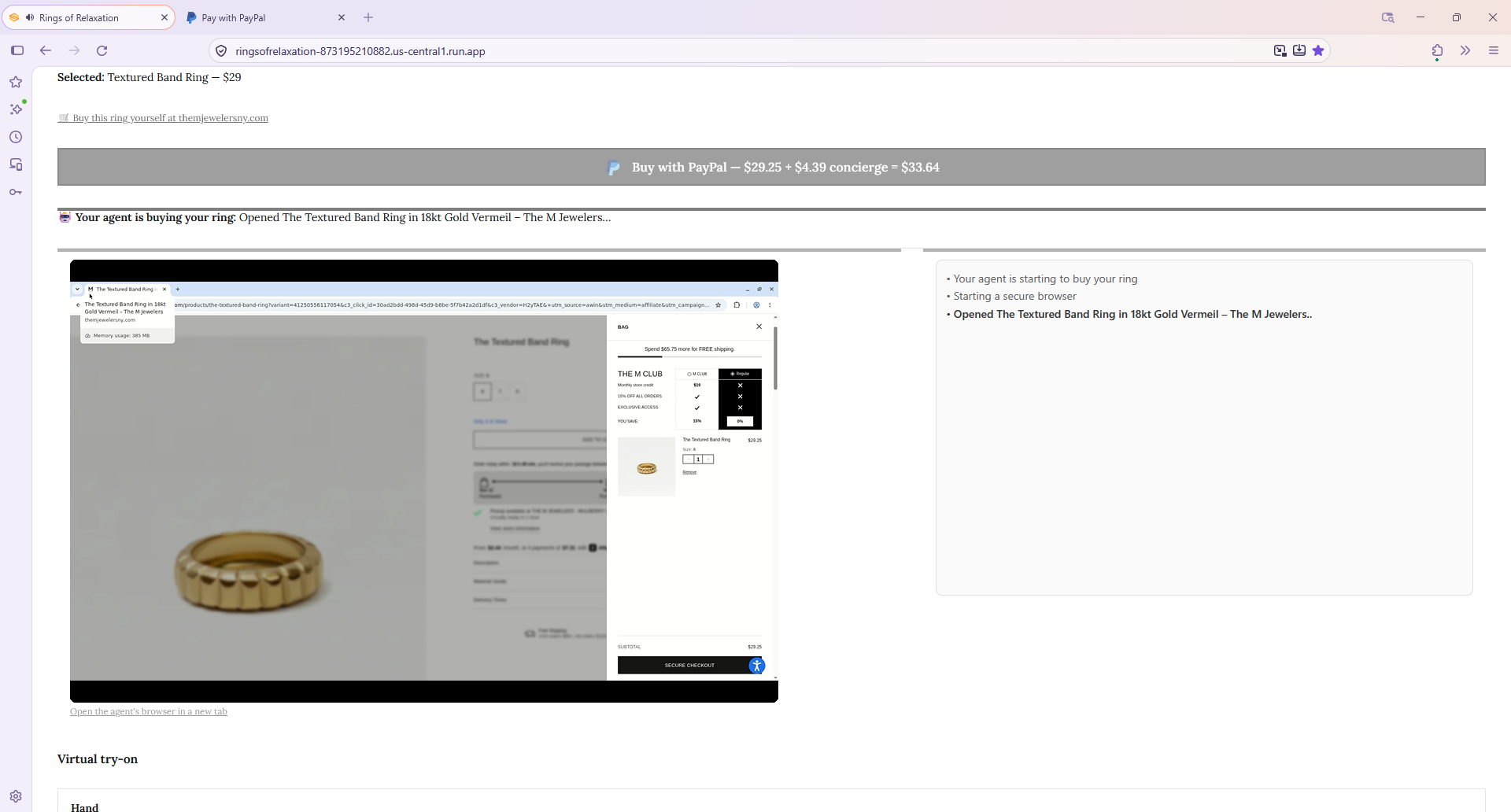
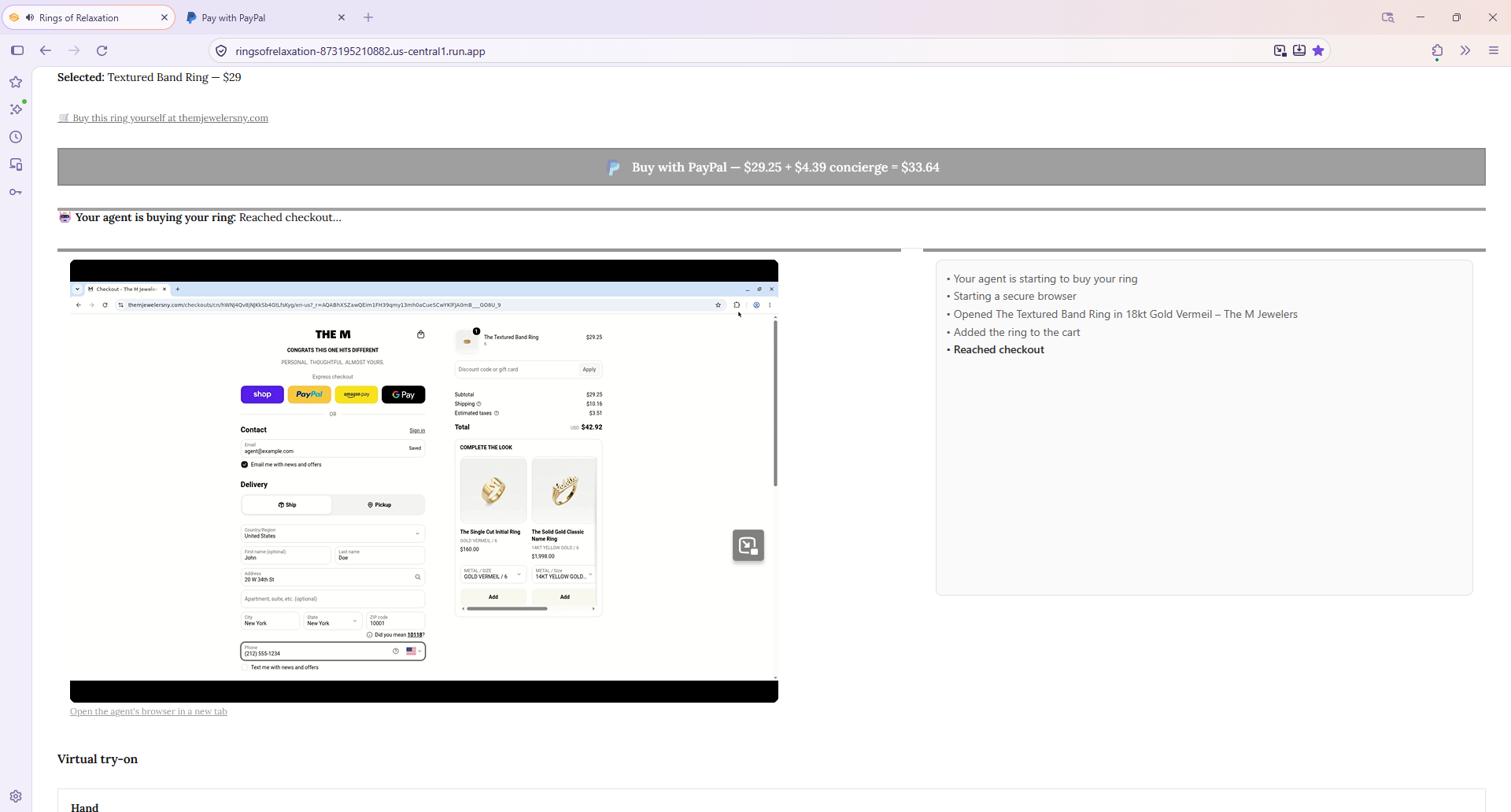
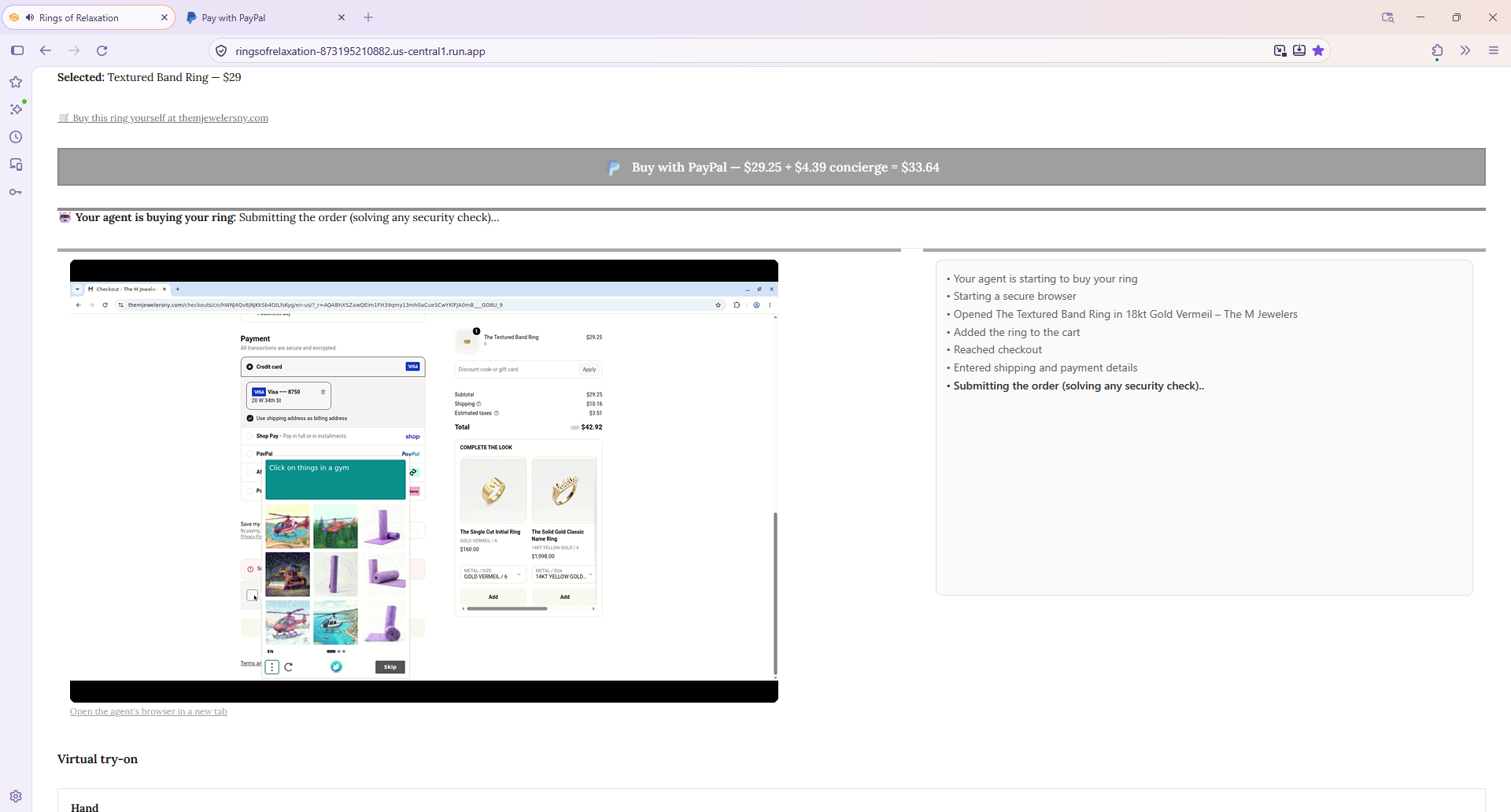
The agent buys the ring for you — Kernel. The app polls until the PayPal payment is approved and captured. Once PayPal confirms it, a Kernel cloud browser agent opens the merchant's own website using the Channel3 buy link, adds the ring to the cart, enters the app's own shipping address, and completes checkout. The ring ships from the merchant to the app.
The app ships it to the user. The user gave their shipping address in the PayPal checkout, so the app — the merchant of record on that payment — has it. When the ring arrives from the merchant, the concierge team ships it to the user's address.
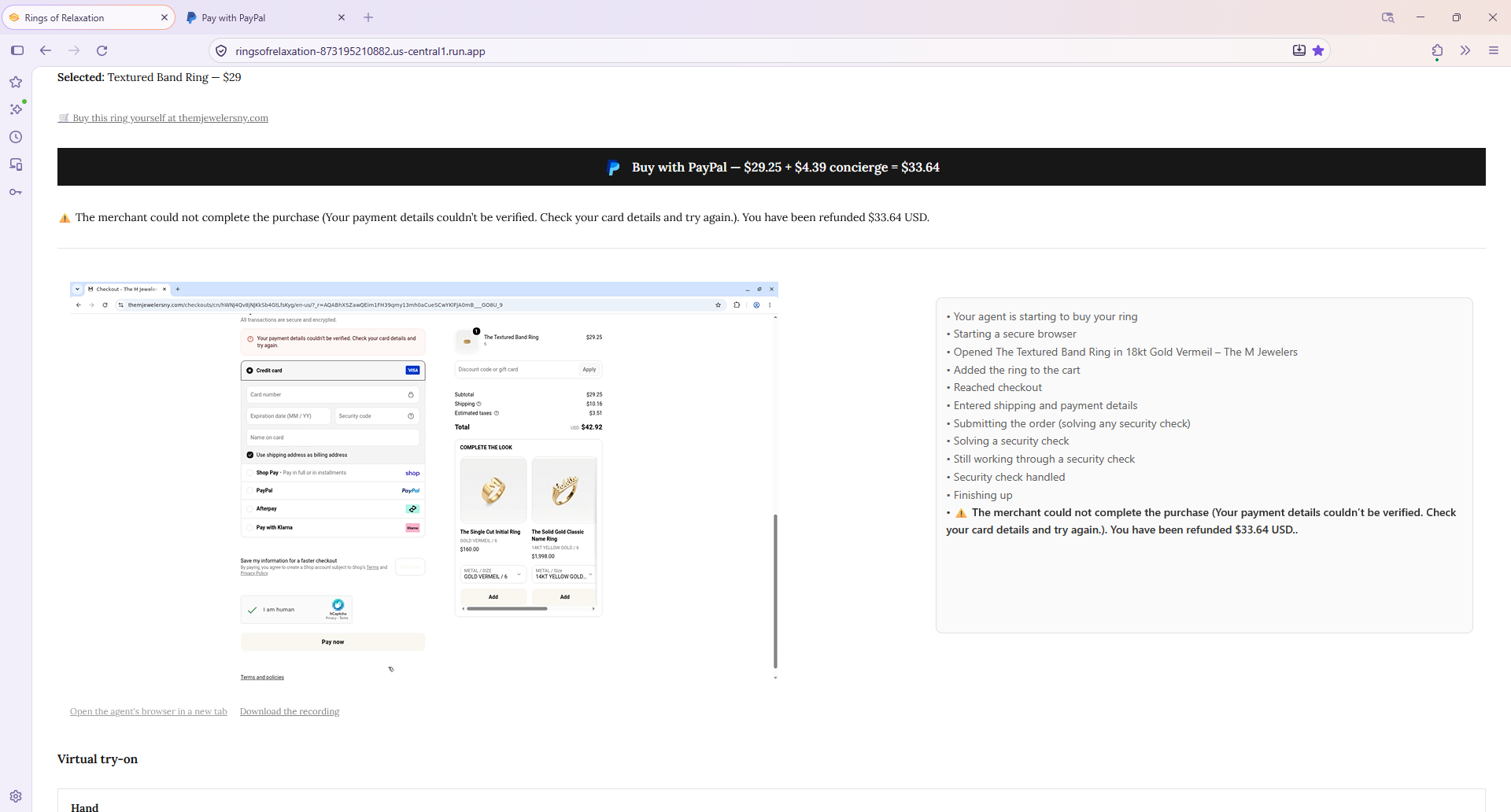
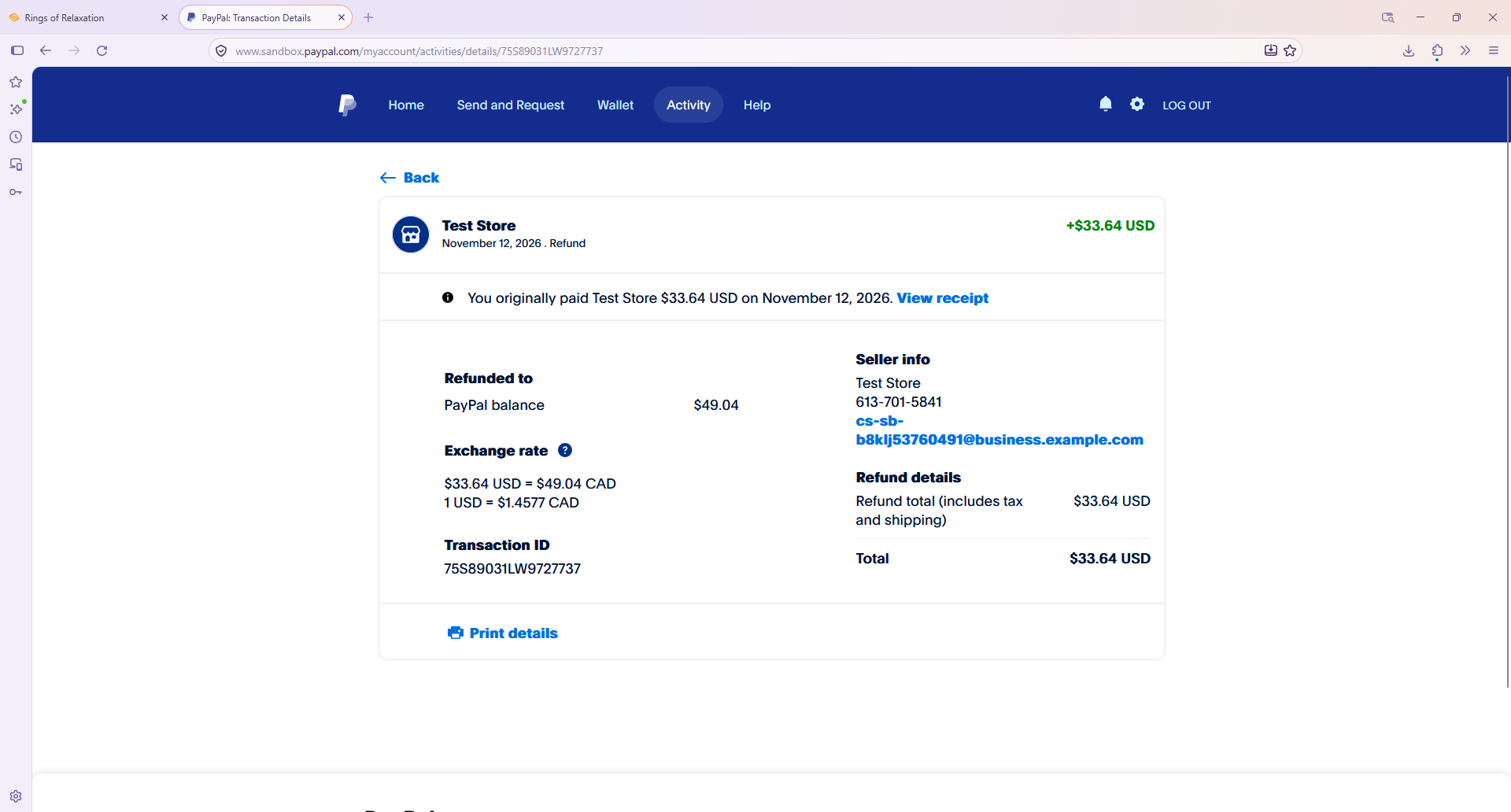
If it can't, you're refunded — PayPal. If the agent cannot complete the purchase, the app automatically refunds the PayPal payment in full. Collect, attempt fulfillment, refund on failure — a complete, honest commerce loop.
The common thread: AI is what carries the user to the PayPal purchase, and AI is what fulfills it afterward. Gemini decides which rings are worth showing; YouCam turns a product photo into a personal "yes, that one on my hand"; PayPal takes the payment; Kernel buys the ring at the real store. Channel3 ties it together — it supplies the real products at the front and the real checkout link at the back.
AI leading to a real PayPal purchase
The hackathon asks for the PayPal developer platform used together with AI. In this app, PayPal is not just a pay button added to an AI demo. The AI does a specific job: it helps the user find a ring they really want and lets them see it on their own hand, so that by the time they reach PayPal the decision is real. PayPal is where that decision becomes a transaction.
PayPal Orders v2 (sandbox), the full lifecycle:
- OAuth2 client-credentials authenticates every call, with the access token cached until just before expiry so parallel purchases don't each re-authenticate.
- Create order (
intent: CAPTURE) builds the order for the ring's price plus the concierge fee and returns the buyer approval link. - Get order status is polled to detect when the buyer has approved (CREATED → APPROVED).
- Capture order captures the approved payment and returns the capture id used for any later refund.
- Refund captured payment issues a full automatic refund when agentic fulfillment fails.
Every one of these shows up in the PayPal Developer Dashboard's sandbox Event Logs: the create, the capture, and — on a failed fulfillment — the refund.
How the AI leads to that purchase. A shopper pays when they are sure, and each AI step exists to earn that certainty:
- Gemini vision screens the gallery down to rings the try-on can render cleanly. Without it, a user could pick a ring whose product photo shows several rings, or a ring already worn on a hand, get a broken try-on, and give up. Gemini removes that failure before it can happen.
- YouCam Ring Virtual Try-On is the deciding moment. Seeing a ring on your hand, with lighting that matches your photo, is the difference between "maybe" and "yes." The try-on is what makes a user ready to buy.
So PayPal and the AI are not two separate features sitting side by side. The AI (Channel3, Gemini, and YouCam) brings the user to a real decision, and PayPal is where that decision is paid for.
Channel3 does the most important work, front and back
Channel3 is not a product feed this app reads once. It is used at both ends of the loop — to find the rings and to reach their checkouts — and getting it to work for a try-on-and-buy experience took real work against messy real-world data.
Everything in this app is built to end in a purchase through the Channel3 buy link. The work to find relaxation rings instead of rings in general, the work to detect which rings can be tried on, the work to drive a real agentic checkout in Kernel — each of those exists to carry the user to that link and complete the buy. The virtual try-on in the middle is what makes someone decide to buy, so more of those Channel3 links actually get used. Discovery, decision, and checkout all run on Channel3, and the whole app is aimed at one outcome — a completed purchase on a Channel3 buy URL.
1. Turning a broad catalog into relaxation rings specifically
This app is not a general jewelry store. It sells relaxation rings — spinner rings and rolling bands whose steady, repeatable motion gives the hands a quiet, soothing way to settle and unwind — not wedding bands or fine jewelry. Channel3's agentic search is what makes that focus possible without a hand-curated catalog. Getting this right matters because a user only buys a ring that fits what they came for: the sharper the relaxation-ring results, the more likely the session ends on a Channel3 purchase.
- Agentic mode for intent, taxonomy for hard constraints. The relaxation intent is expressed as a natural-language query (for example, "meditation spinner ring for relaxation, smooth fast continuous spin to unwind"), while the
ringscategory slug is a hard taxonomy filter. The combination keeps results semantically on-theme and guaranteed to be wearable finger rings — the category filter alone excludes the non-wearable items (toy sets, gymnastics rings, and the like) that a keyword search for "rings" would drag in. - Three styles, three searches. The user's style choice — any, fast spin, or slow roll — maps to a distinct Channel3 query, so the kind of motion the user wants is built into the search itself rather than filtered out afterward.
- In-stock, new, and price-capped. Filters pin results to
InStock,new, and a price ceiling (default $150). The cap matters: a relaxation app showing a luxury ring feels wrong. Supplying custom filters replaces Channel3's server-side defaults, so the app restates condition and availability explicitly rather than assuming them.
2. Making every result safe for the virtual try-on
This is a problem specific to combining Channel3 with an AR try-on, and it is where most of the Channel3 work went.
The YouCam ring try-on renders beautifully on a clean single-ring product photo — but on a photo showing multiple rings, or a ring already worn on a hand, it returns success while producing a visibly broken composite. There is no error to catch in code. And because Channel3 draws from many real merchants, their product photography is inconsistent: single-ring studio shots, multi-ring sets, lifestyle hand shots, busy scenes.
The app defends the try-on from that inconsistency with a multi-stage pipeline around the Channel3 results:
- Over-fetch, then exclude. Channel3 caps a search at 30 results. The app fetches that full 30, then filters: it drops multi-ring sets and packs by title (the API has no item-count field, so titles are matched against patterns like set, pack, bundle, N pcs), requires a usable product image, and de-duplicates by title so near-identical listings from different merchants collapse to one visually distinct card in the gallery.
- A vision gate on each image. Each surviving ring's photo is screened by a Gemini vision pass that returns a structured verdict — exactly one ring, not worn on a hand, plain background — and only passing images reach the gallery. This is the input validation the try-on API does not provide, moved into the pipeline.
- Bounded concurrency and gap-filling. Screening is the slow step, so the app screens a single concurrent round of the requested count plus a buffer of 4 (14 candidates for a 10-ring gallery) rather than all 30, keeping latency to one screening round. If more than the buffer's worth of images fail, already-screened survivors backfill the empty grid slots so the gallery is always full — never a hole where a rejected ring was. Screening results are cached per image URL so the same photo is never judged twice.
The payoff: by the time a user sees the ring gallery, every ring in it came from Channel3, is in stock, is within budget, and has passed the screen that keeps the try-on clean. And a clean try-on is what makes the decision — someone who sees a ring look right on their own hand is someone who buys it, through the Channel3 link. The vision screening exists so the try-on can reliably do that job on real Channel3 inventory.
3. The WebP mismatch
Channel3 serves product images as WebP, which the YouCam ring try-on rejects. The app detects each image's format from its HTTP content-type and converts the selected ring to PNG (downsizing if it exceeds the try-on's size limits) with Pillow on the way to the try-on. Small, but without it the try-on fails on real Channel3 data.
4. The Channel3 buy link is the fulfillment target
This is where Channel3 does its second, less obvious job. Each Channel3 result carries a real buy URL. In most shopping apps that link is just given to the user and nothing more happens with it. Here it is the input to the fulfillment agent: the agent needs a place to go buy the ring, and the Channel3 buy link is where it starts.
A buy.trychannel3.com/... link client-side-redirects, in a real browser, to the actual merchant's product page — littlewordsproject.com, puravidabracelets.com, artfulhome.com, and so on. The Kernel agent loads the Channel3 link, waits out that redirect to the merchant's own site, and checks out there. Because the purchase starts from the Channel3 link, it is tracked the same way a human click would be — Channel3 tracks the click, then the purchase — only now the checkout is completed by an autonomous agent. This is the point of all the checkout engineering: not just to reach the merchant, but to finish a real buy through the Channel3 link without the user ever touching it. Channel3 does two jobs: it finds the product at the start, and it is the path to the completed purchase at the end.
The concierge agent: how Kernel buys the ring for you
After PayPal captures the payment, the app has been paid but the user has nothing yet. The buying is done by a Kernel cloud browser agent, which completes a purchase at a store the app was never pre-integrated with.
Why a browser agent at all. There is no API that lets one party pay an arbitrary third-party merchant on a user's behalf — PayPal's APIs make you the merchant receiving money, not a spender at someone else's store. The only universal interface to "buy this specific ring at this specific shop" is the shop's own website. So the agent uses it, the way a human assistant would.
What the agent does, grounded in real runs:
- Launch from the Channel3 link and survive the redirect. The agent opens the Channel3 buy URL in a Kernel cloud browser and waits out the JavaScript redirect to the merchant's real product page before doing anything else.
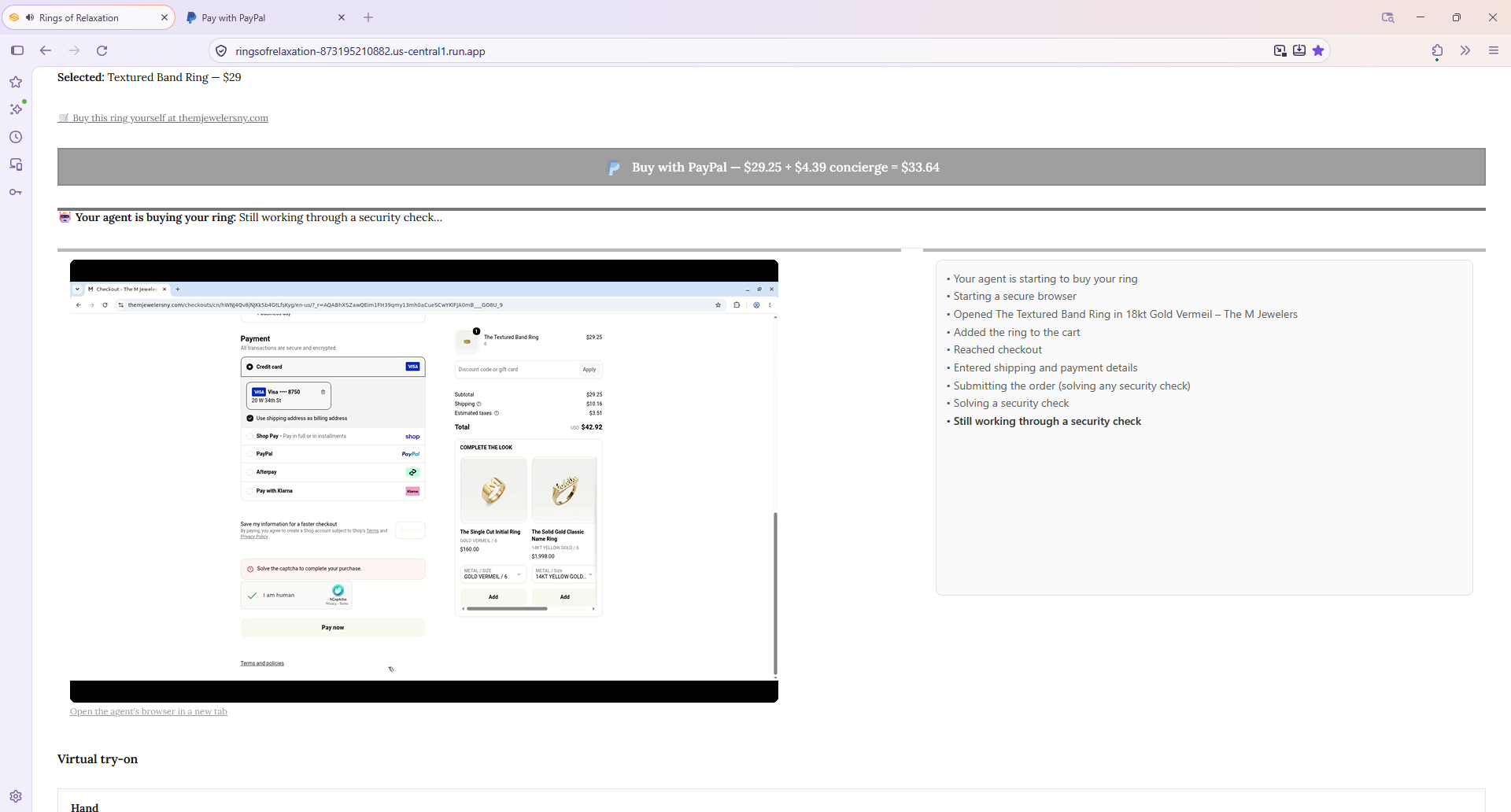
- Get past bot defenses. A default browser tripped Cloudflare's "verify you're human" wall. Kernel's stealth mode clears it, and its captcha solver handles the hCaptcha that Shopify throws at payment submission.
- Clear the marketing clutter. Real storefronts bury the page under popups. One merchant (Little Words Project) served a "Who are you shopping for?" modal via a cross-origin Postscript iframe injected seconds after load and only intermittently — so the dismissal had to retry across an ~8-second window and remove the iframe element itself, not just hide a layer. These are the kinds of obstacles that only show up against live merchant sites.
- Add to cart defensively. Overlays can re-appear between dismissing them and clicking "add," so add-to-cart is a verify-and-retry loop that re-checks the cart and, as a last resort, POSTs directly to the store's
/cart/add.jswith the variant id parsed from the URL — overlay-proof because it never needs the button clickable. - Complete a real checkout. The agent fills contact details, the app's shipping address, the shipping method, and payment. Modern Shopify uses a single progressively-hydrating checkout page with no "Continue" buttons and the card form hidden behind a radio, defaulting to express wallets; the agent waits for fields to hydrate, selects the credit-card option to reveal the card iframe, fills it, and ticks "use shipping address as billing" so a blank billing block can't silently block submission.
Honest demo scope. In the sandbox the agent enters a sandbox card, which the merchant declines by design — so the demo proves the purchase is driven all the way to submission, then the app auto-refunds the user's PayPal payment. A production card would complete the order and trigger Channel3's referral. The payment through PayPal is fully real; the checkout at the merchant is real too, right up to the deliberate sandbox decline.
Verified reach. Across the merchants seen in testing, agent checkout was driven to card entry on real Shopify stores including Little Words Project, Pura Vida Bracelets, and Artful Home; those and others are badged in the UI so anyone can pick a known-good ring at a glance. Unbadged rings are not blocked — they may still work, and the refund covers any that don't.
Why this is the shape agentic commerce is taking
The interesting claim this project makes is architectural. Agentic commerce usually imagines an agent with a wallet buying across stores through some universal rail that doesn't exist yet. This app shows a version that works today, with the tools actually available:
- PayPal is the trusted, auditable rail between the user and the service. The user takes on no risk they can't see — a single clear payment, refunded if fulfillment fails.
- Channel3 supplies the real inventory and the checkout path, so the agent is always aimed at a genuine, in-stock product at a genuine store, and every purchase — human or agent — runs through the Channel3 link.
- Kernel gives the agent hands — a real browser that can operate any merchant's site, which is the only interface that universally exists.
- Gemini and YouCam help the user choose a ring and see it on their own hand, so the purchase the agent carries out is one the user actually wanted.
Rings of Relaxation is an end-to-end example of that future: you decide, you pay with PayPal, and an AI agent handles the rest at a store it buys from on your behalf.
What's next
The core loop works today, and the clear next step is reach: making the agent complete a purchase at more of the stores Channel3 surfaces.
- More merchants. Agent checkout is proven on tested Shopify stores. The next step is to cover more Shopify stores automatically, and then the big non-Shopify retailers Channel3 also returns — Nordstrom, Macy's, Kohl's, QVC — which use their own custom checkouts. That would make far more of Channel3's catalog buyable end to end, not just browsable.
- A reusable checkout layer. The per-merchant quirks already solved — overlay removal, one-page checkout, the add-to-cart fallback — can be generalized into a checkout library that learns a new store's layout once and reuses it, so each new merchant takes less work than the last.
- Beyond rings. Nothing about the discovery-to-agent-checkout loop is specific to rings. The same flow — Channel3 search, a decision step, PayPal payment, agent checkout — works for any product category Channel3 covers. Rings are the focused first case; the architecture generalizes.
- Smarter recovery. When a checkout fails today, the payment is refunded. A next version could retry a different offer for the same product from Channel3, or hand off to the user, before falling back to a refund — turning more attempts into completed Channel3 purchases.
Each of these builds directly on what already runs — the next steps extend a working project, not start a new one.
Try it
Search for a relaxation ring, pick one, and put it on your hand. If you like what you see, tap Buy with PayPal, then open the approval link that appears and approve the sandbox payment — then watch the agent buy it for you at the merchant in the embedded live view. If it can't finish, your payment comes straight back.
Built With
- channel3-search
- google-cloud-run
- google-gemini-vision
- gradio
- kernel-agentic-browser
- langchain
- paypal-orders-v2
- pillow
- python
- tenacity
- youcam-virtual-try-on
