-
-
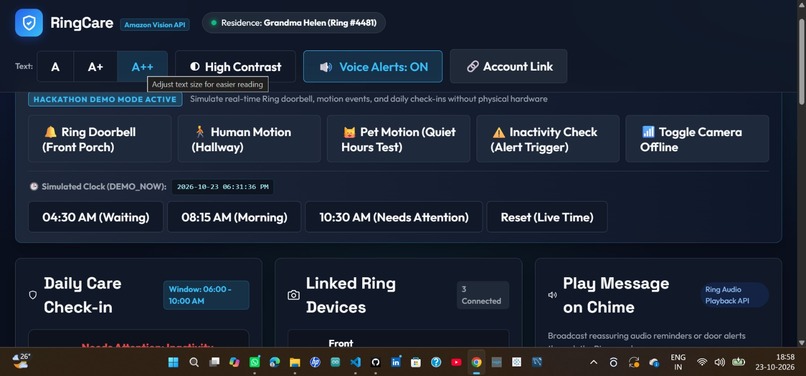
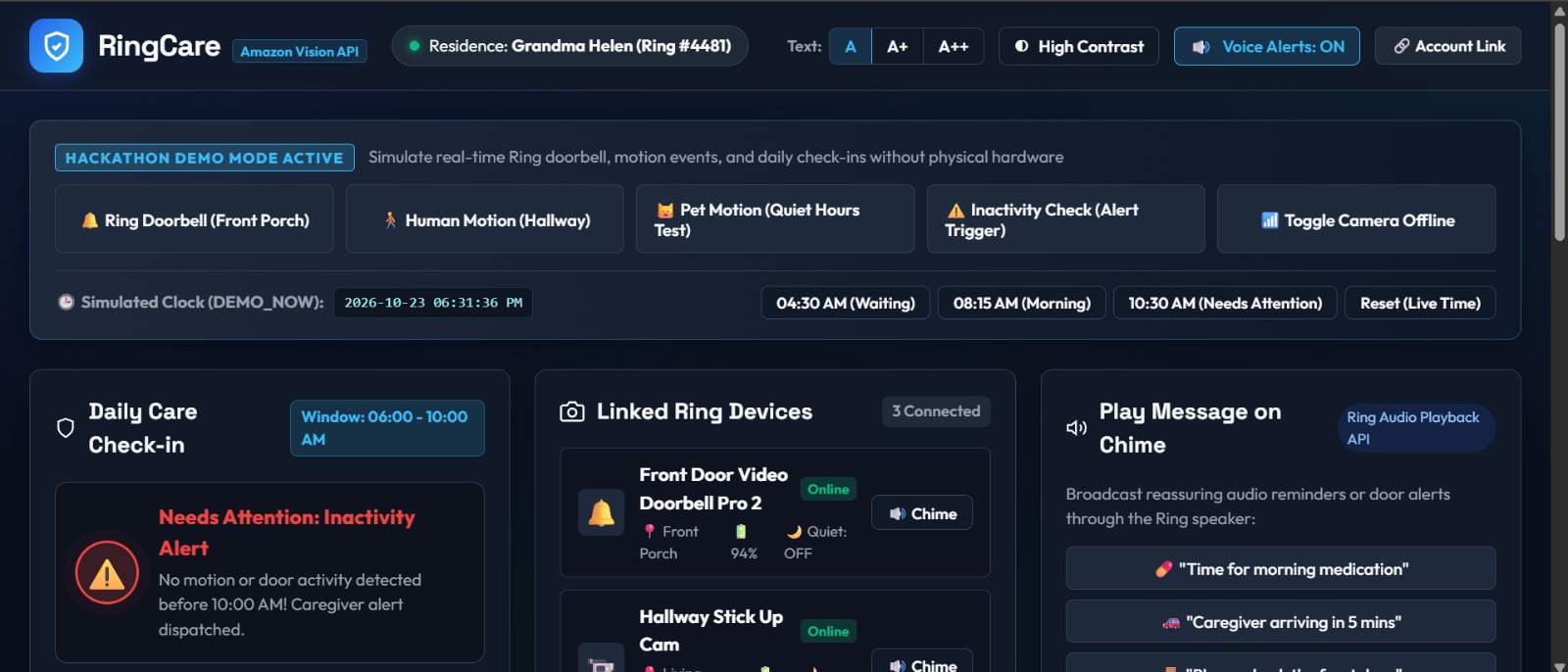
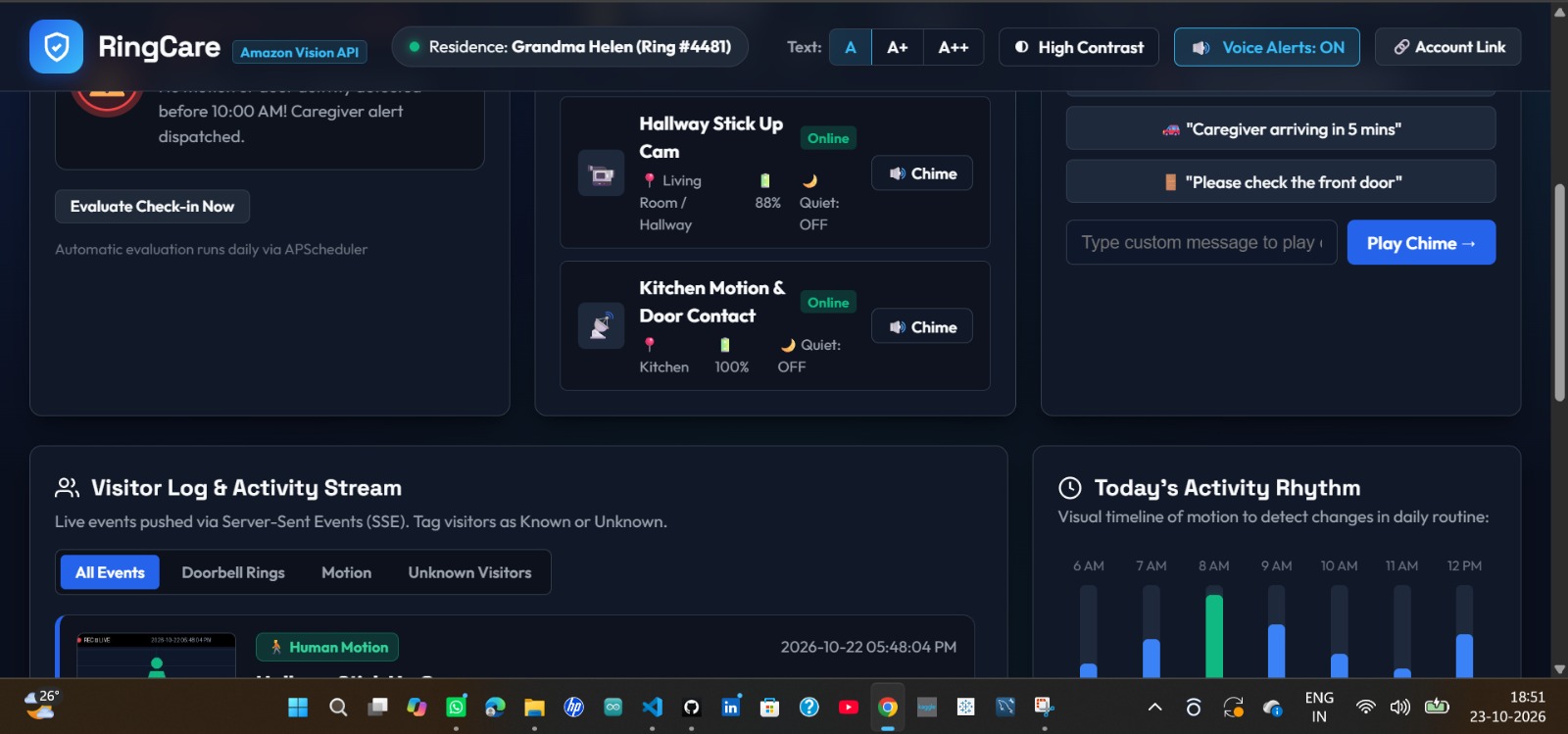
RingCare Dashboard: Displays the elderly care monitoring system, including daily check-ins, connected cameras, and caregiver alerts.
-
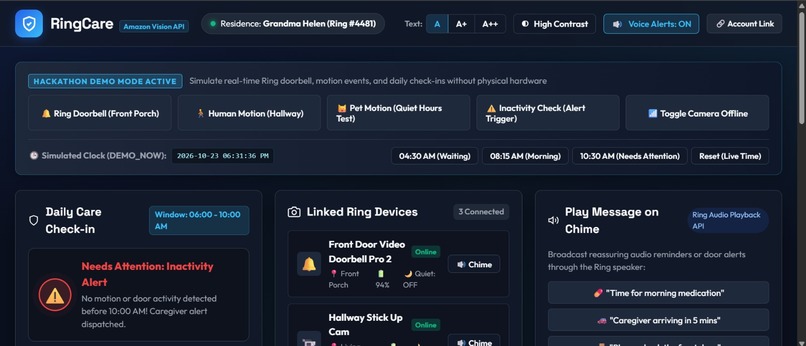
Here, I’m showing an overview of the dashboard by scrolling downward.
-
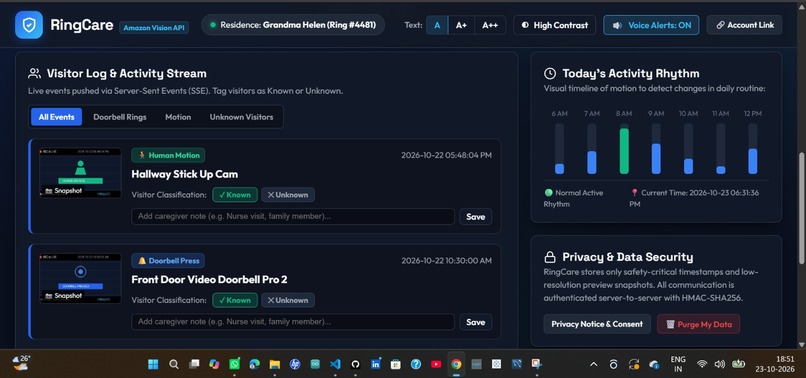
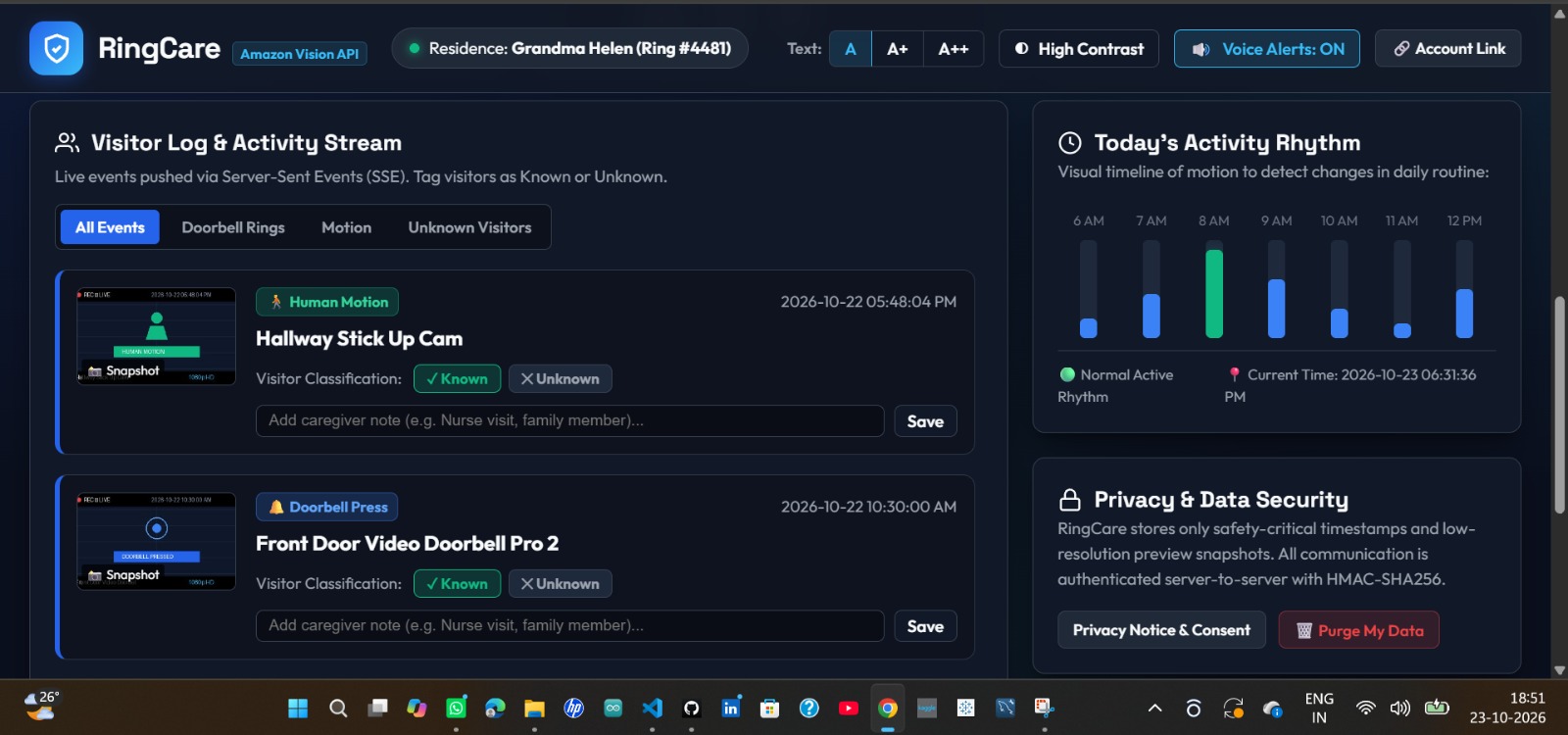
Here, I’m showing an overview of the dashboard by scrolling downward.
-
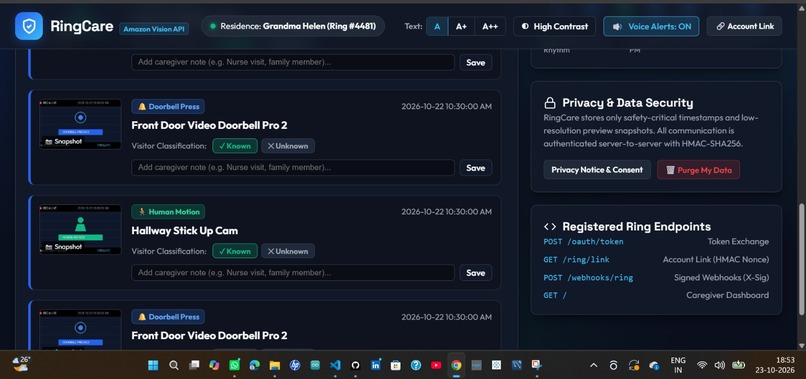
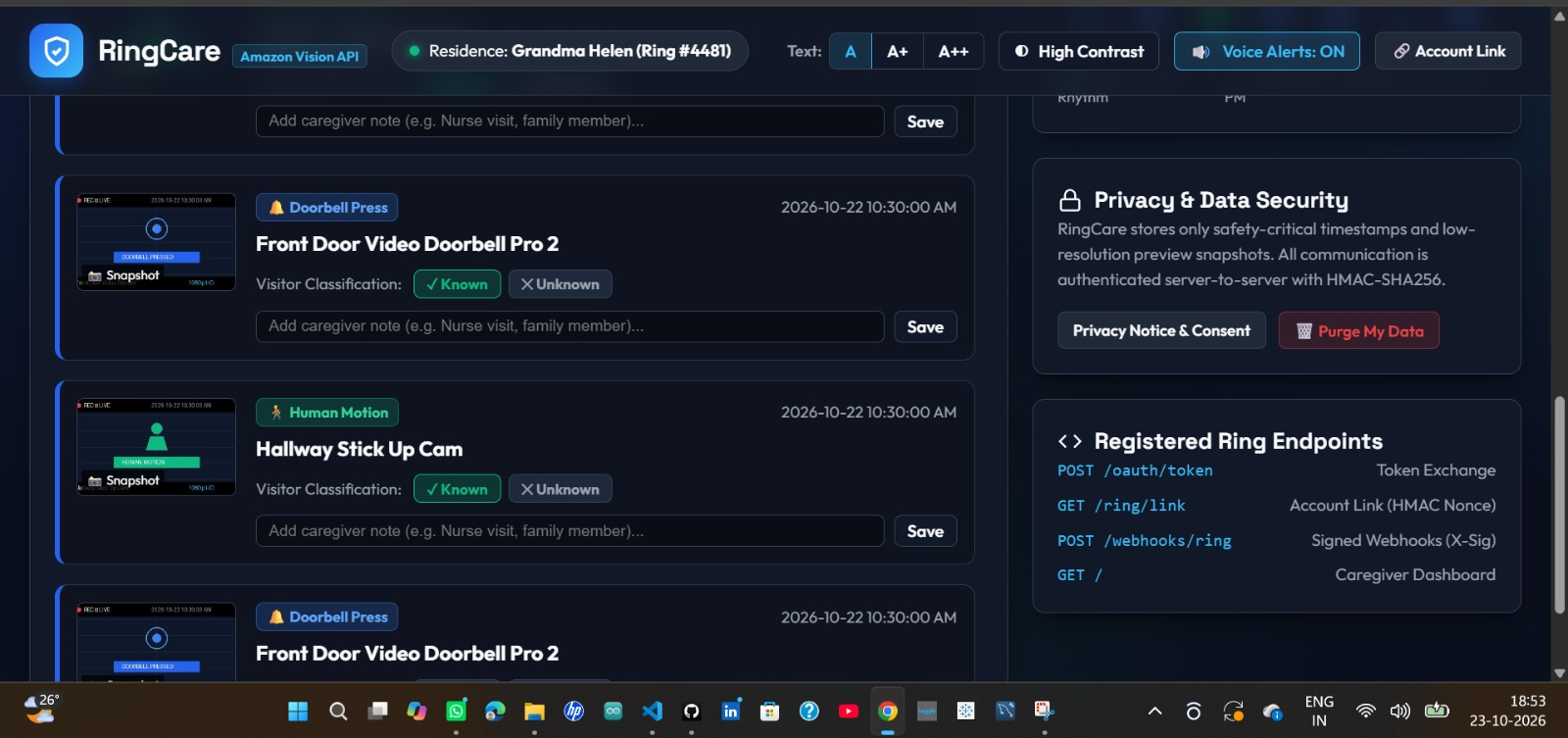
Lastpage of dashboard after scrolling downward.
-
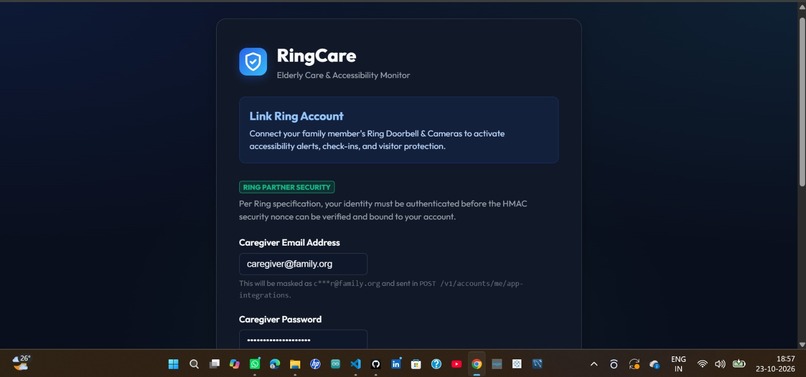
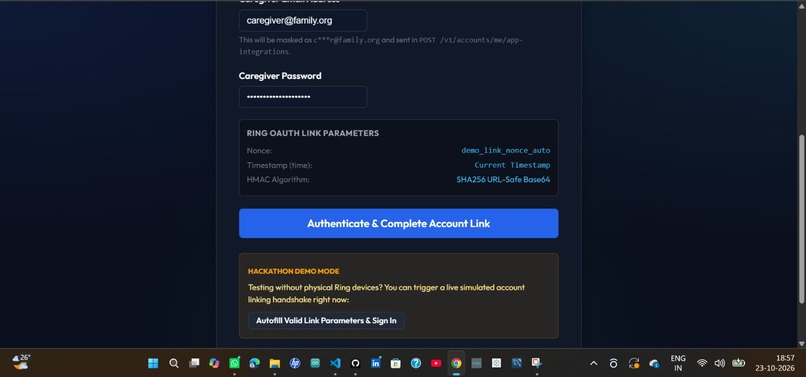
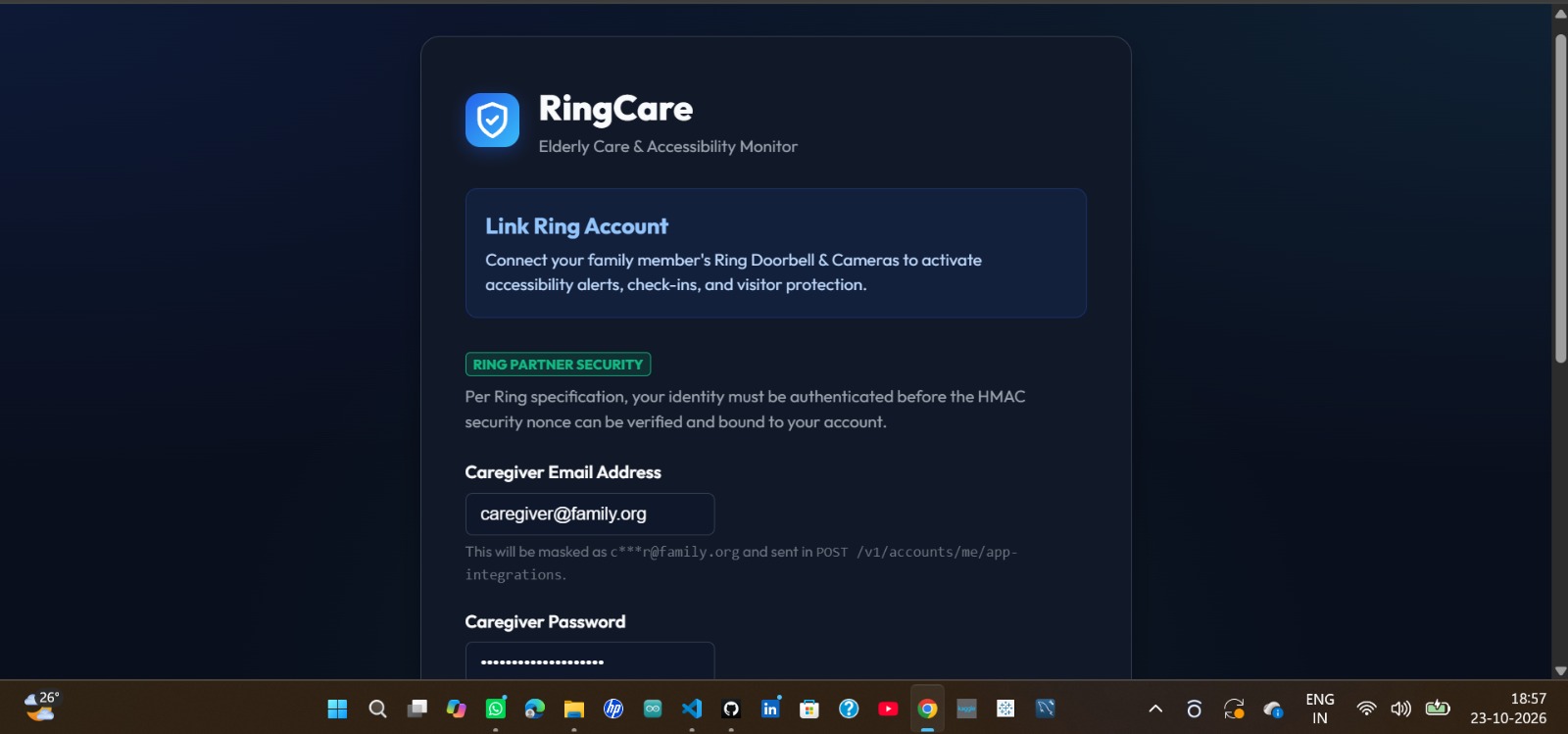
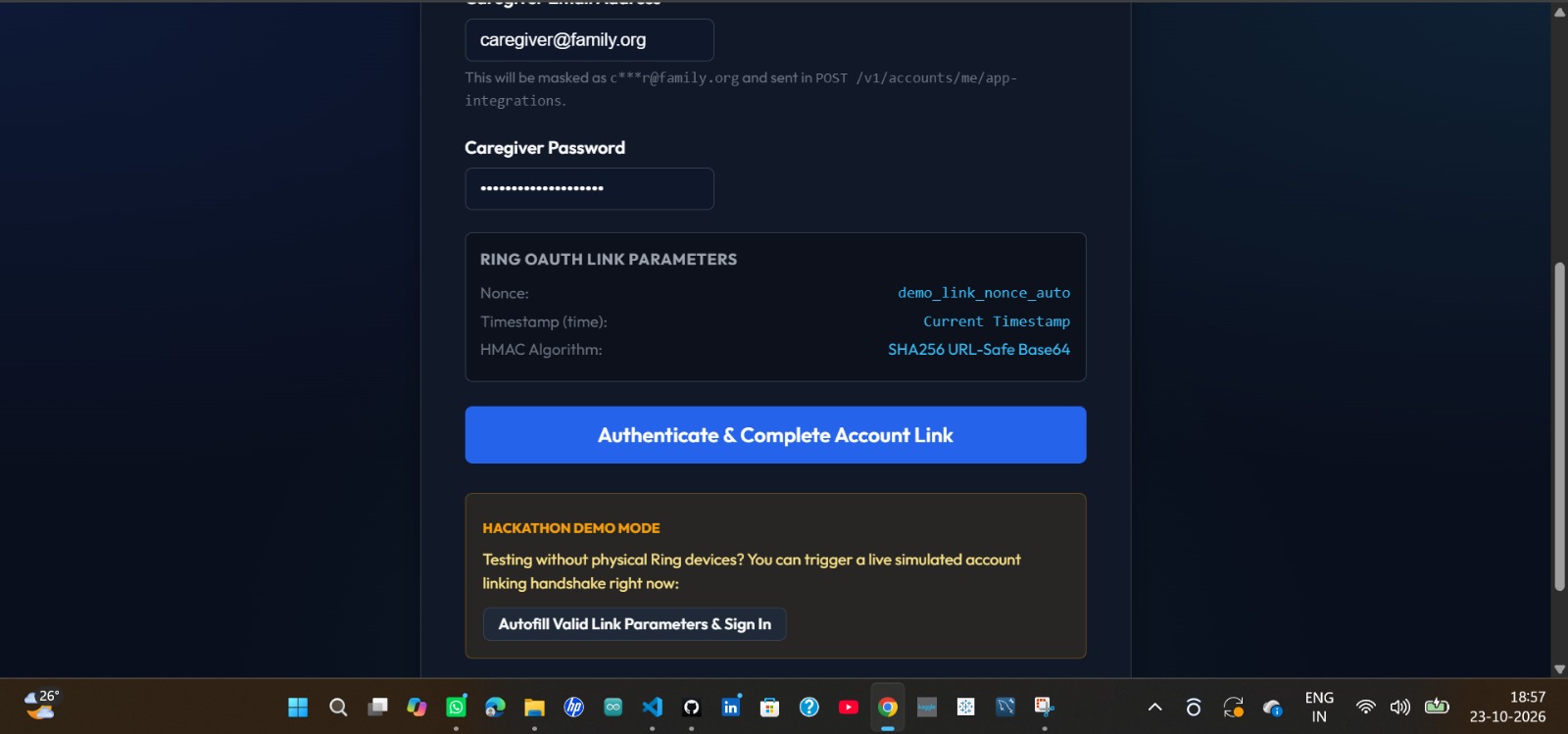
Account Linking: secure sign-in to connect Ring.
-
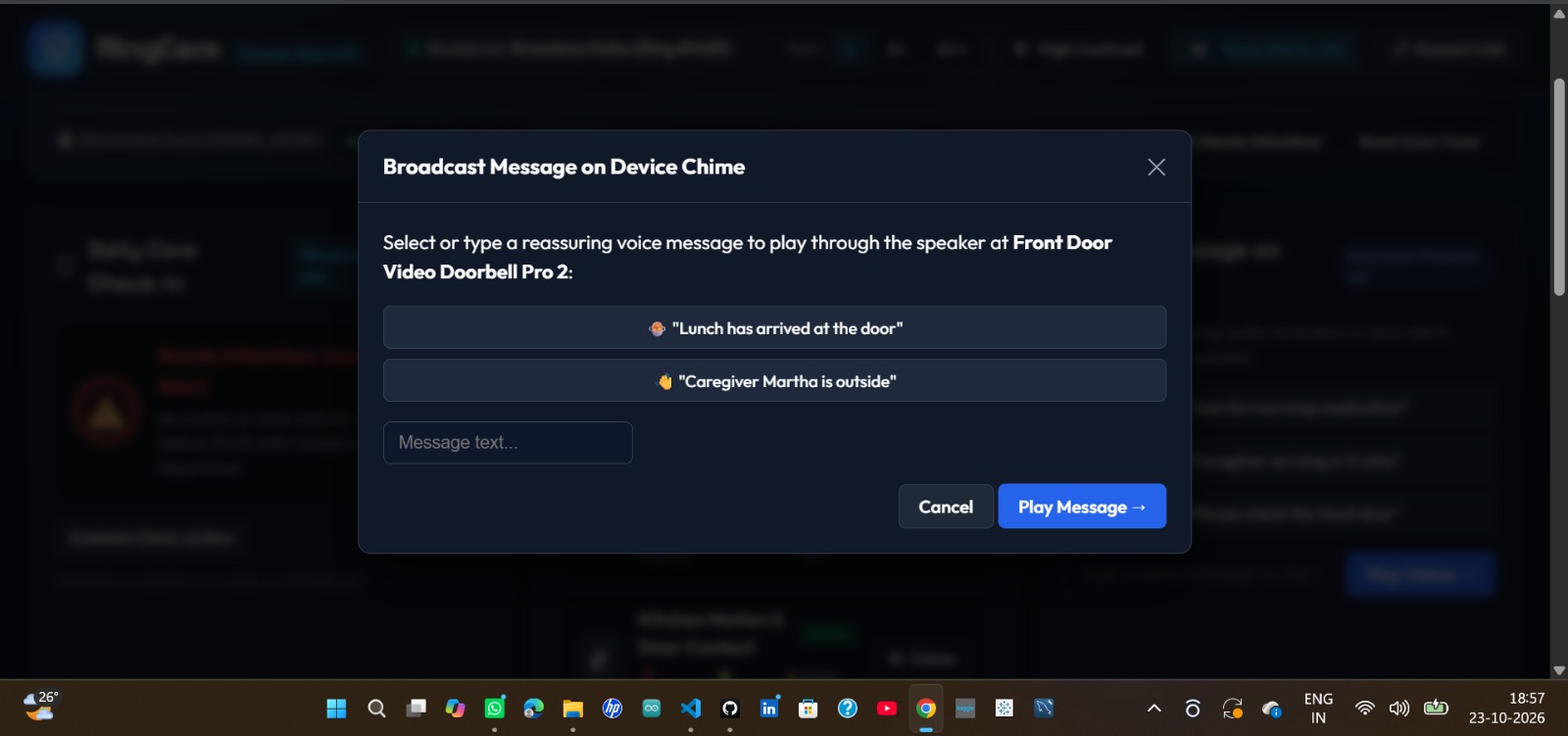
Device Chime Message: Allows caregivers to select or type a voice message to play through the connected doorbell or device speaker.
-
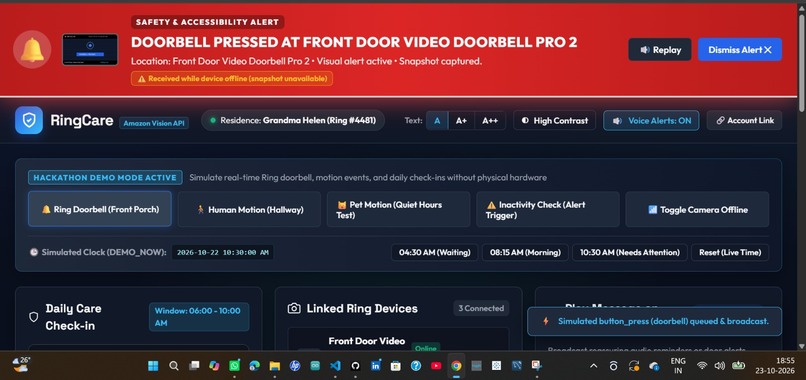
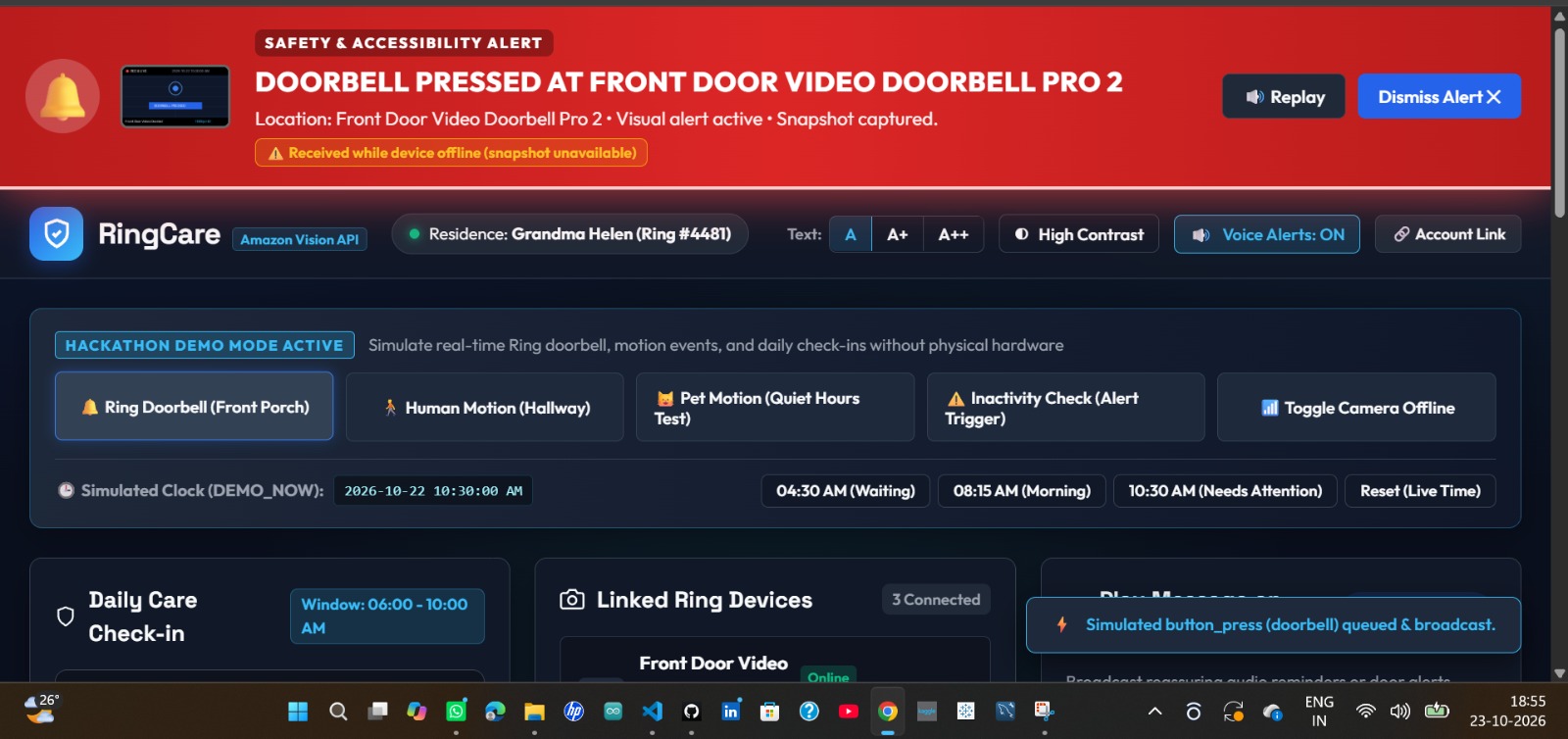
Doorbell Simulation: simulates a press to test alerts.
-
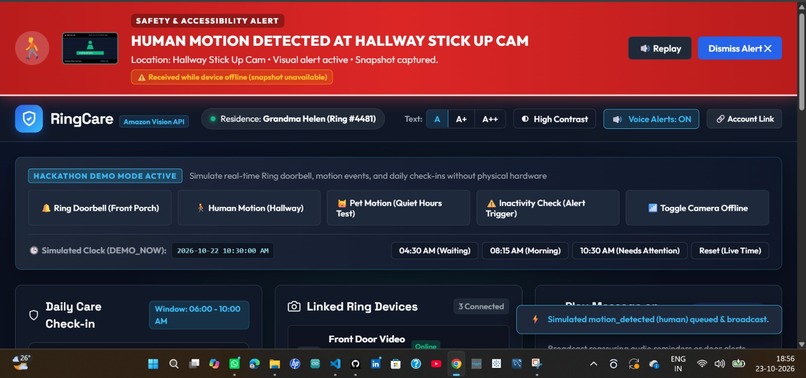
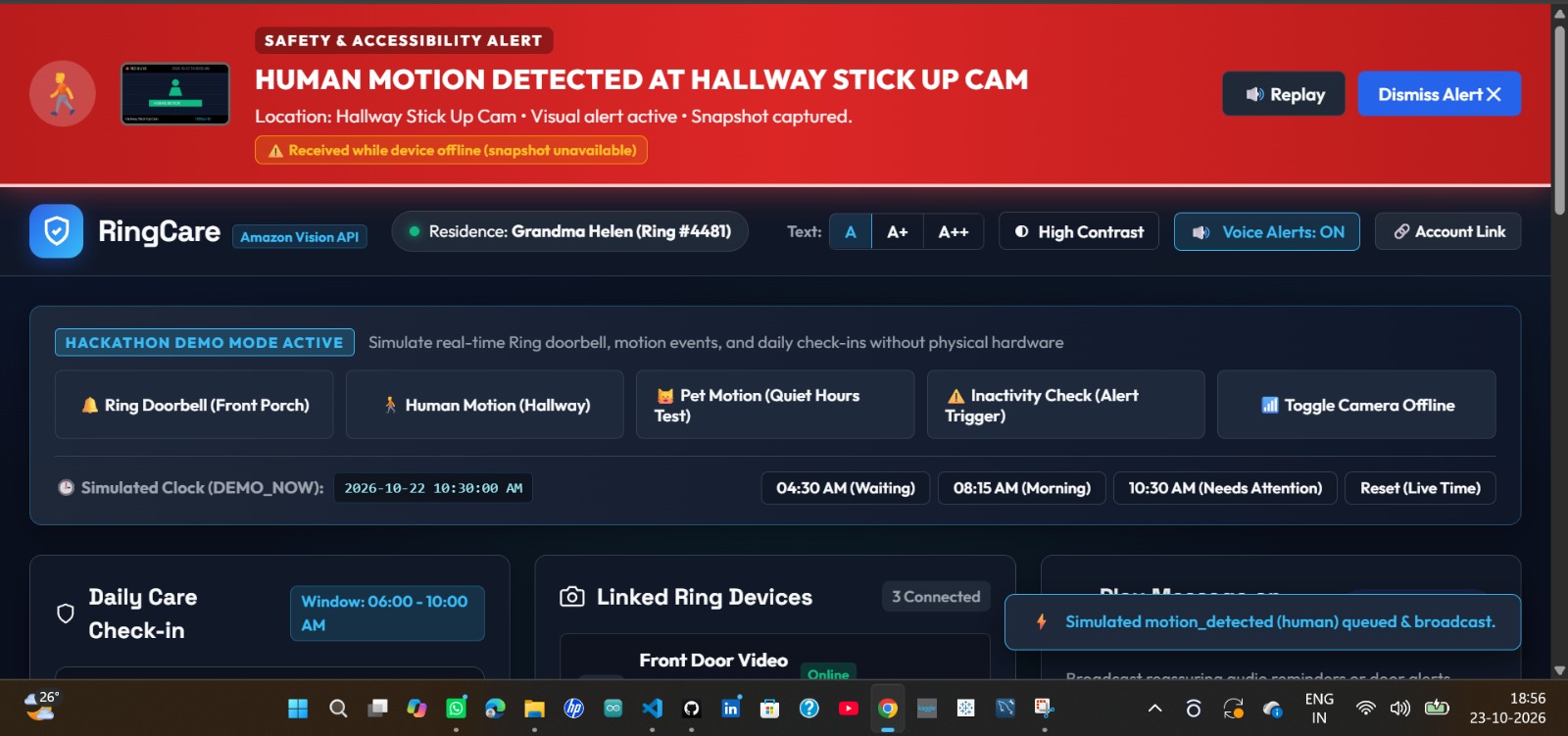
Human Motion Simulation: Simulates human movement detected by a hallway camera to test motion alerts and activity logging.
-
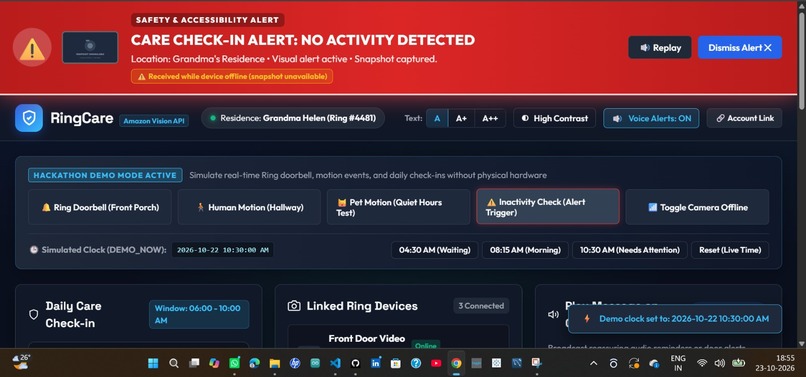
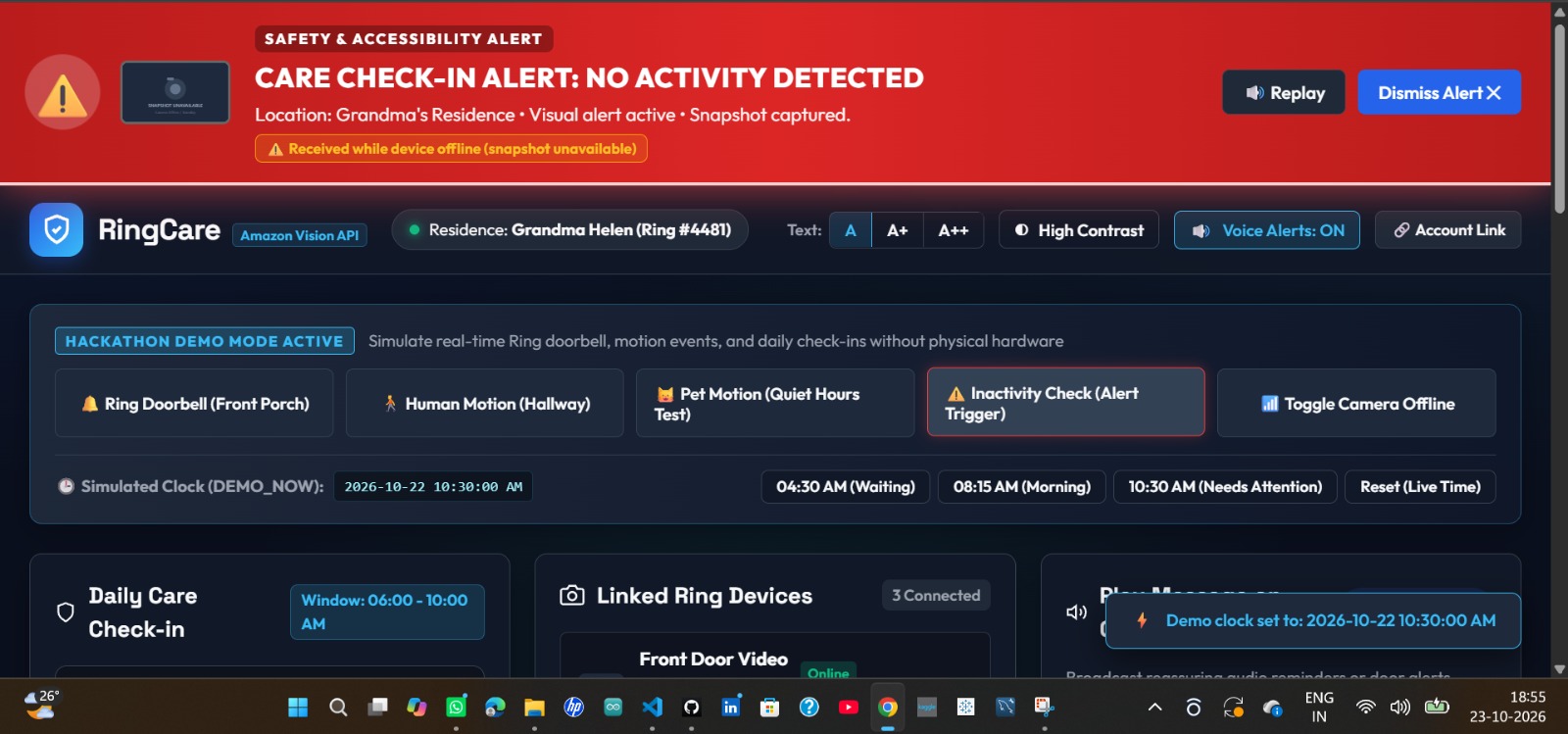
Care Check-in Alert: Displays a safety alert when no expected activity is detected during the elderly person's scheduled check-in.
-
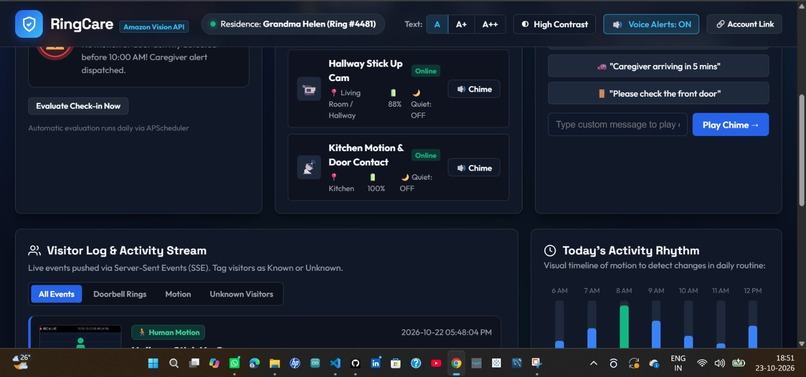
Device Chime Message: Allows caregivers to select or type a voice message to play through the connected doorbell or device speaker.
-
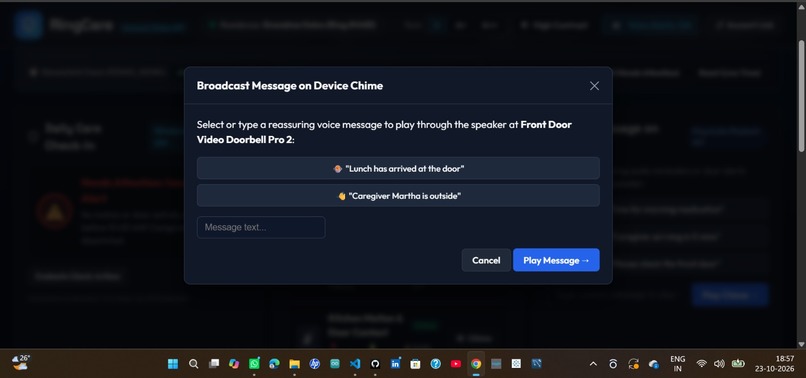
Custom Voice Message: broadcast reassuring audio on the chime.
-
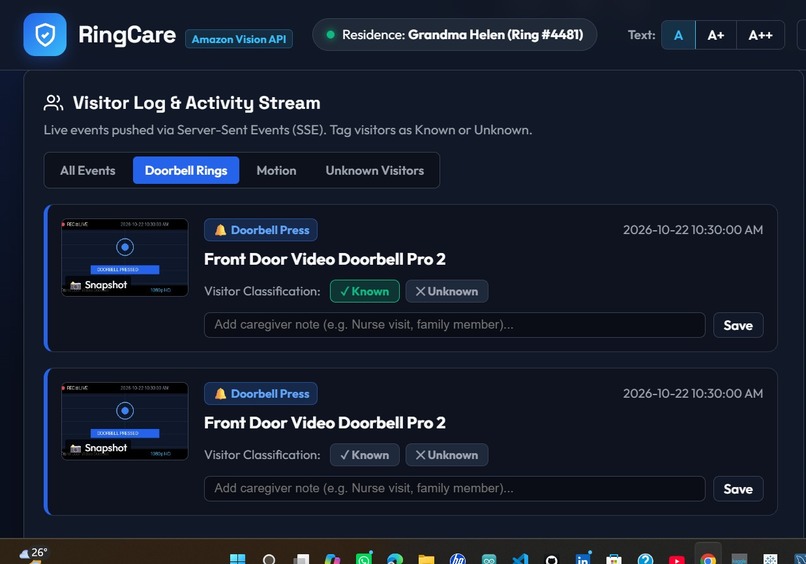
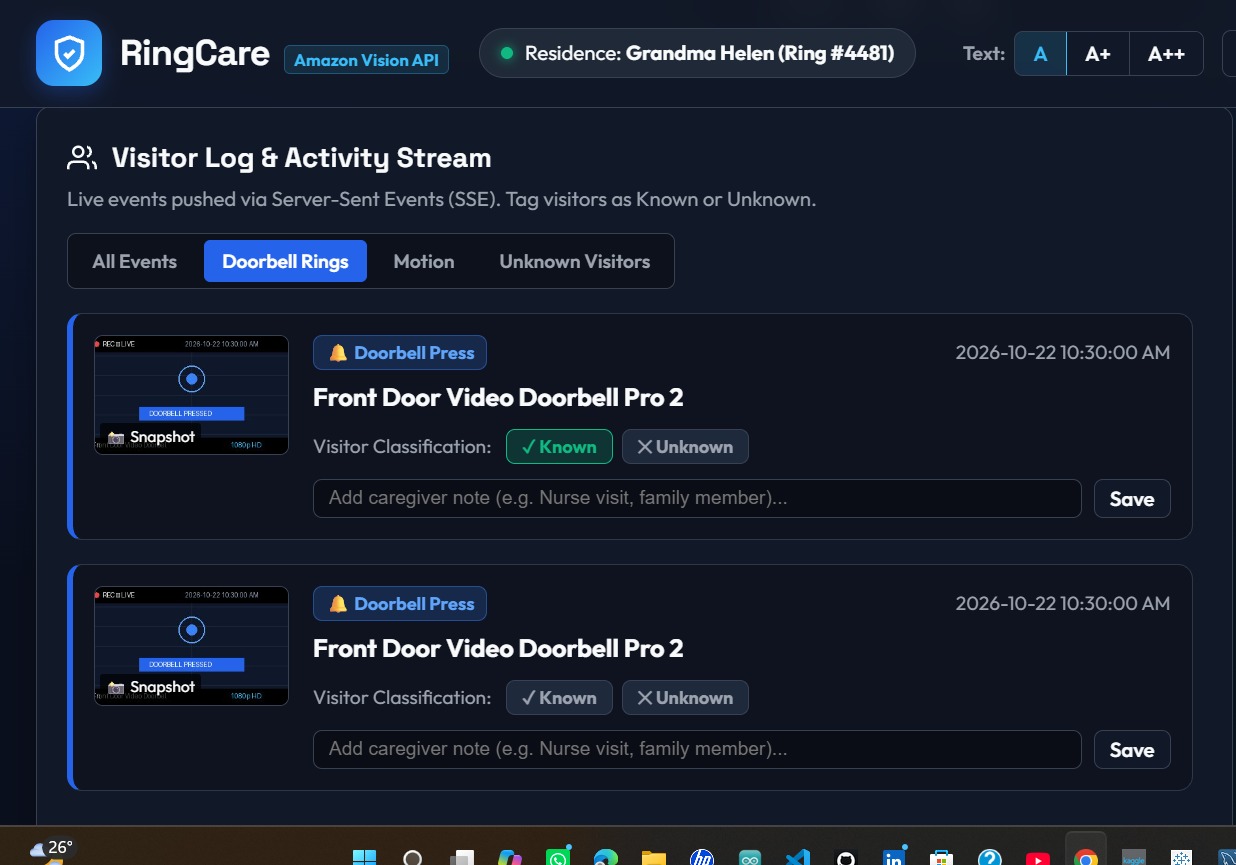
Visitor Log: doorbell events with snapshots and Known/Unknown tags.
-
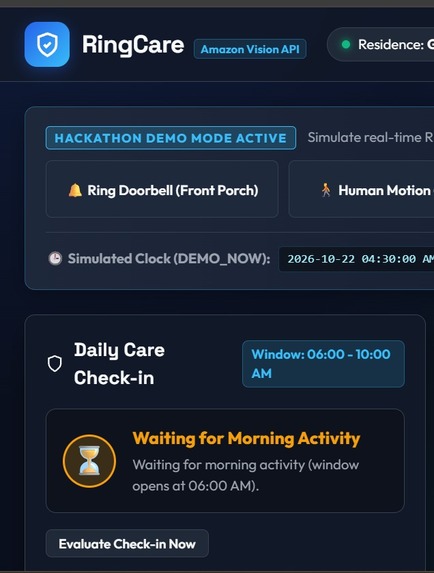
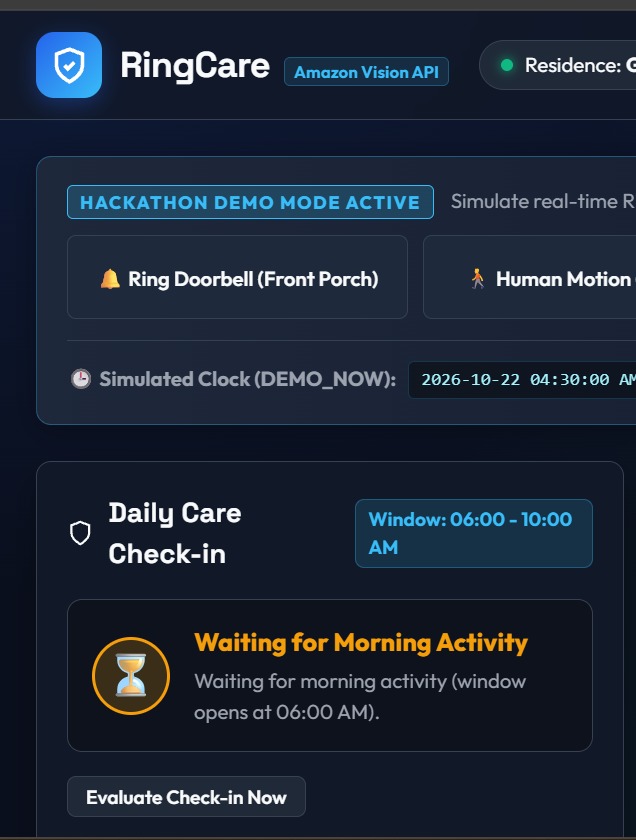
Daily Care Check-in: alerts caregiver if no morning activity.
-
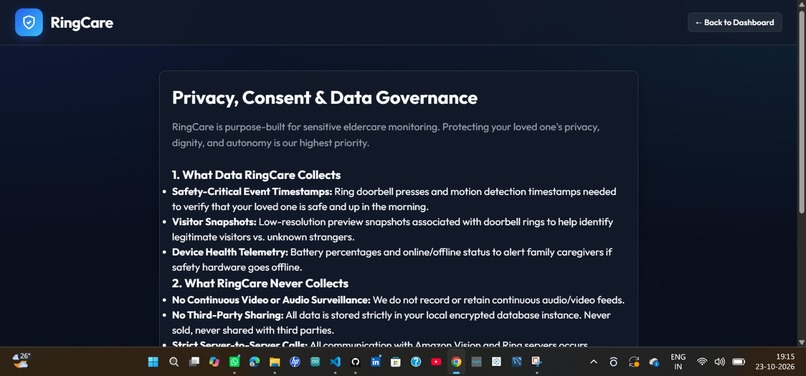
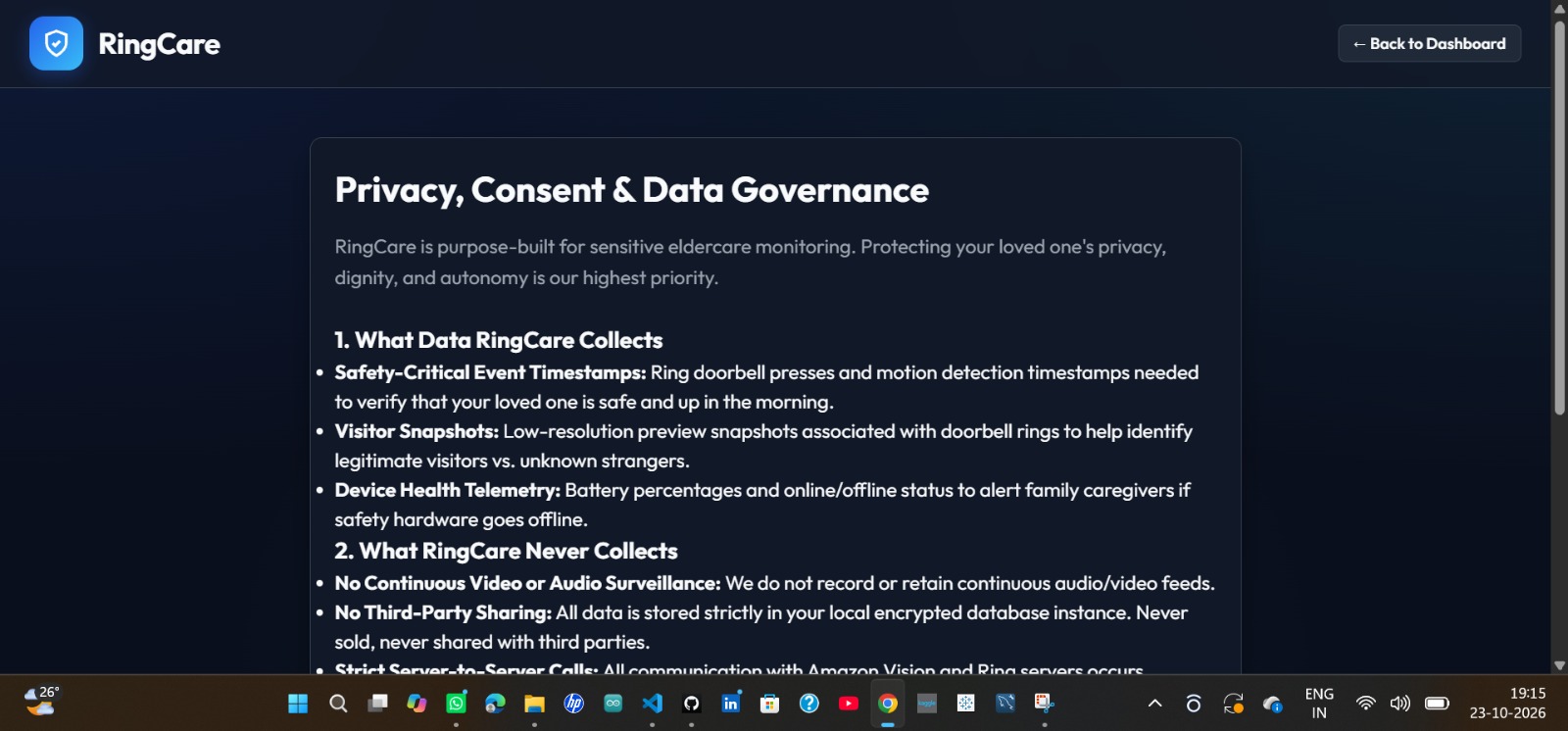
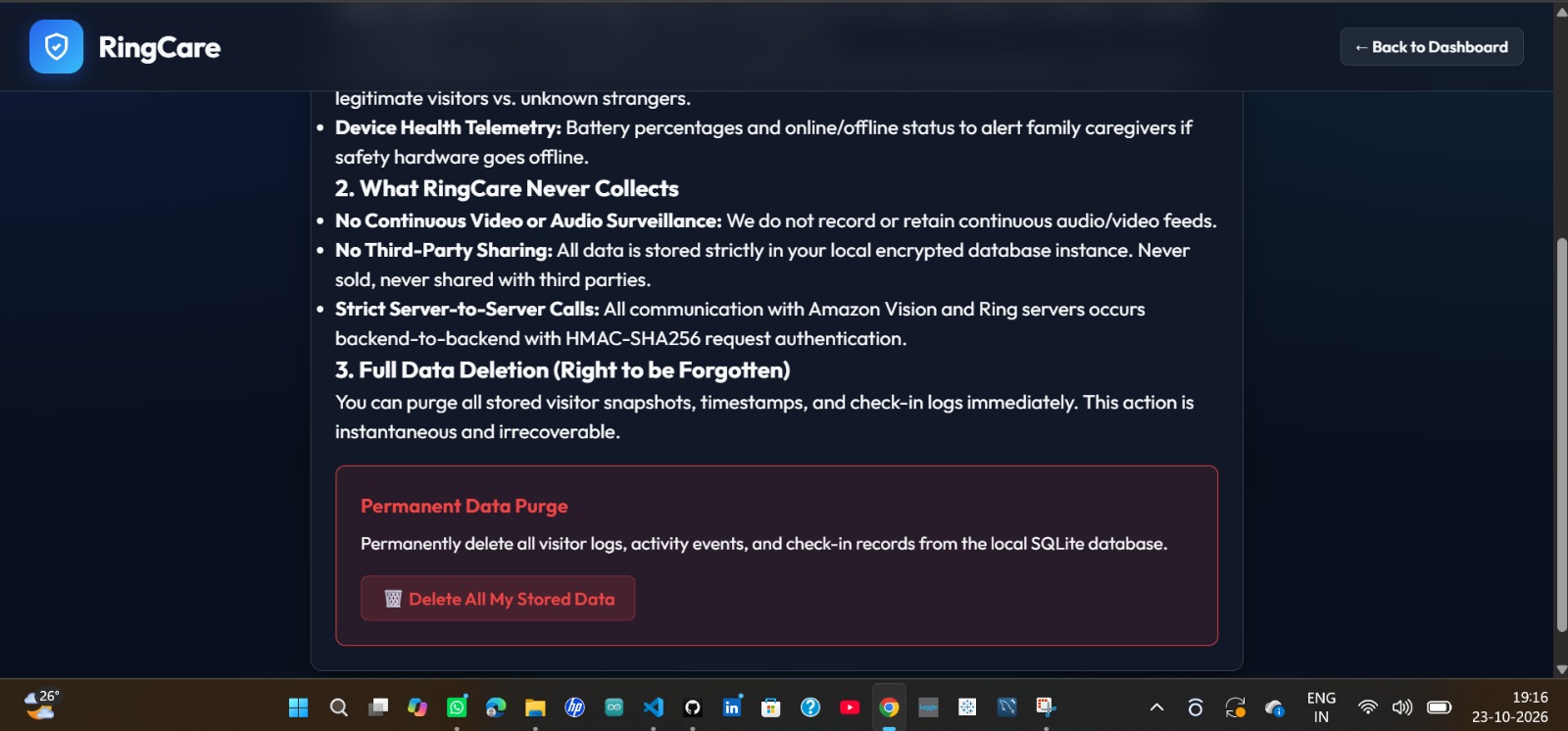
Privacy, Consent & Data Governance: Explains the data RingCare collects, how it protects user privacy, and its data-sharing policies.
-
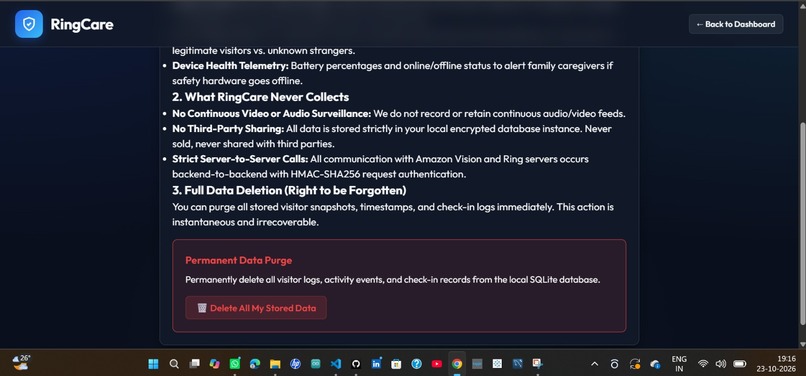
Data Deletion: Allows users to permanently delete stored visitor logs, activity events, and check-in records.
Inspiration
My grandmother lives alone, and my family worries about the same few things: did she get up this morning, did she fall, and did she hear the doorbell? Emergency pendants are supposed to help, but many older people forget to wear them or don’t want to. And if someone has trouble hearing, a normal doorbell chime does nothing.
Then I realized many homes already have a Ring doorbell or camera. I wanted to see whether that hardware could quietly look out for someone, with nothing new to wear and no video recording of their day. That became RingCare.
What it does
RingCare is a caregiver dashboard built on the Ring Partner API (Amazon Vision API).
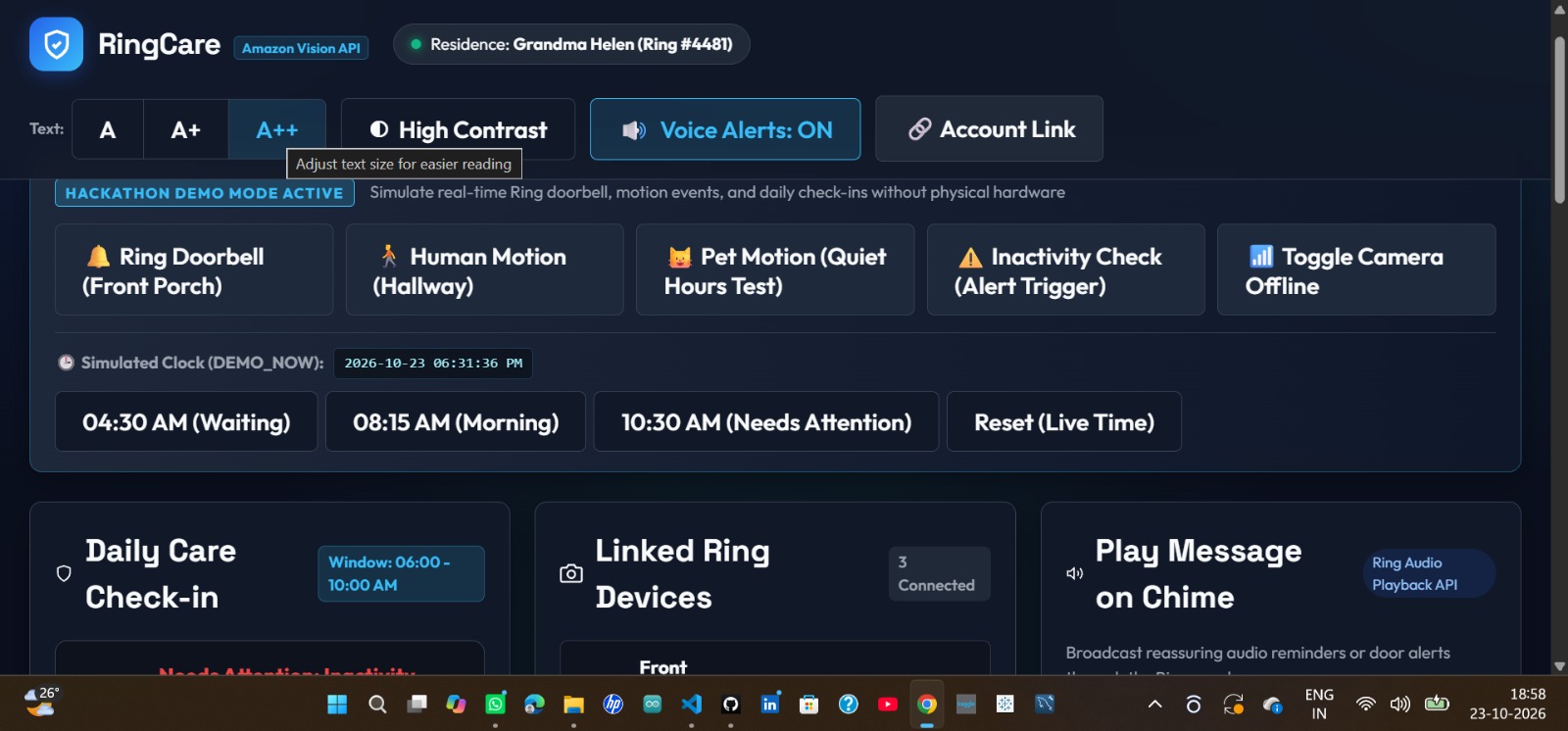
Morning check-in: You set a window, such as 6:00 to 10:00 AM. If the resident walks past the hallway camera or opens the front door in that window, they’re marked “Checked In.” If 10:00 passes with no activity, the caregiver gets an inactivity alert. Movement at 1 AM doesn’t count as a morning check-in, but it still shows on the daily timeline. Accessibility alerts: When the doorbell rings or a person is detected, the dashboard shows a large flashing banner, reads the alert aloud, and plays a chime. There is a text size control (A, A+, A++) and a high-contrast mode for people who need them. Visitor log: Each doorbell or human-motion event saves a small snapshot. The caregiver can mark the visitor as Known or Unknown and add a note. Messages on the chime: The caregiver can send a short spoken message through the Ring speaker, such as “Time for your morning medication.” Device health and quiet hours: It shows battery level, Wi-Fi and online status, and mutes non-human motion alerts overnight so nobody is woken up.
How we built it
The backend is Python and Flask with SQLite. Ring sends webhooks to our server, and we check the X-Signature header (HMAC-SHA256) before trusting anything. Duplicate events are dropped using the request ID, and the work runs in a background queue so we can answer Ring within its 5-second limit.
A scheduler (APScheduler) runs the daily check-in and refreshes the OAuth tokens. When something happens, the dashboard updates immediately through Server-Sent Events, which turned out to be simpler than WebSockets for this. Voice alerts use the browser’s Web Speech API.
Because most people don’t have a Ring device handy, I also built a demo mode. It has a simulator panel and a clock override, so you can jump to 4:30 AM, 8:15 AM, or 10:30 AM and watch each check-in state without waiting.
Challenges
Late-night movement counted as a check-in. My first version marked the day as checked in on any motion. When I tested a 1:07 AM event, it said the resident was safe and active for the morning. Now only events inside the morning window count.
Offline cameras and broken images. When a device was offline, snapshots failed and the page showed broken image icons. Events from offline devices now get a warning badge, and every image has a built-in fallback.
Simulated time caused ID collisions. With the clock frozen for demos, my generated IDs repeated and SQLite rejected them. I fixed it by adding a random suffix to each ID.
What I’m proud of It works as a full flow: webhook, stored event, live dashboard alert, and a caregiver reply. Accessibility was part of the design from the beginning, not added at the end. It stores only event data and low-resolution snapshots, with no continuous video, and there is a “Purge My Data” button. I wrote 21 unit tests covering signature checks, token refresh, and the check-in logic. What I learned
Building on a partner API means thinking about duplicate messages, signature checks, and slow responses from day one. I also learned that designing for deaf and hard-of-hearing users made the whole dashboard clearer for everyone.
What’s next Learn each person’s usual wake-up time and flag slow changes in their routine. Send an SMS or phone call if an inactivity alert isn’t acknowledged within 15 minutes. Follow movement across several cameras, so a caregiver knows if someone heads for the door late at night.
What I changed, and what to check before you submit
Removed unverified statistics. The original said “over 80% of seniors don’t wear pendants” and “1 in 3 adults 65 to 74 have disabling hearing loss.” I can’t confirm those numbers. If you want them back, find a source and name it. Removed overclaims. “100% automated test coverage” and “WCAG AAA compliance” are strong claims that are hard to prove. I replaced them with the 21 tests, which is checkable. Only claim WCAG if you tested it. Deleted the math formulas. Devpost often doesn’t render LaTeX, so they would show as raw symbols. Check the personal opening. I wrote “my grandmother” as an example. Change it to your real motivation, or use a neutral line like “Many families worry about…” if it doesn’t apply. Be honest about demo mode. Judges check that Ring is used in the code. If you tested with real Ring staging credentials, say so. If everything runs on simulated events, keep the demo-mode wording as it is.

Log in or sign up for Devpost to join the conversation.