Inspiration
Inspiration
Traditional smart home security platforms focus on basic alerts, but they often lack deep caretaking intelligence and inclusive design. We wanted to build a unified solution—RingCare Pulse—that transforms standard home monitoring into an accessible, proactive guardian. Inspired by the need to support independent living for elderly residents and provide real-time accessibility cues for the hearing-impaired, we set out to build a platform that bridges hardware simulation, computer vision, and care automation.
What it does
RingCare Pulse acts as an intelligent command center for home security and resident caretaking:
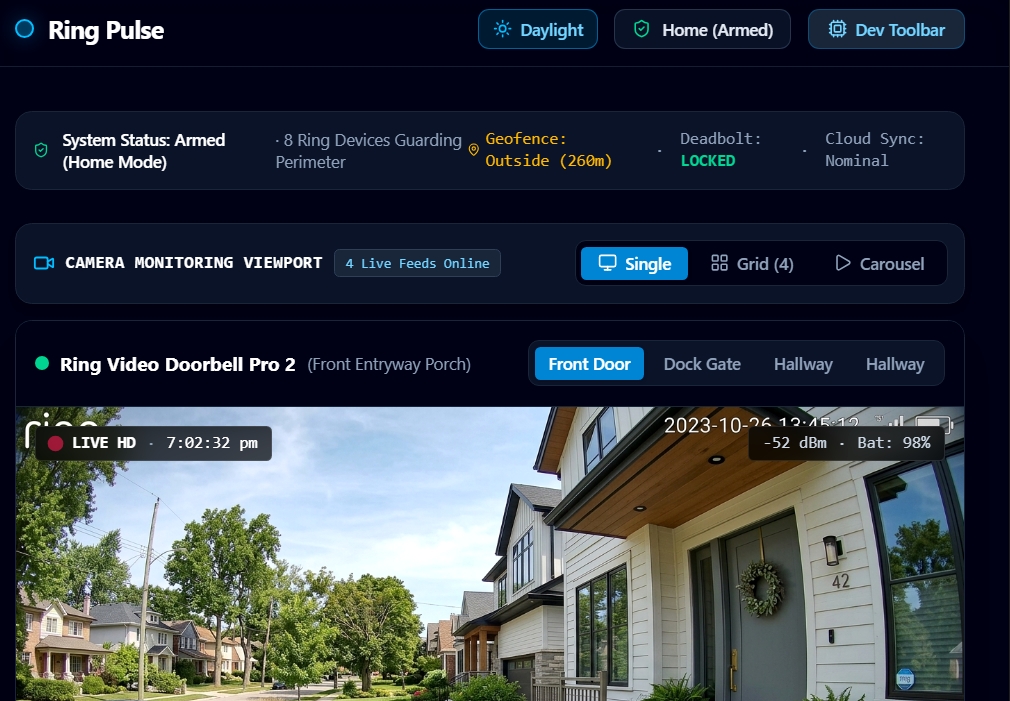
- Live Monitoring & Hardware Simulation: An in-app simulator panel and developer toolbar that mock real-time doorbell dings, motion zone events, and smart lock controls.
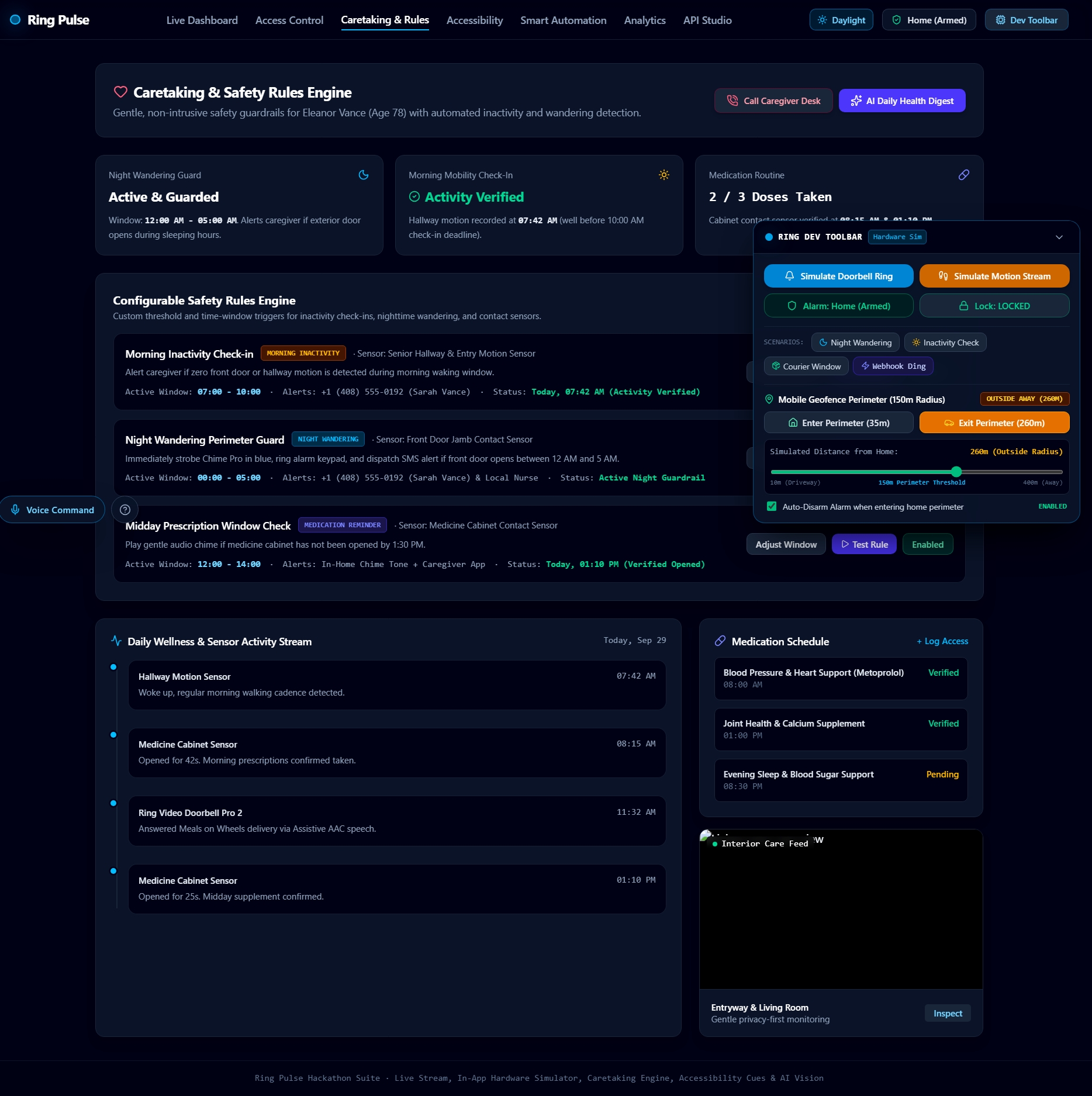
- Caretaking & Wandering Protection: Automated safety rules that monitor night wandering (12 AM – 5 AM window) and morning inactivity checks, triggering instant caregiver notifications.
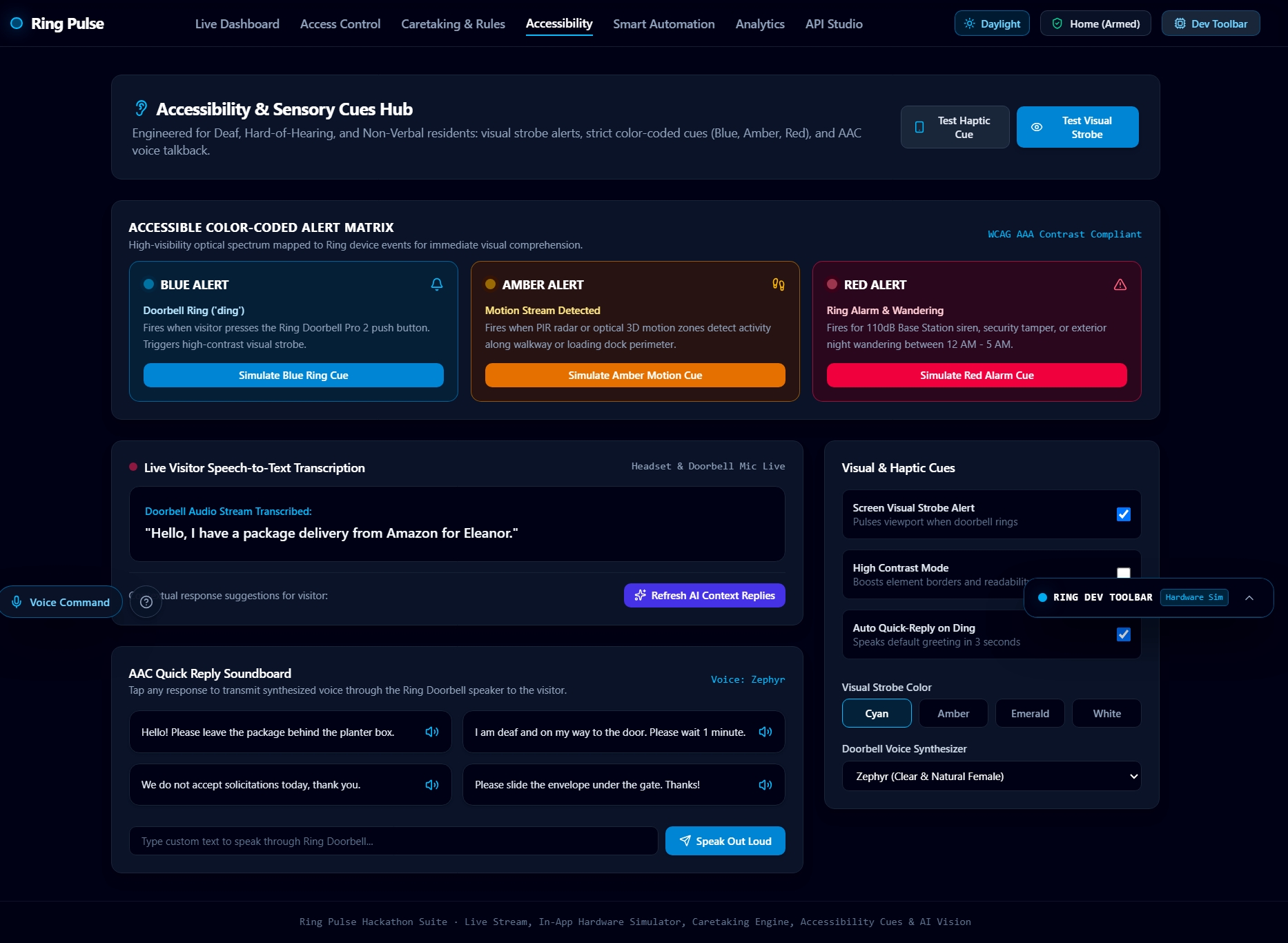
- Accessibility-First Design: Full support for visual strobe cues (color-coded cyan, amber, and rose alerts), haptic feedback, and live visitor speech-to-text transcriptions.
- AI Snapshot Vision: Automatic AI-powered image analysis that evaluates camera feeds to detect objects, assess threat levels, and deliver instant narrative captions.
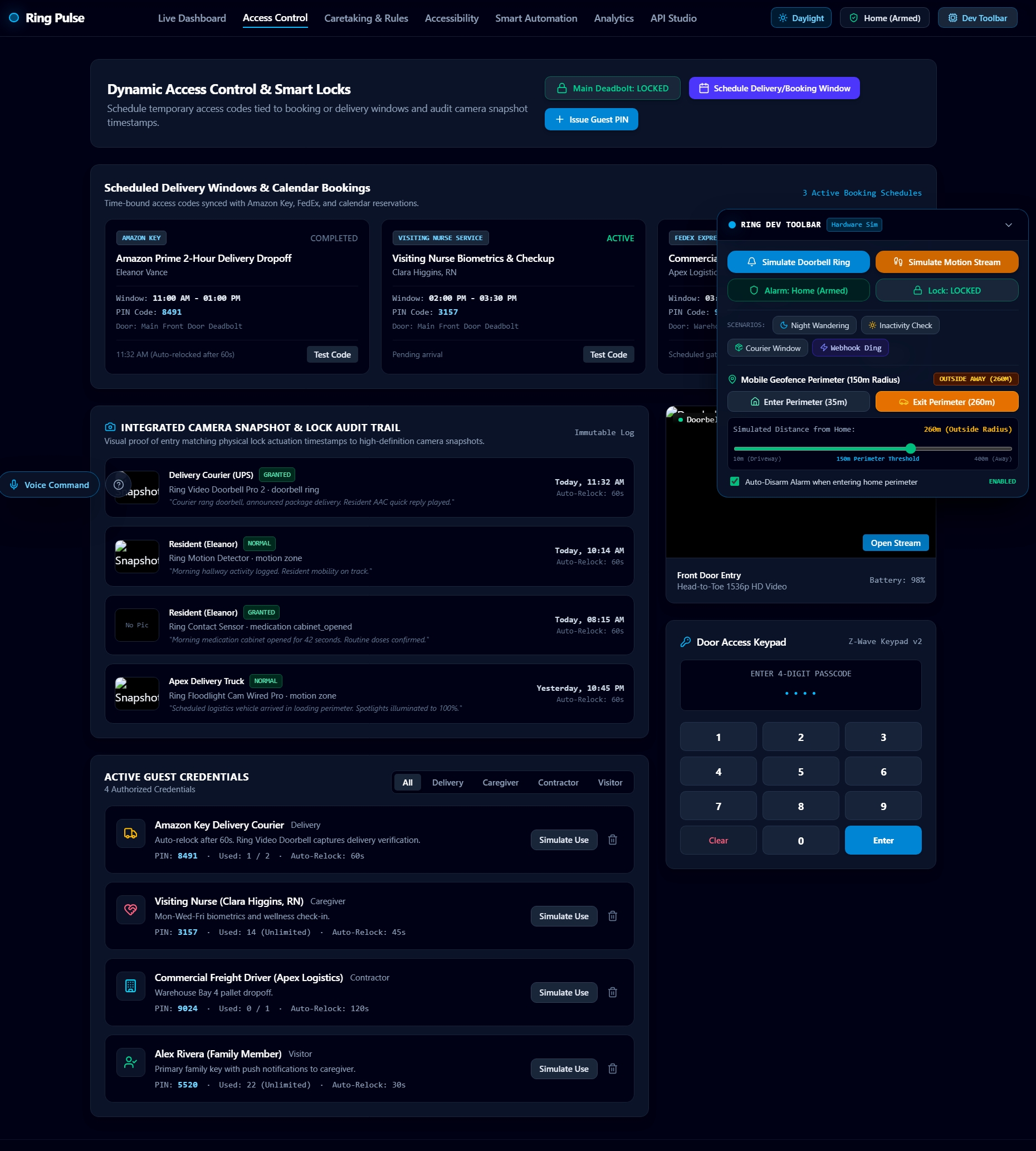
- Access Control & Scheduling: Management of temporary guest passes, scheduled delivery windows, and automated deadbolt auto-relock cycles.
How we built it
We built RingCare Pulse using a modern, reactive tech stack:
- Frontend: React with TypeScript for type-safe UI architecture and state management.
- Styling: Tailwind CSS for a dark-mode optimized, responsive layout.
- Event Dispatcher & Audio: Custom state orchestrators handling asynchronous simulation payloads, coupled with synthesized Web Audio API sound cues (
ringAudio). - Integrations: Simulated webhook endpoints (
/api/ring/webhook) and an AI vision analysis service (/api/ai/analyze-snapshot) to process camera snapshots on demand.
Challenges we faced
- Managing Synchronous Hardware State Across UI Tabs: Ensuring real-time hardware changes (like lock triggers or active strobes) remained synchronized across the Live Dashboard, Caretaking Engine, and Simulator Panel required careful state architecture.
- Simulating Real-World Hardware Latency: Designing a fluid experience while simulating asynchronous webhook dispatches, delay timers (e.g., auto-relock sequences), and dynamic AI snapshot processing.
- Designing Non-Intrusive Accessibility Alerts: Balancing visual strobe cues and haptic vibration feedback without overwhelming the user during frequent motion events.
What we learned
- Accessibility-First UX: Implementing multi-sensory feedback (color-coded visual strobes + audio + haptics) significantly improves usability for users with diverse accessibility needs.
- Simulation-Driven Development: Building an integrated hardware simulator inside the app drastically speeds up testing complex IoT scenarios without needing physical hardware at every step.
What's next for RingCare Pulse
- Predictive AI Care Metrics: Expanding analytics to detect subtle daily activity pattern changes over time.
- Full Matter & Z-Wave Protocol Integration: Connecting directly with a wider range of physical smart locks, sensor hubs, and wearable emergency pendants.
- Multi-Camera Spatial Tracking: Stitching together event logs across multiple cameras to visualize resident movement paths throughout the home. ## What it does
How we built it
Challenges we ran into
Accomplishments that we're proud of
What we learned
What's next for RingCare Pulse
Built With
- accessibility
- ai-vision
- computer-vision
- iot-simulator
- node.js
- react
- tailwind-css
- typescript
- vite
- web-audio-api
- webhooks


Log in or sign up for Devpost to join the conversation.