-
-
-
-
-
-
-
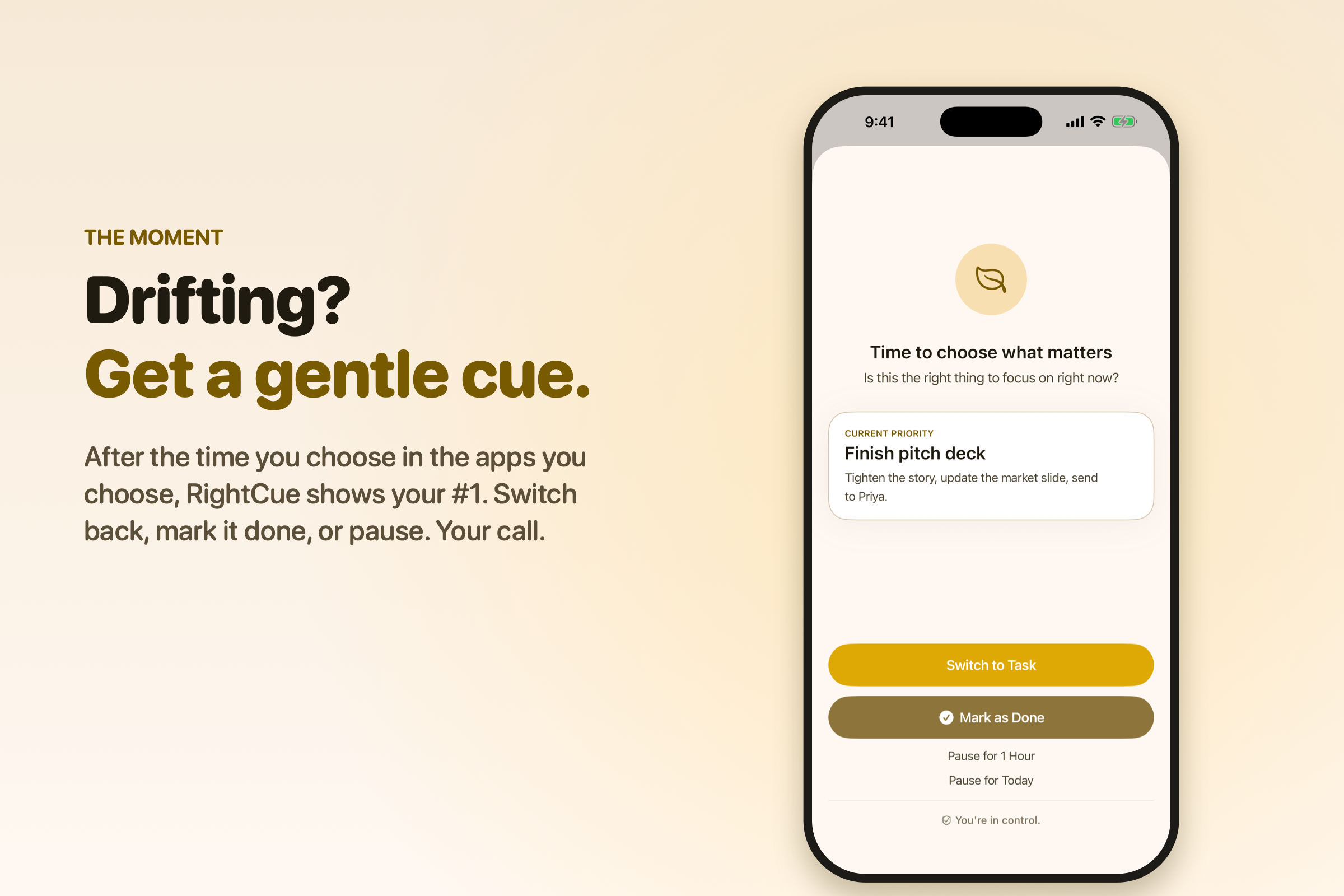
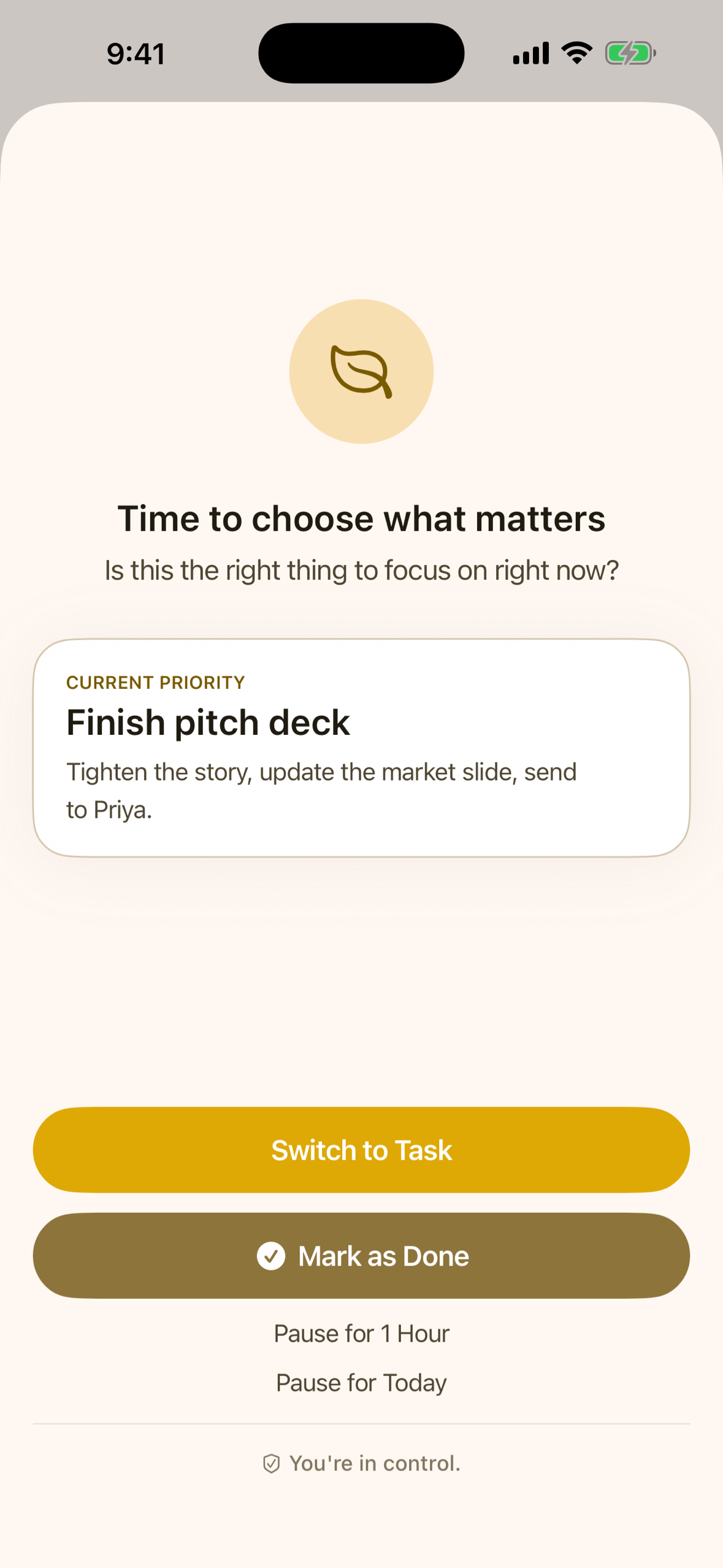
Gentle nudge
-
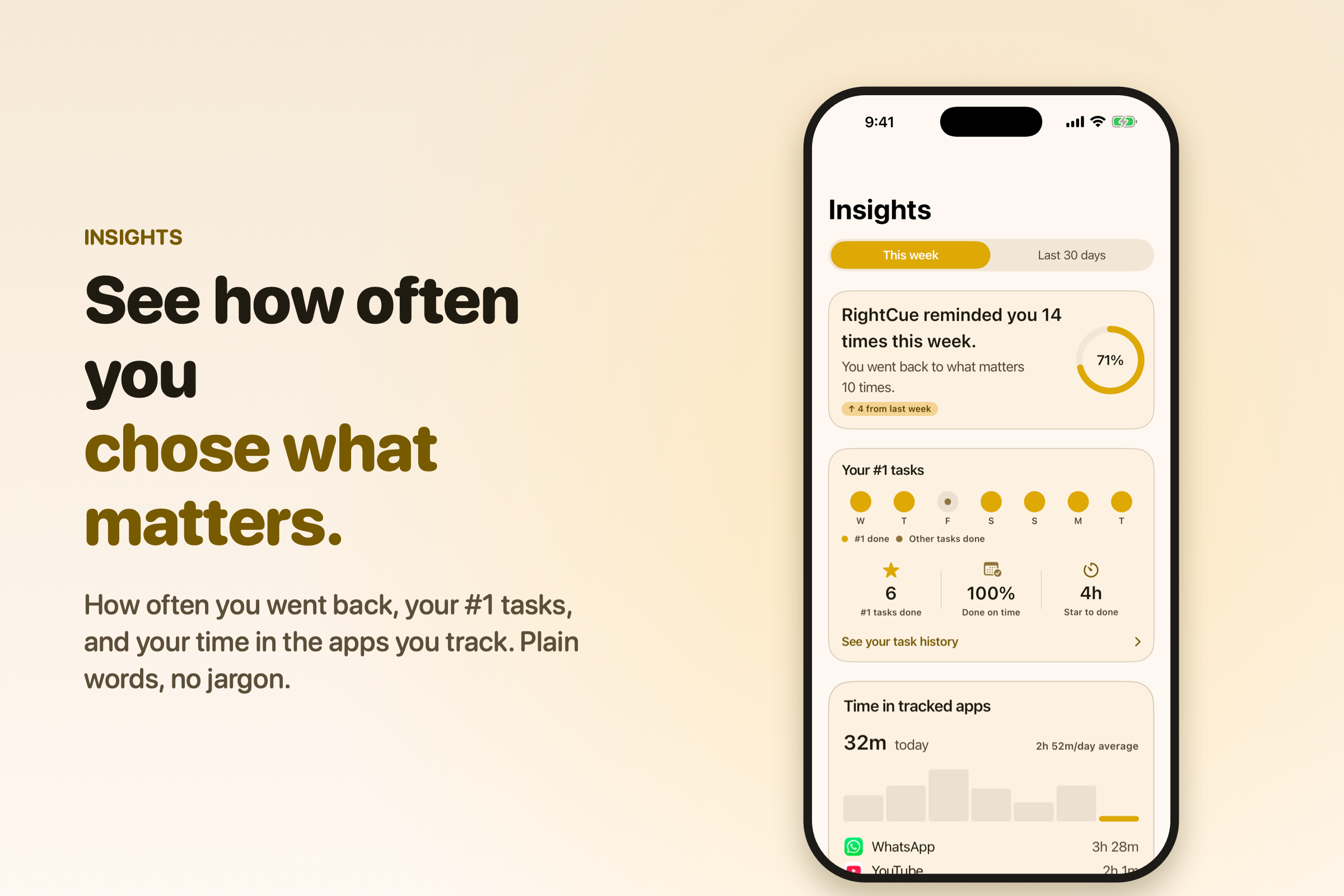
Insights
-
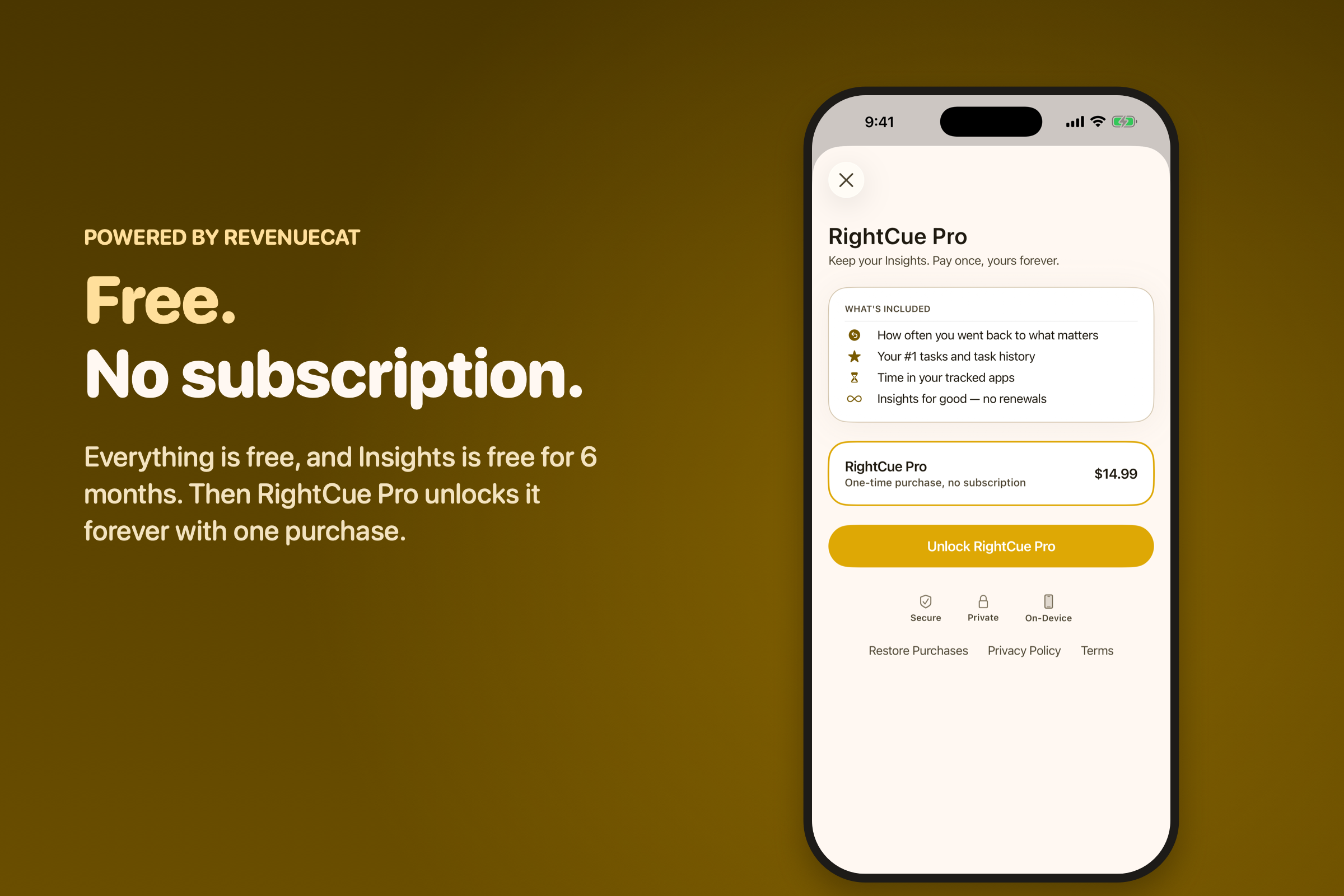
RightCue Pro
-
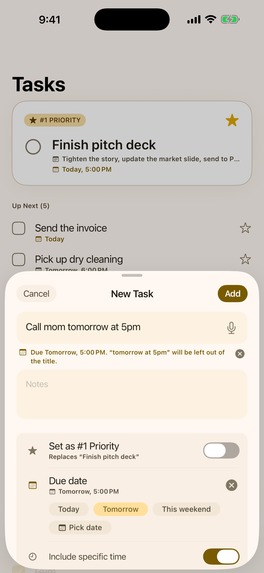
Add task
-
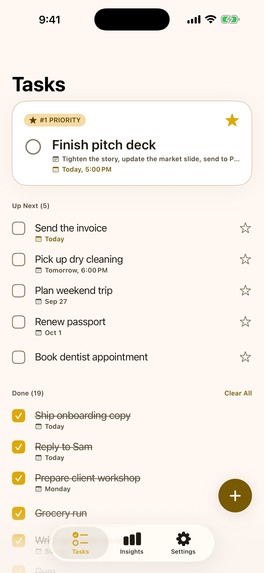
Task list
Inspiration
I'm a mom returning to iOS development after long career break. Somewhere in that transition, I noticed how much of my own attention was getting quietly eaten by apps I hadn't meant to open — not because I lacked willpower, but because nothing ever reminded me of what I actually meant to be doing until it was already twenty minutes later.
Every focus app I'd tried solved this by locking me out — and that always backfired. The moment something blocks you, you start looking for the workaround instead of reflecting on the choice. I wanted something different: a tool that trusts you enough to just remind you, gently, and then get out of the way. That's RightCue.
A few months ago I wasn't sure I'd ever get back into iOS development or not. I had this idea on my mind since last year but could not start without a deadline I would say. Then Shipaton came, I got the deadline, found reasons to build and get back on track again. Actually this is what Shipaton is for. And then I stopped thinking and started building my first ever indie app for the first online hackathon.
What it does
You set it up once, in about a minute.
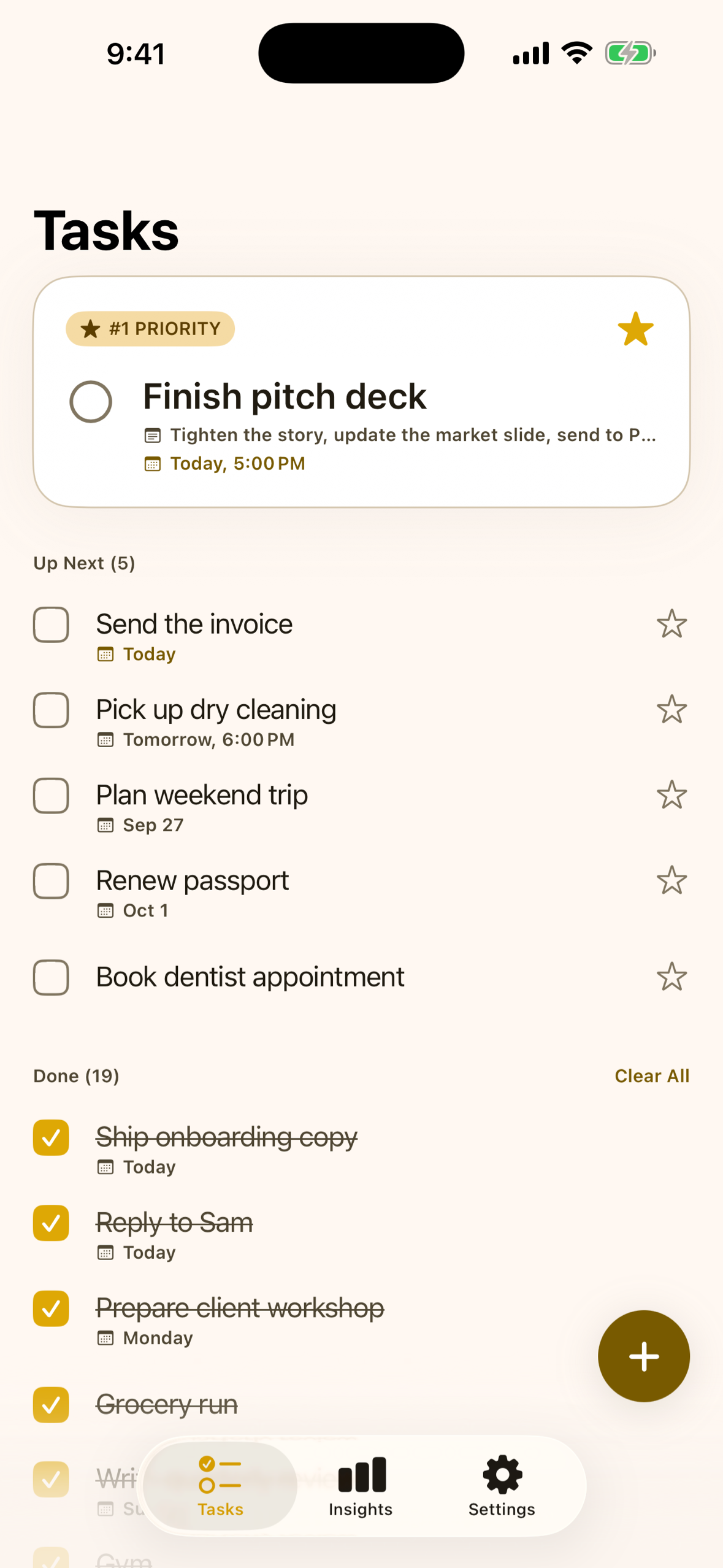
- Star your #1. Add today's most important task and tap the star. Only one task can hold it, so there's never a list of five "priorities" to choose between. Star something else and the star moves, with an undo if that was a slip.
- Pick the apps that pull you away. Instagram, YouTube, a news app, a game — whatever it actually is for you. You choose them through Apple's own picker, so RightCue never learns which apps you picked. This is where iOS asks for Screen Time access: RightCue explains what it needs and why, in its own words, before the system prompt appears.
- Choose how long is too long. Anywhere from 1 to 60 minutes; 15 is the default. Then allow notifications, since that's how a reminder reaches you. Nothing is asked for during onboarding, and one tap never triggers two system prompts.
If something is missing — Screen Time not granted, notifications switched off, reminders paused — the app says so on the Tasks tab and in Settings, with the one button that fixes it. You never have to guess why it went quiet.
Then you forget about it.
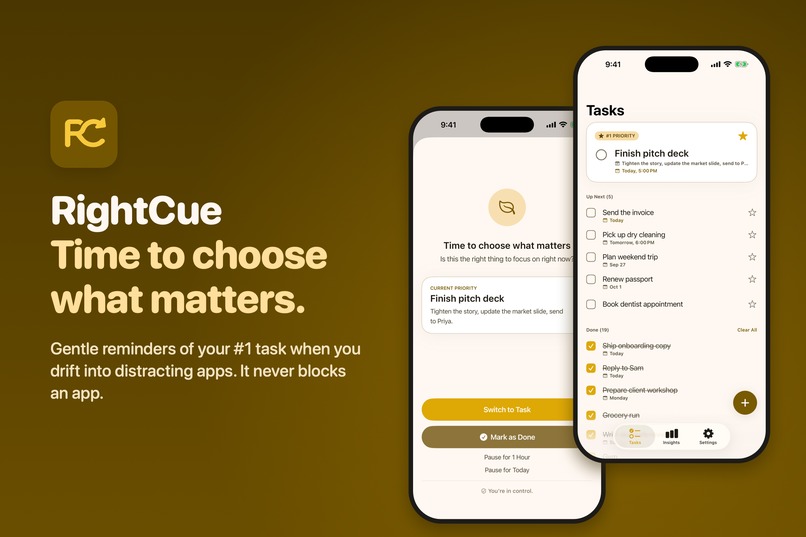
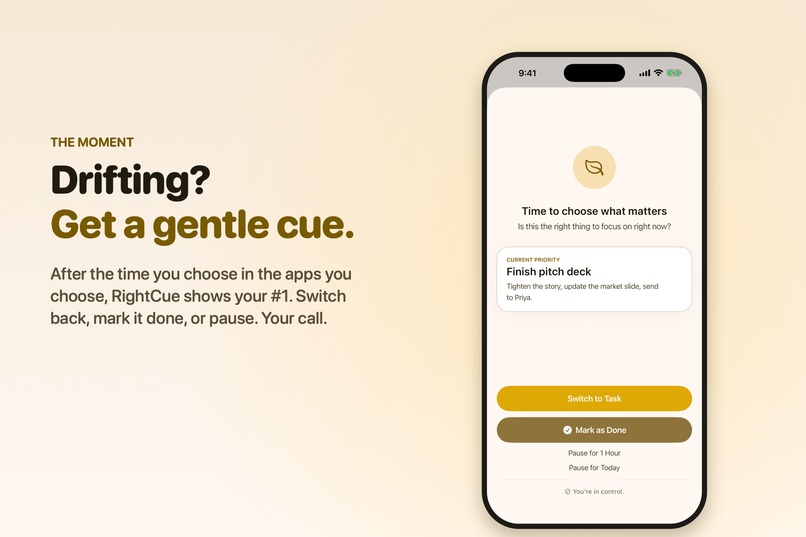
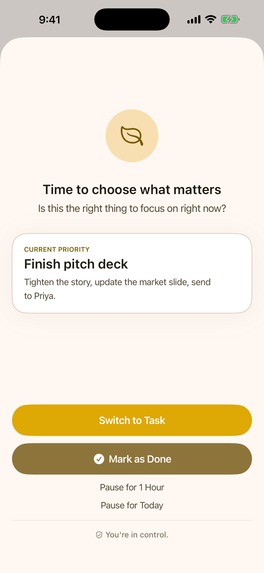
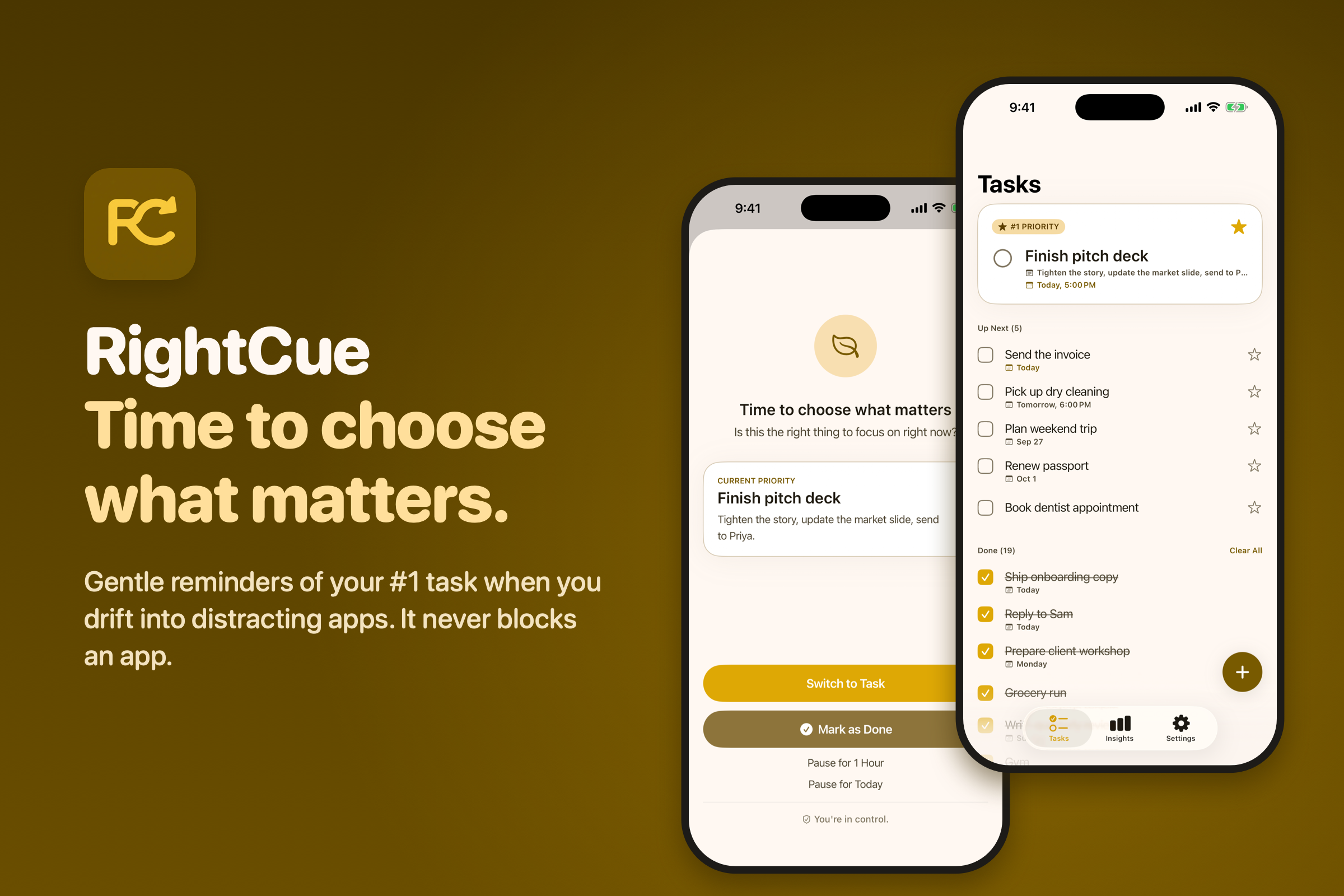
Say you open Instagram at 9 in the evening. Fifteen minutes later, your phone taps you on the shoulder: "Time to choose what matters — Finish pitch deck." Not a lock screen. Not a countdown. A question, essentially: is this still what you want to be doing?
You get three answers, and one of them is doing nothing:
- Switch to Task takes you to what you starred.
- Mark as Done ticks it off, if you already did it.
- Pause for an hour or for today, when scrolling is exactly what you meant to do — because sometimes it is.
Ignore it and nothing happens. No streak breaks, no guilt screen, no lockout. The apps keep working, always. That's the whole promise: RightCue reminds, it never blocks.
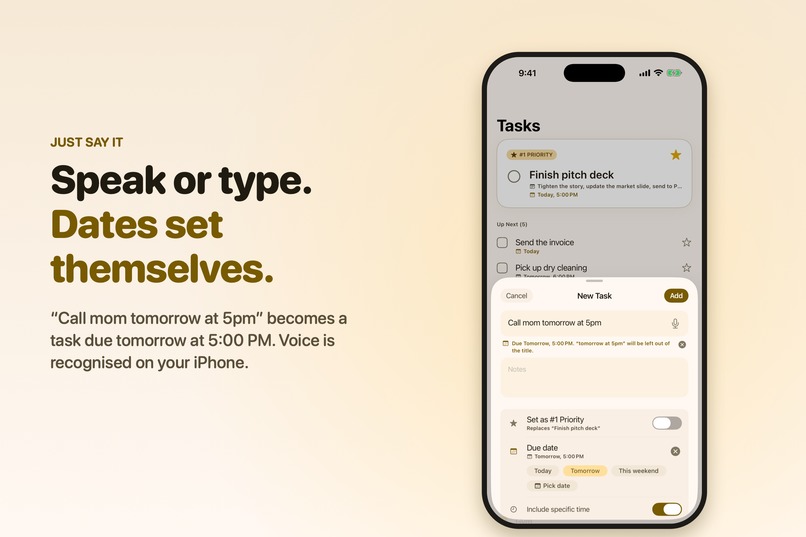
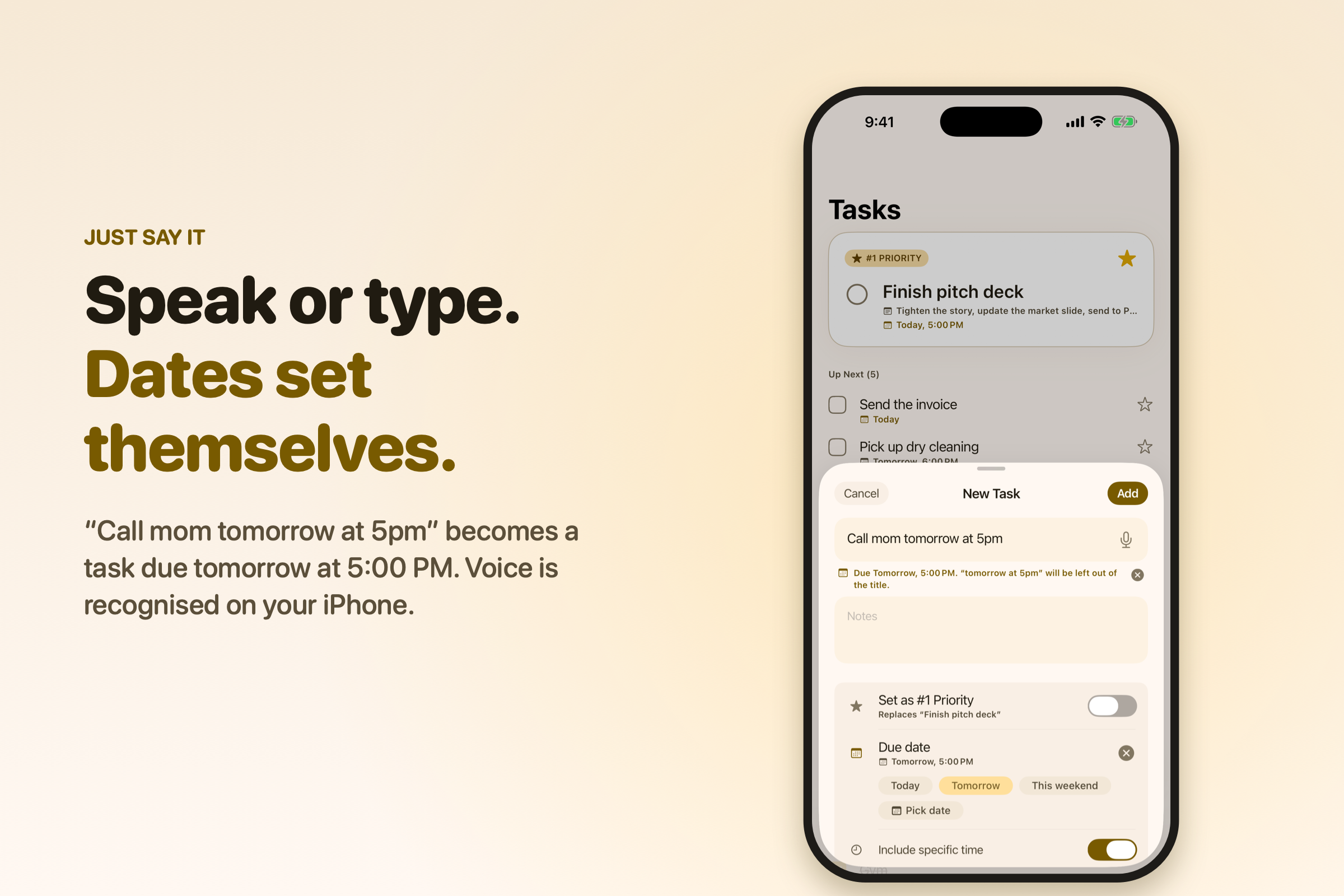
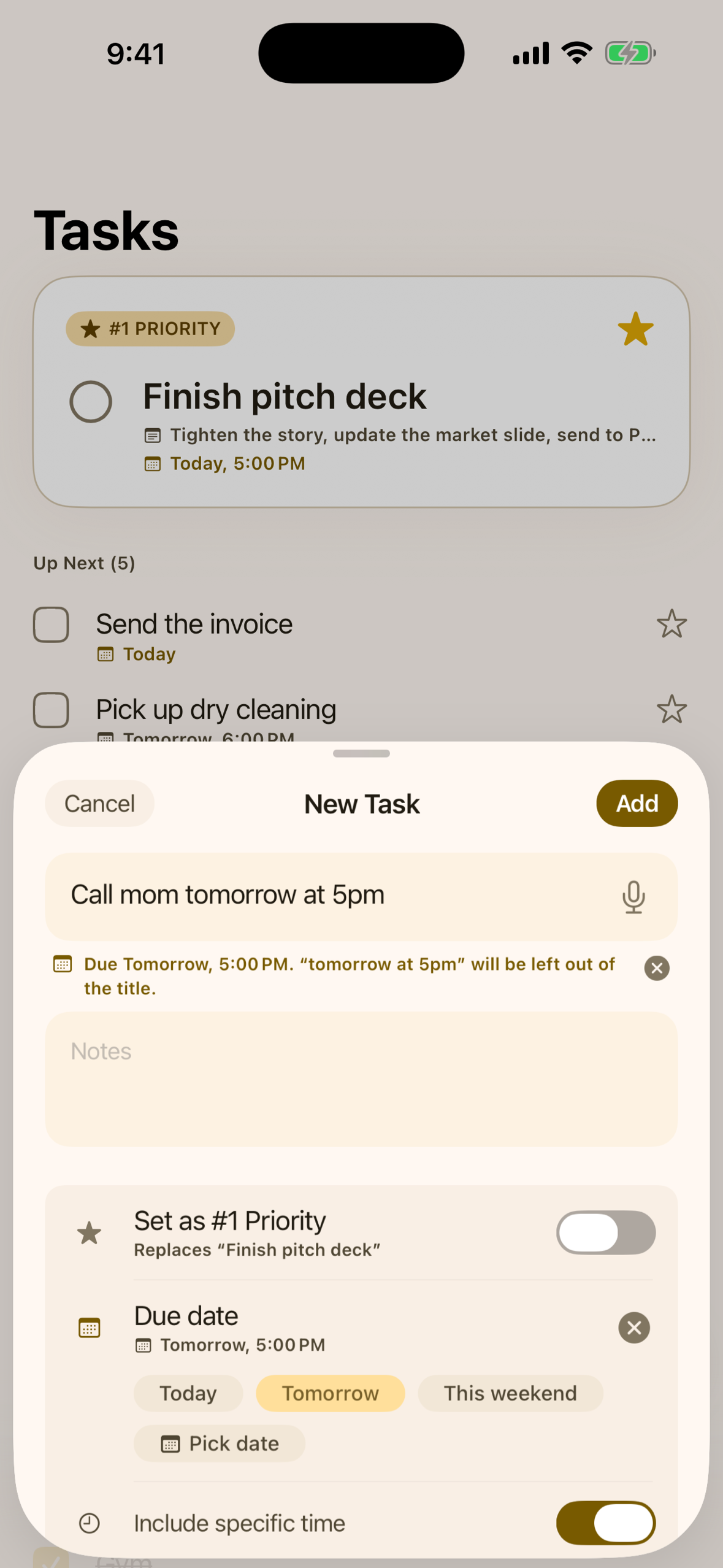
Adding tasks stays out of your way. Tap the mic and say "call mom tomorrow at 5pm", and you get a task called "call mom", due tomorrow at five. Type it instead and the same thing happens as you write — including phrases like "by end of this week", which lands on Sunday.
Anything with a time gets its own reminder at that time. That part has nothing to do with distracting apps: if a task is due at 5pm, your phone says so at 5pm, whether or not it's your #1 and whether or not you've been anywhere near Instagram. Tap it and the task opens. The two kinds of reminder stay out of each other's way — a task with a set time is reminded at its time, not when you drift.
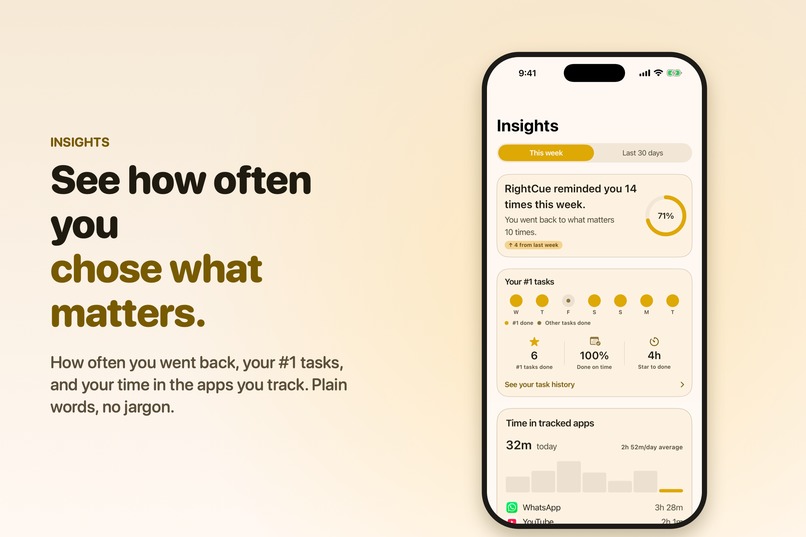
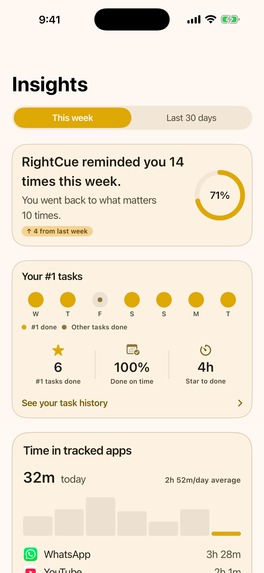
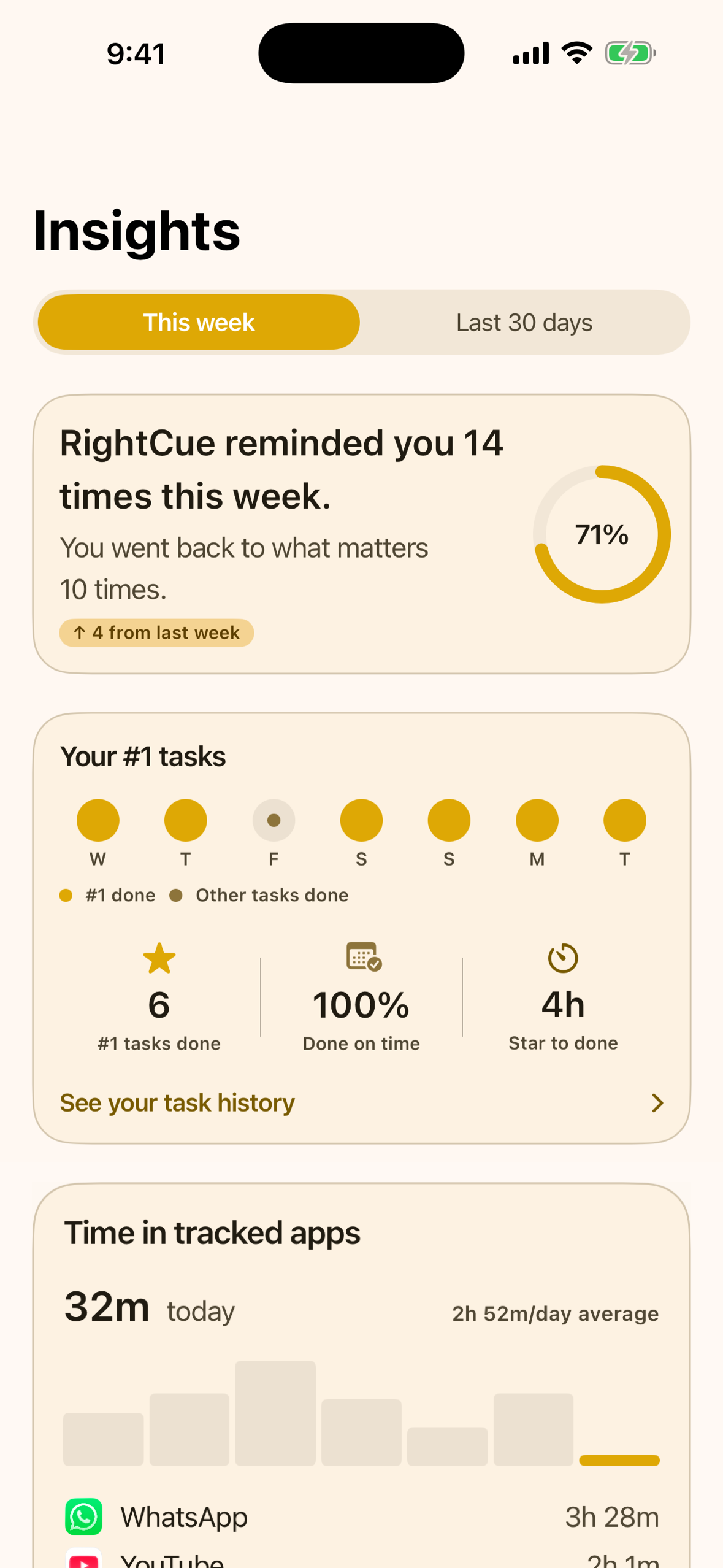
Insights tells you what actually happened, in sentences rather than dashboards: "RightCue reminded you 14 times this week. You went back to what matters 10 times." Underneath that: your #1 tasks day by day, how many you finished on time, how long you really spent in the apps you track — drawn by Apple's Screen Time itself, so even RightCue can't see those minutes — and six milestones to aim at, like finishing your #1 seven days in a row.
How I built it
Native SwiftUI, MVVM, solo. Tasks live in SwiftData, on the device; there's no account and no server anywhere in the app.
The core mechanic runs on Apple's Family Controls and DeviceActivity frameworks. A DeviceActivityMonitor extension watches for the threshold being crossed, entirely on-device, and sends the notification itself — the app doesn't need to be running, or even to have been opened that day. The app and the extension are separate processes, so everything they share goes through an App Group, with one writer per key after I lost events to both of them writing the same one.
Insights uses a second extension, a DeviceActivityReport, to draw your
Screen Time minutes. Voice input uses SFSpeechRecognizer with on-device
recognition, and dates are read out of the title with NSDataDetector plus
a small list of phrases it doesn't know, like "end of this week".
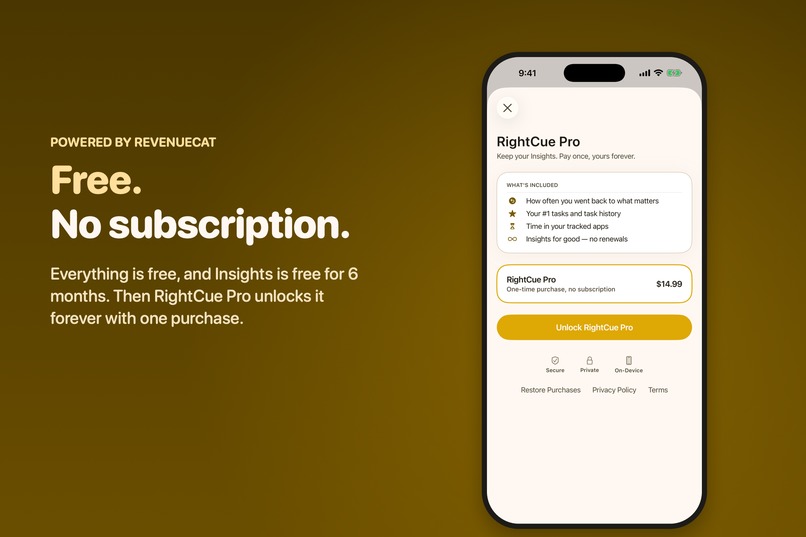
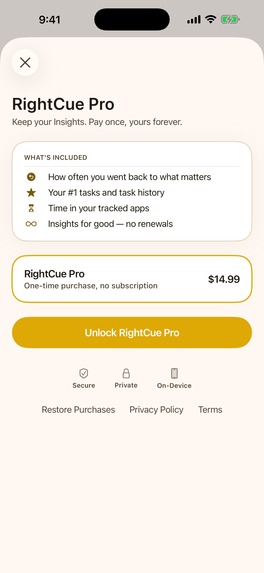
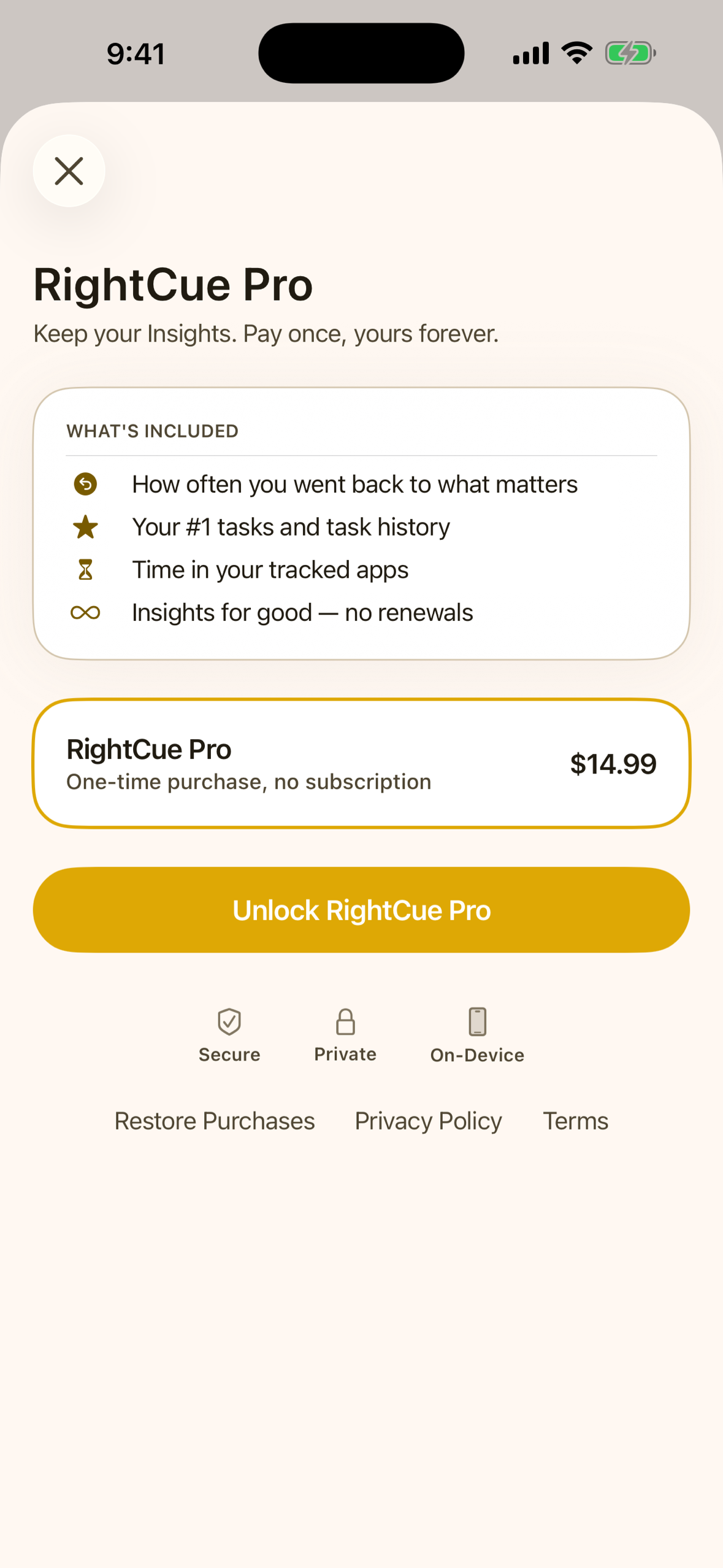
Money runs through RevenueCat, and the model changed completely along the way — because testers said so. The first version was a subscription sitting behind a crippled free tier: one app, one priority task. One tester called the paywall bad, plainly. Others said they'd pay once for an app like this, but not monthly. So I rebuilt it: everything is free and unlimited, except Insights, which is free for six months and then unlocks forever for $14.99. That six months comes from the offering's metadata in RevenueCat, so I can extend it without shipping an update — and I only ever extend it.
Challenges I ran into
- The entitlement wait. Family Controls needs Apple's approval before you can ship, and the stories online suggested weeks. Mine came back in days, but I built the whole app assuming the worst case, which shaped a lot of the early architecture around staying unblocked.
- A bug that only existed in Release. The reminder fired perfectly in
Debug and silently stopped the moment I archived for TestFlight.
Console.app on a real device gave it away: my extension's module was named
DeviceActivityMonitor, the same name as the Apple class it subclasses. Debug tolerated it; Release didn't. - A cold-launch race. Tapping a notification with the app fully killed sometimes opened the wrong screen, because the notification delegate was registered a few milliseconds too late in the SwiftUI lifecycle.
- Screen Time numbers you can't touch. iOS hands those minutes only to a report extension, drawn in its own process. The app can't read them, store them, or even receive a swipe over them. Insights had to be built around what the app is not allowed to know.
- Onboarding asked for permission on the second screen. A tester put it plainly: most people won't grant that, to an app they haven't seen yet. So onboarding now asks for nothing at all. Each permission is requested at the moment the feature needs it, explained in RightCue's own words first, and Settings was rebuilt around a single Reminders card that walks you through setup one step at a time.
- Testers told me the app fought their intuition. Three things came back, and all three were fair. Tapping a task opened it straight in an edit screen, where a "Done" button in the corner could mean "save" or "mark this task finished" — one tester spent a couple of minutes working out which. Choosing a distracting app did nothing visible, so nobody could tell what that choice had bought them. And one tester, coming from Todoist, typed "complete annual report by end of this week" and expected the date to be understood, because his old app did. So tasks now open read-only, with Mark as Done and Edit as separate, obvious actions. Choosing apps immediately shows the sentence "RightCue reminds you after 15 min in:" with your apps under it. And the title field now reads dates as you type or say them — "by end of this week" sets Sunday.
- Being calm is a lot of small decisions. The "star a task" nudge fired at every threshold until I capped it at twice a day. And starring tasks quietly turned into a mess of competing priorities until I cut it to one star, one #1, with an undo.
Accomplishments that I'm proud of
It's live, and it's real. Not a prototype: a shipped app with a system-level entitlement, five versions in seven weeks, and a promise it actually keeps — it never blocks you, it remembers what you said mattered, and it goes quiet again.
Everything that changed after launch came from someone who used it: the onboarding, the task screen, the way dates are typed, how it's sold. I shipped a thing, then let people who weren't me decide what it should become.
And I built it while restarting a career I wasn't sure I'd come back to.
P.S.
RC -> Right Cue
RC -> Revenue Cat
RC -> Rinkal Chahodiya
A lifetime memory 😍
What I learned
That Apple's Screen Time APIs are private by design, not by my good intentions — RightCue genuinely cannot see which apps you chose or what you did inside them, and building Insights inside those limits made the feature better than a version with full access would have been.
That Release can diverge from Debug in ways you only find on a real distribution build, which permanently changed how I test.
A tester told me the one thing RightCue does wasn't communicated anywhere on the App Store page — and he was right. I'd written the page around features, when the whole product is one sentence: it reminds you, it never blocks you. Building the thing and explaining the thing turn out to be two separate pieces of work, and I'd only done one of them.
And the one I didn't expect: my users priced the app better than I did. I'd built a subscription with a deliberately limited free tier, and the people trying it told me two things — that the paywall was bad, and that they'd pay once but not every month. Taking a monthly fee off the table meant I stopped designing around what to withhold, and started designing around what to give away. The app got simpler the moment the business model did.
What's next for RightCue
Dark mode. Siri, so you can add a task or ask what your #1 is without opening the app. Repeating tasks. A different reminder time per app, because an hour in a reading app isn't the same as an hour in a feed. iCloud sync, if it can be done without asking anyone to make an account.
And Android, which is the thing people ask me for most. Plenty of people liked the idea and then told me they couldn't try it, because they're not on iPhone. Android exposes app usage differently, so the reminder loop would have to be rebuilt rather than ported, but the promise travels fine: remind, don't block.
A sound of its own for the reminder, too. Right now it arrives like every other notification, which makes it easy to swipe away without reading — testers said as much. A distinct, calm sound, and possibly marking it Time Sensitive so it isn't buried by a Focus mode, should make the moment land without turning RightCue into something that nags. That line is the hard part, and it's the one I'll keep testing: it always stays a reminder, never a block.

Log in or sign up for Devpost to join the conversation.