Inspiration
Andreas: For the past year I have been interested in one particular question - what does an application look like when its primary user is an agent? And how can humans and agents collaborate? Since the start of last year, I have explored the MCP spec at depth and how it can be used by agents, and chronicled my adventures at my blog (https://nullpointer.se). I've been especially interested in "agentic UI", and what the future of applications and UI will look like, as we enter the agentic era. I have spent a lot of time exploring protocols such as AG-UI, A2UI and MCP Apps to try to understand what lies in the future for agentic applications and user interfaces. I am a strong believer in the paradigm of "generative UI", and the agent dynamically presenting just the information and the functionality the user needs - when he or she needs it.
My main realization from the last year of experimentation with MCP and adjacant tech is that agentic user interfaces are not only more efficient, they are also more fun to use.
In July 2025 I read about MCP-B on Hacker News and the idea that web apps could expose MCP tools directly to an agent running in the browser. Since I was deep into MCP at that time, I was really excited by this and started exploring the spec. Being in the Microsoft space, I did experiments with MCP-B tools running inside a Power App, and when MCP-B was accompanied by the WebMCP proposal and Chrome shipped its first preview, I tried that too in various demos - for example here.
When I heard about the WebMCP hackathon I got really stoked, since I had been wanting to try WebMCP more. I also already had a good demo scenario - at the conference AgentCon Stockholm earlier this year I gave a talk on agentic applications and used a PC part picker to demonstrate how to use AG-UI to share state between an agent and an app (still live here). It was a good example of an agentic application, but the website had to ship the AI-assistant and foot the inference bill. WebMCP inverts that, which is an interesting idea. The user brings the agent, and the site hands it tools.
So we (Andreas Adner and my friends Rafsan Huseynov (in the US) and David Lorenze (in Spain)) expanded upon this idea and built RigBuilder, a PC Builder where an agent can help you out, using WebMCP.
What it does
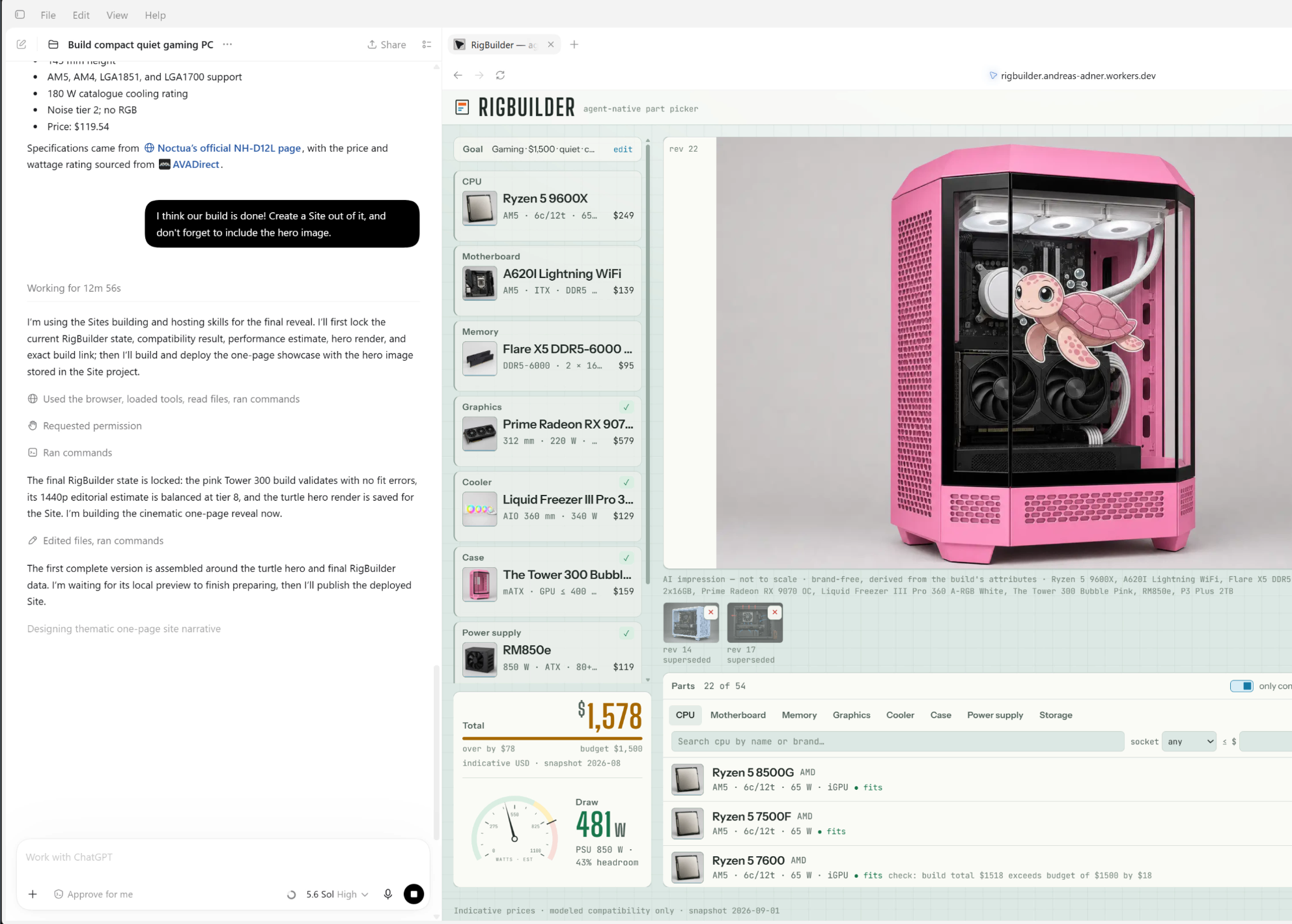
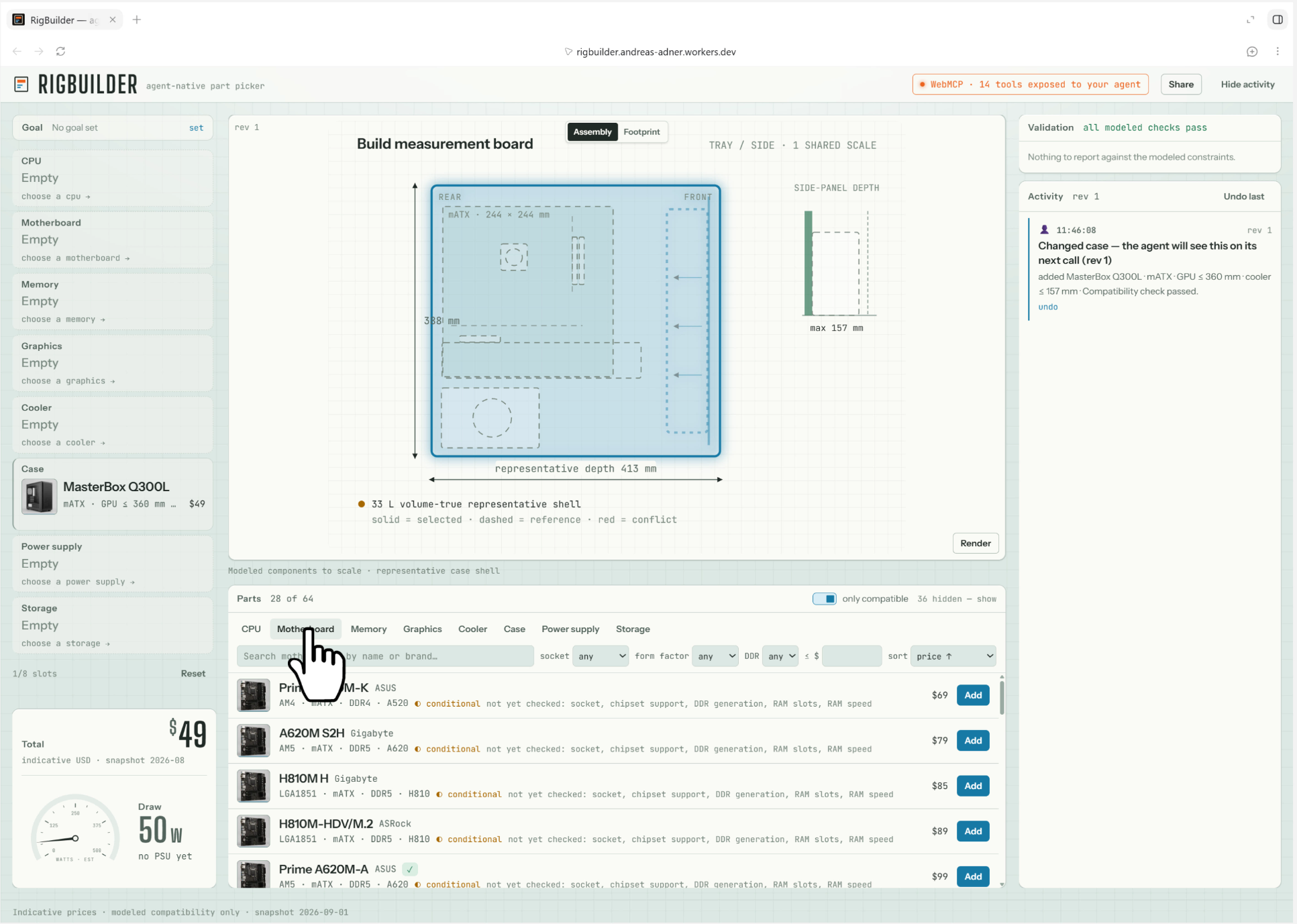
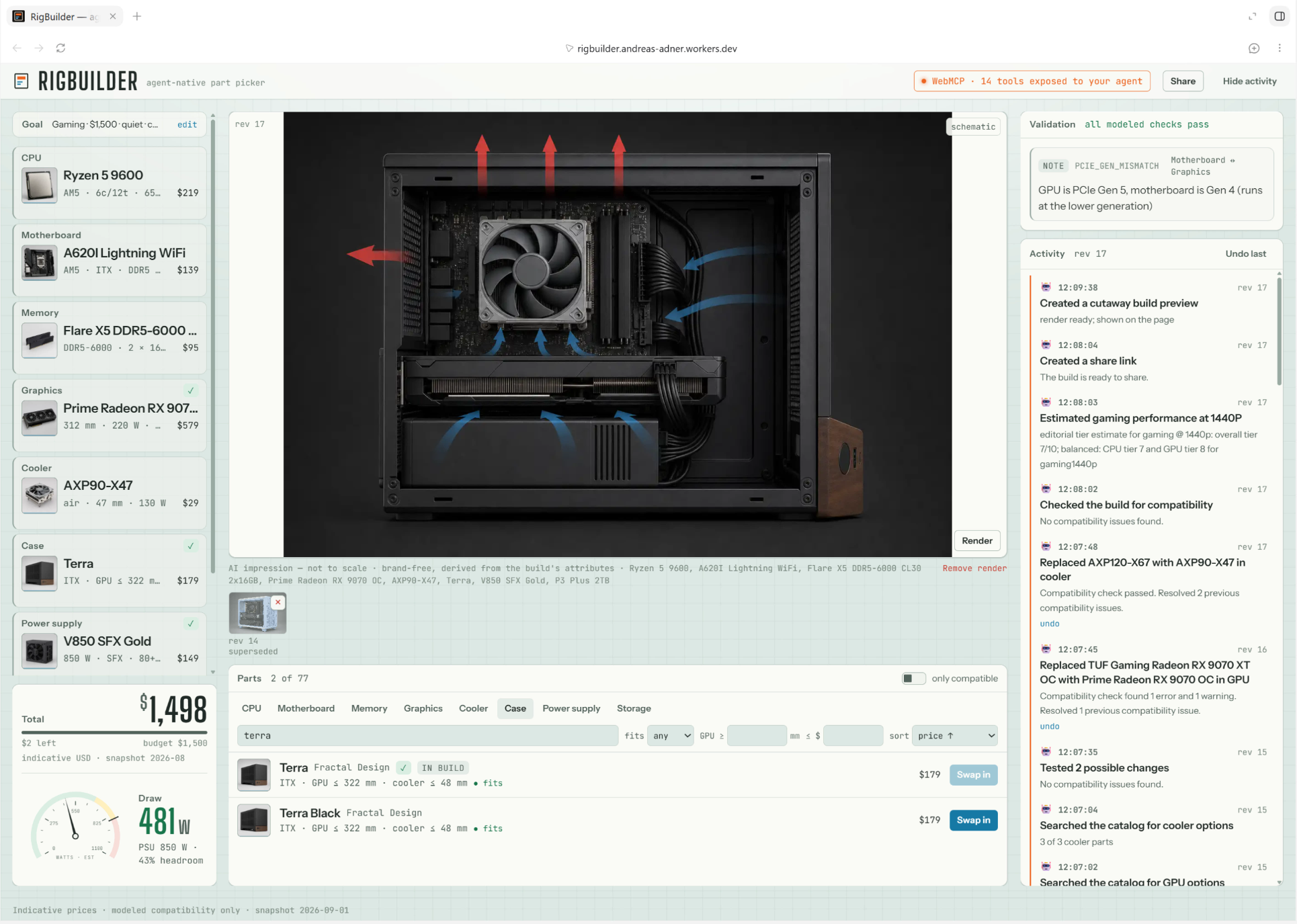
RigBuilder is an agent-native PC part picker. It is also a compatibility and constraint solver, making sure that all parts fit together and are within your budget. Your agent (ChatGPT's desktop browser, or Chrome 149+ with an agent) drives the build through 14 WebMCP tools and the agent gets access to validation and a gets a state revision back on every call. For example, ask for "a quiet, compact 1440p gaming PC under $1500" and the agent helps you assemble it. Swap the case by hand and say "fix whatever broke" and the agent reads your change from the shared state. Ask to get under $1400 and the page's optimizer computes the swap plan for the agent to present, and so on and so forth. Ask to see it, and render_build tool produces a brand-free impression of your parts using an OpenAI imagegen model (expect mixed results, it's AI after all ;-)
There is a also a second user group - admins. An admin can curate the part catalogue in an WebMCP-enabled admin experience, where he for example can get help from his agent to research a newly launched part on the web and add it to the catalogue with the help of the agent.
And RigBuilder is also a complete manual part picker, if you don't have an agent. :-)
How we built it
React/Vite/TypeScript with Zustand, and a single Cloudflare Worker: D1 for the catalog, R2 for renders and part cards, KV for share links, a Durable Object for the daily render quota, a Rate-Limiting binding for bursts, Turnstile for the render gate, Cloudflare Access to gate access to the admin side.
The WebMCP surface was the priority, so it got the most design effort. Every tool returns the same envelope: validated build, conflicts, revision, so the agent never has to guess what changed. Shared state is versioned: a write based on stale knowledge is rejected even if the agent never learned about revisions, because the guard defaults to the revision the agent last saw. Tool descriptions carry untrustedContentHint where web-sourced text enters. The render_build tool sends only part ids and enums; the Worker rebuilds the prompt and cache hash itself and never trusts a client prompt or image. The catalog is 448 hand-authored parts, 82 verified against manufacturer spec pages with recorded sources; every tool result says which is which.
Challenges
The main challenge was deciding what the WebMCP tools should actually do. We did not want to expose a simple "remote-control" layer that simply mapped tools to normal user interactions - buttons and clicks. The tools needed to give the agent capabilities beyond what a user could accomplish: validating an entire build, identifying conflicts, optimizing against a budget, and returning a complete, structured view of the resulting state. Finding the right level of abstraction was a challenge. Each tool had to be powerful enough to add real value, but focused enough for an agent to understand when and how to use it.
Shared state created another WebMCP-specific problem: both the human and the agent can modify the build. The agent might plan its next action from a state that the user has already changed manually. We solved this with versioned state and revision guards that reject stale writes, while still allowing agents to use the tools without explicitly managing revision numbers on every call. From my experiments with AG-UI I have realized that shared state between agent and app is a major unlock when it comes to agentic applications - and WebMCP is really good fit here.
Finally, we had to treat the agent as capable but not inherently trusted. Tool inputs are validated by the application, web-sourced catalog text is marked as untrusted, and sensitive operations are reconstructed and checked on the server. WebMCP makes an application dramatically more accessible to agents, but it comes with some new and specific challenges when it comes to security.
What we learned
WebMCP changes who and what you design for. When the agent becomes the interface, tool descriptions form the foundation of the interaction model. Designing a good agent experience requires the same care as designing a visual one; that care simply moves into the tools, their contracts, and the state they share with the page. This is a pretty interesting shift. It's also an interesting challenge that we can't really make that many assumptions with regard to the agent that is consuming the WebMCP tools.
We also learned that the entire “add an AI assistant” architecture can disappear/morph. RigBuilder has no embedded model, inference bill, or chat widget. The user brings the agent, while the application contributes its tools, domain knowledge, and interface. There is no assistant bolted onto the side anymore - also a major shift.
What's next
Lots of stuff to do. More verified parts, exact cards for the whole catalog, live pricing, and the part I care most about - bringing the same pattern back to the business applications I work with in my day job.
Built With
- chatgpt
- chrome
- cloudflare-access
- cloudflare-d1
- cloudflare-kv
- cloudflare-r2
- cloudflare-turnstile
- cloudflare-workers
- durable-objects
- gpt-image-2
- mcp
- openai
- react
- sqlite
- tailwindcss
- typescript
- vite
- vitest
- webmcp
- wrangler
- zod
- zustand

Log in or sign up for Devpost to join the conversation.