
Inspiration
Oddly enough, we originally brainstormed project ideas that connected healthcare & financial literacy -- a far stretch from our student-targeted indoor navigation program. It was important to us that our project was something new that filled a gap in existing technology, and that our project was something we could implement a reasonable representation of within the allotted 37 hours, but all of our healthcare & financial literacy ideas were overly ambitious and easily proven redundant.
Instead, we tried to imagine tools that could assist us as Rice students. With one non-Rice student on our team, we'd already been discussing our Rice experience throughout the evening. At first, we made serious plans for a textbook access & resale project, connection financial literacy to the education track instead, but we soon realized how much we had to say about the times we'd gotten lost looking for classrooms, offices, and events at Rice.
(Rice freshman are smart, but discerning between Herman Brown Hall, Alice Pratt Brown Hall, George R. Brown Hall, Margaret Root Brown College, AND the George R. Brown School of Engineering is a lot, even for us. Don't forget the standalone Farnsworth Pavilion building that houses Little Kitchen HTX, and the Farnsworth Pavilion that's just a room within the RMC; Sewall Hall's ground floor actually being the third floor; the labyrinth students must sacrifice themselves to trying to find their study room at Fondy; and countless other examples that challenge Rice students just as much as their COMP 140 recipes do.)
No matter how we tried to refocus on healthcare or financial literacy, our passion for internal building navigation outshone any other idea - and tackling a project we were so deeply passionate about was more important and meaningful than trying to fit our square project into a round peg. And so, at 10:30pm, NaviGlance was born.
What it does
Imagine this -- no more walking all over Duncan Hall in despair looking for your professor's office hours, no more searching Sewall for the rare staircase that actually connects the 3rd (ground) floor to the 1st (bottom basement) floor, and no more trying to find your classroom on the first day of the semester only to have Keck 100 be the very last exterior door you try. NaviGlance shows you where the room you're looking for is, and gives you a personalized route to get there.
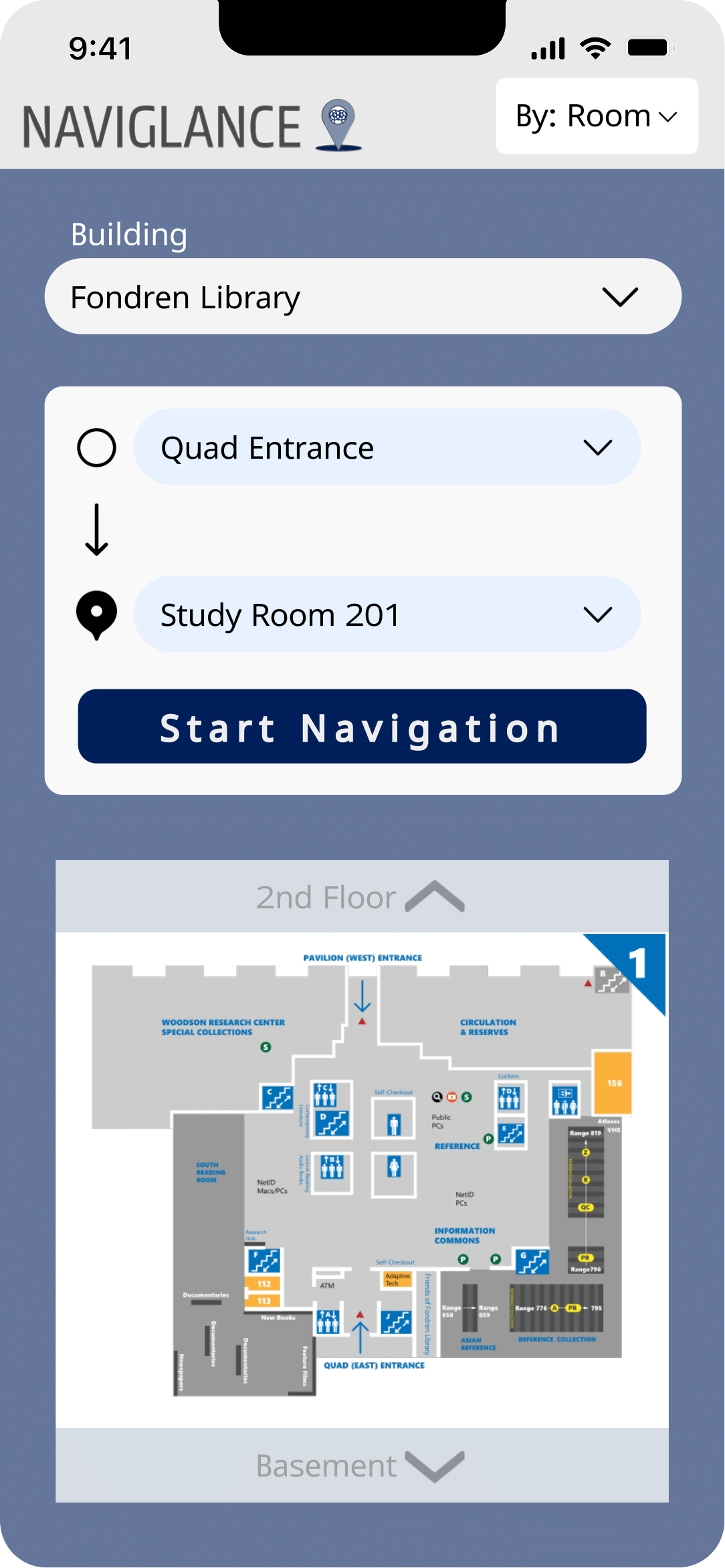
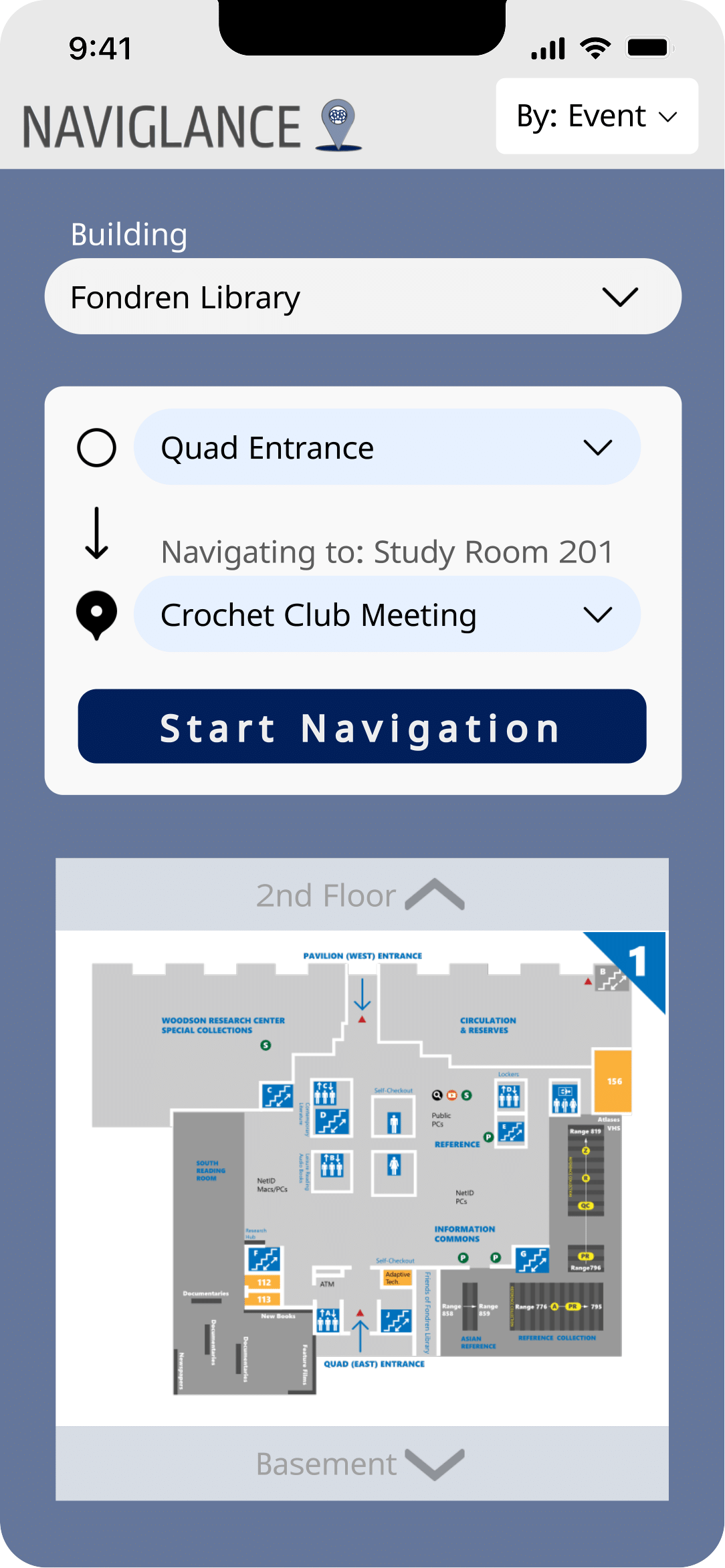
NaviGlance, in a sense, serves as Google Maps for the indoors - you can view floor plans for buildings, select a room to have it be highlighted on the map and, by setting your current room or entry location, generate a route that will lead you to the room you're looking for. While we only implemented the NaviGlance program for Rice University's Fondren Library specifically due to limited time -- NaviGlance Rice -- the framework could be applied and expanded in countless ways: to navigate other universities, to navigate hospitals, to navigate shopping malls, to navigate department stores, to navigate libraries. Any interior building with multiple rooms, racks, or aisles could be implemented into the NaviGlance system to stop people from wondering "How do I get there?" or "How do I get out of here?".
How we built it
To build NaviGlance Rice, we split into frontend (Johann and Jenny) and backend (Issy and Hazel) teams.
In the front end, Johaan and Jenny learned BeeWare so that our program could be deployed on iOS, Android, and web systems alike, and brought our brainstormed UI and design to life. Jenny implemented a feedback box where users can submit comments to our team, but it was ultimately not utilized in our final product due to time limitations. Jenny also added an external link to the building in Google Maps. When we realized we could not implement BeeWare within the time constraints, Johann constructed a GUI interface the application so that we could still deploy a good product.
In the back end, Hazel built custom room and building objects to represent floorplans with, implemented the A* algorithm to choose an efficient path, and created functions to superimpose the calculated route onto the building's floor plans. Issy spent an impressive amount of time exploring Fondren and taking notes, hardcoded Fondren's key locations in the building-and-room graph system, and fine tuned Hazel's code to produce the desired result. After the back end was finished, Issy spearheaded the Figma design, while Hazel worked on logo design.
Challenges we ran into
Most people use Google Maps on their phones; they don't pull out their laptop to look up where they're going or how to get there. Thus, we needed our application to be usable on our phones. However, we didn't want to limit function of our application to just iOS or Android, as that would inaccessible. To solve this, we implemented BeeWare, an open-source project that allows Python programs to run on different devices. This was a steep learning curve and easily the most challenging part of our project. Ultimately to have a deployable program by the deadline we had to make the decision late Saturday to switch to a GUI interface, and have saved our BeeWare progress for future development.
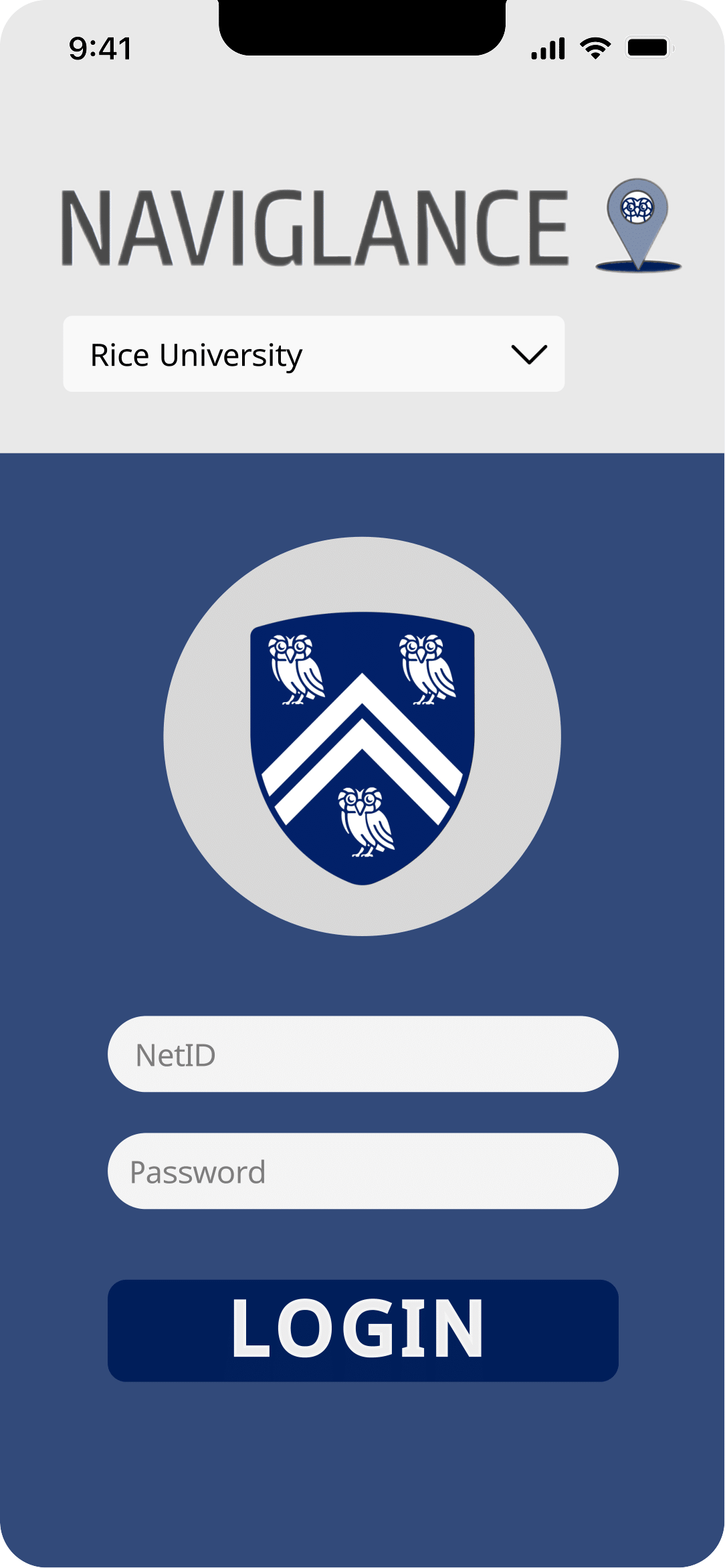
Additionally, we wanted NaviGlance Rice to have secure login, so that only Rice students could see detailed floor plans for Rice buildings. As such, Jenny and Issy spearheaded the efforts to learn Auth0 and implement into our project. Auth0 has potentially caused lifelong trauma but we're proud that we were able to eventually integrate it successfully into our project. Our team was able to easily understand the local version of Auth0 but struggled with the online login page; we think this was because we didn't have any web maps.
Accomplishments that we're proud of
We put a lot of hard work into this project over the course of the past 33 hours (so excited to be typing this at 3am! enjoyed hackrice would do again but also we will be sleeping until tomorrow afternoon when we receive our top five notification ;) -- sincerely sleep deprived hacker) and there's honestly a lot that we're proud of.
Shout out to Issy for single-handedly hardcoding the entirety of Fondy 1st and 2nd floors into our program. No one knows Fondy first floor better than Issy now (save for the fact that she needed to reference her notes to find the elevator to join us again in our study room --> real example of why NaviGlance is useful because we get so incredibly lost in Fondy it's impressive).
On a more serious note, we're super proud that we got the connection to the Outlook email API to work. It took five hours to get connected and even more email addresses to make this happen as it mostly came down to trial and error. We're also very proud of getting Auth0 to function, but we already discussed that in some detail above, so we'll spare you the recap.
We think we had very strong teamwork and collaboration. We all come from different nations, different majors, and different personalities, and were able to effectively utilize all of our diverse strengths to build a project that we were all intensely passionate about. It feels like a lifetime ago that we thought about healthcare & finance, and while NaviGlance can absolutely be applied to hospitals and medical complexes, we're all extremely satisfied with the project we've completed (or rather, only just begun).
Lastly, we're very proud of the branding and project identity we developed in the latter half of Saturday (read: Sunday morning 1am). We spent the majority of this weekend not even having a name for our project, so to have ended up with NaviGlance, a slogan, and even a logo drawn in a program more incompetent than MS Paint is the boost of 2am energy we never knew we needed. (We also appreciate the free RedBulls.)
What we learned
We learned a lot of new technologies and implementations that none of had used before, such as BeeWare, Auth0, Figma, email automation, and API integrations including the Google Maps link. We learned the art of physically surveying and hardcoding a building and then accurately superimposing routes from that graph onto the building's floorplan. Most recently, we learned how the only other people awake at 2am on a Saturday are the overly friendly drunk people from Lovettpalooza (word of advice: stay in your study room, do not interact).
What's next for NaviGlance
On the back end, we want to expand our database of Rice facilities to have coded floorplans for every building at Rice. Additionally, we would increase the detail on our existing floorplans to present a more detailed map.
We would like to add functionality for NaviGlance to provide directions between buildings. We could direct scooter or bicycle commuters to bike racks before they enter; implement accessibility toggles to not allow staircases or other wheelchair-inaccessible routes; create a general "closest bathroom finder" as opposed to having users select specific bathroom locations. We would love to be able to superimpose a GPS component so you can see your current location on the map even as you walk.
We want to properly develop our BeeWare implementation so that NaviGlance Rice can successfully be deployed to all devices, utilizing the lovely UI that Issy designed, and implementing the feedback interface that Jenny developed. Honestly, there's so many things we would like to add to NaviGlance, if we had the opportunity.
Ultimately, we envision NaviGlance to be scaled to other universities and organizations - imagine a NaviGlance Kennesaw, a NaviGlance Houston Methodist Hospital, a NaviGlance Houston Public Library.
With unconventional wisdom, intellectual brutality, and a touch of Kennesaw State EAT, we hope that NaviGlance can make the world a better and more accessible place.
Built With
- apis
- auth0
- beeware
- figma
- gui
- matplotlib
- python
- tkinter


Log in or sign up for Devpost to join the conversation.