-
-
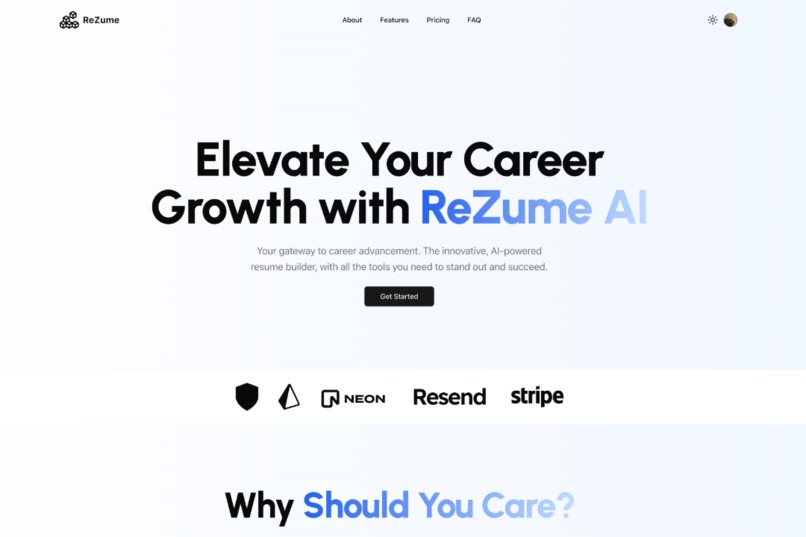
Home Page
-
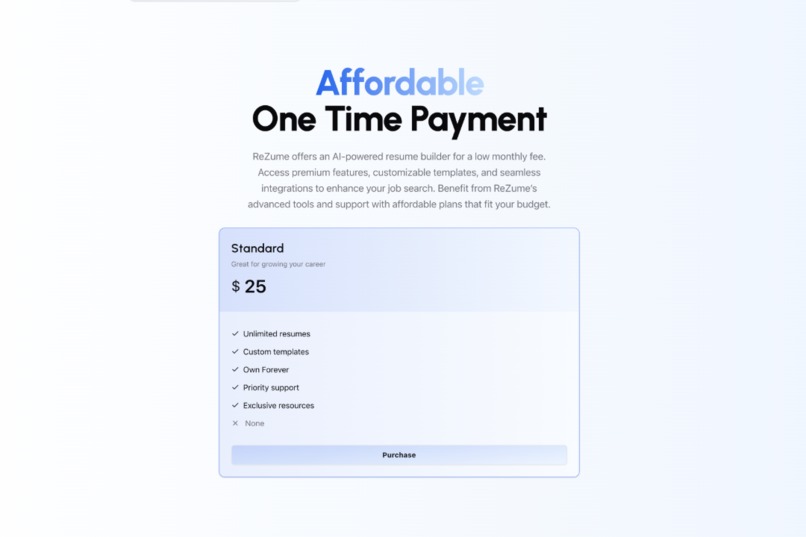
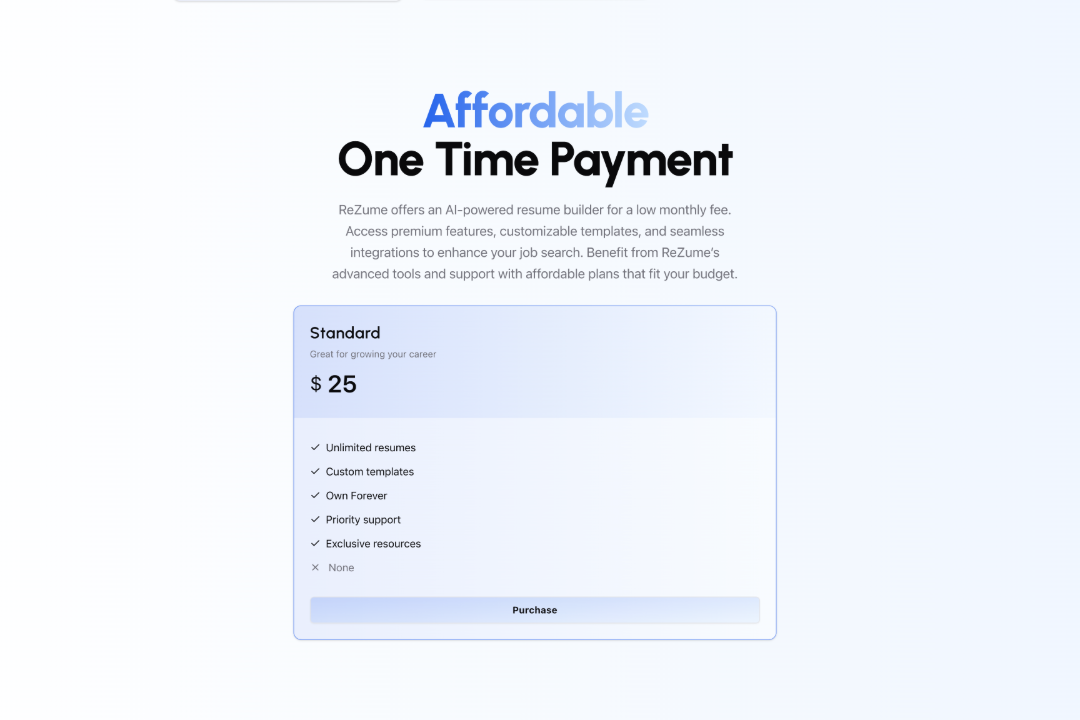
Payment Screen
-
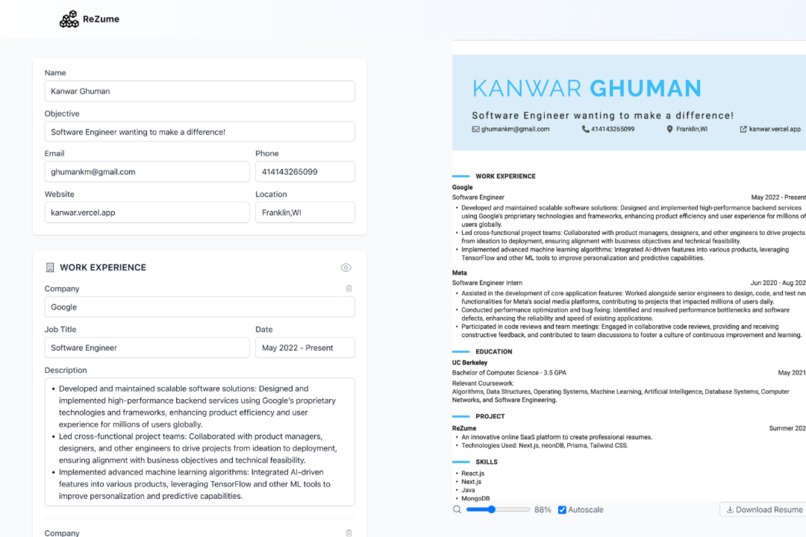
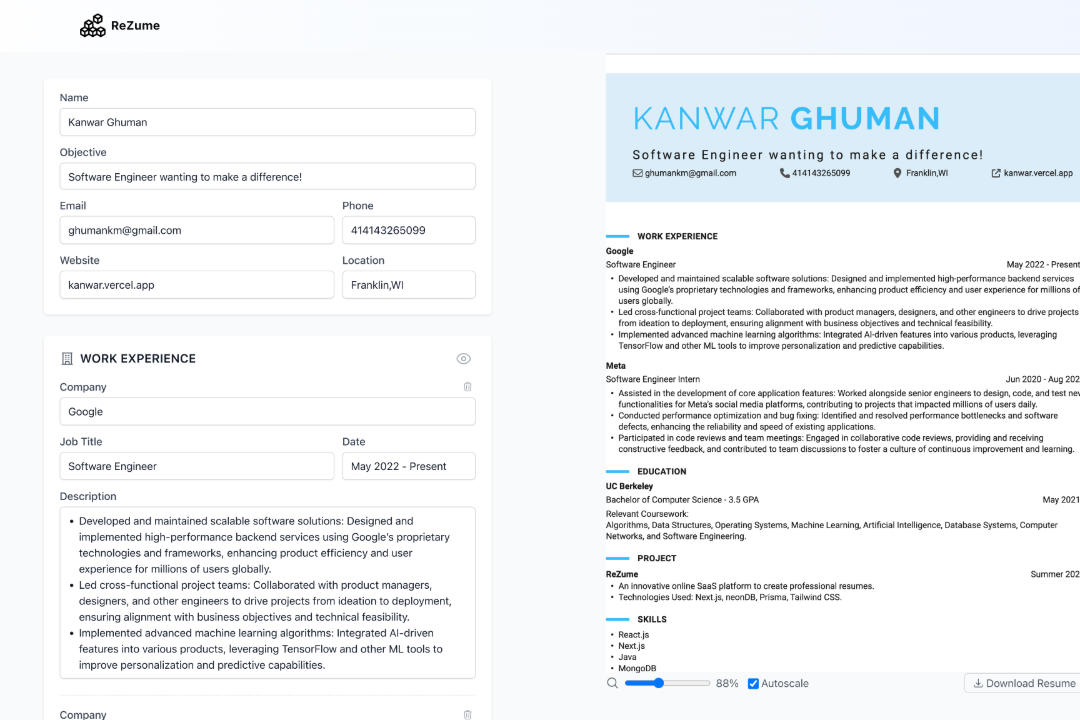
Resume Builder
ReZume
Inspiration
The inspiration for ReZume came from our personal experiences and frustrations with the traditional resume creation process. Crafting a resume that effectively highlights one's skills and experiences can be time-consuming and difficult. We wanted to create a solution that simplifies this process, leveraging an easy form to assist users in generating professional resumes that stand out. Our goal was to empower job seekers by providing them with a tool that enhances their job application process, making it easier and more efficient.
What it does
ReZume is an innovative online SaaS platform designed to help users create professional resumes effortlessly. Key features include:
- Multi-Step Form: A guided form that collects all necessary information in a structured manner.
- Real-Time Updates: Users can see their resume being updated in real-time as they input their information.
- User Authentication: Secure login and registration for users to save and manage their resumes.
- Payment Integration: Options for users to purchase premium features.
How we built it
ReZume was built using a modern web development stack. Here’s a breakdown of the technologies and frameworks we used:
- Next.js: For our main web framework
- neonDB: As our database solution, chosen for its performance and scalability.
- Prisma: As our ORM, simplifying database interactions.
- Tailwind CSS: For rapid and responsive styling.
Code Example: Real-Time Template Update
import React, { useState } from "react"


export const Form = ({
  form,
  addButtonText,
  children,
}: {
  form: ShowForm
  addButtonText?: string
  children: React.ReactNode
}) => {
  const showForm = useAppSelector(selectShowByForm(form))
  const heading = useAppSelector(selectHeadingByForm(form))

  const dispatch = useAppDispatch()
  const setShowForm = (showForm: boolean) => {
    dispatch(changeShowForm({ field: form, value: showForm }))
  }
  const setHeading = (heading: string) => {
    dispatch(changeFormHeading({ field: form, value: heading }))
  }

  const isFirstForm = useAppSelector(selectIsFirstForm(form))
  const isLastForm = useAppSelector(selectIsLastForm(form))

  const handleMoveClick = (type: "up" | "down") => {
    dispatch(changeFormOrder({ form, type }))
  }

  const Icon = FORM_TO_ICON[form]

  return (
    <BaseForm
      className={`transition-opacity duration-200 ${
        showForm ? "pb-6" : "pb-2 opacity-60"
      }`}
    >
      <div className="flex items-center justify-between gap-4">
        <div className="flex grow items-center gap-2">
          <Icon className="h-6 w-6 text-gray-600" aria-hidden="true" />
          <input
            type="text"
            className="block w-full border-b border-transparent text-lg font-semibold tracking-wide text-gray-900 outline-none hover:border-gray-300 hover:shadow-sm focus:border-gray-300 focus:shadow-sm"
            value={heading}
            onChange={(e) => setHeading(e.target.value)}
          />
        </div>
        <div className="flex items-center gap-0.5">
          {!isFirstForm && (
            <MoveIconButton type="up" onClick={handleMoveClick} />
          )}
          {!isLastForm && (
            <MoveIconButton type="down" onClick={handleMoveClick} />
          )}
          <ShowIconButton show={showForm} setShow={setShowForm} />
        </div>
      </div>
      <ExpanderWithHeightTransition expanded={showForm}>
        {children}
      </ExpanderWithHeightTransition>
      {showForm && addButtonText && (
        <div className="mt-2 flex justify-end">
          <button
            type="button"
            onClick={() => {
              dispatch(addSectionInForm({ form }))
            }}
            className="flex items-center rounded-md bg-white py-2 pl-3 pr-4 text-sm font-semibold text-gray-900 shadow-sm ring-1 ring-inset ring-gray-300 hover:bg-gray-50"
          >
            <PlusSmallIcon
              className="-ml-0.5 mr-1.5 h-5 w-5 text-gray-400"
              aria-hidden="true"
            />
            {addButtonText}
          </button>
        </div>
      )}
    </BaseForm>
  )
}
Code Example: Prisma Schema for DB
model User {
  id                            String      @id @default(cuid())
  name                          String?
  surname                       String?
  username                      String?     @unique
  email                         String?     @unique
  emailVerified                 DateTime?   @map("email_verified")
  emailVerificationToken        String?     @unique @map("email_verification_agent")
  passwordHash                  String?     @map("password_hash")
  resetPasswordToken            String?     @unique @map("reset_password_token")
  resetPasswordTokenExpiry      DateTime?   @map("reset_password_token_expiry")
  image                         String?
  createdAt                     DateTime    @default(now()) @map("created_at")
  role                          Role        @default(USER)
  accounts                      Account[]
  sessions                      Session[]
  resumes                       Resume[]    // Add this line to indicate relation to Resume model

  @@map("users")
}

model Resume {
  id                    String    @id @default(cuid())
  userId                String    @map("user_id")
  price     Float
  name                  String?   // Optional: full name of the user, if not split into separate fields
  email                 String?
  phone                 String?
  address               String?
  objective             String?   // Career objective or summary
  education             Json      // JSON array to store multiple entries for education history
  experience            Json      // JSON array to store multiple work experiences
  skills                Json      // JSON array to store skills
  certifications        Json      // JSON array to store certifications or licenses
  languages             Json      // JSON array to store languages and proficiency levels
  references            Json      // JSON array to store reference contacts
  templateId   String?   // Optional: ID of the selected template
  template     Template? @relation(fields: [templateId], references: [id])
  status                String    @default("draft") // Status like draft, submitted, published
  createdAt             DateTime  @default(now()) @map("created_at")
  updatedAt             DateTime? @updatedAt
  submittedAt           DateTime? // Timestamp when the resume was submitted, if applicable

  user                  User      @relation(fields: [userId], references: [id], onDelete: Cascade)

  purchases            Purchase[]

  @@map("resumes")
}
Challenges we ran into
One of the biggest challenges we faced was ensuring real-time synchronization between the form inputs and the resume preview. This required efficient state management and rendering optimizations to maintain a smooth user experience. Additionally, implementing secure authentication and handling sensitive payment information posed significant challenges. We had to ensure robust security measures to protect user data.
Accomplishments that we're proud of
We’re proud of the intuitive and user-friendly interface we designed, which simplifies the resume creation process. The real-time preview feature is a standout accomplishment, providing immediate feedback to users. Successfully integrating a secure authentication system and seamless payment gateway were very rewarding as well .
What we learned
Throughout the development of ReZume, we gained deep insights into state management in React and Next.js, particularly with real-time data synchronization. We also deepened our skills in database management using Prisma and neonDB. The project reinforced the importance of balancing functionality with usability and the critical role of security in web applications due to the sensitive data we were handling(PII). Additionally, we learned valuable lessons in integrating third-party services for authentication and payments.
What's next for ReZume
Looking ahead, we plan to expand ReZume’s capabilities by adding more customizable templates and enhancing the content suggestions using AI. We aim to incorporate advanced analytics to help users optimize their resumes for specific job applications. Additionally, we’re exploring the integration of a job matching feature, where users can receive job recommendations based on their resume content. Improving performance, scalability, and expanding our payment options are also on our roadmap.
We believe ReZume has the potential to revolutionize the resume creation process, making it more accessible and efficient for job seekers everywhere
Built With
- neondb
- nextauth
- nextjs
- postgresql
- prisma
- tailwind

Log in or sign up for Devpost to join the conversation.