Inspiration
In South Africa, many learners do not have access to the best resources, schools and tutors. A student who can afford a private tutor might have someone who can sit with them, explain the circle theorem three different ways until it clicks, check their essay, debug their code, but a student at an under-resourced school gets a textbook and might not have much to help them schooling. While using tools such as ChatGPT, a lot of these tools can feel generic, not built for the specific curriculum, not calibrated to the specific grade level, not designed with the particular student in mind. That's where Reya comes in.
What it does
Reya is an AI tutor for students in Grades 4 to 12. It's a full workspace with five tools:
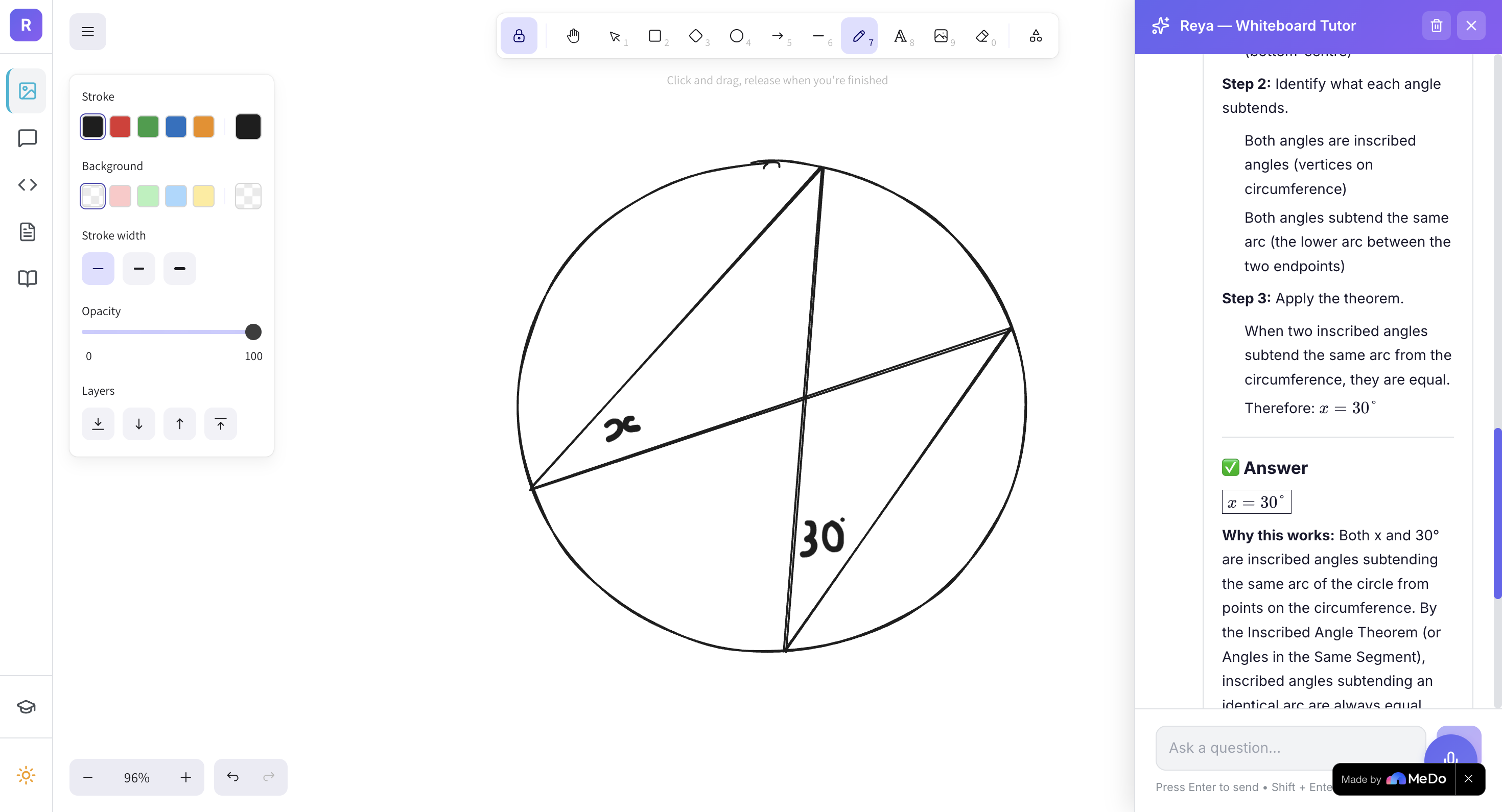
Whiteboard - Students draw maths problems directly on a canvas. Reya reads the diagram using computer vision, identifies the theorem, solves it step by step, and annotates back onto the board.
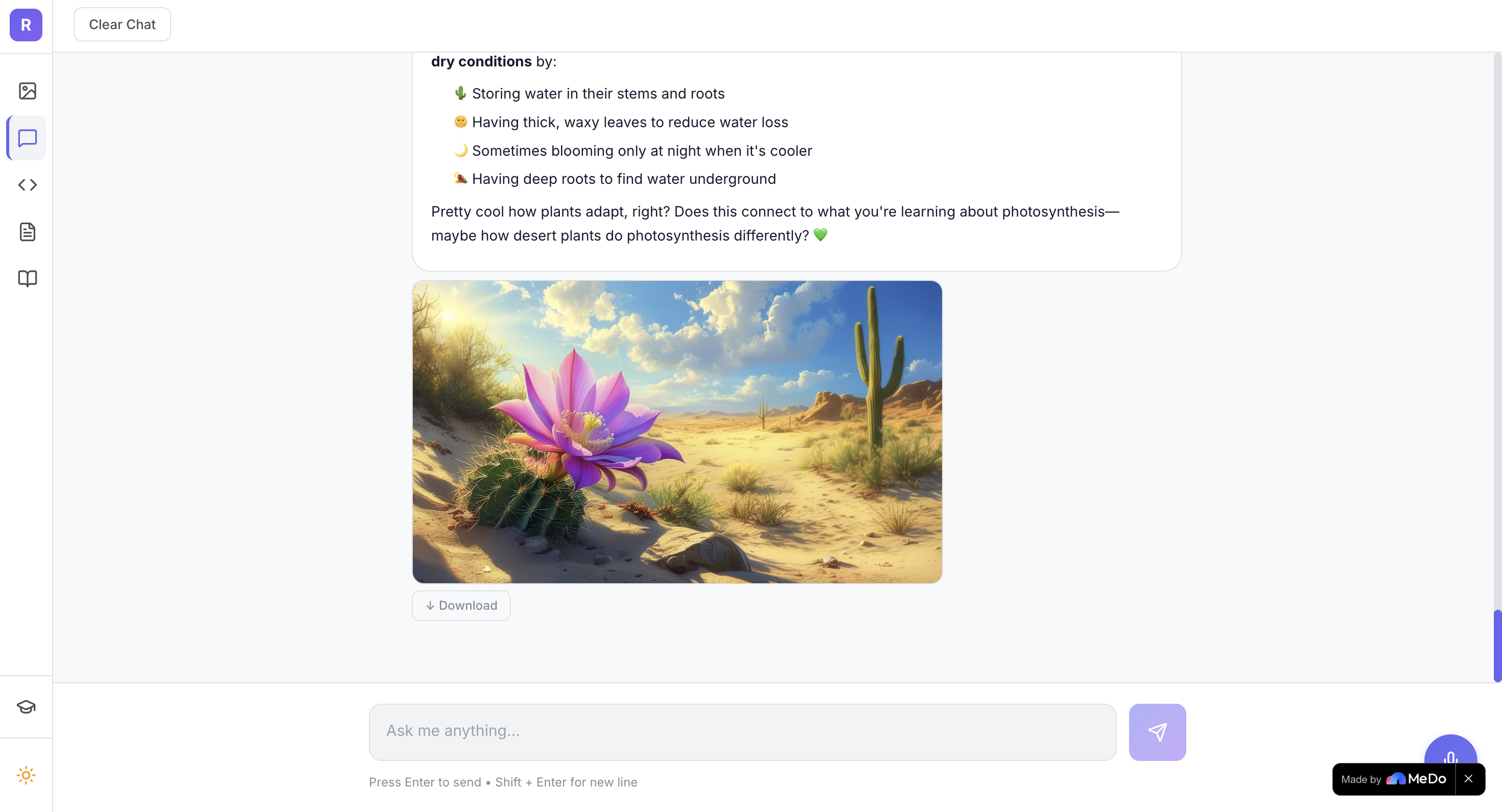
Chat - General tutoring across all subjects, with real tool integrations: web search for current information, Google Scholar for academic papers, image generation for visualising concepts, translation into South African languages, and AI-generated diagrams.
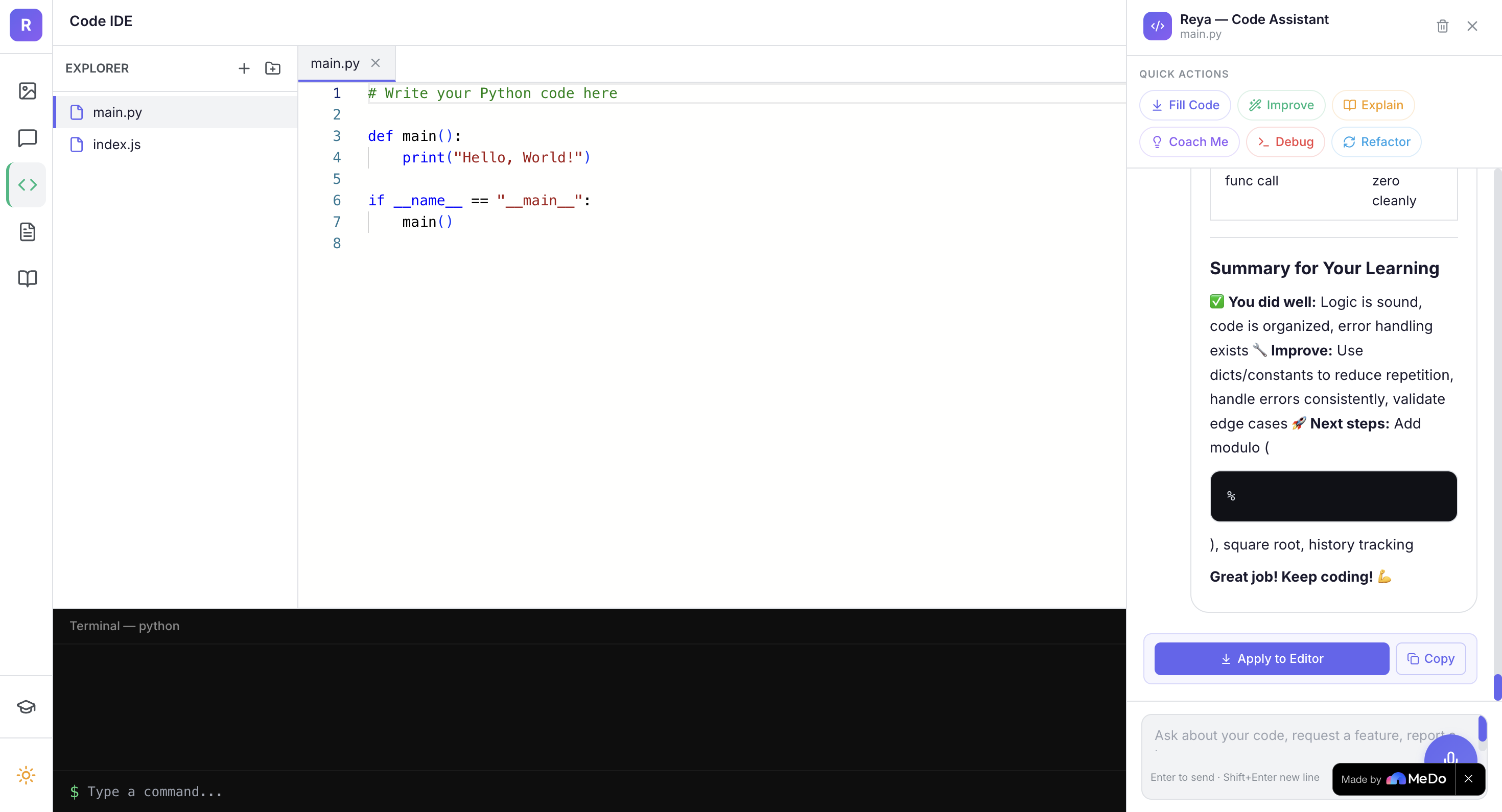
Code IDE - A full development environment where students write code, with Reya as a coding assistant that explains bugs, suggests improvements, and writes files directly to the editor.
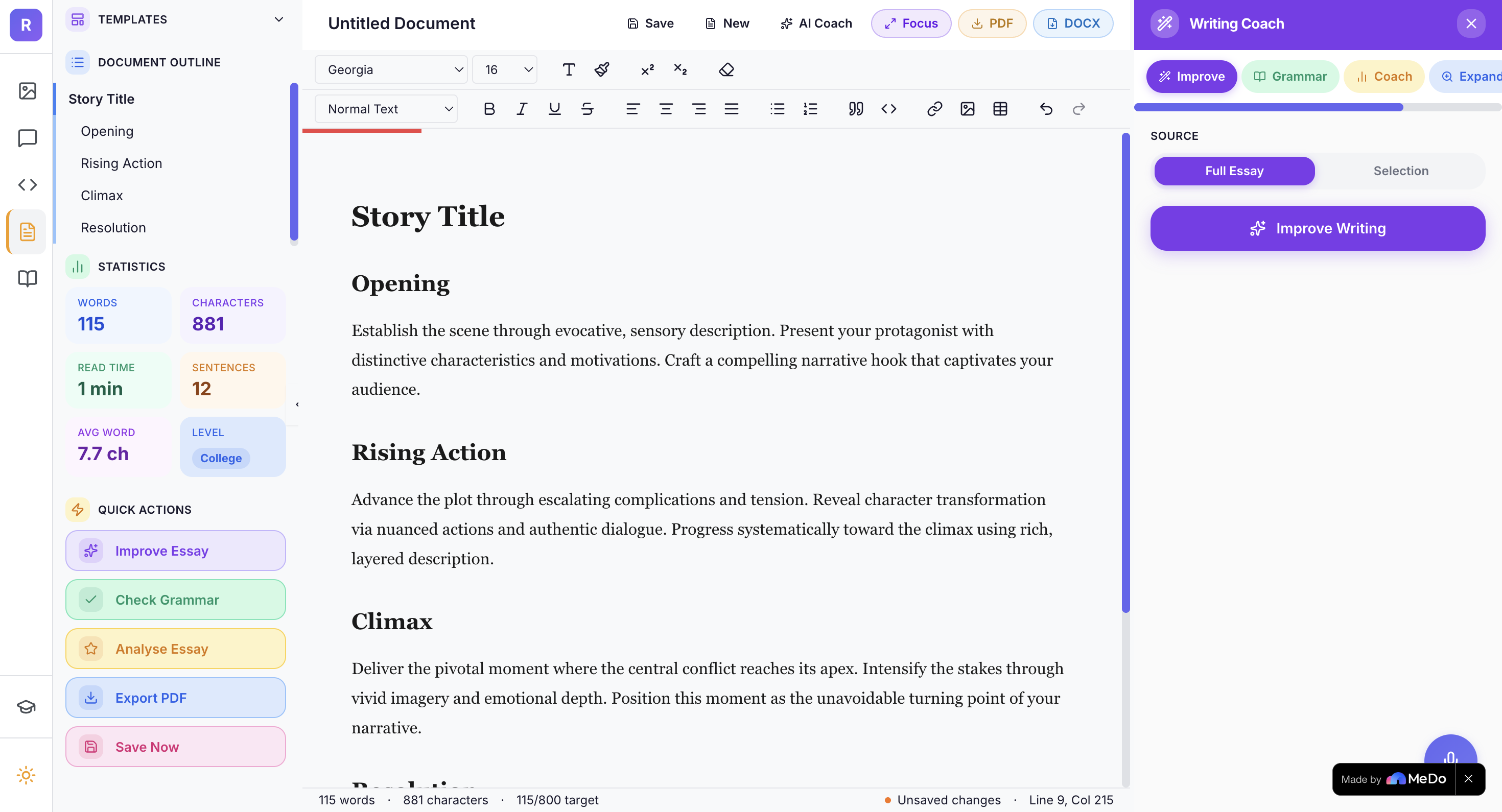
Essay Editor - A word processor with live reading level analysis, word count targets, tab-to-complete suggestions, and an AI writing coach that improves writing, checks grammar, and scores essay structure.
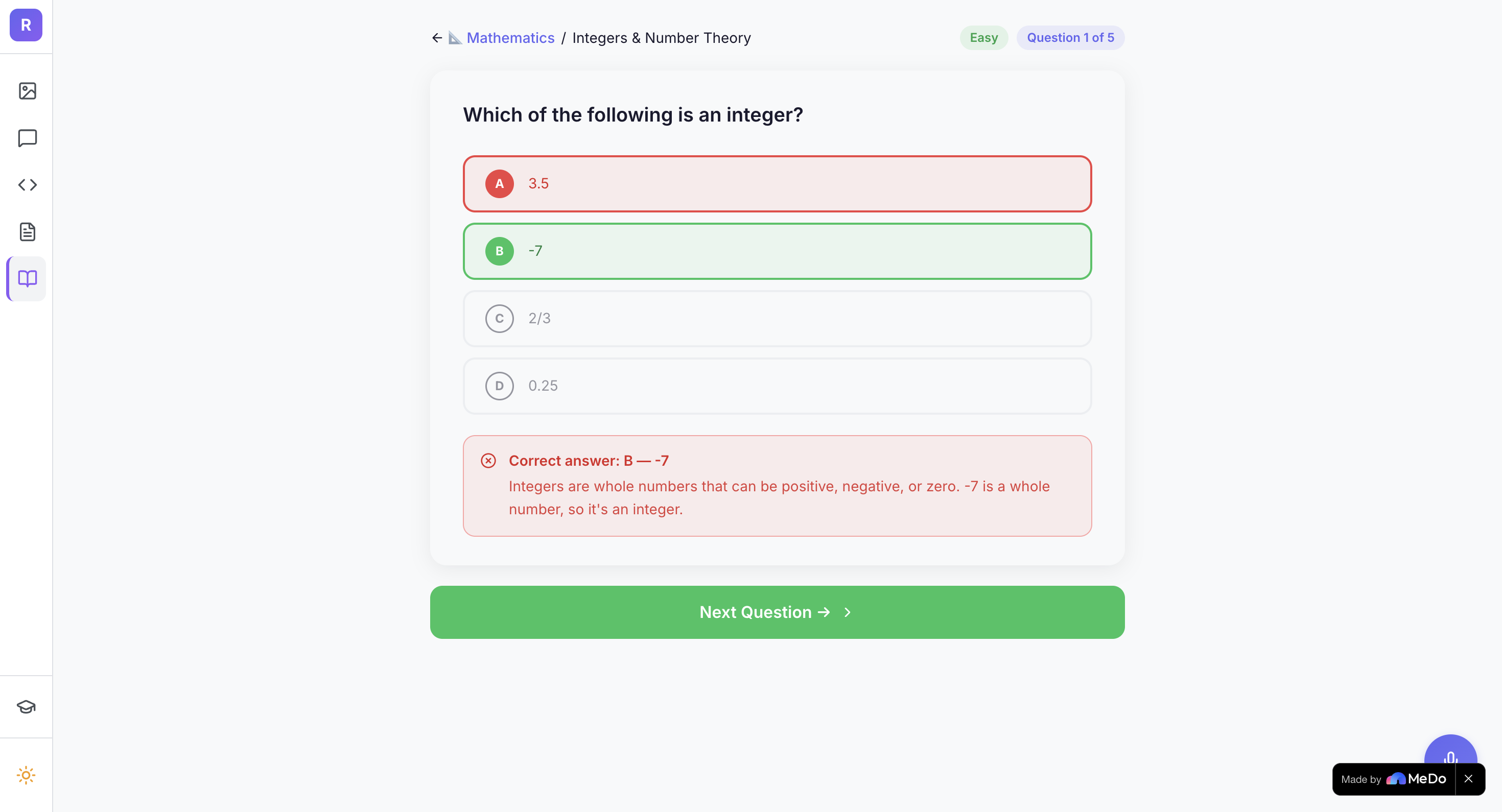
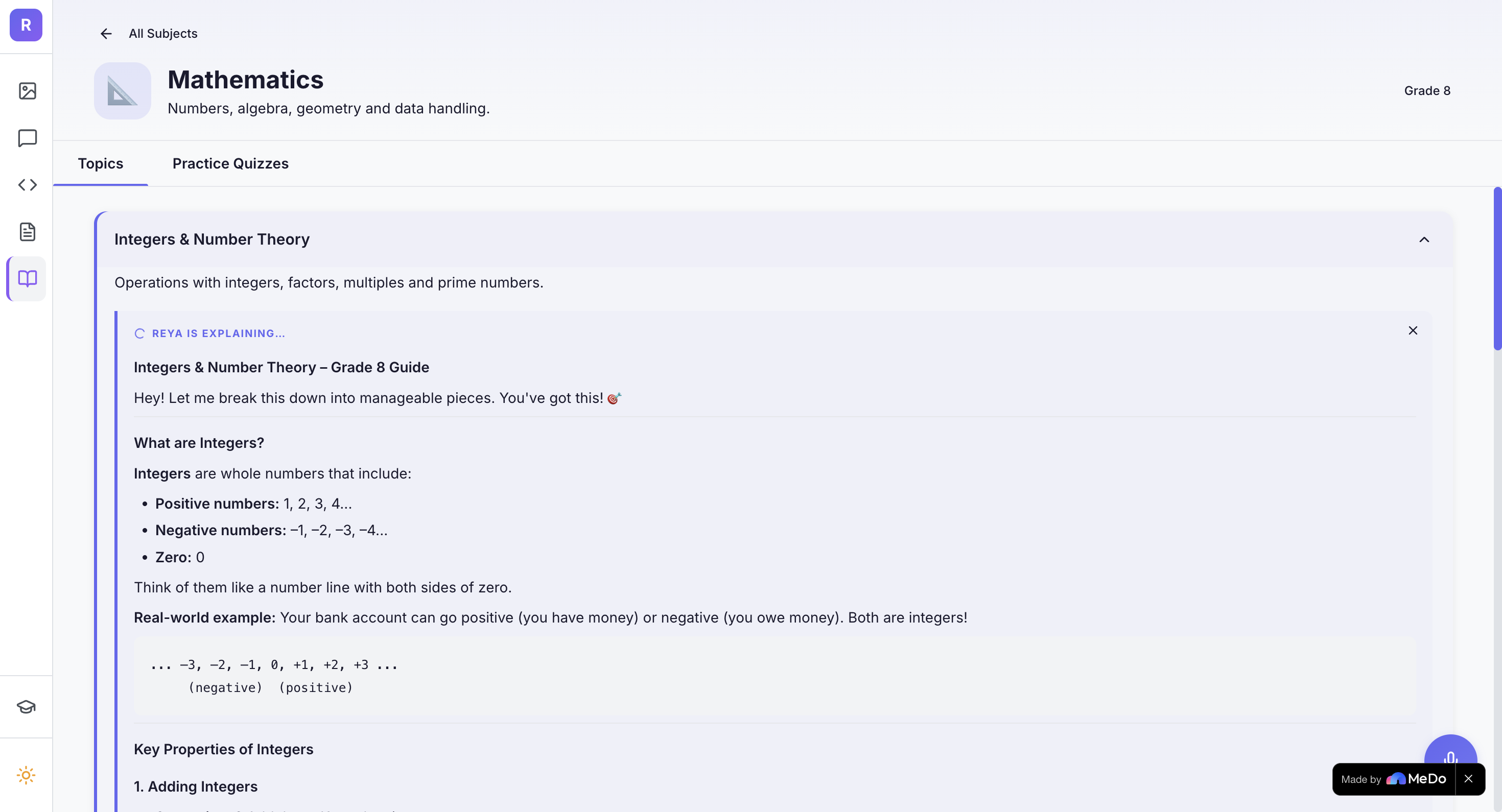
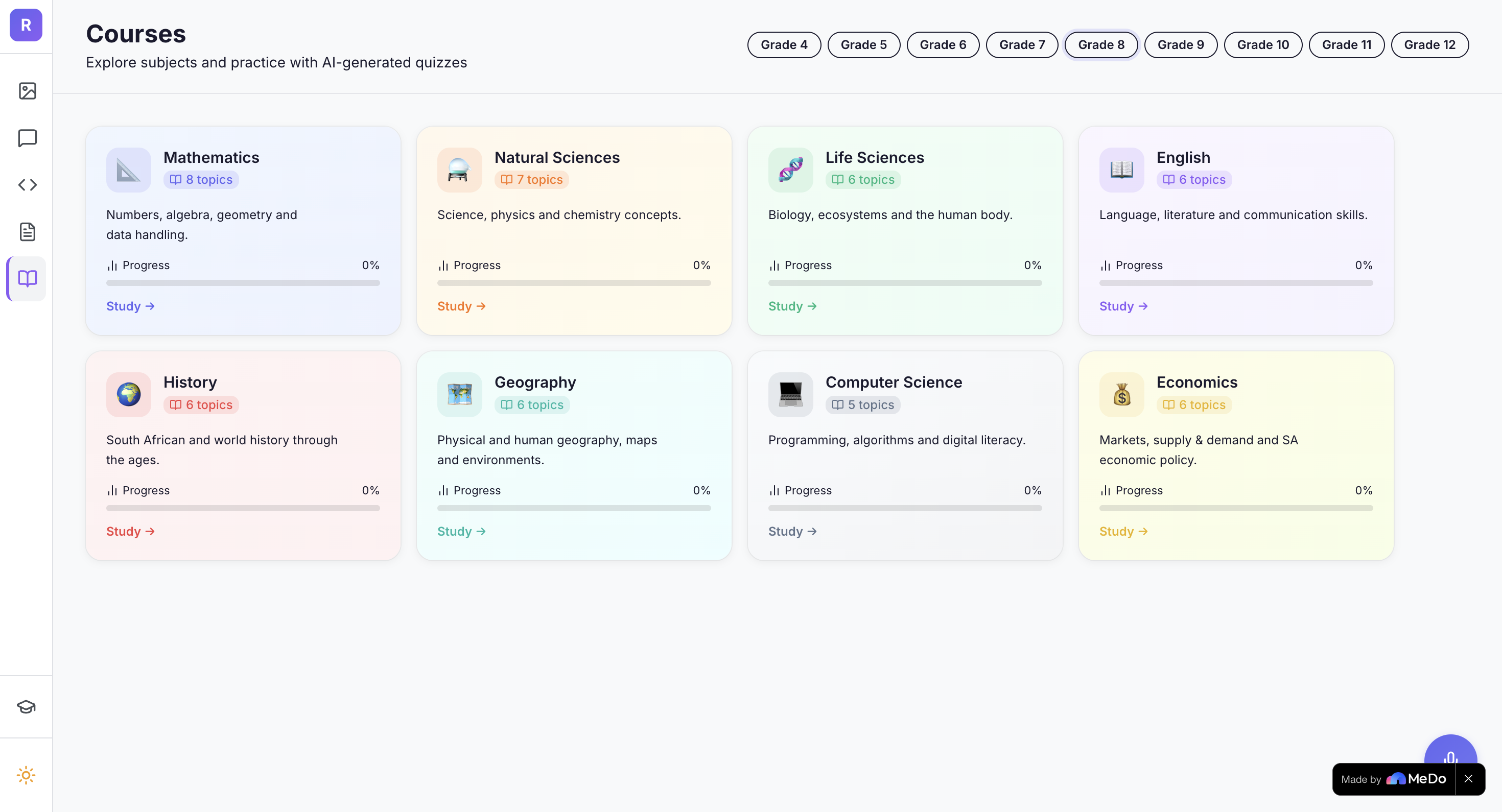
Courses - A curriculum hub organised by subject and grade, with topic explanations that stream inline and AI-generated quizzes with feedback.
Voice chat - students can speak to Reya and hear responses back.
How we built it
The app was built using MeDo. I used MeDo conversations to generate the components, the frontend, the Supabase backend and the edge functions.
My workflow was iterative. I'd describe a feature to MeDo, review what it generated, identify issues from the browser console or from testing, then give MeDo targeted fix prompts. I also used AI to help me understand issues and write better, more precise prompts for MeDo.
The very technically involved part was the whiteboard AI system. A geometric analysis engine that captures the image, extracts element coordinates, classifies lines, attaches text labels, and sends this as structured data alongside the screenshot to Claude. Getting that coordinates and logic right took a lot of back and forth.
For the AI backend I used AWS Bedrock, Claude for whiteboard vision analysis and for everything else, with a usage limit system that tracks requests per session and automatically falls back to Groq's GPT-OSS 120B and Llama models when limits are reached.
Plugins were used for image generation, text-to-speech, web-search and google scholar.
Challenges we ran into
The whiteboard geometry engine was probably the hardest problem. Getting the AI to correctly identify circle theorems requires knowing whether a line is a radius or a chord, which requires knowing whether one endpoint is at the centre of the circle. This sounds simple but the tolerance thresholds, coordinate classifications, and edge cases took significant iteration to get.
Tool use with empty messages caused a persistent 500 error in the chat tab. When the AI calls a search tool immediately without generating any text first, the assistant message saved to the database is an empty string. On the next message that empty string goes into the conversation history and Bedrock rejects it with a ValidationException. The fix was straightforward once I understood the cause, but finding the cause took a while.
The TTS went through a few model ID changes. The model that was configured initially had been deprecated, then the API version header needed updating, then the CORS headers on the edge function were missing. Three separate issues that presented as the same symptom. Eventually, I used the text-to-speech plugin in MeDo for voice.
Accomplishments that we're proud of
The whiteboard solver works. You draw a shape, add some lines and labels, ask Reya to solve it, and it identifies the theorem from the data. That felt like a moment the project was able to do something quite meaninful.
The essay editor ended up much better than I expected, it has a formatting toolbar, live statistics, document templates, inline AI improvement and grammar checking, and an AI writing coach panel. It feels like a tool a student could actually use.
The Groq fallback system working properly, where the app switches models when usage limits are reached and communicates this clearly to the student, was pretty good because it means the app can run beyond expensive models.
The Voice Chat was also really cool with TTS as well as the image generation.
What we learned
Prompt engineering is a real skill. The difference between a vague MeDo prompt and a precise one with context, constraints, and examples can be big.
Building a full-stack app without writing code directly can be tricky, describing what I wanted in terms of behaviour and outcomes rather than implementation details. That can maybe be a useful way to think about software.
AI tutoring tools can be pretty cool with good features. Generic can be easy to build but not that useful. To calibrate responses to grade level, to use specific multi-modal features, those may have made Reya more useful.
What's next for Reya AI Tutor
I want to add a proper student progress system, tracking which topics have been studied, quiz scores over time, and a personalised revision planner based on where the student is struggling.
The courses tab has curriculum content for a handful of grades. Expanding that to proper coverage of all grades and all subjects, with past exam questions, would make it more useful for exam preparation.
And I'd like to add document upload, letting students upload a PDF of their notes or a past paper and ask Reya questions about it directly.
Built With
- ai
- amazon-web-services
- bedrock
- claude
- css
- editor
- excalidraw
- groq
- kling
- medo
- monaco
- react
- search
- supabase
- tailwind
- tiptap
- tts
- typescript
- whisper

Log in or sign up for Devpost to join the conversation.