Rewritten. Learn History by Living It.
- Try it out: https://rewritten.tech
- Demo (YouTube): https://youtu.be/c08dxqRpV20
- GitHub: https://github.com/Jay-Lalwani/rewritten
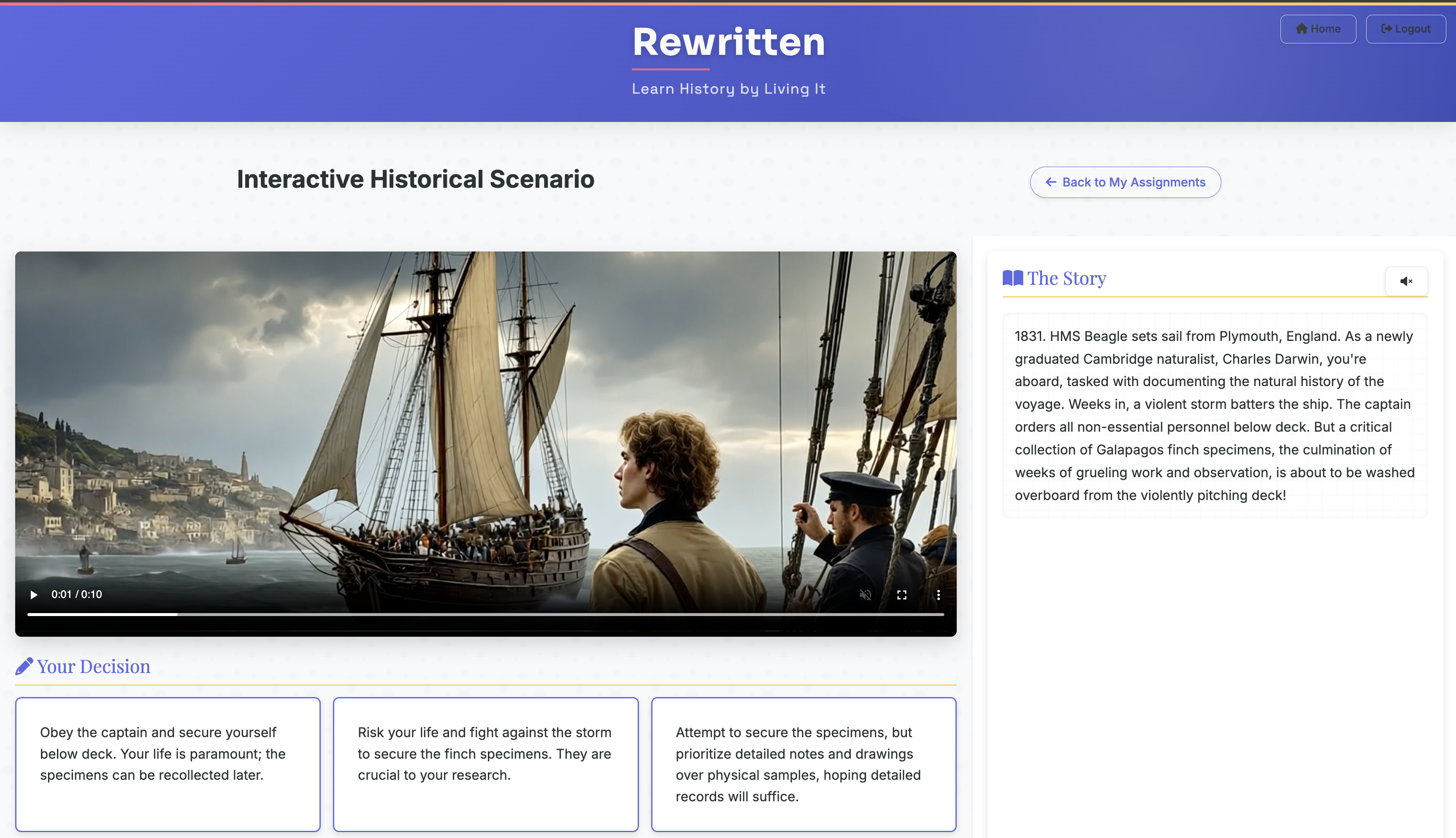
Rewritten is an interactive educational tool that transforms traditional history lessons into engaging, decision-driven experiences. It helps students learn by placing them directly inside historical events and challenging them to reshape the course of history through their choices. It blends storytelling, video generation, and factual reinforcement into a single learning experience.
For Students: Immersive Learning Through Choice
- Join historical scenarios using a simple invite code provided by the teacher
- Experience moments in history (e.g., Civil Rights Movement, Cuban Missile Crisis)
- Make choices from three options at each decision point to shape the course of events
- Watch short, AI-generated videos that visualize the outcome of their decisions
- Read and listen to narrated story segments explaining the consequences of their choices
- Answer factual multiple-choice questions during loading screens to reinforce learning
- Receive a complete, personalized timeline of their alternate history at the end of the session
- Reflect on, review, and optionally share their scenario with others
- Learn history in an engaging, story-driven, and interactive format
For Teachers: A Guided, Measurable Teaching Tool
- Create custom historical learning scenarios with simple text prompts
- Select key historical topics and generate dynamic, branching narratives
- Automatically generate multimedia content and quiz questions from a single prompt
- Invite students to participate with a unique scenario code
- Track student progress in real time, including:
- Narrative choices
- Quiz results
- Completion status
- Use student timelines as formative assessments or discussion starters
- Make abstract or complex historical topics more tangible and relatable
- Foster engagement, critical thinking, and content retention through interactivity
Why It Matters
Rewritten turns history class into an active experience, not just a passive subject. Students learn not just what happened, but why it mattered—and what could have happened if things went differently.
It’s easy to use, works in any classroom with a browser, and gives both students and teachers something they rarely get from a textbook: an emotional, memorable, and personalized experience with history.
Technical Overview
Architecture and Backend
The backend is developed in Python using the Flask framework. It handles routing, user sessions, and communication between the user interface and AI generation agents. The backend also serves HTML templates rendered on the server side.
All core functionality is modularized into AI “agents,” each defined as a Python class responsible for generating a specific type of media or narrative. These agents communicate in sequence to deliver each new scenario:
- The Writer Agent uses a large language model (Gemini 2.0 Flash) to generate narrative content and decision trees.
- The Producer Agent translates narrative text into visual prompts for image and video generation.
- The Media Agents handle image, video, and speech synthesis:
- Image generation uses Flux 1.1 Pro from Black Forest Labs.
- Video generation is handled by Runway Gen-3 Alpha Turbo.
- Text-to-speech narration is produced via 11Labs.
Each media component is generated asynchronously to ensure the UI remains responsive. This is managed through background task queues and polling.
Frontend
The frontend is a web-based interface served through Flask’s templating engine. It’s styled using Bootstrap along with custom CSS.
- A video player for displaying generated scenes
- Clickable decision boxes for interactive branching
- A quiz interface for answering multiple-choice questions
- A progress tracker to visualize the student’s timeline
Authentication and User Roles
Authentication is managed via Auth0, using OAuth2 flows to support login with student or teacher roles. Role-based access ensures that teachers can create and manage scenarios, while students can join sessions and progress through stories.
Database
A lightweight SQLite database is used in conjunction with SQLAlchemy for data modeling. It stores:
- User and session data
- Scenario definitions and branching narratives
- Student decisions and progress history
- Links to generated media assets
Deployment and Infrastructure
Rewritten is containerized using Docker, with services defined via Docker Compose. The stack includes:
- Flask application container
- Traefik reverse proxy for SSL and load balancing
- Horizontal scaling across multiple Flask containers
Production Deployment:
- Hosted on an AWS EC2 instance as a Virtual Private Server (VPS)
- Docker images are built and distributed via AWS Elastic Container Registry (ECR)
- Traefik handles HTTPS termination with Let’s Encrypt, dynamic routing, and load balancing
- Domain and DNS services are managed through Cloudflare, which also provides DDoS protection and proxying
Built With
- amazon-web-services
- auth0
- cloudflare
- css
- ec2
- flask
- flux
- gemini
- html
- javascript
- python
- runway
- sql
- traefik


Log in or sign up for Devpost to join the conversation.